HTML Injection
Importance of Front-End Validation
- While user input validation and sanitization is often done on the backend, some input is handled entirely on the front end.
- It's essential to validate and sanitize input on both the front end and back end to protect against client-side attacks.
HTML Injection Overview
- HTML Injection occurs when unfiltered user input is rendered directly on the page.
- This can happen either by:
- Retrieving unsanitized input from a backend (e.g., user comments)
- Displaying input directly using front-end JavaScript
Risks of HTML Injection
-
Attackers can inject malicious HTML such as:
- Fake login forms (used for phishing)
- Malicious ads or spam content
- Entirely defaced web pages (web defacement)
-
These attacks can lead to:
- Credential theft
- Brand/reputation damage
- User trust degradation
Example: Basic Web Page Without Input Sanitization
HTML Source Code
<!DOCTYPE html>
<html>
<body>
    <button onclick="inputFunction()">Click to enter your name</button>
    <p id="output"></p>

    <script>
        function inputFunction() {
            var input = prompt("Please enter your name", "");

            if (input != null) {
                document.getElementById("output").innerHTML = "Your name is " + input;
            }
        }
    </script>
</body>
</html>

- This page directly inserts user input into the DOM using
innerHTML, making it vulnerable to HTML Injection and XSS.
HTML Injection Payload Example
Payload
<style> body { background-image: url('https://academy.hackthebox.com/images/logo.svg'); } </style>
Effect
-
Injected through the input prompt
-
Instantly changes the web page’s background image to the Hack The Box Academy logo
-
Demonstrates how even minor changes can alter the page's appearance

Mitigation Strategies
- Never trust user input — sanitize and validate on both client and server side.
- Use
.textContentor.innerTextinstead of.innerHTMLwhen rendering user input to the DOM. - Implement a Content Security Policy (CSP).
- Avoid using
eval(),document.write(), or similar functions with user input.
Exercise
Target: 94.237.122.123:39738
What text would be displayed on the page if we use the following payload as our input: <a href="http://www.hackthebox.com">Click Me</a>
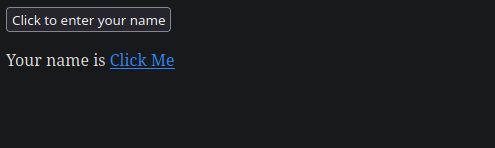
flag: Your name is Click Me