InnovaLab 2025 - ML Hackathon - Lakitus
Car Quality Predictor by Lakitus
App Link: Streamlit App by Lakitus
GitHub repository: car-quirks-ml-InnovaLab25
Abstract
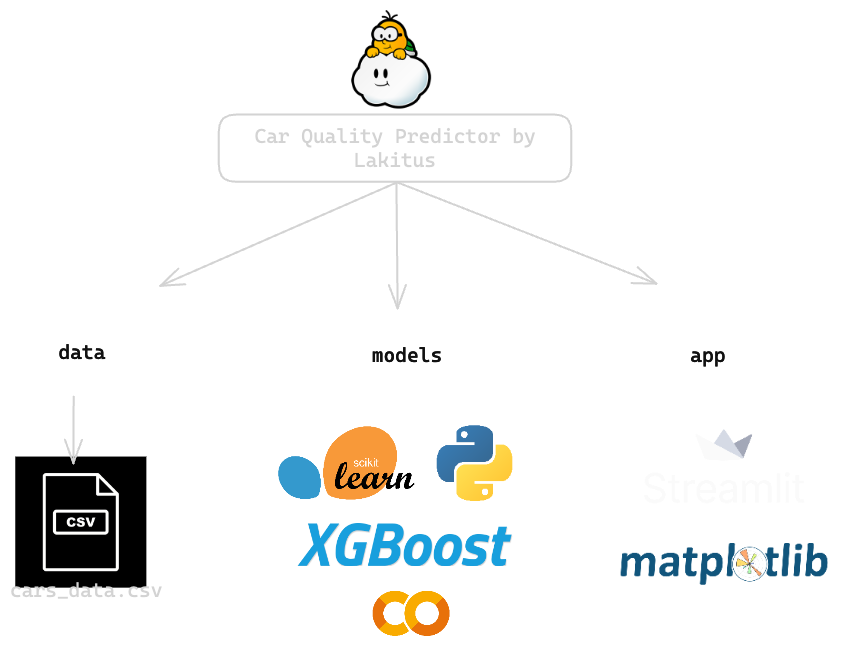
This project was presented at InnovaLab 2025, a machine learning hackathon whose challenge was to predict a vehicle's quality based on certain characteristics. The organizers provided a CSV file with the necessary data, which we used to build and train our model. We used Python and machine learning tools focused on model generation and training. The result was a robust model capable of predicting a vehicle's quality based on "High," "Medium," or "Low."
Purpose
In this hackathon, our objective was to build a machine learning model capable of predicting a car's quality category - "Low," "Medium," or "High" -based on its specifications. We received a dataset of 10,000 vehicles, each described by characteristics such as year of manufacture, mileage, fuel type, engine power, safety rating, and fuel efficiency. The target variable, car_quality, was unbalanced (approximately 84% "Medium," 10.5% "High," and 5.5% "Low"), which required careful handling during training and evaluation. Our motivation was twofold: first, to demonstrate how predictive analytics can help buyers and dealers quickly assess vehicle quality; and second, to offer an interactive and explainable web application where users can enter car specifications, obtain an immediate quality prediction, and explore the model's reasoning using SHAP values and what-if sliders.
Data Loading and Exploration
We began by inspecting the provided CSV file, which contained 10,000 rows and the following fields: name, year, selling_price, km_driven, fuel, estimated_fuel_l, seller_type, transmission, owner, body_type, engine_power_hp, safety_level, car_quality, efficiency_km_l, and quality_score. Since there were no missing values, we initially focused on understanding the distribution and relationships between these variables. In particular:
- Target distribution: "Medium" comprised approximately 84% of the entries, "High" approximately 10.5%, and "Low" approximately 5.5%, indicating significant class imbalance.
- Numerical summaries: We calculated means, medians, and ranges for
year,selling_price,km_driven,engine_power_hp,safety_level, andefficiency_km_lto identify outliers (e.g., extremely high mileage or very low safety ratings). - Correlations: A quick Pearson correlation showed that
quality_scorehad a moderate correlation withcar_quality(≈0.74), but we chose to discard it later to avoid label leakage. Other moderate correlations includedefficiency_km_l(≈0.53) andsafety_level (≈0.50)with the coded target. - Categorical Breakdowns: We checked the distribution of integer-coded features (e.g., fuel types 0-4, vendor types 0-2, body types 1-5) to ensure no single category completely dominated.
This exploratory step confirmed data cleanliness, highlighted class imbalance, and guided our decision to design additional features (such as extracting a brand name) and discarding quality_score to prevent label leakage.
Data Preprocessing
Before training any models, we cleaned and transformed the raw fields into features that the pipeline could consume. Key steps include:
- Removing Leaky or Irrelevant Columns: Although the "
quality_score" variable showed a strong correlation (≈0.74) with "car_quality," it was partially derived from the target itself, so we removed it to prevent leakage. Similarly, we discarded the raw name field after extracting only the brand. - Brand Extraction: We compiled a list of 29 well-known brands (e.g., "Maruti," "Hyundai," "Tata," etc.) and created a helper function that converted each name string to lowercase and returned the corresponding brand prefix (or "other" if there was no match). This new brand column was converted to a category column.
- Categorical Encoding and Pipelines: Integer-encoded features (
fuel,seller_type,transmission,owner,body_type, andbrand) were converted to the Pandas category data type. We built a ColumnTransformer with two parallel pipelines:- A numeric pipeline that applies StandardScaler to continuous features (year, selling price, km traveled, estimated fuel, engine power hp, safety rating, fuel efficiency km/l).
- A categorical pipeline that uses
OneHotEncoder(handle_unknown="ignore")on the six categorical columns. These were combined so that, at the time of adjustment, all numeric and categorical columns were preprocessed at once.
Training/Test Split: Finally, we performed a stratified 80/20 split onquality_autoto preserve class proportions, ensuring that our withheld test set remained representative (≈84% "Medium", ≈10.5% "High", ≈5.5% "Low").
Model Selection
We evaluated several classifiers to find the best balance between accuracy and interpretability:
-
Baseline: DummyClassifier
Using the "most_frequent" strategy, the model predicted "Medium" for each sample, with an accuracy of approximately 84% (the majority class), but a macro F1 close to 0.30. This baseline confirmed that any true predictive model should outperform simple majority estimation. -
Logistic Regression
We created a script that combines ourColumnTransformerwithLogisticRegression(multi_class="multinomial", solver="lbfgs", max_iter=5000). In 5-fold cross-validation (scoring="f1_macro"), fold scores ranged from approximately 0.91 to 0.96, with an average of approximately 0.93. On the 20% holdout test set, accuracy reached 0.97 and macro F1 ≈ 0.93. Although linear, this model captured enough signal to constitute a solid baseline. -
Random Forest
Replacing the classifier withRandomForestClassifier(n_estimators=300, class_weight="balanced", random_state=42)yielded a 5-fold CV for macro F1 ≈ 0.86 and a test accuracy ≈ 0.955. High training scores (close to 1.0) indicated overfitting. While RF handled nonlinear interactions, its generalization was slightly inferior to that of logistic regression and gradient boosting methods. -
LightGBM
Next, we testedLGBMClassifier(n_estimators=200, learning_rate=0.1, max_depth=6, subsample=0.8, colsample_bytree=0.8, random_state=42). Cross-validation yielded a macro-F1 of ≈0.93, and the test accuracy was ≈0.975. LightGBM's speed and native handling of large datasets made it very competitive in both training time and predictive performance. -
XGBoost (Final Model)
The final pipeline usedXGBClassifier(objective="multi:softprob", num_class=3, learning_rate=0.1, n_estimators=200, max_depth=6, subsample=0.8, colsample_bytree=0.8, random_state=42, n_jobs=-1). In a 5-fold CV, the macro-F1 averaged ≈ 0.936. On the withheld test set, precision reached ≈ 0.977 with a macro-F1 of ≈ 0.94. The confusion matrices showed high recall for "Medium" and high precision/recall ratios for "High" and "Low," making XGBoost our top choice for the final implementation. -
Hyperparameter Tuning
We tuned key XGBoost parameters usingRandomizedSearchCVin the ranges ofmax_depth,learning_rate,n_estimators,subsample, andcolsample_bytree, optimizing for the macro-F1. The best settings slightly improved the test precision to ≈ 0.98 and the macro-F1 to ≈ 0.95, demonstrating that careful tuning can yield incremental improvements.
Overall, XGBoost, after tuning, offered the best balance between speed, accuracy, and robustness, so it was selected as the final model for our Streamlit application.
Model Evaluation and Interpretation
We used two approaches to understand how our XGBoost model makes decisions:
-
Feature Importance (XGBoost)
- The top 10 features were extracted using
model.feature_importances, including high-impact variables such as certain one-hot columns forbody_type,year,safety_level, andfuel_efficiency. These importances were aligned with domain knowledge: newer cars, higher safety ratings, and efficient engines tend to have a "High" rating.
- The top 10 features were extracted using
-
SHAP Values
- We leveraged
shap.TreeExplainerfrom the trained XGBoost classifier to calculate attributions per instance. - For each car entry, the top 10 SHAP features were plotted as a horizontal bar chart (dark mode), with positive bars moving closer to the predicted class and negative bars moving away.
- This instance-level explanation helps users see exactly which attributes (e.g., high
safety_levelor lowkm_driven) drove the model toward “Medium” or “High,” improving transparency and confidence.
- We leveraged
Web Deployment with Streamlit
We created a single-file Streamlit application (app.py) that integrates our XGBoost pipeline into an interactive interface. Key components:
-
Folder Structure and Dependencies
app.pyis located at the root of the repository.- A
models/subfolder containsxgb_final_pipeline.pklandlabel_encoder.pkl. train_data.csv(for nearest neighbor search) is also located at the root ofdata/.requirements.txtlists all the necessary libraries: streamlit, pandas, scikit-learn, xgboost, shap, matplotlib, joblib, etc.
-
Model Loading and Caching
- We used
@st.cache_datato load both the serialized pipeline andLabelEncoderonce at startup, avoiding repeated disk I/O operations. - Paths are built in conjunction with
app.py(e.g.,os.path.join(os.path.dirname(__file__), "models", "xgb_final_pipeline.pkl")) to ensure consistency during deployment.
- We used
-
Sidebar Input
- The sidebar compiles the vehicle's static specifications: year, selling price, fuel, estimated fuel, dealer type, transmission, owner, and make (extracted from the name).
-
Sliders and Hypothesis Prediction (what-if prediction)
- Below the SHAP chart, six sliders allow you to adjust the year, kilometers traveled, body type, engine power, safety level, and mileage efficiency.
- With each slider change, Streamlit reruns the script, recalculating a "hypothesis prediction" (color label + progress bar + class probabilities) immediately above the sliders.
- The current input row is reconstructed from the values in the sidebar and slider, assigned a category where necessary, and passed through
model.predict()andmodel.predict_proba().
In short, the Streamlit app runs locally or in Community Cloud as a fully interactive dashboard that predicts car quality, explains the prediction using SHAP, and allows users to explore what-if scenarios.
Final Takeaways
-
Data sanity beats blind modeling. Investing time up front in cleaning, dropping leaking features, and engineering a simple
brandextractor from thenamefield paid huge dividends downstream—our pipeline never stumbled on unexpected nulls or mislabeled categories. -
Start simple, then iterate. The DummyClassifier → Logistic Regression → Random Forest → LightGBM → XGBoost progression let us incrementally uncover model strengths, weaknesses, and tuning opportunities. By the time we landed on XGBoost and fine-tuned its hyperparameters, our accuracy jumped from ~0.84 to ~0.98 with minimal extra code.
-
Explainability builds trust. Integrating SHAP into the workflow turned black-box predictions into clear, feature-by-feature “why” stories. When users see that high safety ratings or low mileage really do push the model toward “Alta,” they gain confidence in the results.
-
Interactivity engages. The dual-stage prediction (sidebar-only baseline + “what-if” sliders) and nearest-neighbor lookup transformed our app from a static form into an exploratory tool. Real-time feedback and downloadable charts/CSVs make the experience both educational and actionable.
-
Collaboration and agility win hackathons. Frequent checkpoints—baseline checks, CV reviews, SHAP plots—kept the team aligned. We able to pivot quickly when one approach underperformed, ensuring we hit our 2nd-place result with time to spare.
-
Onward & upward. Next steps include richer NLP on the
namefield, automated retraining pipelines, and deploying a production-grade service (e.g. Docker + Kubernetes). But even with this prototype, we’ve shown how clean data, explainable models, and interactive UI can deliver real business value—fast.
Thank you for reading! keep in touch for similar projects.