Burp Intruder
Both Burp and ZAP provide additional features other than the default web proxy, which are essential for web application penetration testing. Two of the most important extra features are web fuzzers and web scanners. The built-in web fuzzers are powerful tools that act as web fuzzing, enumeration, and brute-forcing tools. This may also act as an alternative for many of the CLI-based fuzzers we use, like ffuf, dirbuster, gobuster, wfuzz, among others.
Burp's web fuzzer overview
- Burp's web fuzzer is called
Burp Intruder, and can be used to fuzz pages, directories, sub-domains, parameters, parameters values, and many other things. - Though it is much more advanced than most CLI-based web fuzzing tools, the free
Burp Communityversion is throttled at a speed of 1 request per second, making it extremely slow compared to CLI-based web fuzzing tools, which can usually read up to 10k requests per second. - This is why we would only use the free version of Burp Intruder for short queries.
- The
Proversion has unlimited speed, which can rival common web fuzzing tools, in addition to the very useful features of Burp Intruder. This makes it one of the best web fuzzing and brute-forcing tools.
- The
Target
-
Go to the Proxy History, locate our request, then right-click on the request and select
Send to Intruder, or use the shortcut [CTRL+I] to send it toIntruder. -
We can then go to
Intruderby clicking on its tab or with the shortcut[CTRL+SHIFT+I], which takes us right toBurp Intruder: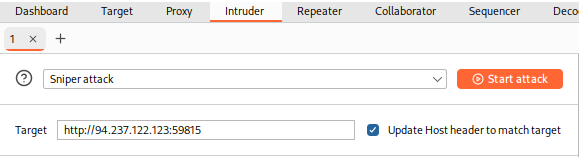
-
Looking at the
Targettext box, we can see the details of the target we will be fuzzing, which, in this case, was fed from the request we sent toIntruder.
Positions
-
'
Positions', is where we place the payload position pointer, which is the point where words from our wordlist will be placed and iterated over. -
We will be demonstrating how to fuzz web directories, which is similar to what's done by tools like
ffuforgobuster. -
To check whether a web directory exists, our fuzzing should be in '
GET /DIRECTORY/', such that existing pages would return200 OK, otherwise we'd get404 NOT FOUND. -
So, we will need to select
DIRECTORYas the payload position, by either wrapping it with§or by selecting the wordDIRECTORYand clicking on theAdd §button: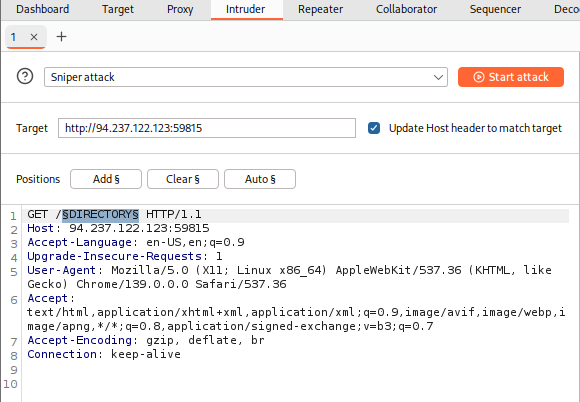
Note: Be sure to leave the extra two lines at the end of the request, otherwise we may get an error response from the server.
Payloads
- On the '
Payloads' section on the right-hand side, we get to choose and customize our payloads/wordlists. - This payload/wordlist is what would be iterated over, and each element/line of it would be placed and tested one by one in the Payload Position we chose earlier.
- There are four main things we need to configure:
- Payload Position & Payload Type
- Payload Configuration
- Payload Processing
- Payload Encoding
Payload Position & Payload Type
The first thing we must configure is the Payload Position and Payload Type.
-
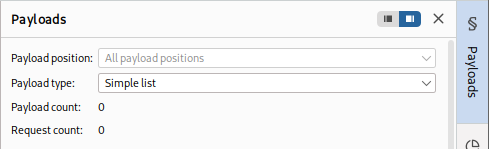
The payload set identifies the Payload number, depending on the attack type and number of Payloads we used in the Payload Position Pointers:
-
In this case, we only have one Payload Position, as we chose the '
Sniper' Attack type with only one payload position. -
If we have chosen the '
Cluster Bomb' attack type, for example, and added several payload positions, we would get more payload positions to choose from and choose different options for each. In our case, we'll select1 - DIRECTORYfor the payload set.
Next, we need to select the Payload Type, which is the type of payloads/wordlists we will be using.
- Burp provides a variety of Payload Types, each of which acts in a certain way. For example:
Simple List: The basic and most fundamental type. We provide a wordlist, and Intruder iterates over each line in it.Runtime file: Similar toSimple List, but loads line-by-line as the scan runs to avoid excessive memory usage by Burp.Character Substitution: Lets us specify a list of characters and their replacements, and Burp Intruder tries all potential permutations.
- There are many other Payload Types, each with its own options, and many of which can build custom wordlists for each attack. You can visit Burp Intruder payload types, to learn more about each Payload Type. In our case, we'll be going with a basic
Simple List.
Payload Configuration
Next, we must specify the Payload Configuration, which is different for each Payload Type we select in Payload Type.
-
For a
Simple List, we have to create or load a wordlist. To do so, we can input each item manually by clickingAdd, which would build our wordlist on the fly. The other more common option is to click onLoad, and then select a file to load into Burp Intruder. -
We will select
/opt/useful/seclists/Discovery/Web-Content/common.txtas our wordlist. We can see that Burp Intruder loads all lines of our wordlist into the Payload Configuration table: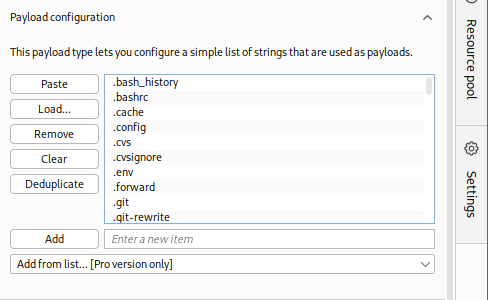
-
We can add another wordlist or manually add a few items, and they would be appended to the same list of items. We can use this to combine multiple wordlists or create customized wordlists.
-
In Burp Pro, we also can select from a list of existing wordlists contained within Burp by choosing from the
Add from listmenu option.
Tip: In case you wanted to use a very large wordlist, it's best to use
Runtime fileas the Payload Type instead ofSimple List, so that Burp Intruder won't have to load the entire wordlist in advance, which may throttle memory usage.
Payload Processing
Another option we can apply is Payload Processing, which allows us to determine fuzzing rules over the loaded wordlist.
-
For example, if we wanted to add an extension after our payload item, or if we wanted to filter the wordlist based on specific criteria, we can do so with payload processing.
-
Let's try adding a rule that skips any lines that start with a
.(as shown in the wordlist screenshot earlier). We can do that by clicking on theAddbutton and then selectingSkip if matches regex, which allows us to provide a regex pattern for items we want to skip. Then, we can provide a regex pattern that matches lines starting with., which is:^\..*$: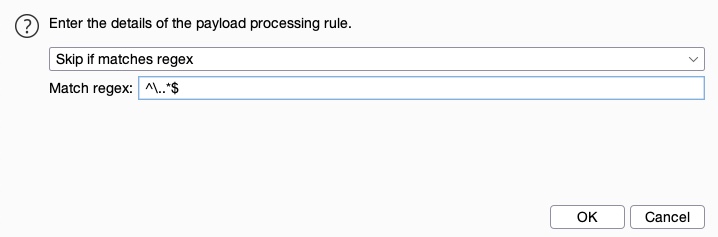
-
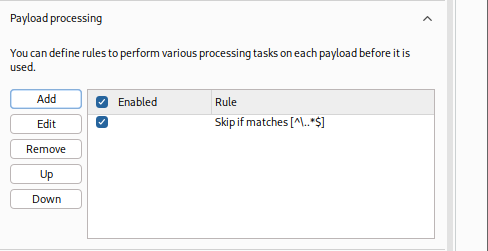
We can see that our rule gets added and enabled:
Payload Encoding
The fourth and final option we can apply is Payload Encoding, enabling us to enable or disable Payload URL-encoding.
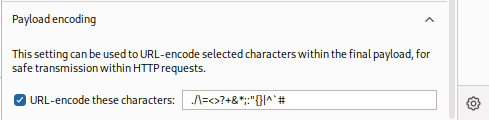
We'll leave it enabled.
Settings
Finally, we can customize our attack options from the Settings tab. There are many options we can customize (or leave at default) for our attack.
-
For example, we can set the
Number of retries on network failureandPause before retryto 0. -
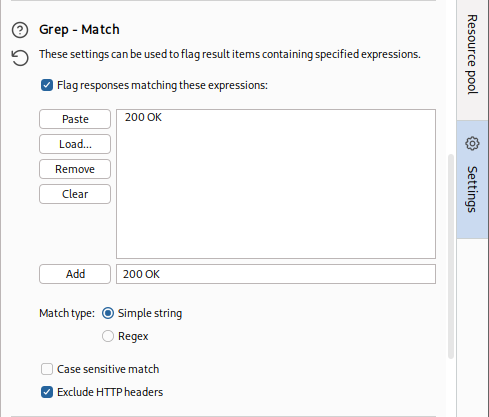
Another useful option is the
Grep - Match, which enables us to flag specific requests depending on their responses.- As we are fuzzing web directories, we are only interested in responses with HTTP code
200 OK. So, we'll first enable it and then clickClearto clear the current list. - After that, we can type
200 OKto match any requests with this string and clickAddto add the new rule. - Finally, we'll also disable
Exclude HTTP Headers, as what we are looking for is in the HTTP header:
- As we are fuzzing web directories, we are only interested in responses with HTTP code
-
We may also utilize the
Grep - Extractoption, which is useful if the HTTP responses are lengthy, and we're only interested in a certain part of the response.- So, this helps us in only showing a specific part of the response. We are only looking for responses with HTTP Code
200 OK, regardless of their content, so we will not opt for this option.
- So, this helps us in only showing a specific part of the response. We are only looking for responses with HTTP Code
-
You can find the Burp Intruder documentation here.
Note: We may also use the
Resource Pooltab on the right side vertical bar to specify how much network resources Intruder will use, which may be useful for very large attacks.
Attack
Now that everything is properly set up, we can click on the Start Attack button and wait for our attack to finish.
-
Once again, in the free
Community Version, these attacks would be very slow and take a considerable amount of time for longer wordlists. -
The first thing we will notice is that all lines starting with
.were skipped, and we directly started with the lines after them: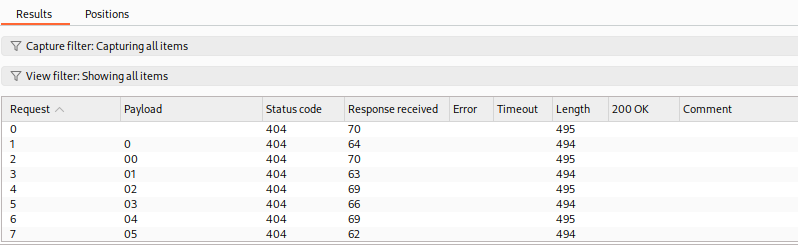
-
We can also see the
200 OKcolumn, which shows requests that match the200 OKgrep value we specified in the Options tab. We can click on it to sort by it, such that we'll have matching results at the top. Otherwise, we can sort byStatusor byLength. -
Once our scan is done, we see that we get one hit
/admin/: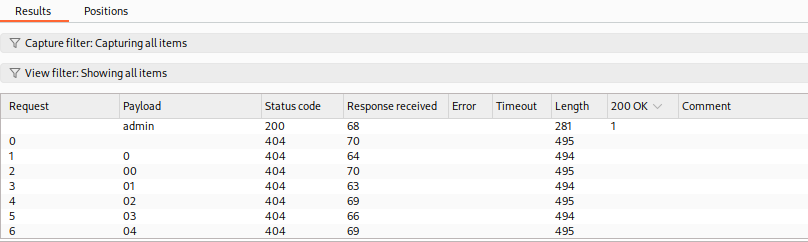
-
We may now manually visit the page
<http://SERVER_IP:PORT/admin/>, to make sure that it does exist.
Burp Intruder summary
- Similarly, we can use
Burp Intruderto do any type of web fuzzing and brute-forcing, including brute-forcing for passwords, or fuzzing for certain PHP parameters, and so on. - We can even use
Intruderto perform password spraying against applications that use Active Directory (AD) authentication, such as Outlook Web Access (OWA), SSL VPN portals, Remote Desktop Services (RDS), Citrix, custom web applications that use AD authentication, and more.
Exercise
Use Burp Intruder to fuzz for '.html' files under the /admin directory, to find a file containing the flag.
To use Burp Intruder for fuzzing '.html' files under the /admin directory, first capture a request to the /admin directory using Burp Proxy
GET /admin HTTP/1.1
Host: 83.136.255.203:52620
Accept-Language: en-US,en;q=0.9
Upgrade-Insecure-Requests: 1
User-Agent: Mozilla/5.0 (X11; Linux x86_64) AppleWebKit/537.36 (KHTML, like Gecko) Chrome/140.0.0.0 Safari/537.36
Accept: text/html,application/xhtml+xml,application/xml;q=0.9,image/avif,image/webp,image/apng,*/*;q=0.8,application/signed-exchange;v=b3;q=0.7
Accept-Encoding: gzip, deflate, br
Connection: keep-alive
Positions
Send the request to Burp Intruder and configure the payload positions by placing the payload marker (e.g., $ ) at the end of the path, such as /admin/$$.html.
GET /admin/$.html HTTP/1.1
Host: 83.136.255.203:52620
Accept-Language: en-US,en;q=0.9
Upgrade-Insecure-Requests: 1
User-Agent: Mozilla/5.0 (X11; Linux x86_64) AppleWebKit/537.36 (KHTML, like Gecko) Chrome/140.0.0.0 Safari/537.36
Accept: text/html,application/xhtml+xml,application/xml;q=0.9,image/avif,image/webp,image/apng,*/*;q=0.8,application/signed-exchange;v=b3;q=0.7
Accept-Encoding: gzip, deflate, br
Connection: keep-alive
- This setup ensures that the wordlist will be inserted before the
.htmlextension.
Payload configuration
Use a wordlist like common.txt from Seclists and load it in the "Payload Configuration" section.
Payload processing
Used the "Skip if matches [^\..*$]"
Settings: Grep - Match
Enable and add 200 OK as 'Simple string' match type and disable 'Exclude HTTP headers'
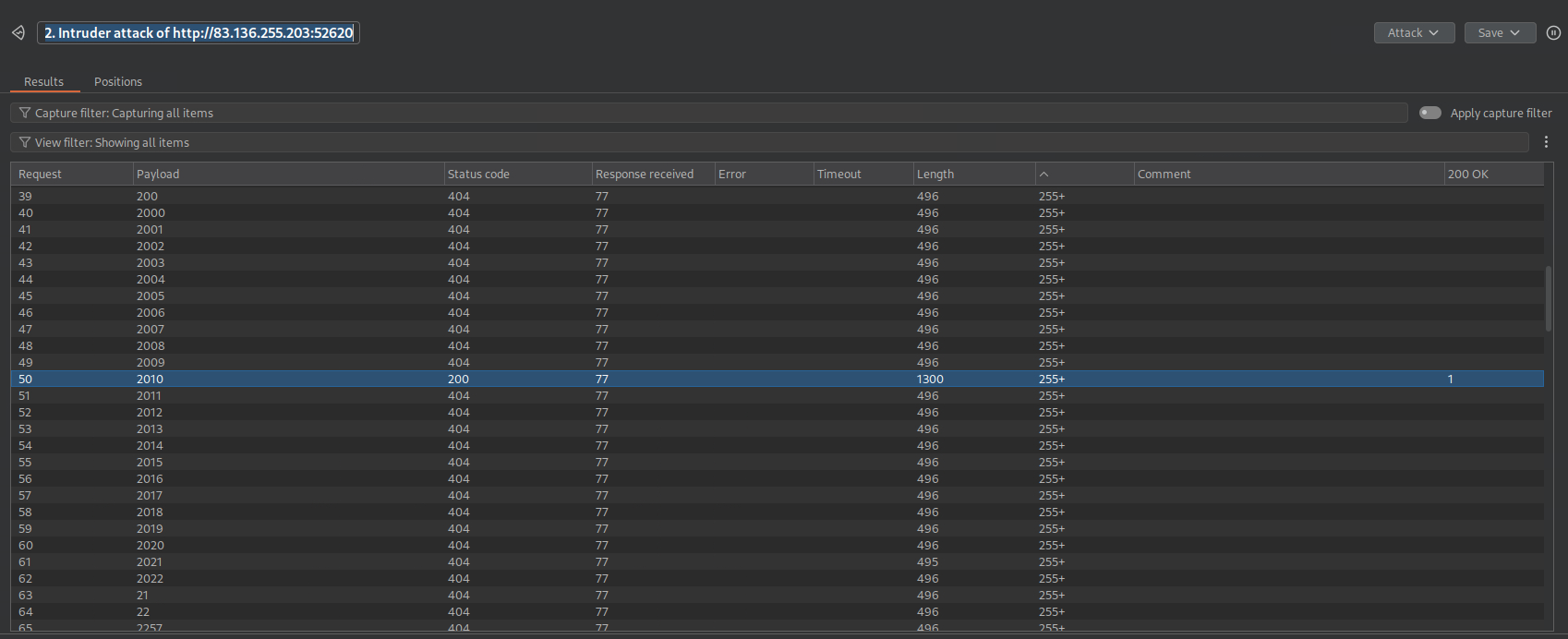
- Found one 200 OK file:
2010
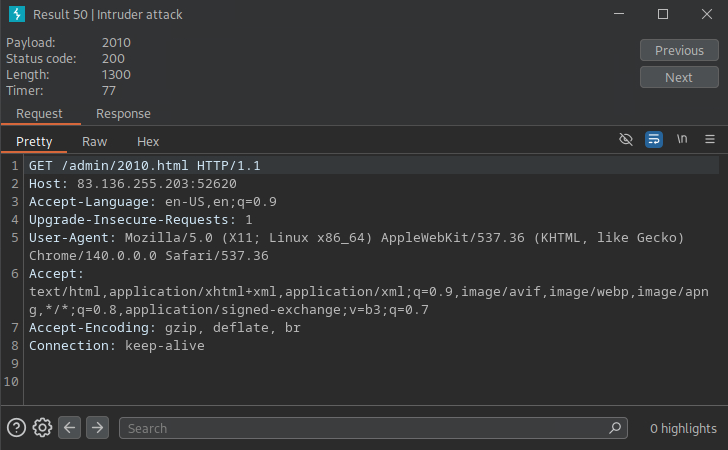
- After seeng the successful request we can visit:
83.136.255.203:52620/admin/2010.html
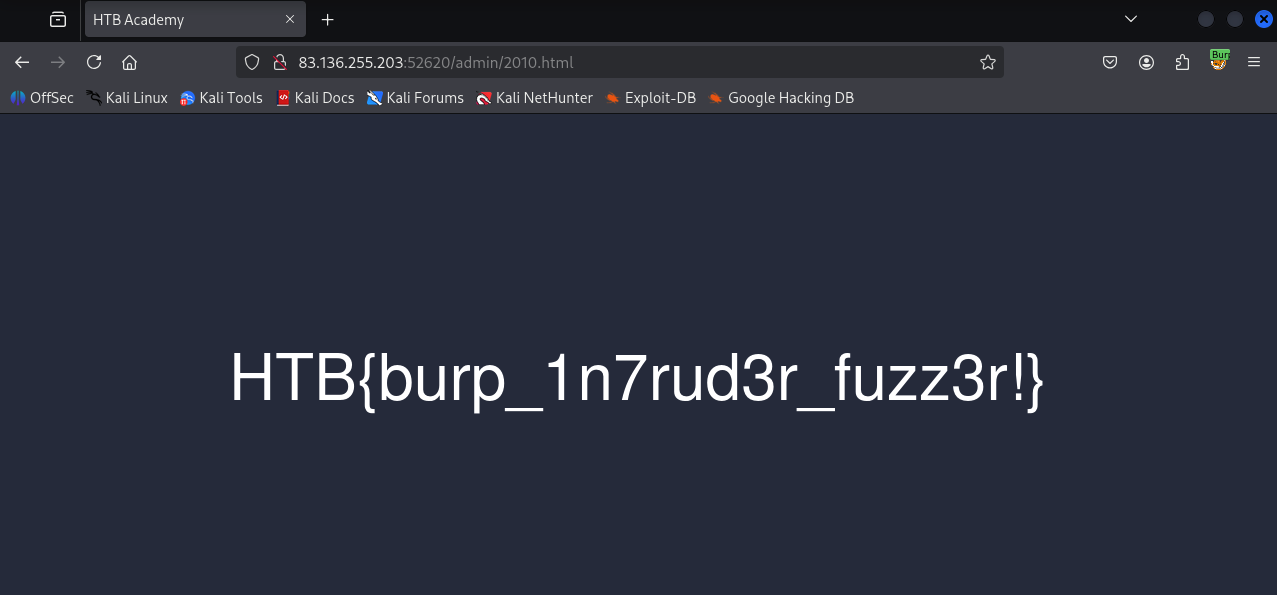
flag: HTB