Extensions
Both Burp and ZAP have extension capabilities, such that the community of Burp users can develop extensions for Burp for everyone to use. Such extensions can perform specific actions on any captured requests, for example, or add new features, like decoding and beautifying code. Burp allows extensibility through its Extender feature and its BApp Store, while ZAP has its ZAP Marketplace to install new plugins.
BApp Store
To find all available extensions, we can click on the Extender tab within Burp and select the BApp Store sub-tab. Once we do this, we will see a host of extensions. We can sort them by Popularity so that we know which ones users are finding most useful:
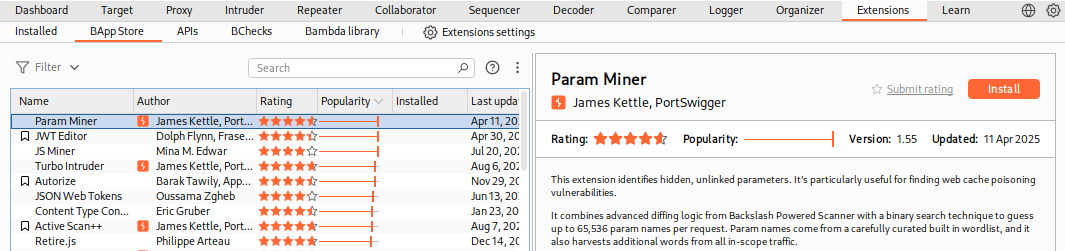
Note: Some extensions are for Pro users only, while most others are available to everyone.
Let's try installing the Decoder Improved extension:
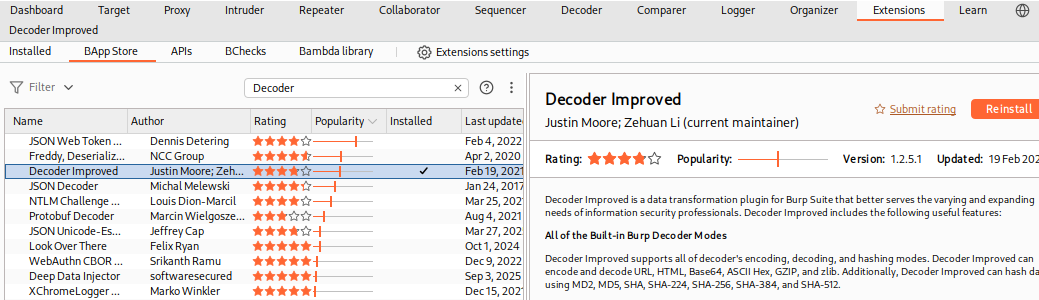
Note: Some extensions have requirements that are not usually installed on Linux/macOS/Windows by default, like
Jython, so you have to install them before being able to install the extension.
Once we install Decoder Improved, we will see its new tab added to Burp. Each extension has a different usage, so we may click on any extension's documentation in BApp Store to read more about it or visit its GitHub page for more information about its usage.
- We can use this extension just as we would use Burp's Decoder, with the benefit of having many additional encoders included.
- For example, we can input text we want to be hashed with
MD5, and selectHash With>MD5:
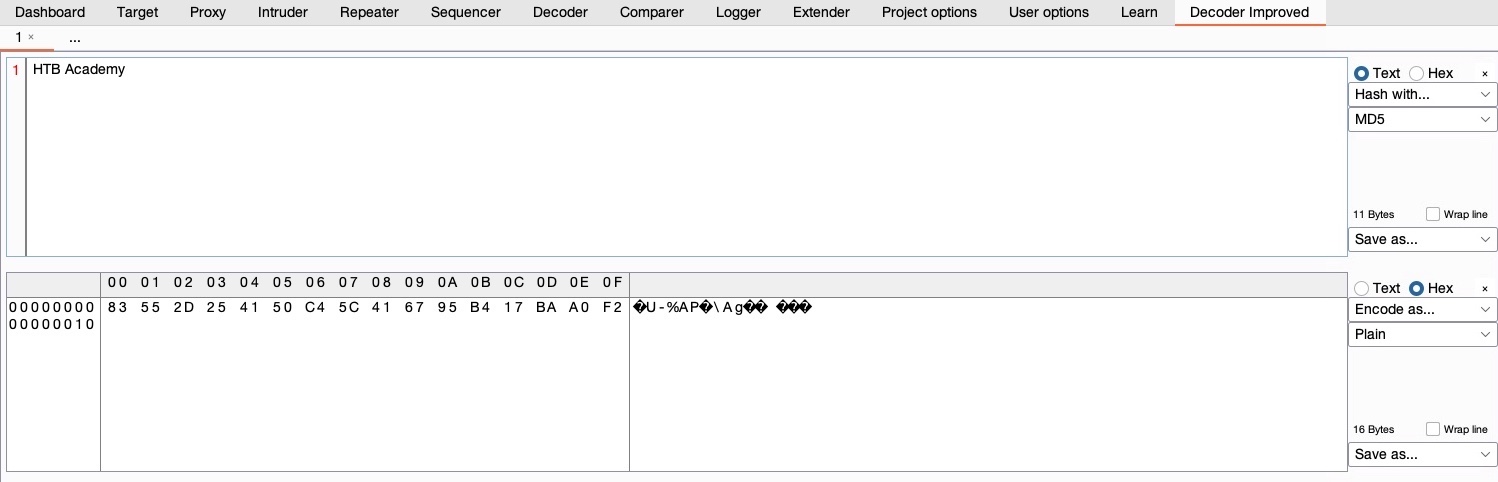
Similarly, we can perform other types of encoding and hashing. There are many other Burp Extensions that can be utilized to further extend the functionality of Burp.
ZAP Marketplace
ZAP also has its own extensibility feature with the Marketplace that allows us to install various types of community-developed add-ons. To access ZAP's marketplace, we can click on the Manage Add-ons button and then select the Marketplace tab:

In this tab, we can see the different available add-ons for ZAP. Some add-ons may be in their Release build, meaning that they should be stable to be used, while others are in their Beta/Alpha builds, which means that they may experience some issues in their use. Let's try installing the FuzzDB Files and FuzzDB Offensive add-ons, which add new wordlists to be used in ZAP's fuzzer:
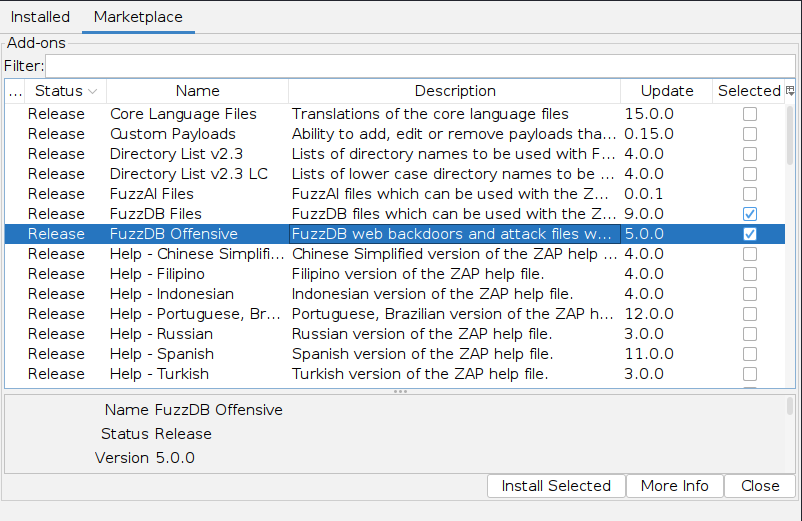
Now, we will have the option to pick from the various wordlists and payloads provided by FuzzDB when performing an attack.
- For example, suppose we were to perform a Command Injection fuzzing attack on one of the exercises we previously used in this module.
- In that case, we will see that we have more options in the
File Fuzzerswordlists, including an OS Command Injection wordlist under (fuzzdb>attack>os-cmd-execution), which would be perfect for this attack:
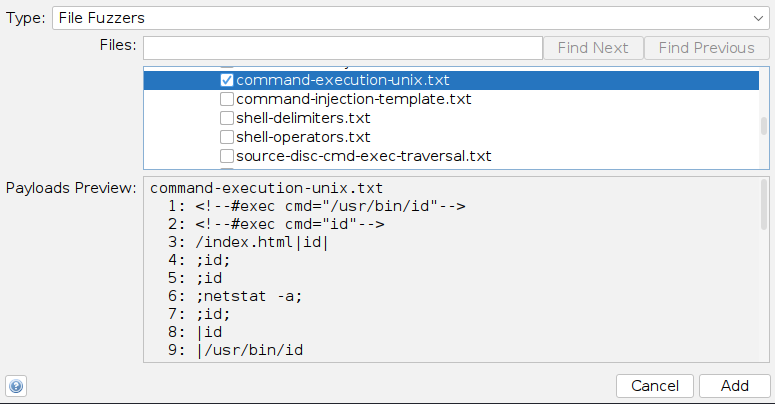
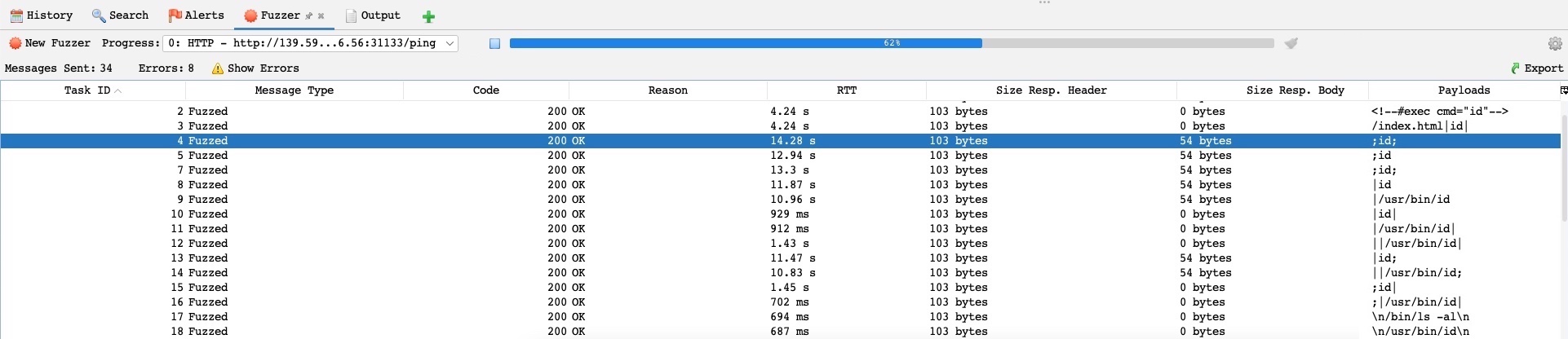
Now, if we run the fuzzer on our exercise using the above wordlist, we will see that it was able to exploit it in various ways, which would be very helpful if we were dealing with a WAF protected web application: