Skills Assessment - Using Web Proxies
Target: 94.237.50.100:31431
Challenge 1
The /lucky.php page has a button that appears to be disabled. Try to enable the button, and then click it to get the flag.
1. Set Up
-
Visit https://94.237.50.100:31431/lucky.php and look for the button that appears to be disabled:
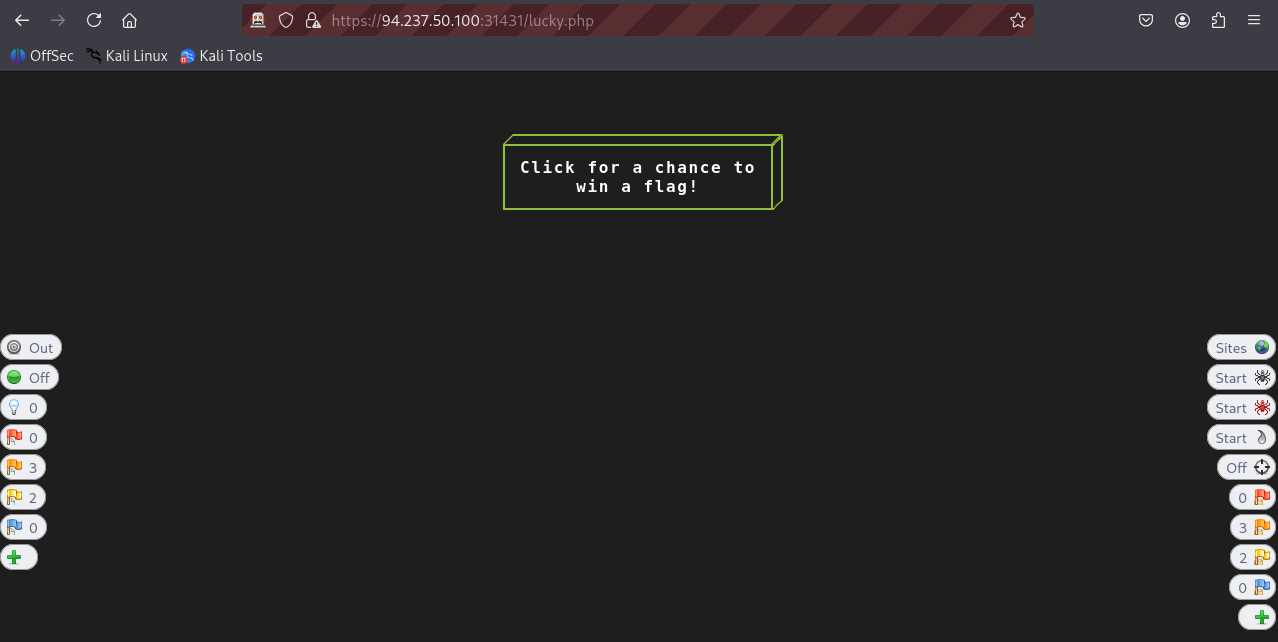
- Trying to click on the button does not work, so clearly this is the button we are looking for.
-
I will be using ZAP to intercept responses so I can activate this button on the client side.
2. Intercepting with ZAP
-
First turn on Intercept (click on the green circle on HUD or on the ZAP console), when it turns red, all request and responses will be intercepted from that point.
-
Now that intercept is on we can refresh the page (this will send a POST request) and will be intercepted.
-
In this challenge we are interested in enabling a function within the client side so we will want to look at the response to see if we can in some way intercept it and enable this function before reaching our end.
-
Note that the request in this case includes:
getflag=trueas the request body, this will probably enable us to click to button once it is enabled.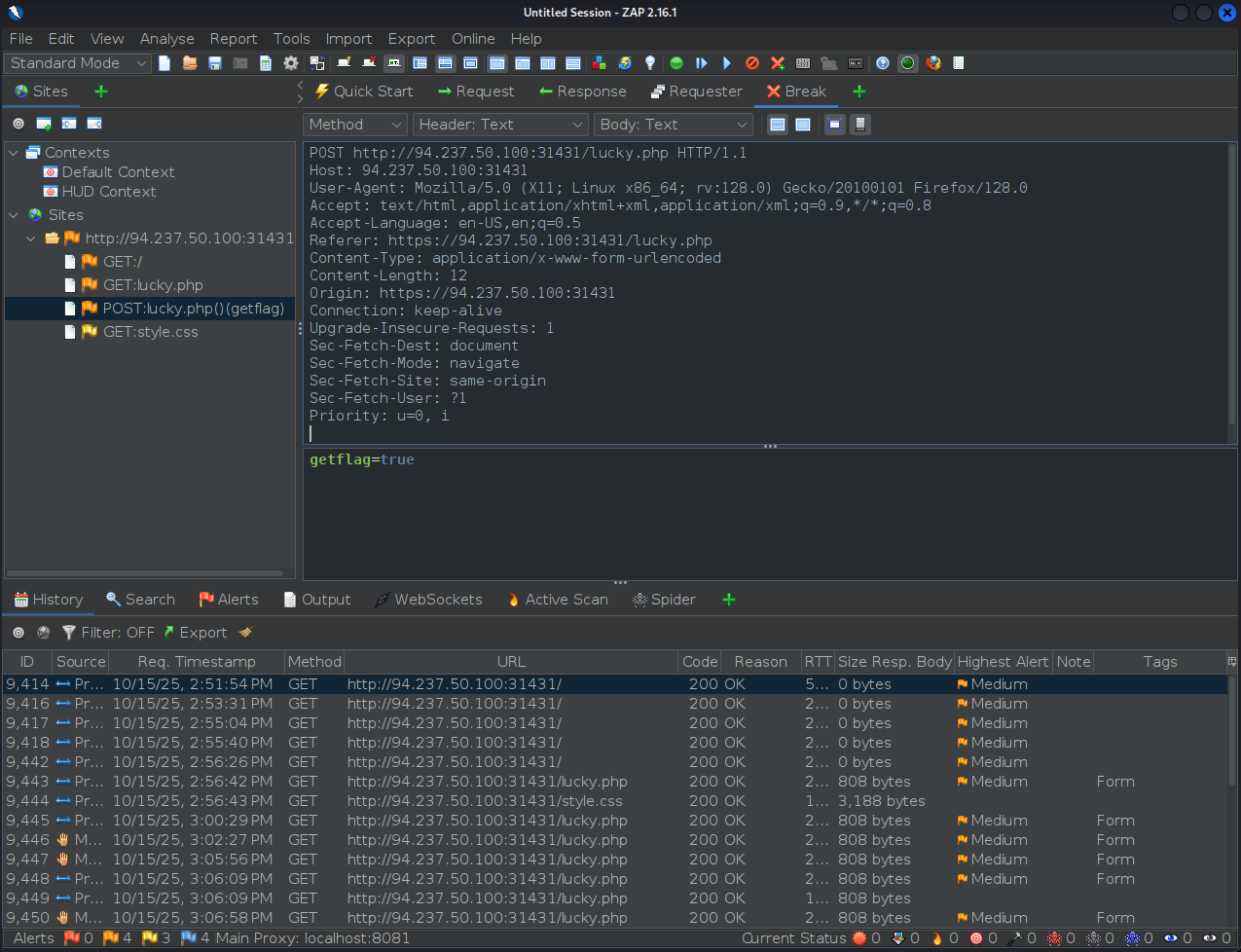
-
There is nothing specifically that we need to do with the request so we can go ahead and click Step to move forward and look at the response.
-
-
After sending the previous request, ZAP will intercept the response. This is key since we will be able to edit the response before it is applied on the client end.
-
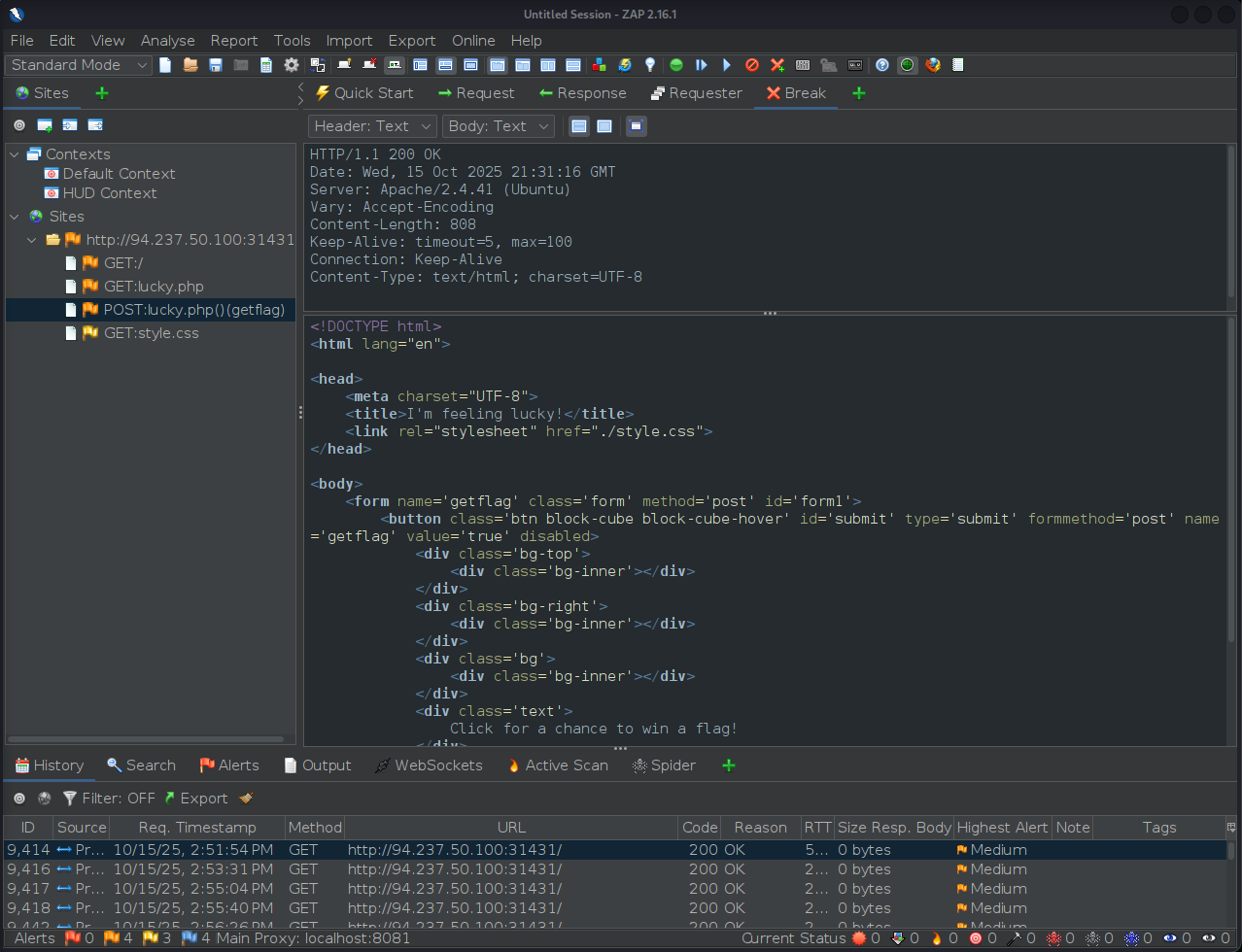
Take a look at the HTML code on the response
-
This is where we can notice the following line:
... <button class='btn block-cube block-cube-hover' id='submit' type='submit' formmethod='post' name='getflag' value='true' disabled> ...- Note the
disabledattribute, this is what stops us from being able to click on this button at all.
- Note the
-
Now that we know why we are not being able to click the button, try changing the
disabledvalue toenabledwithin the intercepted response, this will look as follows:... <button class='btn block-cube block-cube-hover' id='submit' type='submit' formmethod='post' name='getflag' value='true' enabled> ... -
Now we are ready to hit Step or Continue to see if we have been able to enable the button.
-
-
Repeat!
- Notice that even if you modified the response, it still may not provide you with the flag straight away, this is probably designed for you to actually brute force this using a fuzzer replacing the word
disabledon every response until it works - But for me, after a few tries modifying the response (changing
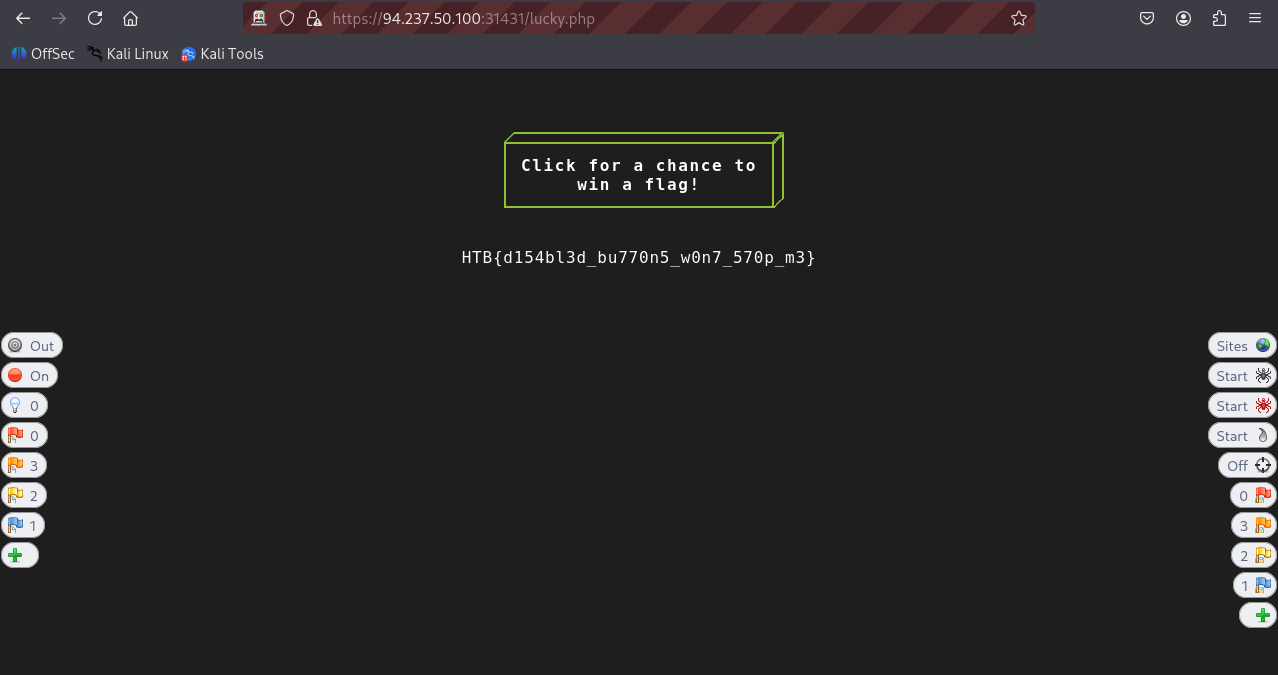
disabledtoenabled), the flag showed up at some point (took me like 3-4 attempts).
- Notice that even if you modified the response, it still may not provide you with the flag straight away, this is probably designed for you to actually brute force this using a fuzzer replacing the word
flag: HTB
Challenge 2
The /admin.php page uses a cookie that has been encoded multiple times. Try to decode the cookie until you get a value with 31-characters. Submit the value as the answer.
1. Visit the /admin.php page
-
Visit the
https://94.237.50.100:31431/admin.phpwhile on a proxy session.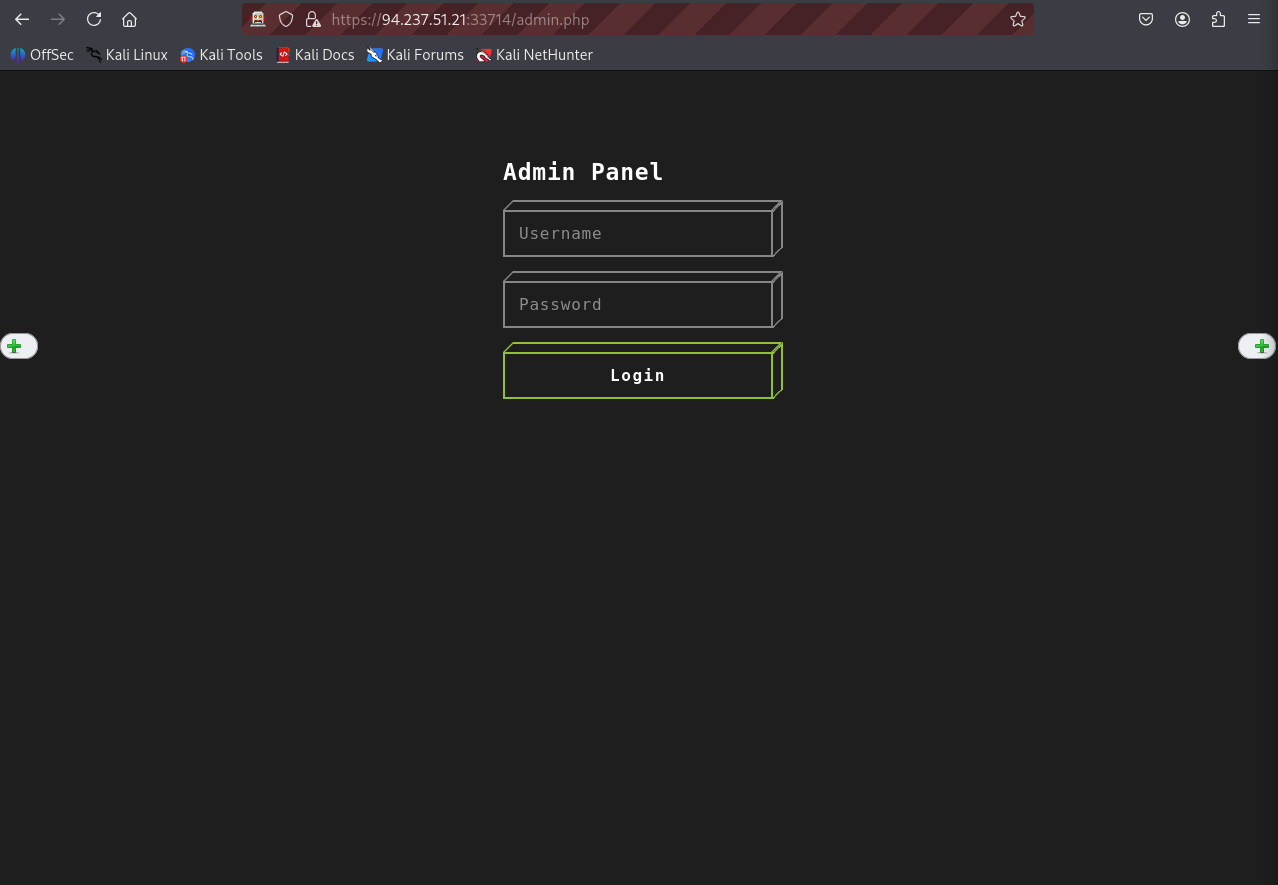
-
Look at the response from the GET request of visiting the
/admin.phppage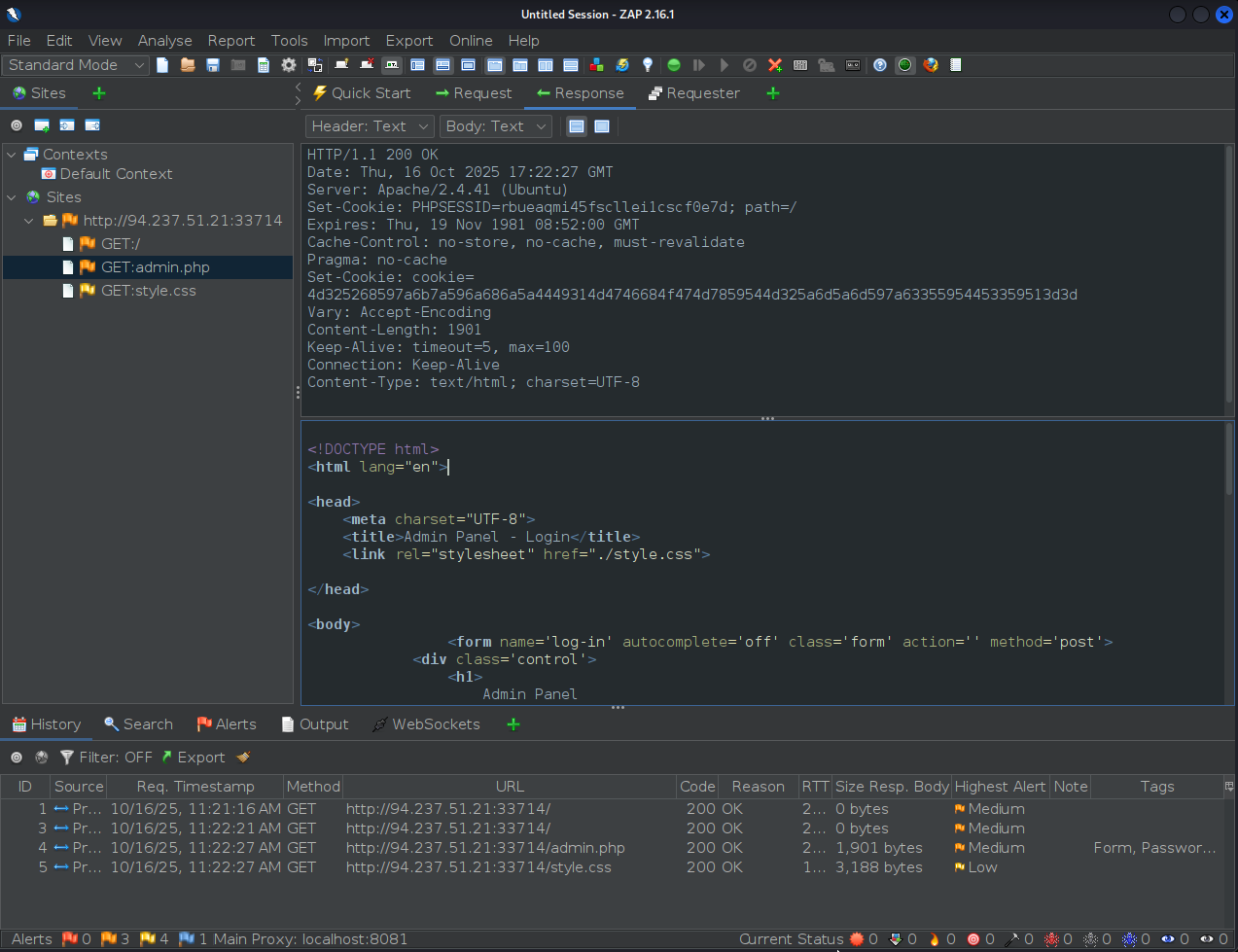
- Note the cookie we are looking for is here:
Set-Cookie: cookie=4d325268597a6b7a596a686a5a4449314d4746684f474d7859544d325a6d5a6d597a63355954453359513d3d
- Note the cookie we are looking for is here:
2. Decoding the cookie
-
On ZAP, go to Tools > Encode/Decode/Hash and paste the cookie value to start decoding it
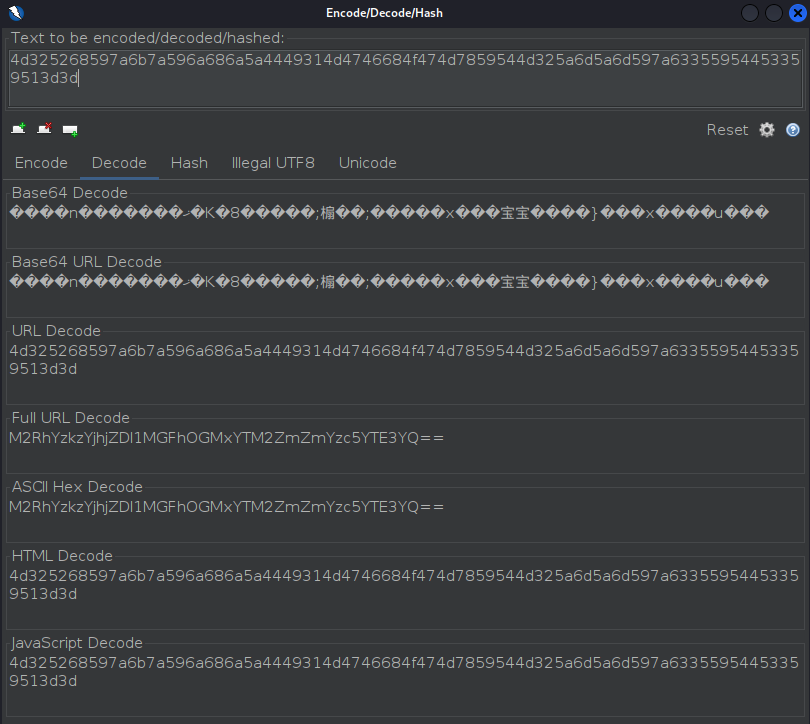
-
I will start with decoding on Full URL Decode since that since to reduce the encode a little bit
M2RhYzkzYjhjZDI1MGFhOGMxYTM2ZmZmYzc5YTE3YQ== -
For the next sequential decoding attempt copy the Full URL Decode we got from before and paste it into the text box to decode it further.
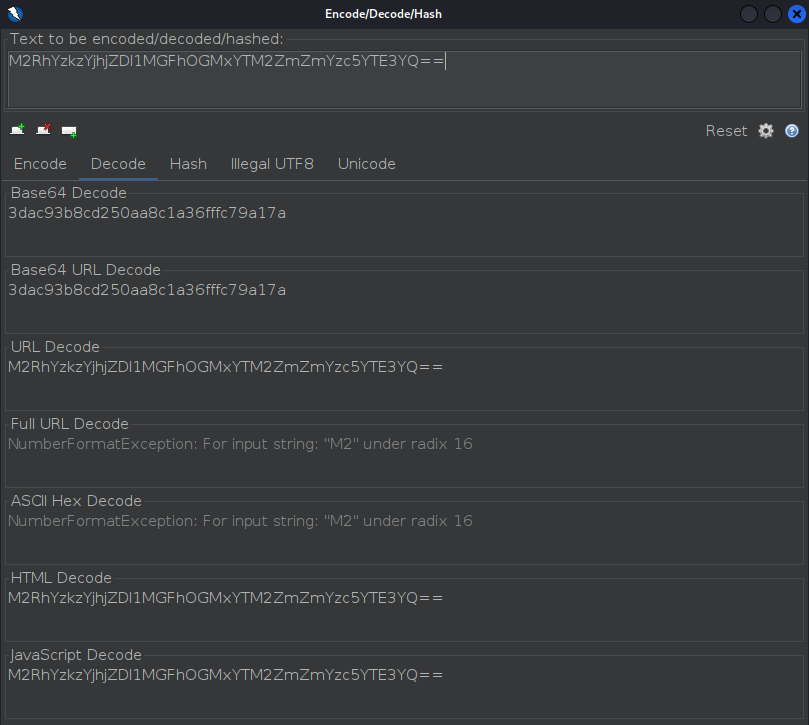
- Now Base64 Decode seems like a good next choice
3dac93b8cd250aa8c1a36fffc79a17a- Note this cookie has 31-characters, just as required!
flag: 3dac93b8cd250aa8c1a36fffc79a17a
Challenge 3
Once you decode the cookie, you will notice that it is only 31 characters long, which appears to be an md5 hash missing its last character. So, try to fuzz the last character of the decoded md5 cookie with all alpha-numeric characters, while encoding each request with the encoding methods you identified above. (You may use the "alphanum-case.txt" wordlist from Seclist for the payload)
1. Set Up - Burp Intruder
-
For this challenge I will use burp intruder, open the Burp proxy and once again visit
http://94.237.57.211:33599/admin.phpto see the request pop up in the HTTP history tab on Burp proxy. -
Refresh the page a couple times until you get a request with the cookie assigned, this is where we can start taking action.
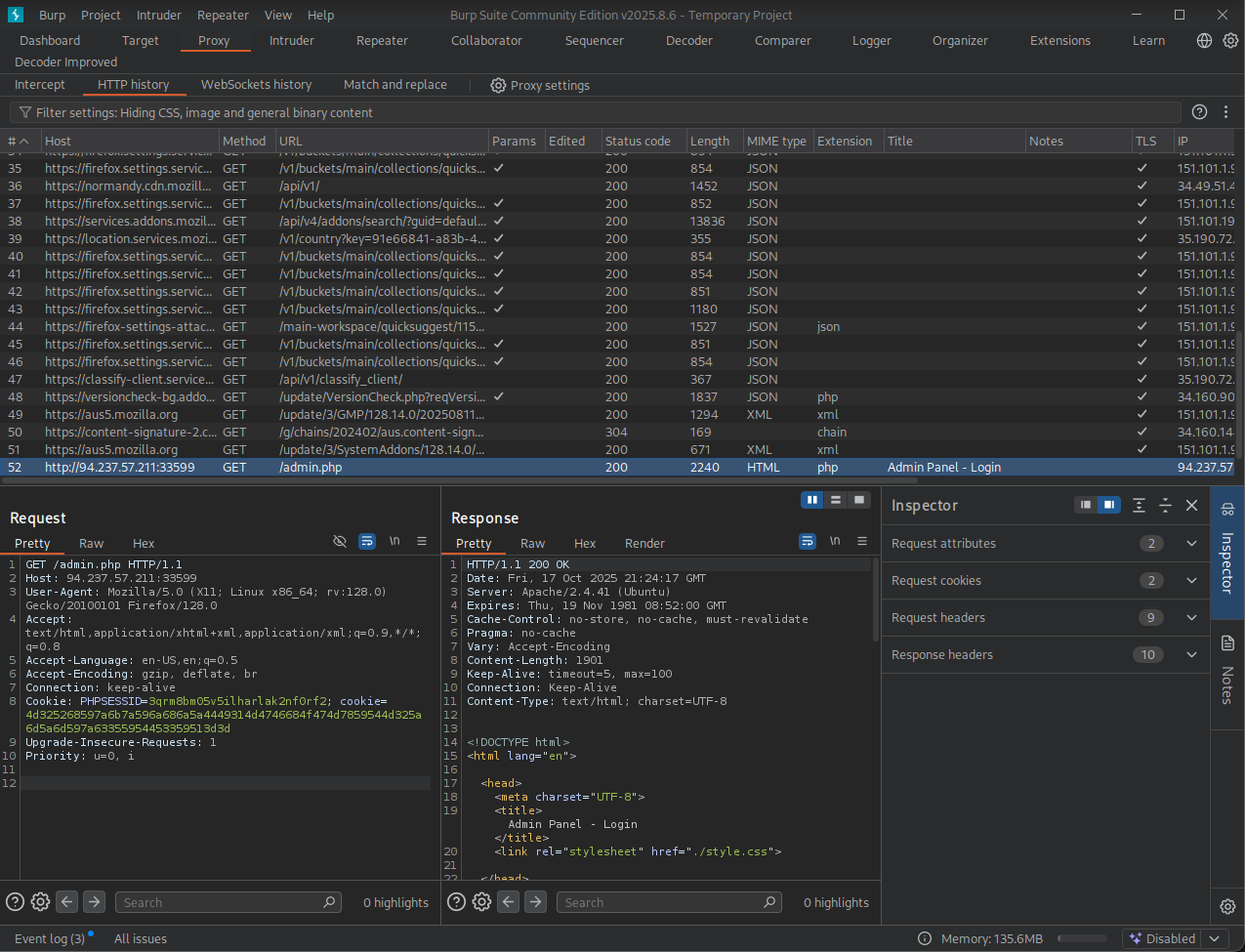
-
Since this challenge ask us to fuzz a cookie, lets send this request (with the cookie assigned) to Burp Intruder, you can do
[Ctrl+I]for this.
2. Fuzzing the cookie
-
Select the payload position
- Note since we only need to fuzz the last character of the hash we will use the decoded cookie as the prefix of the payload position.
- So we place the position in order for it to replace the valu of the cookie and then add a prefix.
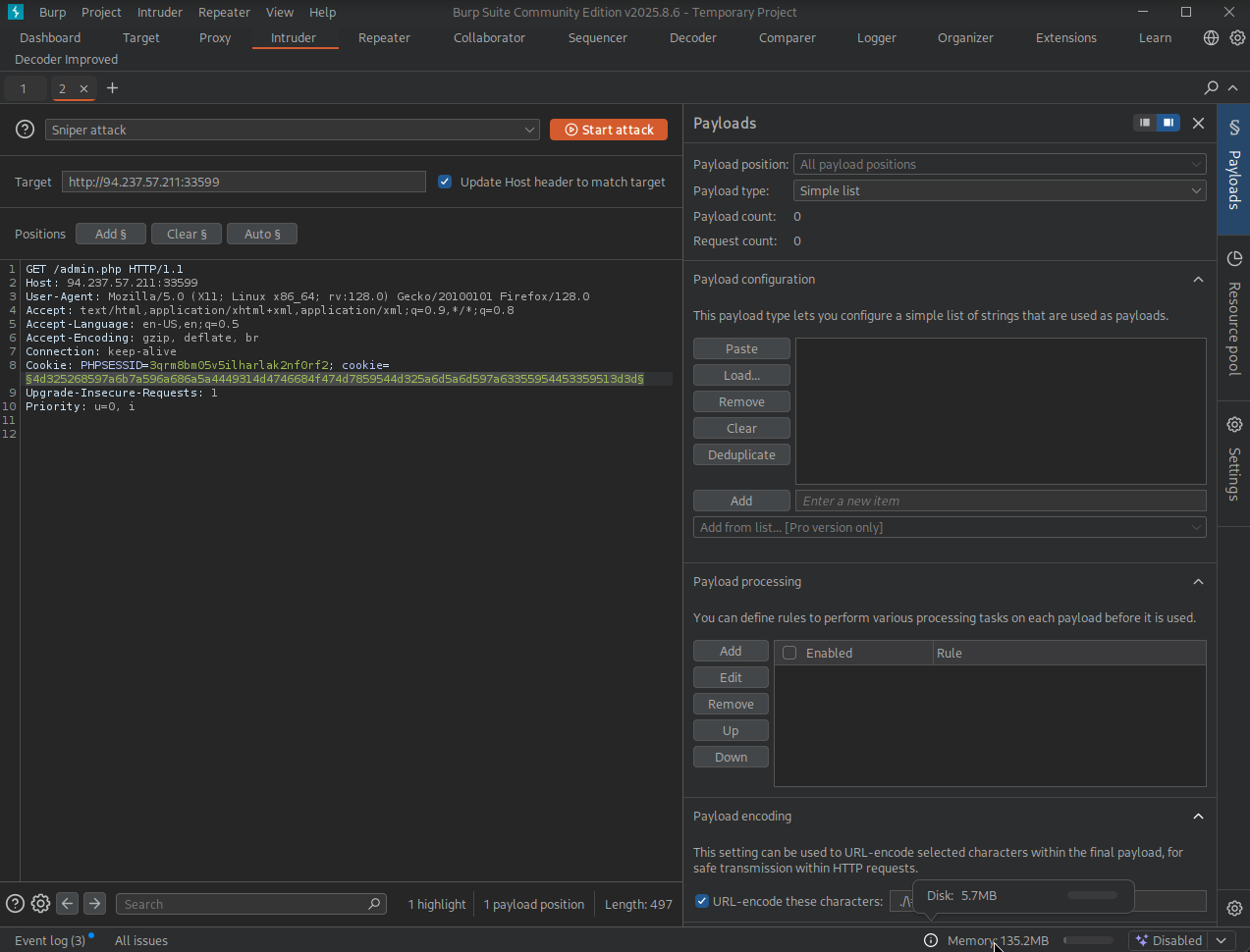
-
Load payload list file
- Go to Payload configuration > Load...
- Look for the "alphanum-case.txt" wordlist from Seclist
- SecLists > Fuzzing > alphanum-case.txt
- Select Open.
-
Add the decoded cookie as a prefix to the payload
- Go to Payload processing > Add > Add prefix
- Paste the decoded cookie
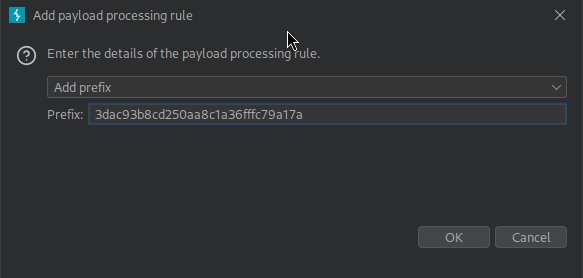
- Select OK.
-
Encode the entire payload with the same encoding methods we identified earlier (in reverse order)
-
Go to Payload processing > Add > Encode
-
To replicate the encoding steps, we will need to add two rules in this order:
- Enable Base64-encode
- Enable ASCII Hex
- I derived this encoding from trial and error using other built-in encoders, this was the only encode that yielded the original cookie.
-
Payload processing should look as follows:

-
-
Now run the attack by selecting Start attack.
- Every alphanumerical value will be tested
- Pay attention to the content length (size) to detect if a response is different from the usual login prompt.
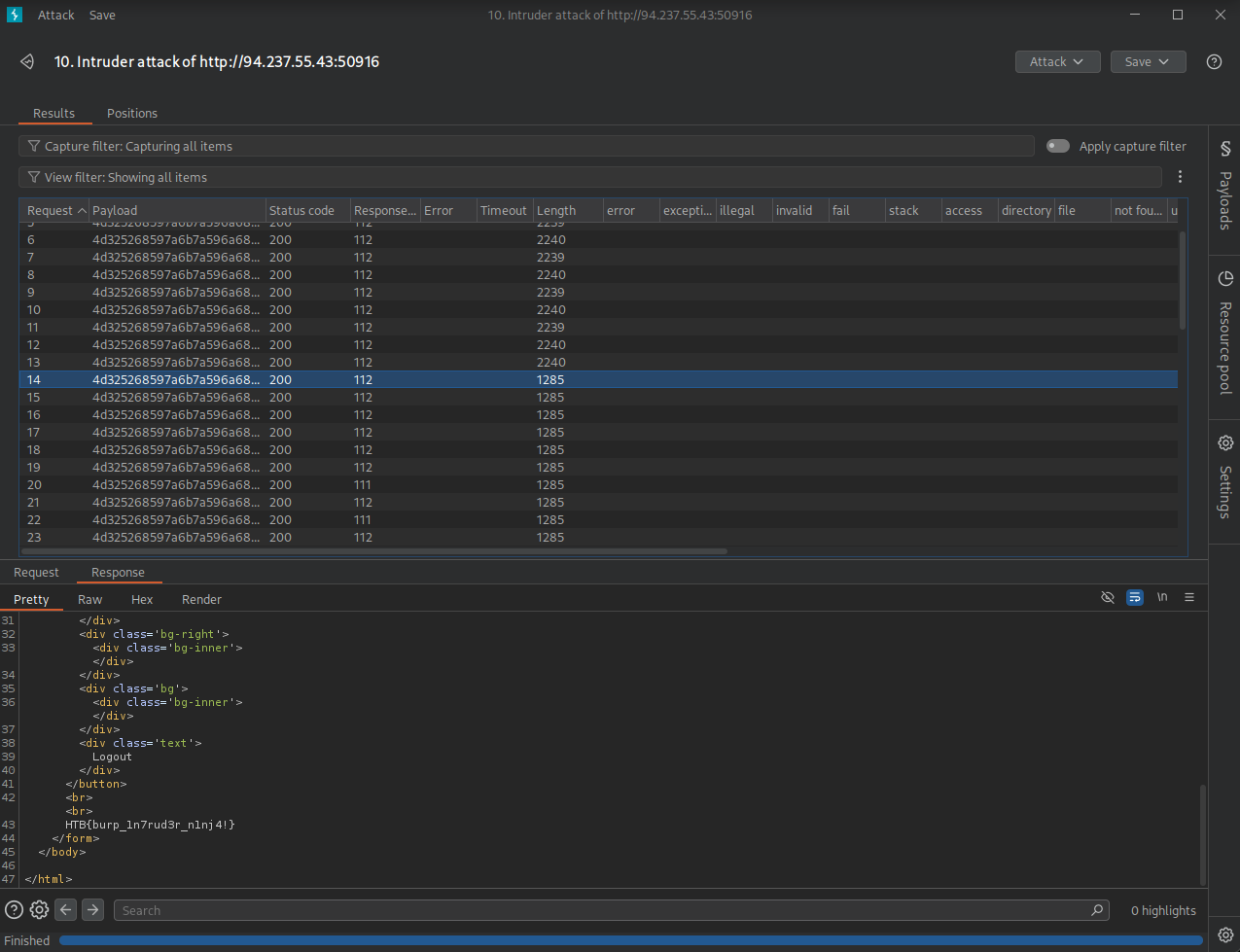
- Notice how the length changed at some point, check the response...
- There is our flag!
flag: HTB
Challenge 4
You are using the 'auxiliary/scanner/http/coldfusion_locale_traversal' tool within Metasploit, but it is not working properly for you. You decide to capture the request sent by Metasploit so you can manually verify it and repeat it. Once you capture the request, what is the 'XXXXX' directory being called in '/XXXXX/administrator/..'?
1. Start Metasploit
Run msfconsole to start Metasploit
msfconsole
msf >
Run the following commands in Metasploit:
msf > auxiliary/scanner/http/coldfusion_locale_traversal
This is a module we can load. Do you want to use auxiliary/scanner/http/coldfusion_locale_traversal? [y/N]   y

msf auxiliary(scanner/http/coldfusion_locale_traversal) > set PROXIES HTTP:127.0.0.1:8080
PROXIES => HTTP:127.0.0.1:8080

msf auxiliary(scanner/http/coldfusion_locale_traversal) > set RHOST 94.237.55.43
RHOST => 94.237.55.43

msf auxiliary(scanner/http/coldfusion_locale_traversal) > set RPORT 50916
RPORT => 50916
Now run the exploit
msf auxiliary(scanner/http/coldfusion_locale_traversal) > run
[*] Scanned 1 of 1 hosts (100% complete)
[*] Auxiliary module execution completed
2. Retrieve the request
Go to Burp -> Proxy -> HTTP history and look for the request generated by metasploit.
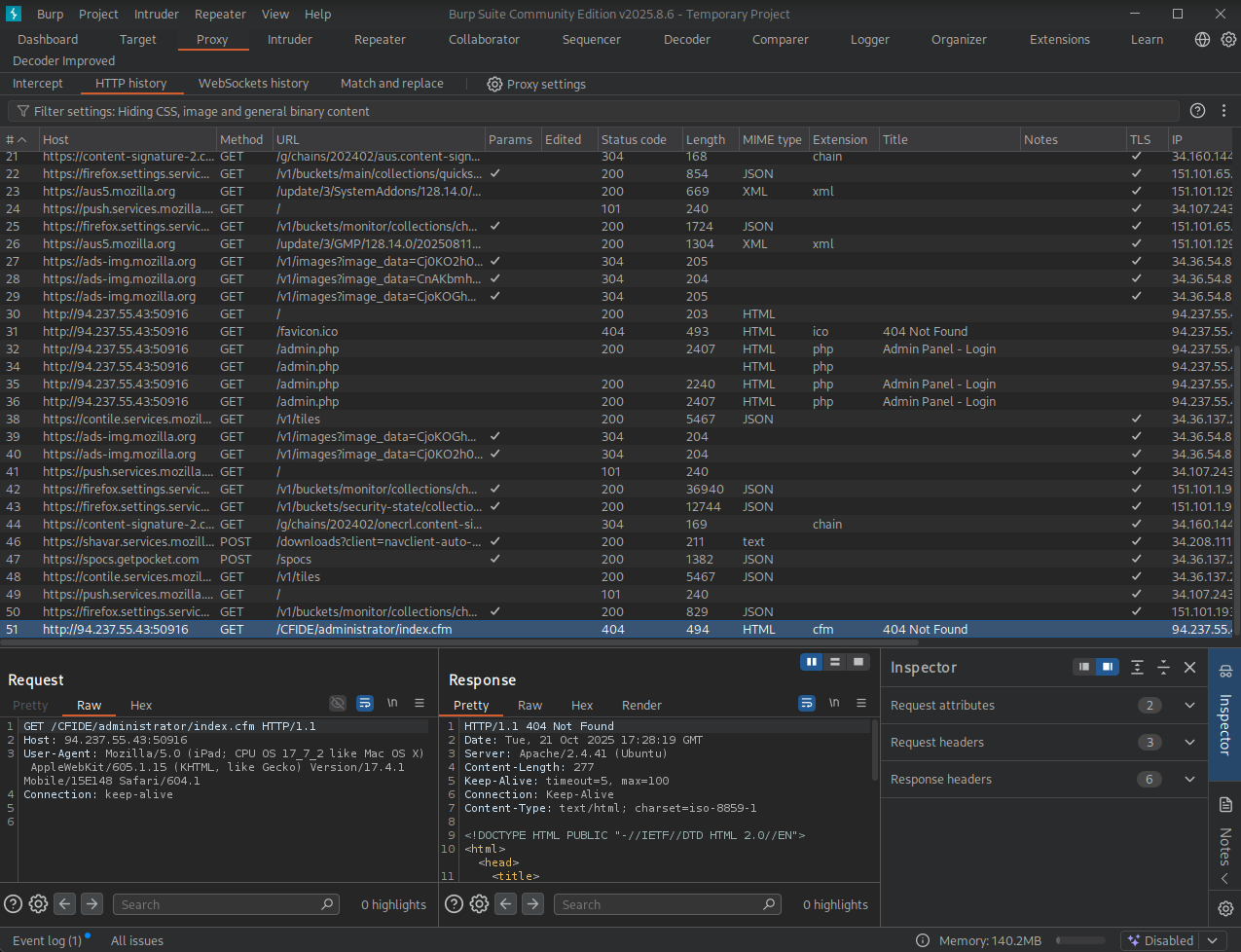
- Note our answer is here
- This GET requests attempts to retrieve
/CFIDE/administrator/index.cfm HTTP/1.1
flag: CFIDE