ZAP Fuzzer
ZAP's Fuzzer is called (ZAP Fuzzer). It can be very powerful for fuzzing various web endpoints, though it is missing some of the features provided by Burp Intruder. ZAP Fuzzer, however, does not throttle the fuzzing speed, which makes it much more useful than Burp's free Intruder.
Fuzz
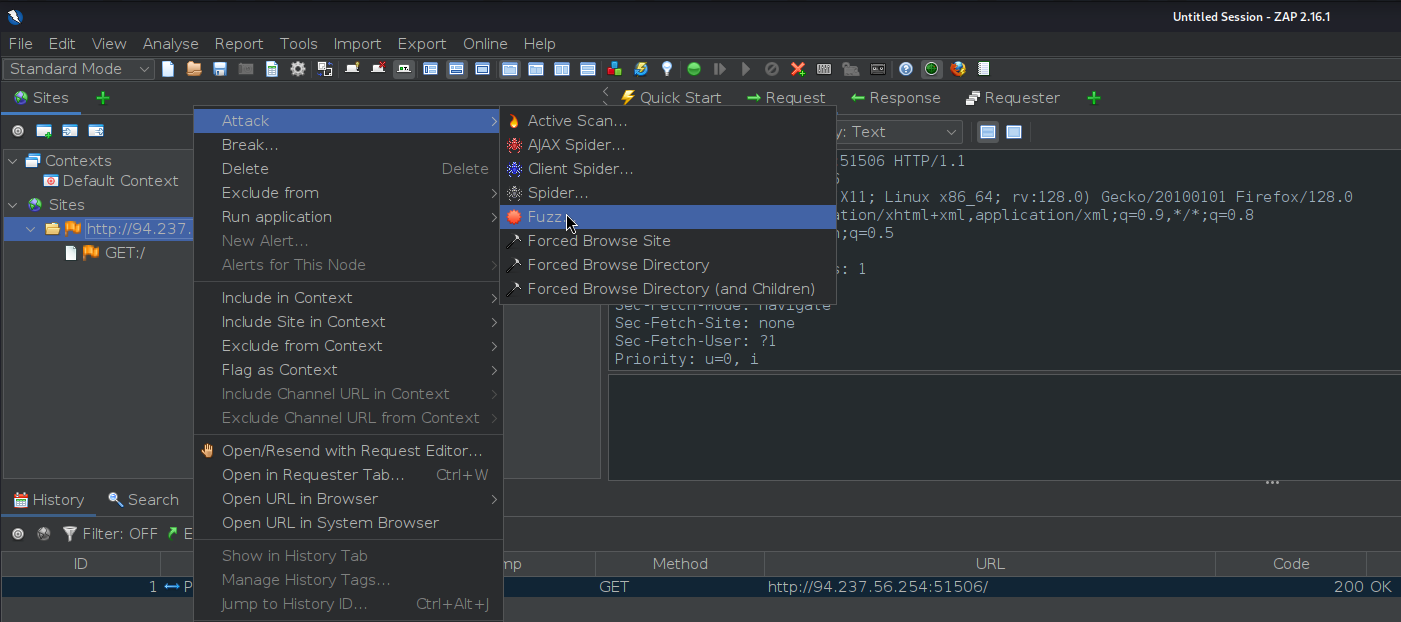
As we will be fuzzing for directories, let's visit <http://SERVER_IP:PORT/test/> to place our fuzzing location on test later on. Once we locate our request in the proxy history, we will right-click on it and select (Attack>Fuzz), which will open the Fuzzer window:

The main options we need to configure for our Fuzzer attack are:
- Fuzz Location
- Payloads
- Processors
- Options
Let's try to configure them for our web directory fuzzing attack.
Locations
The Fuzz Location is very similar to Intruder Payload Position, where our payloads will be placed.
-
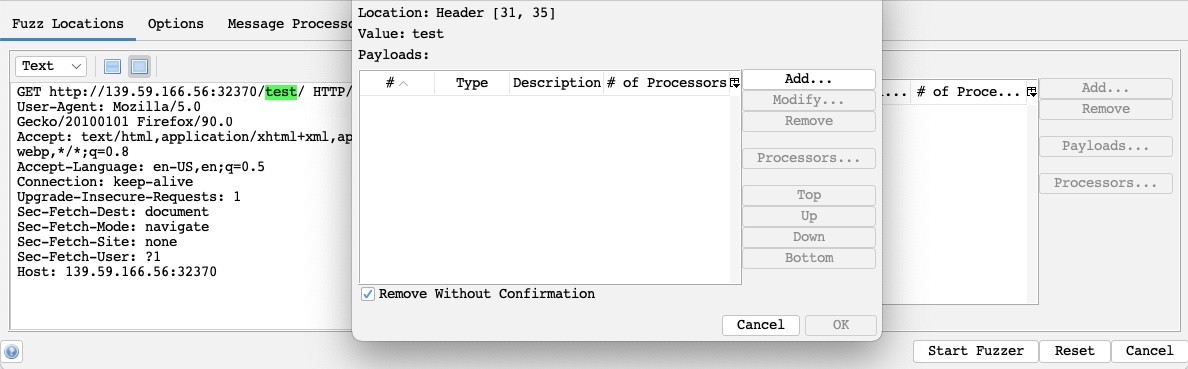
To place our location on a certain word, we can select it and click on the Add button on the right pane. So, let's select test and click on Add:
-
As we can see, this placed a
greenmarker on our selected location and opened thePayloadswindow for us to configure our attack payloads.
Payloads
The attack payloads in ZAP's Fuzzer are similar in concept to Intruder's Payloads, though they are not as advanced as Intruder's. We can click on the Add button to add our payloads and select from 8 different payload types. The following are some of them:
-
File: This allows us to select a payload wordlist from a file. -
File Fuzzers: This allows us to select wordlists from built-in databases of wordlists.- One of the advantages of ZAP Fuzzer is that it has built-in wordlists we can choose from, so we do not have to provide our own.
-
Numberzz: Generates sequences of numbers with custom increments. -
So, we can select
File Fuzzersas theType, and then we will select the first wordlist fromdirbuster: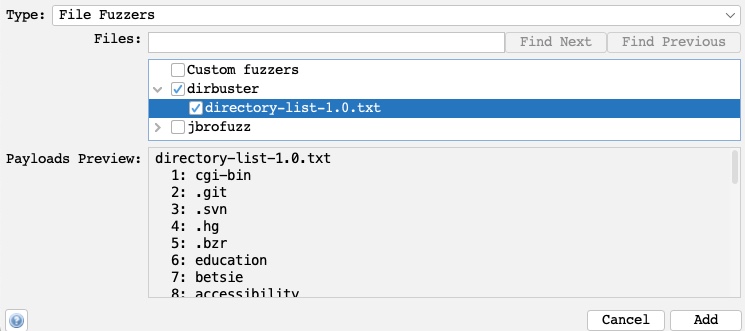
-
Once we click the
Addbutton, our payload wordlist will get added, and we can examine it with theModifybutton.
Processors
-
We may also want to perform some processing on each word in our payload wordlist. The following are some of the payload processors we can use:
- Base64 Decode/Encode
- MD5 Hash
- Postfix String
- Prefix String
- SHA-1/256/512 Hash
- URL Decode/Encode
- Script
-
As we can see, we have a variety of encoders and hashing algorithms to select from. We can also add a custom string before the payload with
Prefix Stringor a custom string withPostfix String. -
Finally, the
Scripttype allows us to select a custom script that we built and run on every payload before using it in the attack. -
We will select the URL Encode processor for our exercise to ensure that our payload gets properly encoded and avoids server errors if our payload contains any special characters.
-
We can click on the
Generate Previewbutton to preview how our final payload will look in the request: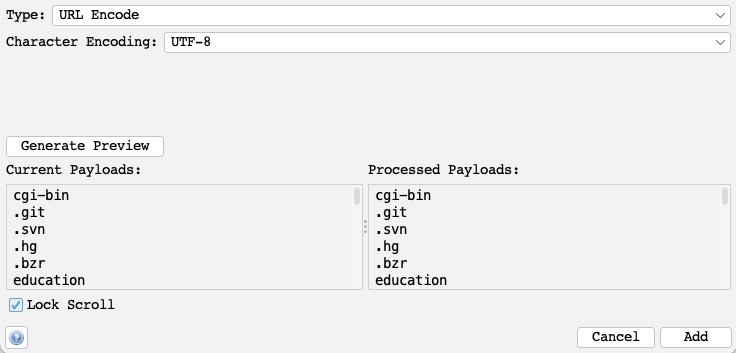
-
Once that's done, we can click on
Addto add the processor and click onOkin the processors and payloads windows to close them.
Options
Finally, we can set a few options for our fuzzers, similar to what we did with Burp Intruder.
-
For example, we can set the Concurrent Scanning Threads per Scan to
20, so our scan runs very quickly: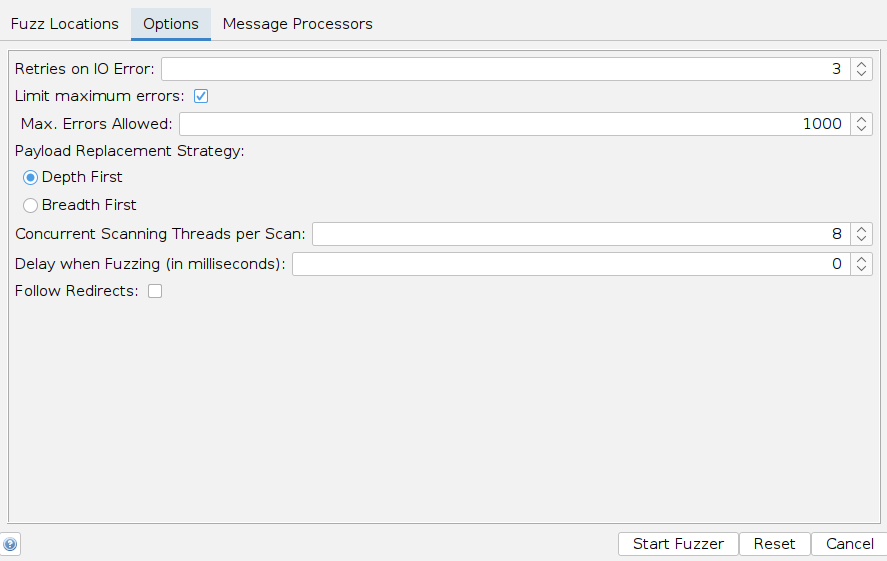
-
The number of threads we set may be limited by how much computer processing power we want to use or how many connections the server allows us to establish.
-
We may also choose to run through the payloads
Depth first, which would attempt all words from the wordlist on a single payload position before moving to the next (e.g., try all passwords for a single user before brute-forcing the following user). -
We could also use
Breadth first, which would run every word from the wordlist on all payload positions before moving to the next word (e.g., attempt every password for all users before moving to the following password).
Start
With all of our options configured, we can finally click on the Start Fuzzer button to start our attack. Once our attack is started, we can sort the results by the Response code, as we are only interested in responses with code 200:

As we can see, we got one hit with code 200 with the skills payload, meaning that the /skills/ directory exists on the server and is accessible. We can click on the request in the results window to view its details:
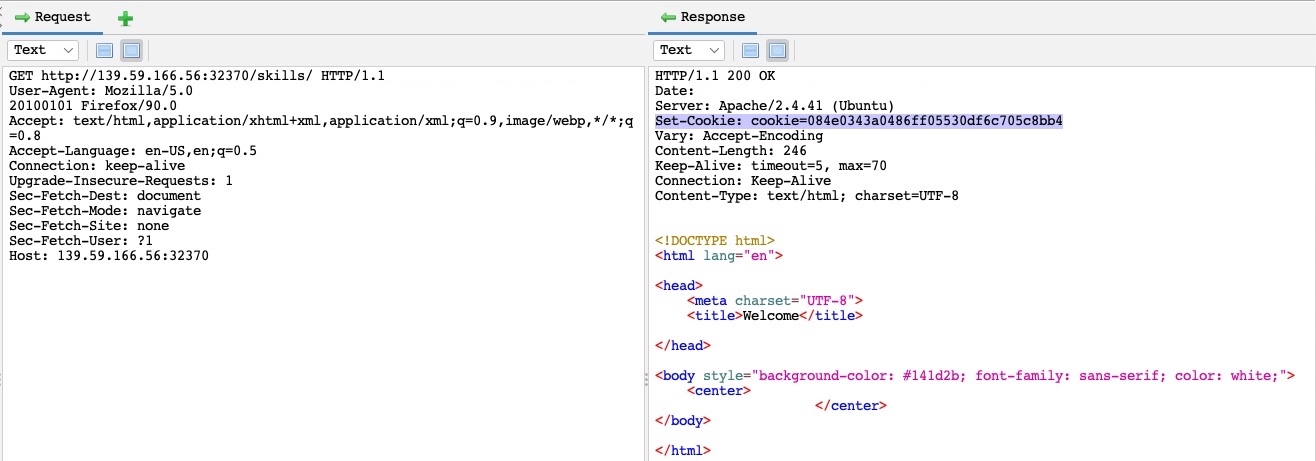
We can see from the response that this page is indeed accessible by us. There are other fields that may indicate a successful hit depending on the attack scenario, like Size Resp. Body which may indicate that we got a different page if its size was different than other responses, or RTT for attacks like time-based SQL injections, which are detected by a time delay in the server response.
Exercise
Target: 94.237.56.254:51506
The directory we found above sets the cookie to the md5 hash of the username, as we can see the md5 cookie in the request for the (guest) user. Visit '/skills/' to get a request with a cookie, then try to use ZAP Fuzzer to fuzz the cookie for different md5 hashed usernames to get the flag. Use the "top-usernames-shortlist.txt" wordlist from Seclists.
First look at the response from visiting '/skills/' and find the cookie value:
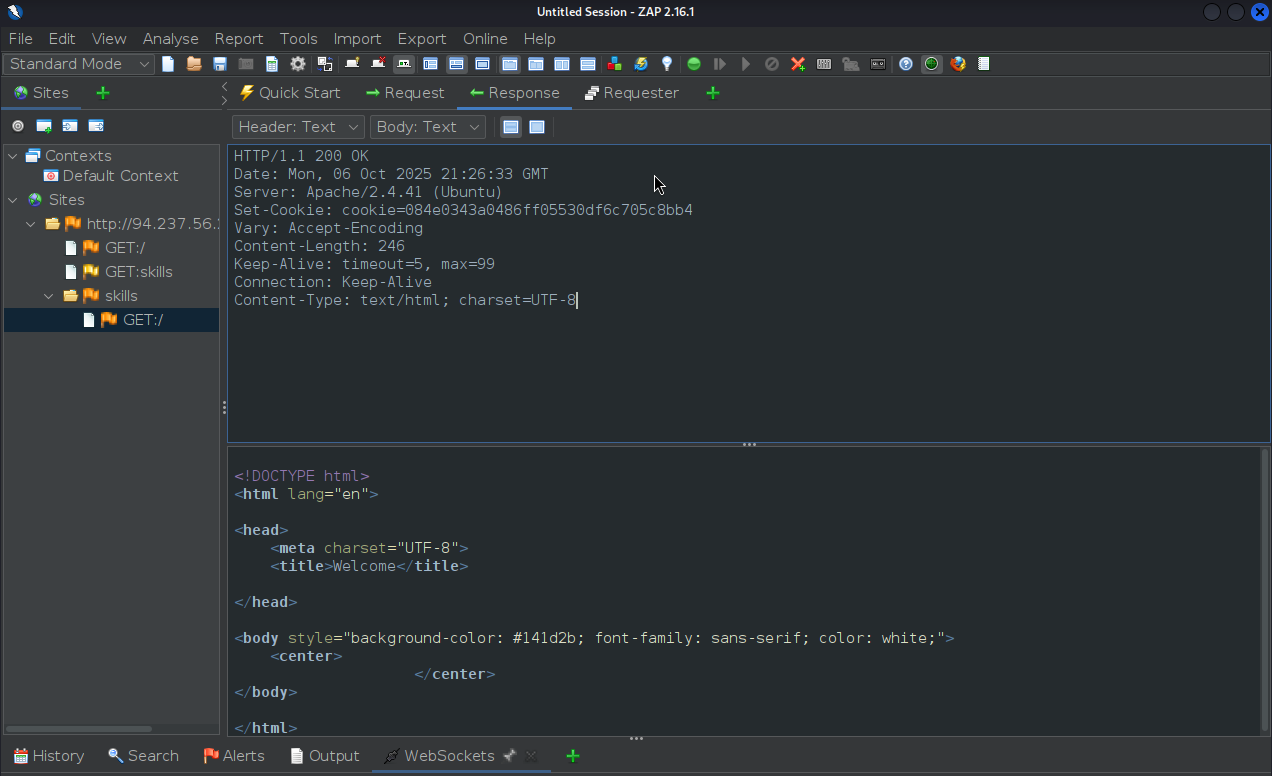
Cookie:
...
Set-Cookie: cookie=084e0343a0486ff05530df6c705c8bb4
...
So after refreshing the page we can see a request that looks like:
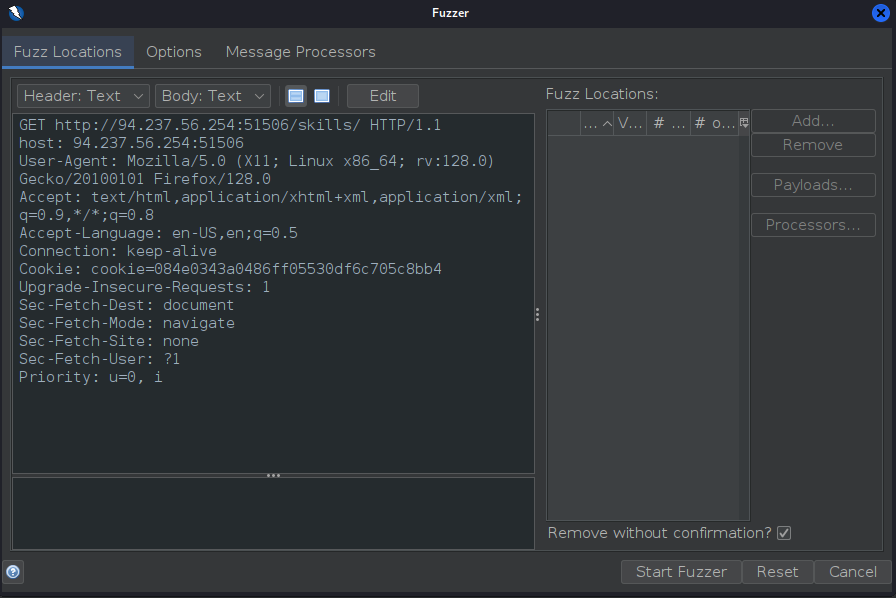
- Lets start fuzzing
First select the hash value of the cookie and click Add:
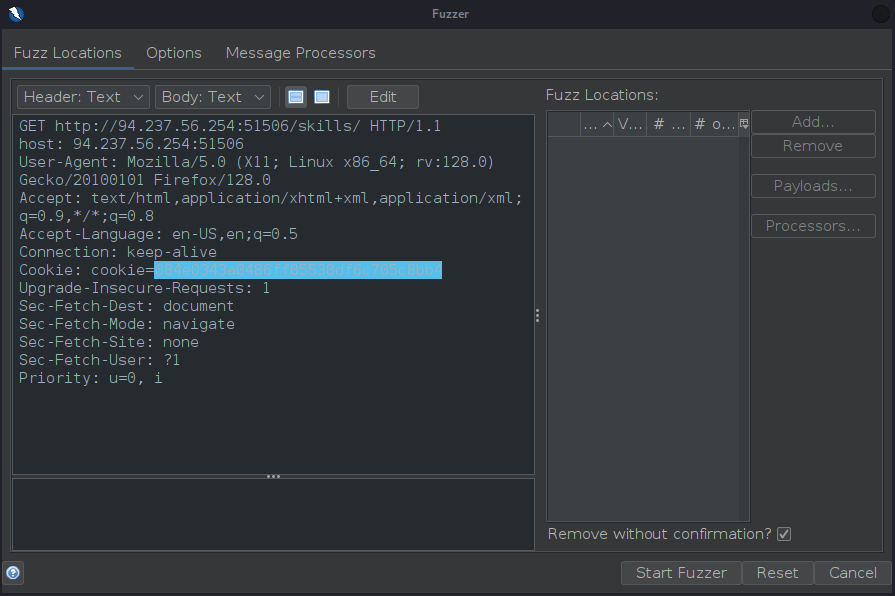
Then, once on the Payloads screen, click Add to add a payload
- Type: File
- File:
/home/user/Downloads/SecLists/Usernames/top-usernames-shortlist.txt
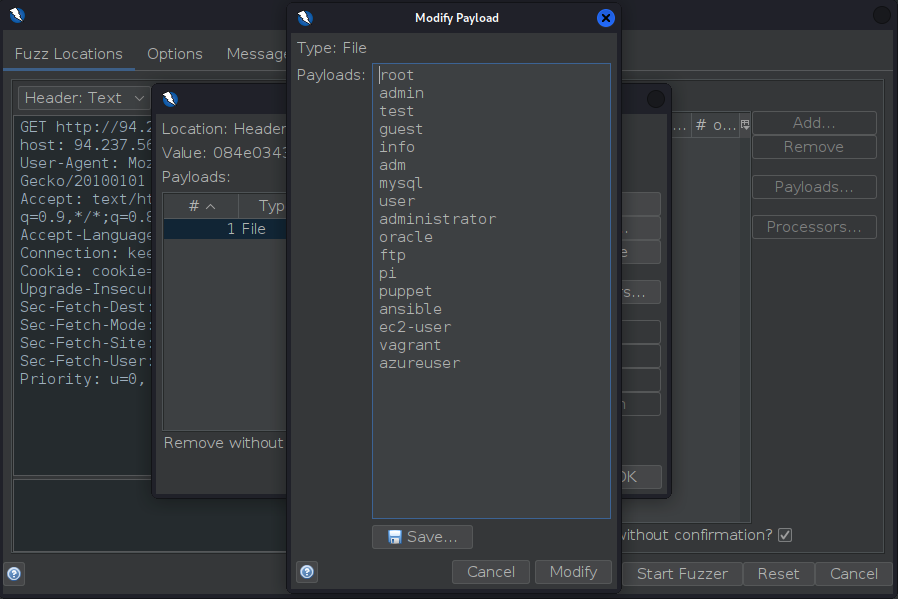
- Click OK to apply.
Now to actually look up for the hashes of that list of usernames we need a Payload Processor. Go to Processors... and click on Add.
- Type: MD5 Hash (since we want to check hashed usernames)
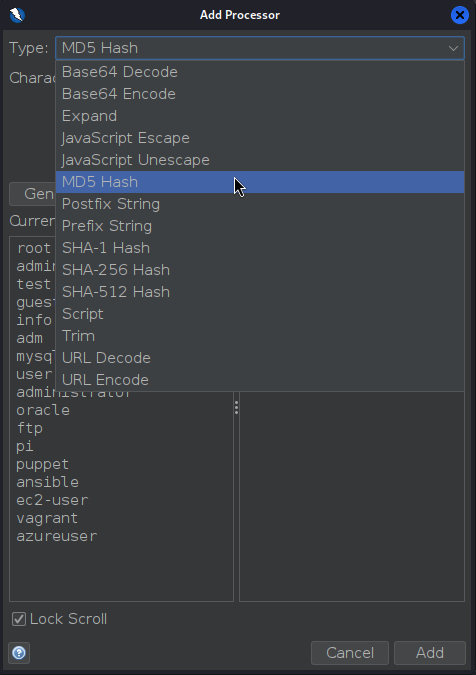
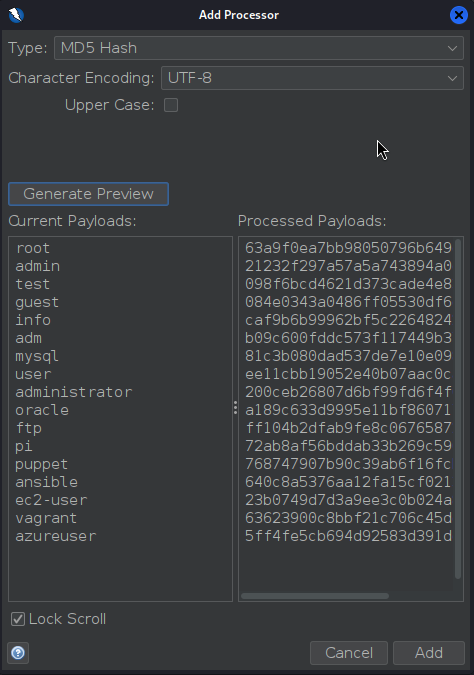
- Click Add and select OK to apply processor.
- Now we are ready to start the Fuzz
Take a close look at the size of the content of each fuzzed object:

- Note the one with a significantly higher size
- There is out flag!
flag: HTB