Basic & Advanced Obfuscation
Basic Obfuscation
Idea
Code obfuscation is usually not done manually, as there are many tools for various languages that do automated code obfuscation. Many online tools can be found to do so, though many malicious actors and professional developers develop their own obfuscation tools to make it more difficult to deobfuscate.
Running JavaScript code
Let us take the following line of code as an example and attempt to obfuscate it:
console.log('HTB JavaScript Deobfuscation Module');
First, let us test running this code in cleartext, to see it work in action. We can go to JSConsole, paste the code and hit enter, and see its output:
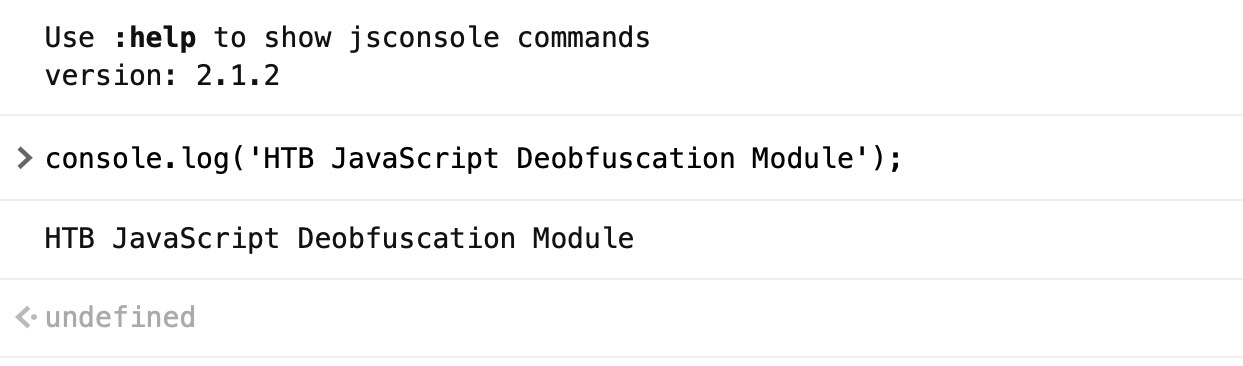
We see that this line of code prints HTB JavaScript Deobfuscation Module, which is done using the console.log() function.
Minifying JavaScript code
A common way of reducing the readability of a snippet of JavaScript code while keeping it fully functional is JavaScript minification. Code minification means having the entire code in a single (often very long) line. Code minification is more useful for longer code, as if our code only consisted of a single line, it would not look much different when minified.
Many tools can help us minify JavaScript code, like javascript-minifier. We simply copy our code, and click Minify, and we get the minified output on the right:
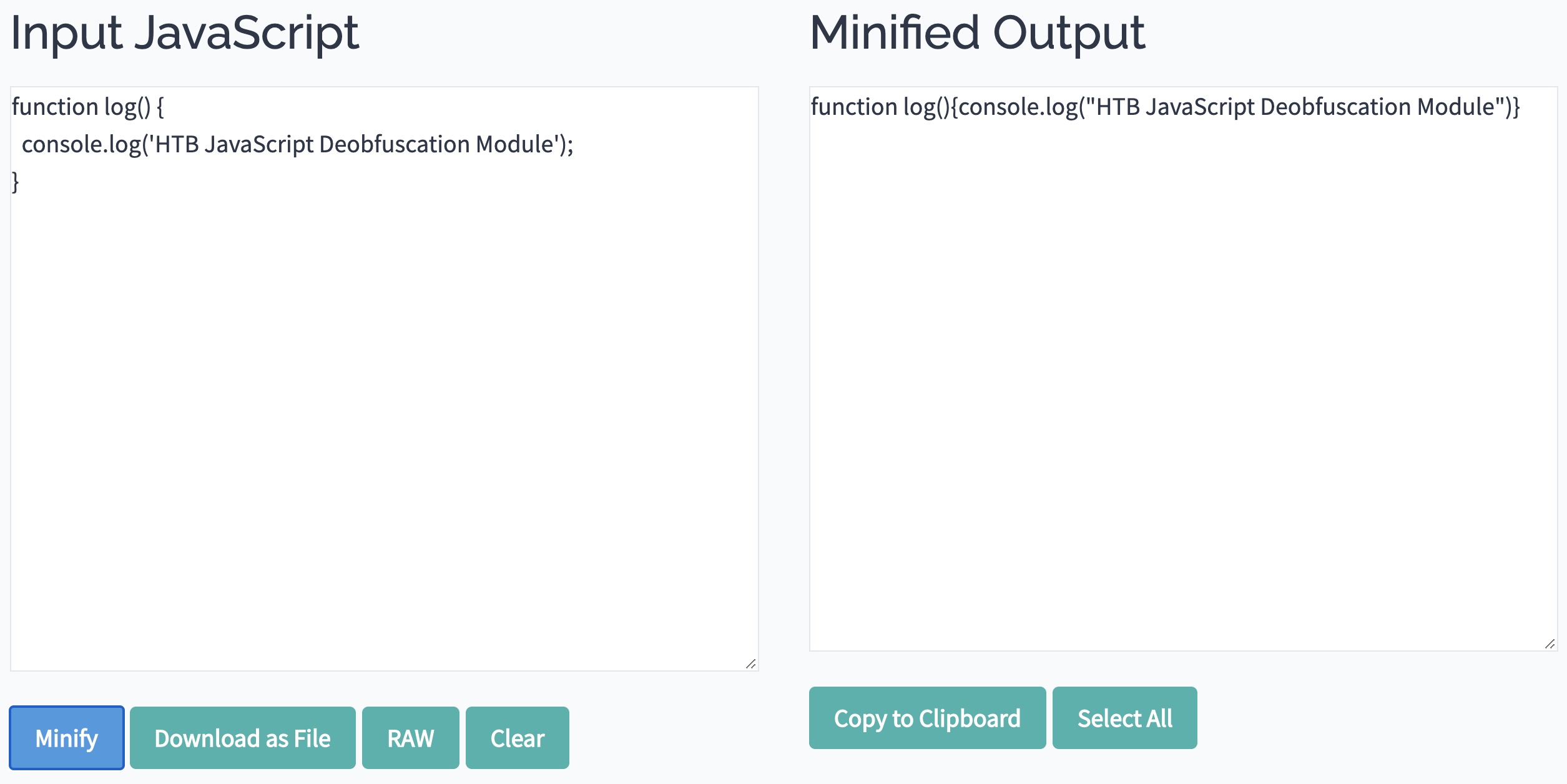
Once again, we can copy the minified code to JSConsole, and run it, and we see that it runs as expected. Usually, minified JavaScript code is saved with the extension .min.js.
Note: Code minification is not exclusive to JavaScript, and can be applied to many other languages, as can be seen on javascript-minifier.
Packing JavaScript code
Now, let us obfuscate our line of code to make it more obscure and difficult to read. First, we will try BeautifyTools to obfuscate our code:

eval(function(p,a,c,k,e,d){e=function(c){return c};if(!''.replace(/^/,String)){while(c--){d[c]=k[c]||c}k=[function(e){return d[e]}];e=function(){return'\\w+'};c=1};while(c--){if(k[c]){p=p.replace(new RegExp('\\b'+e(c)+'\\b','g'),k[c])}}return p}('5.4(\'3 2 1 0\');',6,6,'Module|Deobfuscation|JavaScript|HTB|log|console'.split('|'),0,{}))
We see that our code became much more obfuscated and difficult to read. We can copy this code into https://jsconsole.com, to verify that it still does its main function:

We see that we get the same output.
Note: The above type of obfuscation is known as "packing", which is usually recognizable from the six function arguments used in the initial function "function(p,a,c,k,e,d)".
A packer obfuscation tool usually attempts to convert all words and symbols of the code into a list or a dictionary and then refer to them using the (p,a,c,k,e,d) function to re-build the original code during execution. The (p,a,c,k,e,d) can be different from one packer to another. However, it usually contains a certain order in which the words and symbols of the original code were packed to know how to order them during execution.
While a packer does a great job reducing the code's readability, we can still see its main strings written in cleartext, which may reveal some of its functionality. This is why we may want to look for better ways to obfuscate our code.
Advanced Obfuscation
Obfuscator
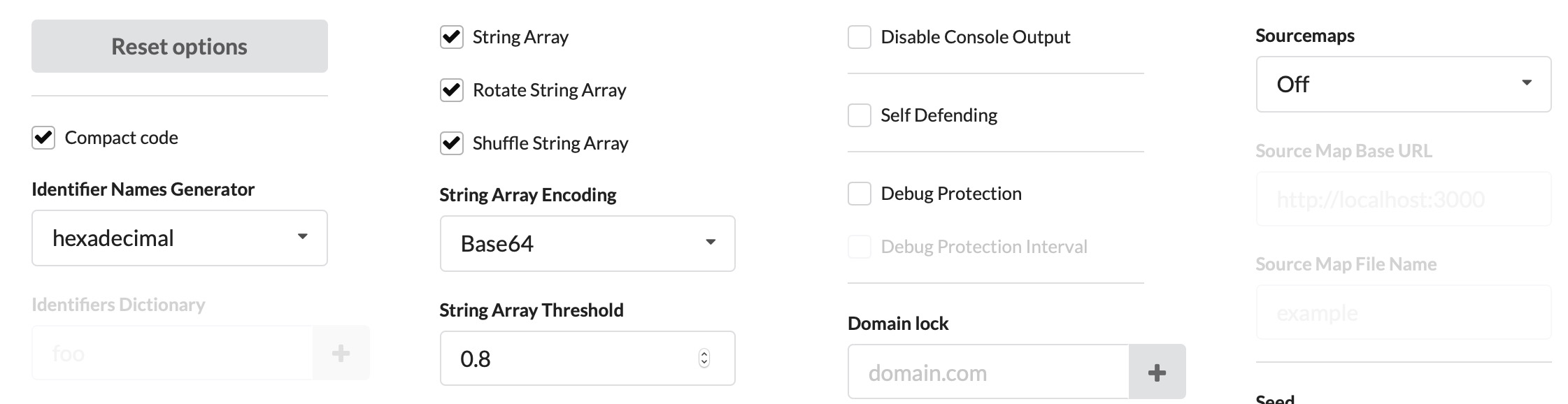
Let's visit https://obfuscator.io. Before we click obfuscate, we will change String Array Encoding to Base64, as seen below:
Now, we can paste our code and click obfuscate:
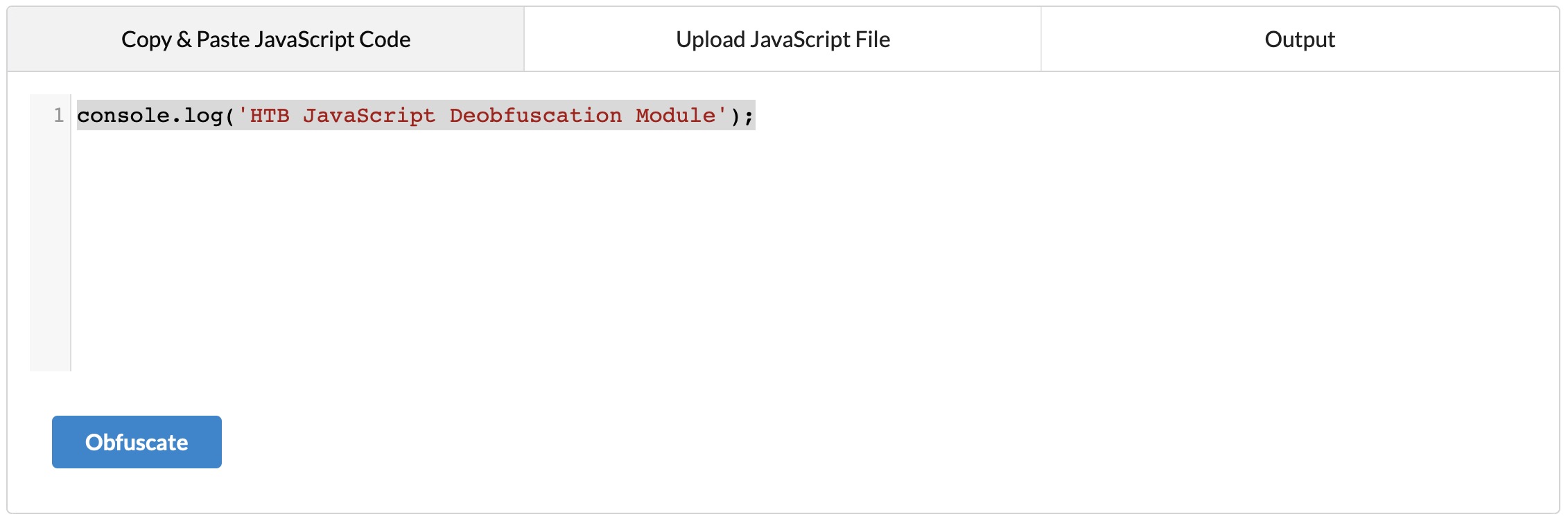
We get the following code:
var _0x1ec6=['Bg9N','sfrciePHDMfty3jPChqGrgvVyMz1C2nHDgLVBIbnB2r1Bgu='];(function(_0x13249d,_0x1ec6e5){var _0x14f83b=function(_0x3f720f){while(--_0x3f720f){_0x13249d['push'](_0x13249d['shift']());}};_0x14f83b(++_0x1ec6e5);}(_0x1ec6,0xb4));var _0x14f8=function(_0x13249d,_0x1ec6e5){_0x13249d=_0x13249d-0x0;var _0x14f83b=_0x1ec6[_0x13249d];if(_0x14f8['eOTqeL']===undefined){var _0x3f720f=function(_0x32fbfd){var _0x523045='abcdefghijklmnopqrstuvwxyzABCDEFGHIJKLMNOPQRSTUVWXYZ0123456789+/=',_0x4f8a49=String(_0x32fbfd)['replace'](/=+$/,'');var _0x1171d4='';for(var _0x44920a=0x0,_0x2a30c5,_0x443b2f,_0xcdf142=0x0;_0x443b2f=_0x4f8a49['charAt'](_0xcdf142++);~_0x443b2f&&(_0x2a30c5=_0x44920a%0x4?_0x2a30c5*0x40+_0x443b2f:_0x443b2f,_0x44920a++%0x4)?_0x1171d4+=String['fromCharCode'](0xff&_0x2a30c5>>(-0x2*_0x44920a&0x6)):0x0){_0x443b2f=_0x523045['indexOf'](_0x443b2f);}return _0x1171d4;};_0x14f8['oZlYBE']=function(_0x8f2071){var _0x49af5e=_0x3f720f(_0x8f2071);var _0x52e65f=[];for(var _0x1ed1cf=0x0,_0x79942e=_0x49af5e['length'];_0x1ed1cf<_0x79942e;_0x1ed1cf++){_0x52e65f+='%'+('00'+_0x49af5e['charCodeAt'](_0x1ed1cf)['toString'](0x10))['slice'](-0x2);}return decodeURIComponent(_0x52e65f);},_0x14f8['qHtbNC']={},_0x14f8['eOTqeL']=!![];}var _0x20247c=_0x14f8['qHtbNC'][_0x13249d];return _0x20247c===undefined?(_0x14f83b=_0x14f8['oZlYBE'](_0x14f83b),_0x14f8['qHtbNC'][_0x13249d]=_0x14f83b):_0x14f83b=_0x20247c,_0x14f83b;};console[_0x14f8('0x0')](_0x14f8('0x1'));
- Note it is just one line of code!
This code is obviously more obfuscated, and we can't see any remnants of our original code. We can now try running it in https://jsconsole.com to verify that it still performs its original function. Try playing with the obfuscation settings in https://obfuscator.io to generate even more obfuscated code, and then try rerunning it in https://jsconsole.com to verify it still performs its original function.
More Obfuscation
Now we should have a clear idea of how code obfuscation works. There are still many variations of code obfuscation tools, each of which obfuscates the code differently. Take the following JavaScript code, for example:
[][(![]+[])[+[]]+([![]]+[][[]])[+!+[]+[+[]]]+(![]+[])[!+[]+!+[]]+(!![]+[])[+[]]+(!![]+[])[!+[]+!+[]+!+[]]+(!![]+[])[+!+[]]][([][(![]+[])[+[]]+([![]]+[][[]])[+!+[]+[+[]]]+(![]+[])[!+[]+!+[]]+(!![]+[])[+[]]+(!![]+[])[!+[]+!+[]+!+[]]+(!![]+[])[+!+[]]]+[])[!+[]+!+[]+!+[]]+(!![]+[][(![]+[])[+[]]+([![]]+[][[]])[+!+[]+[+[]]]+(![]+[])[!+[]+!+[]]+(!![]+[])[+[]]+(!![]+[])[!+[]+!+[]+!+[]]+(!![]+[])[+!+[]]])[+!+[]+[+[]]]+([][[]]+[])[+!+[]]+(![]+[])[!+[]+!+[]+!+[]]+(!![]+[])[+[]]+(!![]+[])[+!+[]]+([][[]]+[])[+[]]+([][(!
...SNIP...
[]]+(!![]+[][(![]+[])[+[]]+([![]]+[][[]])[+!+[]+[+[]]]+(![]+[])[!+[]+!+[]]+(!![]+[])[+[]]+(!![]+[])[!+[]+!+[]+!+[]]+(!![]+[])[+!+[]]])[+!+[]+[+[]]]+([][[]]+[])[+!+[]]+(![]+[])[!+[]+!+[]+!+[]]+(!![]+[])[+[]]+(!![]+[])[+!+[]]+([][[]]+[])[+[]]+([][(![]+[])[+[]]+([![]]+[][[]])[+!+[]+[+[]]]+(![]+[])[!+[]+!+[]]+(!![]+[])[+[]]+(!![]+[])[!+[]+!+[]+!+[]]+(!![]+[])[+!+[]]]+[])[!+[]+!+[]+!+[]]+(!![]+[])[+[]]+(!![]+[][(![]+[])[+[]]+([![]]+[][[]])[+!+[]+[+[]]]+(![]+[])[!+[]+!+[]]+(!![]+[])[+[]]+(!![]+[])[!+[]+!+[]+!+[]]+(!![]+[])[+!+[]]])[+!+[]+[+[]]]+(!![]+[])[+!+[]]])[!+[]+!+[]+[+[]]]](!+[]+!+[]+[+[]])))()
We can still run this code, and it would still perform its original function:
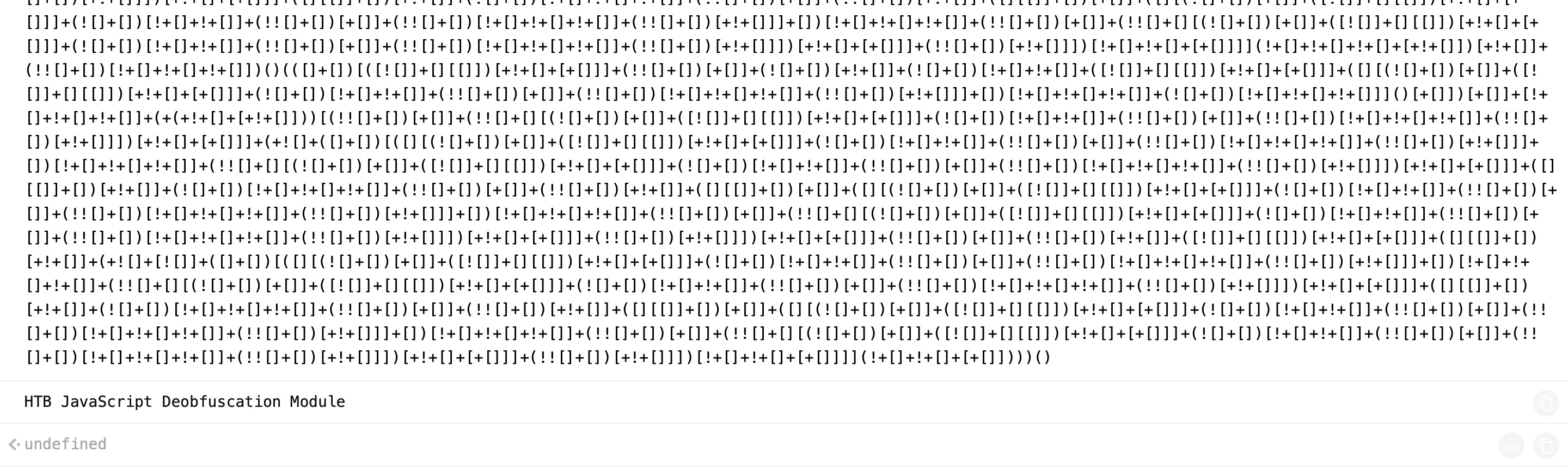
Note: The above code was snipped as the full code is too long, but the full code should successfully run.
We can try obfuscating code using the same tool in JSF, and then rerunning it. We will notice that the code may take some time to run, which shows how code obfuscation could affect the performance, as previously mentioned.
There are many other JavaScript obfuscators, like JJ Encode or AA Encode. However, such obfuscators usually make code execution/compilation very slow, so it is not recommended to be used unless for an obvious reason, like bypassing web filters or restrictions.