Deobfuscation
"Just as there are tools to obfuscate code automatically, there are tools to beautify and deobfuscate the code automatically."
Beautify
We see that the current code we have is all written in a single line. This is known as Minified JavaScript code. In order to properly format the code, we need to Beautify our code. The most basic method for doing so is through our Browser Dev Tools.
For example, if we were using Firefox, we can open the browser debugger with [ CTRL+SHIFT+Z ], and then click on our script secret.js. This will show the script in its original formatting, but we can click on the '{ }' button at the bottom, which will Pretty Print the script into its proper JavaScript formatting:
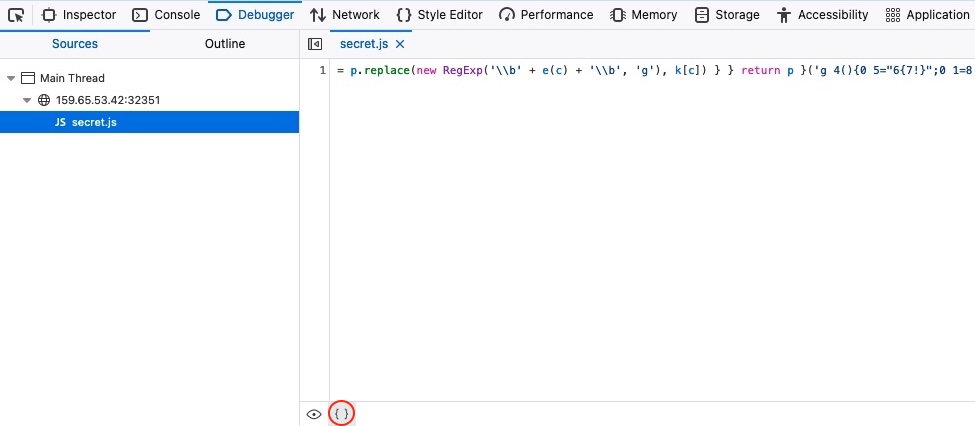
Furthermore, we can utilize many online tools or code editor plugins, like Prettier or Beautifier. Let us copy the secret.js script:
eval(function (p, a, c, k, e, d) { e = function (c) { return c.toString(36) }; if (!''.replace(/^/, String)) { while (c--) { d[c.toString(a)] = k[c] || c.toString(a) } k = [function (e) { return d[e] }]; e = function () { return '\\w+' }; c = 1 }; while (c--) { if (k[c]) { p = p.replace(new RegExp('\\b' + e(c) + '\\b', 'g'), k[c]) } } return p }('g 4(){0 5="6{7!}";0 1=8 a();0 2="/9.c";1.d("e",2,f);1.b(3)}', 17, 17, 'var|xhr|url|null|generateSerial|flag|HTB|flag|new|serial|XMLHttpRequest|send|php|open|POST|true|function'.split('|'), 0, {}))
We can see that both websites do a good job in formatting the code:
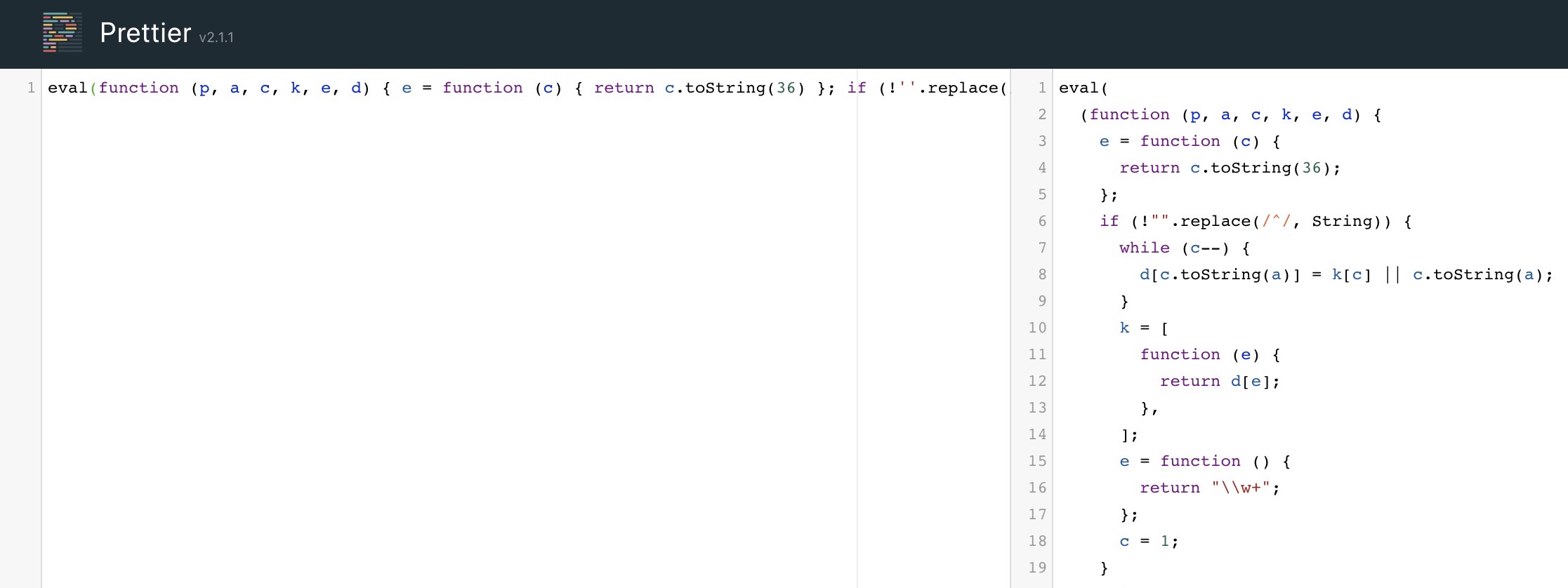
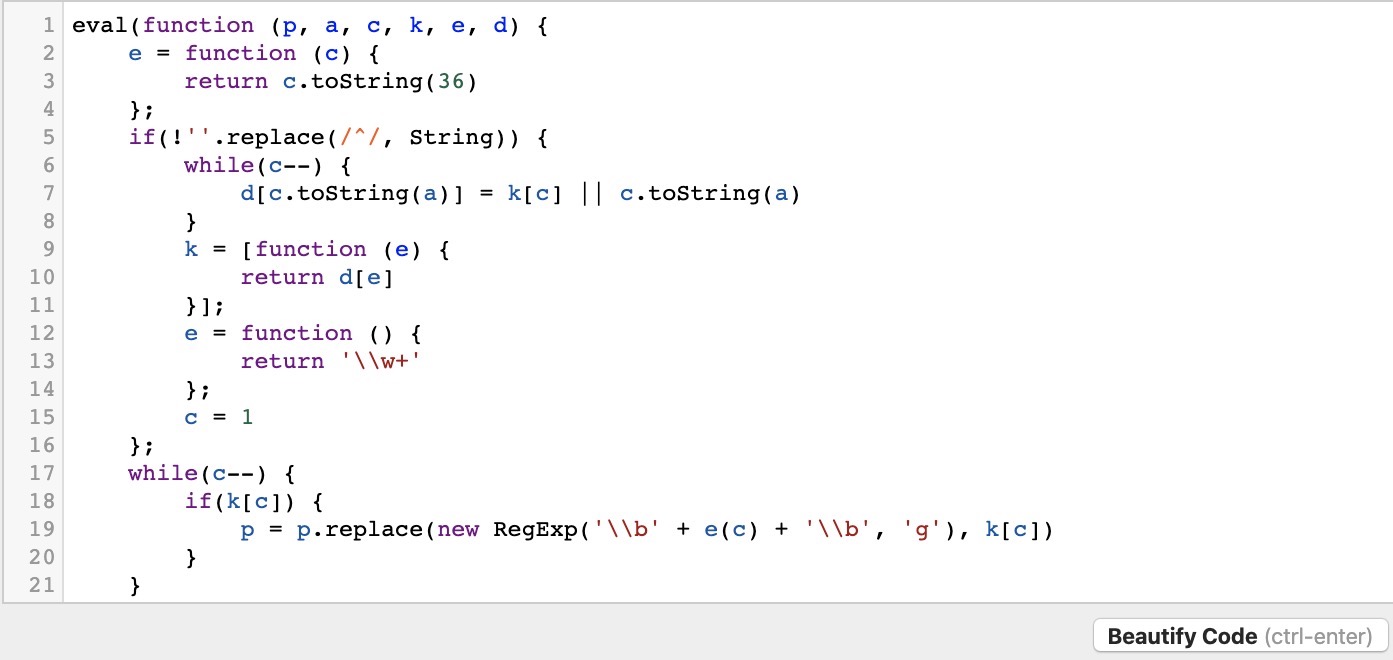
However, the code is still not very easy to read. This is because the code we are dealing with was not only minified but obfuscated as well. So, simply formatting or beautifying the code will not be enough. For that, we will require tools to deobfuscate the code.
Deobfuscate
We can find many good online tools to deobfuscate JavaScript code and turn it into something we can understand. One good tool is UnPacker. Let's try copying our above-obfuscated code and run it in UnPacker by clicking the UnPack button.
Tip: Ensure you do not leave any empty lines before the script, as it may affect the deobfuscation process and give inaccurate results.
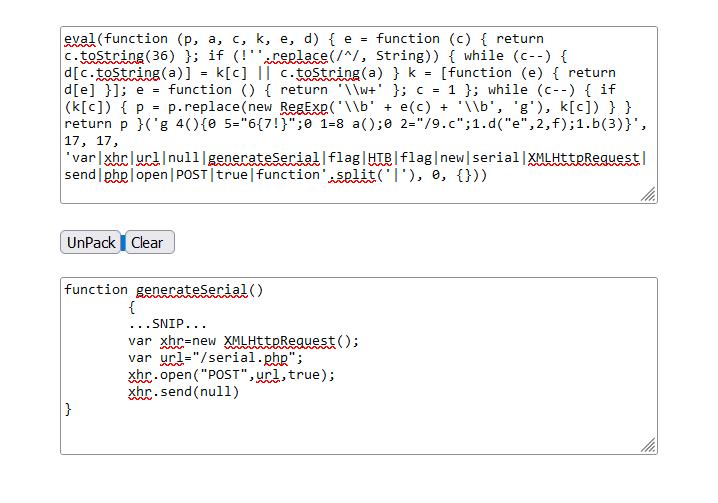
We can see that this tool does a much better job in deobfuscating the JavaScript code and gave us an output we can understand:
function generateSerial() {
  ...SNIP...
  var xhr = new XMLHttpRequest;
  var url = "/serial.php";
  xhr.open("POST", url, true);
  xhr.send(null);
};
As previously mentioned, the above-used method of obfuscation is packing. Another way of unpacking such code is to find the return value at the end and use console.log to print it instead of executing it.
Reverse Engineering
Though these tools are doing a good job so far in clearing up the code into something we can understand, once the code becomes more obfuscated and encoded, it would become much more difficult for automated tools to clean it up. This is especially true if the code was obfuscated using a custom obfuscation tool.
We would need to manually reverse engineer the code to understand how it was obfuscated and its functionality for such cases. If you are interested in knowing more about advanced JavaScript Deobfuscation and Reverse Engineering, you can check out the Secure Coding 101 module, which should thoroughly cover this topic.
Exercise
TARGET: 83.136.254.49:36491
Challenge 1
Using what you learned in this section, try to deobfuscate 'secret.js' in order to get the content of the flag. What is the flag?
Let's visit http://83.136.254.49:36491 and try pressing [CTRL + U] to see the page's source code, then :
</html>
<!DOCTYPE html>

<head>
    <title>Secret Serial Generator</title>
    <style>
        *,
        html {
            margin: 0;
            padding: 0;
            border: 0;
        }

        html {
            width: 100%;
            height: 100%;
        }

        body {
            width: 100%;
            height: 100%;
            position: relative;
            background-color: #6fb3eb;
        }

        .center {
            width: 100%;
            height: 50%;
            margin: 0;
            position: absolute;
            top: 50%;
            left: 50%;
            transform: translate(-50%, -50%);
            color: white;
            font-family: "Helvetica", Helvetica, sans-serif;
            text-align: center;
        }

        h1 {
            font-size: 144px;
        }

        p {
            font-size: 64px;
        }
    </style>
    <script src="secret.js"></script>
    <!-- HTB{4lw4y5_r34d_7h3_50urc3} -->
</head>

<body>
    <div class="center">
        <h1>Secret Serial Generator</h1>
        <p>This page generates secret serials!</p>
    </div>
</body>
Then click on the "secret.js" label, the obfuscated javascript code will show up:
eval(function (p, a, c, k, e, d) { e = function (c) { return c.toString(36) }; if (!''.replace(/^/, String)) { while (c--) { d[c.toString(a)] = k[c] || c.toString(a) } k = [function (e) { return d[e] }]; e = function () { return '\\w+' }; c = 1 }; while (c--) { if (k[c]) { p = p.replace(new RegExp('\\b' + e(c) + '\\b', 'g'), k[c]) } } return p }('g 4(){0 5="6{7!}";0 1=8 a();0 2="/9.c";1.d("e",2,f);1.b(3)}', 17, 17, 'var|xhr|url|null|generateSerial|flag|HTB|1_4m_7h3_53r14l_g3n3r470r|new|serial|XMLHttpRequest|send|php|open|POST|true|function'.split('|'), 0, {}))
Now lets try using UnPacker to deobfuscate this code:
Results:
function generateSerial()
	{
	var flag="HTB
		{
		1_4m_7h3_53r14l_g3n3r470r!
	}
	";
	var xhr=new XMLHttpRequest();
	var url="/serial.php";
	xhr.open("POST",url,true);
	xhr.send(null)
}
- That looks like a flag!
flag: HTB