Skills Assessment - JavaScript Deobfuscation
Description:
During our Penetration Test, we came across a web server that contains JavaScript and APIs. We need to determine their functionality to understand how it can negatively affect our customer.
TARGET: 83.136.253.5:32700
Challenge 1
Try to study the HTML code of the webpage, and identify used JavaScript code within it. What is the name of the JavaScript file being used?
First, visit 83.136.253.5:32700 in your browser:
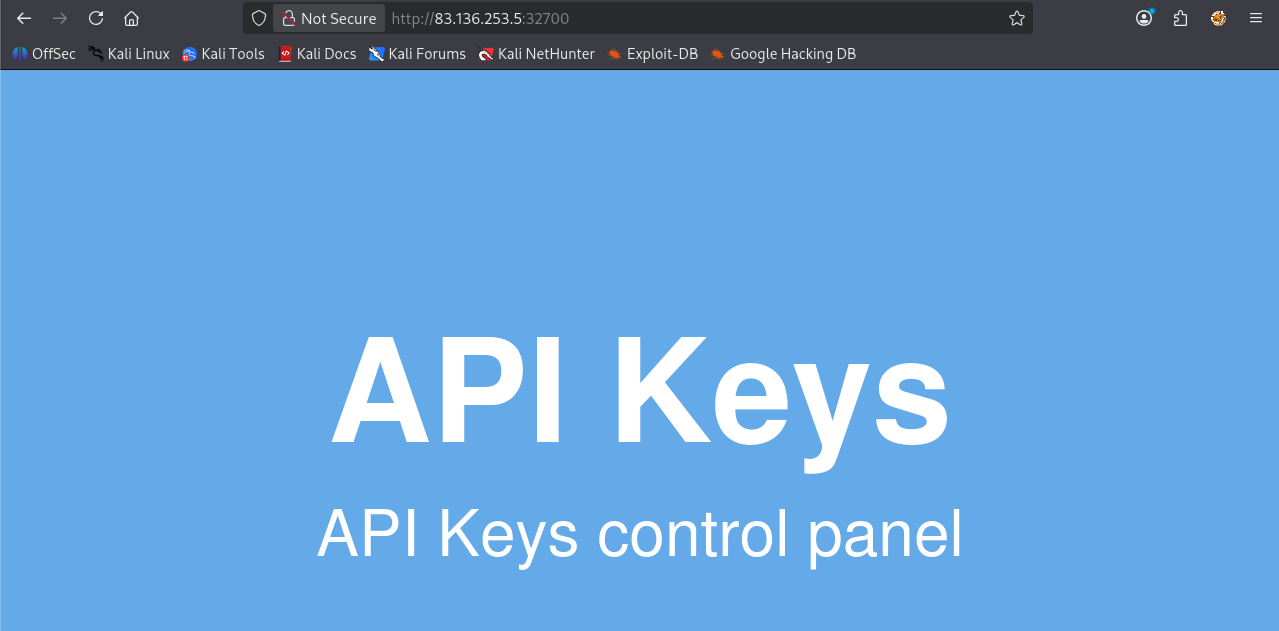
Now press [CTRL + U] to directly see the source code of the page, this reveals the code:
</html>
<!DOCTYPE html>

<head>
    <title>Secret Serial Generator</title>
    <style>
        *,
        html {
            margin: 0;
            padding: 0;
            border: 0;
        }

        html {
            width: 100%;
            height: 100%;
        }

        body {
            width: 100%;
            height: 100%;
            position: relative;
            background-color: #6fb3eb;
        }

        .center {
            width: 100%;
            height: 50%;
            margin: 0;
            position: absolute;
            top: 50%;
            left: 50%;
            transform: translate(-50%, -50%);
            color: white;
            font-family: "Helvetica", Helvetica, sans-serif;
            text-align: center;
        }

        h1 {
            font-size: 144px;
        }

        p {
            font-size: 64px;
        }
    </style>
    <script src="api.min.js"></script>
</head>

<body>
    <div class="center">
        <h1>API Keys</h1>
        <p>API Keys control panel</p>
    </div>
</body>

</html>
- Here we are able to see the JavaScript file being used, it is easily identifiable because it will have the
src=prefix, so that HTML can treat it as JavaScript code.
flag: api.min.js
Challenge 2
Once you find the JavaScript code, try to run it to see if it does any interesting functions. Did you get something in return?
Click on the api.min.js label in the source code to open the JavaScript file, this reveals the following code:
eval(function (p, a, c, k, e, d) { e = function (c) { return c.toString(36) }; if (!''.replace(/^/, String)) { while (c--) { d[c.toString(a)] = k[c] || c.toString(a) } k = [function (e) { return d[e] }]; e = function () { return '\\w+' }; c = 1 }; while (c--) { if (k[c]) { p = p.replace(new RegExp('\\b' + e(c) + '\\b', 'g'), k[c]) } } return p }('t 5(){6 7=\'1{n\'+\'8\'+\'9\'+\'a\'+\'b\'+\'c!\'+\'}\',0=d e(),2=\'/4\'+\'.g\';0[\'f\'](\'i\',2,!![]),0[\'k\'](l)}m[\'o\'](\'1{j\'+\'p\'+\'q\'+\'r\'+\'s\'+\'h\'+\'3}\');', 30, 30, 'xhr|HTB|_0x437f8b|k3y|keys|apiKeys|var|flag|3v3r_|run_0|bfu5c|473d_|c0d3|new|XMLHttpRequest|open|php|n_15_|POST||send|null|console||log|4v45c|r1p7_|3num3|r4710|function'.split('|'), 0, {}))
- Notably obfuscated
We can run it by visiting https://jsconsole.com/, pasting the code and hitting Enter, the result is the following:
HTB{j4v45cr1p7_3num3r4710n_15_k3y}
flag: HTB
Challenge 3
As you may have noticed, the JavaScript code is obfuscated. Try applying the skills you learned in this module to deobfuscate the code, and retrieve the 'flag' variable.
For this challenge, it is easier if we start with UnPacker as the obfuscated code contains complete strings in its body, which is an indicator of an obfuscation made using the packed method. Paste the obfuscated code and click 'UnPack'.
Results:
function apiKeys()
	{
	var flag='HTB
		{
		n'+'3v3r_'+'run_0'+'bfu5c'+'473d_'+'c0d3!'+'
	}
	',xhr=new XMLHttpRequest(),_0x437f8b='/keys'+'.php';
	xhr['open']('POST',_0x437f8b,!![]),xhr['send'](null)
}
console['log']('HTB
	{
	j'+'4v45c'+'r1p7_'+'3num3'+'r4710'+'n_15_'+'k3y
}
');
- There is our flag (two flags actaully), but it is probably just separated by
+'s (appending operations) - As the challenge says, we are only interested in the
flagvaraible, so the top one should be our flag.
flag: HTB
Challenge 4
Try to Analyze the deobfuscated JavaScript code, and understand its main functionality. Once you do, try to replicate what it's doing to get a secret key. What is the key?
Since we already went through the Code Analysis module we know this code tries a POST request to /keys.php, lets try that ourselves using curl:
┌──(macc㉿kaliLab)-[~/htb]
└─$ curl -s http://83.136.253.5:32700/keys.php -X POST
4150495f70336e5f37333537316e365f31355f66756e
flag: 4150495f70336e5f37333537316e365f31355f66756e
Challenge 5
Once you have the secret key, try to decide it's encoding method, and decode it. Then send a 'POST' request to the same previous page with the decoded key as "key=DECODED_KEY". What is the flag you got?
Since all we can see in that key are alphanumeric character, our first intuition should be trying a base64 decode, lets use the Linux CLI utility that corresponds to this decode format:
�^t��_�M���_߽�ߝ��^�߮_�]����
- So this is certainly not what we are looking for
Putting more detail view to the encoded key we can notice that all characters are between 0 and f, hmmm I wonder what that could mean... exactly! a Hex encode, lets use the Linux CLI to decode it:
┌──(macc㉿kaliLab)-[~/htb]
└─$ echo 4150495f70336e5f37333537316e365f31355f66756e | xxd -p -r
API_p3n_73571n6_15_fun
Now that we got our key, we need to include it with the key parameter in a POST request, lets do that using curl:
┌──(macc㉿kaliLab)-[~/htb]
└─$ curl -s http://83.136.253.5:32700/keys.php -X POST -d "key=API_p3n_73571n6_15_fun"
HTB{r34dy_70_h4ck_my_w4y_1n_2_HTB}
flag: HTB