Mitigating SQL Injection
Input Sanitization
Here's the snippet of the code from the authentication bypass section we discussed earlier:
<SNIP>
  $username = $_POST['username'];
  $password = $_POST['password'];

  $query = "SELECT * FROM logins WHERE username='". $username. "' AND password = '" . $password . "';" ;
  echo "Executing query: " . $query . "<br /><br />";

  if (!mysqli_query($conn ,$query))
  {
          die('Error: ' . mysqli_error($conn));
  }

  $result = mysqli_query($conn, $query);
  $row = mysqli_fetch_array($result);
<SNIP>
As we can see, the script takes in the username and password from the POST request and passes it to the query directly. This will let an attacker inject anything they wish and exploit the application. Injection can be avoided by sanitizing any user input, rendering injected queries useless. Libraries provide multiple functions to achieve this, one such example is the mysqli_real_escape_string() function. This function escapes characters such as ' and ", so they don't hold any special meaning.
<SNIP>
$username = mysqli_real_escape_string($conn, $_POST['username']);
$password = mysqli_real_escape_string($conn, $_POST['password']);

$query = "SELECT * FROM logins WHERE username='". $username. "' AND password = '" . $password . "';" ;
echo "Executing query: " . $query . "<br /><br />";
<SNIP>
The snippet above shows how the function can be used.

As expected, the injection no longer works due to escaping the single quotes. A similar example is the pg_escape_string() which used to escape PostgreSQL queries.
Input Validation
User input can also be validated based on the data used to query to ensure that it matches the expected input. For example, when taking an email as input, we can validate that the input is in the form of ...@email.com, and so on.
Consider the following code snippet from the ports page, which we used UNION injections on:
<?php
if (isset($_GET["port_code"])) {
	$q = "Select * from ports where port_code ilike '%" . $_GET["port_code"] . "%'";
	$result = pg_query($conn,$q);

	if (!$result)
	{
   		die("</table></div><p style='font-size: 15px;'>" . pg_last_error($conn). "</p>");
	}
<SNIP>
?>
We see the GET parameter port_code being used in the query directly. It's already known that a port code consists only of letters or spaces. We can restrict the user input to only these characters, which will prevent the injection of queries. A regular expression can be used for validating the input:
<SNIP>
$pattern = "/^[A-Za-z\s]+$/";
$code = $_GET["port_code"];

if(!preg_match($pattern, $code)) {
  die("</table></div><p style='font-size: 15px;'>Invalid input! Please try again.</p>");
}

$q = "Select * from ports where port_code ilike '%" . $code . "%'";
<SNIP>
The code is modified to use the preg_match() function, which checks if the input matches the given pattern or not. The pattern used is [A-Za-z\s]+, which will only match strings containing letters and spaces. Any other character will result in the termination of the script.
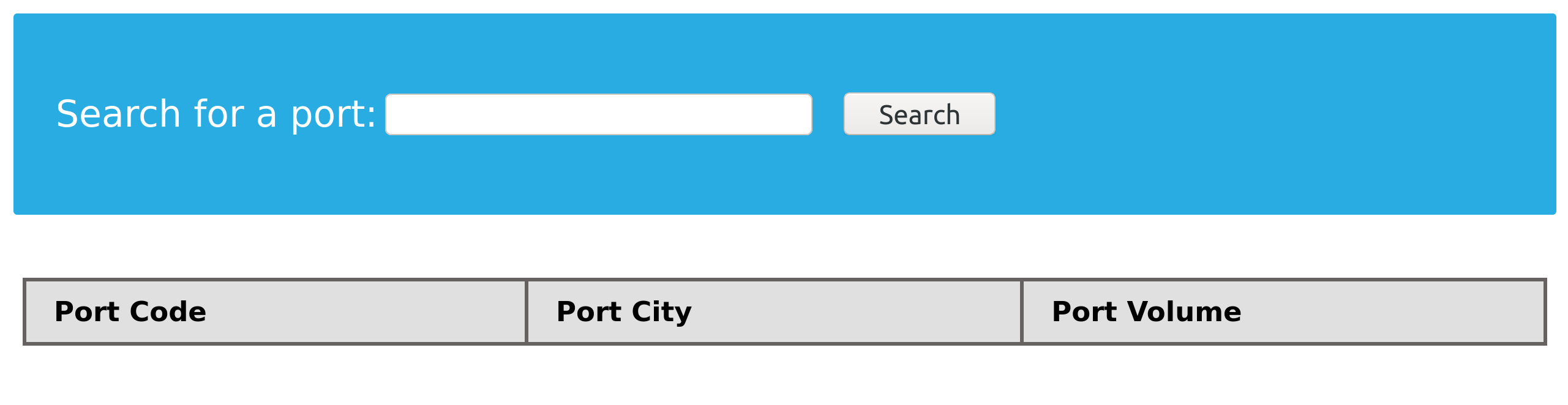
We can test the following injection:
'; SELECT 1,2,3,4-- -
As seen in the images above, input with injected queries was rejected by the server.
User Privileges
As discussed initially, DBMS software allows the creation of users with fine-grained permissions. We should ensure that the user querying the database only has minimum permissions.
Superusers and users with administrative privileges should never be used with web applications. These accounts have access to functions and features, which could lead to server compromise.
MariaDB [(none)]> CREATE USER 'reader'@'localhost';

Query OK, 0 rows affected (0.002 sec)


MariaDB [(none)]> GRANT SELECT ON ilfreight.ports TO 'reader'@'localhost' IDENTIFIED BY 'p@ssw0Rd!!';

Query OK, 0 rows affected (0.000 sec)
The commands above add a new MariaDB user named reader who is granted only SELECT privileges on the ports table. We can verify the permissions for this user by logging in:
m4cc18@htb[/htb]$ mysql -u reader -p

MariaDB [(none)]> use ilfreight;
MariaDB [ilfreight]> SHOW TABLES;

+---------------------+
| Tables_in_ilfreight |
+---------------------+
| ports               |
+---------------------+
1 row in set (0.000 sec)


MariaDB [ilfreight]> SELECT SCHEMA_NAME FROM INFORMATION_SCHEMA.SCHEMATA;

+--------------------+
| SCHEMA_NAME        |
+--------------------+
| information_schema |
| ilfreight          |
+--------------------+
2 rows in set (0.000 sec)


MariaDB [ilfreight]> SELECT * FROM ilfreight.credentials;
ERROR 1142 (42000): SELECT command denied to user 'reader'@'localhost' for table 'credentials'
The snippet above confirms that the reader user cannot query other tables in the ilfreight database. The user only has access to the ports table that is needed by the application.
Web Application Firewall
Web Application Firewalls (WAF) are used to detect malicious input and reject any HTTP requests containing them. This helps in preventing SQL Injection even when the application logic is flawed. WAFs can be open-source (ModSecurity) or premium (Cloudflare). Most of them have default rules configured based on common web attacks. For example, any request containing the string INFORMATION_SCHEMA would be rejected, as it's commonly used while exploiting SQL injection.
Consider the following modified code:
<SNIP>
  $username = $_POST['username'];
  $password = $_POST['password'];

  $query = "SELECT * FROM logins WHERE username=? AND password = ?" ;
  $stmt = mysqli_prepare($conn, $query);
  mysqli_stmt_bind_param($stmt, 'ss', $username, $password);
  mysqli_stmt_execute($stmt);
  $result = mysqli_stmt_get_result($stmt);

  $row = mysqli_fetch_array($result);
  mysqli_stmt_close($stmt);
<SNIP>
The query is modified to contain two placeholders, marked with ? where the username and password will be placed. We then bind the username and password to the query using the mysqli_stmt_bind_param() function. This will safely escape any quotes and place the values in the query.
Conclusion
The list above is not exhaustive, and it could still be possible to exploit SQL injection based on the application logic. The code examples shown are based on PHP, but the logic applies across all common languages and libraries.