Identifying SSTI
Before exploiting an SSTI vulnerability, it is essential to successfully confirm that the vulnerability is present. Furthermore, we need to identify the template engine the target web application uses, as the exploitation process highly depends on the concrete template engine in use. That is because each template engine uses a slightly different syntax and supports different functions we can use for exploitation purposes.
Confirming SSTI
The process of identifying an SSTI vulnerability is similar to the process of identifying any other injection vulnerability, such as SQL injection. The most effective way is to inject special characters with semantic meaning in template engines and observe the web application's behavior. As such, the following test string is commonly used to provoke an error message in a web application vulnerable to SSTI, as it consists of all special characters that have a particular semantic purpose in popular template engines:
${{<%[%'"}}%\.
Since the above test string should almost certainly violate the template syntax, it should result in an error if the web application is vulnerable to SSTI. This behavior is similar to how injecting a single quote (') into a web application vulnerable to SQL injection can break an SQL query's syntax, resulting in an SQL error.
As a practical example, let us examine our sample web application. We can insert a name, which is then reflected on the following page:


To test for an SSTI vulnerability, we can inject the test string mentioned above. This results in the following response from the web application:

As we can see, the web application throws an error. While this does not confirm that the web application is vulnerable to SSTI, it should increase our suspicion that the parameter might be vulnerable.
Identifying the Template Engine
To successfully exploit an SSTI vulnerability, we first need to determine the template engine used by the web application. We can utilize slight variations in the behavior of different template engines to achieve this. For instance, consider the following commonly used overview containing slight differences in popular template engines:
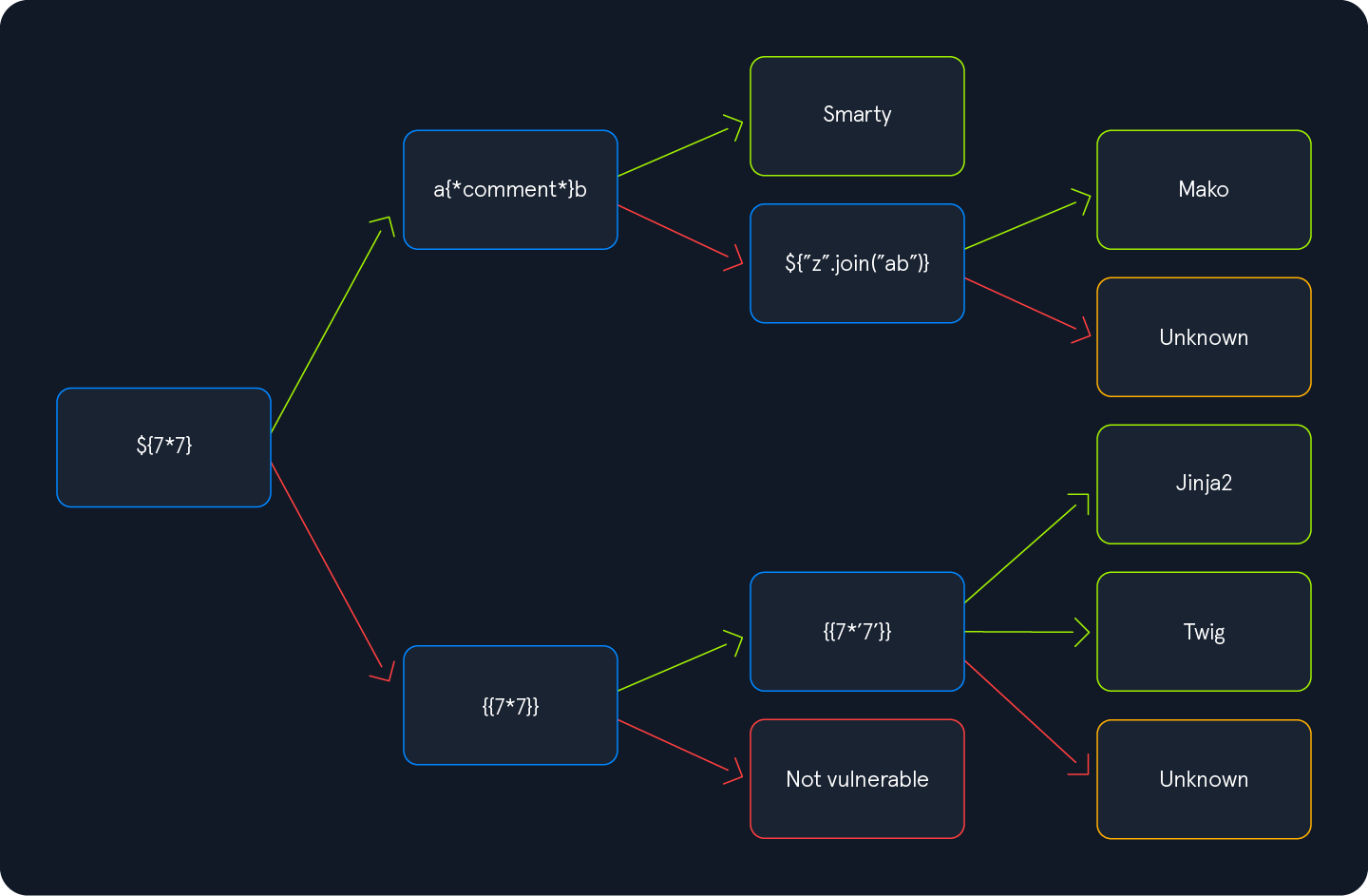
We will start by injecting the payload ${7*7} and follow the diagram from left to right, depending on the result of the injection. Suppose the injection resulted in a successful execution of the injected payload. In that case, we follow the green arrow; otherwise, we follow the red arrow until we arrive at a resulting template engine.
Injecting the payload ${7*7} into our sample web application results in the following behavior:

Since the injected payload was not executed, we follow the red arrow and now inject the payload {{7*7}}:

This time, the payload was executed by the template engine. Therefore, we follow the green arrow and inject the payload {{7*'7'}}. The result will enable us to deduce the template engine used by the web application. In Jinja, the result will be 7777777, while in Twig, the result will be 49.
Exercise
TARGET: 154.57.164.76:32205
Challenge 1
Apply what you learned in this section and identify the Template Engine used by the web application. Provide the name of the template engine as the answer.
This challenge asks us to follow the diagram shown above to identify the Template Engine used.
The first step is to insert the following payload:
{$7*7}
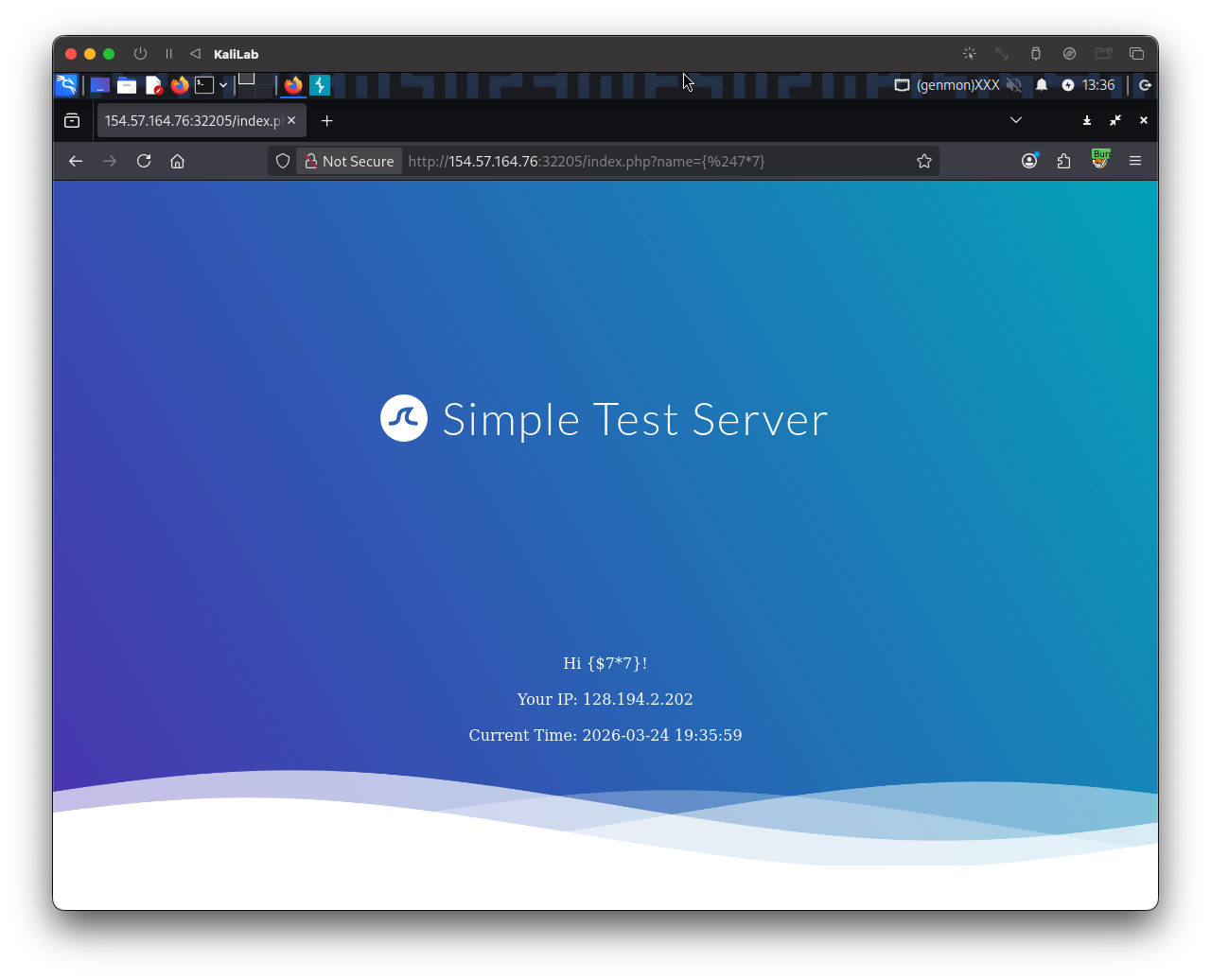
Since it is not executed we go downstream and try the next payload:
{{7*7}}
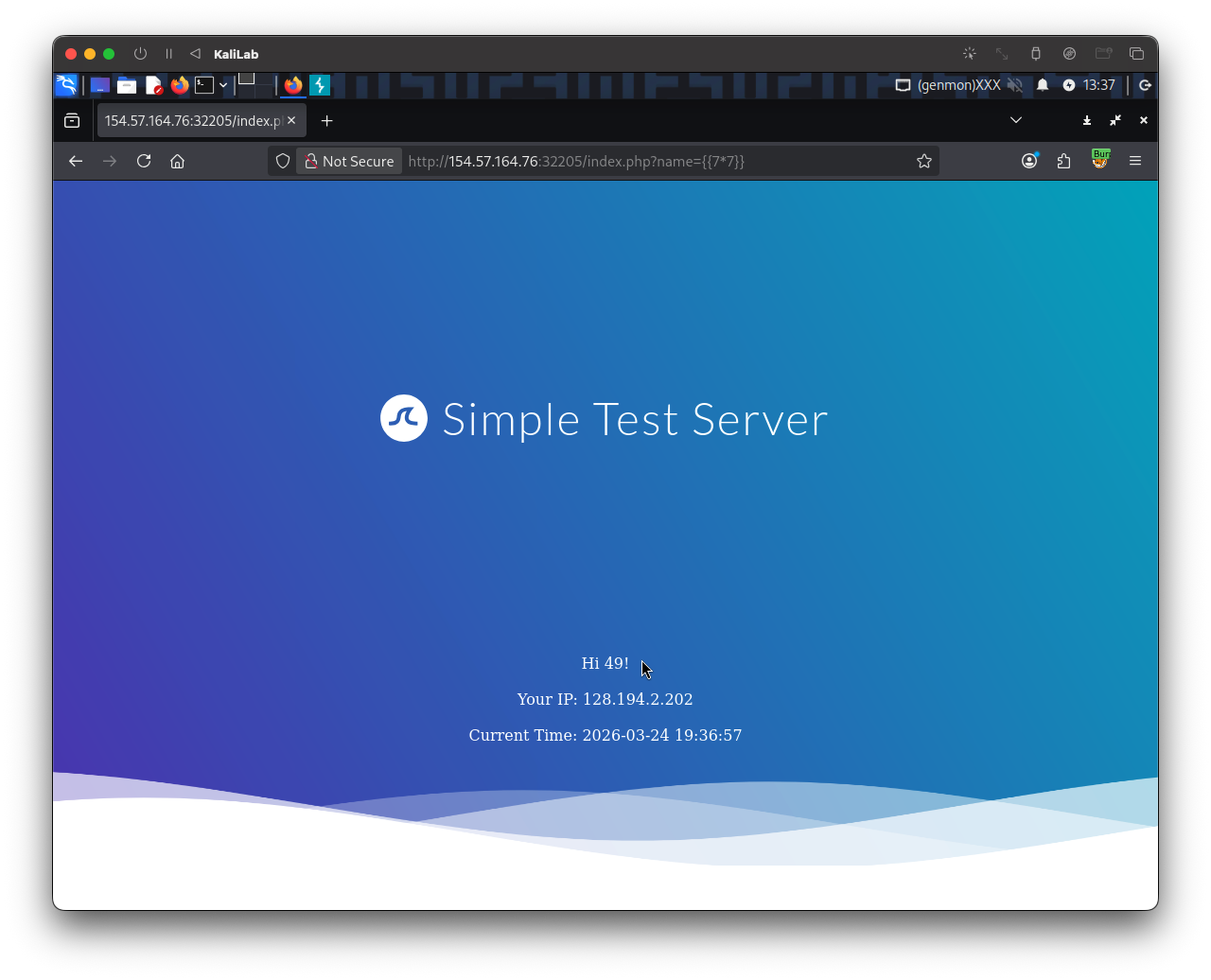
This template value got executed so so we must now move upstream and try:
{{7*'7'}}
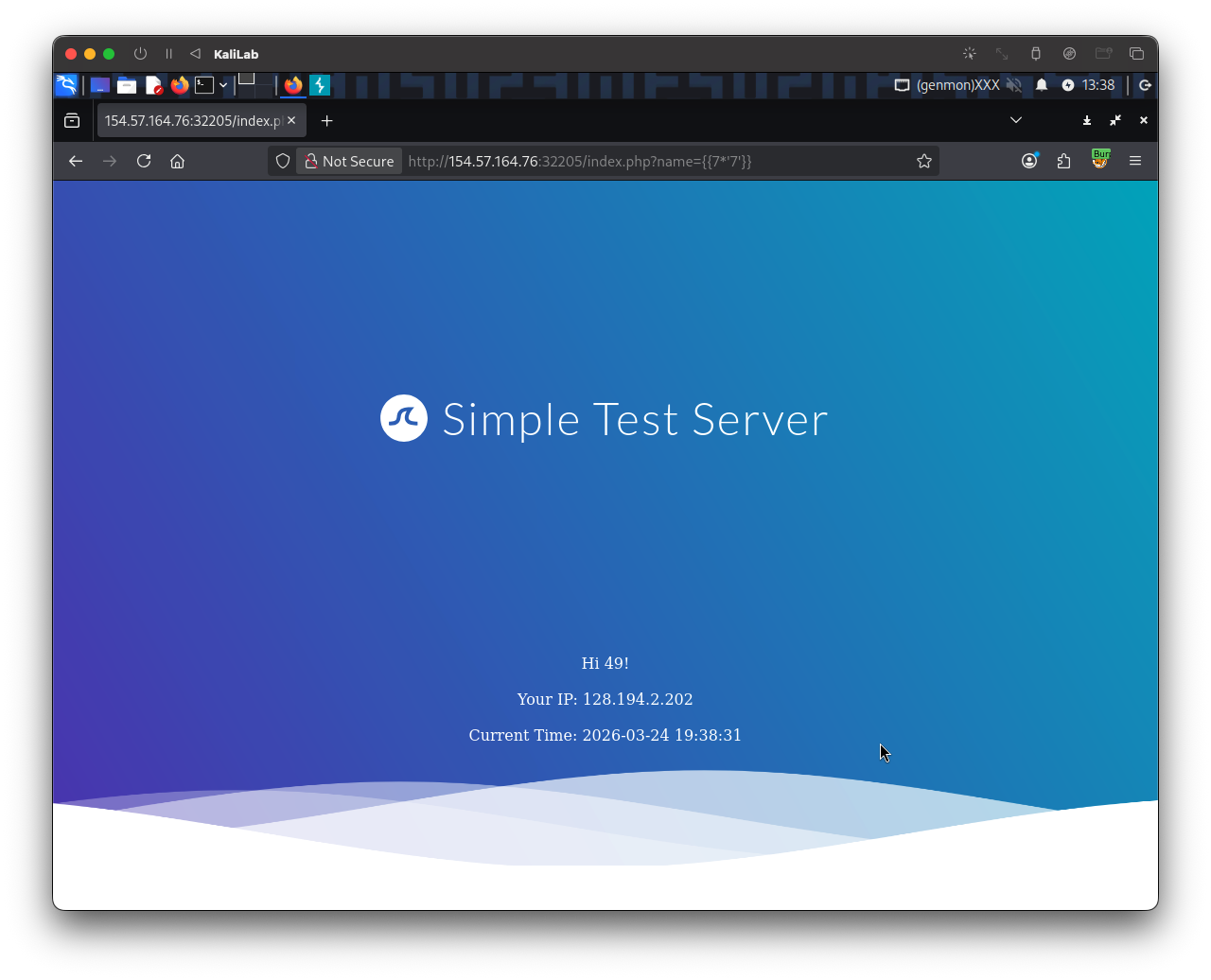
- Same result, it got executed!
Since the result is 49 and not 7777777, then we know the template engine is Twig
flag: Twig