Authentication Bypass via Direct Access
After discussing various attacks on flawed authentication implementations, this section will highlight vulnerabilities that enable the complete bypass of authentication mechanisms.
Direct Access
The most straightforward way of bypassing authentication checks is to request the protected resource directly from an unauthenticated context. An unauthenticated attacker can access protected information if the web application does not properly verify that the request is authenticated.
For instance, let us assume that we know that the web application redirects users to the /admin.php endpoint after successful authentication, providing protected information only to authenticated users. If the web application relies solely on the login page to authenticate users, we can access the protected resource directly by accessing the /admin.php endpoint.
While this scenario is uncommon in the real world, a slight variant occasionally happens in vulnerable web applications. To illustrate the vulnerability, let us assume a web application uses the following snippet of PHP code to verify whether a user is authenticated:
if(!$_SESSION['active']) {
	header("Location: index.php");
}
This code redirects the user to /index.php if the session is not active, i.e., if the user is not authenticated. However, the PHP script does not stop execution, resulting in protected information within the page being sent in the response body:

As we can see, the entire admin page is contained in the response body. However, if we attempt to access the page in our web browser, the browser follows the redirect and displays the login prompt instead of the protected admin page. We can easily trick the browser into displaying the admin page by intercepting the response and changing the status code from 302 to 200. To do this, enable Intercept in Burp. Afterward, browse to the /admin.php endpoint in the web browser. Next, right-click on the request and select Do intercept > Response to this request to intercept the response:

Afterward, forward the request by clicking on Forward. Since we intercepted the response, we can now edit it. To force the browser to display the content, we need to change the status code from 302 Found to 200 OK:

Afterward, we can forward the response. If we switch back to our browser window, we can see that the protected information is rendered:

To prevent the protected information from being returned in the body of the redirect response, the PHP script needs to exit after issuing the redirect:
if(!$_SESSION['active']) {
	header("Location: index.php");
	exit;
}
Exercise
TARGET: 154.57.164.77:32471
Challenge 1
Apply what you learned in this section to bypass authentication to obtain the flag.
Following what was explained in this section, I will first visit the following URL to try to access the protected resource: /admin.php:
http://154.57.164.77:32471/admin.php
We are instantly redirected to /index.php, but take a look at the response (captured through Burp proxy):
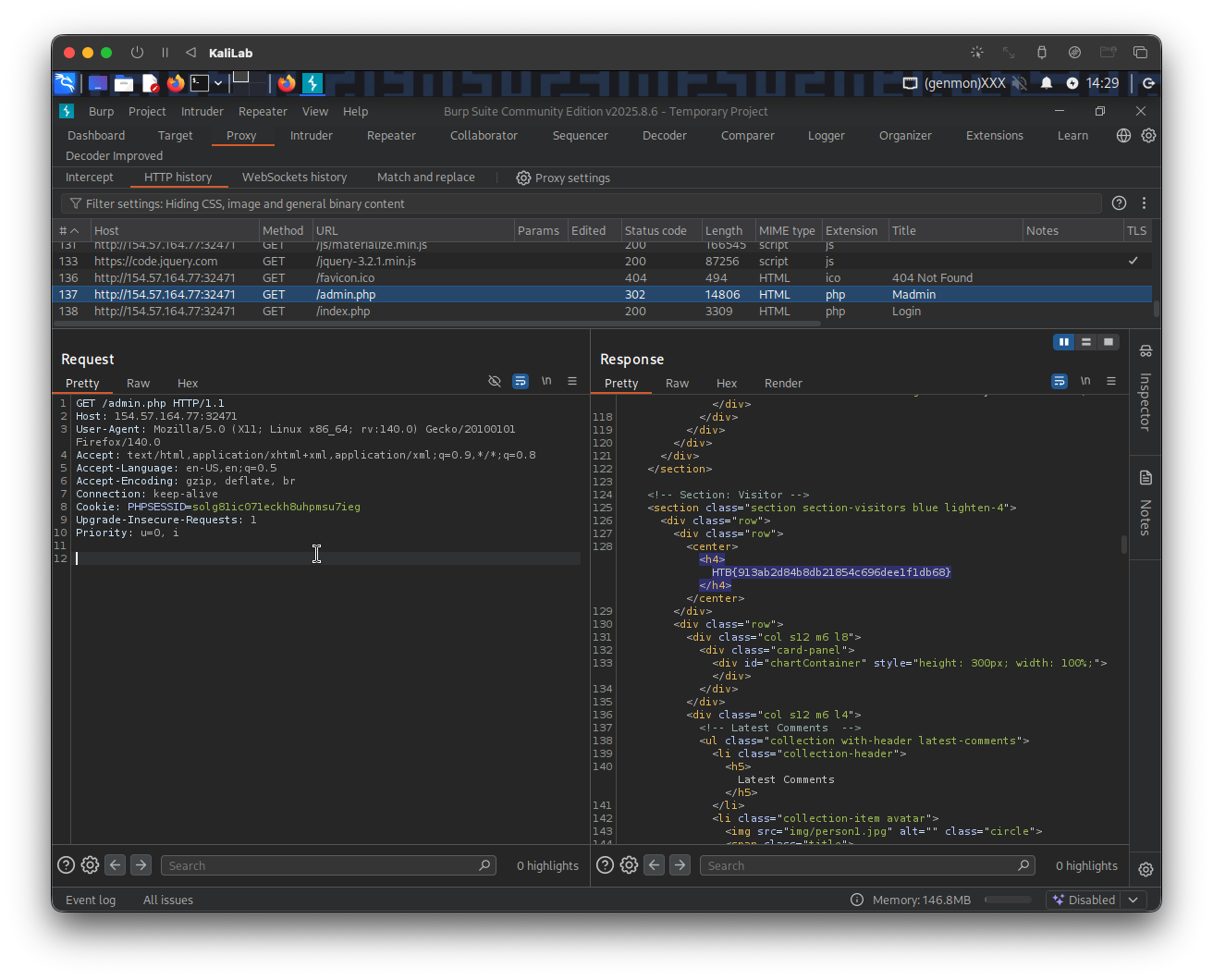
- It actually gives the
/admin.phppage content, and with it the flag!
If we further do the procedure described in in this section (using Burp intruder), we can get the content to actually be rendered in our browser:
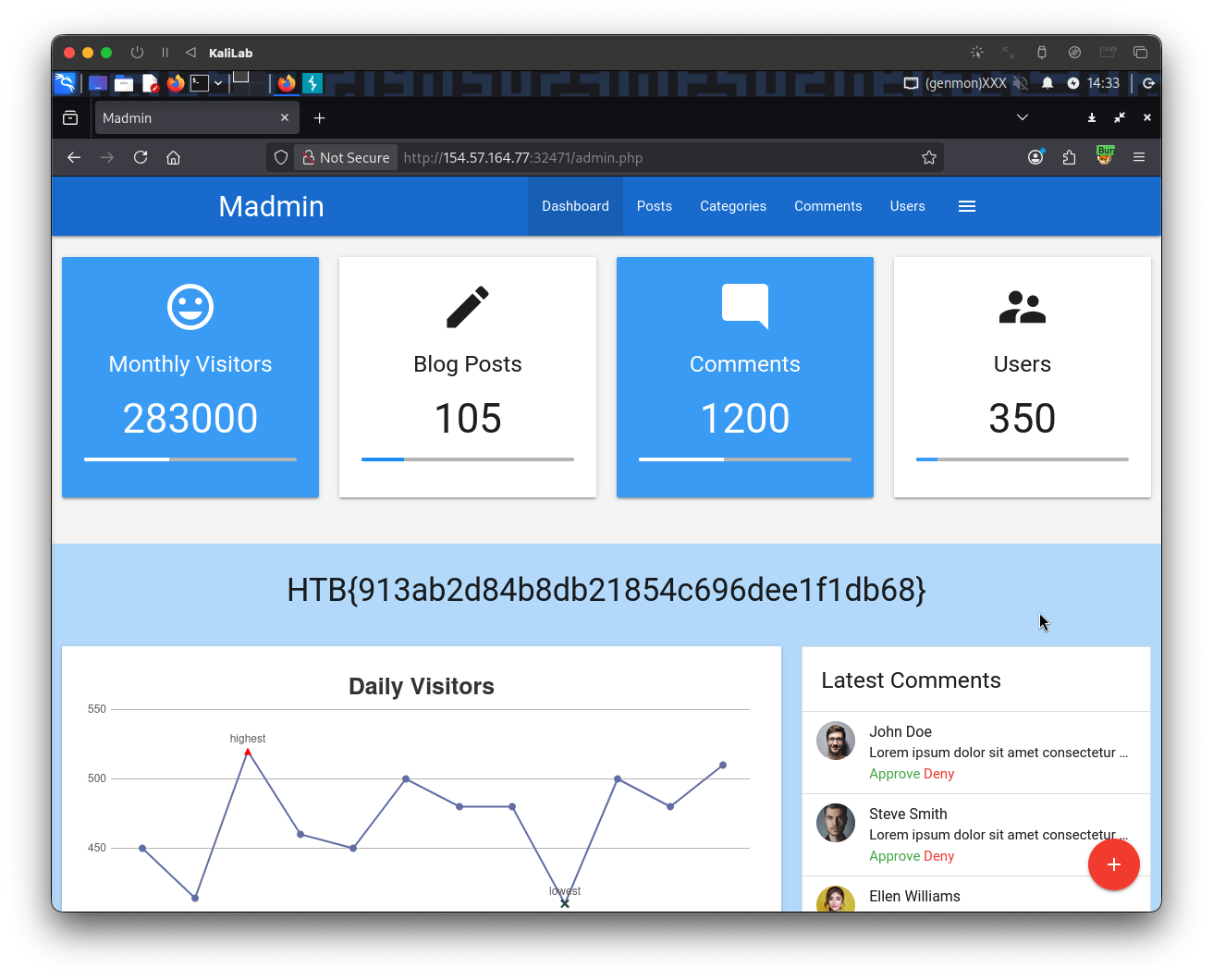
flag: HTB