Unsafe Consumption of APIs
APIs frequently interact with other APIs to exchange data, forming a complex ecosystem of interconnected services. While this interconnectivity enhances functionality and efficiency, it also introduces significant security risks if not managed properly. Developers may blindly trust data received from third-party APIs, especially when provided by reputable organizations, leading to relaxed security measures, particularly in input validation and data sanitization.
Several critical vulnerabilities can arise from API-to-API communication:
- Insecure Data Transmission: APIs communicating over unencrypted channels expose sensitive data to interception, compromising confidentiality and integrity.
- Inadequate Data Validation: Failing to properly validate and sanitize data received from external APIs before processing or forwarding it to downstream components can lead to injection attacks, data corruption, or even remote code execution.
- Weak Authentication: Neglecting to implement robust authentication methods when communicating with other APIs can result in unauthorized access to sensitive data or critical functionality.
- Insufficient Rate-Limiting: An API can overwhelm another API by sending a continuous surge of requests, potentially leading to denial-of-service.
- Inadequate Monitoring: Insufficient monitoring of API-to-API interactions can make it difficult to detect and respond to security incidents promptly.
If an API consumes another API insecurely, it is vulnerable to CWE-1357: Reliance on Insufficiently Trustworthy Component.
Prevention
To prevent vulnerabilities arising from API-to-API communication, web API developers should implement the following measures:
- Secure Data Transmission: Use encrypted channels for data transmission to prevent exposure of sensitive data through man-in-the-middle attacks.
- Adequate Data Validation: Ensure proper validation and sanitization of data received from external APIs before processing or forwarding it to downstream components. This mitigates risks such as injection attacks, data corruption, or remote code execution.
- Robust Authentication: Employ secure authentication methods when communicating with other APIs to prevent unauthorized access to sensitive data or critical functionality.
- Sufficient Rate-Limiting: Implement rate-limiting mechanisms to prevent an API from overwhelming another API, thereby protecting against denial-of-service attacks.
- Adequate Monitoring: Implement robust monitoring of API-to-API interactions to promptly detect and respond to security incidents.
Exercise
TARGET: 154.57.164.74:32417
Challenge 1
If v1 of Inlanefreight's E-Commerce Marketplace accepted data from the '/api/v0/suppliers/deleted' endpoint unsafely, what would the password hash of 'Yara MacDonald' be in v1?
Again, just like in Improper Inventory Management, we are asked to test the v0 implementation. Access http://154.57.164.74:32417/swagger, then use the "Select a definition" function to change from v1 to v0 implementation:
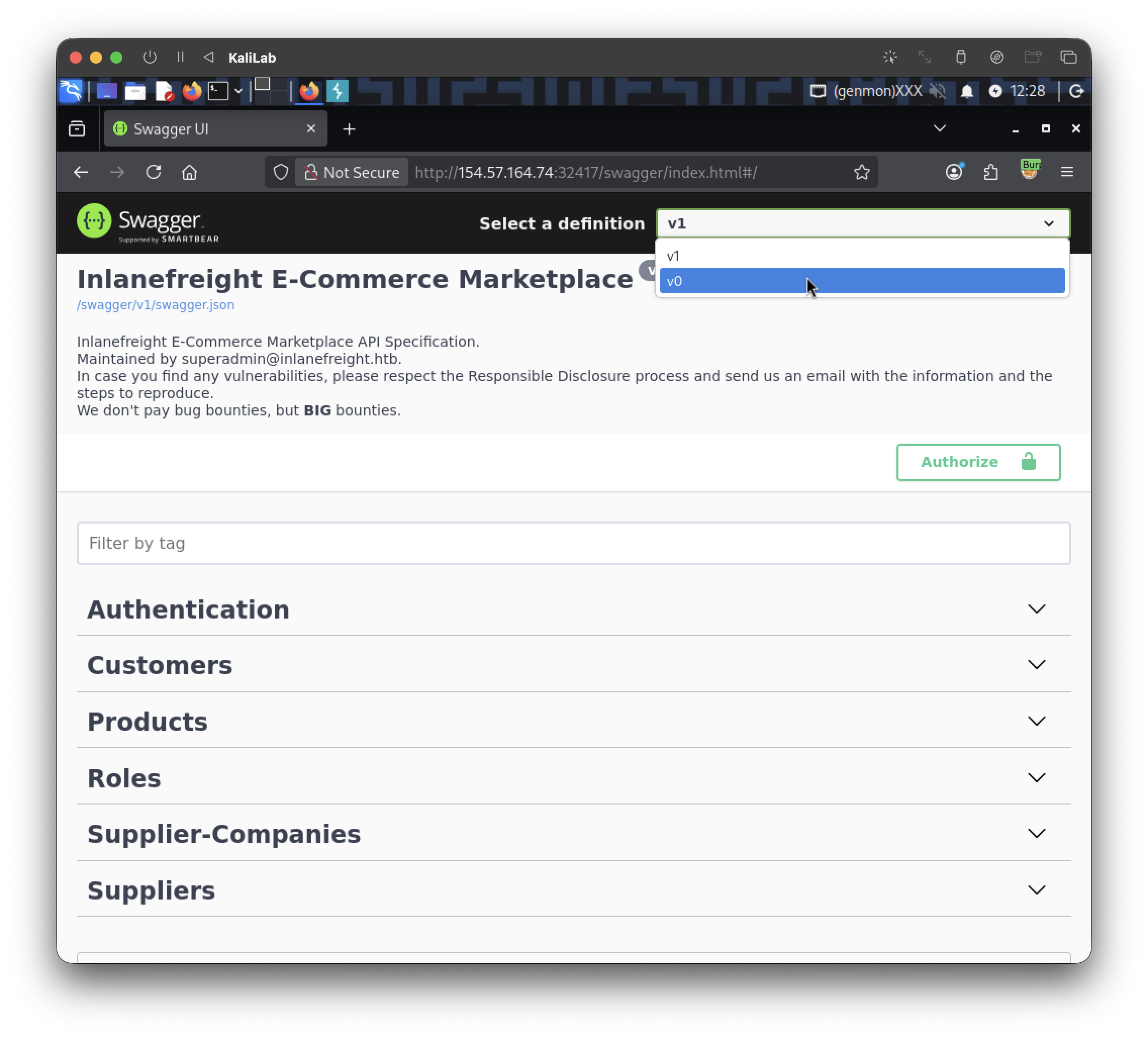
Trigger the /api/v0/suppliers/deleted endpoint to start looking for this user's password hash:

If we use Ctrl + F and type the user we are looking for: "Yara MacDonald", we get the following match:

The json entry is:
  {
    "ID": "c687e876-ee3e-4490-b5b6-e2e5b497ce2a",
    "CompanyID": "bf7c7d0d-a5a1-40c1-a49b-7c499aca35f7",
    "Name": "Yara MacDonald",
    "Email": "Y.MacDonald1406@cyberneticsolutions.com",
    "PhoneNumber": "(210) 263-2635",
    "PasswordHash": "006006C3167E90A7575A12E474218D86"
  }
flag: 006006C3167E90A7575A12E474218D86